Lucid AI: Supercharge your workflow

Transform the way you work with Lucid’s AI capabilities. Empower your team to see what’s possible and do more in less time.

Contact sales

Create with AI

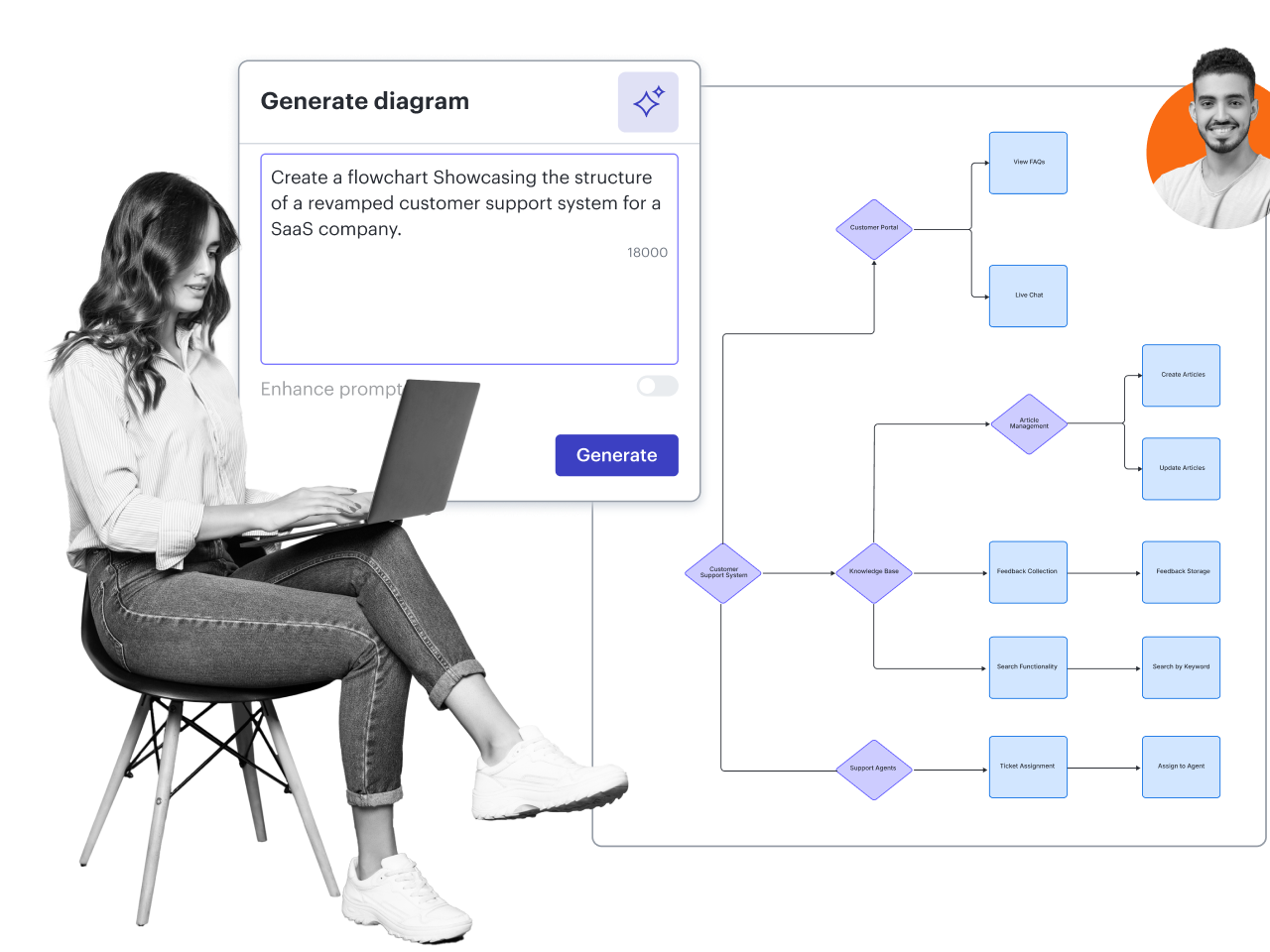
Move beyond the blank canvas and pinpoint innovative solutions faster. Use AI to answer questions, generate ideas and visuals from text prompts, and create documentation. Tailor outputs to your team’s needs, knowing the Lucid AI agent is aware of your canvas.

Learn more

Collaborate with AI

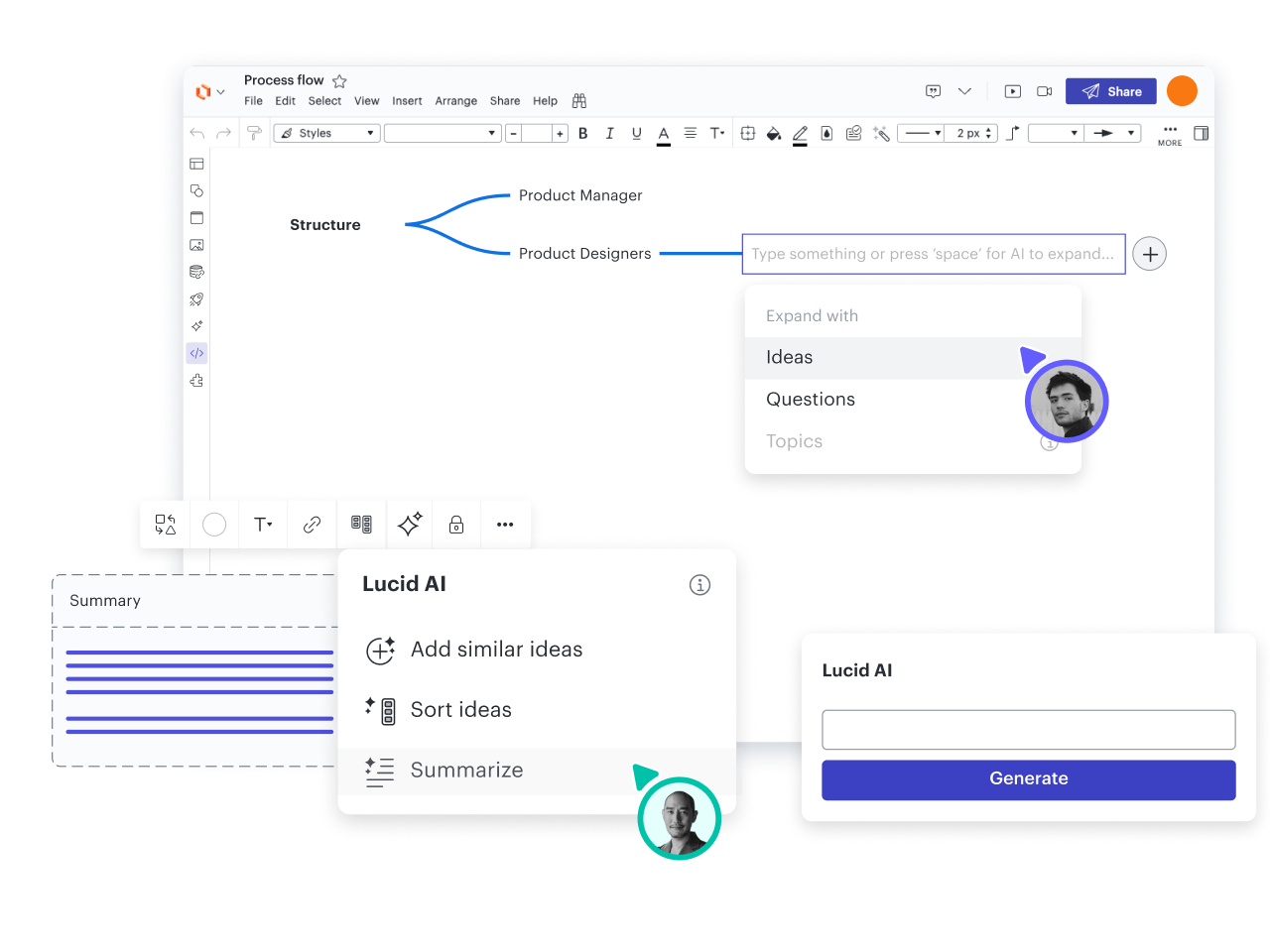
Bring your team together in Lucid, and use AI to push projects forward. Take brainstorming to the next level by using AI to generate, sort, and summarize ideas. Create AI-generated summaries of documentation so everyone can get aligned.

Learn more

Collect insights with AI

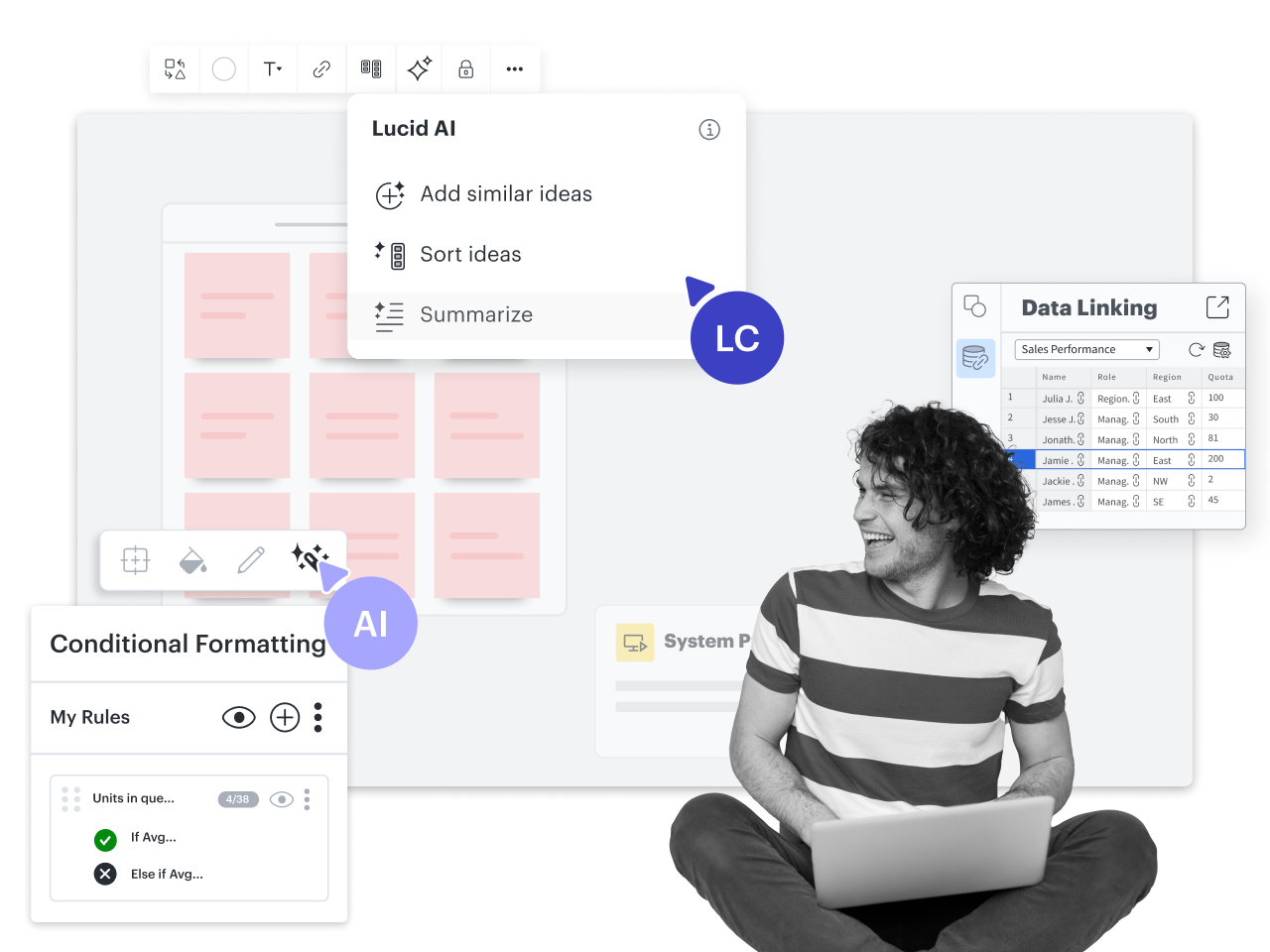
Leverage Lucid AI to evaluate and collect insights from conditional formatting rules, data-backed diagrams, and content on your Lucid canvas. Bring your entire workflow together to help teams gain critical insights needed to move forward faster.

How teams can use AI in Lucid

Generate diagrams

Create AI-generated content automatically on your Lucidchart canvas. Use Lucid AI to iterate on diagrams to get the exact visual you need.
Add conditional formatting

Use Lucid AI to create conditional formatting rules. Visually highlight patterns and insights for quick comprehension.

Summarize content

Add an AI-generated summary of diagrams, brainstorming sessions, or other content on the canvas to get team members up to speed and on the same page.

Generate and sort ideas

Use AI to generate ideas. Then automatically sort those ideas into containers to uncover key themes.

Build mind maps

Add a mind map to your Lucidspark board, and enter a theme in the central node. Use AI to generate branching ideas.

Use AI Prompt Flow

Enter your API key to visually interact with large language models (LLMs) on the Lucidchart canvas. Test different models, prompts, and inputs.

Integrate with other tools

Create, share, and summarize diagrams faster using AI-backed integrations with ChatGPT+, Microsoft Graph Connector, Microsoft Copilot, Slack, and more.

Additional resources

AI diagramming course

See how you can use Lucidchart to build diagrams with Lucid AI.

Register now

AI in action webinar

Get insights for using AI to boost efficiency and scalability.

Watch on demand

AI features quick guide

Explore AI features available in the Lucid platform.

Frequently asked questions about AI in Lucid

Can customers opt out of using AI components in Lucid products?

Yes. Lucid’s AI capabilities are optional, and users are free to stop using them at any time. Lucid’s AI features utilize the Microsoft Azure OpenAI Service. Lucid’s collaboration with Microsoft Azure OpenAI Service entails storing generative AI inputs and outputs for a limited duration, ensuring functionality and compliance while prioritizing user privacy. AI inputs and outputs are retained by Microsoft for a maximum of 30 days to maintain the efficacy and responsiveness of its AI features.


  • Learn more
Does Lucid use customer data to train AI models / LLMs?

No. Using Lucid’s AI capabilities doesn’t result in customer data being used to train any generative AI models available to third parties. Lucid stores anonymized and redacted prompts and responses for its own internal error handling and analysis, ensuring there is no direct connection to individual Lucid users or documents. Both Lucid and Microsoft adhere to stringent policies that segregate user data from model training processes, ensuring customer data remains a standalone entity used solely for its intended purpose and maintaining a high standard of user privacy and data confidentiality.


Does the AI model have a data retention policy and handle sensitive data securely?

Yes. The Microsoft Azure OpenAI Service ensures secure handling of sensitive data through a comprehensive data retention policy. Customer AI inputs and generated outputs are stored securely by Microsoft Azure OpenAI Service for up to 30 days to detect and mitigate abuse.

Does the AI model / LLM detect and report suspicious activities?

Yes. The Microsoft Azure OpenAI Service employs robust abuse monitoring measures to identify and mitigate suspicious behavior, including real-time monitoring, anomaly detection, and reporting functionalities designed to ensure the integrity and security of the AI system.

Has the AI model / LLM been assessed for bias and ethics?

Yes. Ensuring that Microsoft Azure OpenAI Service models are fair and unbiased is a critical aspect of their development and deployment. Models are assessed for bias using bias detection methods, diverse datasets, external audits, ethical board reviews, continuous monitoring, mitigation strategies, and transparency and accountability.

Who has access to clear-text customer data submitted to the AI model / LLM?

Access to customer data is highly restricted to need-to-know personnel. Lucid customer support and operations teams may access customer data for troubleshooting and business continuity purposes. Sub-processors such as AWS and Google Cloud have access to the system and the data within the system. All data within the system is encrypted, and access is logged to ensure security and compliance.

  • Learn more
How is customer AI data handled?

Lucid uses third parties in our sub-processor list to host and provide AI services. Customer data is handled by these third parties, each of which may have its own AI service terms and conditions. For instance, Microsoft's Service Specific Terms related to the Microsoft Azure OpenAI Service and Code of Conduct for Azure OpenAI Service apply to customer use of the AI in Lucid.

Are Lucid’s AI capabilities free to all users?

Lucid's AI capabilities are currently available to all users but may be subject to a paid subscription model in the future.

Ready to add AI to your workflow?

Talk to sales

Get Started

  • Enterprise
  • Contact Sales
  • Pricing
PrivacyLegalCookie privacy choicesCookie policyYour privacy choices iconYour privacy choices

© 2026 Lucid Software Inc.