Accelerate cloud transformation
Add the Cloud Accelerator to your Lucid Enterprise account to better understand and plan future changes to your cloud infrastructure.
How teams use the Cloud Accelerator
Streamline audit artifact creation
Import data from the three major cloud providers: AWS, Azure, and Google Cloud. Generate up-to-date infrastructure diagrams and asset inventories automatically.
Get a more complete picture of your cloud
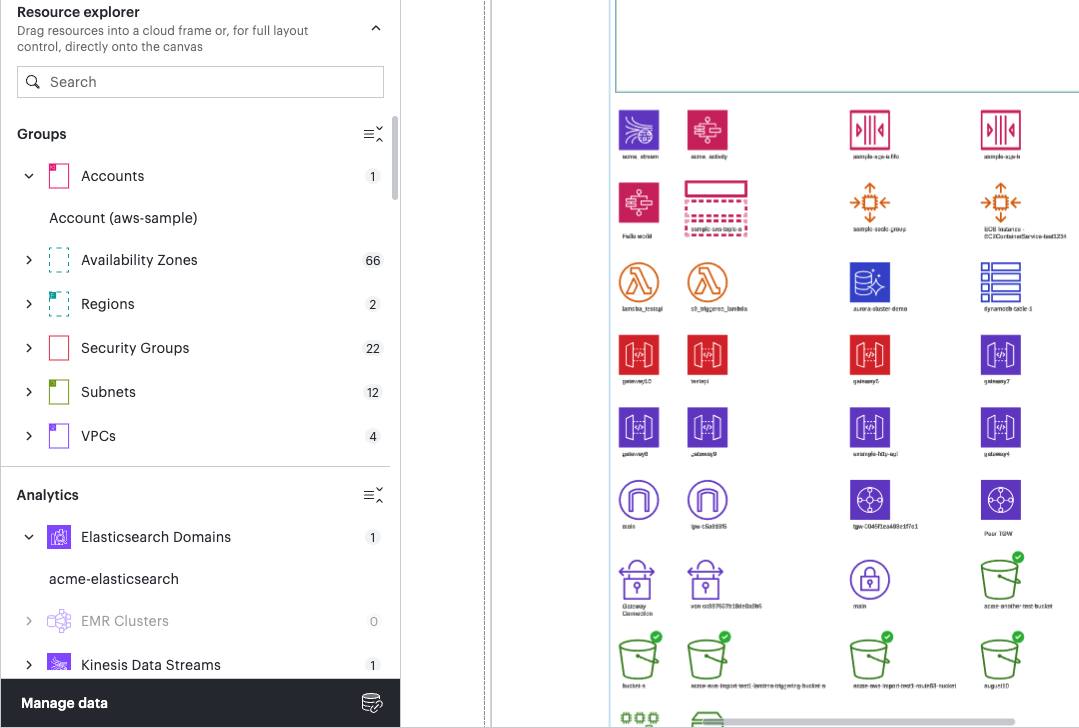
Create accurate, customizable diagrams by manually adding shapes and unmapped resources to auto-generated diagrams. Make changes without losing your data connection.
Scale diagramming and documentation
Enable admins to import and configure cloud provider data once, and then share it directly with teams or other collaborators.
Speed up the cloud design process
Create and distribute blueprints—sets of purpose-built templates that outline a standardized, proven workflow. Increase consistency without sacrificing flexibility.
Powerful capabilities for cloud transformation

Auto-generate models
Import data from your cloud provider to automatically generate a diagram showing the current state of your cloud architecture.

Manual layout
Create the exact diagrams you want by dragging cloud resources with associated metadata onto your Lucid canvas.

Unmapped resources
Place unmapped resources on your Lucid canvas to create a more complete picture of your existing infrastructure.

Bulk data import
Save time and effort by importing your entire cloud account with AWS org import or Lucid’s other bulk import methods.

Team hubs
Provide a virtual home base where teams can easily access and organize shared resources in a centralized place.

Team planner
Use the team planner to create team hubs automatically with a CSV import. Manage team tags to share resources at scale.
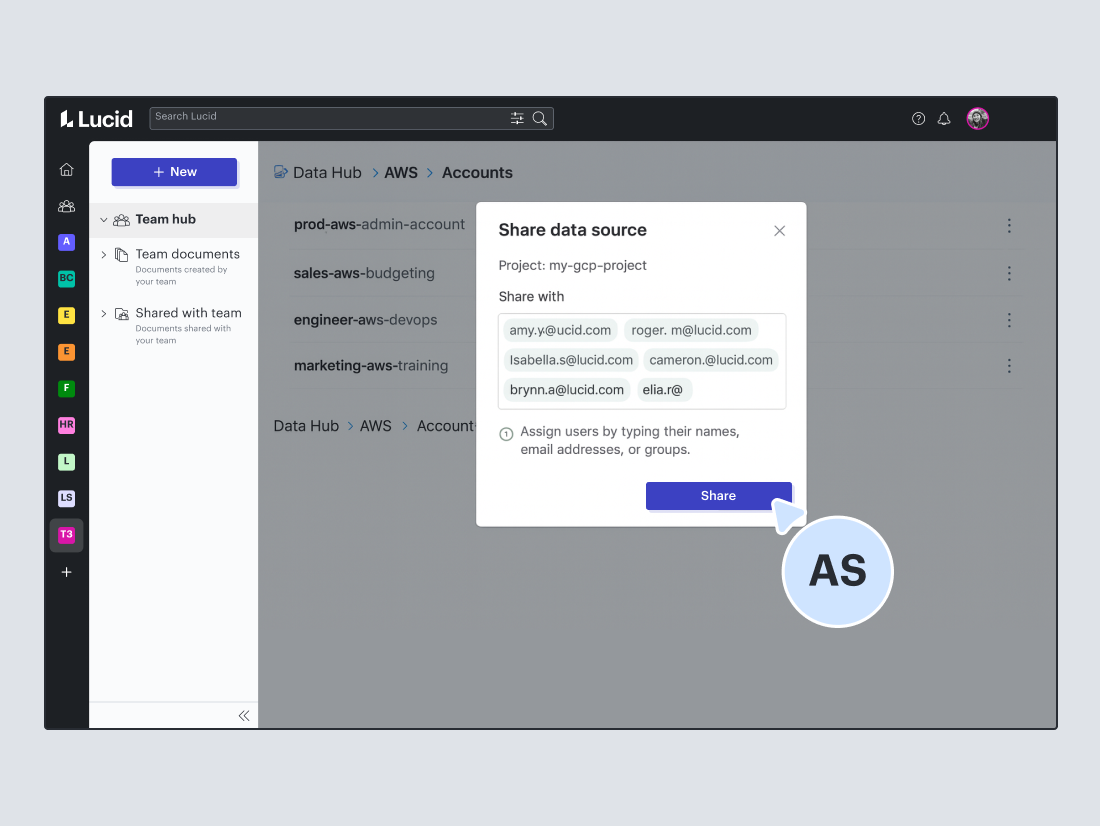
Data source sharing
Admins can share cloud provider data that they have imported to save time and effort for other users.
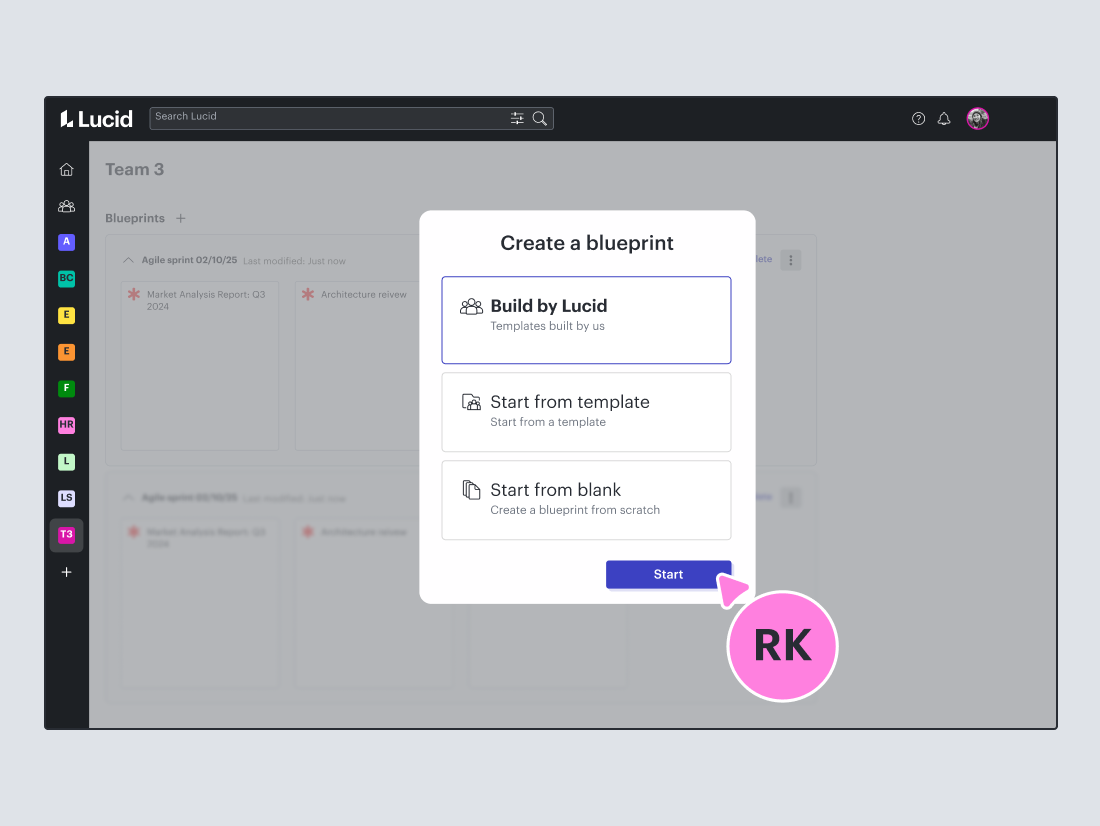
Blueprints
Create a set of templates that outline a standardized, proven workflow and enable users to speed up the cloud design process
Lucid for Enterprise teams
Accelerate collaboration across the board with the Lucid Visual Collaboration Suite—the most used, most intelligent, most complete, and most connected platform of its kind.
Learn more
Additional resources
Cloud Accelerator overview video
See how easy it is to import cloud data and visualize your workflows.
Lucid for cloud initiatives article
Read about six ways you can use Lucid to streamline cloud initiatives.
Cloud Accelerator webinar
Get a tour of the Cloud Accelerator and its time-saving capabilities.