For Agile teams, opens in a new tab looking to improve alignment and transparency, Agile planning software is a great way to bring everyone on the same page and visualize work. Whether you’re practicing Scrum, opens in a new tab, Kanban, or another Agile framework, opens in a new tab, having a central tool that tracks progress and centralizes resources is essential to practicing agility.
There are many Agile software options out there, and we’ve reviewed the most popular ones so you can find the best Agile planning software for your organization.
Best Agile planning software summary
Agile planning software is specifically designed to help organizations implement Agile principles and values, opens in a new tab as they execute work and improve over time. Software that was made for Agile teams will include features that support planning, execution, and monitoring, with the ultimate aim of delivering value faster.
The right Agile development tool, opens in a new tab can not only boost alignment and efficiency, it should also clarify work so teams can better respond to change. With Agile software, you’ll be able to bring all of your resources together by establishing a home base that everyone can use as they make incremental progress toward larger goals.
Key takeaways
| Best for | Feature highlight | Pricing | |
| Planview | Portfolio project management | High-level view of organizational | Only available with a paid subscription |
| Lucidspark | Real-time collaboration and Agile templates | Two-way syncing with Jira and Azure DevOps | Free and paid subscriptions available |
| Jira Align | Atlassian users | Strategy-to-task sync | Only available with a paid subscription |
| Rally | Organizations implementing SAFe | Native support for SAFe initiatives | Only available with a paid subscription |
Best Agile planning tools
Below, you’ll find a brief summary of the best Agile planning tools, including pros and cons, notable features, and reviews.
Planview
Best for portfolio project management
Capterra rating: 4.5/5
Pricing: Only available with a paid subscription
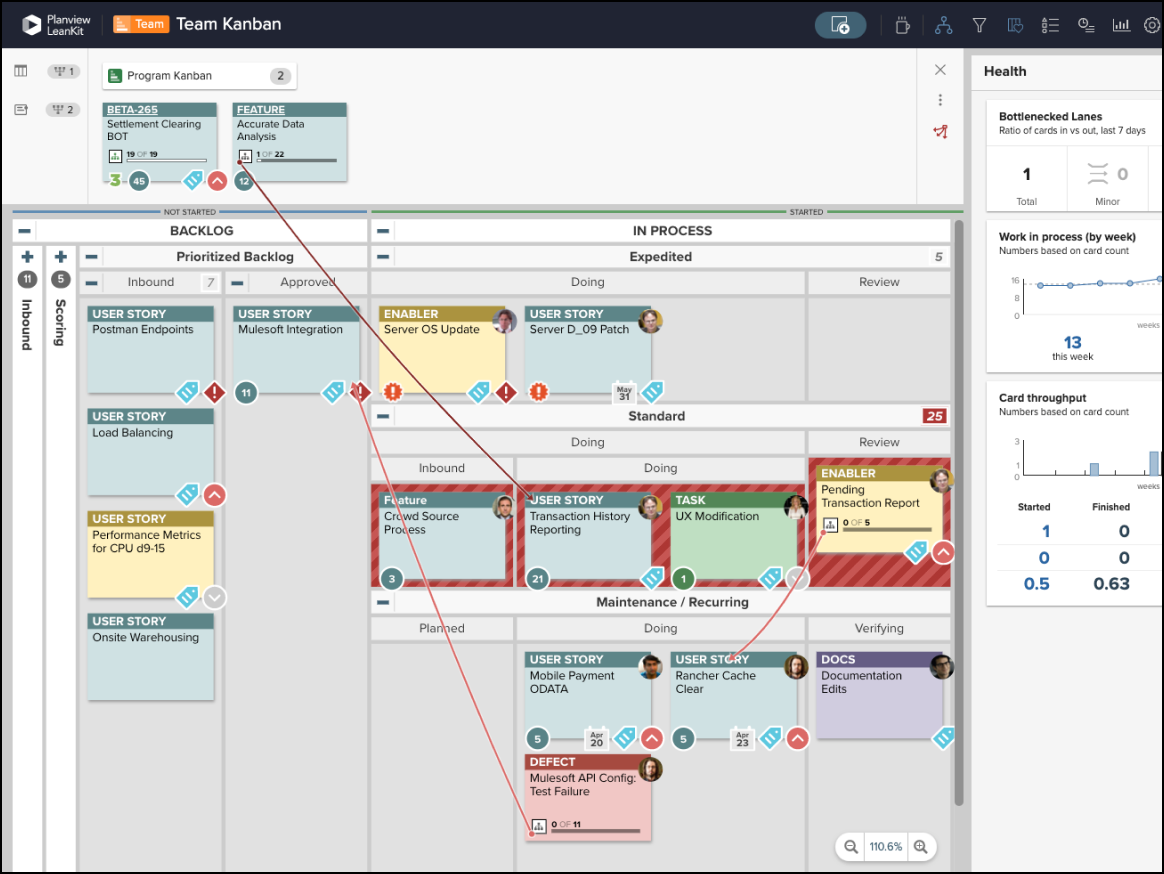
Planview, opens in a new tab is a heavyweight portfolio project management (PPM) solution for large global enterprises. The platform is used to align strategy with execution, helping organizations manage resources, risks, and financials across thousands of projects.
Notable features include:
- Portfolio management: Provides high-level view of all organizational initiatives
- Resource capacity: Tracks employee availability and skill sets
- OKRs: Connects daily work to strategic objectives
Notable integrations include Jira, SAP, and Salesforce.
Pros: Planview is powerful and comprehensive, as it handles project management on a massive scale. The platform is also admired by users for its ability to handle financial management.
Cons: Planview is notorious for being expensive and complex. Users often describe it as a tool for general management rather than Agile. Planview also requires dedicated admins, and some users feel that the UI is outdated and slow in certain areas.
Lucidspark
Best for real-time collaboration and Agile templates
Capterra rating: 4.7/5, opens in a new tab
Pricing: Free and paid subscriptions available
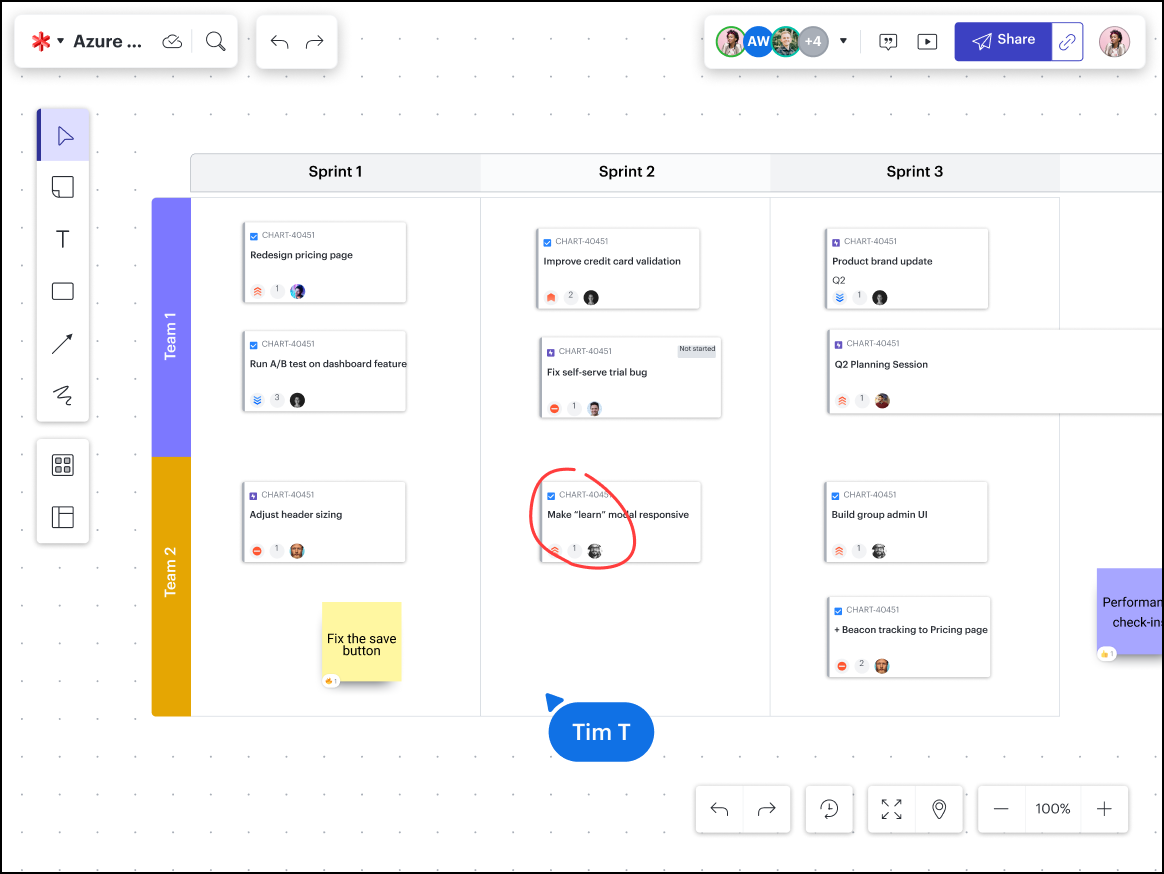
In Agile contexts, Lucidspark, opens in a new tab is used by product owners and Scrum teams for user story mapping, dependency mapping, and facilitating Agile events such as retrospectives. Lucidspark serves as the visual interface for Agile backlog management and connects organizational agility to team-level execution. With Lucidspark’s bidirectional syncing feature, users can update information in the Lucid canvas, and all changes are reflected in their existing system of record, such as Jira or AzureDevOps.
Notable features include:
- Jira/ADO two-way sync: Converts Lucid sticky notes to Jira tickets as changes in one platform automatically update in the other.
- Timeline view: Visualizes roadmaps and sequencing on a calendar-like view within the Lucidspark whiteboard.
- Agile templates: Offers a range of pre-built boards for Agile events and frameworks such as Kanban, retrospectives, and SAFe PI planning.
- Guest collaborators: Allows external stakeholders to join planning sessions without a full license.
Notable integrations include Jira, Azure DevOps, and Smartsheet.
Pros: Users love Lucidspark’s two-way sync with Jira, as they don’t have to manually transcribe sticky notes into Jira tickets after a planning session in Lucid. Lucidspark also bridges the gap between brainstorming and backlog management with highly visual planning and collaboration features.
Cons: No desktop application available.
Jira Align
Best for users of the Atlassian ecosystem
Capterra rating: 4.8/5, opens in a new tab
Pricing: Only available with a paid subscription
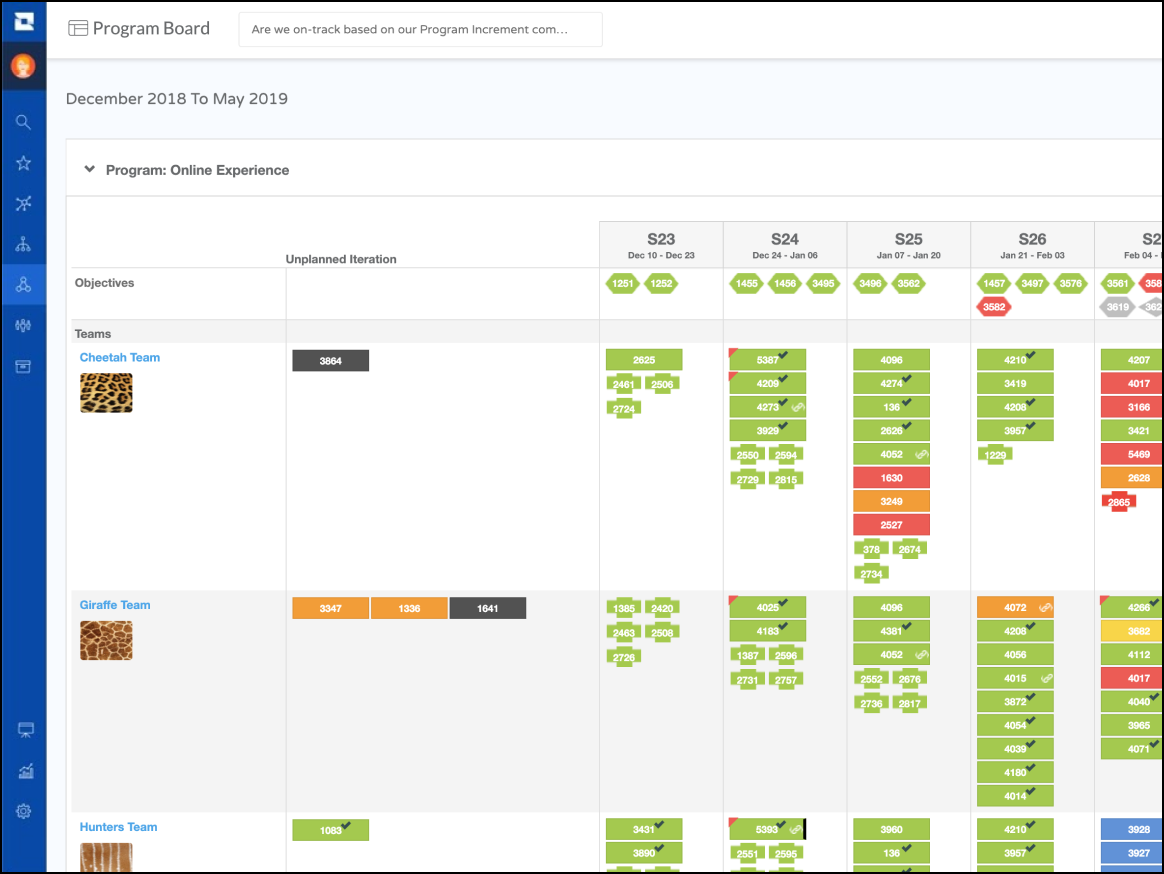
Jira Align, opens in a new tab (formerly AgileCraft) is the enterprise layer that sits on top of team-level Jira, connecting teams and leadership with insights into dependencies, goals, and progress. As part of the Atlassian ecosystem, Jira Align helps executives and program managers visualize how individual Jira tickets contribute to high-level strategy.
Notable features include:
- Strategy-to-task sync: Updates in Jira reflect instantly in executive roadmaps.
- Program board template: Users can create a digital version of their SAFe program board.
- “Why” button: Developers can see how their tasks connect to higher-level strategy.
Notable integrations include Jira, Azure DevOps, and Trello.
Pros: Praised for its visibility and integration with Jira, Jira Align is the gold standard for organizations scaling Jira. The software also provides real-time data for the most up-to-date information.
Cons: Jira Align is exceptionally expensive to purchase and can be difficult to implement. Users have felt that the platform is too overwhelming for people who are not fully committed to SAFe.
Rally
Best for companies implementing SAFe
Capterra rating: 4.3/5, opens in a new tab
Pricing: Only available with a paid subscription
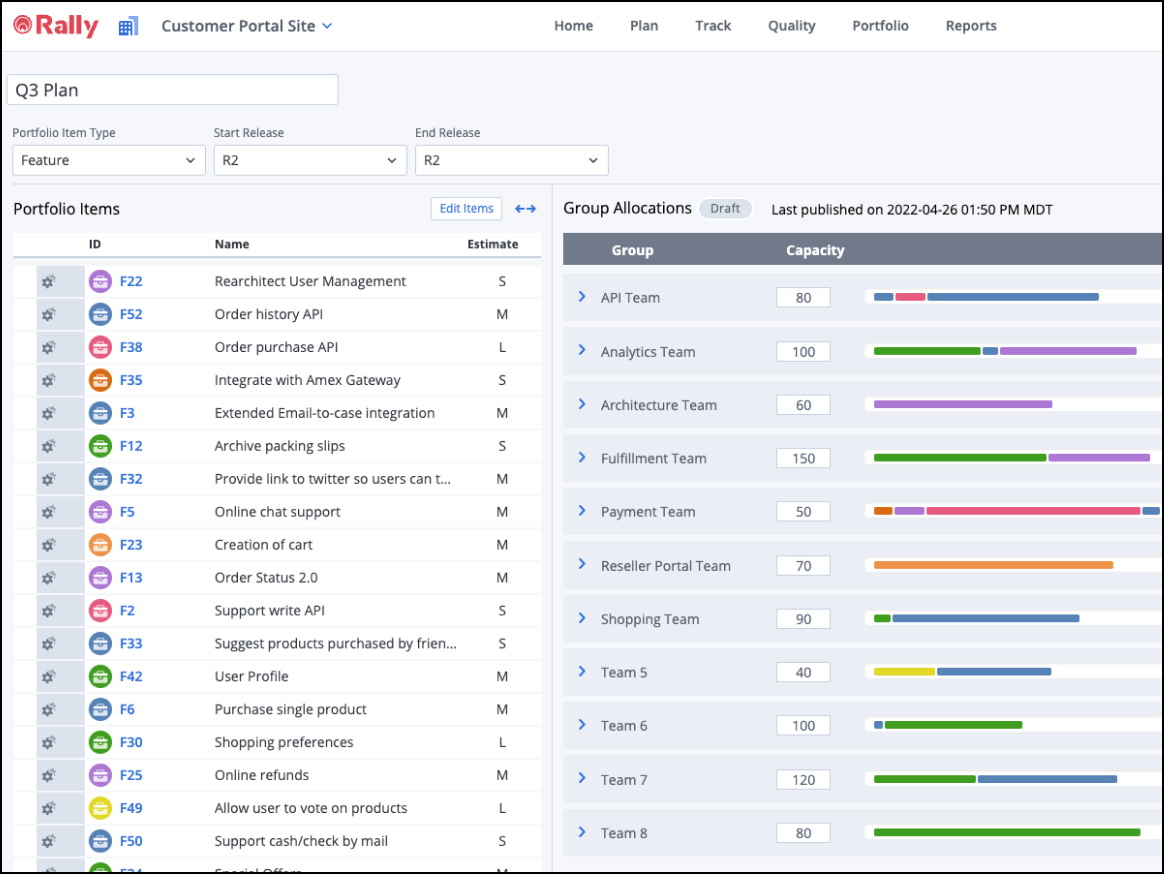
Rally by Broadcom, opens in a new tab is purpose-built for the Scaled Agile Framework (SAFe). It is commonly used by large engineering organizations that need to coordinate dependencies across hundreds of teams as they implement Agile on the enterprise level.
Notable features include:
- SAFe support: Native support for Agile Release Trains and value streams
- Capacity planning: Metrics-driven planning based on historical velocity
- Dependency board: Cross-team blockers visualized to help mitigate dependencies
Notable integrations include GitHub, Jenkins, and Jira.
Pros: Users appreciate Rally’s ability to handle complex roll-ups and hierarchies that are specific to SAFe. The platform also provides robust reporting capabilities.
Cons: Widely considered “clunky” and less user-friendly than Jira. Some users also report that Rally has a dated interface, rigid structure, and slower performance than other Agile planning software options.
Collaborate and innovate with Lucid
Host dynamic planning sessions in Lucid and turn your insights into action as you enhance agility and alignment.
Learn more