
We offer a robust range of developer resources to level up your Lucid game. Whether you want to expand your reach among Lucid users, enhance your products with the power of visualization, or establish a strategic partnership, we’re excited to share new offerings available to you!
What others are building with Lucid
Many companies like Slack and Streamline have already discovered how beneficial it is to partner with Lucid. Here are just a couple of examples of what others are building with us.
Slack
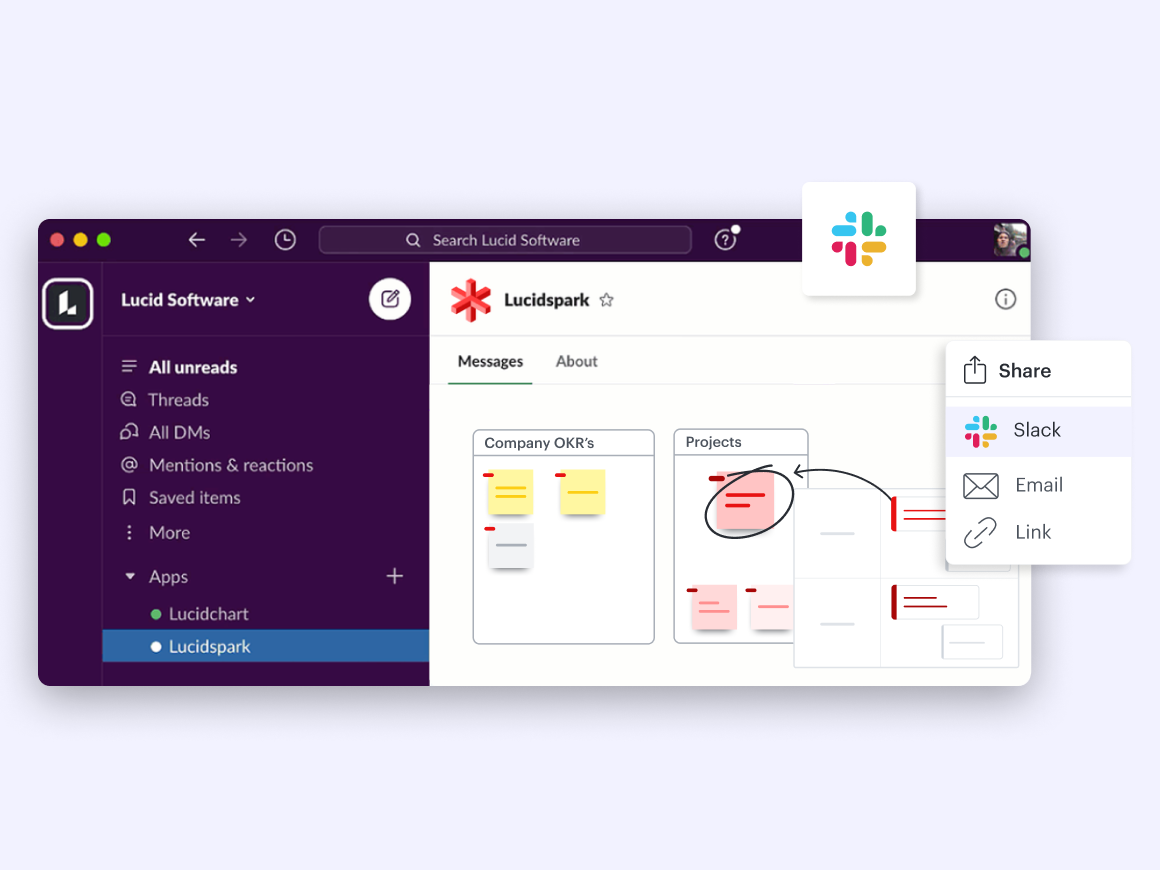
Slack is a popular AI productivity platform that makes it easy for teams to connect and collaborate. With the Lucidchart and Lucidspark Slack integrations, teams can use Lucid to ideate and brainstorm, map out ideas and timelines, document solutions and processes, and then share that work right in Slack.
And that’s not all. Soon, builders and end users will benefit from Slack's next-generation platform with the ability to create automated no-code workflows that combine triggers, inputs, and outputs with functions from the software they use most, including Lucid's visual collaboration tools.
“We look at it in terms of what our customers are going to use and what’s going to provide meaningful value, and that’s why Lucid’s integrations with Slack are so powerful.” —Conor Irvine, Sr. Director, Platform Business Development and Partner Engineering
Streamline
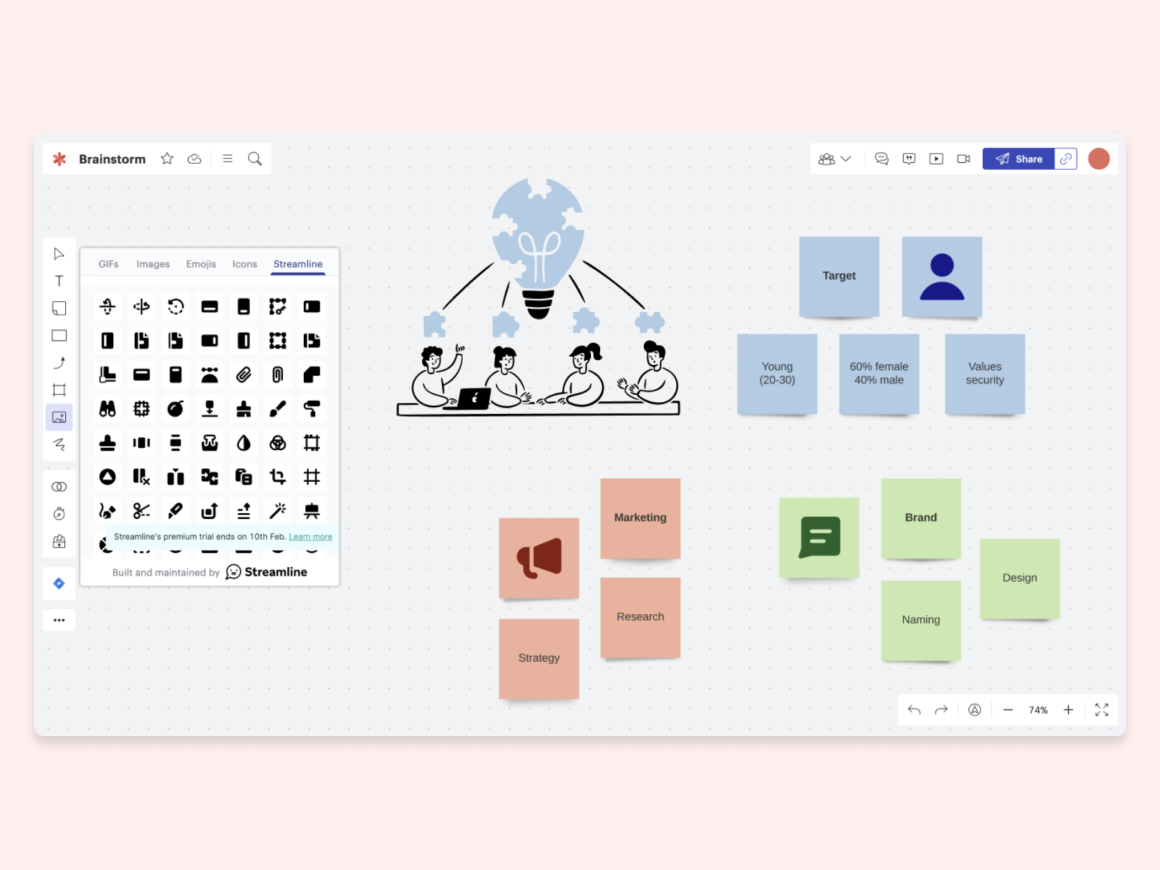
Streamline is the world’s most extensive icon and illustration system that helps teams visualize their knowledge beautifully. With Lucid’s Streamline partnership, users can access Streamline in Lucidchart or Lucidspark to build more aesthetic diagrams, flowcharts, and whiteboards.
Khushi Lunkad, Growth Lead at Streamline shares more about their experience partnering with Lucid:
“If we could replicate Lucid’s partnership a million times, we’d do it a million times. The team was wicked smart and thought from first principles to help us build the right extension. We even had feedback from the team on our copy and paywall triggers. Lucid’s engineering team was super helpful and responsive in all conversations.”
And these are just a few examples of what’s possible. If you’re looking for more ideas of what can be built using Lucid, explore our new API use cases.
New API use cases
Lucid’s comprehensive API documentation enables advanced workflows that suit the needs of your customers and business. As an evolution to our broader developer platform, now you can customize and augment the functionality of Lucid editors using both extension and REST APIs.
Consider utilizing these new offerings to enhance your work:
External embed
Embed Lucid documents in an external location for easy access and added context. Increase the value of your product with more connected information and data. Plus, keep users in your product without having to open additional tabs. Both rich and simple embeds are available through our API.
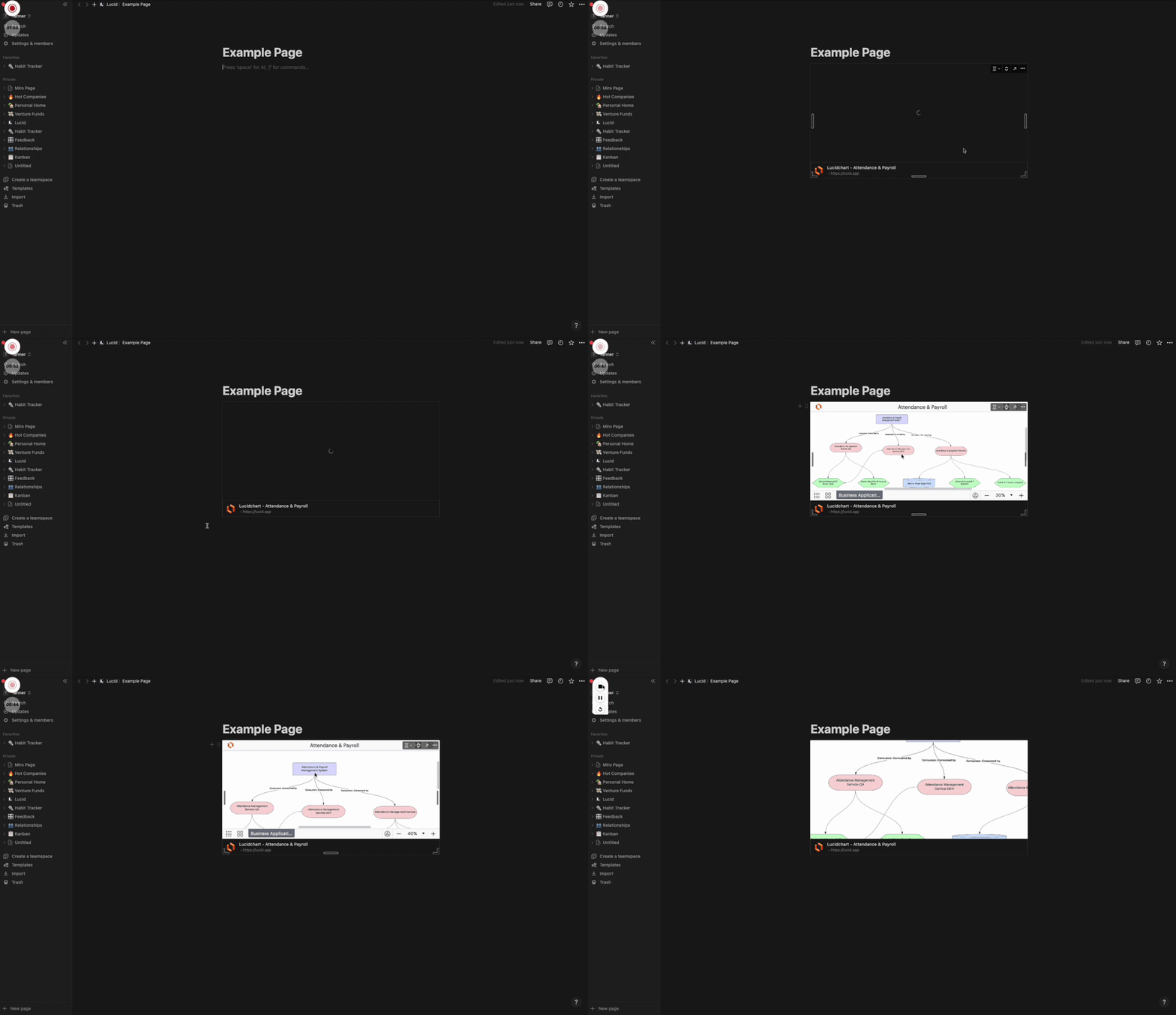
Examples: We worked with Notion, a popular workspace for docs, wiki, and projects, to create an integration that allows Lucid boards, charts, and diagrams to be embedded directly into Notion pages. In seconds, Notion users can gain additional context and insight with Lucid’s visualized data, plus quickly access Lucid to make needed edits with just a click.
The new Craft.io integration is another example of what’s possible with our new APIs. The end-to-end product management platform added the ability to embed Lucidchart diagrams directly into Craft.io, providing more context and clarity around work items. When a user inserts a Lucidchart link, Craft.io embeds an iframe of the URL, which the user can expand to full screen for a detailed view into their work.
Internal embed
Embed existing assets, like links, videos, or diagrams, within Lucid documents for additional ways to access your product. Then, just refresh the document to reflect the changes. Plus, enjoy more interactive Lucid documents and added convenience and time savings from the functionality of working within one tab without having to switch workspaces.
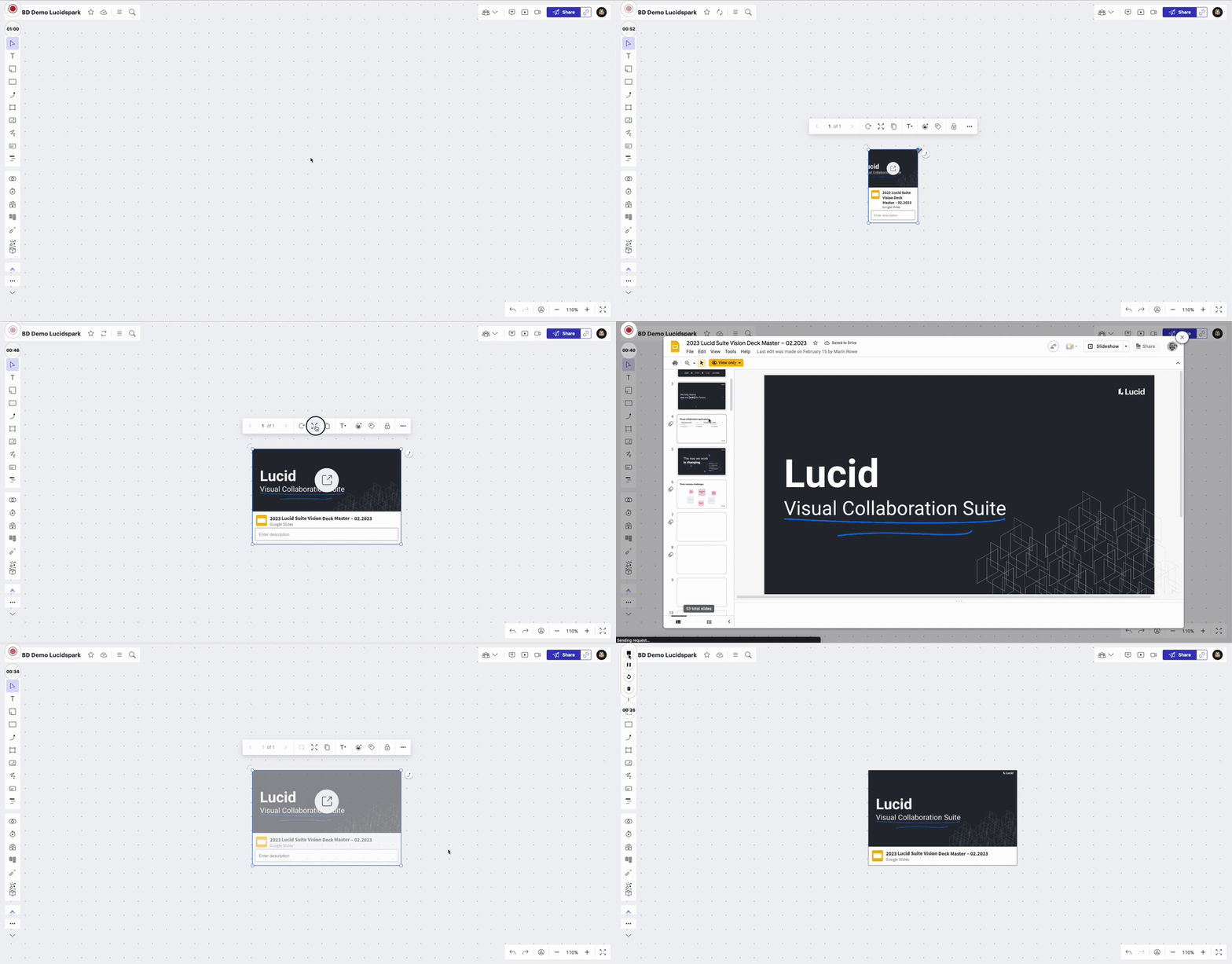
Example: Rewatch harnesses the power of video and AI to create a centralized workspace for modern teams to share knowledge asynchronously. With Lucid’s Rewatch integration, Rewatch videos can be included in any Lucidchart or Lucidspark board to capture high-level recaps, relay feedback, and automate alignment.
Cards
Efficiently move forward on your projects by visualizing tasks, tickets, products, and to-dos with custom cards on the Lucid canvas. Our bidirectional sync feature communicates with your system of record, so you can move seamlessly from ideation to action.
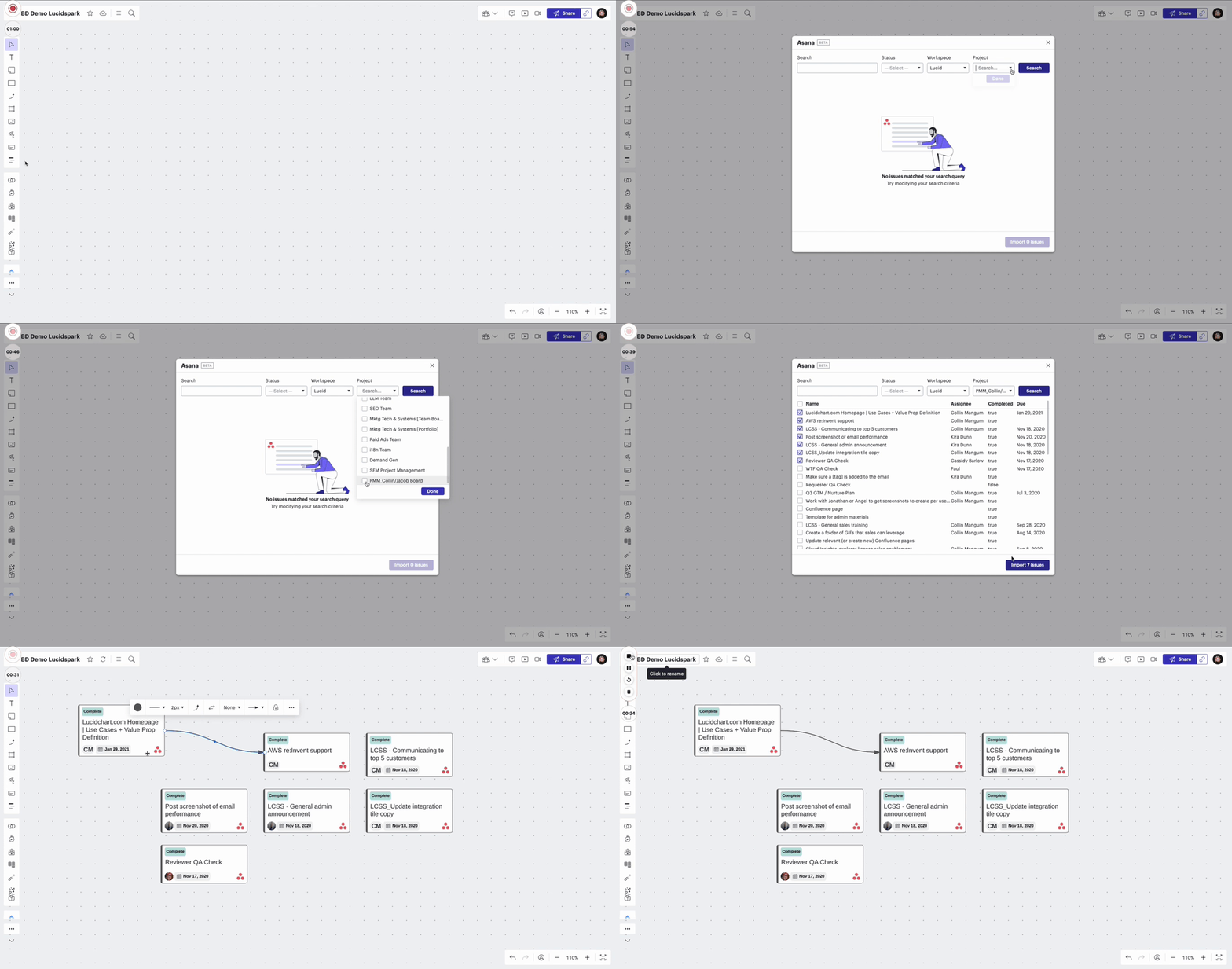
Example: Many companies have already seen how Lucid Cards integrations maximize the efficiency of their workflow. No matter where you do your work, you can magnify your team’s productivity using Lucid Cards—just like Airtable, Asana, ClickUp, Jira, Trello, and monday.com (to name a few) have already done.
Data import and sync
Leverage Lucid to visualize virtually any process, diagram, system, or structure from any data type (and sync back changes). Now, developers can pull data from an external source into Lucid through manual retrieval from a third-party API or automatic data retrieval using data connectors.
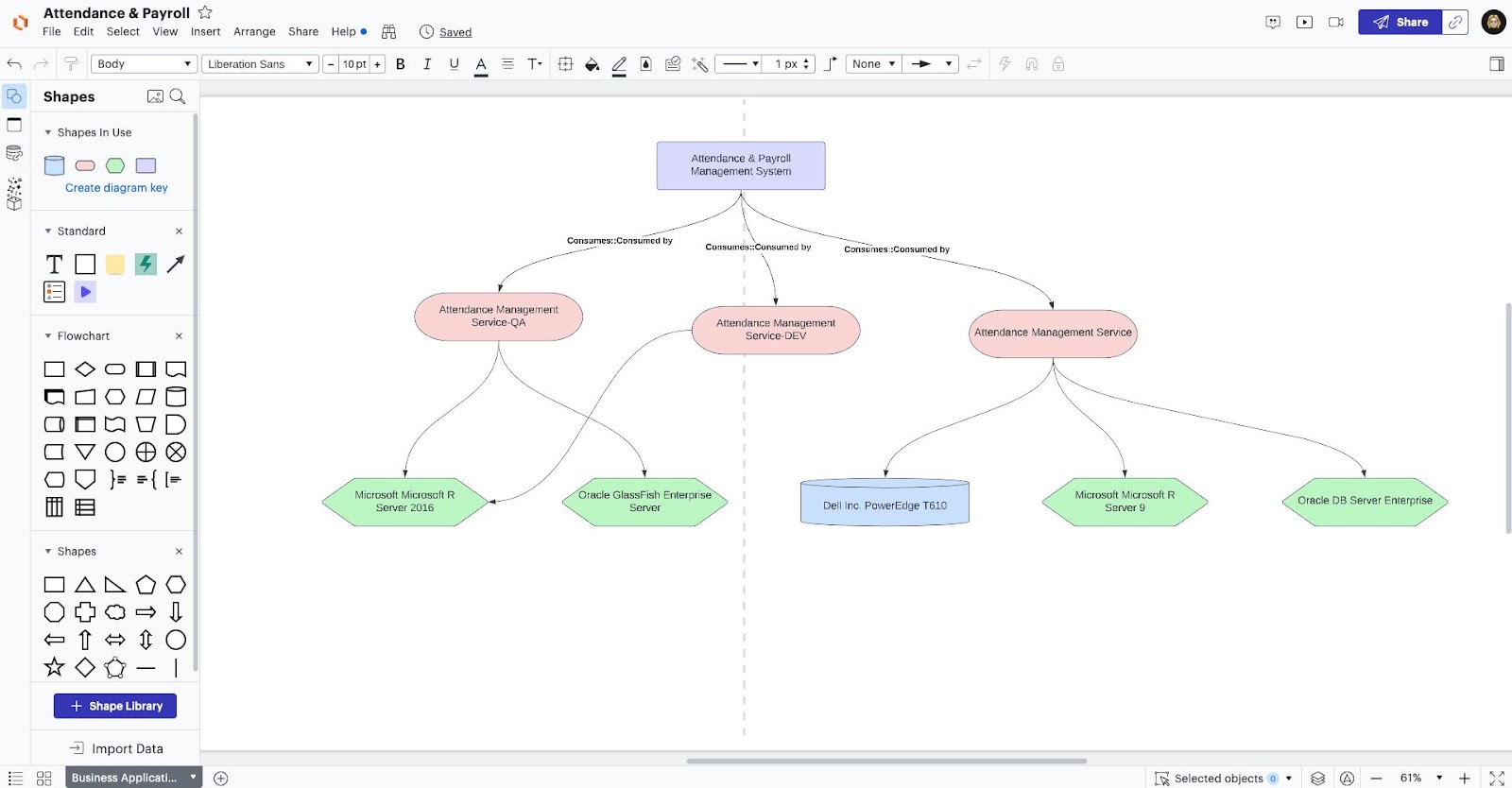
Example: ServiceNow’s application portfolio management (APM) tool helps accelerate decision-making, reduce risk, and lower costs. With Lucid’s ServiceNow integration, you can easily generate diagrams that visualize your portfolio using data housed in ServiceNow. Leverage the work you’ve already done to gain insight into your portfolio and clarify future planning.
Custom shape libraries
Standardize best visualization practices with tailored libraries of shapes, containers, icons, images, and more. Distribute these shape libraries internally for consistent technical documentation or on the Lucid marketplace, so your users can diagram with a specific set of icons.
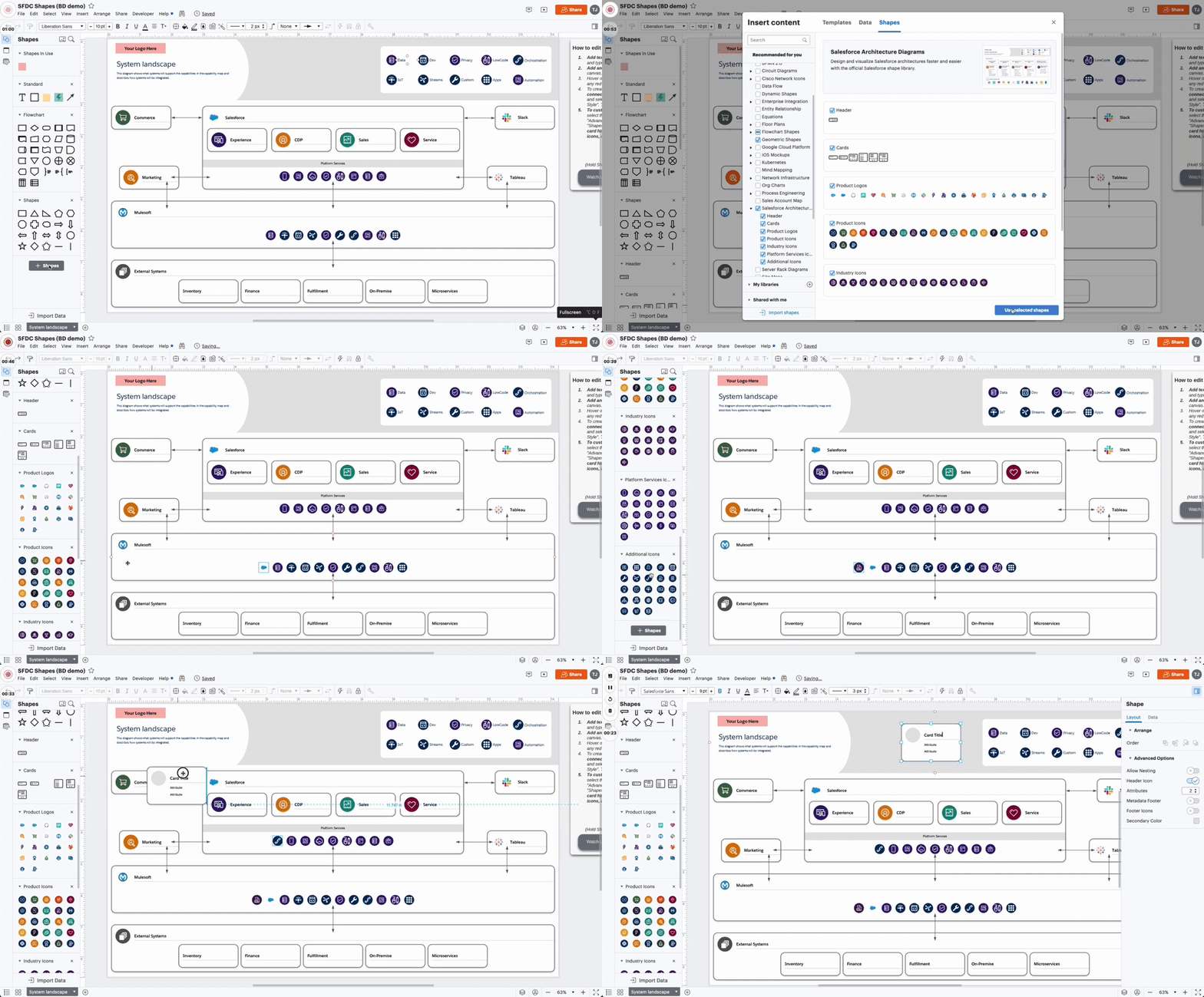
Example: Salesforce’s custom shape library helps users better customize templates, charts, and projects to make them even more dynamic and useful. With standard icons available like generic product icons, industry icons, platform services icons, and exclusive Salesforce logo icon shapes, this custom shape library provides seamless visual alignment for Salesforce users.
Other tools for developers
As you try out the different use cases, don’t forget to explore these resources for support.
-
Developer portal
The developer portal is a place for partners to publish and efficiently distribute apps and integrations. Build and manage applications, submit an app for publication, view version histories, add collaborators with different roles, create marketplace listings, and view developer resources—all within the portal.
-
Developer community
The Lucid developer community is a valuable resource where those building on Lucid’s APIs can get answers to their most complex technical questions. Plus, be the first to hear announcements about new endpoints, tools, tips, and guides to help developers have the best possible experience developing on Lucid’s APIs.

Learn more about our developer tools.
Go exploreWhy build on the Lucid platform?
Partnering with Lucid puts cutting-edge tools at your fingertips at a fraction of the time and cost. Here’s how:
1. Enhance accessibility: Building with Lucid means exposure to our 70 million users (and counting) for your products.
“We’re seeing tens of thousands of users with the extension, and we expect that number to rise. Not just that, the extension does bring a concentrated traffic of high-quality users. In the first six months alone, we’ve seen sign-ups from hundreds of well-known brands, many of which are Fortune 500 companies.” —Khushi Lunkad, Growth Lead at Streamline
2. Enhance your product’s value: Augment your offerings with Lucid’s powerful visualization capabilities that increase understanding and communication while improving creative collaboration.
3. Build advanced workflows: Provide additional value to your existing customers by streamlining processes and maximizing efficiency and productivity.
4. Boost customer retention: Increase retention among customers who are also Lucid users, since they’ll enjoy a simplified workflow that saves time and optimizes efficiency.

If you’d like to explore a strategic partnership with Lucid, reach out to our business department.
Go now