“This meeting could have been an email.” How often have you heard (or thought) that after a meeting? Our guess is too many times.
Meetings can be extremely valuable in connecting teams, building alignment, and producing innovative ideas and strategies. But the unfortunate truth is that too often, meetings fall short of their promise.
The reasons for this vary. Some common challenges include:
- A few participants dominate the whole conversation
- Stakeholder needs aren’t heard or met
- Remote and hybrid structures are more distracting
- The discussion lacks direction and focus
- The conversation feels productive, but by the end, you haven’t met your goals
Sound familiar?
It turns out that many of these issues aren’t meeting issues at all, they’re actually facilitation issues.
People don’t really think about building rigor into the way they facilitate, but the skill of a facilitator plays a huge role in how successful and productive your meetings are. A good facilitator keeps the discussion on track, ensures balanced participation and input, and helps turn rote checklists into collaborative conversations.
Below we’ll break down how you can improve your facilitation skills to lead more productive meetings that engage your team, opens in a new tab and drive better collaboration. You’ll learn three main techniques to help you implement top meeting facilitation skills, such as:
- Being prepared
- Setting guidelines
- Establishing clear communication
- Ensuring a safe space
- Providing collaboration equity
- Reaching consensus
- Ensuring focus and time management
You can also watch this video to learn more meeting facilitation techniques that promote innovative thinking and high-value documentation.
Technique #1: Knowing meeting roles and your identity
Understanding your role as a facilitator, and that of the other people in the room, is key to leading a successful meeting.
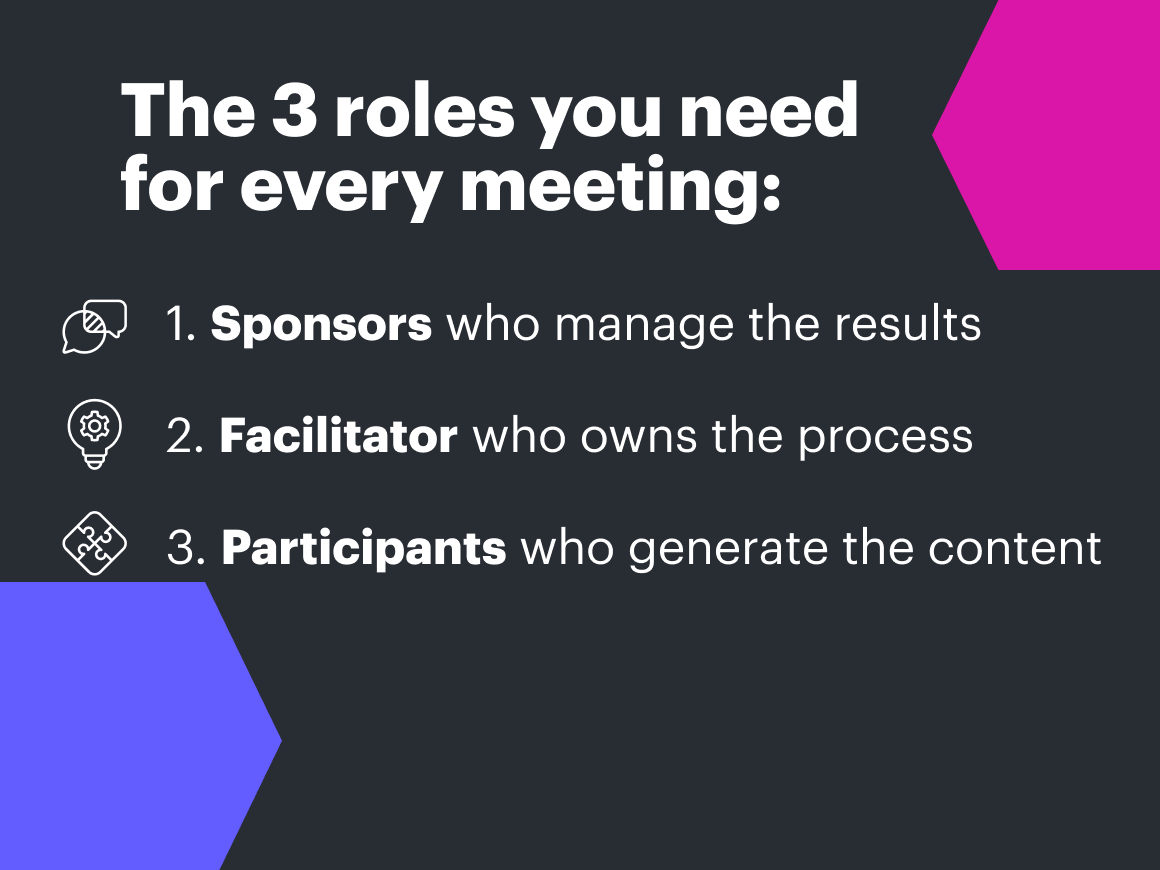
There are three main roles in a meeting:
- Sponsor: Holds the purse strings and is responsible for the results of the meeting.
- Facilitator: Owns and leads the meeting process towards achieving those desired results.
- Participants: Generate the content of the meeting by contributing to the meeting process.
“As a facilitator, my role is actually distinct from other people that are there in the room, and if I don't understand that from the very beginning, we’re going to get off on the wrong track,” explains Christopher Bailey, principal professional services consultant at Lucid.
Bailey recalls experiencing this firsthand when he was asked to facilitate a big brainstorming session for a group of chemists who were trying to come up with new products.
“I barely knew what those words [they were using] meant, and I thought that I was in deep trouble,” he says. “But that was because I misunderstood what my role was…I thought that I also had to own the results of the group and that I had to own the content, that I needed to know enough about chemistry to be able to help that team.”
“Being able to separate that out and say, ‘My role is focusing on the process and how the team is going to get towards better results,” that had a two-prong effect on me. First, it changed the way that I facilitated, but it also helped me to have more confidence jumping into facilitating any kind of conversation, big or small.”
So what makes a strong facilitator?
A facilitator isn’t there to push ideas or be the hero of the discussion. The purpose of the facilitator role is to lead the group through the meeting process in a way that encourages collaboration while driving the team to results.
There are a few meeting facilitation best practices to follow to keep that facilitator identity clear: plan with results in mind, provide your group with the right tools, and establish a safe space.
Plan with the desired results in mind
Facilitators should always have the end results in mind when leading a meeting. If you aren’t working towards those meeting objectives, no matter how interesting the discussion, you won’t have the results you want.
Lean on the sponsor to clarify what outcomes you’re striving for. This will help you keep the discussion focused and efficient.
Ask questions like:
- What does success look like?
- What should we be able to do next, now that we have made these decisions?
- If we have a successful meeting, what should now happen because of that?
Then, based on those established goals, draft an agenda for your meeting and recruit a diverse set of participants who can help get you there.
Pro Tip: Try Lucid’s meeting agenda template, opens in a new tab to help you prepare for the meeting. Outline the questions you should ask beforehand and fill in the answers to keep the discussion focused.
Enable the group with the right tools
Preparation is a meeting facilitation technique that leads to better meetings. Make sure your group has the information and tools they need to come prepared. This includes drafting and sharing an agenda with the purpose and goals of the meeting clearly outlined. Successful meeting facilitators have found it helpful to ask participants ahead of time to come up with questions or add content to the agenda, such as points they’d like to bring up. Be sure to share any other resources or information ahead of time so you aren’t using time during the meeting to go over materials.
Pro Tip: Take advantage of asynchronous collaboration tools like Lucid to share and communicate meeting information before and after the meeting all in one place.
Check our toolkit of templates for mastering asynchronous work using visual collaboration.
Read onCreate safety throughout
As a facilitator, your primary identity is to be an advocate for people—to create a safe space for everyone to share and collaborate effectively. That means making sure each person has a chance to contribute or maintaining rules of engagement when the conversation veers off track.
To create safety, it’s important to come to the meeting assuming people’s good intentions. Building a conversation from that foundation allows everyone to operate in good faith and collaborate constructively.
Establish clear rules of engagement upfront and use that as a reference as needed. This will help you maintain a neutral position as you maintain those boundaries and drive the conversation forward.
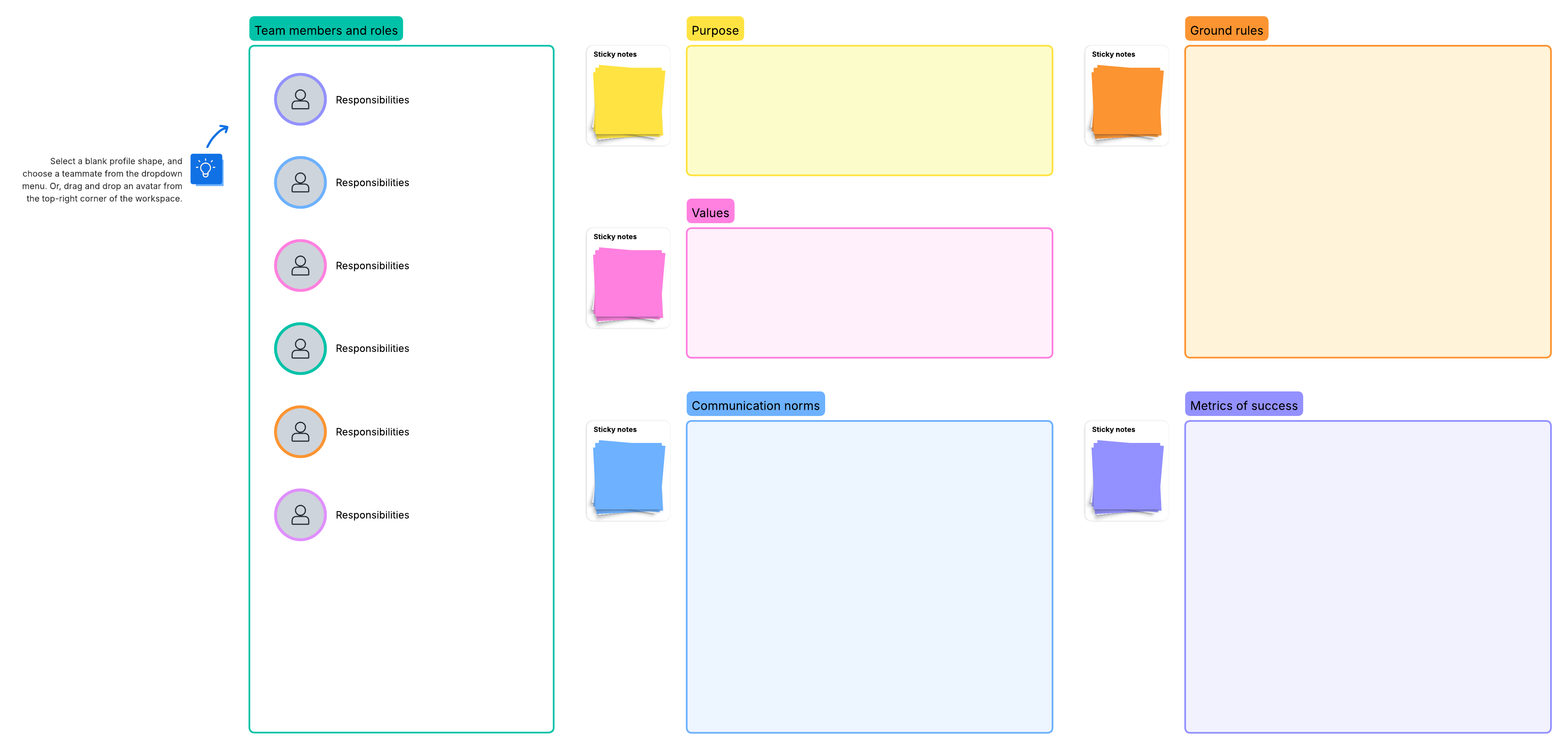
Pro Tip: Get everyone on the same page by building a working agreement in Lucidspark. At the beginning of the meeting, you can also discuss as a group what norms or rules of engagement you want to follow. This document will serve as a shared reference you can point to as needed to diffuse conflict and maintain focus.
Technique #2: Owning the meeting process
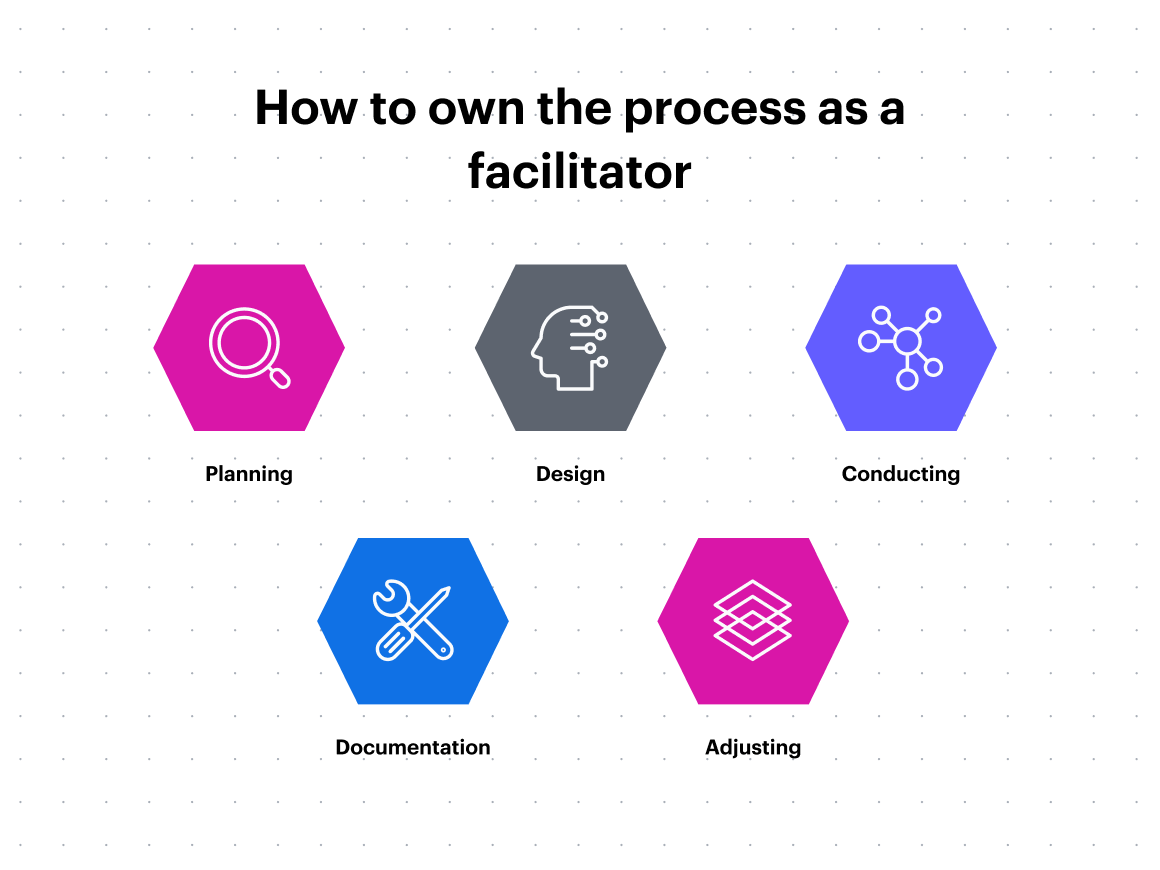
As a facilitator, you aren’t responsible for owning the ideas—but you are in charge of managing the process to get the group to their final outcomes. This process includes five high-level steps:
- Planning: Define what success is (and how you’ll know it when you see it).
- Design: Establish opportunities for collaboration end goal in mind.
- Conduct: Focus and move the group toward the desired results.
- Documentation: Keep a record of decisions made to help the team stay aligned.
- Adjusting: Review results and improve or repeat processes as needed.
Planning and design
Planning and design come ahead of the meeting. These steps are crucial for laying the groundwork for a successful discussion. Then when you conduct a meeting, you are putting those plans into action to keep the group focused and moving towards the stated goals.
“When you're thinking about designing, focus on creating a visual flow and structure with the activities and the outcomes that is easy for people to follow,” says Torrie Foutz, learning experience design manager at Lucid.
Your meeting design should be “explanation proof,” meaning the activities on the agenda are clear, simple, and self-explanatory.
You can do this seamlessly in Lucid. For example, by starting with a “climate setter” or icebreaker, opens in a new tab to get the team warmed up, you can then lead participants to other aspects of the meeting like the working agreement and goals, and then conduct a brainstorming session to gather ideas. At the end of the meeting, you can then align on which ideas resonate the most and narrow them down to the best, most actionable items.
Explore a variety of icebreaker activities in Lucid's template library to get your meeting off on the right foot.
See moreConduct
The next step is conducting the meeting. It’s essential to keep the group focused on the outcomes. In a group setting, it's all too easy for the discussion to veer off-road. Your job as facilitator is to redirect the discussion back towards the meeting's objectives and communicate those outcomes frequently so everyone is on the same page.
There are a few things you can do to help:
- Keep a timer, opens in a new tab visible to everyone. Adding a timer to your collaboration page keeps people accountable for the time and pushes creativity within that constraint.
- Put off-topic thoughts in a “parking lot.” You’ll likely end up with a lot of extra ideas that don’t quite fit the objectives you’re aiming for. Instead of discarding them, move them to a “parking lot” container where you can revisit them later.
- Confirm progress toward the outcome with your sponsor. Check in with the sponsor throughout the meeting to make sure you are headed in the right direction and that you are still clear on the outcomes.
- End with next steps and who owns what. Finally, don’t forget to document and communicate next steps and ownership for action items following the meeting. You don’t want to facilitate a great meeting and then never do anything with the information.
Pro Tip: Use Lucid’s parking lot template to create a designated space for good ideas that are off-topic and better discussed at a later time. Or, you can add Lucid’s Frames to create a parking lot in your meeting agenda so everything is documented in one place.
Document and adjust
At the end of the process, document decisions and assess how the meeting went.
As the meeting facilitator, consider the following questions:
- Are we getting what we need from these sessions?
- Are we aligned on decisions and next steps?
- Do we need to have more of these meetings?
- What should this meeting look like moving forward?
Based on your retrospective, identify successful processes from the meeting and templatize those so you can replicate them in future sessions.
Then share this documentation where your team gathers frequently. This can be in a group Slack channel, a project management system, or directly on your Lucid board. You can also comment and tag team members in Lucid, and import data right to your shared board.
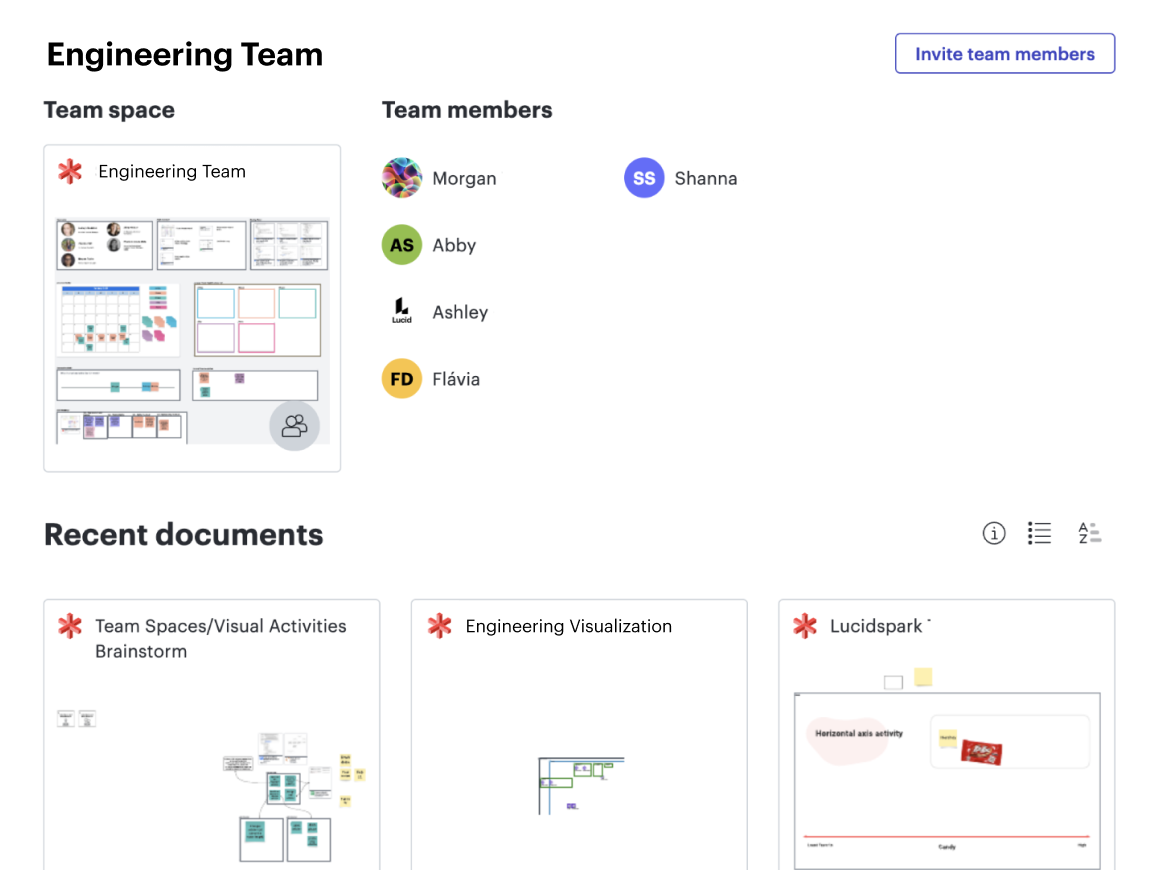
Pro Tip: Create a centralized place for your team by using Lucid’s team hubs. In your team hub, you can have a dedicated team space and easily access all relevant documents, making it easy to record decisions from your meetings or share templates.
Technique #3: Supporting collaboration
Unfortunately, getting people together in a room with an agenda and working agreement isn’t always enough to spark effective collaboration. That’s where the facilitator comes in.
“As a facilitator, because you're not as responsible for the ideas and you're a bit more removed, you're able to focus on helping the group navigate conflict,” says Morgan Skidmore, learning experience designer at Lucid.
“You can see when there's a little bit of tension, you can maintain collaborative equity, and if you're sensing that people are confused, you can provide clear instructions and manage the energy of the group.”
Establish collaborative equity
“Collaborative equity is about providing ample opportunities for each participant to contribute in the way that they're most comfortable with,” says Skidmore. “So again, as the facilitator, it's just about being intentional and creating lots of options for how to engage.”
To create collaborative equity, get to know your team’s collaboration styles.

Get our guide to understanding the three collaboration styles—with templates best fit for each.
Read now“This one is huge for me,” says Foutz. “My collaboration style is very different from my manager's, but he knows my collaboration style. He knows that I like to be prepared, so he will give me a heads up if we're having a big brainstorm and share the outcomes, so I can do a bit of research prior to coming to the meeting. That has been a game changer for how we work as a team, how I show up in those meetings, and how he supports me.”
With the different communication styles in mind, you can better design your group of participants to create a balance of perspectives and approaches. And you’ll be better prepared to facilitate those styles effectively.
Other ways to build collaborative equity, opens in a new tab include:
- Incorporating visuals as a means of participation: This is especially helpful for more introverted personalities and those who like to write out their thoughts.
- Appointing an advocate to help facilitate participation: This is great for hybrid and remote meetings where it’s easy for people to hang out in the background. For example, if you’ve had a lot of input from people joining the meeting in person, you can turn to your advocate to pull in voices from the remote side.
- Getting input in a variety of ways: With Lucid’s Visual Activities, you can quickly gather qualitative input from a group that you can use to drive decisions forward, while still accommodating those who might not want to speak up as much during meetings. This helps ensure everyone has a chance to participate comfortably and fairly.
Pro Tip: Using a visual collaboration platform not only enhances collaboration during meetings, it also helps to level the playing field. Try visual collaboration in your next meeting to ensure meeting equity no matter the participants’ collaboration styles.

Get the guide to meeting equity
Learn how to incorporate equity before, during, and after your meetings.
Check it outProvide focused bursts of energy
“If you're noticing that the energy of your group is going down, there are lots of energy starters that you can do to break the cadence of the meeting and shake things up,” says Skidmore.
These are great at the start of meetings and during breaks to re-energize the group. In Lucid, you can use breakout boards to help everyone refocus and collaborate in smaller groups. Some participants may be more comfortable speaking in these smaller groups, and breaking things up can make a longer meeting more engaging.
Use visuals to reach consensus quickly
Visuals can be a great shorthand for getting feedback from the group quickly, especially if you need to achieve consensus and enhance decision-making.
For instance, a quick round of “fist of five” can give you non-verbal, visual cues of how people are feeling about a certain decision or even the group’s energy level. Simply have participants hold up their fingers on a scale of 1-5 to rate their reactions. So a five could be “I’m feeling great; I’m invested in this idea,” and a one is “I need more discussion.”
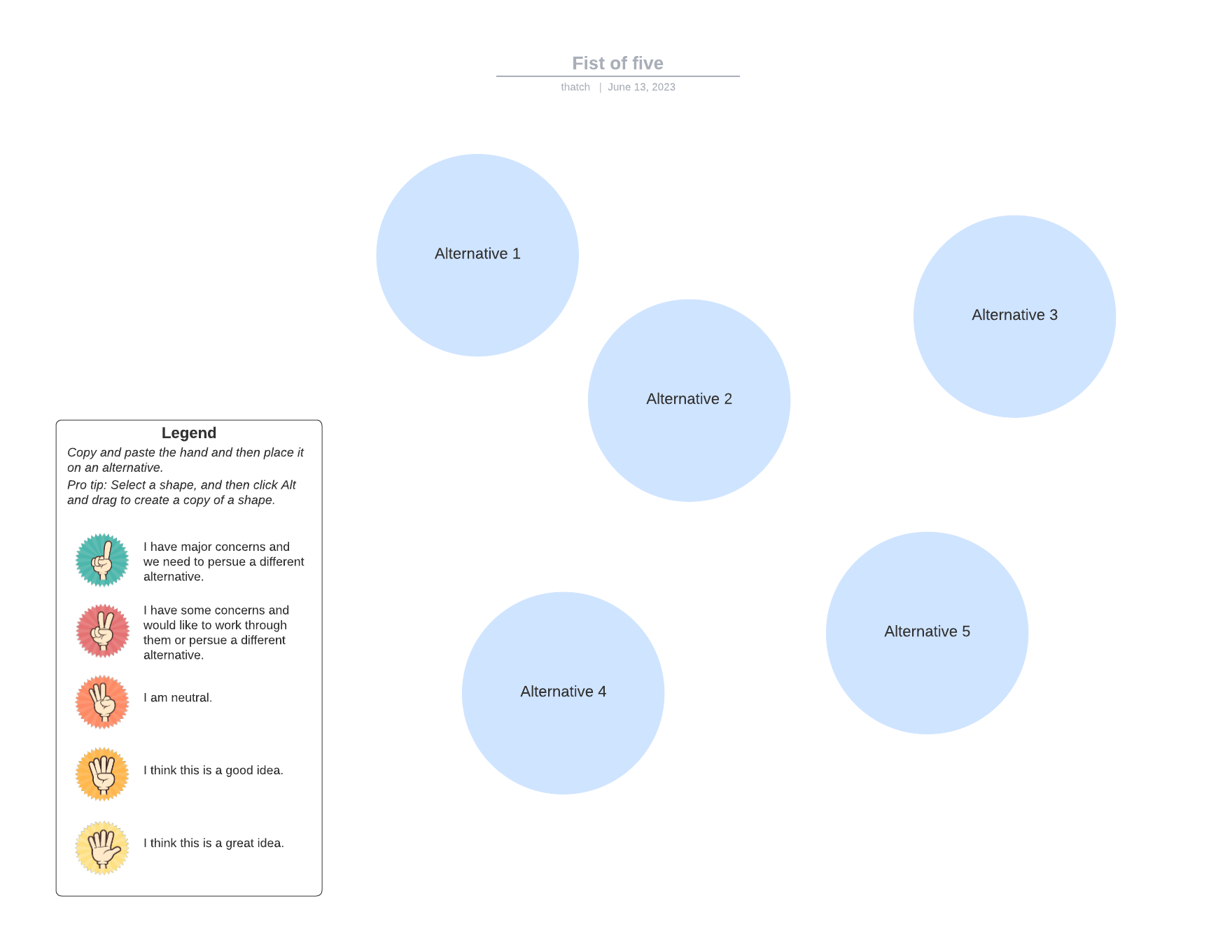
Additionally, use your virtual whiteboard to capture and record ideas people are excited about. Have people write down their own thoughts to keep them engaged in the process. As you gather more ideas, take time to discuss and vote on decisions as a group.
Pro Tip: Lucid’s voting feature allows you to create and facilitate voting sessions right on the board. You can select which items you want the team to vote on, set a timer for how long people have to submit their votes and assign a number of votes to each participant. This makes it easy for people to participate in decision-making during a meeting or in between meetings on their own time.
Use Lucid to enhance your meeting facilitation skills and have better meetings
It’s not always easy to be a meeting facilitator, but when you understand your role, own the process, and effectively guide the collaboration of participants, you can have engaging meetings that are productive for everyone involved. Take the tips from above and try using Lucid during your next meeting for successful, engaging facilitation.
Great facilitators aren’t born, they’re made. Deepen your facilitation skills with our Lucid Creative Facilitation badge.
Get the badge