Imagine having a professional designer and a logic expert sitting inside your computer, ready to turn your ideas into polished visuals. This is essentially what AI diagramming software is. In this article, we’ll compare the best AI diagramming software so you can decide which is best for your team.
Best AI diagramming software summary
Eraser
Mermaid
Lucidchart
Edraw (EdrawMax)
draft1.ai
What is AI diagramming software?
AI diagramming software is the next evolution of visual communication. By leveraging generative algorithms and natural language processing, these tools can instantly build a structured visual diagram from a written description of a process, hierarchy, or system. Whether it’s complex software architecture, a business flowchart, or a sprawling mind map, AI diagramming removes the manual labor of alignment and reformatting, so you can spend more time focusing on the strategy and implications of the visualized connections.
Key takeaways
| Best for | Feature highlight | Pricing |
Eraser | Engineers | Split editor, GitHub sync | Free, paid (Starter, Business, Enterprise) |
Mermaid | Simple use cases | Native support, version control | Free |
Lucidchart | Enterprise collaboration | Lucid AI, idea expansion, ChatGPT plugin | Free, paid (Individual, Team, Enterprise) |
Edraw (EdrawMax) | Physical infrastructure | Template gallery, diverse diagram types | Free, paid |
draft1.ai | Cloud architecture | Auto-layout, text-to-visual | Paid (Basic, Pro, Enterprise) |
Best AI diagramming software
Eraser
Best for engineers
Capterra rating: Unavailable
Pricing: Free for up to three files. Paid subscriptions are available.
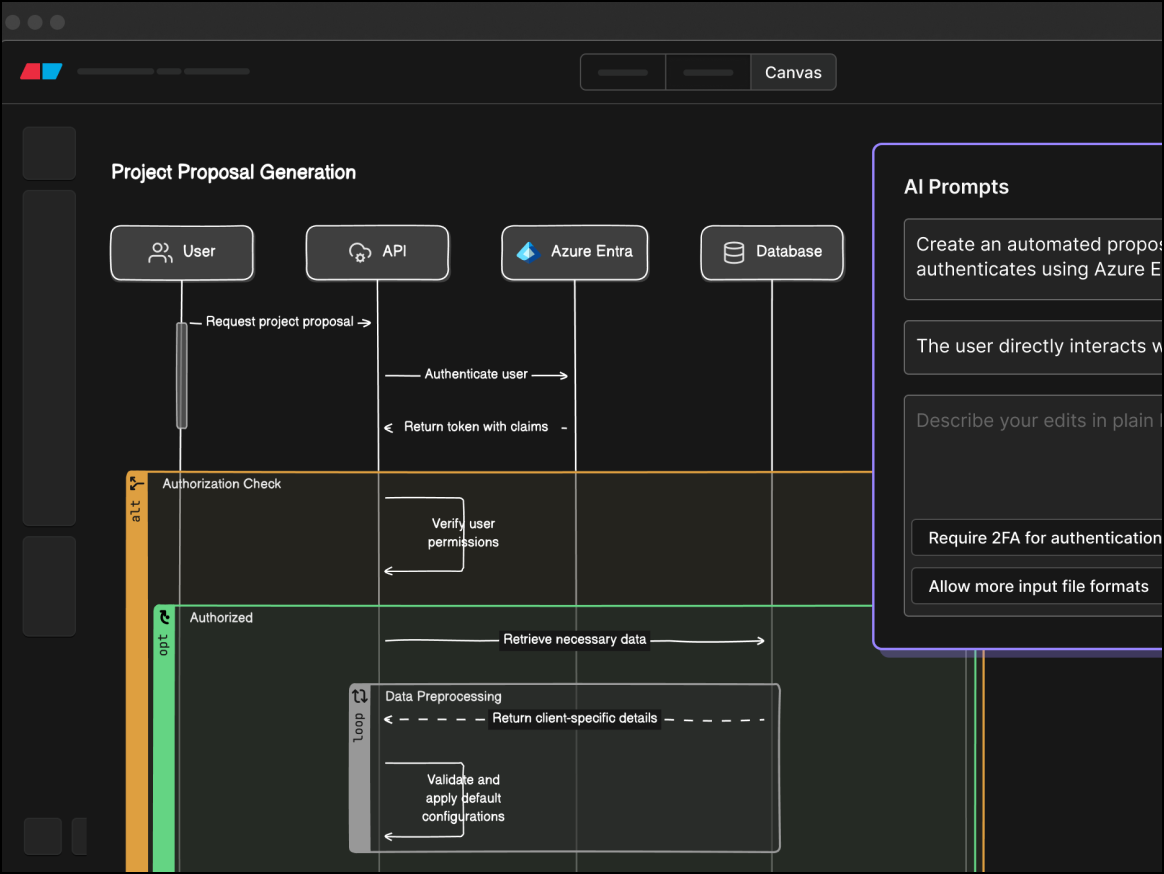
Specifically built for engineering teams practicing “docs-as-code,” Eraser, opens in a new tab allows users to write markdown or code, which is then interpreted by Eraser’s AI to generate architectural diagrams.
Notable features include:
DiagramGPT: Turns natural language or code snippets into flowcharts or sequence diagrams
Split editor: Allows you to write markdown on the left while seeing the live diagram on the right
GitHub sync: Enables diagrams to live in your repository as code or images
Notable integrations include GitHub, VS Code, and Notion.
Pros: Eraser is fast and perfect for technical documents.
Cons: Eraser isn’t as helpful for non-technical users and offers limited shape styling.
Mermaid
Best for simple use cases
Capterra rating: 4.7/5, opens in a new tab
Pricing: Free for up to three diagrams. Paid subscriptions are available.
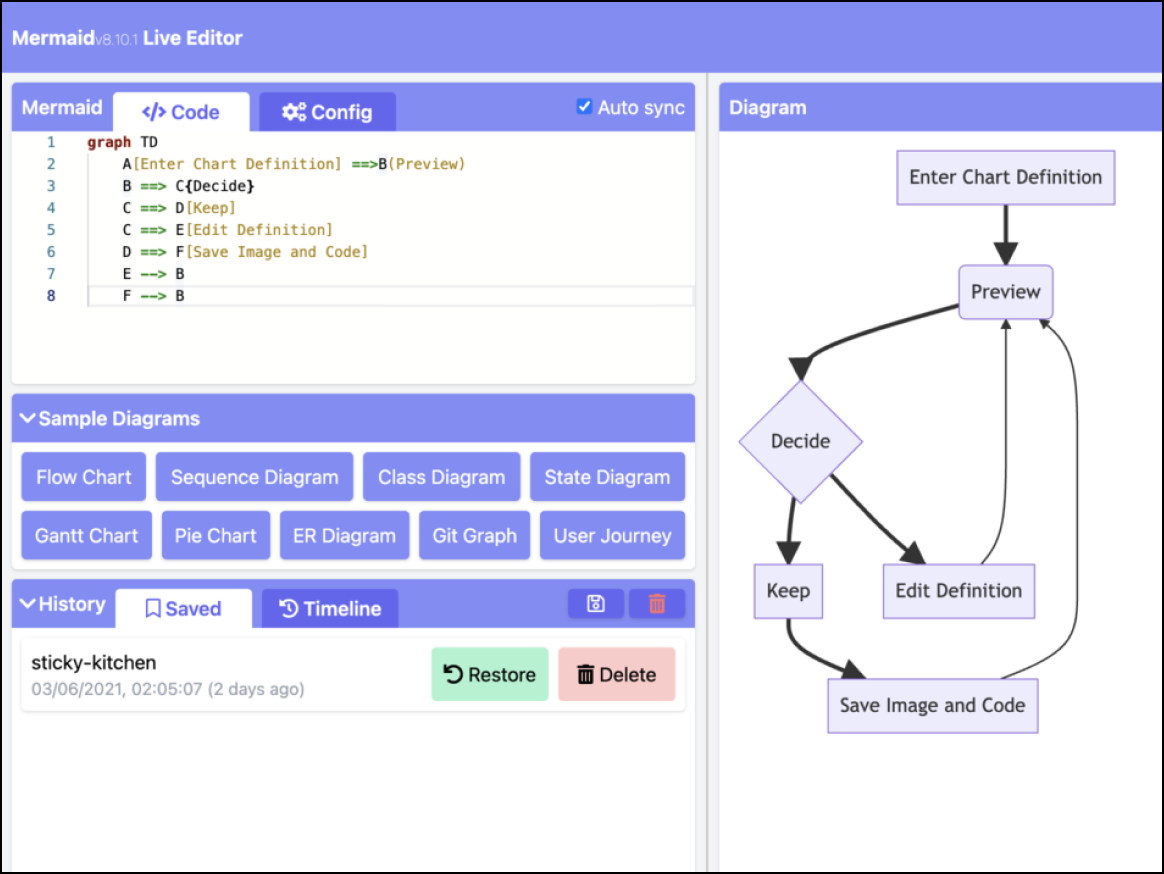
Widely used by developers to embed diagrams without saving image files, Mermaid, opens in a new tab is a JavaScript-based tool that renders diagrams from text definitions.
Notable features include:
Text-to-diagram: Allows you to create a flowchart from written text descriptions
Native support: Renders automatically in GitHub Issues and Markdown files
Notable integrations include GitHub, Notion, Obsidian, and Jira.
Pros: Mermaid is free and version-controllable.
Cons: This software has a steep learning curve for non-coders and limited customization options for styling.
Lucidchart
Best for enterprise collaboration
Capterra rating: 4.5/5, opens in a new tab
Pricing: Free for up to three editable boards. Paid subscriptions are available
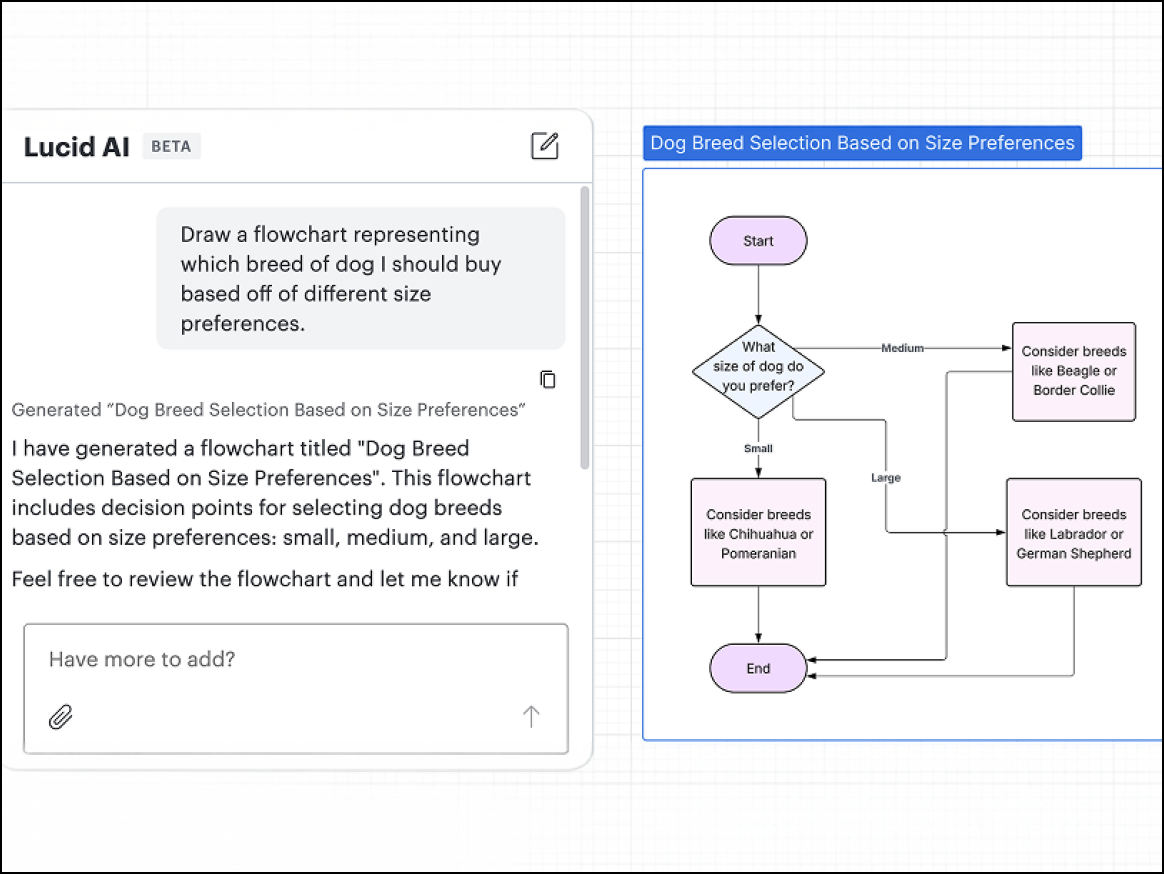
Lucid AI, used to rapidly generate initial diagrams, mind maps, or process flows from natural language prompts, are designed for general users and teams of all sizes. Lucidchart, opens in a new tab is part of the Lucid Visual Collaboration Suite.
Notable integrations include OpenAI/ChatGPT and Microsoft.
Pros: Lucidchart integrates seamlessly into the workspace and lets users create AI diagrams and visuals instantly.
Cons: Advanced data features require an Enterprise plan.
Edraw (EdrawMax)
Best for physical infrastructure
Capterra rating: 4.5/5, opens in a new tab
Pricing: Paid subscriptions available
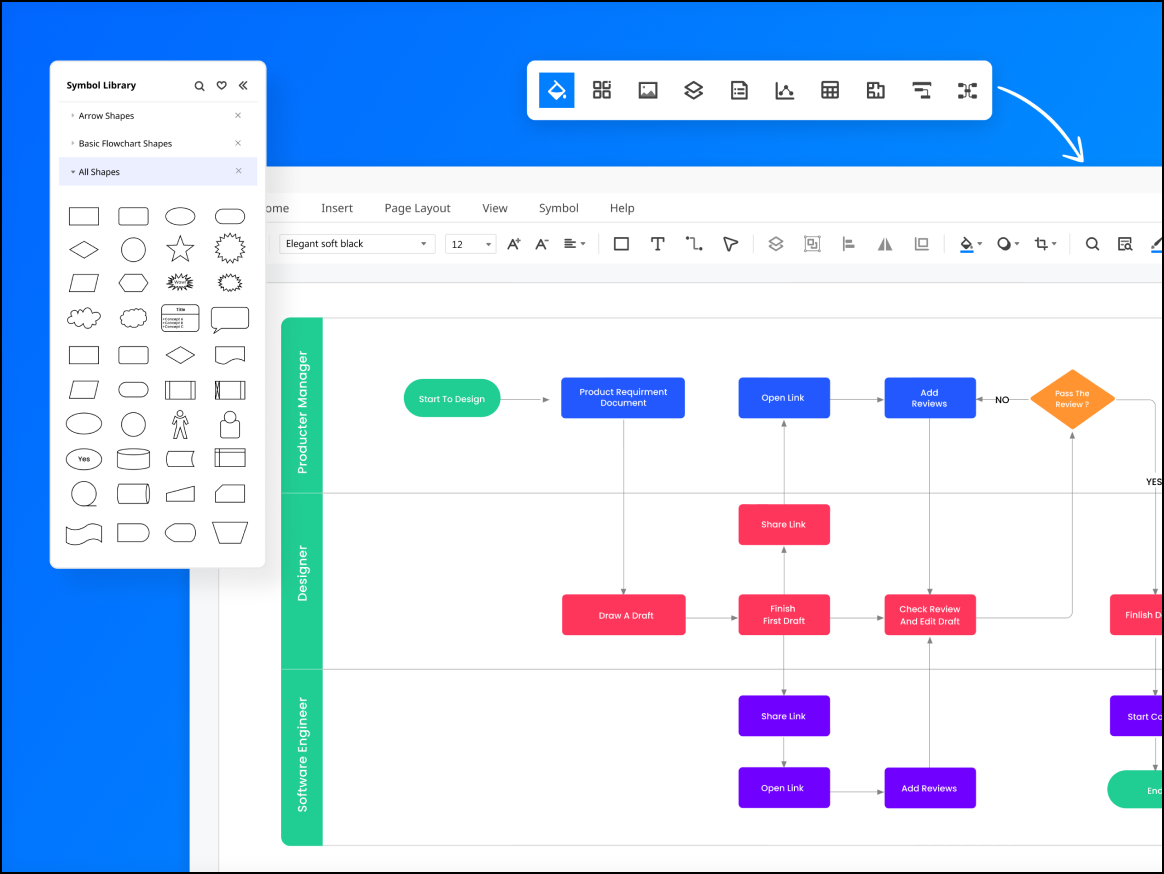
Featuring a more modern, colorful interface and a massive library of resources, Edraw, opens in a new tab is an all-in-one diagramming tool with an AI assistant that appeals to diverse roles.
Notable features include:
280+ diagram types: Covers niche areas from science illustration to floor plans
Template gallery: Features a large community-driven library to kickstart your projects
Notable integrations include Microsoft Office, Google Drive, and Dropbox.
Pros: Edraw is easy to use and features a massive asset library.
Cons: Edraw's interface is busier than its competitors', and its capabilities are not as robust.
draft1.ai
Best for cloud architecture
Capterra rating: Unavailable
Pricing: Paid subscriptions available
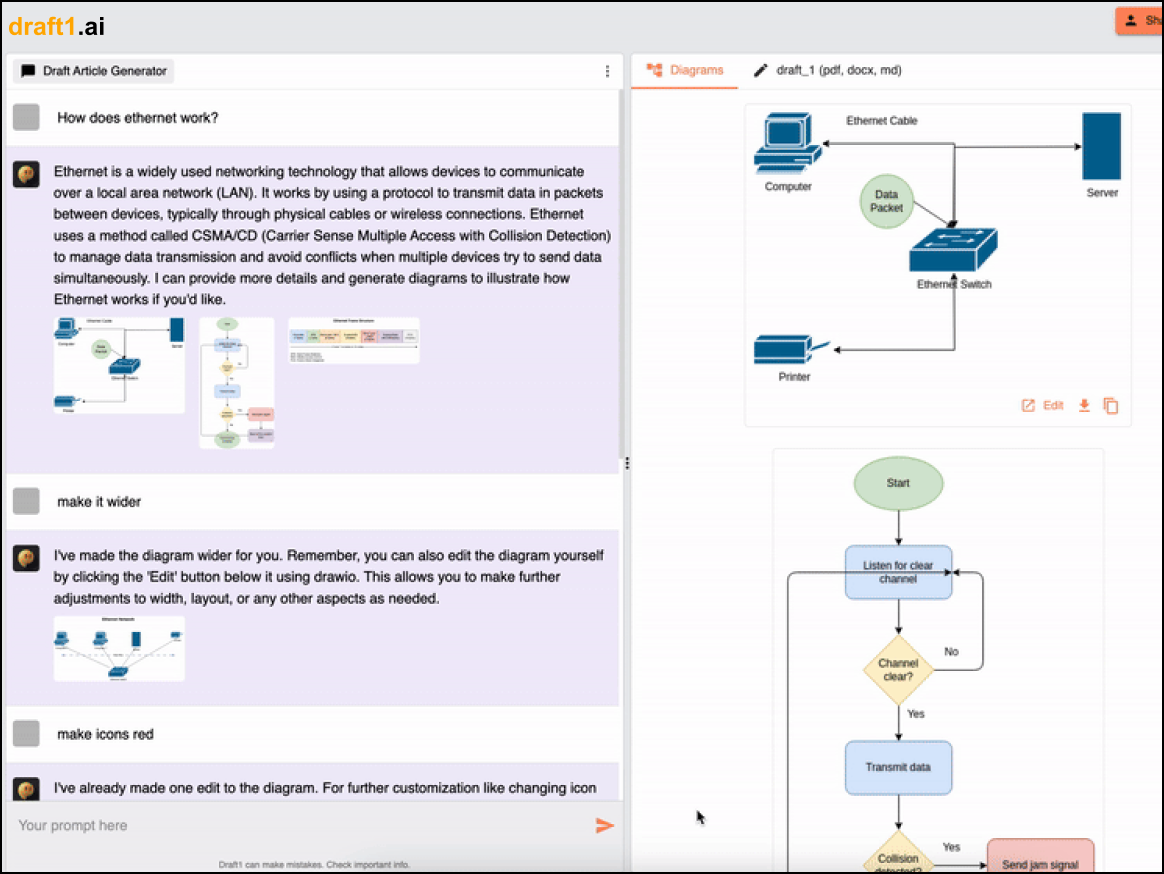
A newer AI tool designed to address the “blank page” problem, draft1.ai, opens in a new tab targets users who want to instantly visualize rough notes or text descriptions as professional diagrams.
Notable features include:
Text-to-visual: Creates a diagram instantly from a text description
Auto-layout: Organizes spacing and connections automatically
Notable integrations include export capabilities to standard formats.
Pros: draft1.ai can provide an initial draft extremely fast.
Cons: This software has limited editing capabilities compared to established tools and is also prone to AI errors.
Create your Ai diagrams in Lucid
Try Lucidchart as your Ai diagramming software to enhance clarity and keep teams connected.
Sign up free