UML software is essential for teams to visualize complex system architecture and maintain a single source of truth for developers. The best UML diagramming software will be intuitive and easy to use, offering a balance between robust technical features and dynamic collaboration. We’ve reviewed the top UML diagramming software so you can select the best one for your team’s specific needs.
Best software for UML diagrams summary
Here’s our list of the best UML diagram software:
- PlantUML
- Lucidchart
- StarUML
- Astah
- Visual Paradigm
- Enterprise Architect (Sparx Systems)
What is UML diagram software?
Software for UML diagram creation is a specialized modeling tool that allows developers and architects to visualize complex systems. Dedicated UML diagram tools have the specific rules and notations of the Unified Modeling Language (UML), such as class relationships, sequence timing, and state transitions.
Benefits of using UML diagram software include:
- Standardize communication: Establishing a universal visual language bridges the gap between technical and non-technical teams.
- Accelerate design: Visualizing your system logic early in the development lifecycle helps teams efficiently identify blockers and areas for optimization before costly implementation occurs.
- Create a single source of truth: Mapping every technical component provides a clear view of dependencies, helping maintain alignment throughout the workflow.
Key takeaways
|
Best for |
Feature highlight |
Pricing | |
|
PlantUML |
Backend developers and architects |
Plugin options, auto layout, and scripting |
Free |
|
Lucidchart |
Software architects and developers |
Lucid AI to generate diagrams, data linking, and layers |
Free, paid (Individual, Team, Enterprise) |
|
StarUML |
Developers, students, and other individual professionals |
Extension Manager, Model Validation, and Retina support |
Paid |
|
Astah |
Global engineering teams |
Traceability mapping, reverse engineering, and safety modeling |
Paid (Professional, UML, Safety, SysML) |
|
Visual Paradigm |
Software engineers and Agile teams |
Guide-Through Process and code generation |
Paid |
|
Enterprise Architect (Sparx Systems) |
Engineers and enterprise architects |
Auto-generate diagrams and track changes |
Paid |
Best UML diagramming software
Here’s a brief summary of each of the best UML diagramming software, including pricing, pros, cons, integrations, and more. Most platforms include free UML diagramming software but offer paid accounts for advanced features.
PlantUML
Best for backend developers and architects
Capterra rating: No rating available
Pricing: Free, open-source
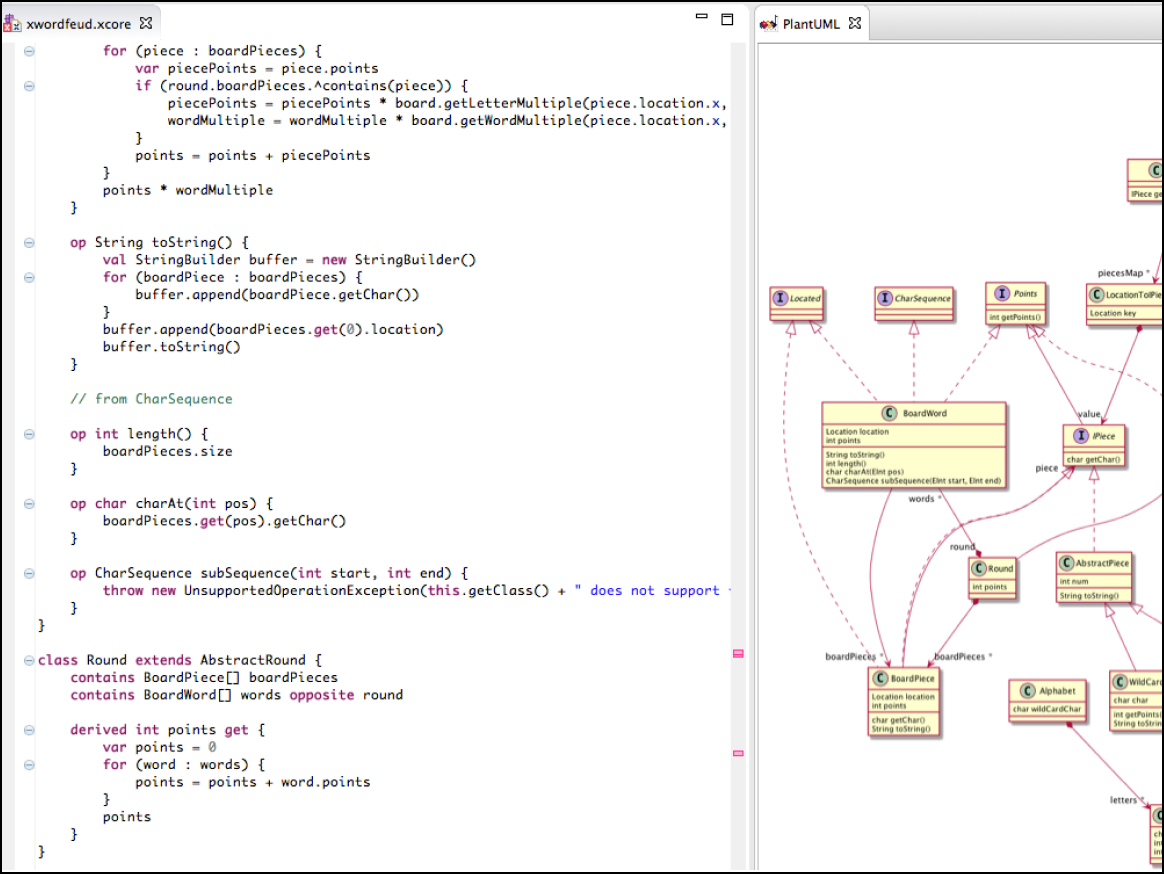
PlantUML is a free and open-source UML diagramming tool. It uses a diagram as code approach for teams to convert text to UML diagrams.
Notable features include:
Scripting: Users can define diagrams in plain text.
Wide support: Plugins are available for almost every IDE (IntelliJ, Eclipse, VS Code).
Auto-layout: The engine automatically arranges nodes (you don't place shapes manually).
Notable integrations include Confluence and Microsoft Word.
Pros: PlantUML is free, fast, and standards-compliant.
Cons: Some users describe the tool as outdated in design. Positioning logic is hard to override.
Lucidchart
Best for software architects and developers
Capterra rating: 4.5/5
Pricing: Free for three editable documents. Paid individual, team, and enterprise plans are available.
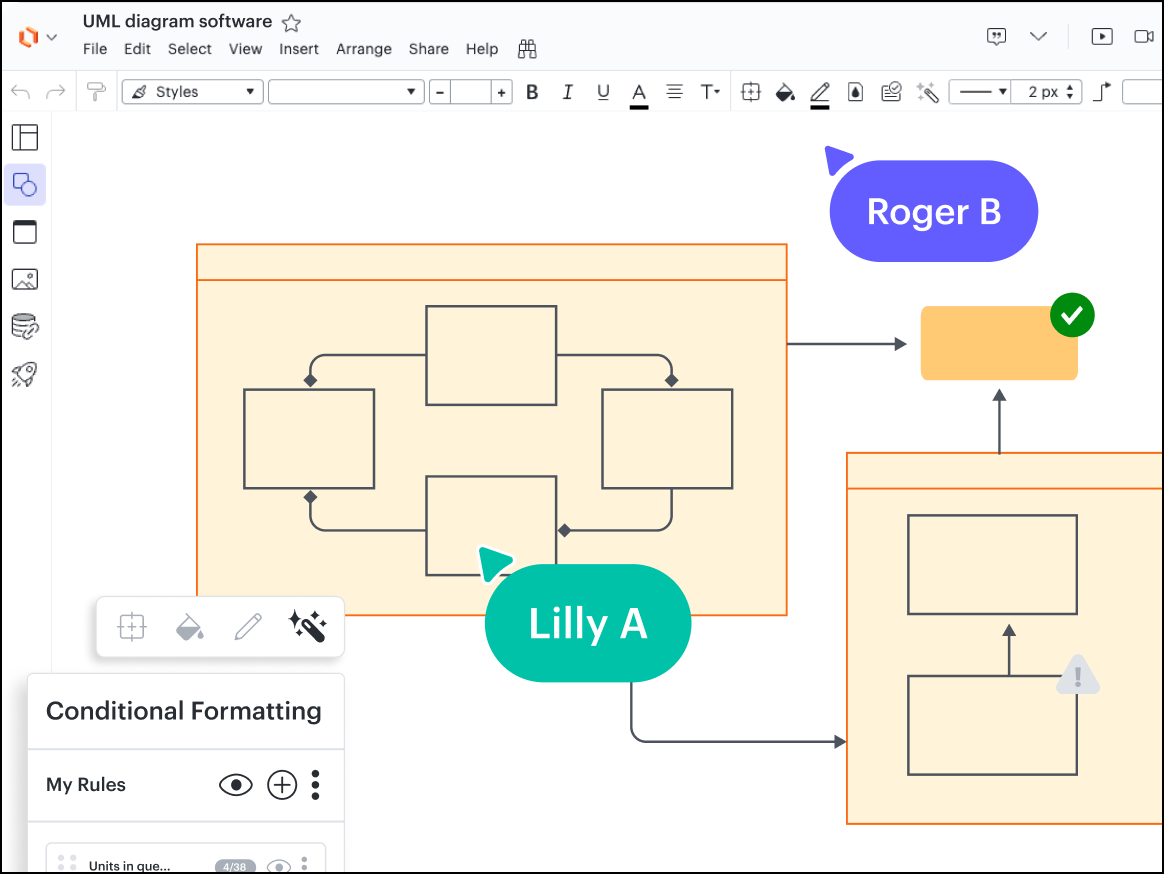
Lucidchart is the core intelligent diagramming application in the Lucid Visual Collaboration Suite. It replaces legacy desktop tools with a collaborative web-based UML modeler.
Notable features include:
UML shape library: Access comprehensive shape sets for state, class, sequence, and component diagrams.
Sequence markup: Easily write code to generate clean diagrams, with open drag-and-drop capabilities.
ERD import/export: Import SQL database schemas to automatically build entity relationship diagrams.
LaTeX support: Render mathematical equations directly inside UML notes.
Notable integrations include GitHub, GitLab, Slack, and Microsoft Teams.
Pros: The platform offers the best of both worlds with text entry and visuals. It is collaborative, making it easy to share code documentation.
Cons: Lucidchart does not offer a full modeling environment like some competitors.
StarUML
Best for developers and students
G2 rating: 4.2/5
Pricing: Available with a paid subscription or one-time purchase
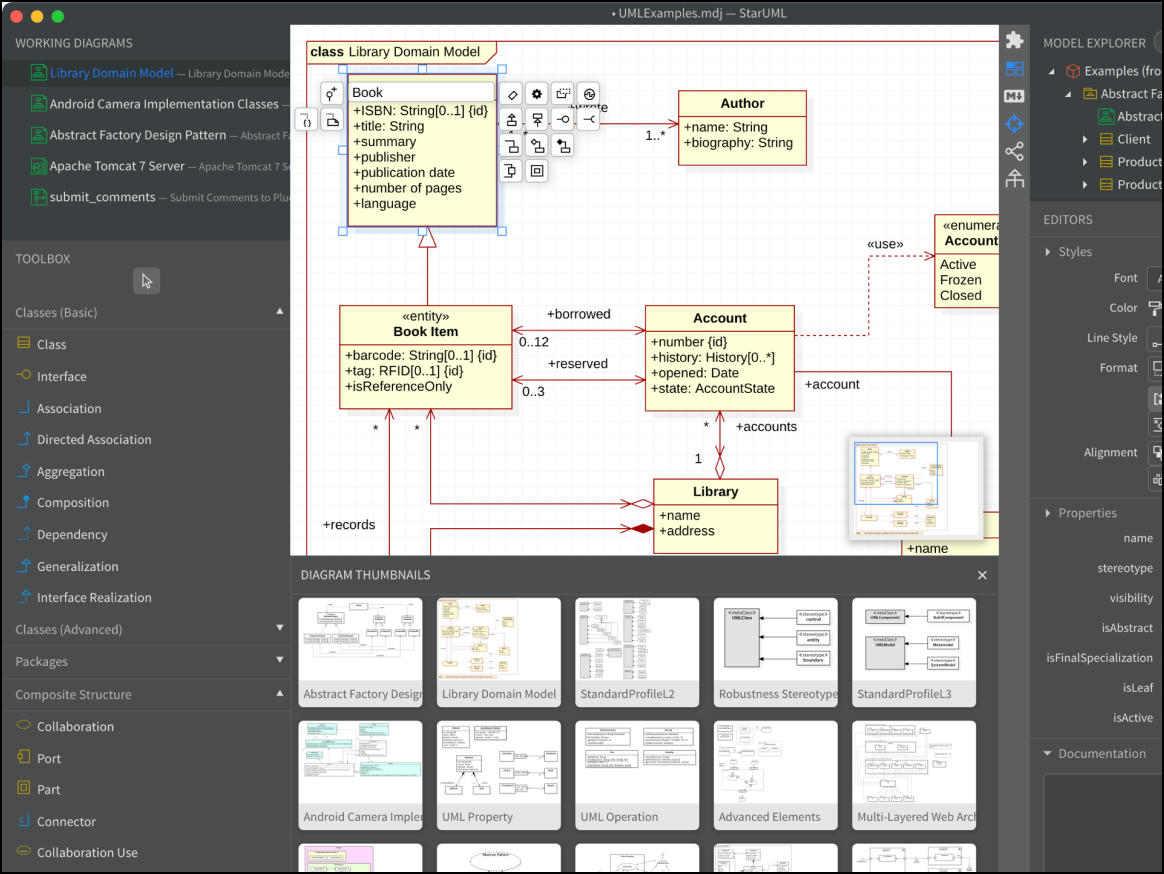
StarUML is a professional modeling tool for developers who need a GUI but still want rigorous UML compliance. It is popular among students and software professionals for its clean interface and extensibility.
Notable features include:
Extension manager: Install community plugins for code generation (C++, Java, Python).
Model validation: Scan your diagram for UML logic errors.
Retina support: Create crisp diagrams with high-DPI support on Mac and Windows.
Notable integrations include Java, C, and C++.
Pros: It’s fast, extensible, and has a clean UI.
Cons: Users complain about the weak collaboration features.
Astah
Best for engineering teams
Capterra rating: 4.5/5
Pricing: Free and paid options available
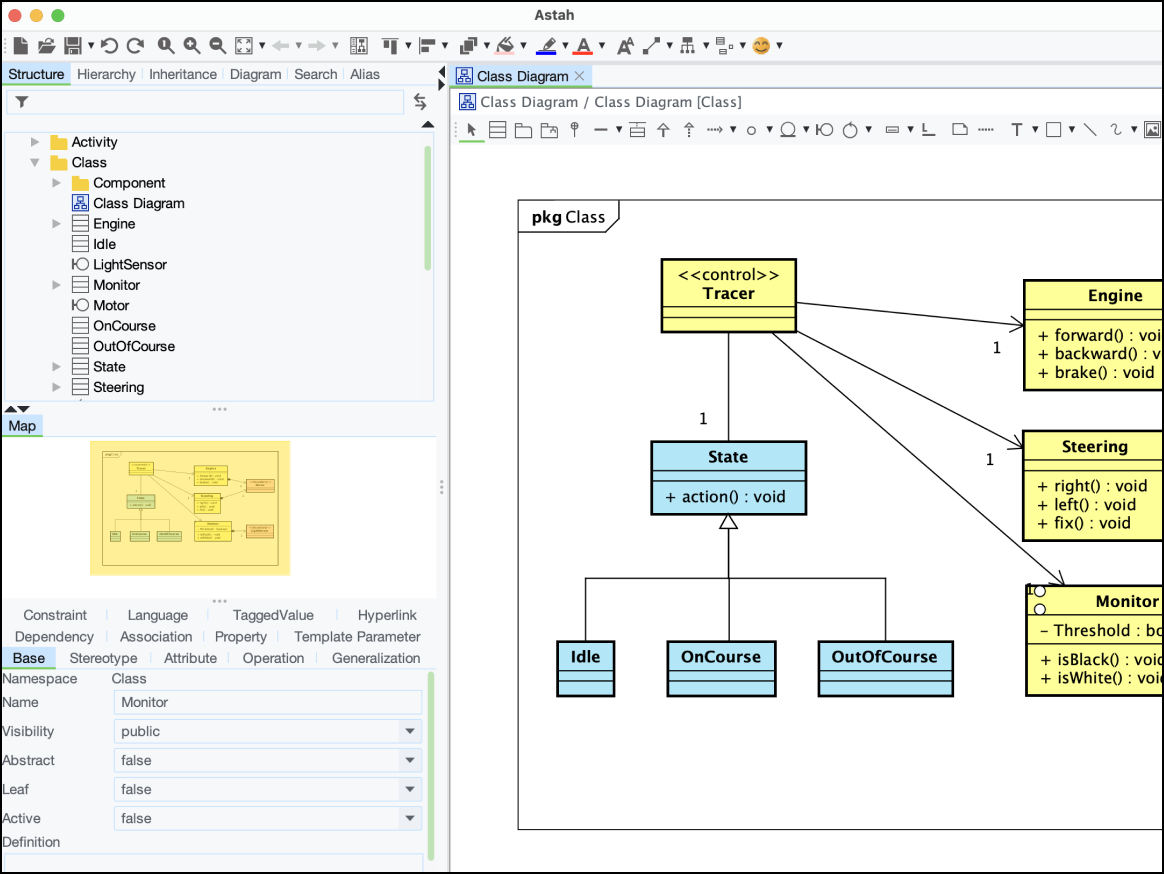
Astah supports global teams that have strict security standards. It supports UML as well as specific safety engineering standards, such as STPA and GSN, used in the automotive and aerospace industries.
Notable features include:
Traceability map: Visualize dependencies between requirements and model elements.
Reverse engineering: Import Java or C source code to generate diagrams.
Safety modeling: Use dedicated features for risk analysis diagrams.
Notable integrations include Atlassian and EVA.
Pros: Astah is a lightweight solution for systems engineering.
Cons: The UI is outdated and niche.
Visual Paradigm
Best for software engineers and Agile teams
Capterra rating: 4.3/5
Pricing: Available with a paid subscription or one-time purchase
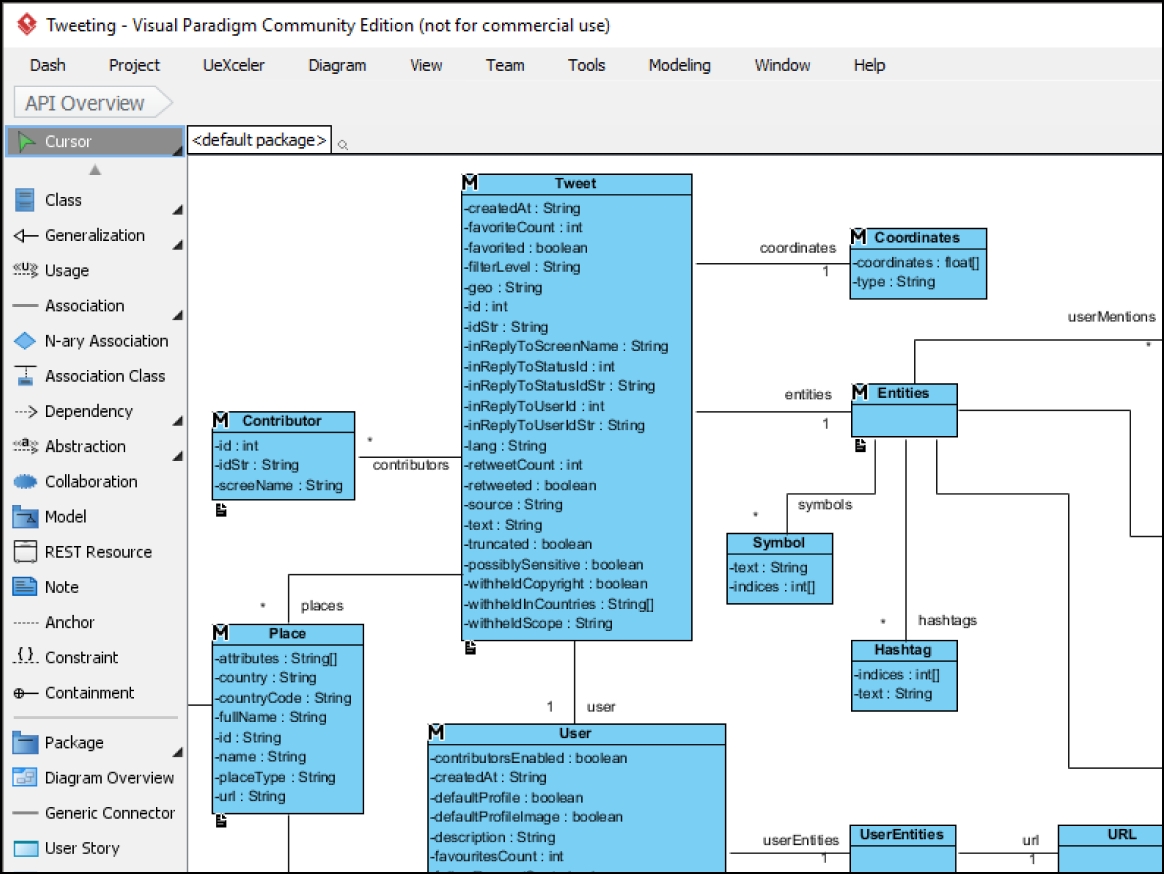
Visual Paradigm bridges the gap between high-level strategy and technical execution. Built for enterprise architects, software engineers, and Agile project managers, it streamlines UML and SysML modeling to deliver a clear roadmap for complex Agile projects.
Notable features include:
Guide-through process: Includes step-by-step wizards for Agile processes (Scrum and LeSS)
Code generation: Easily turns Java or C code into UML class diagrams (and vice versa)
Customer journey mapping: Integrates CX tools alongside technical diagrams
PMBOK templates: Includes tools specifically for project management compliance
Notable integrations include Eclipse, IntelliJ, NetBeans, and Visual Studio.
Pros: The tool is popular among software architects for its feature completeness and rigorous architectural standards.
Cons: Some users have found Visual Paradigm overwhelming, with a steep learning curve and a crowded UI.
Enterprise Architect (Sparx Systems)
Best for engineers and enterprise architects
Capterra rating: 4.1/5
Pricing: Available with a one-time purchase with an optional annual maintenance fee
Sparx Systems is a modeling and design platform built for teams in highly regulated industries. The platform bridges the gap between strategy and execution through data-backed modeling and technical engineering.
Notable features include:
Change management: Easily track diagram changes and transitions.
Traceability: Link business requirements to a specific line of code so nothing gets lost in translation.
Model-driven generation: Automatically generate source code or database schemas directly from your diagrams.
Notable integrations include Jira, Confluence, and Azure DevOps.
Pros: The platform is easy to use, feature-rich, and cost-effective.
Cons: Customers have noted a steep learning curve and a dated UI.

Create your UML diagrams in Lucid
Try Lucidchart as your UML diagram software to enhance clarity and keep teams connected.
Sign up free