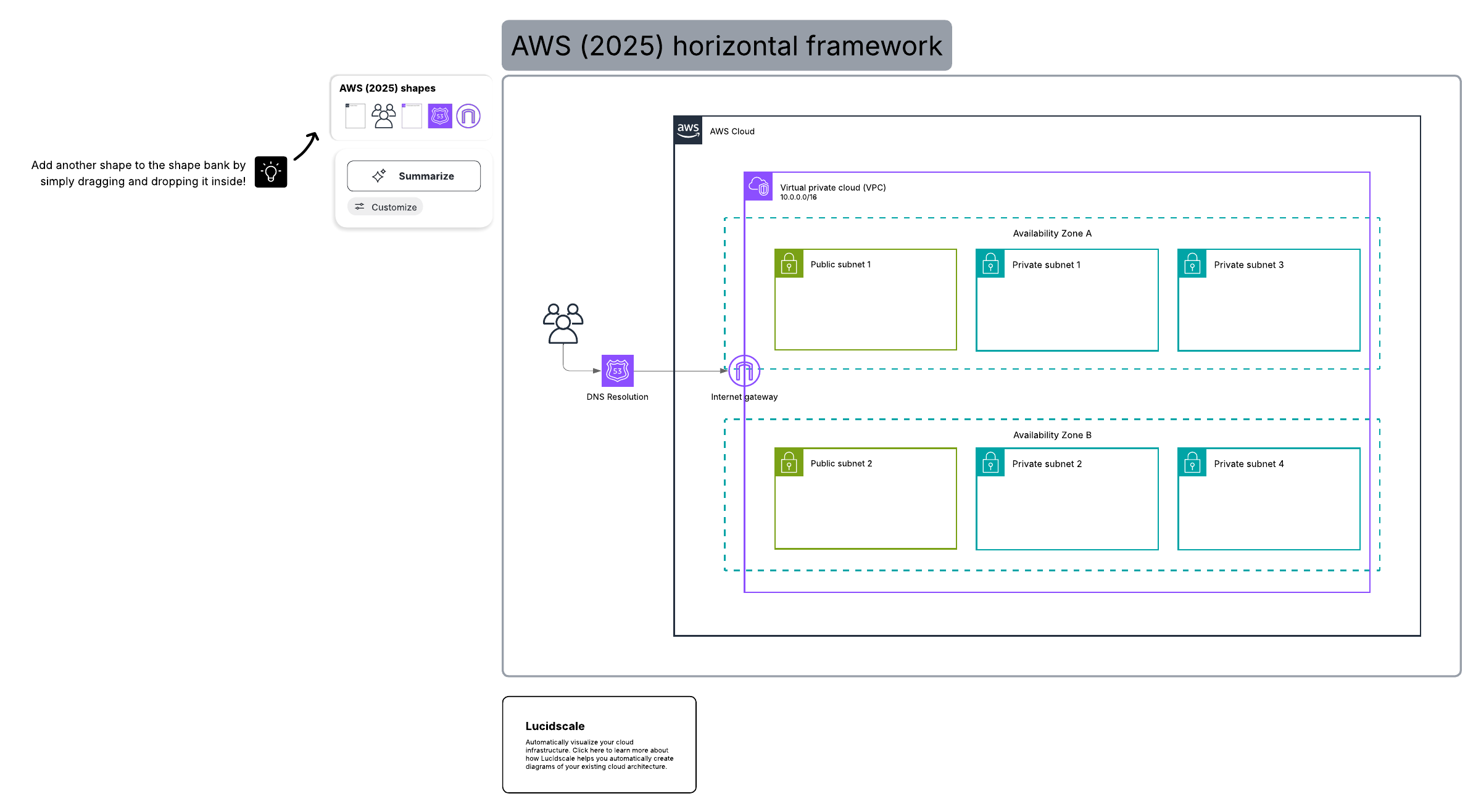
System architecture diagram tool

Lucidscale helps organizations see and understand their cloud environment so teams can effectively design, build, deploy, and troubleshoot as their businesses grow.

Sign up free

A dynamic, data-backed system architecture diagram tool

  • Visualize your cloud architecture on your terms

    Lucidscale lets you visualize key cloud governance data within the context of an easy-to-read system architecture diagram without going into your cloud console. Focus on the information you need most: Simplify complex cloud diagrams by filtering down to specific elements like security groups, VPCs, specific tags, and more. Create customized views of your data-backed diagram to gain a deeper understanding of your data and communicate the right level of detail about your cloud environment.

  • Automatically generate accurate and dynamic cloud diagrams

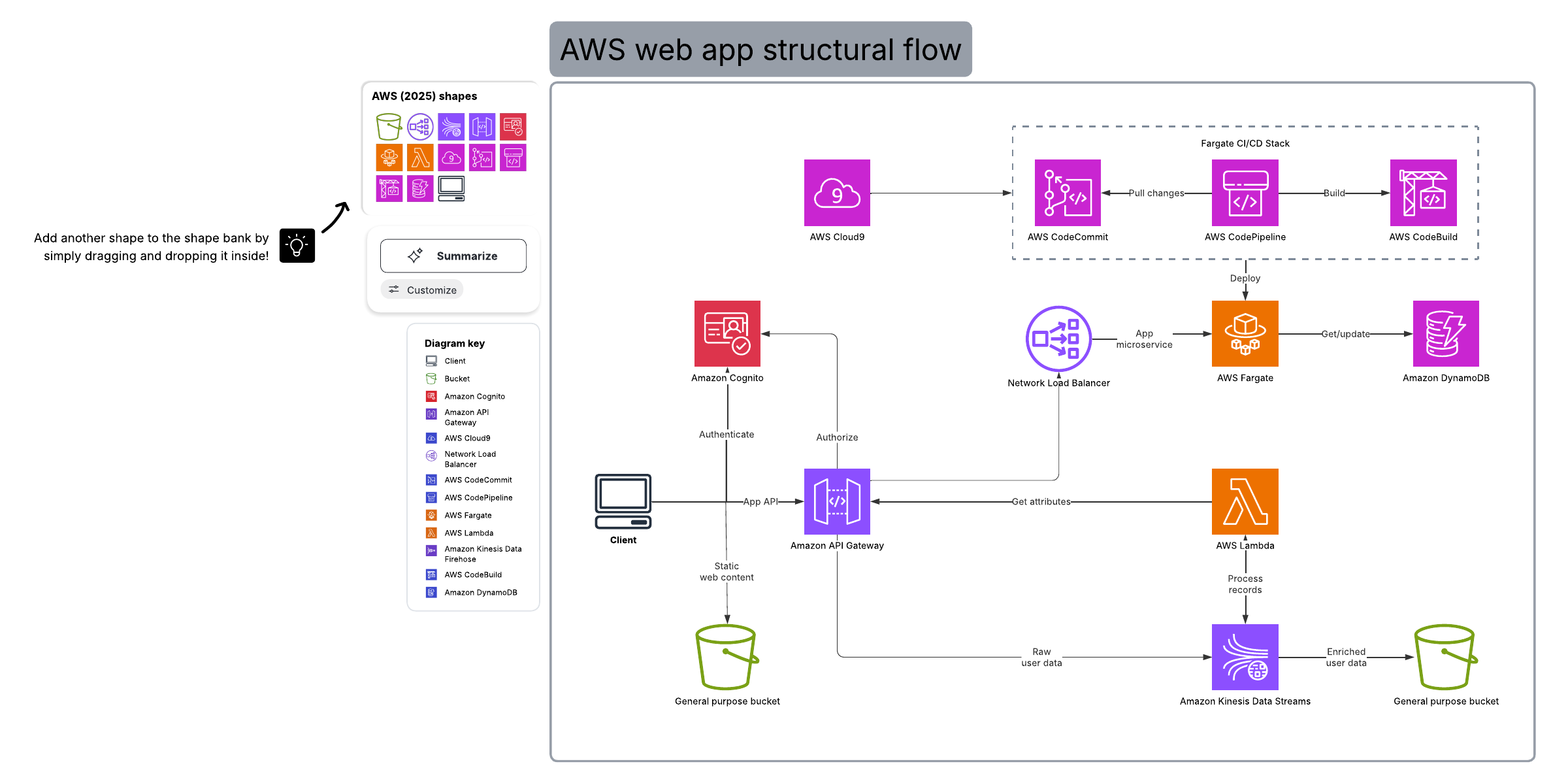
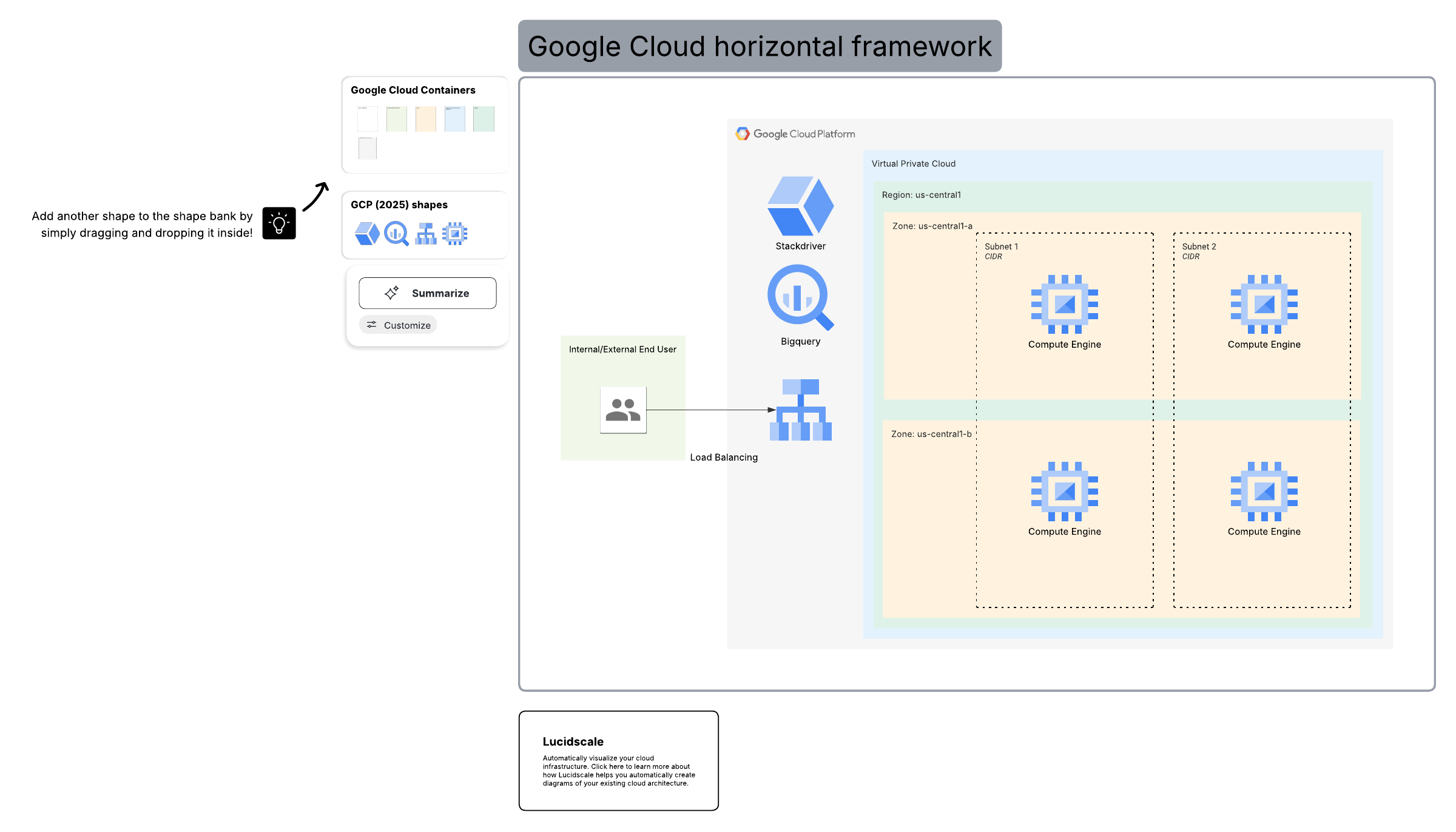
    Save your team hours of manual diagramming, while still ensuring accuracy and consistency. With Lucidscale, you can import data from your existing cloud account and automatically generate diagrams from multiple cloud environments, including AWS, Azure, and GCP. Combine multiple accounts into one diagram for a complete representation of your infrastructure. Our architecture diagram tool includes a data panel for each object and support for all of your critical resources for maximum detail and security.

  • Verify the results of cloud migrations and implementations

    Cloud migrations and implementations leave plenty of room for error. With our system architecture diagram tool, you can automatically generate and refresh diagrams to compare and confirm that what was built matches your initial plans. Identify small changes that were made during the building process, instance sizes, regions, and other resources with a data-backed IT architecture diagram. Lucidscale can help you and your team avoid unnecessary risk and downtime by ensuring you only deploy quality architecture.

  • Automate and share cloud documentation with stakeholders

    Our online architecture diagram tool helps you communicate your current architecture to engineers developing on infrastructure and other key groups. Tailor your diagram to communicate the right level of detail, whether you’re speaking to technical teams or leadership. With your diagram, you can quickly cross-check your infrastructure or respond to a compliance audit to prove requirements like GDPR, SOC2, and PCI. No matter how you use your visuals, you can ensure that your architecture diagrams are consistent across your entire organization.

5 benefits of building your cloud network diagram with Lucidscale

  1. Create a clear picture of your present and future

    Our architecture diagram tool provides you and your team with clear visuals that help you visualize your current architecture and make plans for the future.

  2. Communicate with accurate and consistent visuals

    Automatically generate accurate, data-backed online architecture diagrams to communicate your cloud architecture consistently across your organization.

  3. Work with anyone, anytime, anywhere

    Lucidscale’s cloud-based tools make it easy to collaborate with anyone from anywhere—across browsers, time zones, and devices.

  4. Automatically generate your diagram in minutes

    Save hours of manual diagramming by using your current data to automatically generate an accurate representation of your cloud’s infrastructure.

  5. Share the right information with the right audiences

    Use our system diagramming tools to customize which audiences see what information within your cloud diagram.

Start free trial

Frequently asked questions about our system architecture diagram tool

Can I filter or segment my cloud architecture diagram to only see certain parts of the infrastructure?
Yes. Use filters to declutter diagrams and focus on specific elements like groups, VPCs, specific tags, and more within your cloud network diagram.
Can I create a saved view of my diagram?
You can create saved views of your system architecture diagram to quickly view your architecture within the right context.
How do I import cloud infrastructure from multiple clouds?
You can import from multiple clouds (AWS, Azure, and GCP) and automatically generate diagrams by linking to your cloud accounts. You can even link to multiple accounts.
How do I control what level of access or view to share with people?
Click the “Share” button to share your cloud diagram using email, published link, and more, customizing views and access privileges for each collaborator.

Better understand, optimize, plan, and verify cloud infrastructure with Lucidscale

Start free trial

Get Started

  • Enterprise
  • Contact Sales
  • Pricing
PrivacyLegalCookie privacy choicesCookie policyYour privacy choices iconYour privacy choices
  • LinkedIn
  • Twitter
  • Instagram
  • Facebook
  • YouTube
  • Glassdoor
  • TikTok

© 2026 Lucid Software Inc.