Key takeaways
-
Business process management (BPM) provides a strategic methodology to streamline and optimize entire business processes for maximum efficiency.
-
Core components include process modeling, automation, execution control, and performance measurement.
-
The three BPM types are integration-centric, human-centric, and document-centric.
-
Effective BPM follows six steps from planning to continuous optimization.
-
Lucid helps teams map and model processes and drive alignment with templates and collaborative tools.
To get ahead of the competition, businesses should always look for ways to improve and streamline processes. Business process management (BPM) is a powerful method used for streamlining and optimizing your company's business processes. Instead of focusing on improving individual tasks, BPM focuses on your entire workflow to efficiently achieve corporate goals. A big part of making those improvements "real" is getting specific about what's happening today—then using that clarity to design what should happen tomorrow.
In this post, we'll discuss BPM, why it's important, the steps to using BPM in your workflow, and the different types of process management.
What is BPM
BPM is a process improvement methodology that breaks down business workflows to streamline them for maximum efficiency. The aim is to analyze all tasks and steps in the workflow goals without sacrificing quality. The idea is to increase agility and business performance by better leveraging tools, documentation, techniques, and best practices. In practice, BPM often relies on business process modeling to discover and document current workflows, analyze them, and then optimize and automate them over time.
What is BPM workflow?
A business can deal with inefficiencies only for a limited time. Small inefficiencies can become big problems down the road, leading to unnecessary costs, low quality, and unhappy customers. Adopting BPM methodologies and analyzing your processes and workflows can help you identify areas for improvement. Improving your workflow and business process management can help you stay a step ahead of the competition by eliminating waste and improving the quality of your output.
BPM workflows are actionable outcomes of strategic business process management that help your business improve tangibly, like what you'd implement for more intentional onboarding or improved customer support ticket resolution. Effective BPM workflows should be structured, measurable, and goal-oriented. To build workflows that are truly measurable and repeatable, teams commonly start by documenting the current ("as-is") process to pinpoint exactly what's being done and how well it's working before designing the improved ("to-be") version.
Why is BPM important?
Because the business landscape changes rapidly, it's important to embrace BPM to make the right adjustments and stay competitive in your market. BPM practices can help you to be:
-
Efficient: BPM helps you reduce bottlenecks and eliminate redundancies so your teams can work more efficiently.
-
Agile: BPM can help you adapt quickly to changing business environments and consumer attitudes.
-
Consistent: BPM helps you develop standardized processes to ensure consistent quality and customer satisfaction.
-
Strategically aligned: Use BPM to align your processes with strategic goals to ensure that everybody is on the same track.
-
Better aligned and easier to run at scale: With one operational source of truth, you can rest assured that everyone is working from the same playbook.
-
More resilient to change: Documented processes help mitigate knowledge loss when people leave or teams reorganize, making onboarding and handoffs smoother.
What are the essential components of BPM?
Using BPM means that you are trying to understand your business processes. This understanding helps you keep things running smoothly and continuously look for ways to improve.
You're probably wondering how BPM works. In short, it's comprised of the following components:
-
Process modeling: Map out your processes to give you a bird's-eye view of the overall workflow. This helps you understand individual tasks, steps, assignments, and milestones to see potential bottlenecks, redundancies, and other potential problems so you can start to explore areas for improvement. Process modeling typically starts with documenting the current ("as-is") process so you can identify opportunities to improve it. Organizations and companies use business process modeling (BPM) to visually document and understand their current (as-is) processes and identify opportunities to improve them.
-
Automation: Analyzing and understanding your processes helps you identify repetitive tasks that can be automated. This reduces manual effort and helps to minimize or eliminate errors. Automating repetitive processes can ensure better consistency and improve process efficiency.
-
Execution and control: BPM gives you real-time visibility into process execution and status. This helps you ensure that processes are executed on schedule and that they follow predefined guidelines and rules.
-
Measurement and optimization: BPM uses metrics and KPIs to evaluate process performance. These measurements can help you optimize your processes to meet your goals and customer expectations.
Common business process modeling methodologies
There are numerous ways to approach business process modeling. The method you choose depends on your team's needs and priorities.
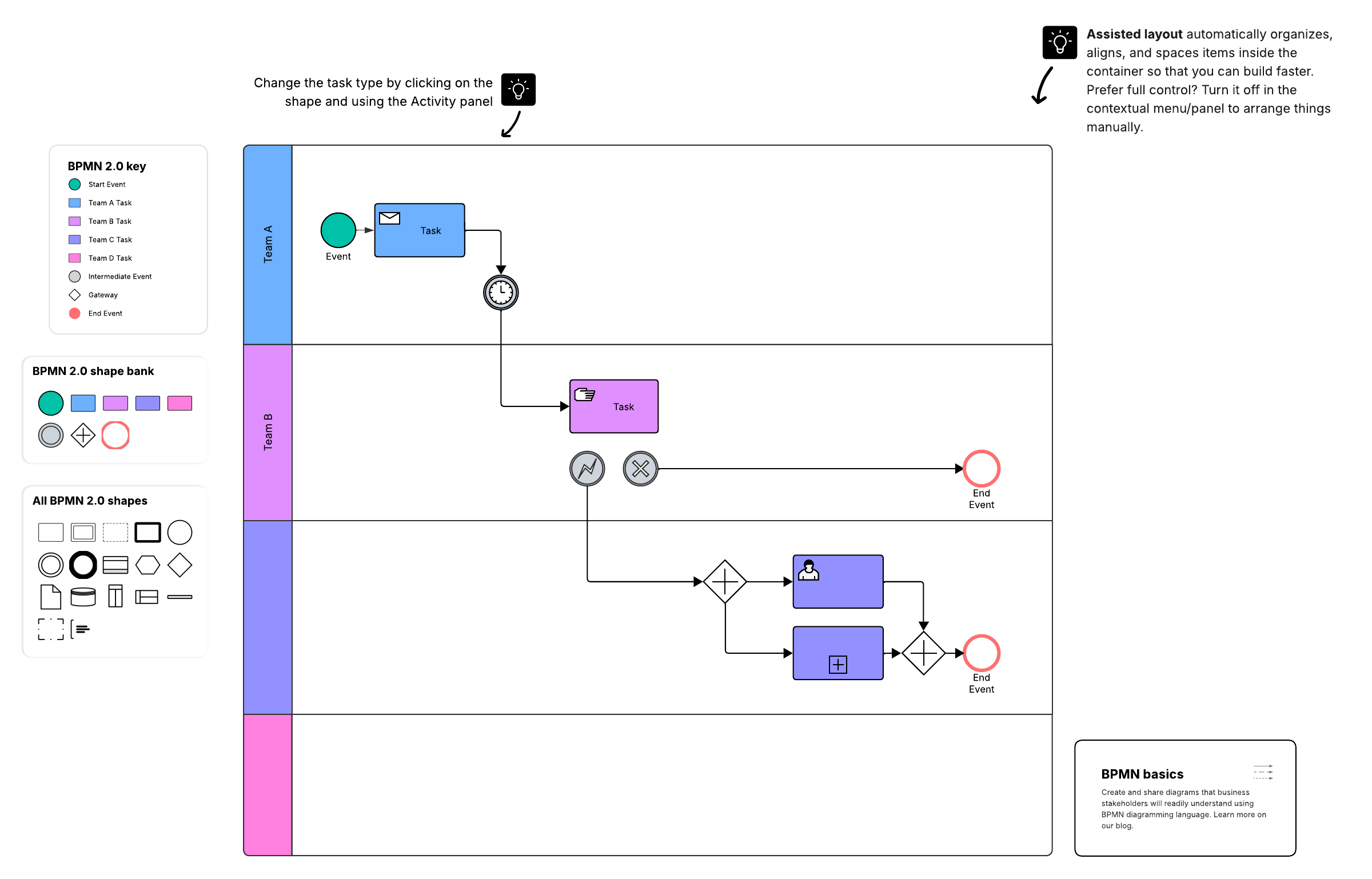
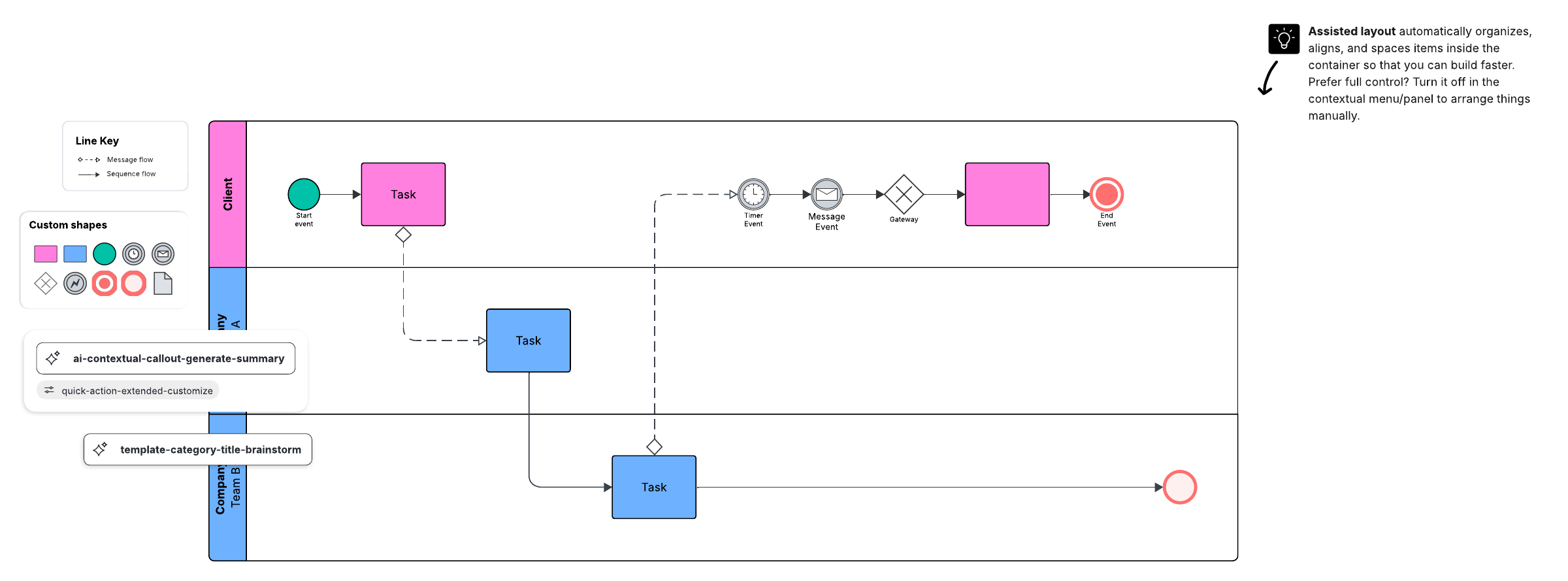
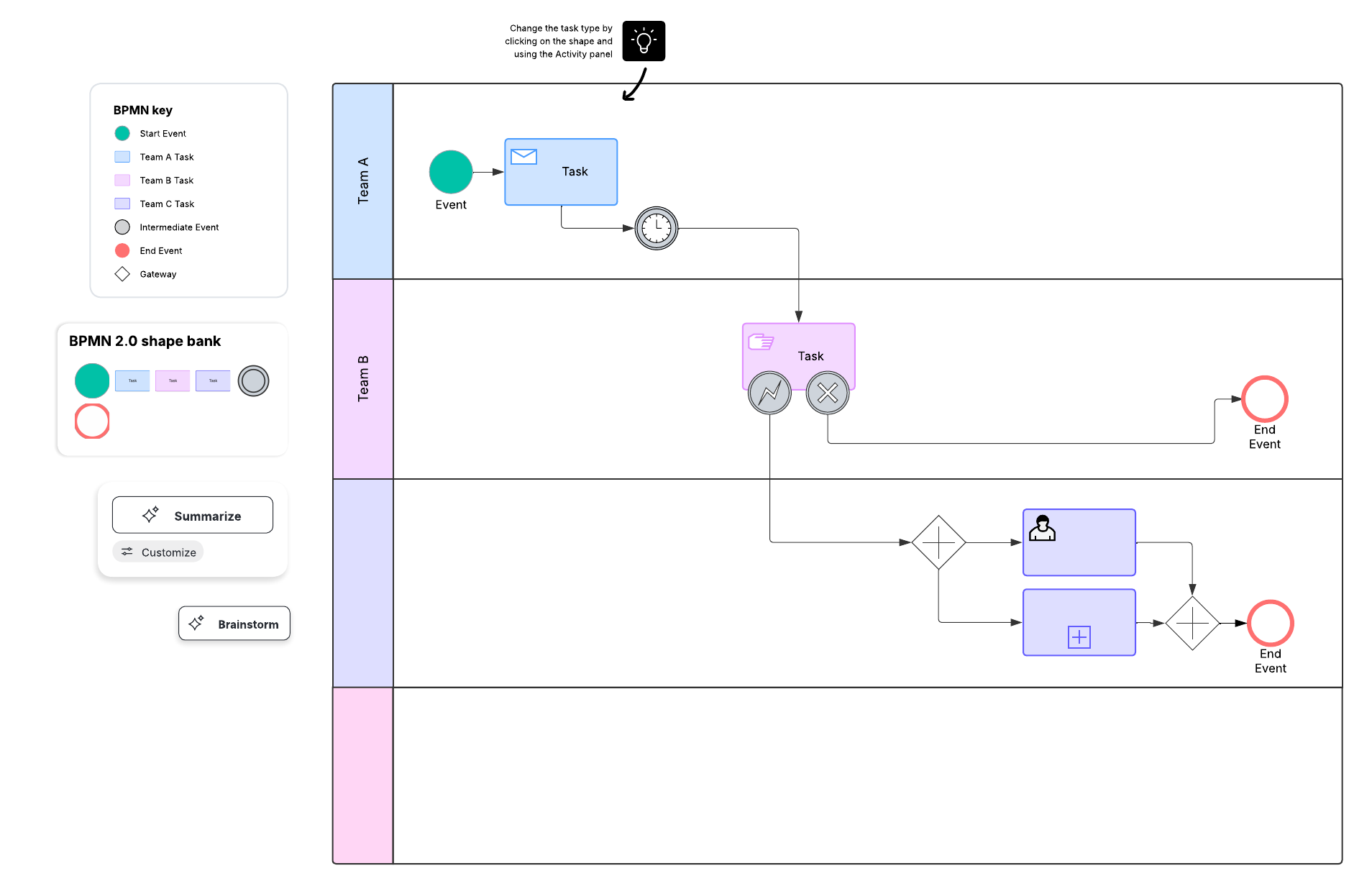
- BPMN (Business Process Modeling Notation): A standardized diagram language that balances executive readability with operational precision. BPMN is the gold standard for process modeling. It is a standardized graphical notation that depicts the steps in a business process. BPMN was designed to be easily understood by high-level stakeholders while remaining technical and specific enough for operations managers to implement the processes effectively. It uses a shared visual vocabulary so teams don't have to reinvent symbols for each diagram.
- UPN (Universal Process Notation): A simplified approach created to reduce the training burden of more complex notations. UPN focuses on the building blocks of processes: the who, what, when, why, and how.
- Process flowcharts: Process flowcharts lack the standard language of notations like BPMN or UPN, but they give the modeler greater freedom and creativity to visualize their processes how they want.
Other modeling approaches can also be useful depending on the problem you're solving like data flow diagrams for information movement or Gantt-style views for timeline planning.
While these techniques are especially popular, there are plenty of other modeling methodologies to choose from, including:
-
Data flow diagrams
-
Gantt charts
-
Role-interaction diagrams
-
Colored Petri-nets
-
Simulation
-
Role-activity diagrams
-
Storytelling
If you need cross-team clarity and long-term maintainability, a standard like BPMN can help; if you need speed and broad accessibility, a simpler notation (or a straightforward flowchart) may be the better fit. On the other hand, opting for standardized language and structure like BPMN can ensure clarity and understanding across teams and departments.
Types of BPM
There are three main types of BPM you should analyze and implement: integration-centric, human-centric, and document-centric.
Integration-centric BPM
The focus of this type of BPM is on processes that move between different systems with little human involvement. The idea is to ensure smooth data integration across various software applications, systems, and data sources.
Human-centric BPM
Unlike integration-centric BPM, this type focuses on tasks, activities, and skills that require human interaction, such as tasks that require review or approval before proceeding to the next step. Because people are central to these workflows, clear models can also improve communication by showing who does what and how each role's work connects to the rest of the process.
Document-centric BPM
This type focuses on management-specific documents that are valuable to your organization, such as contracts and procurement documents. Document-centric process activities might include image scanning and collecting, document review or approval, signature gathering, reporting, etc. For example, healthcare centers that rely on medical reports and clinical tests might have document-centric BPM practices in place.
Business process management workflow steps
Follow these six steps for both large and small business process management.
Step 1: Planning
Work with management and key stakeholders to identify areas of your company that might not work as efficiently as possible. Interview the people involved in the processes, look at existing documentation, and observe the processes in action if possible. Become familiar with these processes so you understand how they start, the workflow of their tasks and steps, and what the end result should be.
Document all of the steps, tasks, roles, inputs, outputs, etc., involved in these business processes. This can help you categorize the processes based on the three types of BPM so you can develop the right BPM strategy that aligns with your company's goals. As you plan, also clarify why you're modeling or improving the process—your goal will influence how detailed your model needs to be and which notation or methodology will be easiest for stakeholders to adopt.
Step 2: Designing and mapping
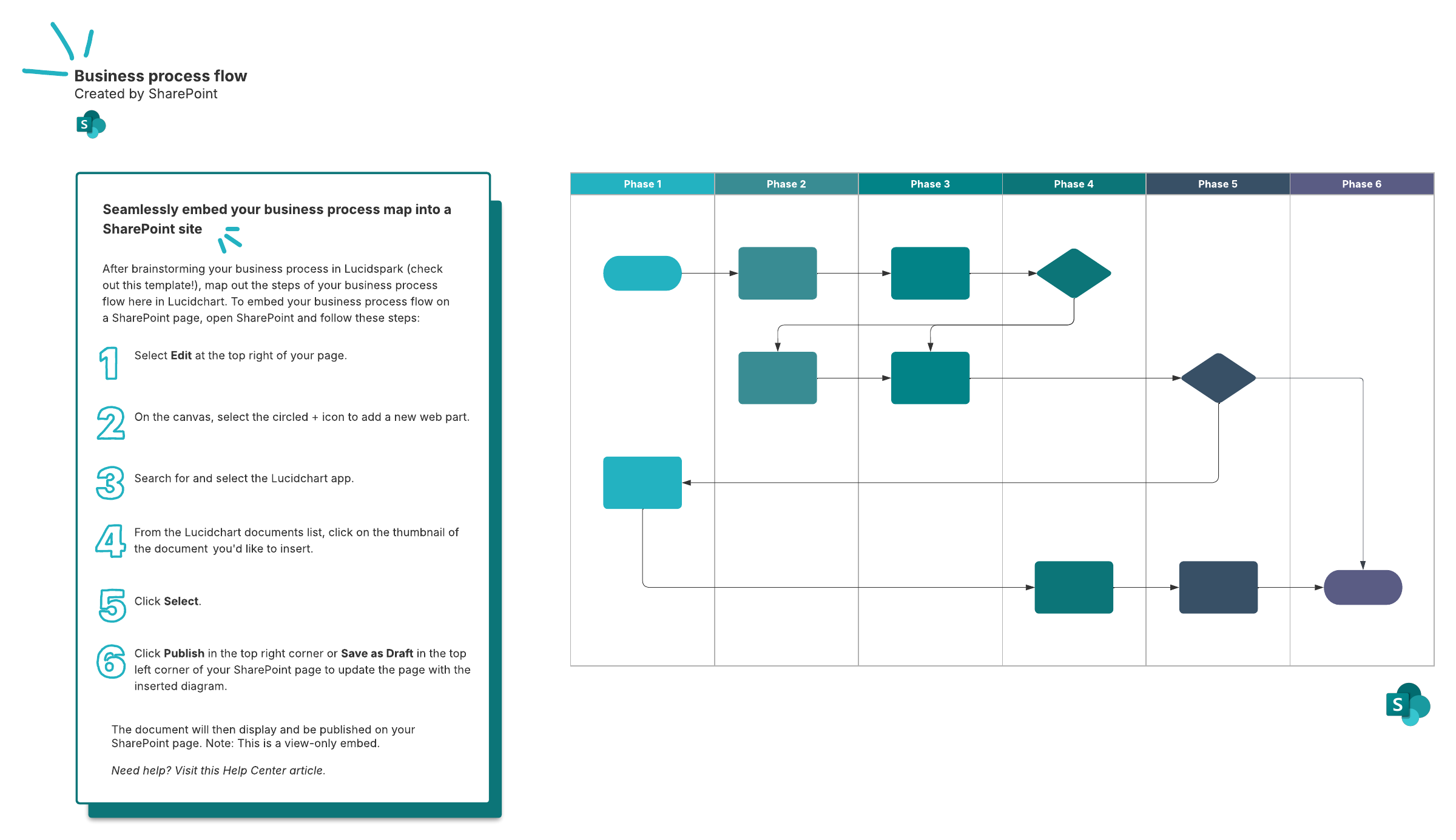
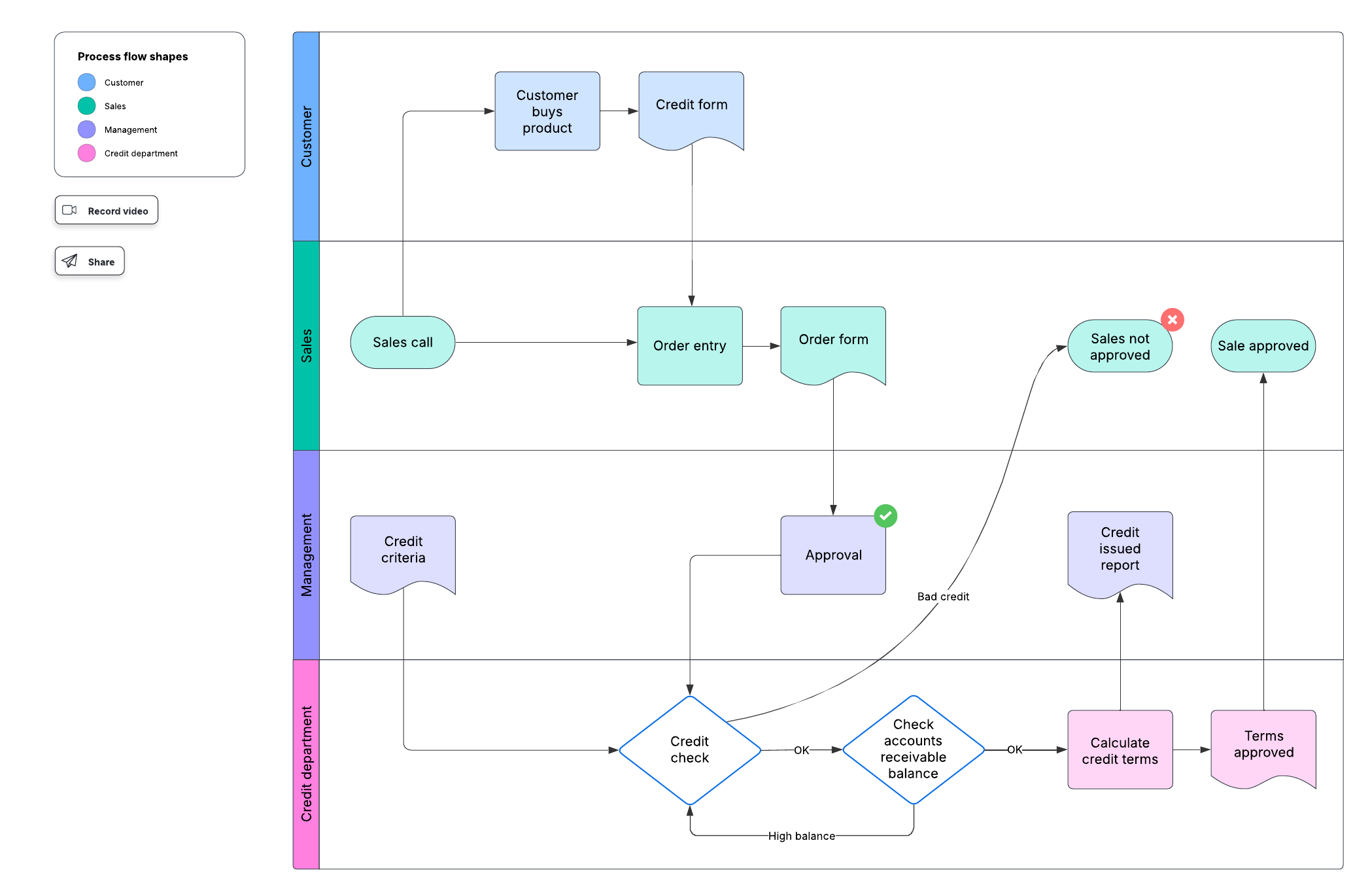
After identifying which business processes you want to improve, create visual process models. Lucidchart has everything you need to create flowcharts and diagrams to help you visualize how the processes currently work and how you would like them to work. Be sure to map the sequence of all process activities (tasks, steps, decision points, reviews, and other interactions). Business process models can get complicated quickly. Even if you need to go into greater detail in your model, keep it as simple as possible. Unnecessary complexity will just muddle the information and insights contained in your model.
Step 3: Modeling
Create a business process model that maps out the steps and procedures necessary to take the current processes to where you want them to go to effect improvement. This step also includes building and testing digital prototypes, if possible, to see how the processes run against various conditions that you might encounter in your business.
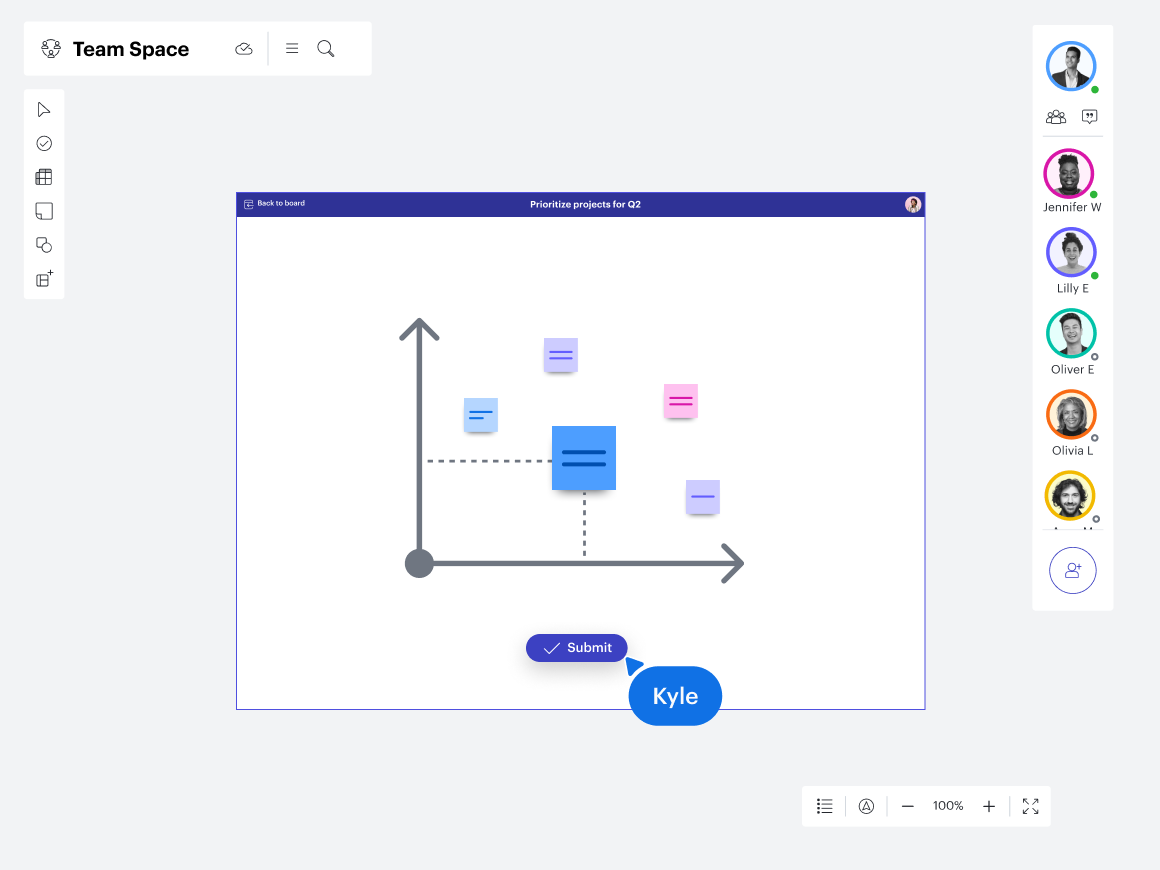
Be sure to share your business process models and prototypes with stakeholders to get their feedback and buy-in. Visual Activities are perfect for collecting and synthesizing feedback in just a few clicks, so you can confidently move forward with a decision. To prevent confusion, choose a notation (BPMN, UPN, or a consistent flowchart convention) and apply it consistently across the entire model rather than mixing symbol systems.
Step 4: Implementation
After testing your models and getting the necessary buy-in, it's time to implement the new processes. Don't try to implement everything all at once. Create a deployment plan that implements process changes with smaller groups. This will let you find and address problems that might arise in real-world situations. When all the kinks are worked out, you can expand your implementation program.
Step 5: Monitoring
When the processes are up and running, monitor their real-time performance against your chosen metrics and KPIs. The data collected here will give you a good idea of how well the processes work and can help you identify anomalies, bottlenecks, and potential problems. Remember that BPM is a model for continuous improvement. This means that you are never "done." You need to monitor your processes often to look for ways to improve.
Step 6: Optimizing processes
Based on the data you receive as you monitor processes and the feedback you get from the people using the processes, you'll need to make refinements to ensure that work continues to flow smoothly.
Optimize your business with BPM workflow
BPM is more than just managing business processes—it's also about optimizing business operations and processes to be more efficient and consistent in your work. While generic tools exist, using a dedicated application like Lucidchart allows you to build standardized, professional diagrams that evolve alongside your business.
Lucidchart is a cloud-based diagramming solution that empowers business process managers to create compelling visualizations with ease. Its BPMN shape library gives you quick access to all the standard notations you need to map out your processes. Once you’re done building, the collaborative platform allows you to share your process diagrams across the organization, so everyone has the most up-to-date information. And wWhen plans change, you can update your model in real time, so nothing falls through the cracks.

Explore some of the Lucid features that will help optimize your business processes.
Learn more