
With the growing need for remote and hybrid classrooms, visual teaching is as important as it is difficult. Even as schools return to some version of in-person learning, digital and hybrid learning approaches will remain essential in many learning environments.
Visual teaching can play a vital role in engaging classrooms and helping students retain information. But integrating visual teaching isn’t always easy.
From navigating technology to effectively applying visual teaching approaches in the classroom, teachers may struggle to successfully present their curriculum in an engaging and educational visual format.
Luckily, with the right tools and strategies in place, you can incorporate visuals into your teaching and create a true visual classroom—whether you’re in person, remote, or hybrid.
Below we’ll cover the benefits of visual teaching and offer visual teaching strategies and tips for effective learning.
What are visual teaching and visual learning?
There are many different ways to teach and learn new information and concepts. While traditional classroom instruction focused heavily on reading, rote memorization, and lecture, today’s teachers have a wide range of tools, technology, and instructional approaches to better engage their classrooms and connect with students.
One of the most effective and useful approaches is visual teaching (or visual learning). As the name suggests, visual teaching relies on visually presenting information to help students grasp new concepts, connect ideas, and practice critical thinking.
Benefits of visual teaching and learning
Although the idea of learning styles has been debunked, the fact remains that there are multiple ways to teach, learn, and process information. And visual learning is one proven strategy for helping students engage with and retain information.
Visual teaching strategies help students:
- Visualize complex or abstract ideas
- Improve attention
- Increase information retention
- Organize information more effectively
In fact, the brain processes visuals 60,000 times faster than text, and visuals can help students improve learning by up to 400%. With this in mind, educators should take advantage of visuals to enhance their instruction and increase the quality and engagement of their curriculum. This can include video presentations, graphic organizers, diagrams, concept maps, and interactive visual learning through collaboration and imagination.
5 Visual teaching strategies and tips
While visual learning is valuable, not all visual teaching strategies are effective. Incorporating poorly designed visuals, generic graphics or stock images, and low-quality images can all negatively impact learning and distract students from the core message.
So how can you ensure your visual teaching strategies are successful?
Use the following tips to get started.
1. Use virtual whiteboards for collaboration and sharing
Visuals can enhance your lecture and illustrate your points effectively throughout classroom instruction. Helping your students engage with the learning materials in a collaborative and hands-on way can cement concepts in their minds and encourage students to apply problem-solving and critical thinking skills.
Take advantage of digital tools like virtual whiteboards to increase collaboration and sharing in the classroom.
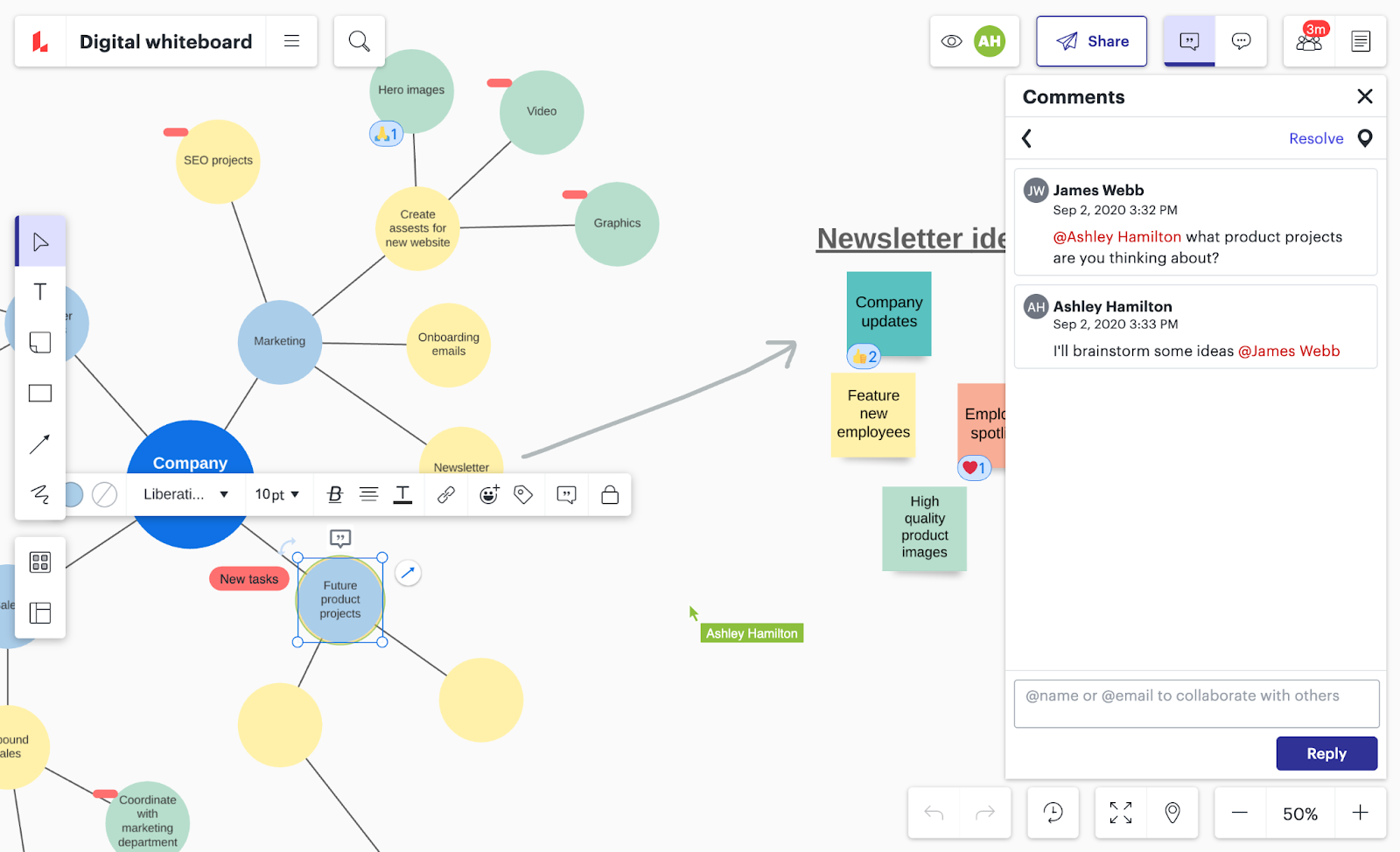
Virtual whiteboards are a great solution for both in-person and remote learning environments because they allow students to create, share, and collaborate in real-time. This is especially helpful for hybrid and remote classes where interaction can be harder to navigate effectively.
Lucidspark makes it easy for every student to participate and engage with the lesson in real time or asynchronously. Help students practice problem-solving skills and use their creativity to illustrate and share new ideas.
Lucidspark’s virtual whiteboard includes infinite canvas space to organize thoughts, present information, and take notes. And with features like color-coded sticky notes, ready-made templates, and @mentions, students and teachers can easily communicate and track contributions throughout the project or lesson.
2. Encourage students to visually demonstrate what they have learned
Teachers can use visuals to share information effectively, but don’t forget about the students. Learning by teaching is a proven method for successful education. One study by the University of California found that “when students actually teach the content of a lesson, they develop a deeper and longer-lasting understanding of the material than students who do not teach it.”
Encourage your students to demonstrate what they have learned by sharing and presenting the information visually.
Visual presentations can include:
- Powerpoint slides
- Diagrams
- Graphs
- Concept maps
- Annotated visuals
Presenting data and ideas visually can not only help students better retain the information but also demonstrate their understanding of complex topics as they organize concepts into clear visuals.
3. Convey complex concepts with digital media
Digital media like videos are a great teaching tool for visual classrooms. The key is to share high-quality, engaging content that speaks to your audience.
In other words, a video of a standard 30-minute lecture probably won’t be more effective than simply lecturing your students yourself. But if you incorporate dynamic video or other digital media into your lessons, you can break up the routine while helping students engage with the visual material.
Pro Tip: Draw from compelling visual media and pop culture to make the lesson more interesting to your students. The better you can connect current events or pop culture to the concepts you’re trying to teach, the more effective the visual lesson will be.
4. Use concept maps to drive critical thinking
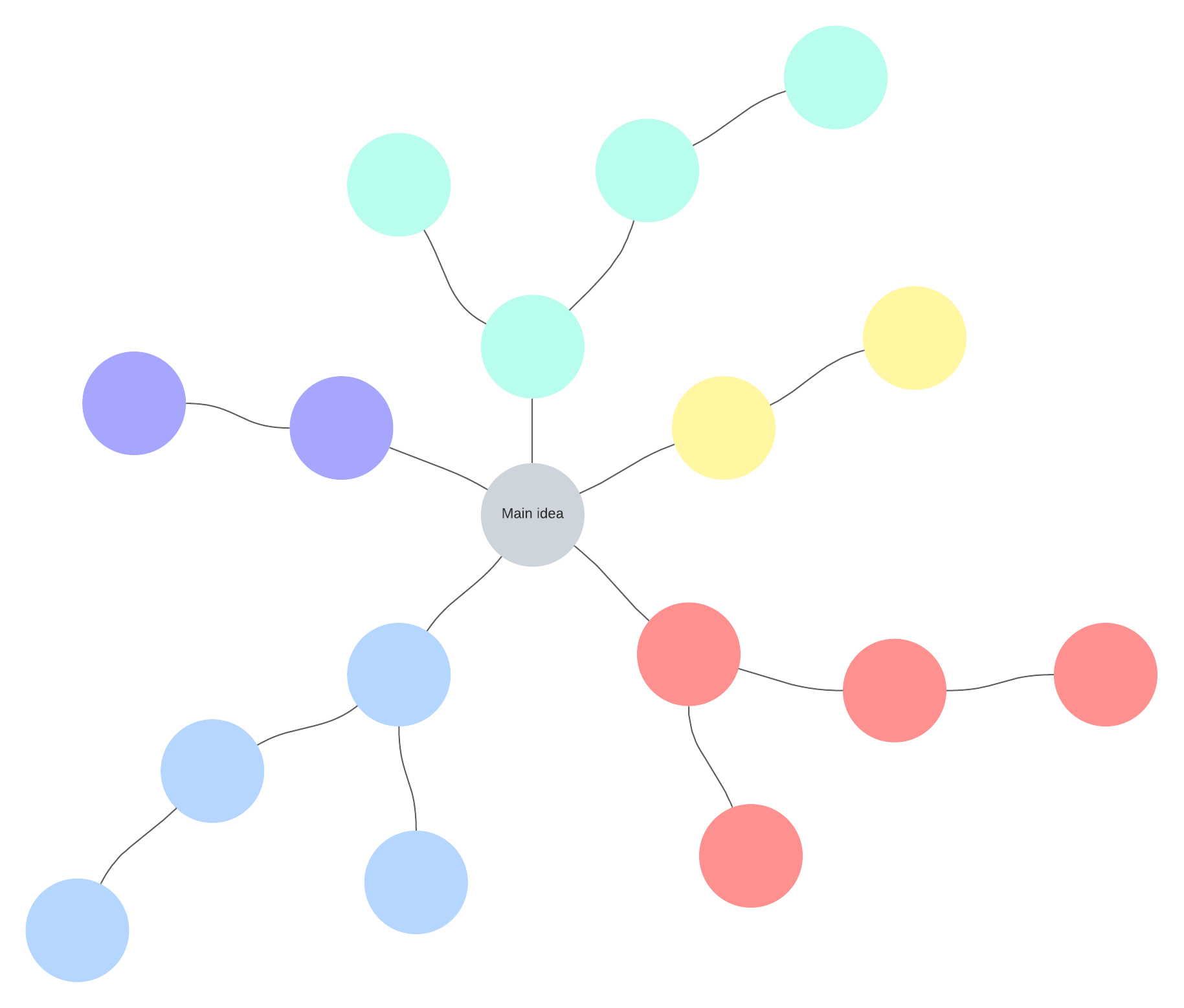
Concept maps are a powerful visual tool for connecting ideas and showing the relationships between different data points and information. Use concept maps in your instruction to drive critical thinking and help students connect the dots between ideas and complex topics.
Through designated shapes, labeled lines, and arrows, concept maps can help students depict cause and effect, requirements, and relationships between ideas. Concept maps are perfect for developing logical thinking, breaking down complex ideas, and contextualizing information within a larger framework.
Lucidspark can help you get started with ready-made concept map templates. Our concept map maker makes it easy to jump right in and start taking notes or brainstorm with peers in real time, whether you’re in-person or teaching remotely.
5. Share graphic organizers before, during, and after lessons
Graphic organizers are visual guides that teachers can use to help students organize their ideas, clarify or simplify complex concepts, facilitate problem-solving and decision-making, and help students plan research or brainstorm together.
Graphic organizers are a great way to enhance your instruction at each stage of the learning process. Graphic organizers can include visuals such as
- Venn diagrams
- Concept maps
- Idea webs (or mind maps)
- KWL charts
- T-charts
Integrate graphic organizers before, during, and after lessons to help students absorb information more effectively, exercise different learning skills, and reinforce concepts for long-term retention and understanding.

Visuals are not just an effective teaching strategy, they are also an important tool for meeting the needs of all learners and making lessons accessible and easily understood by your students.
By incorporating visual teaching strategies and visual learning strategies into your curriculum, you can bridge the gap between information and learning, more effectively engage students in both in-person and remote or hybrid classrooms, and help students understand and retain concepts for better long-term learning outcomes.
And it all starts with the right tools. Enhance your visual teaching strategies with Lucidspark. Lucidspark’s infinite whiteboard, intuitive features like drawing tools, sticky notes, and shapes library, as well as real-time communication and collaboration capabilities, make it the perfect companion for visual learning at any stage.

Fuse innovation and critical thinking through Lucidspark's virtual whiteboard.
Try it for free today!