If you’re looking for an online alternative to Visio network diagrams and examples to build from, try Lucidchart's network diagram maker. Free users can access extensive networking shape libraries, and Pro subscribers can import and export Visio files. Lucidchart is a cloud-based diagramming application with up-to-date shapes for Cisco networking and AWS architecture. Try a Pro account completely risk-free!
Want to make a network diagram of your own?
Try Lucidchart. It's quick, easy, and completely free.
Make a network diagramVisio Network Diagram Shapes
Lucidchart provides you with both vendor-specific and vendor-neutral network diagram shapes. Whether it’s a Cisco router, an Amazon Web Services bucket, or more abstract parts of the network like the cloud, you can find the shape you need in our Networking libraries. When you have a Lucidchart document open, click “+ Shapes” in the lower-left corner. This will bring you to the dialog to manage shapes. From here, you can check boxes for Cisco, AWS, and even tech-centric clipart.
If you’re migrating from Visio, you might be bringing your own Visio stencils with you. Lucidchart can import these files! From the same library manager dialog, click Visio Stencil. From here you can add your own Visio shapes. For more details, read our in-depth tutorial on Visio stencil import.
This example network diagram demonstrates a simple network map that shows off our AWS shapes. To export as a VDX diagram, sign up for a free premium trial.
Want to make a network diagram of your own?
Try Lucidchart. It's quick, easy, and completely free.
Make a network diagram
More Network Diagram Examples
We have even more network diagram templates: click on the images below to open the diagram type you’re looking for. Remember to enable the shape libraries to access hundreds of icons. Select a template to see more.
Network Diagram Flat UI
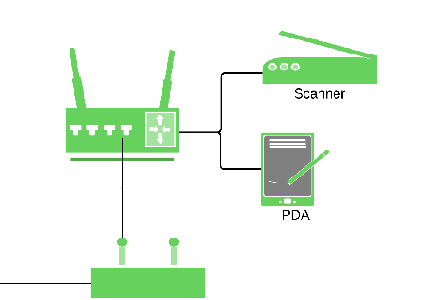
Click here to edit the Flat UI Network Diagram template.
Visio Network Diagram
Click here to edit the Visio Network Diagram template.
Server Rack Diagram
Click here to edit the Server Rack Network Diagram template
Save hundreds of dollars when you make the switch from Visio to Lucidchart! Working from a Mac or on Linux? No problem; Lucidchart works in any modern browser and on any OS.
Want to make a network diagram of your own?
Try Lucidchart. It's quick, easy, and completely free.
Make a network diagram