Process mapping is one of the most effective ways for an organization to operate at peak efficiency. A visual blueprint showing how work flows from start to finish, a process map clarifies the steps of a process, ensuring consistency and increasing productivity.
Beyond enabling organizations to document and share processes, process mapping or process documentation software provides capabilities for identifying gaps and bottlenecks, planning and simulating future changes, maintaining regulatory compliance, and even preparing for AI transformation.
This article explores the best process mapping software with a comparison of product ratings, feature highlights, and pricing options across competitors.
Best process mapping software summary
-
IGrafx
-
Lucidchart
-
SAP Signavio
-
Camunda
-
Bizagi
-
Nintex
-
Scribe
-
IcePanel
What is process mapping software?
Process mapping software (or process documentation software) is a digital platform for documenting the steps of a workflow. It’s used by technical and non-technical teams to map out, analyze, communicate, and improve business processes. The output is a process map, flowchart, or value stream map that gives organizations visibility into how their processes work and how they could work better.
Key takeaways
|
Best for |
Feature highlights |
Pricing | |
|
IGrafx |
Large enterprises |
Process simulation, process mining, risk and compliance |
Paid (Enterprise) |
|
Lucidchart |
Cross-functional teams |
AI diagramming, data linking, automation, team hubs |
Free, paid (Individual, Team, Enterprise) |
|
SAP Signavio |
SAP-centric organizations |
Collaboration hub, process mining, journey modeling |
Paid (Enterprise) |
|
Camunda |
Software developers and architects |
BPM execution engine, heatmaps, decision model and notation |
Freemium (Enterprise, Open Source) |
|
Bizagi |
Business users who lack deep coding skills |
Free BPMN desktop tool, drag-and-drop form builder, simulation tool |
Free (Modeler), Paid (Automation Platform) |
|
Nintex |
Teams focused on workflow automation |
Auto-conversion of bulleted lists to process maps and data to docs, SaaS app connection |
Paid (Standard, Enterprise) |
|
Scribe |
Operations, support, and HR teams |
Auto-capture of workflows with screenshots, merge recordings into one process doc |
Freemium (Free, Pro, Enterprise) |
|
IcePanel |
Software architects and engineering leads using the C4 model |
Zoomable maps, reusable objects, overlay of user journey steps onto architecture diagrams |
Freemium (Free, Growth, Scale) |
Best process mapping software tools
IGrafx
Best for large enterprises
G2 rating: 4.6/5, opens in a new tab
Pricing: Only available with a paid subscription
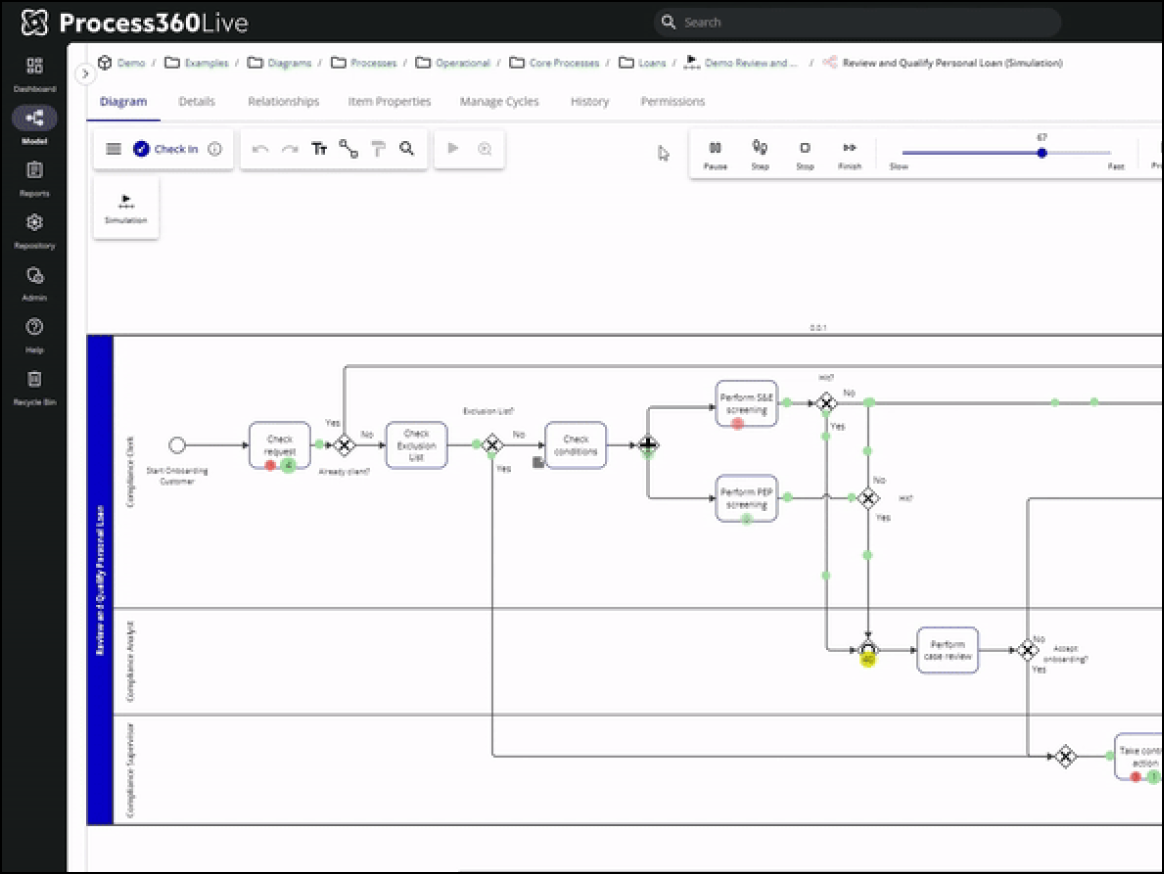
An enterprise-grade solution for Business Process Management (BPM) and compliance, IGrafx, opens in a new tab is best for large organizations in industries such as banking and manufacturing that need to map processes, simulate changes, and ensure regulatory compliance.
Notable features include:
-
Process Simulation: Enables "what-if" analysis to predict how changes affect time and cost
-
Process Mining: Connects to system logs to visualize how processes actually run versus how they’re mapped
-
Process 360Live: Links process steps to specific regulatory controls for compliance and risk management
Notable integrations include SAP, ServiceNow, and Microsoft.
Pros: IGrafx provides extremely powerful analytics capabilities that enable enterprises to simulate changes by creating what can be described as a "digital twin" of the organization.
Cons: The platform is expensive, complex, and unsuitable for casual diagramming. G2 reviewers have noted that its interface requires training to become proficient.
Lucidchart
Best for cross-functional teams
Capterra rating: 4.5/5, opens in a new tab
Pricing: Free and paid subscriptions available
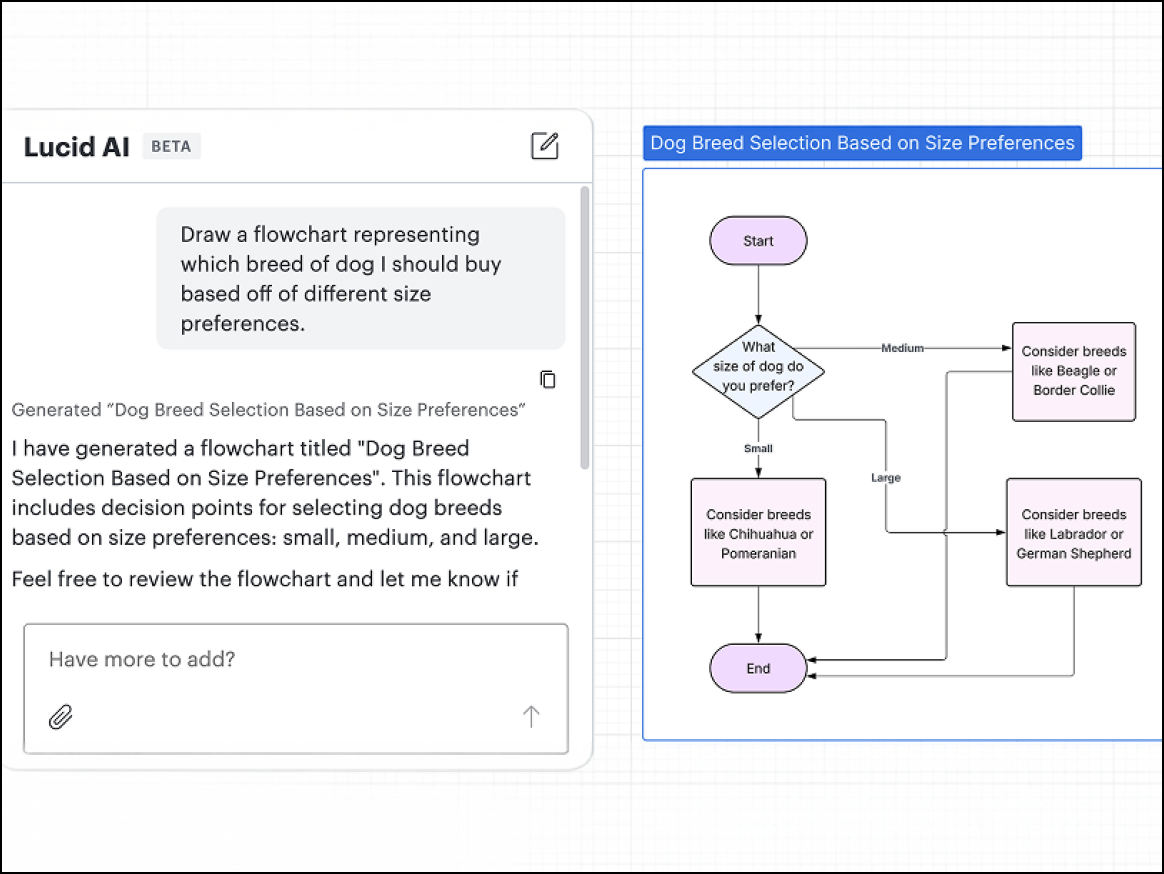
An intelligent diagramming application, Lucidchart, opens in a new tab is best for cross-functional teams that need a collaborative solution for documenting and optimizing processes. Enterprise users can add Lucid’s Process Accelerator, opens in a new tab for advanced capabilities such as process repositories, approval workflows, and reusable assets.
Notable features include:
-
Lucid AI: Provides a conversational AI assistant that enables users to generate and refine process diagrams, add conditional formatting, summarize content, and more
-
Data linking: Supports the creation of data-driven visualizations using datasets imported from Google Sheets, Excel spreadsheets, and CSV files
-
Layers: Allows users to build out and show or hide different versions or phases of a process
Notable integrations include Atlassian (Confluence and Jira), Google Workspace, Microsoft, and Slack.
Pros: Lucidchart offers AI, data, and automation capabilities, but its drag-and-drop interface is still highly intuitive for non-technical users. Capterra reviewers say web-based collaboration features support productive teamwork by enabling easy sharing and simultaneous editing of visuals.
Cons: Because Lucidchart is a cloud-based application, users who prefer to map out processes offline on a desktop app won’t have access to all of the platform’s capabilities in offline mode.
SAP Signavio
Best for SAP-centric organizations
Capterra rating: 4.5/5, opens in a new tab
Pricing: Only available with a paid subscription
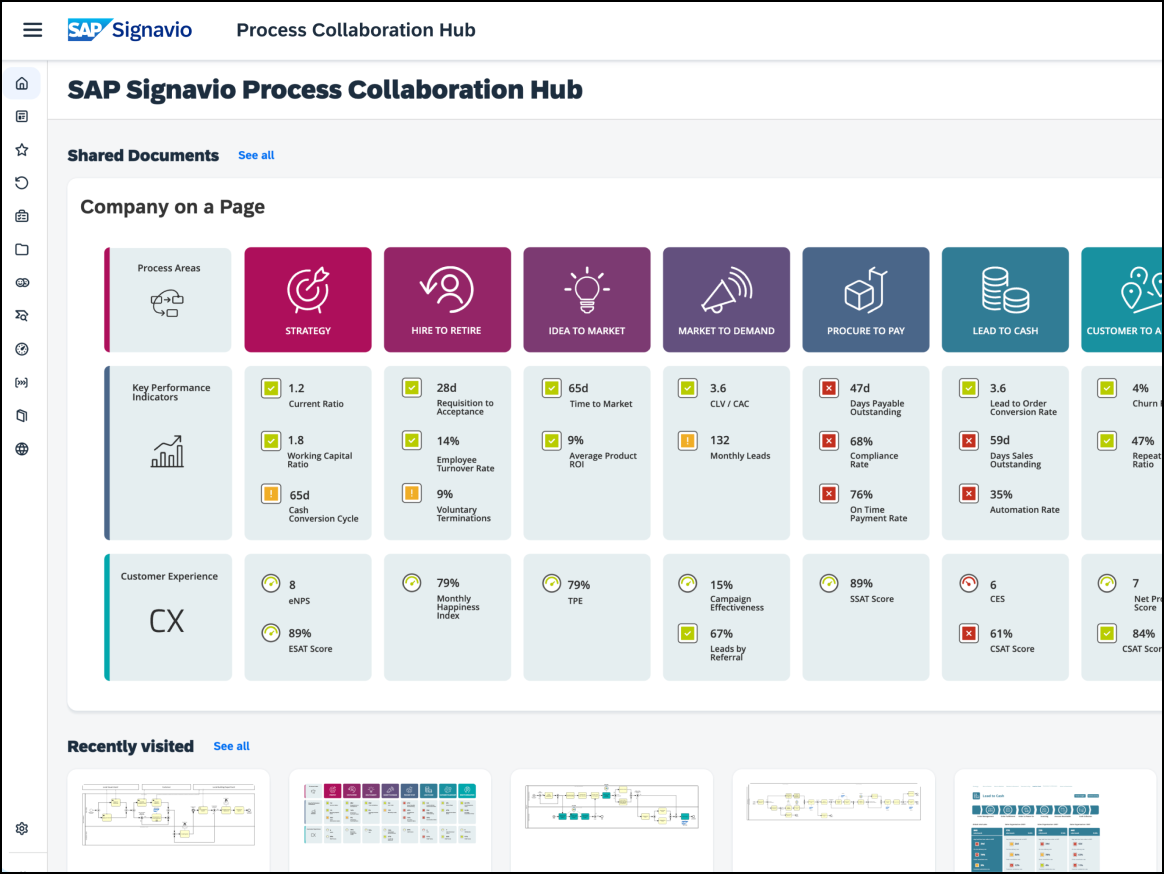
A business process management solution, SAP Signavio, opens in a new tab is best for SAP-centric organizations undergoing digital transformation. It’s the go-to solution for analyzing existing ERP workflows and optimizing future states.
Notable features include:
-
Process Collaboration Hub: Provides a social-media-like feed for process updates and feedback
-
Process Mining: Enables a deep integration with SAP data to visualize actual workflows
-
Journey Modeling: Connects customer journeys (CX) to backend processes
Notable integrations include Salesforce and SAP S/4HANA.
Pros: Serving as a bridge between business strategy and technical execution within the SAP ecosystem, SAP Signavio is a strong choice for SAP customers. Capterra reviewers praise the platform’s intuitive visual process mapping and collaboration features.
Cons: The platform is pricey and comes with a steep learning curve for non-analysts. Some users report a performance lag when handling large process models, as well as limited customization options for reporting and analytics.
Camunda
Best for software developers and architects
Capterra rating: 4.5/5, opens in a new tab
Pricing: Free and paid subscriptions available
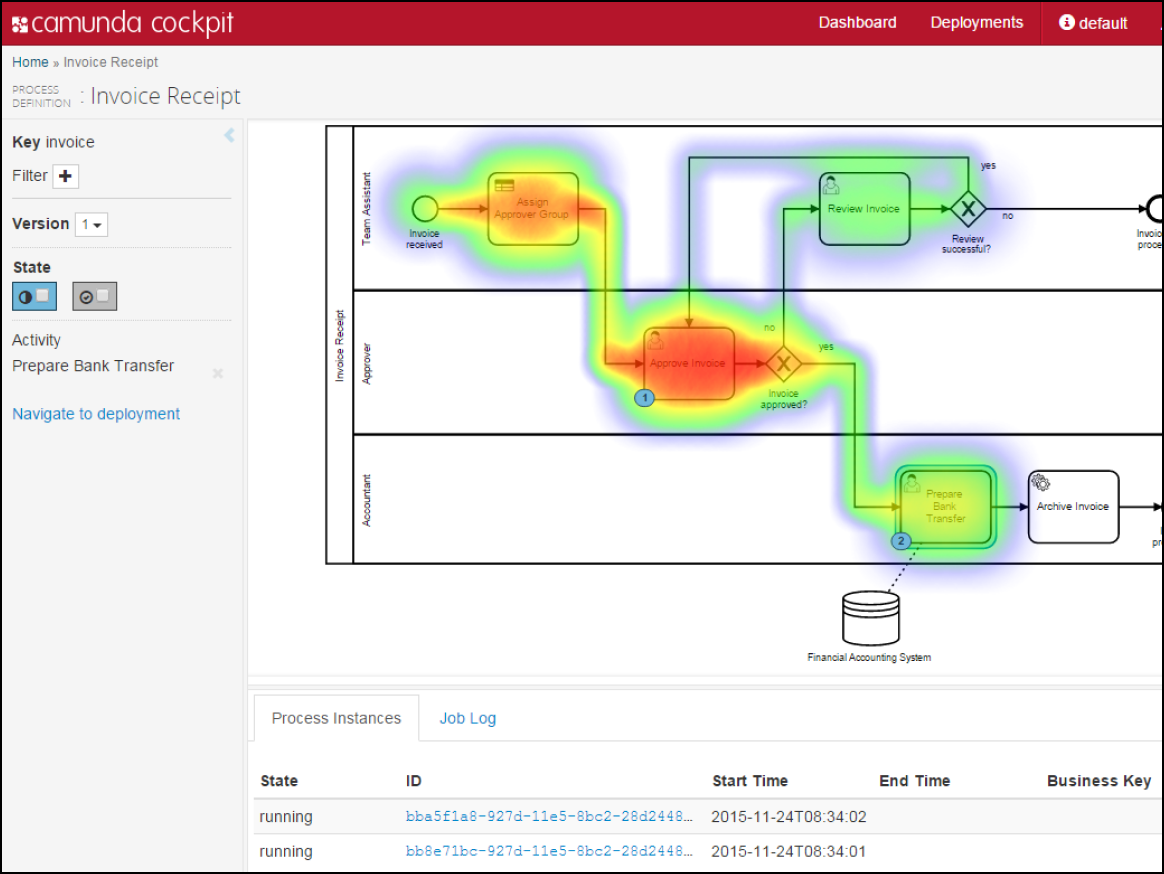
A process orchestration platform for designing and automating end-to-end workflows, Camunda, opens in a new tab
is best for software developers and architects who need a solution for automating microservices and human workflows with executable code.
Notable features include:
-
BPMN Execution Engine: Enables the flowchart to be the code that runs the logic
-
Heatmaps: Visualizes where instances are stuck in the process in real time
-
DMN (Decision Model and Notation): Automates complex decision logic tables
Notable integrations include Java, Kafka, Spring Boot, and REST.
Pros: Camunda is developer- and open-source-friendly, offering a high degree of flexibility for integrating with Java applications and creating customized, automated workflows.
Cons: The platform isn’t a standalone drawing tool, and because it’s so developer-focused, non-technical teams may experience challenges during initial setup.
Bizagi
Best for business users who lack deep coding skills
Capterra rating: 4.4/5, opens in a new tab
Pricing: Free and paid subscriptions available
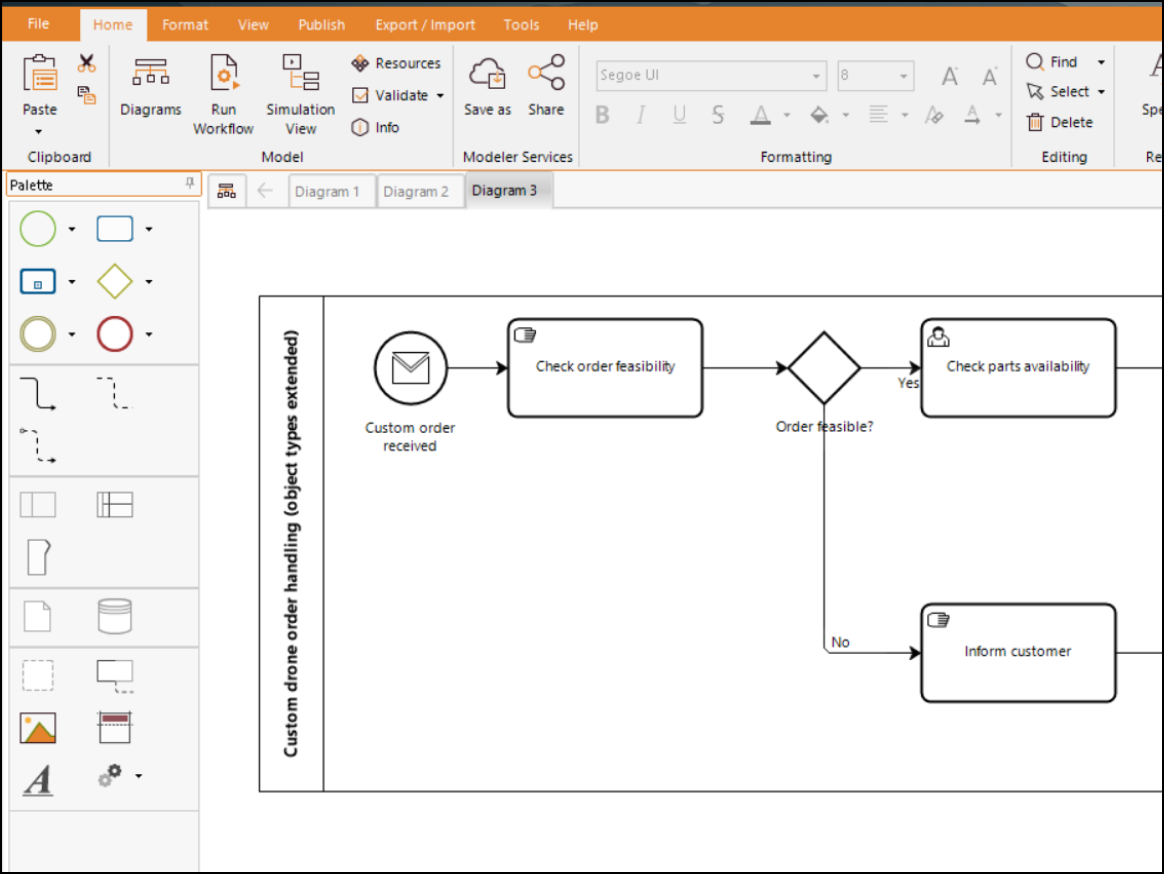
A low-code process automation platform for business users, Bizagi, opens in a new tab is best for business users who lack deep coding skills but need a solution for automating approvals, onboarding, and claims processing.
Notable features include:
-
Modeler: Provides a robust, free desktop tool for BPMN
-
Studio: Turns diagrams into apps with a drag-and-drop form builder
-
Simulation: Validates process efficiency before deployment
Notable integrations include Outlook, SAP, and SharePoint.
Pros: The Bizagi Modeler is one of the most popular free BPMN tools globally. It’s known for enabling fast “idea to app” time.
Cons: By contrast, the Bizagi Automation Platform is expensive, and reviewers on Capterra cite a steep learning curve for advanced technical configurations, as well as stability issues when handling large-scale enterprise deployments.
Nintex
Best for business users who lack deep coding skills
G2 rating: 4.3/5, opens in a new tab
Pricing: Only available with a paid subscription
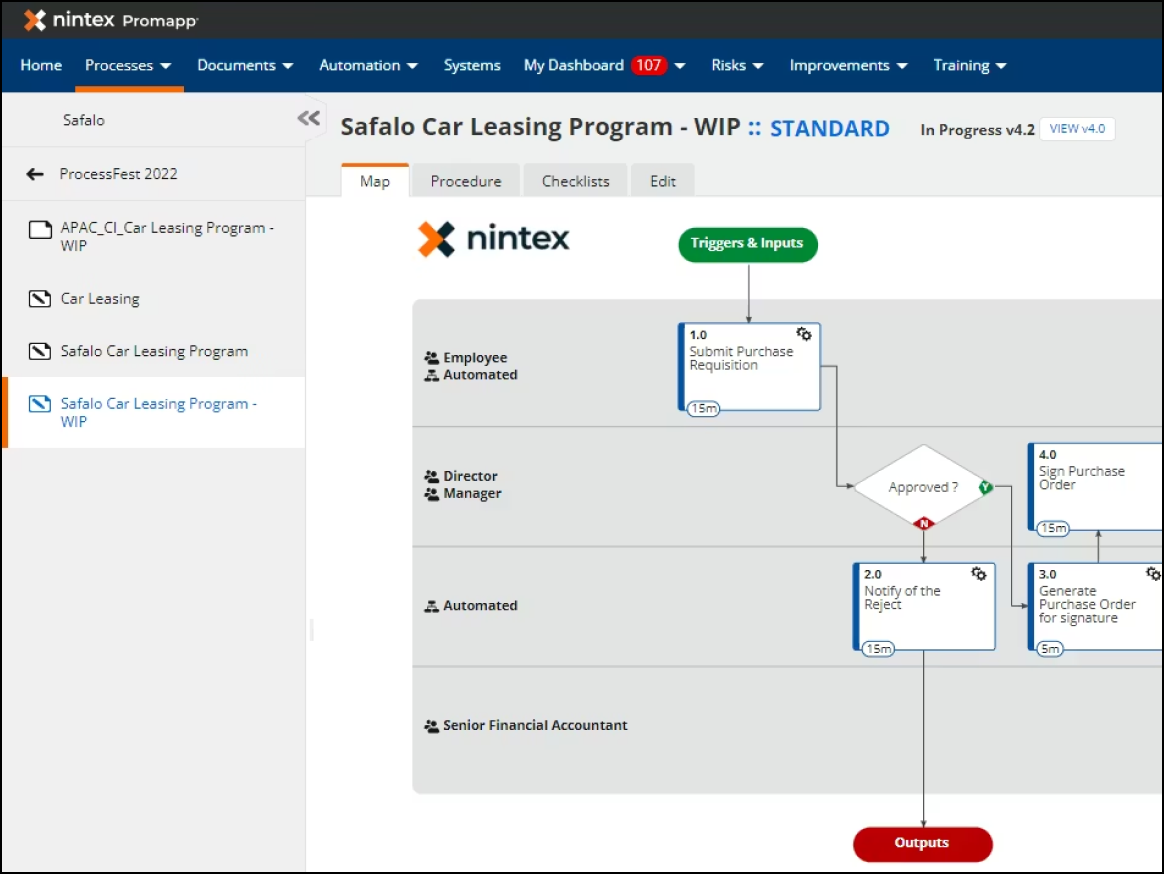
A process intelligence and automation platform for the “everyman,” Nintex, opens in a new tab is best for teams focused on workflow automation—especially those using Salesforce and SharePoint—that need a solution for digitizing forms, signatures, and approval chains without custom development.
Notable features include:
-
Process Manager (formerly Promapp): Converts bulleted lists into visual process maps automatically
-
Workflow Cloud: Connects disparate SaaS apps (Salesforce to Box to Slack)
-
DocGen: Auto-generates documents (contracts, invoices) from workflow data
Notable integrations include Box, Microsoft 365, Salesforce, and SharePoint.
Pros: Non-technical teams such as HR and legal find Nintex to be very user-friendly. G2 reviewers appreciate the ease of use of the Process Manager feature for documentation.
Cons: As usage of the platform scales, the per-workflow pricing structure is restrictive.
Scribe
Best for operations, support, and HR teams
G2 rating: 4.8/5, opens in a new tab
Pricing: Freemium subscriptions available
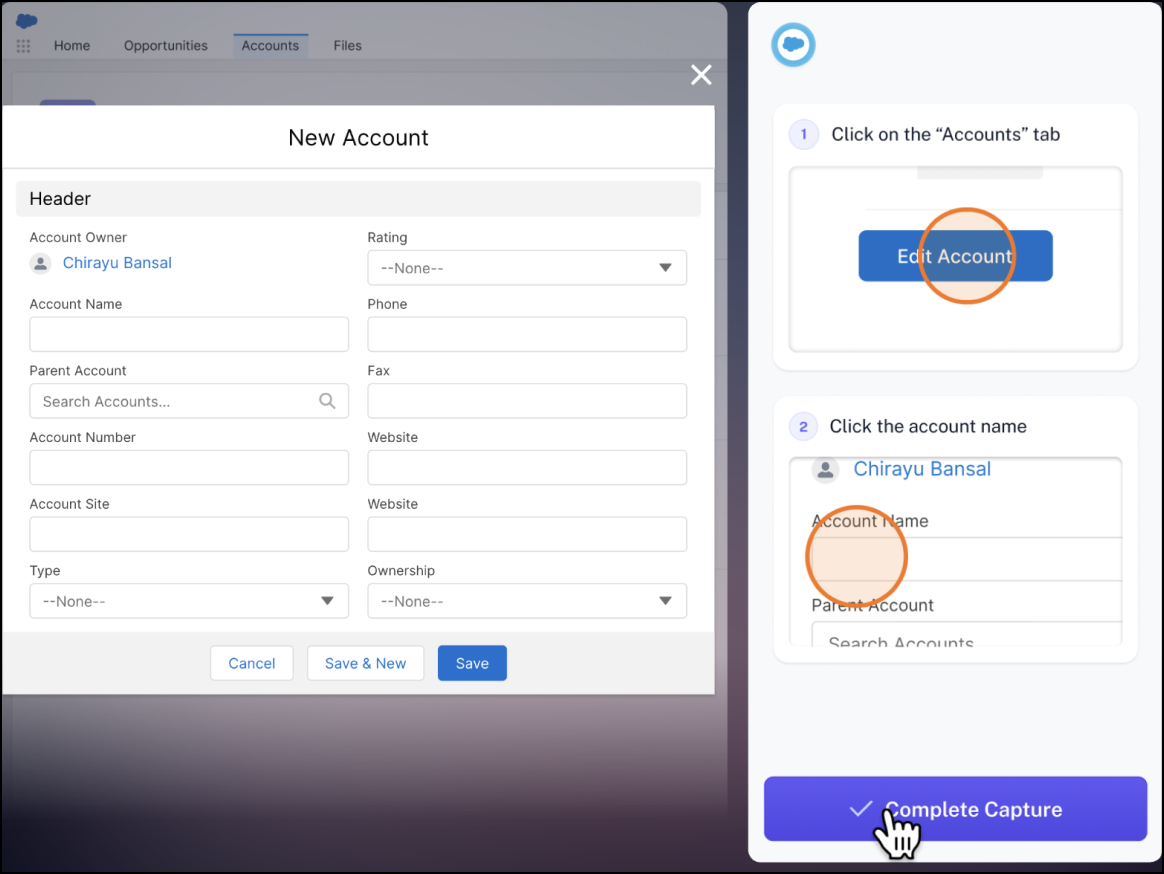
An AI-powered process documentation platform for automatically generating how-to guides, Scribe, opens in a new tab is best for operations, support, and HR teams that need a solution for creating Standard Operating Procedures (SOPs) from screen recordings.
Notable features include:
-
Auto-capture: Watches clicks and keystrokes to generate a step-by-step guide with screenshots
-
Magic Merge: Combines multiple recordings into one process document
-
Embed: Allows guides to be embedded in Notion, Confluence, or help centers
Notable integrations include the Chrome extension and desktop app.
Pros: Scribe is a massive time saver, both because of its ease of use and inherent functionality in automating process documentation.
Cons: For users on the free plan, customization of the final output is limited. The main request from reviewers on G2 is for more editing control over screenshots.
IcePanel
Best for software architects and engineering leads using the C4 model
G2 rating: 5/5, opens in a new tab
Pricing: Freemium subscriptions available
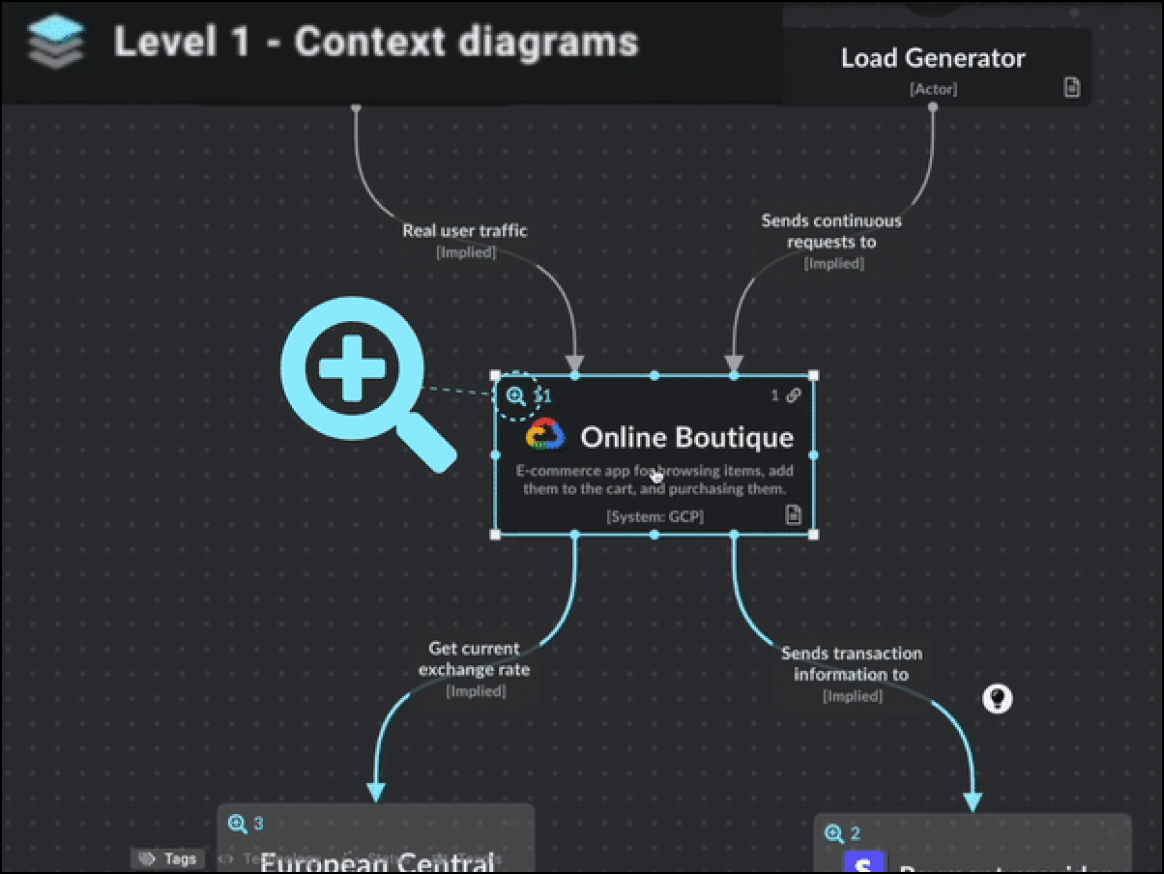
A niche tool for C4 model diagramming, IcePanel, opens in a new tab is best for software architects and engineering leads using the C4 model (context, containers, components, code) to design software systems at different levels of abstraction.
Notable features include:
-
Zoomable maps: Drills down from high-level system context to low-level component views
-
Model reuse: Allows users to define an object once (e.g., "Payment API") and reuse it across multiple diagrams
-
Flows: Overlays user journey steps on top of the architectural diagram
Notable integrations include GitHub and Slack.
Pros: IcePanel has a modern UI and enforces architectural clarity and standardization of diagrams for architects using the C4 model.
Cons: The tool’s niche functionality doesn’t support the creation of general flowcharts or use by smaller ecosystems. Also, because the tool is newer, some G2 reviewers have noted a lack of enterprise-grade features (SSO, advanced permissions) in lower tiers.
Learn more about why Lucidchart is the best process mapping software.
Go now