Key takeaways
-
Implementing AI in agile workflows enhances collaboration, improves risk management, streamlines meeting preparation, and encourages innovative thinking.
-
Agile teams can incorporate AI in a variety of ways, such as using AI to summarize daily standups or convert technical updates into more understandable language for stakeholders.
-
Lucid AI provides the capabilities that agile teams need to bridge knowledge gaps, boost communication, and facilitate events effectively.
Software development has changed dramatically with the introduction of artificial intelligence, as AI impacts the way teams write code and deliver value to customers. Agile teams have begun to explore how best to use AI (as many as 30% of teams, according to the 17th Annual State of Agile report).
Ultimately, AI can help unleash innovative thinking that drives business agility as teams spend more time solving real problems and less time trying to interpret data. However, implementing any new kind of technology takes time, and many people are still figuring out how to use AI. So what does implementing AI look like in actual practice for Agile teams?
The best results often come from pinpointing opportunities to incorporate AI throughout your entire existing workflow. This blog post breaks down specific ways that teams can leverage AI to enhance agility, with practical examples and tips from experts who have spent decades leading teams and working in agile project management.
The benefits of using AI to enhance agility
“When we stop viewing AI as a threat and start viewing it as a collaborator, we can redesign our Agile workflows to be more inclusive and more creative,” Jessica Guistolise, senior evangelist at Lucid, says. “By acting as a ‘junior teammate’ that handles the first draft of the data crunching, AI gifts us the mental space to step back and look at the bigger picture. It invites us to solve novel problems rather than repetitive ones.”
Some of the benefits that Agile teams can gain from using AI include:
-
Enhanced collaboration. AI can help reduce communication barriers by breaking down complex subjects into more understandable language, bridging knowledge gaps. It can also be used during conversations to identify friction or suggest ways to bring the discussion back on track.
-
Automated routine tasks. Automating changes the game for Agile teams, as AI can automate tasks such as bug detection and regression testing, freeing time for developers to focus on more high-value tasks. Automation also minimizes costs and ensures faster issue resolution.
-
Improved risk management. AI can be used to analyze real-time and historical data for proactively predicting and managing risk. AI-driven analytics help Agile teams identify challenges such as scope creep, resource shortages, and technical debt, leading to a better understanding of risk and smoother project execution.
-
Streamlined meeting preparation and facilitation. AI helps people before and after their meetings, for example, by creating an agenda for a daily standup, or summarizing retrospectives to identify trends in team discussions. By using AI to summarize meeting documentation, people have more time for strategic decision-making and collaboration.
-
Boosted innovative thinking. People can use AI as a brainstorming partner to think outside the box, asking questions and uncovering information they normally wouldn’t have thought of on their own. AI can also generate diverse prompts and solutions.
“From my experience working as a program manager, AI is most valuable when it amplifies the fundamentals of agility rather than trying to replace them. [For example], I use AI to surface the patterns that I may otherwise miss, like shifts in sentiment that signal friction. When I have that clarity upfront (and easily accessible), ceremonies stop feeling like status update meetings and start functioning as sharp, decision-making moments.”
—Kristin Dahlin, senior program manager I, Lucid
Considerations of using AI for Agile
It’s important to remember that AI should be implemented with intention. There are a few considerations that should be addressed before people experiment with AI or teams are asked to incorporate it within their workflows.
These considerations include data security and transparency about data usage. Leaders should also be aware of how introducing AI may change team dynamics or psychological safety. Continue to cultivate a space where it’s safe to fail and people can still practice and grow.
Also, remember not to lean too heavily on AI’s outputs. AI can highlight patterns, summarize blockers, or flag risks, but it can’t yet understand organizational nuances or the tradeoffs behind certain decisions. Teams should consider AI’s outputs as suggestions rather than taking them at face value, since AI is likely to have incomplete data, especially for certain types of work.
How to use AI for Agile
Now you’re familiar with the benefits of AI and how it can impact Agile teams, but how can you actually use AI in your daily tasks and meetings? Here are four ways to incorporate AI into your Agile workflow.
Streamline planning and prioritization
A major way AI can be used for Agile is during planning sessions and for prioritizing initiatives or backlog items. For example, Agile teams can use AI during brainstorming sessions to:
-
Generate ideas and kick-start conversations
-
Uncover unique solutions or strategies to problems
-
Summarize and synthesize ideas
-
Play devil’s advocate to challenge team decisions
-
Come up with icebreaker questions or other activities to get the team started
Many teams use AI to synthesize customer interviews, sales calls, or design artifacts to build out user stories. As Christopher Bailey, director of consulting services at Lucid, says: “One big opportunity to use AI for Agile teams is how teams capture and turn raw discovery data into insights and backlog items. Using AI to interpret data is key because of the sheer amount of time that it saves. Leveraging generative AI to listen, take notes, and then aggregate that into insights gets the team more focused in meetings with customers and leads to better questions.”
Then, when it’s time to decide on which ideas to pursue, AI can be used to enhance decision-making and improve sprint planning and execution. Use AI to investigate your backlog and identify additional potential dependencies that may not have been caught, or identify where there may be duplicate or highly correlated backlog items that could be merged. You can even ask AI for help in pulling and assigning tasks, ensuring that tasks are distributed effectively.
For teams that are working on the program level with an Agile Release Train (ART), AI can also help as complexity increases while scaling agile. AI can act as a strategic guide, scanning an entire program board, for example, to highlight the critical connections that often get lost. In this way, AI turns confusion into clarity, allowing people to stop deciphering cross-team collaboration and start spending their time having conversations that ultimately resolve blockers.
Diagram technical processes and systems
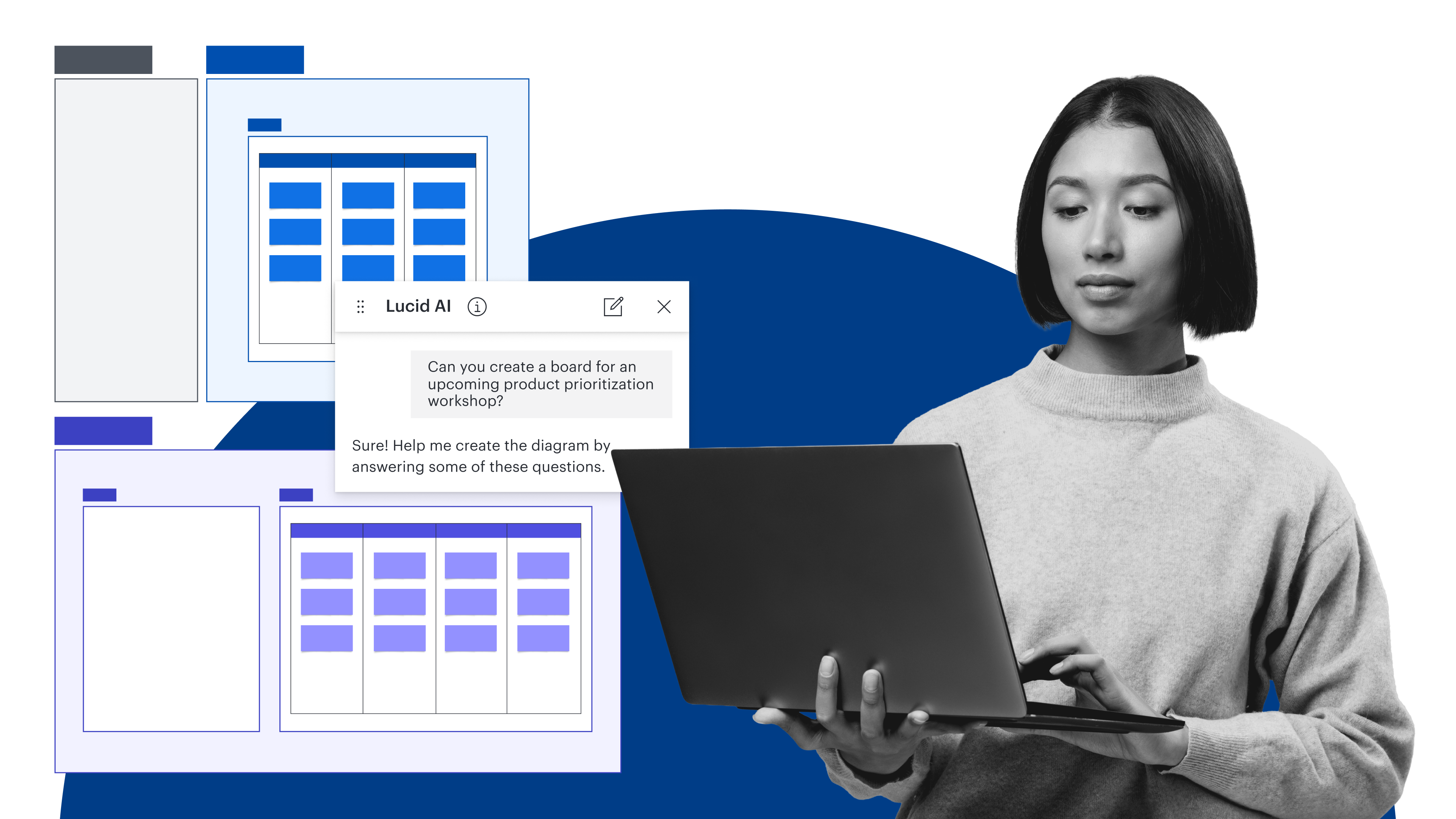
For Agile teams that are trying to move quickly and enhance transparency, using AI to document technical processes is invaluable. Teams can use Lucid AI to generate diagrams and visualize systems or processes, providing a clearer understanding of complex systems or workflows.
Whether you work on a development team or need to map out your project management workflow, AI can help you generate diagrams instantly and iterate on them to keep improving. With Lucid AI, type in a prompt to generate entity relationship diagrams, sequence diagrams, and flowcharts. You can start diagramming right from meeting notes or other documentation that you have on hand, such as standard operating procedures.
With Lucid, you can even leverage AI to add conditional formatting rules to your diagrams by describing what formatting you want for certain conditions, such as highlighting blocked tasks in red, or color-coding by sprint. This capability makes it even easier to understand diagrams at a glance.
Enhance Agile events
AI may help improve the way Agile events are facilitated and experienced. Teams can use AI to generate agendas, create summaries from meeting notes, and make a list of action items. AI can even provide real-time suggestions for bringing the meeting back on track if you find that the discussion is getting out of hand.
“Honestly, AI elevates the quality of conversations,” Dahlin says. “When AI gives me an objective readout of something like risk drift, events stop turning into defensive status updates and start functioning again as true decision-making moments.”
Looking for ways you can use AI in specific Agile events? Here’s how:
-
Daily standups: AI can crawl Jira information and work in progress to develop summaries for daily standups, reducing the administrative effort of creating those summaries. At the end of your standup, use AI to generate action items based on your discussion.
-
Sprint planning: Use AI to suggest how to break down user stories into tasks, or ask it to identify potential risks such as dependencies. You can also use AI to prioritize tasks pulled from the backlog.
-
Sprint reviews: Automate sprint demo preparation for stakeholders by using AI to summarize and format a demo board or document for review.
-
Retrospectives: The way AI synthesizes information to identify trends and insights is exceptionally helpful for team retrospectives. Use AI to analyze previous retrospectives you’ve done to identify patterns and generate discussion questions. You can also ask AI to suggest specific formats or types of retrospectives that are more tailored to your team’s needs and style.
Improve communication and collaboration
Overall, AI can help increase transparency and understanding, opens in a new tab. You can use AI to help facilitate discussions during Agile events, and AI can actually help teams focus on more meaningful interactions and collaboration.
AI allows people to communicate more effectively across different levels of expertise. For Agile teams specifically, AI can convert technical updates into more understandable language and create tailored communications for stakeholders, such as executive summaries of sprints.
“AI acts as a translator,” Guistolise says. “It can take a dense, text-heavy document and instantly generate a flowchart for a visual learner. Conversely, it can turn a complex diagram into a bulleted summary for a reader. By using adaptive tools, AI helps team members communicate and contribute without having to mask their natural working preferences, fostering a deeper sense of belonging.”
AI also helps streamline stakeholder communication. Lucid AI can be used to summarize entire boards, so you can work in the weeds as a team, then summarize action items or takeaways for stakeholders to understand at a glance. As another example, Agile teams could automate sprint demo preparation by using AI to format a demo board for review.
Evolve your agility by leveraging AI
Ultimately, incorporating AI into your Agile workflow helps teams deliver value faster, enhance transparency, and boost customer satisfaction. AI also helps improve communication, automates tasks so people can focus on more innovative thinking, and provides a unique opportunity to turn raw data into insights.
Ready to start using AI for Agile? Lucid has everything you need to leverage AI, all in one place: AI capabilities, templates for Agile events, and a central space for collaboration and documentation, as well as further resources on developing an AI skillset. Easily leverage AI and boost your agility with Lucid.
The top AI skills for the workplace
Learn about the skills every knowledge worker should have to use AI effectively.
Read more