In the modern era of hybrid offices and distributed teams, the humble physical whiteboard—once a staple of every conference room—has officially gone digital.
No longer confined to the four walls of an office, teams now rely on a new generation of tools to turn their ideas into tangible, interactive realities. But with the market crowded by so many competitors, choosing the “best” whiteboard tool isn’t a simple task. It’s not just about finding a place to do your work digitally; you need to find a solution that scales with your strategy, integrates with your tech stack, and keeps your team’s creative momentum alive across time zones.
In this article, we’ll explore candidates for the best online whiteboard for teams.
Best top online whiteboards summary
- FigJam
- Lucidspark
- Confluence whiteboards
- Mural
- Whimsical
- Boardmix
- ClickUp
- Miro
- Web Whiteboard
- Stormboard
What is an online whiteboard?
An online whiteboard, opens in a new tab is a virtual, interactive tool that allows users to write, draw, and add media. It fulfills the same purpose as a traditional physical whiteboard, but it can be accessed anywhere. It’s a shared, versatile workspace that enables remote teams to collaborate effectively, accommodating different work schedules, locations, and time zones.
While every online whiteboard offers unique features, most of them provide a variety of virtual tools, including pens, templates, multi-device access, and real-time collaboration, offering new ways to work together and eliminating some of the boundaries that would otherwise hinder effective collaboration.
When choosing the best whiteboard online, keep these considerations in mind:
- Accessibility: Can you access the software from a browser, app, and mobile device? To fully adopt the solution, you’ll want your team to be able to join an ideate from anywhere.
- Ease of use: The software interface should be intuitive enough that a guest or new hire can start collaborating relatively quickly and without frustration.
- Security and scalability: Enterprise-grade features are vital for security, like single sign-on, data encryption, and the ability to manage permissions for other collaborators.
Key takeaways
| Best for | Feature highlight | Pricing | |
| FigJam | Design teams working within Figma | Native Figma integration and interactive widgets | Figma add-on |
| Lucidspark | Remote and hybrid teams | Free-form infinite canvas, robust Facilitator Tools | Free, paid (Individual, Team, Enterprise) |
| Confluence whiteboards | Development teams using Confluence | Jira integration and embedded Smart Links | Included with Confluence |
| Mural | Workshop facilitation and consulting | Facilitation Superpowers (summon participants, voting, private mode) | Free, paid (Team+, Business, Enterprise) |
| Whimsical | Product managers | “Diagram-as-code’ options | Free, paid (Pro, Business, Enterprise) |
| Boardmix | Content creators | AI generation for diagrams and images | Free, paid (Starter, Business, Enterprise) |
| ClickUp | Project managers | ClickUp Whiteboards, ability to convert sticky notes into tasks | Free, paid (Unlimited, Business, Enterprise) |
| Miro | Brainstorming and group work | Robust templates and community resources | Free, paid (Starter, Business, Enterprise) |
| Web Whiteboard | Minimalists | No sign-up required, boards available for 24 hours | Free; need to sign up for Miro to save progress |
| Stormboard | Structured executives | Substorms and instant reporting | Free, paid (Business, Enterprise) |
Best online whiteboard
FigJam
Best for product designers and UX/UI teams working within Figma
Capterra rating: 4.8/5, opens in a new tab
Pricing: Available as a Figma add-on
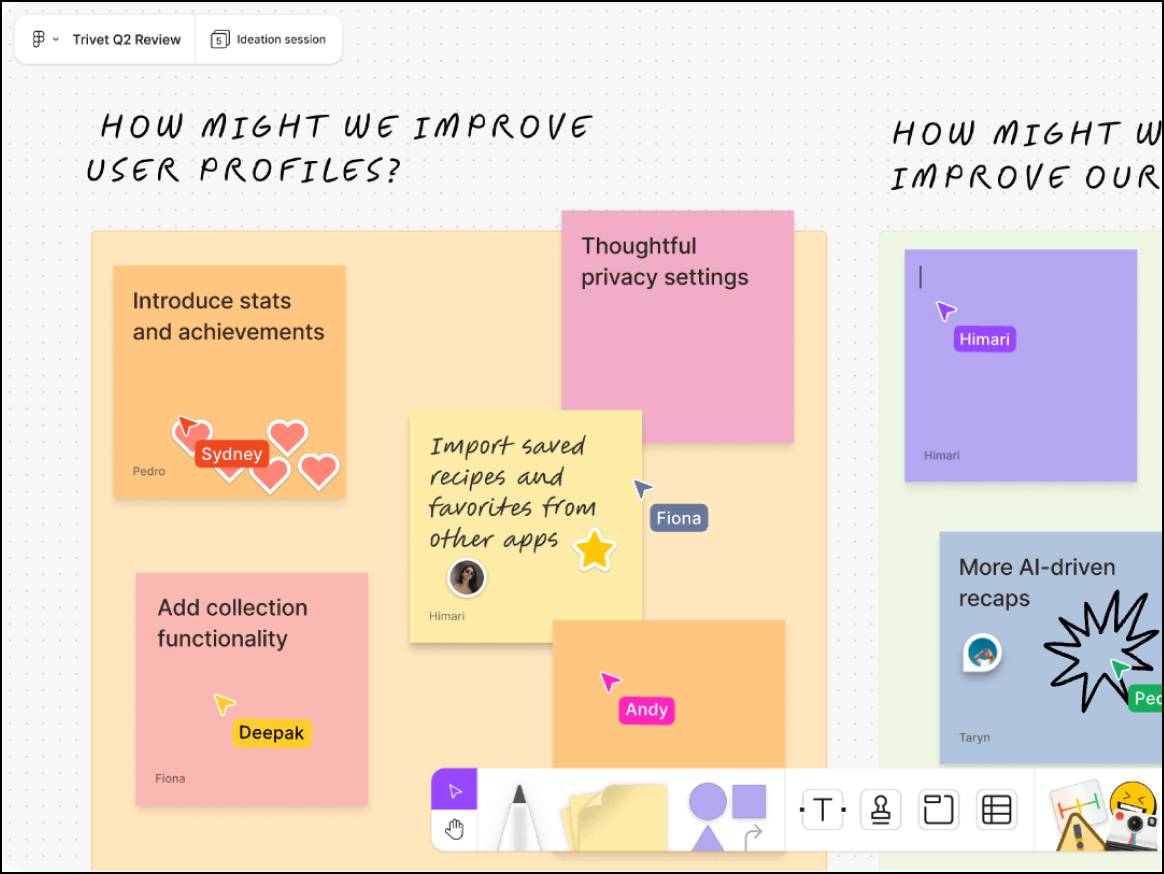
A lightweight, fun tool designed for the Figma ecosystem, FigJam, opens in a new tab bridges the gap between designers and non-designers with a playful interface and seamless design handoff.
Notable features include:
- Audio conversations: Enable users to verbally chat directly in FigJam to quickly explain an idea or spontaneously collaborate
- Stamps and emotes: Provide instant feedback and reactions for more energetic collaboration, both live and async
- Widgets and plugins: Use custom interactive objects that pull data from external sources or respond to user interactions
Notable integrations include Figma, Asana, Linear, Jira, and Slack.
Pros: FigJam offers a fun UI that’s perfect for design critiques and is highly cost effective for Figma users.
Cons: This tool provides limited functionality for complex data reporting or users outside the design ecosystem.
Lucidspark
Best for cross-functional collaboration
Capterra rating: 4.7/5, opens in a new tab
Pricing: Free for up to three editable boards. Paid individual and enterprise plans available.
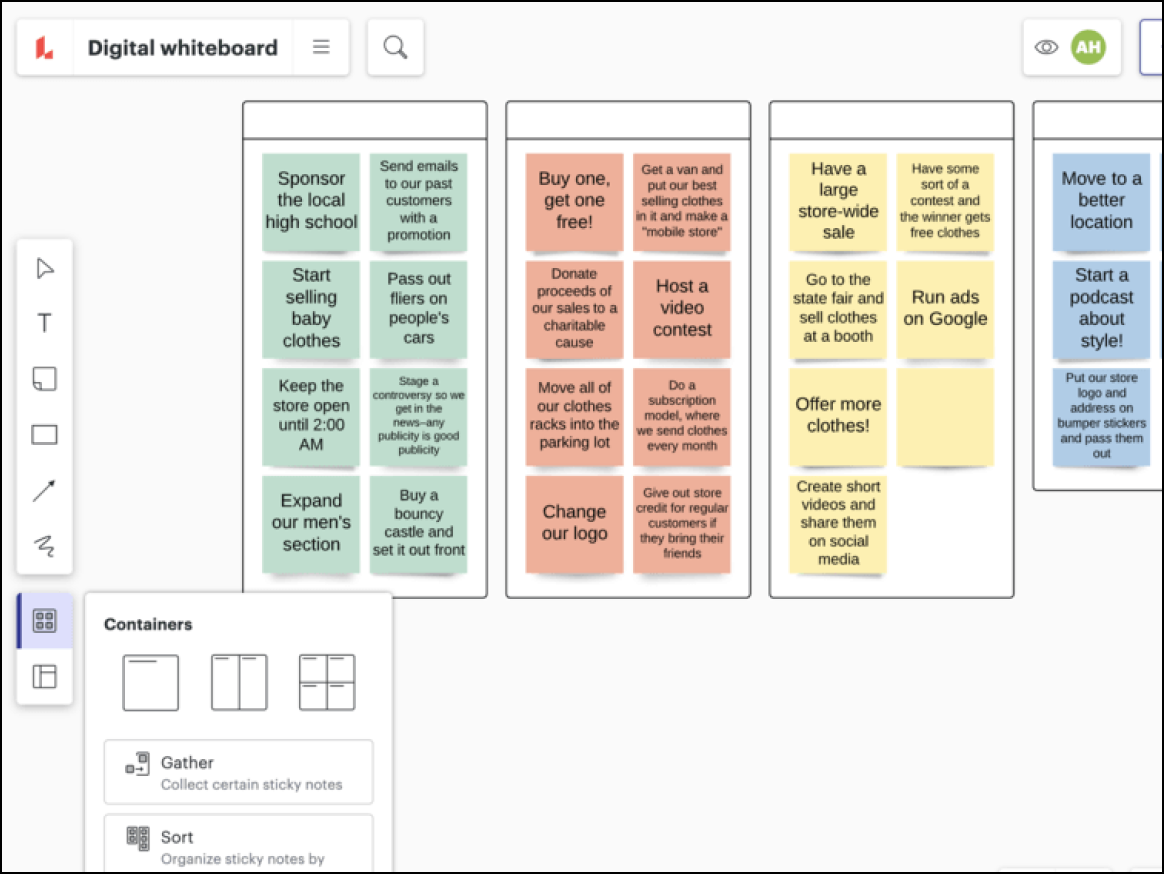
Available as part of the Lucid Visual Collaboration Suite, Lucidspark, opens in a new tab has been engineered for both simple and complex workflows, helping teams collaborate effectively, align, and drive change that builds the future faster.
Notable features include:
- AI capabilities: Generate ideas, automatically sort ideas to find key themes and insights, and summarize content on boards
- Facilitator Tools and Controls: Promote session focus and meeting efficiency through capabilities such as a timer, a laser pointer, private mode, the ability to follow collaborators, and more
- Visual Activities: Gather important data instantly through quick, interactive team activities and polls
Pros: Lucidspark provides a shared, flexible canvas for teams to collaborate and then move work forward effectively. Because Lucidspark is part of the Lucid Suite, users can also switch easily to Lucidchart for intelligent diagramming.
Cons: Advanced options may be intimidating for some users.
Confluence Whiteboards
Best for development teams using Confluence
Capterra rating: 4.5/5, opens in a new tab
Pricing: Included with Confluence. Atlassian offers both free and paid plans for Confluence.
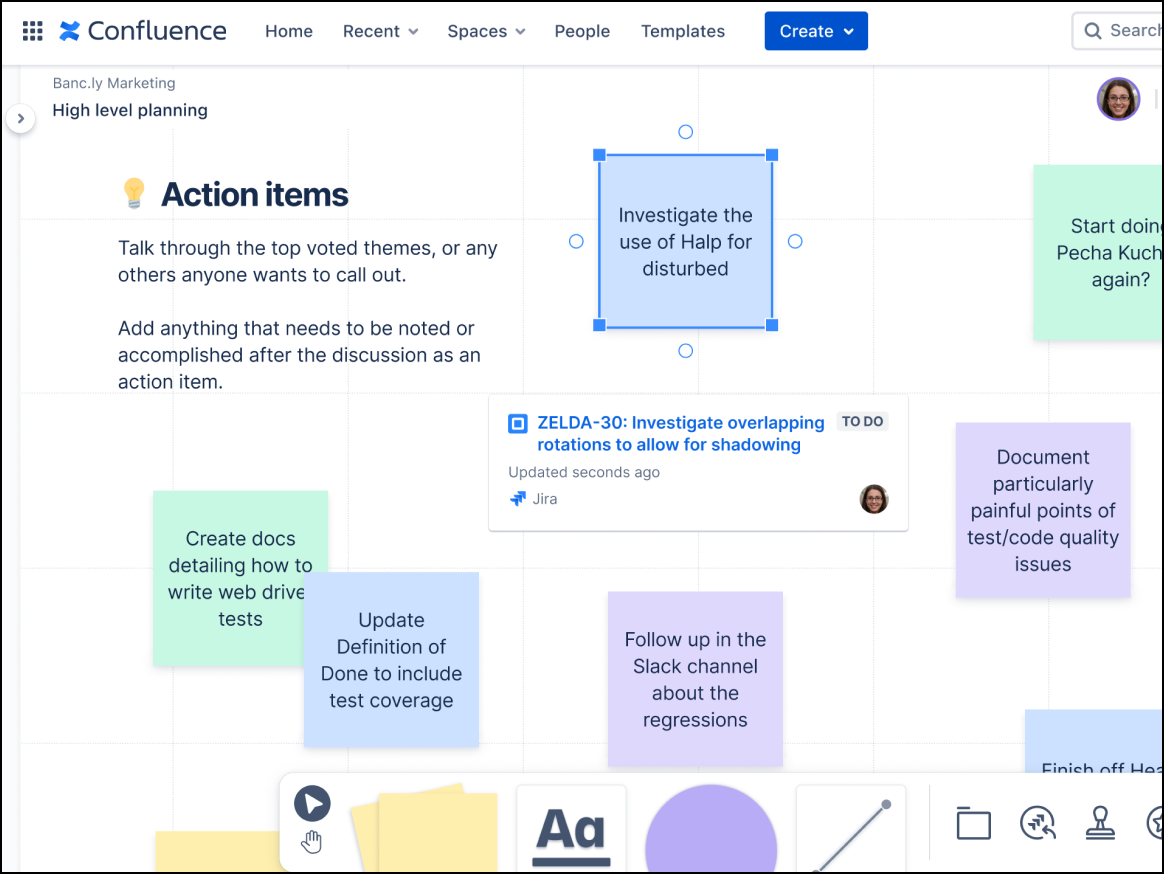
The perfect choice for heavy Atlassian shops, Confluence whiteboards, opens in a new tab live in your documentation, letting developers turn whiteboard sticky notes into Jira issues without ever switching tabs.
Notable features include:
- Smart sections: Empowers users to perform bulk actions to make collaboration sessions more efficient
- Native wiki embedding: Integrates external content directly into Confluence pages for easy context
- Smart Links: Transform basic URLs into interactive elements like cards, embeds, and lists
Notable integrations include Smart Links and deep Jira and Trello functionality.
Pros: Confluence whiteboards provide a seamless experience for Atlassian users and are free for existing Confluence customers
Cons: This tool offers limited standalone value and basic drawing capabilities compared to specialized tools.
Mural
Best for workshop facilitation and consulting
Capterra rating: 4.5/5, opens in a new tab
Pricing: Free for first three murals. Paid team and enterprise plans available.
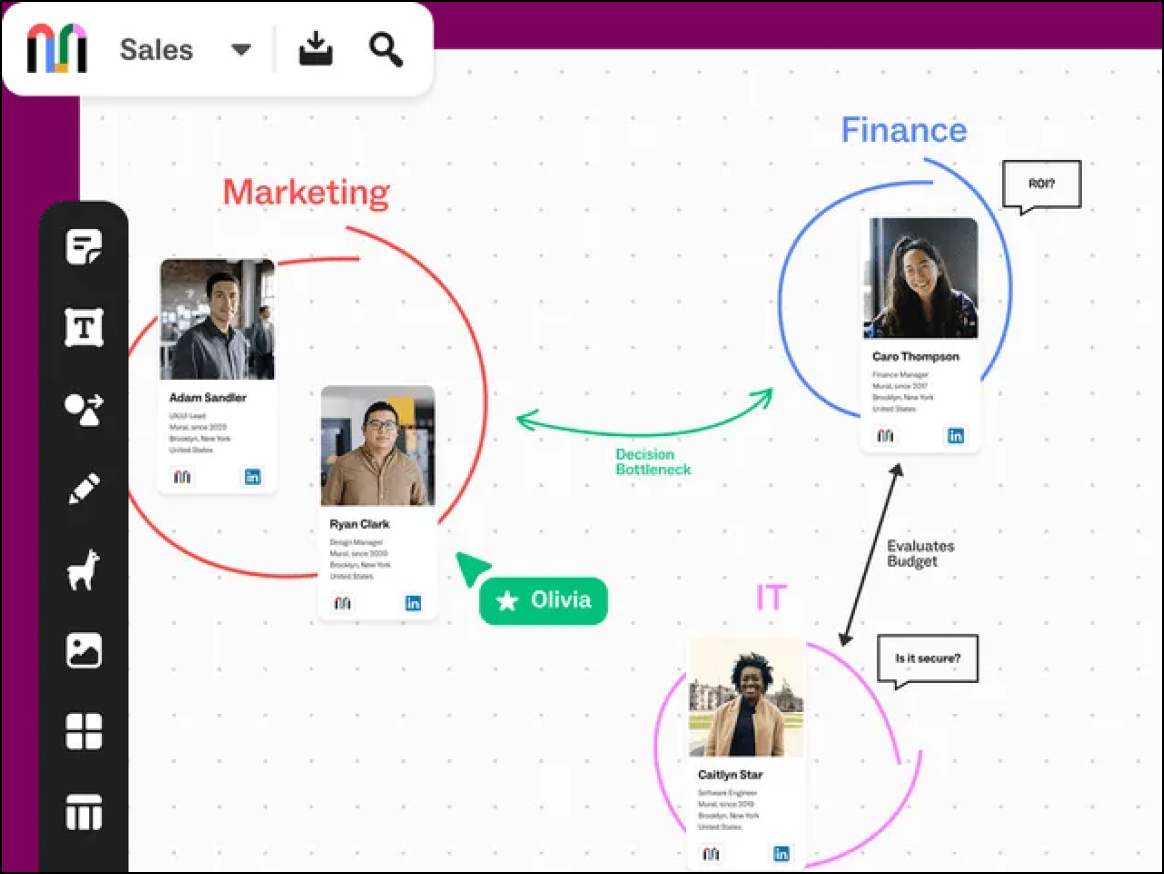
Built specifically for facilitators who need to guide large groups, Mural, opens in a new tab excels in workshops where controlling participants’ views and attention is critical to the session's success.
Notable features include:
- Private mode: Allows contributors to work anonymously to avoid groupthink and distractions
- Facilitation Superpowers: Offer a specialized set of features that make workshops more interactive, engaging, and fun
Notable integrations include Microsoft Teams, Slack, Lumen5, Jira, and GitHub.
Pros: Mural features best-in-class meeting controls and strong privacy features for enterprise clients.
Cons: Mural requires a steeper learning curve for participants and features a slightly dated UI.
Whimsical
Best for product managers
Capterra rating: 4.7/5, opens in a new tab
Pricing: Free, paid individual and team, and enterprise plans available
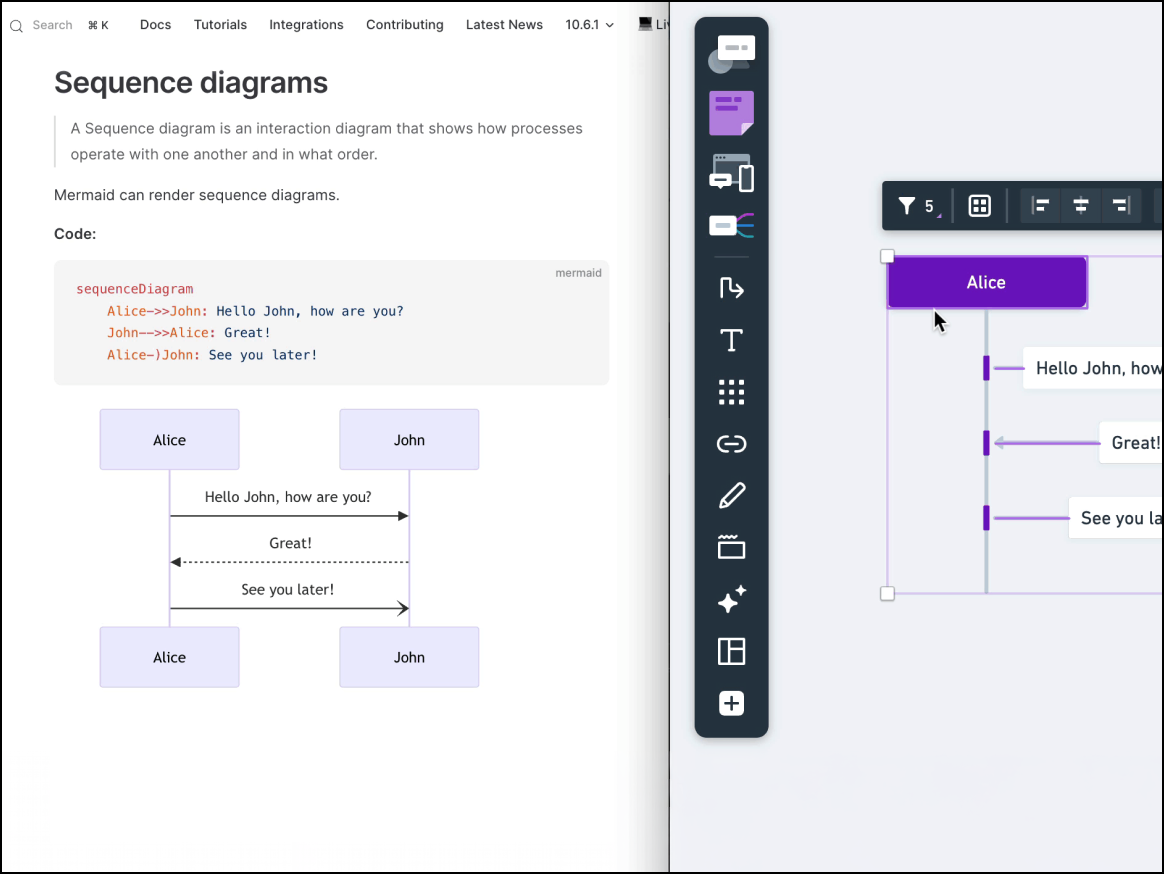
Focusing on speed and structure over freehand creativity, Whimsical, opens in a new tab is beloved by engineers and product managers who want to create professional-looking flowcharts and wireframes in seconds.
Notable features include:
- Integrated content: Combines mind maps, wireframes, and flowcharts into a single, unified product
- Snap-to-grid default: Aligns items automatically to the grid to ensure clean, professional layouts
Notable integrations include GitHub, Notion, Slack, and Figma.
Pros: Whimsical is extremely fast and easy to learn, and it prevents “ugly” diagrams by default.
Cons: This solution limits creative freedom and offers fewer integrations than other platforms.
Boardmix
Best for content creators
Capterra rating: 4.2/5, opens in a new tab
Pricing: Free for three editable boards. Paid individual and enterprise plans available.
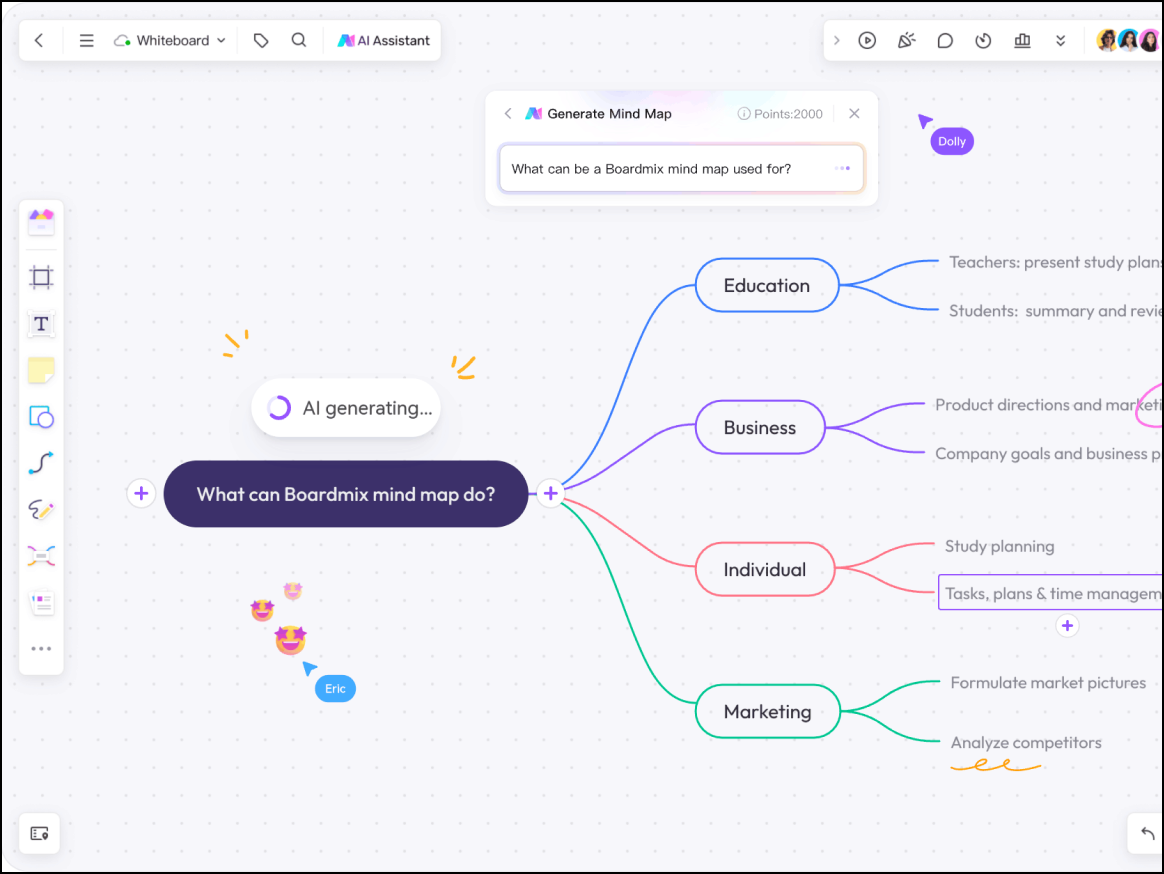
An emerging competitor gaining traction for aggressive AI integration, Boardmix, opens in a new tab is built for power users who want to generate complex visuals via prompts rather than manual drawing.
Notable features include:
- AI integrations: Power brainstorming, diagramming, and image generation through native AI prompts
- Infinite canvas: Allows users to expand ideas without needing to ever switch tabs
- Detailed template library: Offers a wide variety of templates to speed up research and brainstorming
Notable integrations include Zoom, Microsoft Teams, and Webex.
Pros: Boardmix features innovative AI tools and a modern UI with competitive pricing.
Cons: This tool offers fewer enterprise integrations than competitors and has a smaller support community.
ClickUp
Best for project managers
Capterra rating: 4.6/5, opens in a new tab
Pricing: Free to enterprise options available
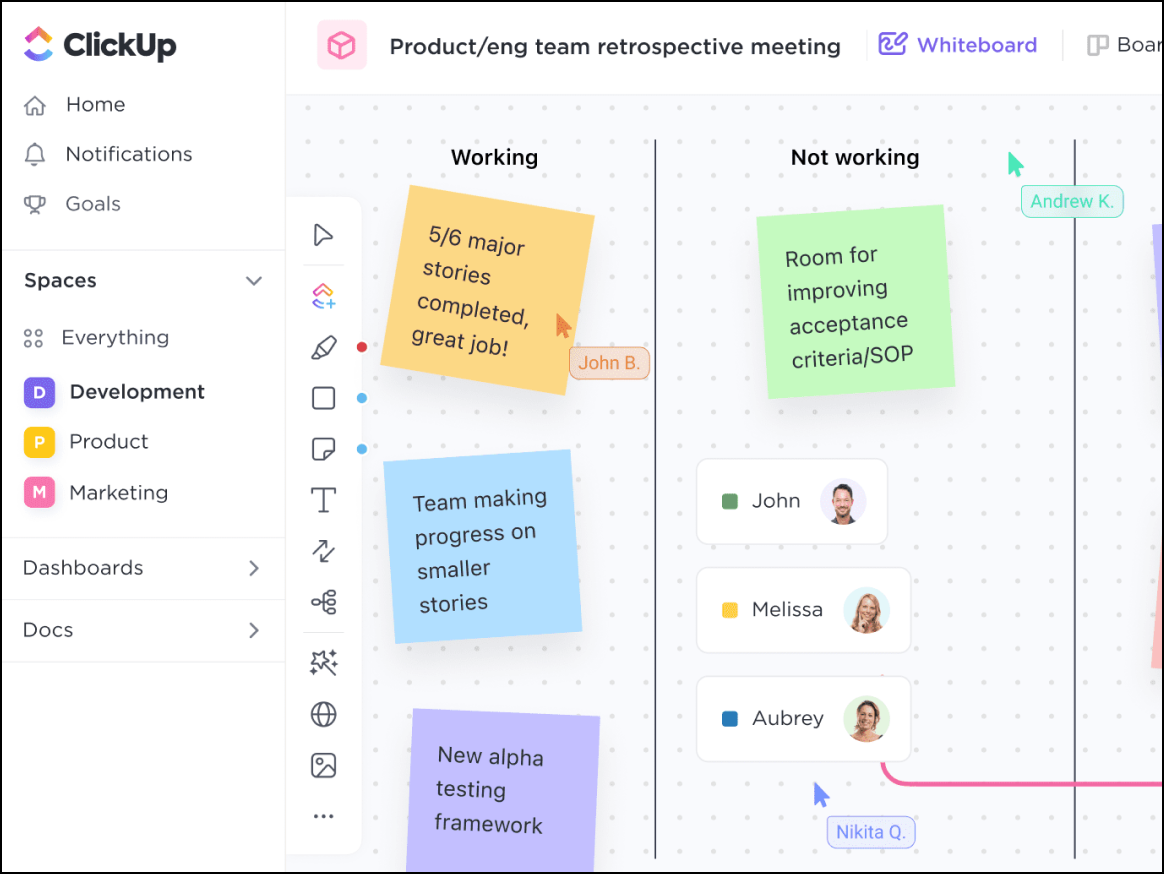
Ideal for project management, ClickUp, opens in a new tab eliminates the gap between “brainstorming” and “doing” by providing the native tool ClickUp Whiteboards, where users can convert whiteboard items directly into tracked tasks within the platform.
Notable features include:
- The ability to convert objects to tasks: Turns ideas into actionable tasks via cards, sticky notes, and shapes
- Automation Triggers: Optimize workflows by automating repetitive manual tasks
- Native project visibility: Provides public-by-default workspace content with granular privacy controls
Notable integrations include Google Drive, Slack, and, of course, ClickUp Tasks.
Pros: ClickUp acts as an all-in-one platform that is cost effective and great for task tracking. For those already using ClickUp, ClickUp Whiteboards is a natural way to provide team members with the space to brainstorm.
Cons: ClickUp includes less robust drawing tools, and experience can lag during heavy use.
Miro
Best for brainstorming and group work
Capterra rating: 4.7/5
Pricing: Free for three editable boards. Paid individual to enterprise plans available.
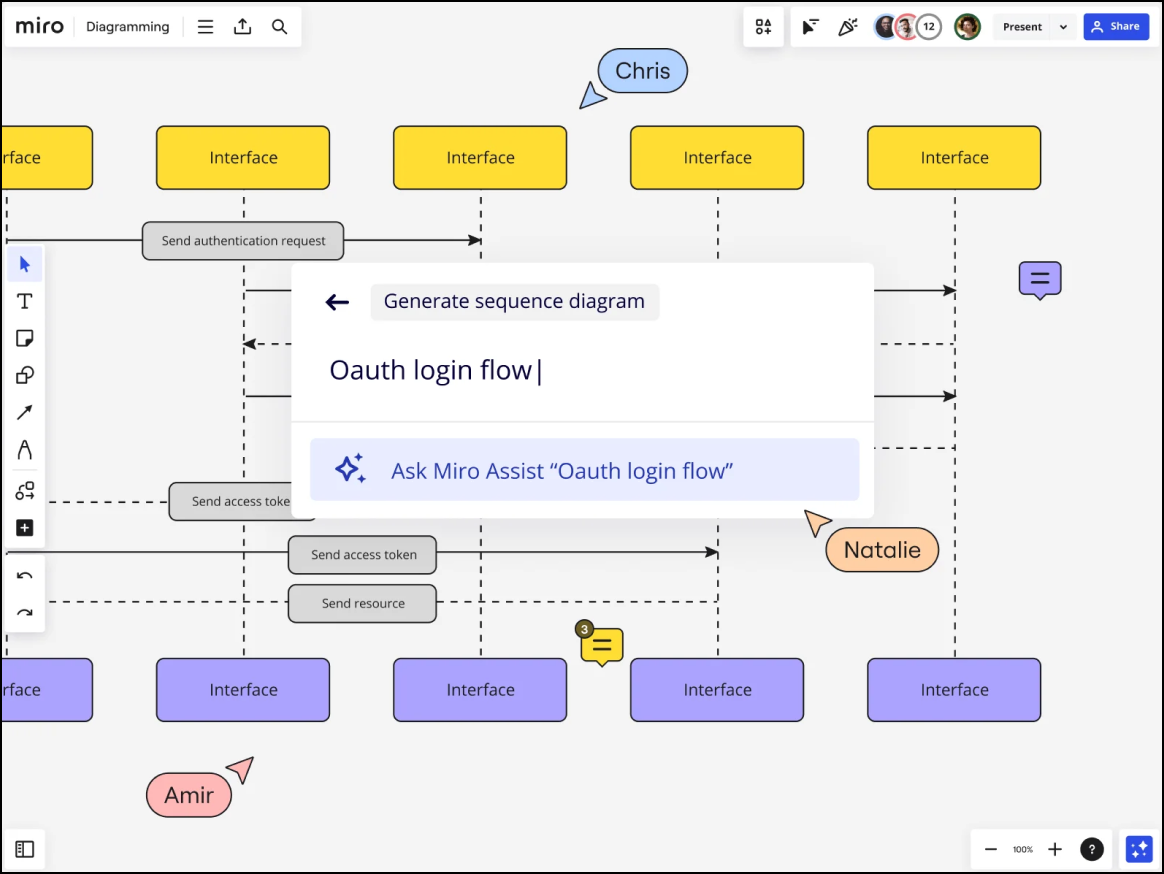
Optimized for geographically distributed teams, Miro, opens in a new tab is an AI innovation workspace that gives its users a free-form space to collaborate and includes a large library of community-builttemplates.
Notable features include:
- Talktrack: Records interactive video and audio walkthroughs of a Miro board to guide viewers through content asynchronously
- Focus mode: Provides a distraction-free, full-screen view that hides surrounding board elements
- Interactive Presentation Mode: Delivers high-level engagement and flexibility for presenting boards to teams
Notable integrations include Jira, Slack, Google Workspace, Azure DevOps, Zoom, Webex, and Microsoft Teams.
Pros: Miro features a polished UI, a robust template library, and a large support community.
Cons: Miro offers limited support for technical teams and advanced use cases.
Web Whiteboard
Best for minimalists
Capterra rating: Unavailable
Pricing: Free. Miro users get an upgraded experience.
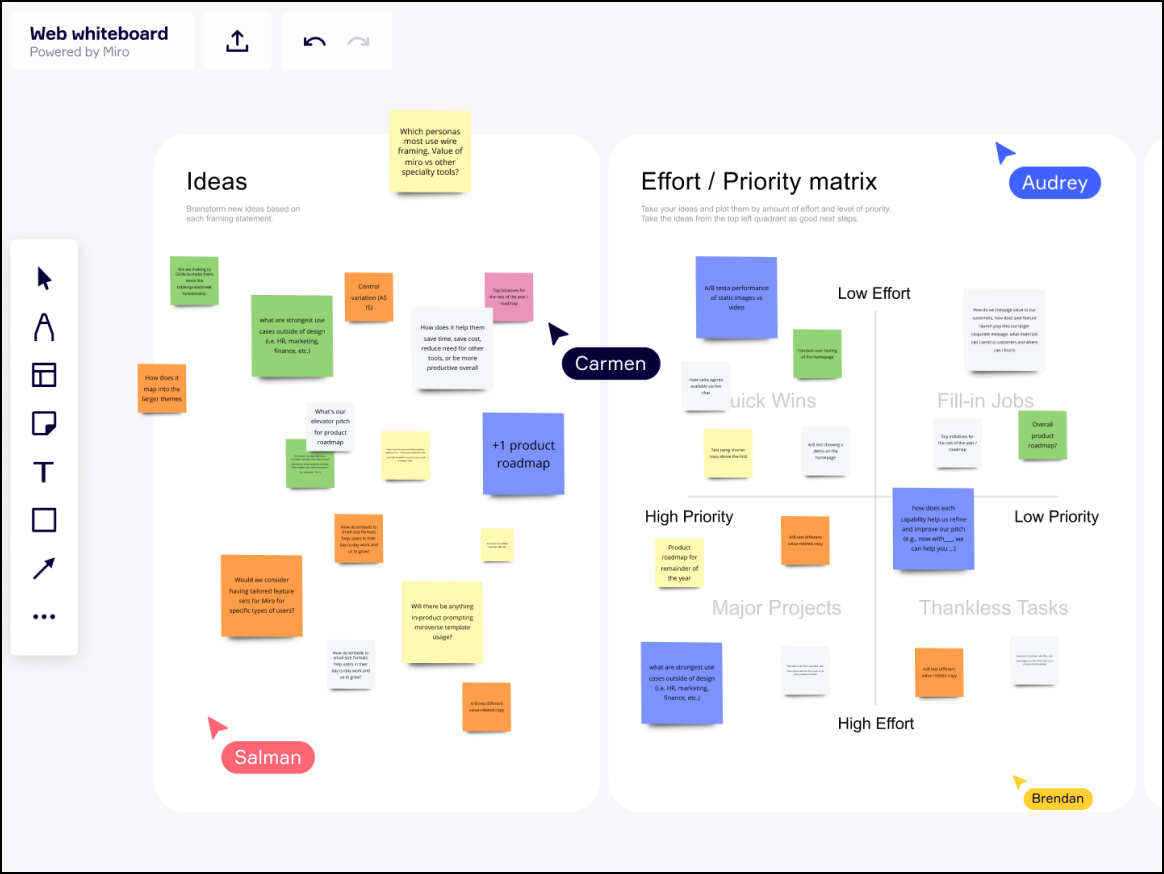
Miro-powered Web Whiteboard, opens in a new tab offers the solution with the least friction on this list, since it requires no sign-up. This option is best for collaborators looking for a simple solution that prioritizes a quick start over long-term storage.
Notable features include:
- Essential drawing tools: Replace real-life tools with a digital pen, highlighter, and shapes
- Digital sticky notes: Enable users to capture ideas quickly for immediate organization
Pros: This tool is extremely easy to start, doesn’t require sign-up, and offers an intuitive, no-frills design.
Cons: This whiteboard offers very limited functionality, no external integrations, and poor long-term storage options. Users need to sign up for a Miro account in order to save their progress, or else the boards will expire after 24 hours.
Stormboard
Best for structured executives
Capterra rating: 4.5/5, opens in a new tab
Pricing: Free for up to five editable boards. Business and enterprise plans available.
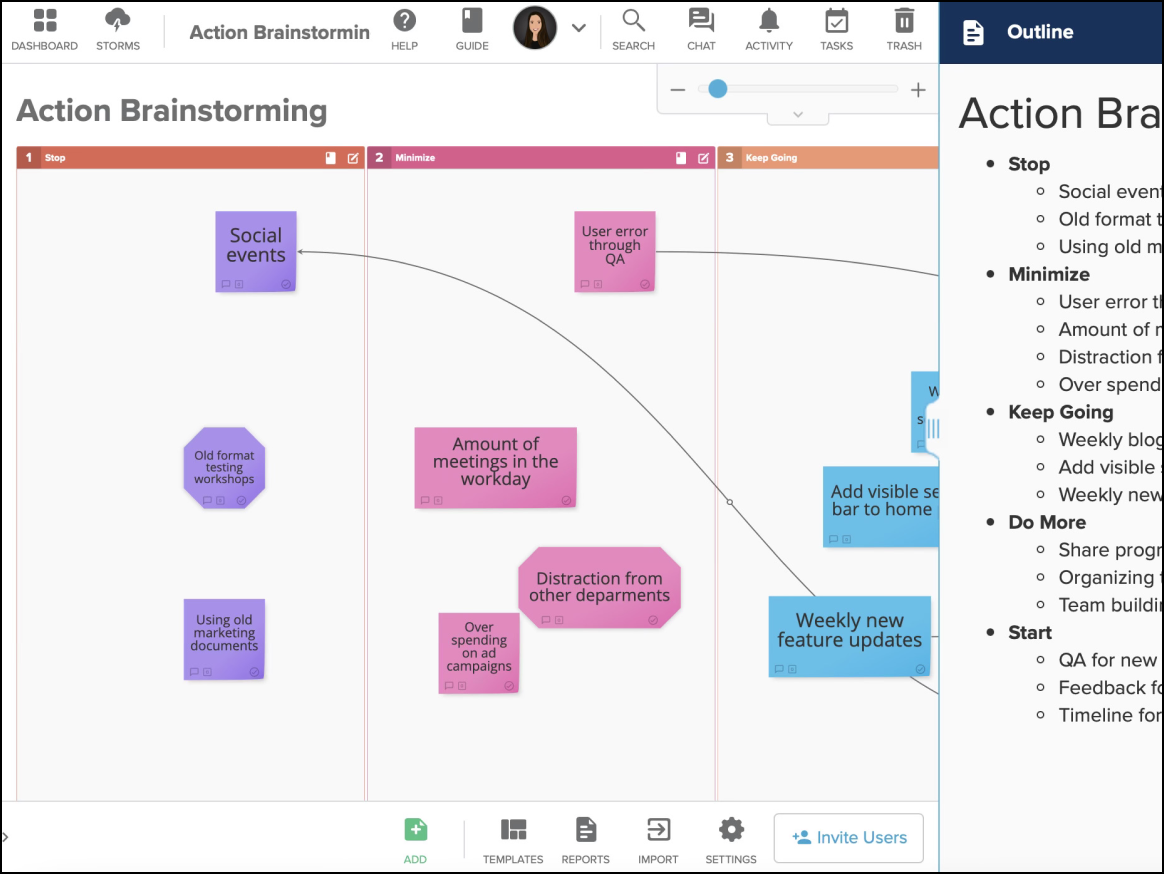
A data-centric tool that prioritizes structure over creativity, Stormboard, opens in a new tab is unique in its ability to export brainstorming sessions into professional, structured reports.
Notable features include:
- Substorms: Enhance organization by breaking down main boards into smaller subtopic spaces
- Instant reporting: Output documents directly to Word, Excel, PowerPoint, and Google Workspace
Notable integrations include Microsoft 365, Google Drive, Slack, and Jira.
Pros: Stormboard guarantees high security and strong capabilities for data reporting and synthesis.
Cons: This solution limits creative freedom and features a dated UI compared to competitors.
