Even the most incredible ideas cannot be conveyed through explanation alone. It’s not enough for someone to describe what they want—so that’s exactly where mockups come in. Mockups help bring a version of your vision to life before it’s implemented at scale so you can gain alignment and maximize efficiency.
We’re staunch supporters of the mockup, and we’re willing to bet you will be, too, after this deep dive. You’ll gain a better understanding of the components of a mockup, what kinds of mockups there are, and why you should push for a mockup before moving forward with any launch.
What is a mockup in design?
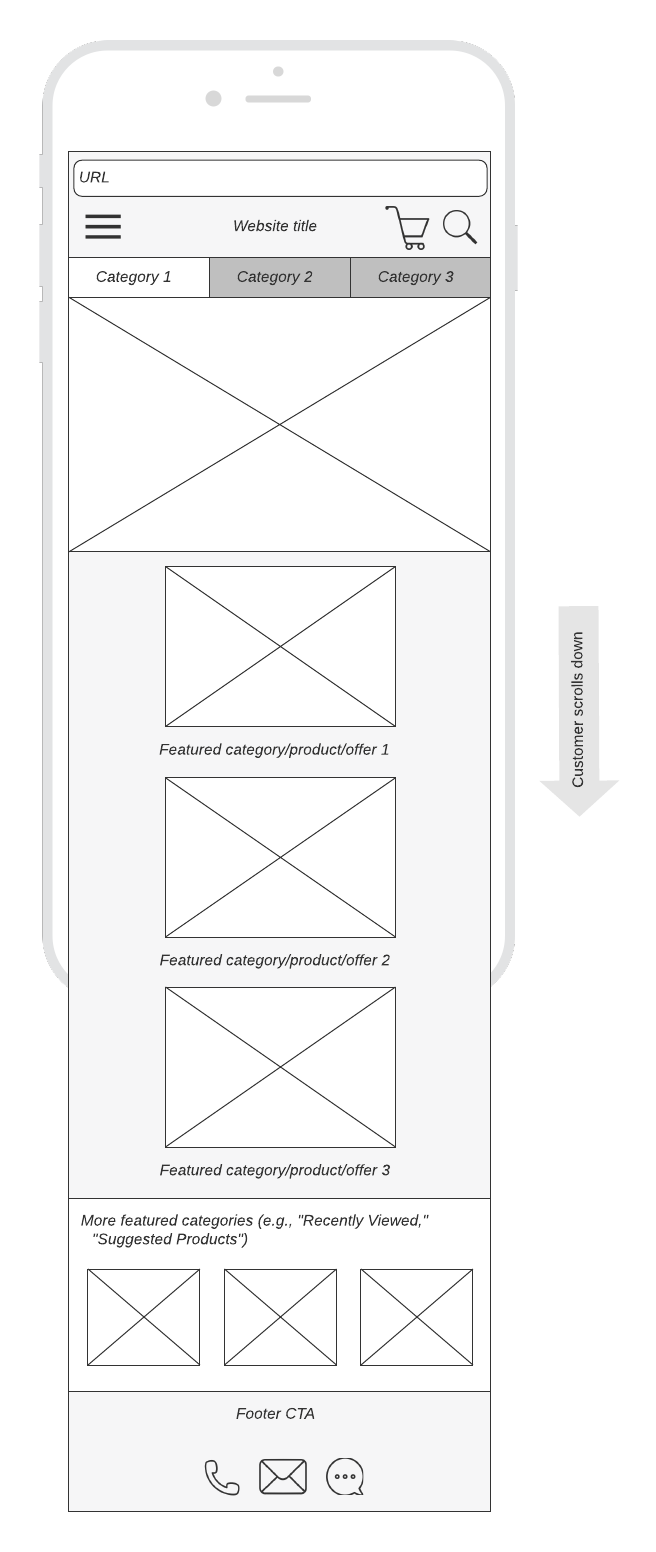
A mockup in design typically refers to a website (or app) launched on a development site. The mockup will show things like the web or app layout, the style components like fonts and graphics, and navigation components. In short, it looks like a functional website or app, but it isn’t fully functional.
A mockup may allow the user to click through different pages or experiences. If you were launching a sunglasses website, for instance, you might show a few different styles in the shopping section, but the user wouldn’t be able actually to place an order or see real inventory.
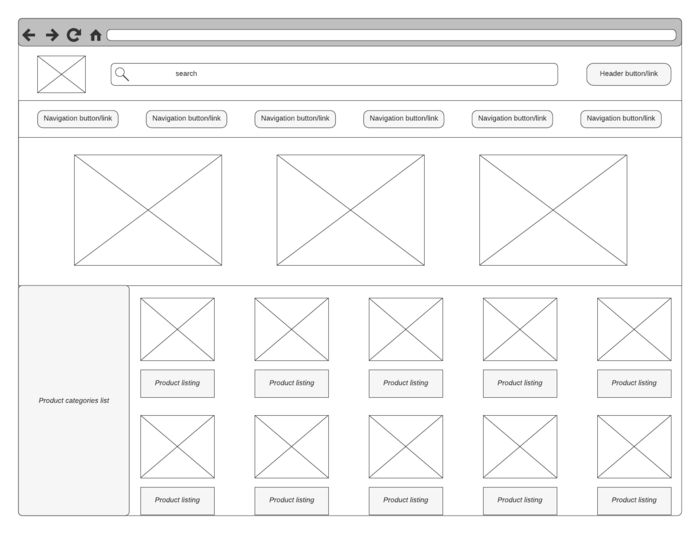
It’s important to note that a mockup isn’t a wireframe. A wireframe doesn’t have many—if any—design components. It’s a highly bare-bones version of an app or website concerned primarily with placement and navigation. Think of a mockup as the missing link between a wireframe and a working product—it’s visually complete (or nearly so) but functionally incomplete.
Who needs to make mockups?
Mockups work for anyone who wants to test a design before launching the entire product. This typically includes web designers, UX designers, social media marketers, product designers, and developers. Essentially, when there’s some risk involved with a launch, it’s important to create a mockup first to eliminate problems and prepare for a full launch.
Why mockups?
Mockups can help businesses avoid making very costly mistakes. But that’s not all they do. They also help with:
-
Visualization: It’s so much more challenging to gain alignment with words than with visuals. A visually complete product allows stakeholders to better understand how the final product looks and functions.
-
Feedback and iteration: Mockups facilitate early feedback from clients, users, and other stakeholders, which allows designers to gather concrete feedback and make necessary revisions before investing time and resources into full-scale production.
-
User testing: Mockups are helpful for usability testing, which evaluates the user experience (UX) and identifies potential issues or areas for improvement. By observing how users interact with the mockup, designers can make informed decisions about improving usability.
-
Saving money: Mockups help mitigate the risk of designing a product that does not meet users' needs or expectations. By validating design concepts early in the process, designers can identify and address potential problems before they escalate into costly errors.
-
Marketing and promotion: Did you know that most (if not all) hardware manufacturers start with promo materials long before they have a finished product? High-quality mockups can generate interest and excitement around a product before it is officially launched.
Types of mockups
We’ve discussed websites, apps, and marketing materials, but there are also other types of mockups.
Device mockups
A device mockup is a high-res simulation of a digital device, such as a smartphone, tablet, laptop, or desktop computer. These mockups are often used in graphic design, web design, and marketing to showcase how digital content, such as websites, apps, or presentations, would appear on the screen of the depicted device. This allows designers to visualize how their designs would look on different devices without the need for physical prototypes.
Branding mockups
These are simulations of how branding elements, such as logos, colors, typography, and other brand assets, would appear in real-world contexts. Typically, a designer will present the new design on several items, such as t-shirts, buildings, and on print materials without having to actually implement the logo change.
Print mockups
These are graphic representations or simulations of printed materials, such as brochures, flyers, posters, business cards, magazines, and packaging. Presenting and adjusting a design is much easier than reprinting thousands of business cards.
Packaging mockups
These are product packaging designs that designers, marketers, and clients use to preview and assess packaging concepts before mass production. By providing a realistic preview of how packaging designs will appear in real-world environments, packaging mockups help ensure that the final product meets aesthetic and functional requirements while contributing to effective branding and consumer appeal.
Social media mockups
Designers, marketers, and social media managers use social media mockups to visualize and evaluate social media content before it is published. These mockups help ensure branding, messaging, and visual presentation consistency across different social media channels.
Product mockups
Product mockups can range from simple digital renderings to detailed physical prototypes, depending on the stage of the design process and the project's specific requirements. They typically depict the product from various angles, showing its features, dimensions, materials, and functionalities. It’s likely that everything you see—from doll clothes to high-end cars—started in a digital form before being brought to life.
How to make a mockup in Lucidchart
Of course we’re hooking you up with a next-level mockup generator. Just:
-
Open a new doc or template in Lucid
-
Choose a UI mockup
-
Add and import elements
-
Collab with others
-
Present and share
Mockups are truly invaluable tools. They help facilitate early feedback and iteration long before full-scale production, and they’re a great alternative to building expensive physical prototypes. They also serve as effective communication tools that enable designers to convey ideas and concepts to clients, stakeholders, and team members. And, perhaps most importantly, mockups allow for more successful and user-centered designs while minimizing risks and maximizing efficiency throughout the design and development process.
Ready to try our mockup generator?
Sign up for free