Organizations vary widely in how seriously they treat documentation. Some document every minor change, others document once and rarely maintain it, and some avoid documentation entirely because they see it as a waste of time and money.
Regardless, process documentation is key for any organization. Learn what it is, why you need it, how to create it using our process documentation software, and more in this comprehensive guide.
What is process documentation?
A process document outlines the steps necessary to complete a task or process. Companies have repeatable processes fundamental to their successful operation, and process documentation serves as a crucial guide for employees and managers, reducing confusion and misunderstandings.
The term "process documentation" was first used in 1978 in reference to a project where social scientists in the Philippines stayed in villages and documented the processes of farmers. Since then, it’s spread throughout every country and industry.
How process documentation can benefit your organization
Process documentation is an operational roadmap for your organization. It identifies the current state of a process so you can improve it. Any task performed more than once or completed by multiple people must be documented to ensure consistency and enable continuous monitoring.
Think about process documentation like a preflight checklist. Even highly skilled pilots with thousands of hours of training rely on checklists. They don't just lean on memory, and no step is considered too small.
The primary goals of documenting your processes are to:
-
Retain institutional knowledge: When an employee leaves, their process knowledge stays with the company rather than leaving with them.
-
Standardize execution: Without documentation, a process is essentially being re-designed by someone every time it is repeated.
-
Optimize resources: You can learn how to reduce time, costs, and materials from formalized processes.
-
Simplify training and onboarding: Documentation reduces the burden on staff to train, minimizes the risk of misunderstandings, and provides “big picture” context for new hires.
-
Improve quality and satisfaction: Documentation proactively identifies flaws, increasing overall efficiency and customer and employee satisfaction.

Who should be involved in documentation?
For documentation to be as accurate as possible, it must include perspectives from across the organization. Including different voices will reduce misunderstandings and ensure alignment as processes evolve. Consider involving the following groups:
-
Project team: Documentation should be an integral part of the team’s activities. It can often be helpful to appoint a documentation lead who isn’t involved in the day-to-day execution. That way, they can focus on organizing information and encouraging reflection while staying aligned with project objectives.
-
Stakeholders: Anyone involved in a specific project should be involved with its documentation to ensure their experiences are fully captured.
-
Outsiders: Neutral third parties can provide a new, unbiased perspective to help improve processes.
Challenges of process documentation
While documentation is essential, it’s important to be aware of potential challenges you could encounter.
-
Observer bias: Stakeholders often behave differently or withhold information when they know their input is being recorded formally.
-
Knowledge gaps: If the person documenting a process doesn’t thoroughly understand it, the documentation may be inaccurate.
-
Potential for misuse: Documentation could be misinterpreted or leveraged by special interest groups to highlight grievances or stall progress.
-
Time requirements: If documentation isn’t managed efficiently, the act of documenting can slow down project momentum.
Best practices for quality process documentation
Design and content best practices
-
Standardize documentation: Use templates and simple formatting to keep documents easy to understand and to replicate. Ensure documents follow company branding and use consistent labeling.
-
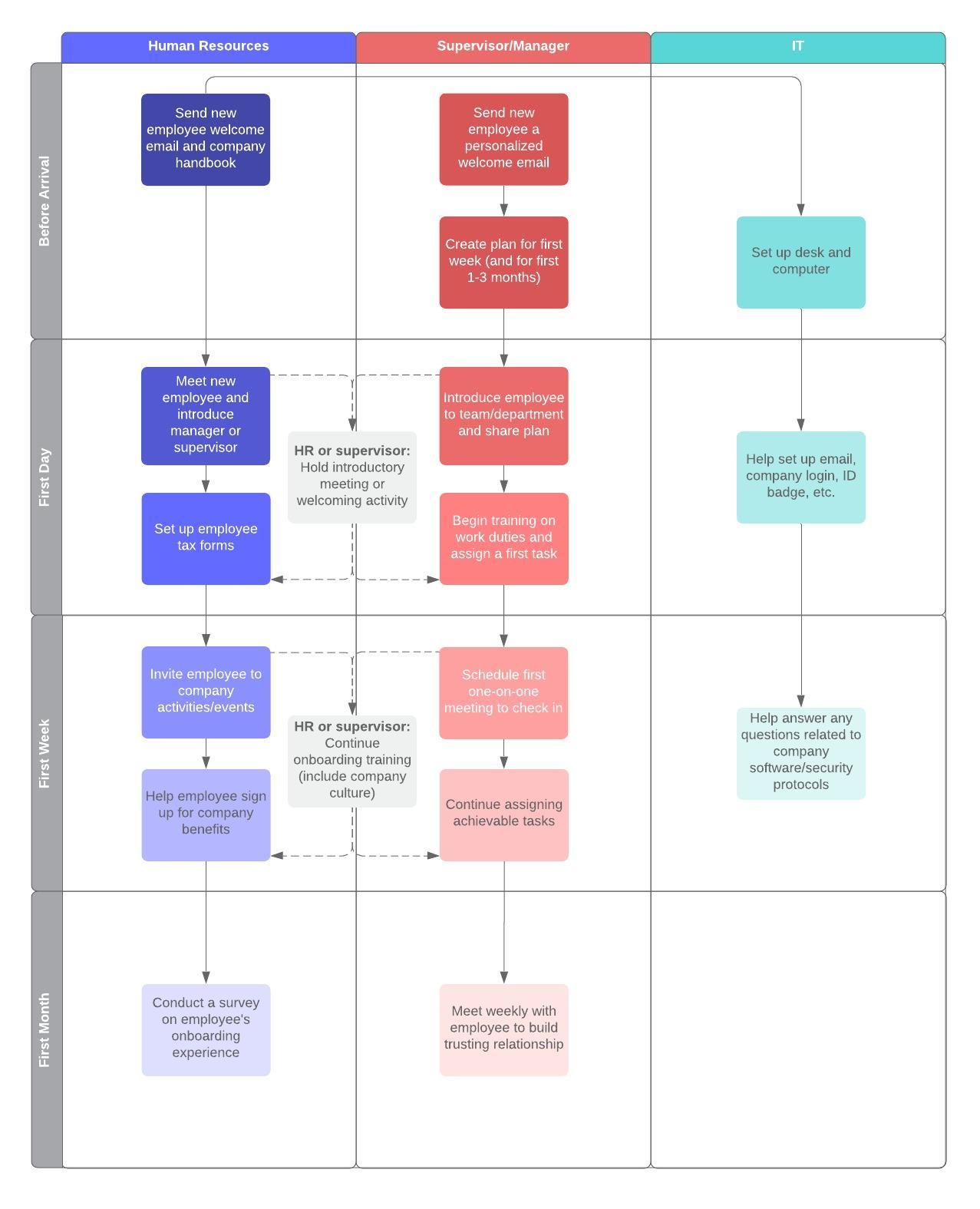
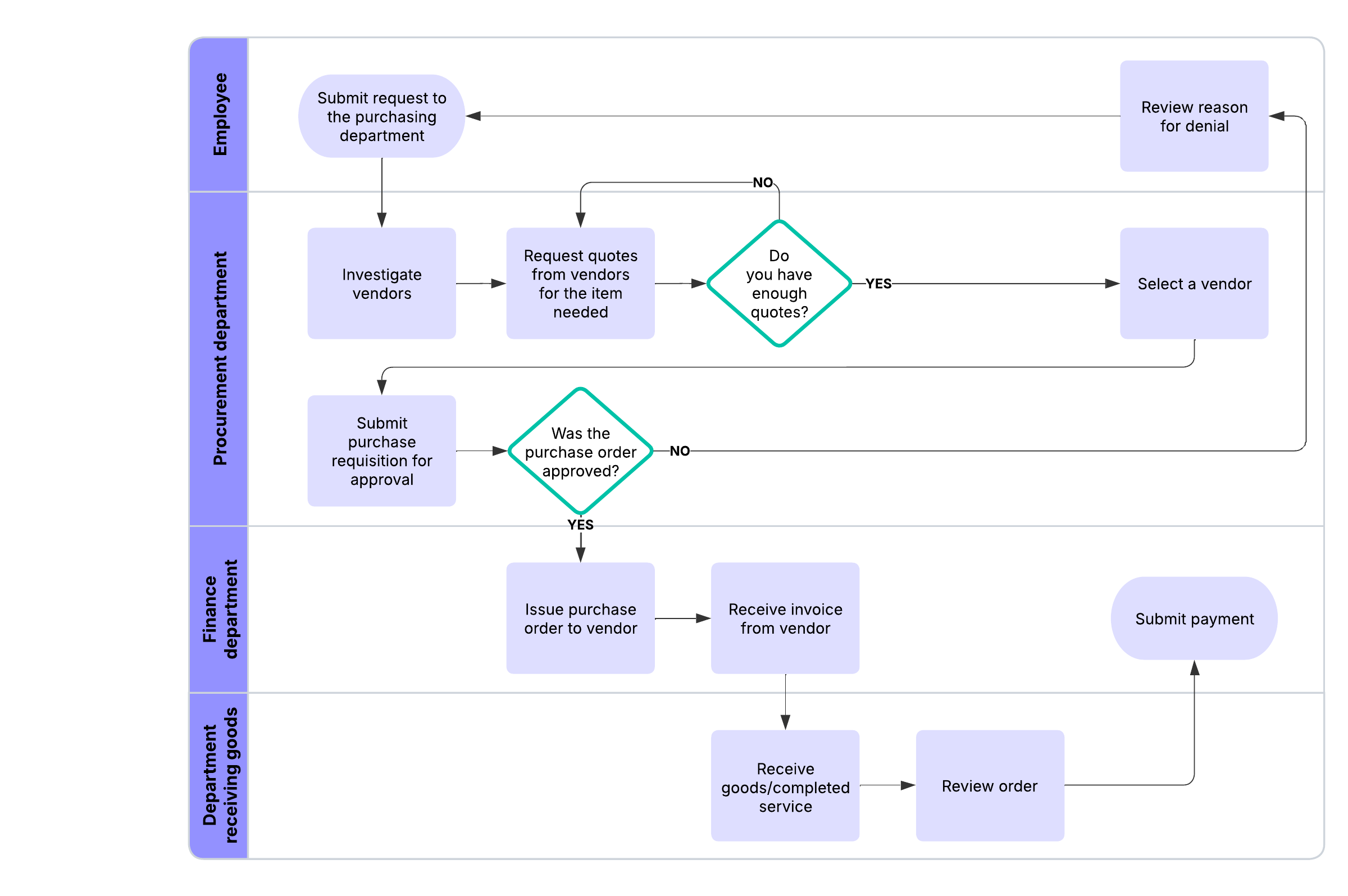
Prioritize clarity: Use visual tools like colors or swimlanes to clearly show who is responsible for what and when. Avoid distracting elements like bold text and clashing colors, as well as unnecessary information.
Accessibility and maintenance
-
Centralize access: Store documents in the cloud and ensure clear paths to access. Keep individual processes in separate documents rather than a single, massive manual that is time-consuming to sort through.
-
Implement a feedback loop: Continually seek and implement feedback from employees who have the best insight into shortcuts and potential pain points in a process.
-
Prioritize maintenance: Review documents regularly so team members always have access to up-to-date information.
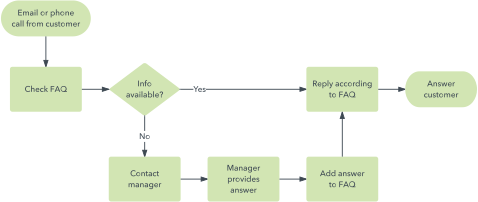
Why visuals can improve process documentation
Documentation is only useful if it's engaging and easy to interpret. Because people learn in different ways, incorporating visuals alongside task-oriented text makes procedures easier to remember and follow.
According to William Glasser, an American psychiatrist, our ability to retain information increases based on how we consume it. For example, we retain only 10% of what we read, but 30% of what we see. Thoughtfully using visual documentation significantly increases team member retention.
How to create process documentation
Follow these steps to move through the documentation process and create a polished, living document.
-
Scope the documentation
Before writing, define the boundaries of your project to avoid scope creep. Determine what you are specifically scoping, keeping it as focused as possible. Clearly state the start and end points, the required resources, and the expected outputs. Don’t forget to consider the audience's existing knowledge and demographics who will use the documentation.
-
Draft the content
Once the scope is finalized, begin organizing the technical details. Provide a clear title and introduction that explains why the process is important. Identify the job titles that participate in the process. Brainstorm activities, then organize them into sequential steps, keeping each succinct and specific. Use subheadings for long tasks and layered text for extra details.

-
Enhance with visuals
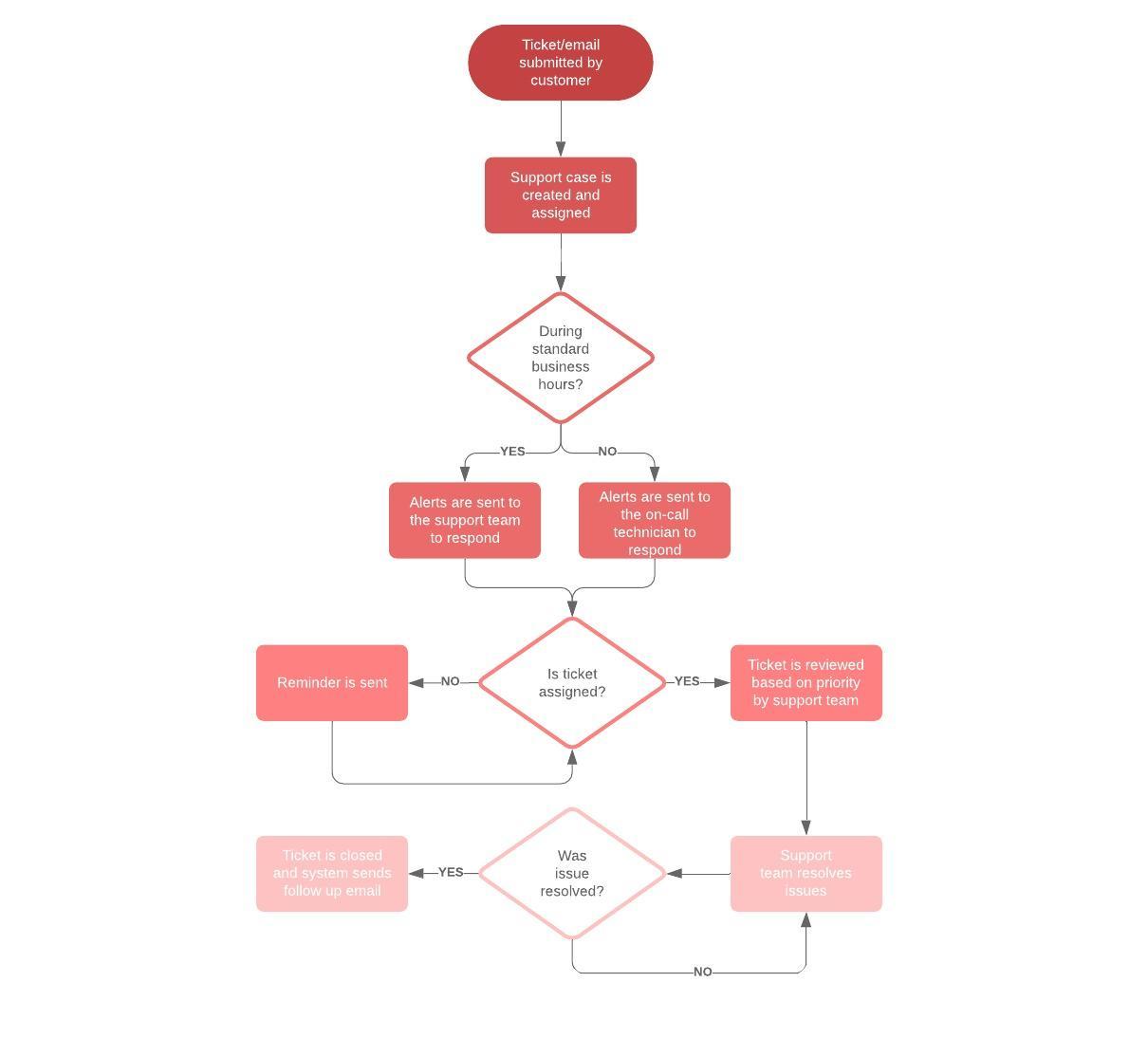
Use graphics to clarify complex steps. Consider including current and future state diagrams, screenshots, UI callouts, and swimlanes to clarify roles and visually represent steps.
-
Add formatting
Structure the document so it is easy to navigate and scan. Use bullets, tables, and headings, and link to other documents so users can clearly see how processes connect.
-
Test and maintain the documentation
Test your work by watching someone else attempt to follow the process using only your documentation. Ask team members to provide feedback. Even after documentation is finalized, regularly update it to keep it as accurate as possible.
Tools for process documentation
You need the right toolkit to capture, organize, and share processes effectively. Here are some categories of tools to use:
-
For capturing: Use interviews, group discussions, videos, photographs, user observations, and field diaries. Interviewing subject matter experts on the process is essential to ensure no information is missed.
-
For organizing: Summarize knowledge into formats such as articles, case studies, or video bites.
-
For visualizing: Utilize software like Lucidchart to synthesize information and grasp ideas faster than text alone.
-
For distribution: Share documentation via email, the internet, or traditional media such as newspapers. Storing visuals in a single, cloud-accessible location enables stakeholders to add comments and revisions as needed.
Application: Software documentation
A common application of these principles is software documentation. This specialized branch ensures the efficient and appropriate use of digital tools. While originally designed as technical references for experts, they have evolved into more task-oriented documents. They focus on sequential tutorials to help users adopt programs quickly. In many cases, pairing task-oriented steps with screenshots, annotated UI callouts, and simple diagrams improves comprehension and reduces training time.

Ready to create your own process documentation?
Get started