Key takeaways
A rack diagram is a to-scale visual that maps every piece of equipment mounted inside a server rack, from both front and rear perspectives, using industry-standard 19-inch widths and rack units (1U = 1.75 inches).
Rack diagrams simplify capacity planning, expedite troubleshooting, and promote faster onboarding for new IT hires.
Lucidchart empowers you to easily build rack diagrams for free using drag-and-drop shapes, industry-standard server symbols, real-time collaboration tools, powerful integrations, and ready-to-use templates.
A rack diagram is a two-dimensional, to-scale drawing that shows how equipment is mounted inside a server rack or cabinet. It documents each device by position, size, and connection so teams can see the physical layout of their infrastructure at a glance.
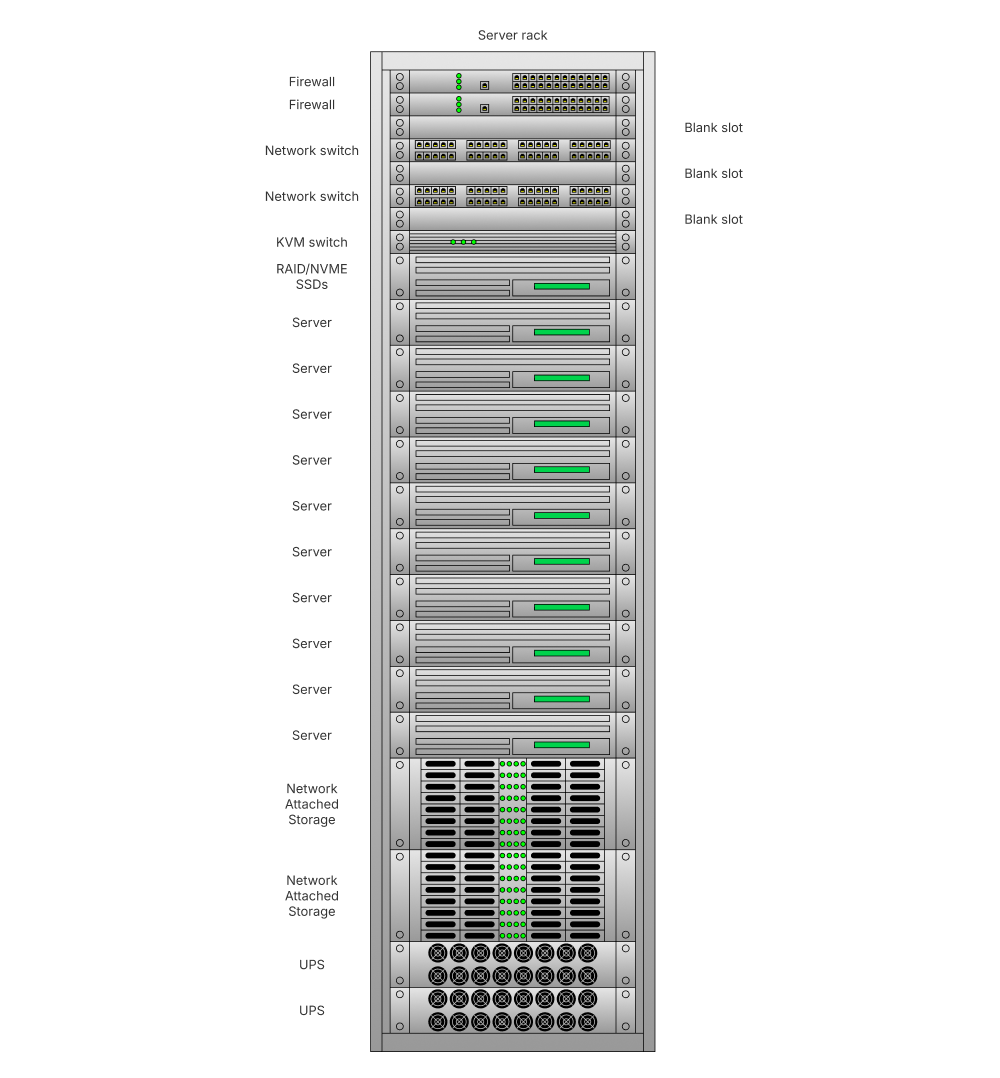
IT teams, network administrators, and data center managers use rack diagrams to plan installations, track available space, and standardize documentation across sites. Instead of physically walking the data center floor to inspect hardware, these professionals can open a shared rack diagram software diagram and see the full picture.
A rack diagram answers three practical questions: what equipment is installed, where each unit sits, and how much room remains. That clarity turns a tangle of cables and chassis into an organized, shareable blueprint.
Rack diagram components and symbols
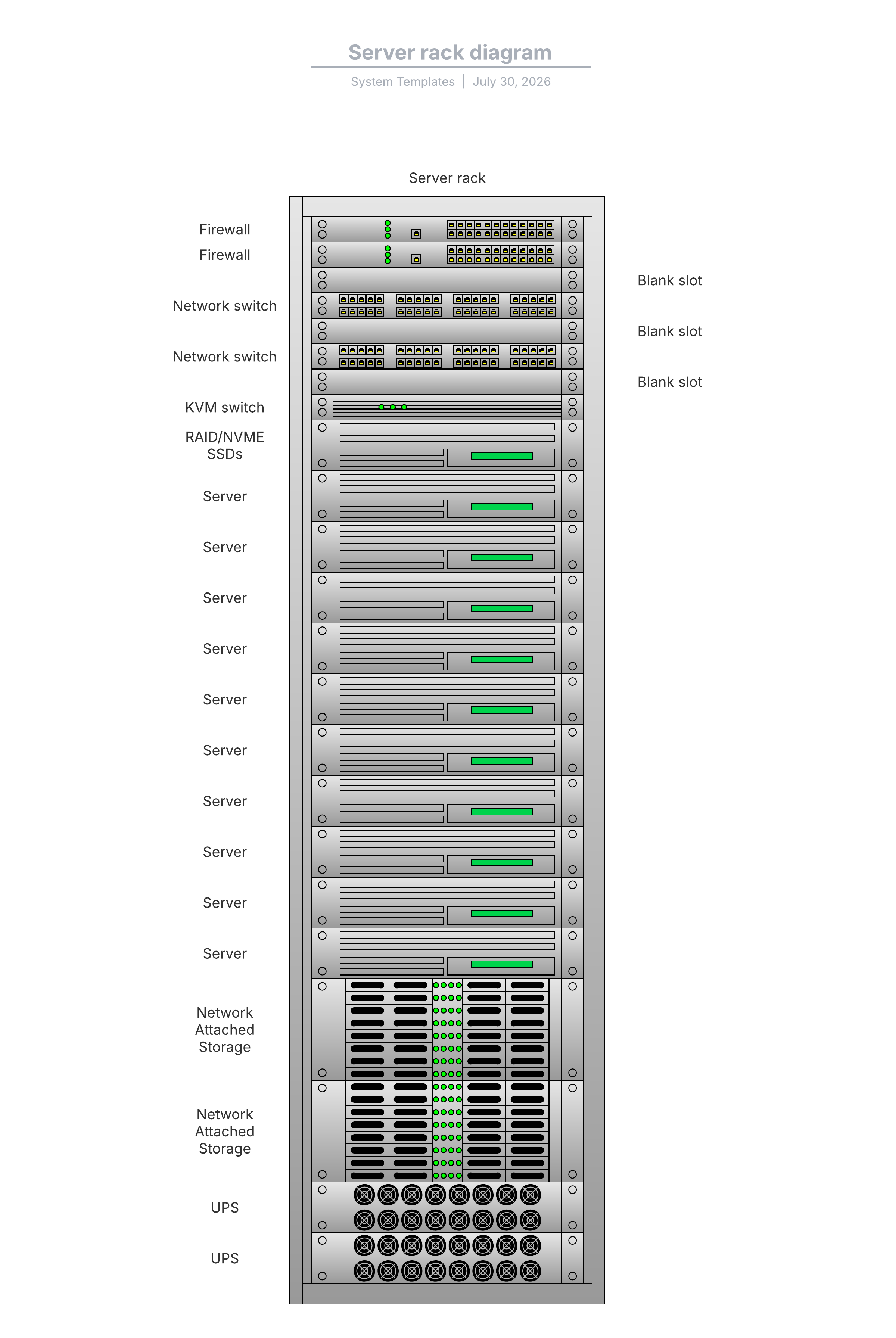
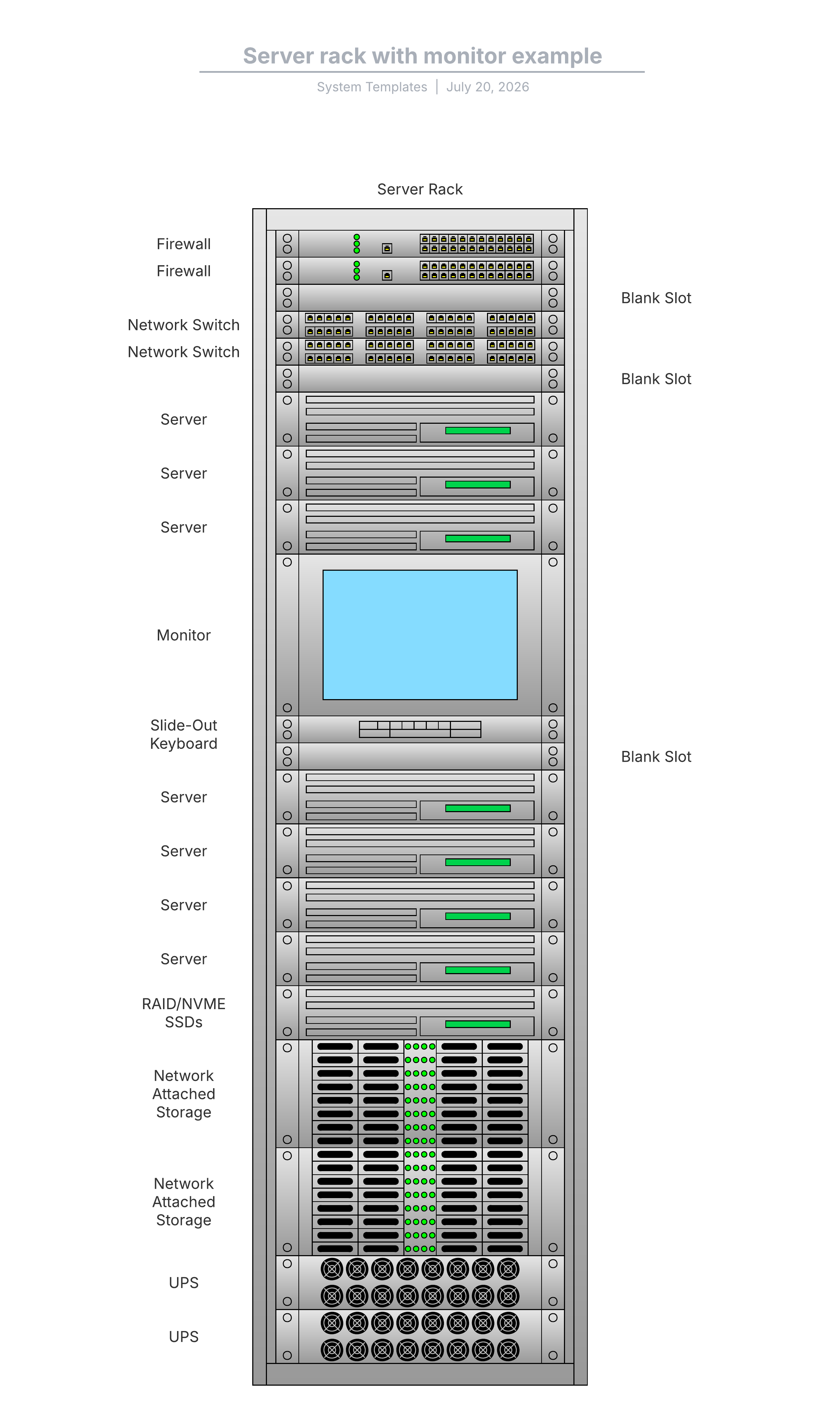
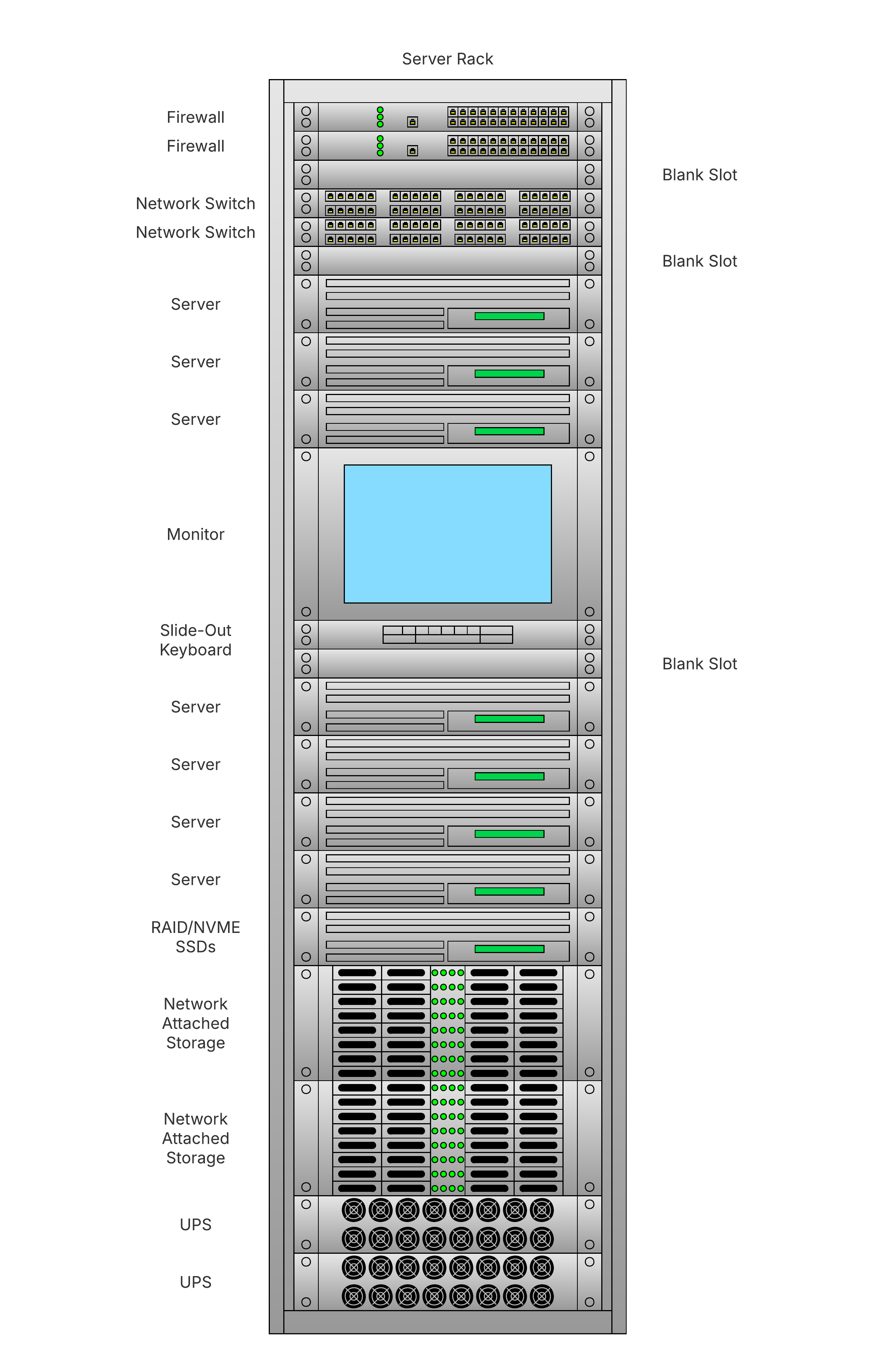
A complete server rack diagram shows both the hardware and the supporting infrastructure that keeps it running. It should map every device that occupies rack space, including:
Servers: compute units that run applications and workloads, often the largest occupants of rack space

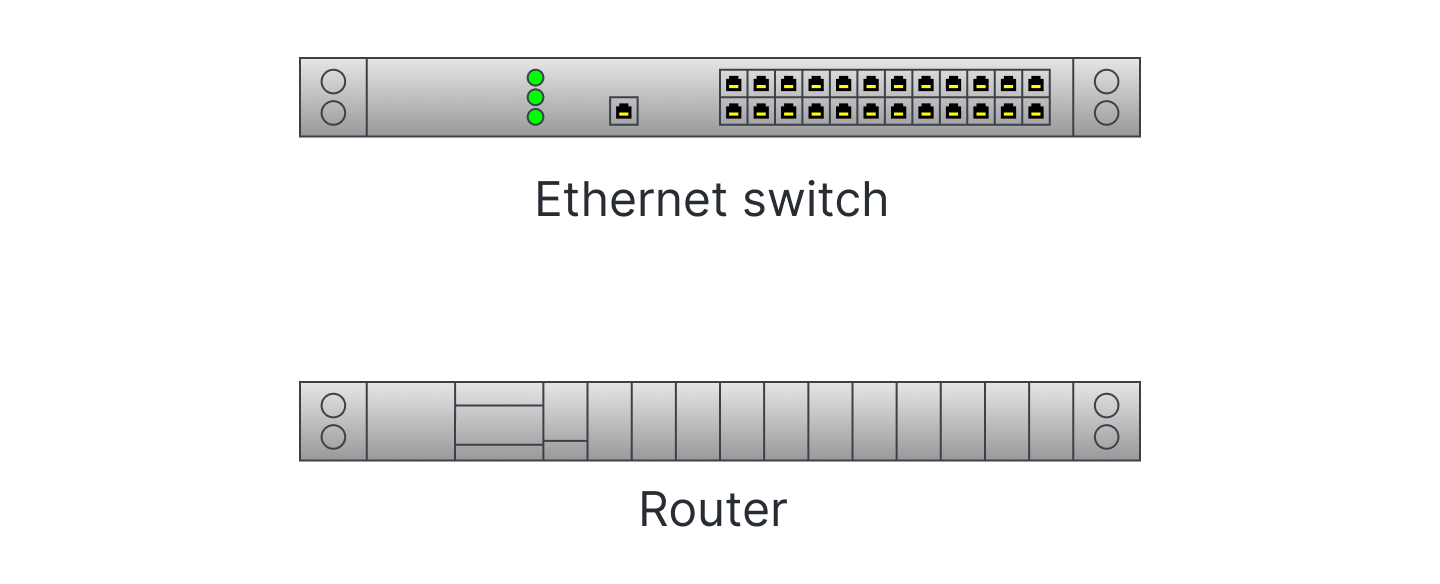
Switches and routers: Networking gear that directs traffic between devices and out to the wider network
Patch panels: Termination points that organize and label cable connections for structured cabling

PDUs (power distribution units): Devices that deliver and manage electrical power to mounted equipment

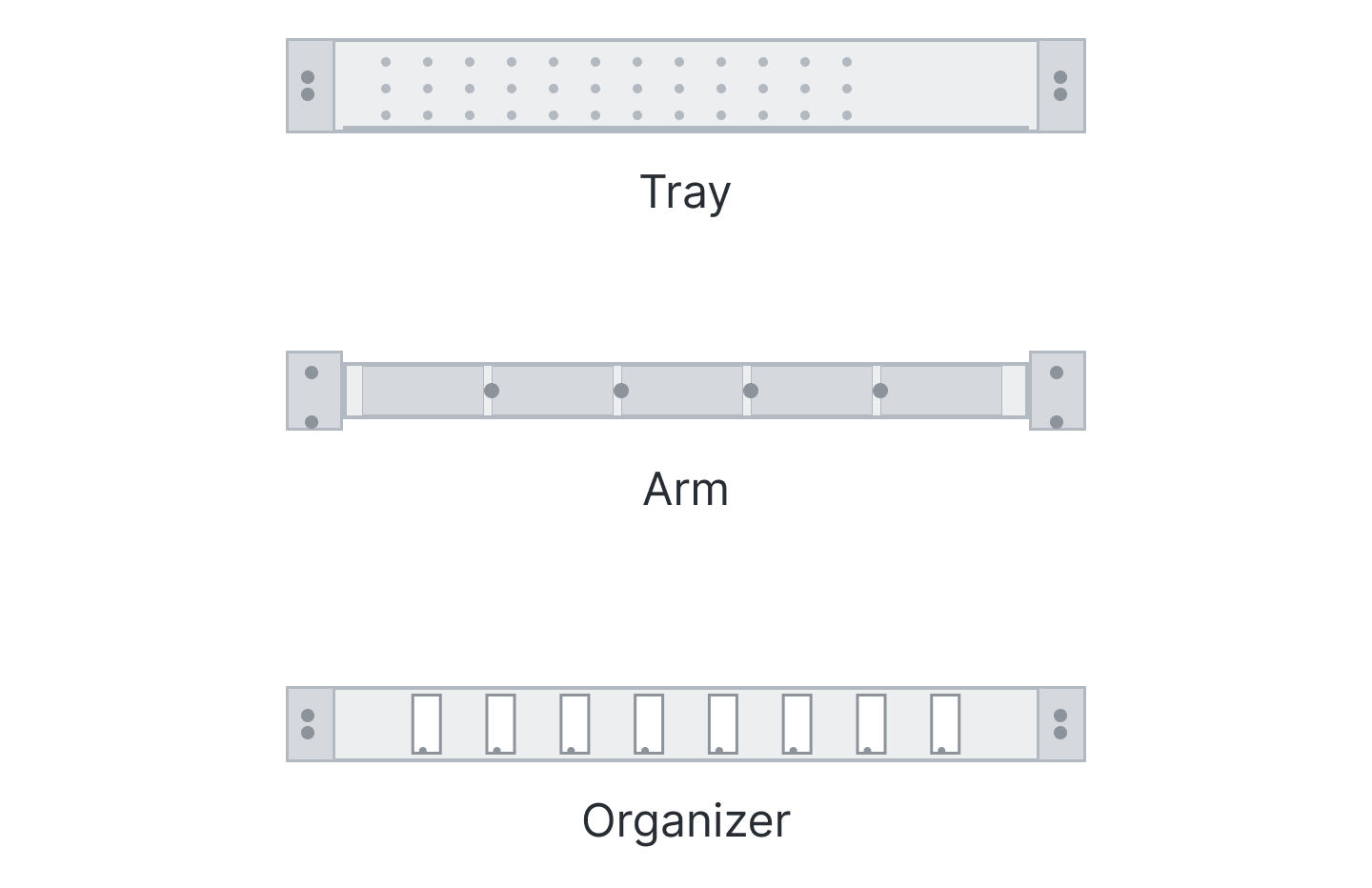
Cable management: Trays, arms, and organizers that route cables cleanly to reduce airflow blockage and errors
Monitors: Rack-mounted displays used for local console access and quick diagnostics

Blank (filler) panels: Flat pieces of metal or plastic that cover empty U slots to improve airflow and maintain front-panel consistency

Each component maps to an industry-standard symbol, so any technician can read the diagram without a legend. Positions are measured in rack units, which set the vertical scale for the entire layout. Lucidchart's shape libraries pair these rack and server symbols with broader network diagram symbols for documenting connected infrastructure.
Rack units and rack sizes explained
You’ll want to measure rack space in rack units before you place a single device. The rack unit (U) is the standard that keeps every diagram accurate and comparable.
The 19-inch rack is the industry standard, as equipment front panels are 19 inches wide. Height is measured in rack units, and one rack unit (1U) equals 1.75 inches (44.45 mm) of vertical space. A device labeled 2U occupies 3.5 inches, a 4U device occupies 7 inches, and so on.
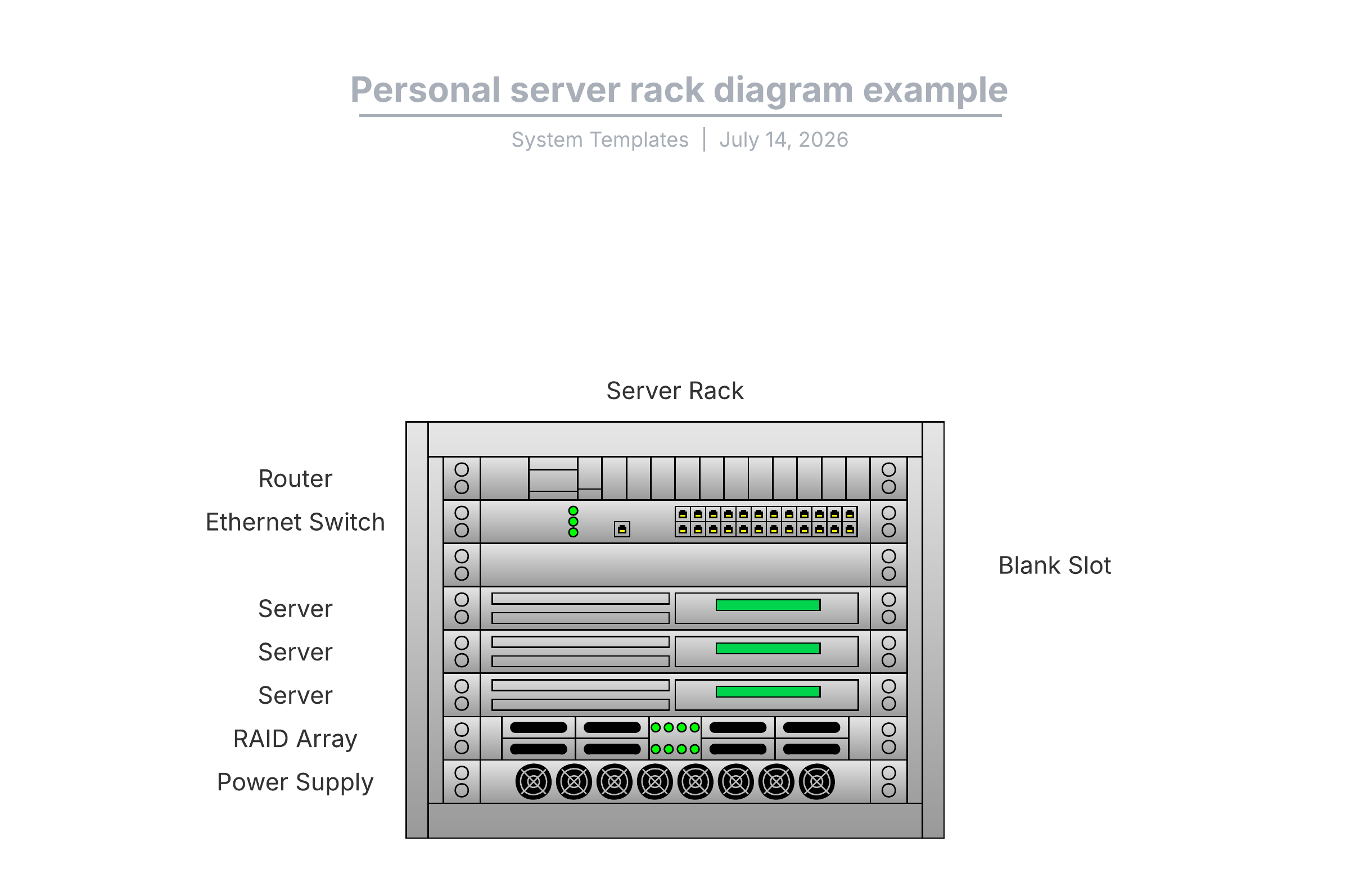
Rack sizes scale to the environment. A common data center cabinet is 42U, providing teams with ample room for servers, switches, and power gear. Smaller 8U personal racks suit home labs, small offices, and edge deployments where floor space is limited. Matching device U counts to available rack space is the foundation of accurate capacity planning.
Benefits of using rack diagrams
A rack diagram delivers concrete value across day-to-day IT work so you can turn physical infrastructure into a shared source of truth.
Capacity planning: See available U space at a glance so you can order and place new hardware with confidence.
Troubleshooting: Trace a failing device to its exact rack position and connections to cut resolution time.
Documentation: Maintain an accurate, living record of every rack that stays current as equipment changes.
Onboarding: Give new IT hires a clear map of the environment so they ramp up faster.
Audits: Produce a verifiable inventory of installed equipment for compliance, security, and asset reviews.
How to make a rack diagram in Lucidchart
Build a rack diagram in minutes with drag-and-drop shapes and ready-to-use templates. Follow these steps in Lucidchart.
Open a template or blank canvas: Start from a rack diagram template or a blank document in Lucidchart. You can even import a Visio, draw.io, OmniGraffle, or Gliffy file to reuse prior work.
Enable the rack shape libraries: Enable the server rack diagrams shape library to access industry-standard symbols.
Add your rack frame: Drag a rack shape onto the canvas and set its size, such as a 42U cabinet or an 8U personal rack.
Place your equipment: Drag servers, switches, patch panels, PDUs, and monitors into position, matching each device to its correct U slot.
Fill empty slots: Add blank filler panels to open U spaces to reflect real airflow and available capacity.
Label and detail each device: Add names, model numbers, and port details so the diagram doubles as documentation.
Share and collaborate: Set sharing permissions, invite your team for real-time collaboration, and connect integrations like Confluence, Jira, Microsoft Teams, and GitHub.
With an intuitive drag-and-drop canvas, specialized shape libraries, and real-time collaboration features, Lucidchart makes it easy to make a rack diagram. Visualize cabinets, track available rack units, and document configurations. Start with a template or import existing data to create your own rack diagram and align IT and network teams.