A sitemap outlines the organization and relationships between pages on your website.
There are three types of sitemaps:
-
XML sitemaps
-
HTML sitemaps
-
Visual sitemaps
XML sitemaps are files that search engines use to index a website. XML sitemaps serve as a roadmap for search engines to discover and understand a website's structure and ensure all important pages are indexed so they can more easily be found by relevant search queries.
HTML sitemaps are primarily for people—your website users. These sitemaps are organized lists of all the pages on your website. They essentially serve as a table of contents, letting visitors see how your website is organized from one place.
Both XML sitemaps and HTML sitemaps are based on visual sitemaps, which help site developers and UX designers plan and improve website navigation and architecture. A good visual sitemap sets the foundation for effective HTML and XML sitemaps down the road.
Below, we'll review the benefits of visual sitemaps and give you tips for how to create a visual sitemap yourself.
And if you build or market websites, it's worth noting that many web professionals still skip sitemaps altogether, often because they don't have an easy way to create a visual one. Using a sitemap maker can remove that friction, letting you produce a polished diagram quickly instead of building it from scratch.
6 benefits of creating a visual sitemap
Here’s how visual sitemaps can help you and your organization.
1. Plan and analyze current and future needs
Once they have a great idea for a website, many people want to jump right into wireframing and mockups. While those are important elements for planning user interaction and user experience, a visual sitemap strips away the flashy elements and reveals whether you have a cohesive, well-designed website.
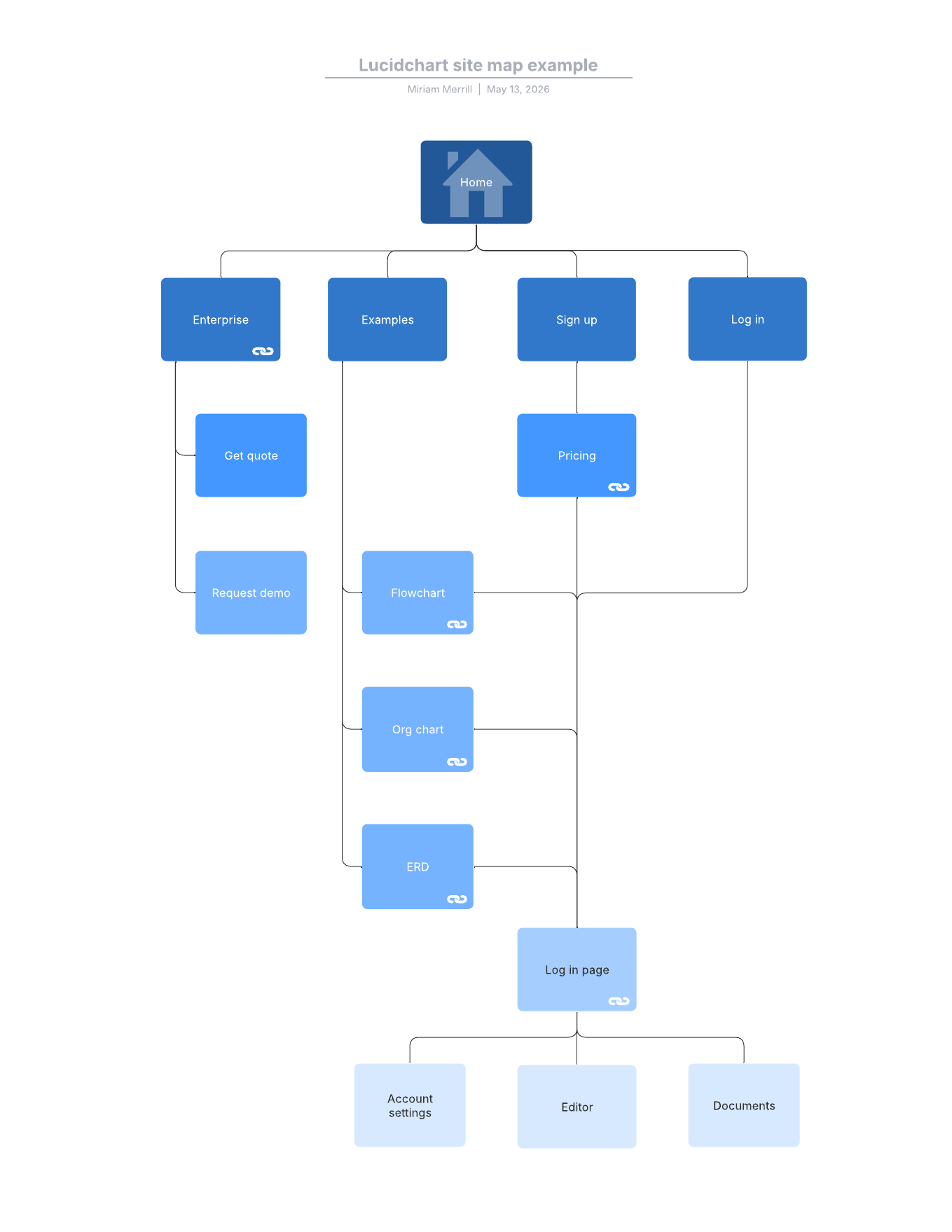
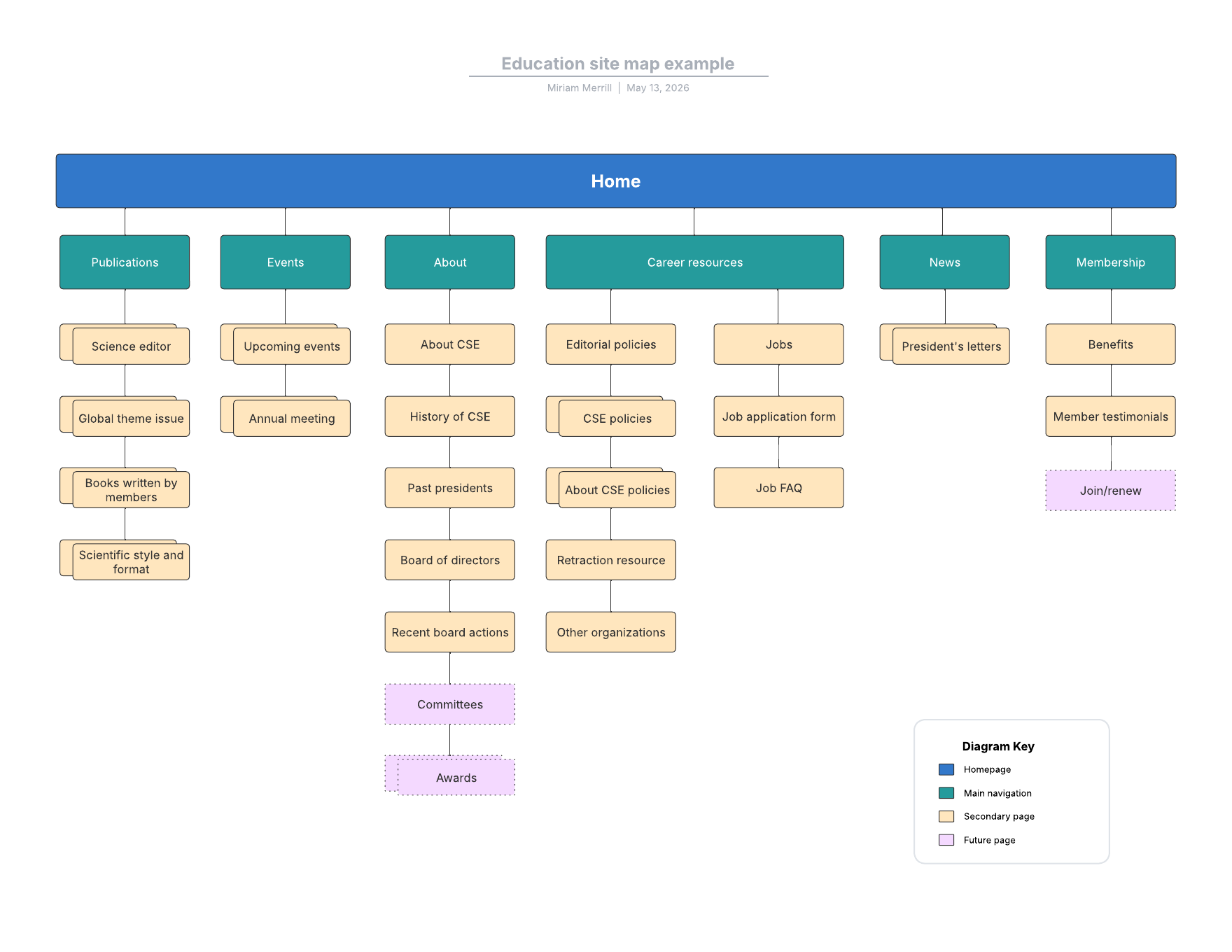
A visual sitemap represents the structure of your website in an easy-to-understand visual diagram. Plotting your website's architecture and relationships lets you analyze its current state and plan for future needs. Sitemaps also aid in resource planning, so you can identify exactly what resources and budget you may need to design, implement, and maintain your website.
A web developer who starts with information architecture can easily determine how many pages they need, whether they're missing anything crucial, and how quickly the site delivers the desired content to a visitor.
2. Sketch out hierarchy and user flow
A website can be incredibly confusing if it's poorly designed. A visual sitemap can help you quickly map the structure and flow of your website, making navigation simple for both you and your visitors.
If you’re unsure of where to start, use a visual sitemap generator to streamline the mapping process. Building in Lucid makes this process straightforward. You can get started with a template or even generate the visual you need with Lucid AI.
3. Outline with conversion in mind
If you want to make money with your website, you'll need to secure conversions. A conversion can be anything from a product sale to a newsletter sign-up. It's up to you to determine what constitutes a conversion in your situation.
A visual sitemap helps you outline your website with the user journey in mind. Visual sitemaps give you a bird's-eye view of the current user flow, so you can identify opportunities for content optimization and even flag duplicate content. This is important not only for user experience but also for SEO. By optimizing your website's navigation, accessibility, and usability, you will improve the user experience and drive more conversions on your site.
4. Improve internal linking and SEO
A visual sitemap can also assist with internal link structures. The map will give you a visual overview of your internal linking strategy. A sitemap can help you determine when and where internal links are appropriate.
Another simple way to utilize visual sitemaps is to see what keywords you're targeting on each page. If your goal is to make money, increase traffic, or both, effective SEO techniques and keyword targeting should be applied to every webpage you build. With a visual sitemap, you'll be able to determine the quantity and quality of keywords used per page, compare their performance, and identify any pages you want to rename or better optimize. You can also attach URLs and implementation details directly to the diagram, making it easier to validate linking, naming, and page intent as you review the structure.
5. Cross-check your perspective
While sitemaps and wireframes are both essential tools for web development, each one represents a fundamentally different perspective. A visual sitemap shows the relationship between pages and provides a clear picture of a site's content, organization, and navigation. A wireframe actually builds out the flow design of a site. It's a sketch of the site without robust content, graphics, and media, but it should include each page's main elements.
With a visual sitemap in place, it's easy to toggle between the sitemap and wireframe to ensure your site's aesthetics align with what you've outlined and that you're not missing anything. Think of a visual sitemap as your colorful blueprint for the site's structure. Once it's in place, you can refine the aesthetics based on your outline. When you're iterating quickly, it also helps if your sitemap tool lets you instantly change the layout type without losing information, so you can review the same architecture from different angles.
6. Improve communication with stakeholders
A visual sitemap is an investment that appreciates in value. Visual sitemaps are excellent tools for building alignment among stakeholders now and in the future.
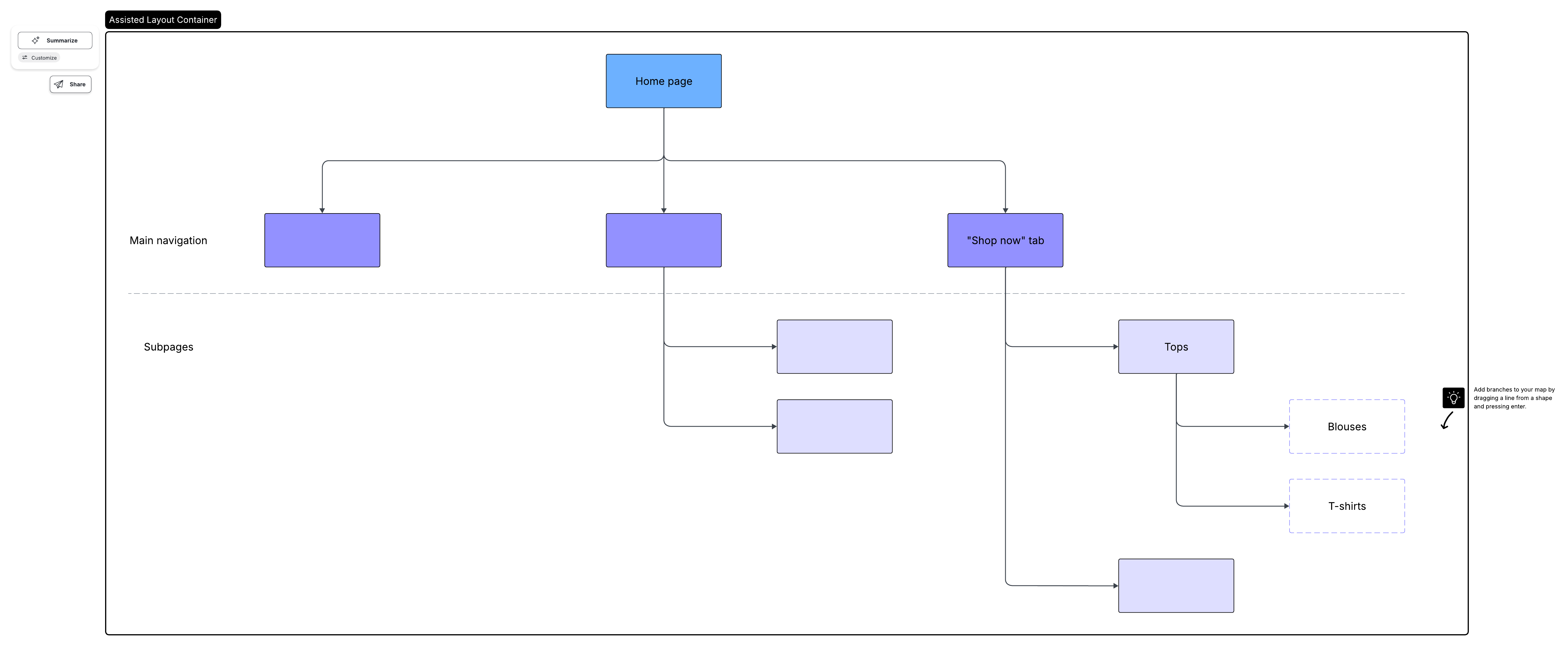
Visual sitemaps improve communication by illustrating your decision-making process and can help even non-technical stakeholders understand your site plans. A thoughtfully created sitemap demonstrates the logic behind your structural decisions, serves as a guide for future developers and designers, and lets you see through the lens of search engines. Because stakeholder reviews often come with last-minute edits, it's useful to have a platform that can organize and standardize the diagram on demand. In Lucid, you can clean up the layout of your sitemap with assisted layout to keep the conversation focused on the structure, not on formatting.
How to build a visual sitemap
Remember to continually update your sitemap as you add new elements to your site, so it stays accurate and current.
Build an outline of your site structure
If you're building a website from scratch, start by mapping out your desired site structure. You can reference other websites for ideas on optimal ways to lay out the hierarchies and navigation. Keep your project requirements and user needs in mind as you begin.
If you're mapping an existing website, you can use your HTML sitemap or another text outline as your guide.
Lucidchart's visual sitemap generator makes the task easy, no matter where you're starting from. Simply drag shapes from the sitemap library onto the canvas, or select a sitemap template to quickly fill in your site details. The visual sitemap generator lets you automatically generate a sitemap from a text outline, saving you time while producing a clean, professional outline to work with. If you're new to Lucid or haven't created a sitemap before, you can set up your workspace in a couple of clicks.
To start with Lucidchart's sitemap maker:
-
Sign up for a free account.
-
Open a new Lucidchart document and click More shapes, then select the site map shape library. Click Use selected shapes.
-
Drag and drop shapes from the toolbox to the canvas, then rearrange them as necessary. Additional options can be accessed from the pop-up context panel.
If you've previously built sitemaps using general-purpose diagram shapes, a dedicated sitemap library can speed things up by giving you website-specific components automatically.
Adjust as needed
Once you have your visual sitemap outlined, go through it to make any adjustments to the structure, flow, or visual details.
Lucidchart's visual sitemap generator includes smart features like hotkeys, conditional formatting, and a dedicated sitemap shape library to streamline the process and give you all the options you need to customize your sitemap. As you iterate, look for features that let you quickly restructure without rework, especially when you're exploring multiple navigation models.
Review with the team
Share your visual sitemap with your team (and anyone involved with the project) to validate your work and identify any gaps or edits needed.
With Lucidchart, you can easily share sitemap links and collaborate with team members in real time, from anywhere. Everyone with the link will have access to the visual sitemap and can make comments in the app. If you want to publish the document or collaborate in real time with others, you can also use the Share button directly from the menu bar.
Present to stakeholders and clients
Once you've confirmed your visual sitemap is accurate, you can present it to your stakeholders and clients. Use Presentation Mode in Lucid to quickly build a polished, professional presentation.

Everything you need to make a diagram
Make a polished, professional diagram for free with Lucidchart. No matter what you have in mind, we have the tools you need to build it. Make an account and start diagramming today.
Sign up free