If you know Lucidchart, you know how powerful its intelligent diagramming capabilities are. From a variety of dynamic features to 1,000+ templates, Lucidchart levels up the way you diagram so you can save time and accomplish more.
And it just got better!
We’re excited to announce diagram as code, Lucidchart’s latest advanced intelligent diagramming feature that truly sets it apart as the best solution for both engineering and IT teams (among others)! This feature comes highly requested by our users, and we can’t wait for you to try it out.
What is diagram as code?
Diagram as code is a unique way for engineers and IT teams to enhance their processes quickly and specifically so their workflows are truly optimized for their org’s needs. The feature allows you to preview your diagram within seconds before you embed it into your Lucid workspace, so you can avoid mistakes and errors.
Choose between a list of diagram types, and your code will update in real time to reflect that type. Specifically, diagram as code will work for flowcharts, sequence diagrams, class diagrams, state diagrams, C4 diagrams, Gantt charts, ERDs, and Sankey diagrams.
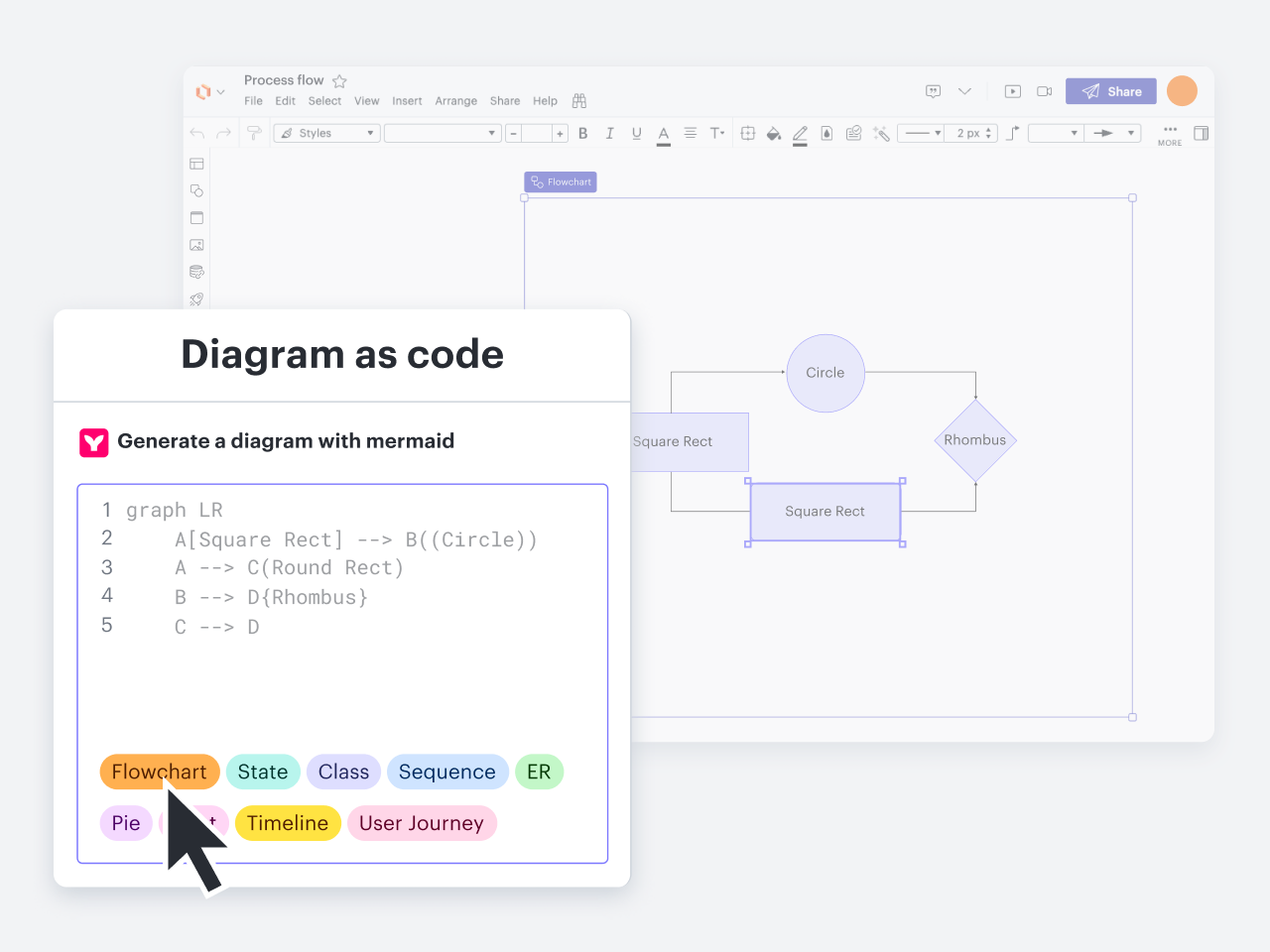
Note that this feature will create a static visual. If users then want to update the diagram after creating it, they’ll need to do it in the codebase rather than the canvas.
With diagram as code, you can generate a diagram with Mermaid coding—Mermaid was selected based on survey results.
Try out diagram as code today
If you’re part of an engineering or IT team that wants to leverage diagrams to clarify their work, Lucidchart is the best solution available. And diagram as code is just the newest advanced feature among the already-lengthy feature set that makes Lucidchart a dynamic choice for teams trying to do their best work.

Ready to dive more deeply into how diagram as code works?
Go now