Key takeaways
- Backlog refinement is crucial for team efficiency and alignment. Regular backlog refinement sessions ensure open communication between the product owner, the team, and stakeholders.
- Refinement sessions must be focused and collaborative. The main goal of backlog refinement sessions is to plan and prioritize the next couple of sprints. A well-refined backlog boosts team productivity by clearly defining what to work on next.
- The backlog must be transparent and accessible to the development team and stakeholders. Using a digital, cloud-based platform is a recommended practice to establish a single source of product truth that’s visible to everyone involved.
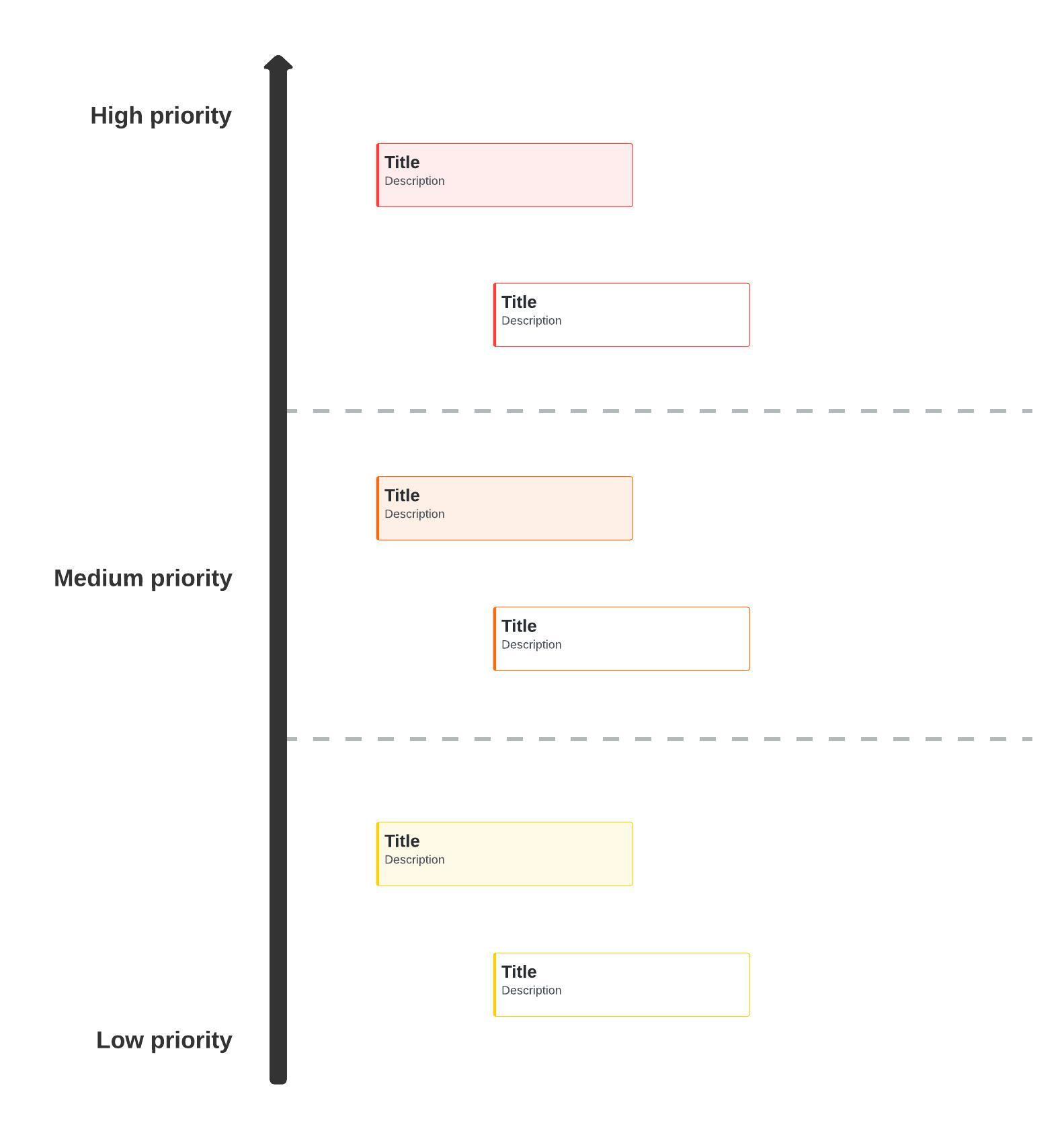
One of the most important functions in the world of product management is maintaining the product backlog, opens in a new tab. The backlog is a to-do list that prioritizes each product backlog item (PBI). A PBI can be a user story, an epic, a bug fix, a new feature, a change requirement, and so on.
In an Agile environment, the product owner, opens in a new tab manages and maintains the product backlog. The most important or urgent PBIs are placed at the top of the list so the team knows what to work on next. This helps team members stay on track and monitor progress.
The product backlog should be the single source of truth for product requirements. If something isn't in the backlog, the team shouldn’t be working on it.
Your goal shouldn’t be to empty the backlog of all of its PBIs. Instead, the goal should be to refine the list and keep the backlog filled with relevant PBIs. This refinement helps you continuously add value to your product.
What is product backlog refinement?
Product backlog refinement is a team activity in which the team reviews items currently in the backlog and reprioritizes them, clears outdated items, refines user stories, or adds new items. The product owner is responsible for facilitating regularly scheduled product backlog refinement sessions (formerly known as backlog grooming).
Why is backlog refinement important?
Regular backlog refinement is important because it keeps the lines of communication open to your teams and stakeholders. This communication ensures that everyone involved is on the same page when it comes to changes, additions, and prioritization. This is helpful in large organizations where team members depend on work being done by other teams in order to complete their own tasks.
Additionally, the process of backlog refinement is important because it:
- Helps your team to be more efficient: A well-refined backlog keeps your team moving forward and increases productivity. Your team knows what the priorities are and what comes next.
- Keeps the backlog organized: An unorganized backlog can get messy and confusing, which makes it harder to prioritize PBIs and plan your sprints. Keeping your backlog refined makes it legible for the rest of your team.
- Keeps the backlog manageable: If there aren’t enough items in the backlog, you might find that your team has idle time without knowing what to do next. On the other hand, too many product backlog items can result in wasting or delaying valuable user stories. Backlog refinement helps you find the balance that’s right for your team. While you want to keep the backlog filled to keep the work flowing, you don’t want it to get too full.
- Keeps teams up to date: Frequent refinement ensures that everyone involved knows where the project stands in terms of features, functionality, bug fixes, improvements, and so on.
- Helps reduce scope creep: Refinement sessions help identify and eliminate user stories that may have seemed like a good idea when they were added to the backlog, but now are recognized as not adding any real value.
- Allows participants to learn from each other: PBIs are typically added to the backlog by a variety of people. Sifting through the PBIs gives contributors a chance to explain why items were added, such as feedback from a live demonstration, input from the support team, or priorities from stakeholders. Team members get insight into issues they might not have previously thought of.
Product backlog refinement best practices
Remember that you should never be “done” with a product backlog. Product backlog refinement is only one aspect of ongoing product backlog management. Here are some tips that can help keep your product backlog refined and ready for upcoming sprints.
Work with only one product backlog
Your product backlog needs to be the single source of truth, opens in a new tab. Sometimes you might be asked to add something to the backlog that sounds like a good idea but doesn’t really fit right now. This situation could tempt you to create a separate backlog to hold items you don’t want to forget about.
However, if the idea is important enough and will really add value, it will come up again, and you can add it to the backlog later. Trying to keep a backup backlog creates too much overhead and makes it messy to sort through later.
Don’t try to do it all by yourself
As a product owner, the backlog is your responsibility, so you might think that only you can do all backlog management activities. It’s okay to ask your development team to help you describe the user stories, define the acceptance criteria, and develop functional designs. Trying to do all this yourself while also focusing on stakeholders, long-term vision, and business value can be too overwhelming. Let other people help you.
Know what's in your backlog
If other team members are helping manage your product backlog, it’s possible they’ll add their own items. This is fine as long as you don’t let your backlog grow into a large and unmanageable wish list.
If other team members want to add PBIs to the backlog, make sure they run them by you first. You don’t need to know all the details of each one, but you should at least know what they are and why they want to add them. That way, you can make more informed decisions about whether to add them to the list.
Understand that a product backlog is never complete
If you come from a more traditional product development environment, you might think you need to create a “complete” backlog that includes the entire scope and requirements. But in an Agile environment, you focus on delivering value, not on delivering a finished product. As long as your product has value to your customers, the development of that product will never be complete. Your product backlog will continually grow larger and smaller over time.
Make the product backlog available
It’s important that your backlog is transparent and accessible for the development team and stakeholders. A good way to do that is to put it in a visible place near the team on a wall or a whiteboard. A better way is to make it available digitally.
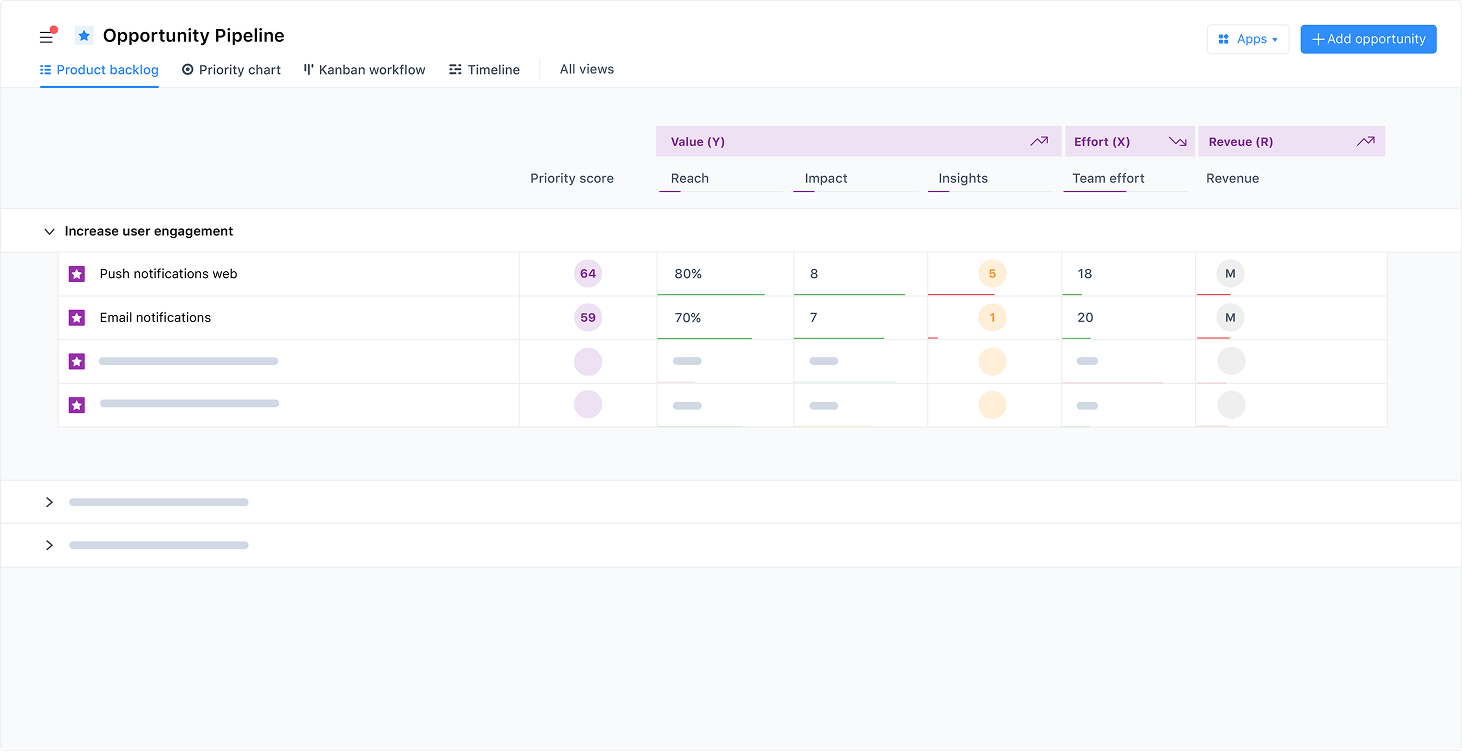
For example, airfocus by Lucid, opens in a new tab is a simple yet powerful product management platform where teams can create roadmaps and effectively manage product backlogs, opens in a new tab. airfocus enables teams to establish a single source of product truth, which improves visibility, transparency, and communication. Making the product backlog visible is important so everyone involved knows what’s being worked on and what still needs to be done.
Tips for running product backlog refinement sessions
Because product backlog refinement is an ongoing process, there are no defined rules for how frequently teams should meet for formal refinement sessions. How often you schedule them depends on what makes sense for your team. Many employees feel like they already attend too many meetings, so make sure you’re not scheduling refinement sessions just to have a meeting.
Below are a few things to consider when planning and facilitating your product backlog refinement sessions.
Who should attend?
Collaboration is key to maintaining a refined product backlog, so you’ll want to have a representative from all teams involved in the project, such as:
- Product owner (facilitates the meeting)
- Product manager
- Scrum master
- Project manager
- Representatives from QA
This ensures that issues are seen and understood from multiple perspectives as you work on refining user stories. But don’t invite too many people, only those who are critical for helping in the refinement process.
How long should the session be?
There isn’t a set time limit for backlog refinement sessions, but most people don’t like to attend long meetings, especially if the conversation gets off track. Keep your sessions focused and short. Typically, 45 minutes to one hour should be enough. Have an agenda and stick to it.
What should you do in a backlog refinement session?
The most common tasks in a refinement session include:
- Remove outdated or irrelevant PBIs.
- Add new PBIs based on feedback and customer needs.
- Prioritize PBIs.
- Identify and address potential roadblocks.
- Refine user stories to clear up ambiguities and increase clarity.
- Add contextual information and acceptance criteria.
- Break up large user stories into smaller tasks.
- Update time estimates for each item in the list.
- Make assignments.
What is the goal or outcome of the meeting?
The session should help you plan and prioritize the next couple of sprints. Team members should leave the meeting feeling like they know what to do next, meaning that tasks are set, assigned, estimated, and aligned with your overall project and organizational goals.
To maintain a record of your backlog refinement sessions and revisit next steps, use a backlog refinement template for your meetings. A template helps you facilitate the discussion and enhance understanding.

Use backlog refinement to drive product success
Product backlog refinement is far more than just a “cleanup” task. Often, refinement helps teams make the connection between high-level vision and technical execution. Without regular refinement, items in a backlog can turn into a wish list of outdated ideas, leading to scope creep and wasted effort.
Regularly refine your backlog to achieve more clarity, alignment, and understanding of how tasks support larger goals, so your team remains focused on the most high-value tasks.

Learn more about product backlog refinement and management
Get advice from Agile experts in our in-depth guide to developing and maintaining a product backlog.
Learn more