Key takeaways
The new Lucidchart editor offers a streamlined interface and centralized tools to help you build faster.
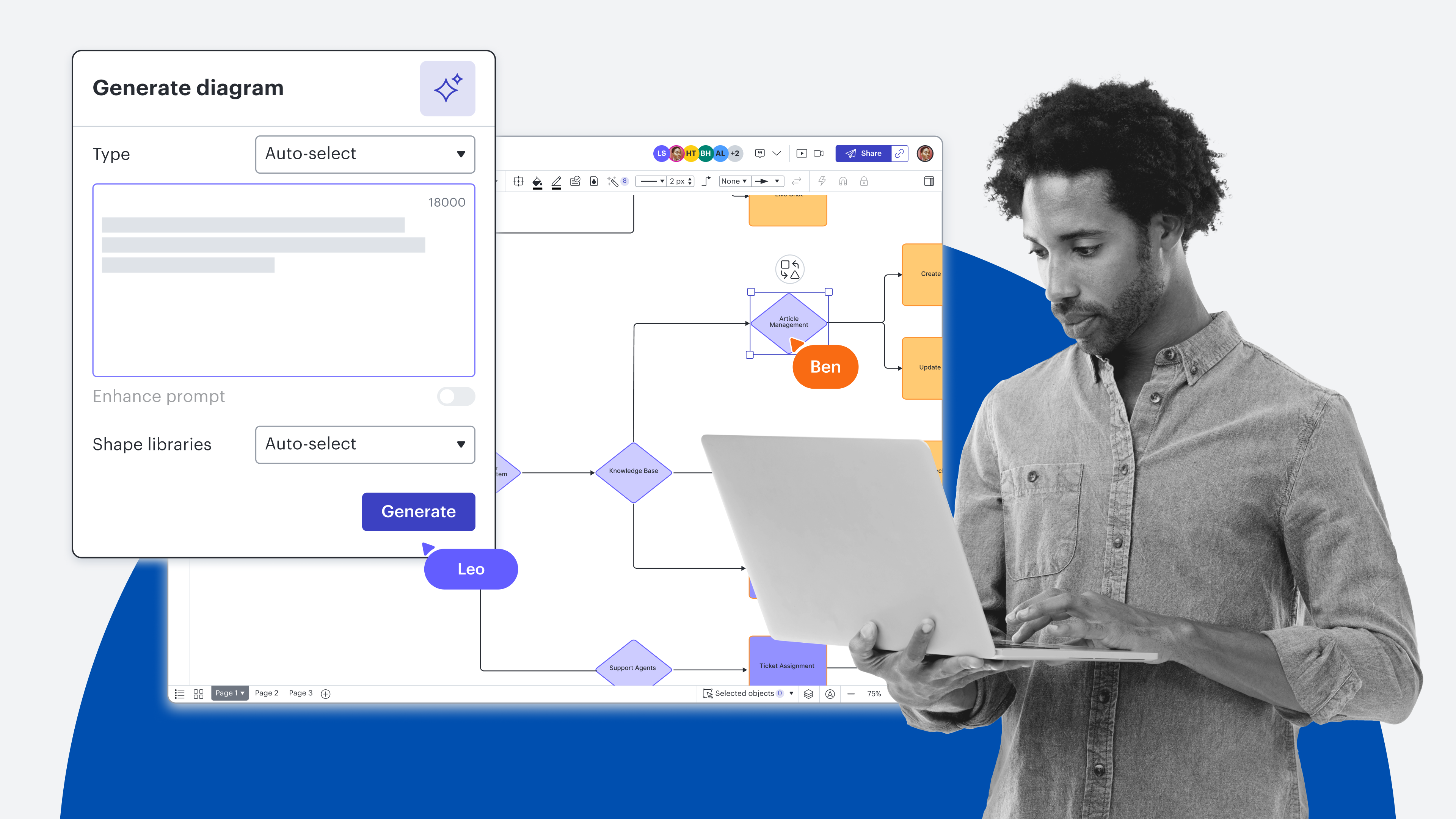
Come to Lucid AI with as much or as little context as you have, and it’ll work with you to get the details it needs to generate the right content.
The Lucid MCP server connects Lucid with AI tools to streamline workflows and provide the context your LLMs need to produce thorough outputs.
Engineers can use diagram as code and Lucid’s VS Code extension to create, edit, and store architecture diagrams directly alongside their codebase.
One critical part of our philosophy is that Lucid should work how and where you work.
For years, that has meant building a platform that seamlessly integrates with your existing tech stack, whether that includes Google Workspace, Microsoft Office, Jira, Confluence, Slack, or other apps. We don’t want you to abandon the tools you love. Instead, we’ve focused on making Lucid work seamlessly with the ecosystem you rely on every day.
And now, that ecosystem has evolved. Your tech stack no longer includes just traditional software—it includes LLMs, AI agents, and custom AI workflows. But Lucid’s philosophy hasn't changed. We want to ensure that, as your way of working shifts, you can continue using Lucid naturally, without friction or context switching.
With this philosophy in mind, we’ve continued to add capabilities to Lucid. Here are the top takeaways from Lately @ Lucid, opens in a new tab, our biggest virtual event of the year, that you can start applying to your workflows now.
Switch to the new Lucidchart editor
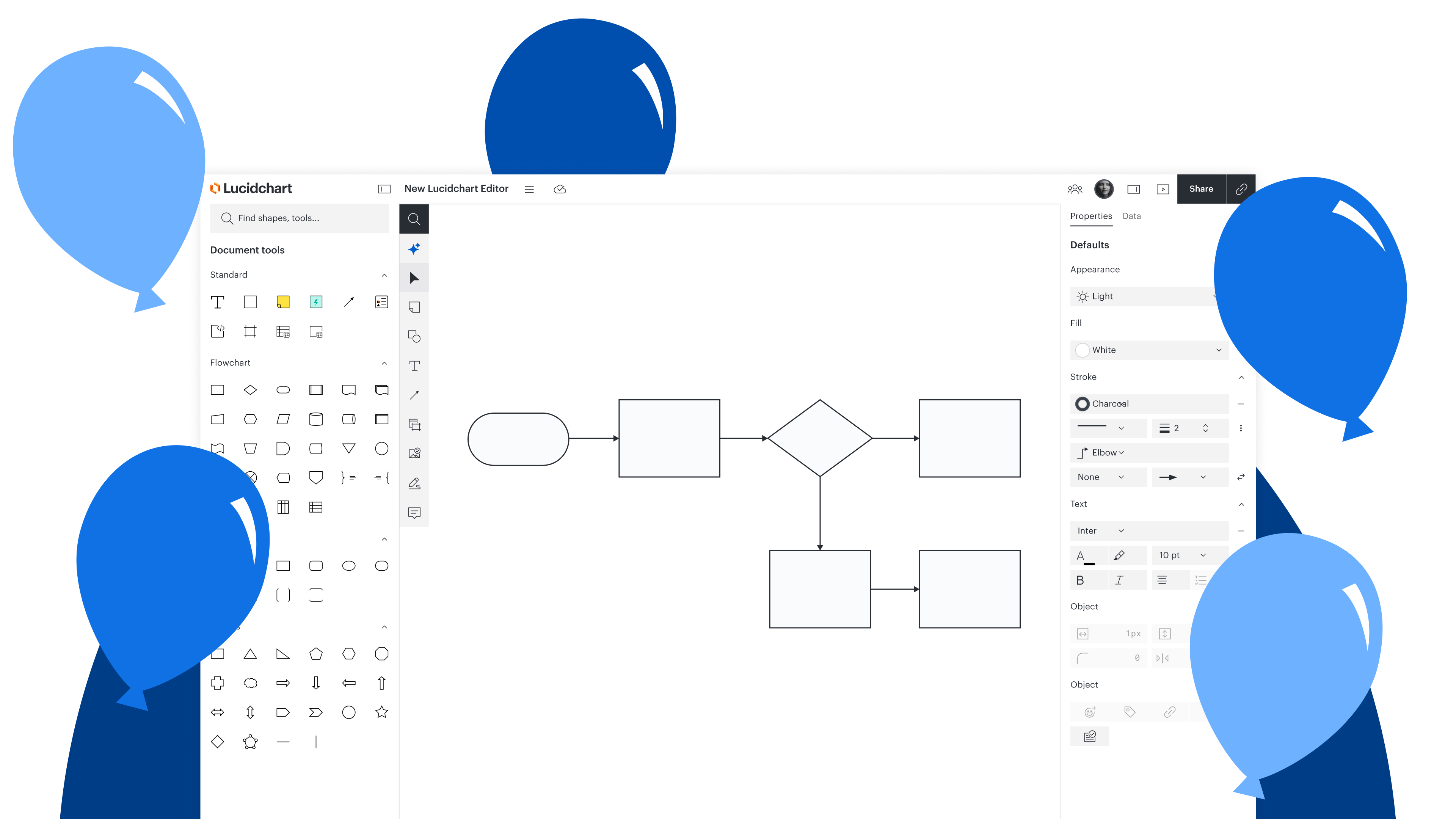
The next generation of Lucidchart is here, and it’s designed to help you accomplish your goals faster and with less friction.
Clip showing the former vs new Lucidchart editor
Here are the key differences you’ll see:
We have put intelligence front and center. Lucid AI can help you accomplish the work you already do in Lucid faster—and it draws on our platform’s deep and wide-reaching capabilities.
You’ll notice a cleaner interface, simplified toolbar, and dark mode to reduce visual noise and keep you focused on the problem you’re trying to solve.
We have placed core tools exactly where you expect them. Shapes, text, connectors, and AI now live in one predictable toolbar, and when you go to edit shapes, Lucid will surface the properties that matter most for whatever you're working on.
We have made it easier to get past “blank canvas syndrome.” You’ll find toolkits, which bundle specific features based on use cases such as brainstorming, process mapping, and planning, and you’ll find one high-powered search bar to surface any other features instantly.

The new Lucidchart editor
Early access is available to everyone. Simply log in to Lucid or open a Lucidchart document and opt in to see the new experience.
Learn moreTry Lucid AI for any Lucid use case
We’re also investing heavily in Lucid AI, opens in a new tab, regularly improving its functionality and working to a point where it can achieve anything that you can do manually in Lucid. You can come to Lucid AI with as much or as little context as you have, and it’ll work with you to get the details it needs to generate the right content.
Ejemplo de Lucid IA generando un diagrama a partir de los datos adjuntos al prompt
Lucid AI can perform a wide variety of actions, including:
Make process suggestions: Lucid AI can evaluate a diagram and offer suggestions for updates and improvements. If you accept those suggestions, Lucid AI will update the diagram instantly.
Summarize documentation: Ask Lucid AI questions about a process, and it will analyze the process flow and provide a summarization of key points.
Provide a starting point for new documentation: The Process Agent asks questions about processes you’re documenting, and you can respond as if a coworker is interviewing you about the process. The agent will record process details, fill in any gaps, and generate a diagram.
Apply conditional formatting to diagrams: Instead of manually adding conditional formatting, you can use Lucid AI to add rules and highlight key information.
Link diagrams to data: Lucid AI can generate diagrams from your data, and that data stays linked to your shapes, so when you edit that information in the data panel, it will reflect in the diagram. The reverse is also true: When you open the full dataset and select an item, you’ll be taken to the linked shape.
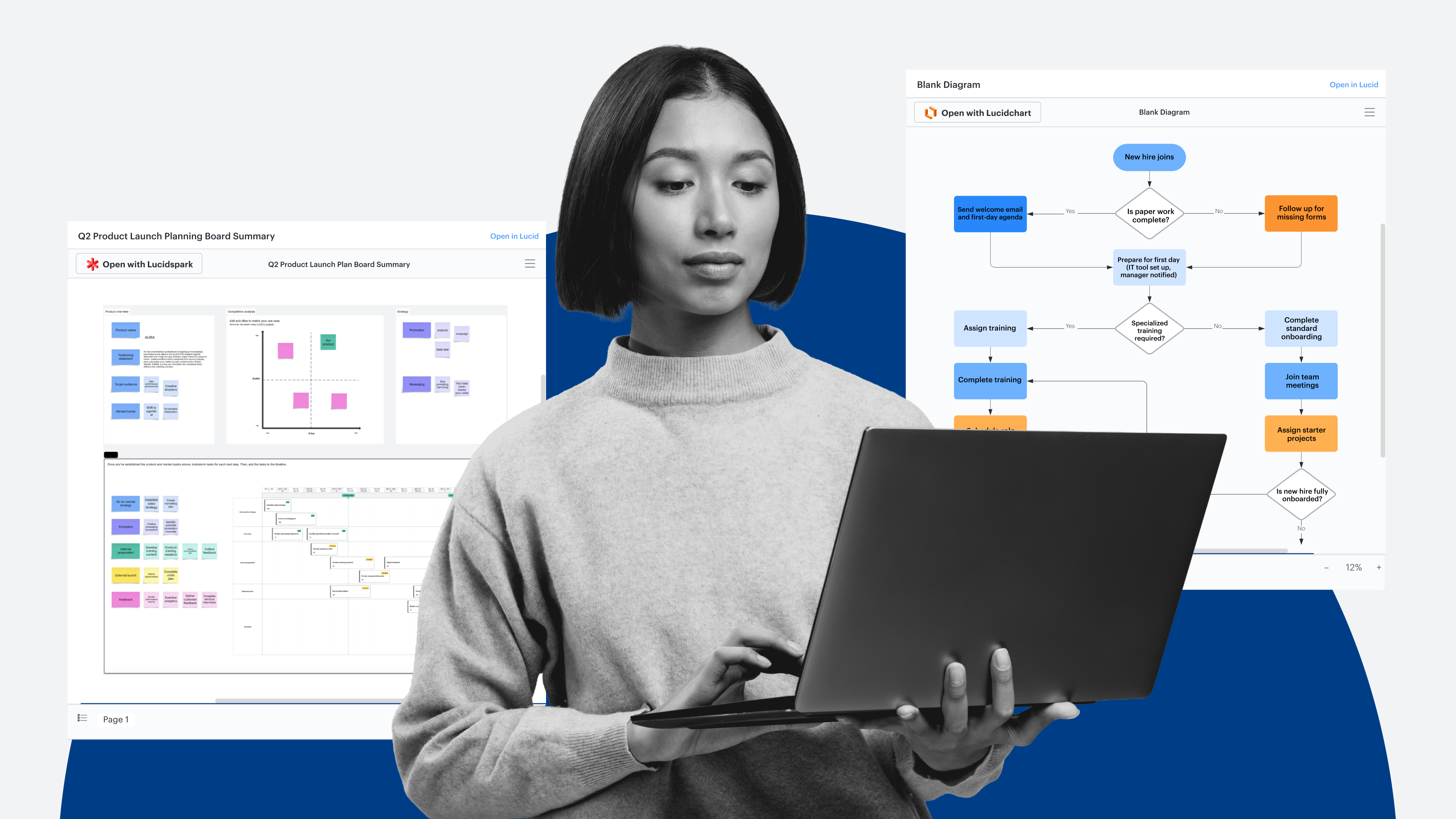
Generate boards: Prior to a working session or meeting, Lucid AI can set up a board for you with sections and sticky notes based on the context you provide via prompt.
Turn a photo into an editable diagram: If you attach an image to a Lucid AI prompt, such as a photo of a hand-drawn diagram, Lucid AI can reference that image and recreate the diagram.
Many customers, including Zendesk, opens in a new tab and Docusign, opens in a new tab have already experienced the time savings of using Lucid AI in their workflows. Both organizations use Lucid AI to quickly visualize processes and systems, and ultimately, take action faster.

Lucid AI features guide
See a comprehensive overview of the functionality available within Lucid AI.
See guideConnect Lucid with your favorite AI tools
Alongside Lucid AI, we’ve also made it easy to connect Lucid with your AI tools to streamline work and provide the context your LLMs need to produce thorough outputs. With the Lucid MCP server, you can connect Lucid to AI tools, such as Claude, ChatGPT, and more.
Example of creating a flowchart in Claude and it generating in Lucid
The possibilities for how to use the Lucid MCP server are endless, but common actions it can take include:
Text-to-diagram generation: Pulls standard operating procedures (SOPs) or documentation from knowledge bases like Confluence and automatically maps them into structured Lucidchart flowcharts, complete with swimlanes, decision diamonds, and handoffs
Workflow auditing: Performs bidirectional visual edits, such as analyzing a diagram for process bottlenecks and automatically highlighting them in red on the Lucid canvas
Canvas summarization: Reads unstructured collaboration boards in Lucid (including sticky notes, reactions, and more) to synthesize ideas and group them into core themes
Task exporting: Converts messy brainstorm ideas into organized work items in project tracking platforms like Smartsheet, Jira, or Azure DevOps
Sprint planning prep: Pulls active backlog tickets from tools like Jira directly into Lucid to construct pre-formatted sprint planning boards equipped with frames for sprint goals, team capacity, and risk dependencies
Bidirectional card syncing: Imports tickets as dynamic Lucid Cards rather than static text. Team members can draw dependency lines or update assignees, statuses, and priorities directly on the canvas, automatically syncing updates back to Jira.
Pre-meeting analysis: Calculates team metrics—such as total committed story points, capacity versus historical velocity, and key blockers—before planning meetings begin.

The Lucid MCP server
The Lucid MCP server acts as a bridge between the intelligence of your AI tools, the visual power of Lucid, and the data and operational knowledge contained within your Lucid documents.
Learn moreVisualize systems with diagram as code and VS Code extension
Engineers who need to break down or update complex architecture can use Lucid’s VS Code extension, which functions as a visual scratchpad that lets you create, edit, and store architecture diagrams directly alongside your codebase.
Example of Lucid VS Code extension
You can generate diagrams either by pasting Mermaid code, opens in a new tab into Lucid to instantly convert text into editable shapes or by using the Lucid MCP server for live, highly customized diagrams. Once you tweak the layout, edit shapes, and add comments directly on the Lucid canvas, selecting "Save to codebase" automatically adds a lightweight sidecar file and an auto-generated PNG to your repository—creating instant, lasting visual documentation for both team members and AI agents.

VS Code extension
Connect Lucid to VS Code to create, edit, and store Lucid diagrams alongside your codebase.
Install extensionThat covers the top takeaways from the recent Lately @ Lucid event. Stay tuned for continuous ways to leverage AI within Lucid and incorporate Lucid into your AI ecosystem to accelerate your top initiatives!