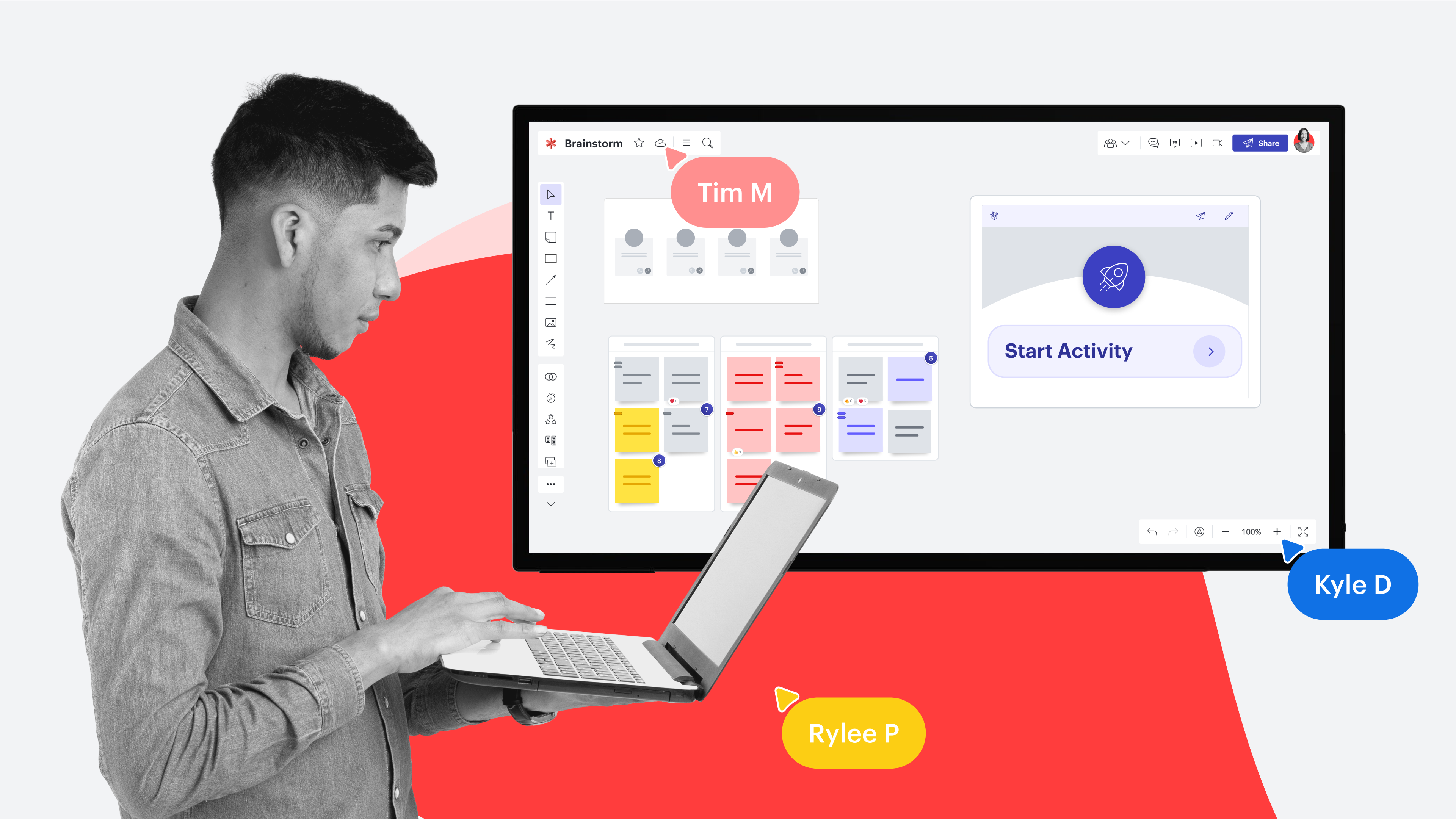
Lucidspark is the online whiteboard built for collaboration, developed by Lucid Software. A Lucidspark board is comparable to an infinite canvas where you can place stickies, shapes, sketches, and images, gifs, and emojis. You can easily share your board with anyone you want to collaborate with on the visualization you need. These elements make Lucidspark the ultimate whiteboard for brainstorms, strategic planning, and much more.
Features within Lucidspark
Lucidspark offers various features that help you get started as quickly as possible and have everything you need at your fingertips to get to work, whatever you want to achieve.
An overview of the features:
- AI: Use AI to brainstorm, sort ideas, and compress them into actionable next steps.
- Collaboration Tools: Tools that help you create consensus within your team. Ensure everyone you work with is involved in the work that needs to be done with tools like voting, timers, sharing, presenting, and exporting.
- Visualization tools: Lucidspark offers you all the possibilities you need to visualize your ideas or plans, such as sticky notes, shapes, freehand drawing, images, gifs, and emojis.
- Organization: There are various Frames and Containers that help you structure your ideas and present them clearly to relevant stakeholders.
- Integrations: Lucidspark is a product of Lucid Software, and, together with Lucidchart, forms the Lucid Visual Collaboration Suite. Lucidchart is built for intelligent diagrams that help you visualize processes, organizations, and systems. Together, they form a strong package that supports you in every phase of your work. Besides the Lucid Suite, Lucid Software also offers airfocus, a tool specifically designed to manage and map your product roadmap. All tools from Lucid Software work closely together. There are still many capabilities that you can integrate into Lucidspark, such as Jira, Ardoq, and Microsoft. For example, link your Jira instance to Lucidspark, and all your Jira tickets will appear on your Lucidspark board as Lucid cards.
- Templates: Lucidspark offers templates for numerous use cases, so you can get started right away with sprint planning, backlog refinement, or brainstorming.
The ways you can use Lucidspark
With the tools Lucidspark offers, the possibilities on your infinite canvas are endless. Below is an overview of the most common ways users use Lucidspark.
- Mind maps: Organize and structure your thoughts to elaborate on ideas.
- Timelines: Streamline every project and align your team.
- Agile planning: Work agilely (at scale). For example, Lucidspark can help you with sprint planning and backlog refinement, and the entire board is very suitable as a scrum board.
- Kanban board: Visually display workflows and improve efficiency.
- Concept maps: Elaborate concepts into manageable chunks using concept maps.
- Brainstorms: Use sticky notes, voting, and AI to generate, compress, and sort ideas.
- Stakeholder analysis: Map all stakeholders, including their priorities, and ensure everyone is aware of the company's initiatives and objectives.
- Product roadmapping: Develop a clear, winning product strategy in a roadmap that everyone understands.
- Strategic planning: Organize your vision into actionable plans, share them with relevant stakeholders, and ensure everyone in your organization knows what needs to be done to achieve critical objectives.
- User stories: Elaborate on your users' experiences and ensure you optimize their journey.
- SWOT analysis: Clearly map out where opportunities lie, or dangers threaten. The basis of your strategic analysis.
- Mood boards: Gather examples of your design and get a clear idea of where you want to go.
- Online planner: Visually map out your tasks. Use timelines and visual elements to make your to-do list actionable and just a bit more fun.
These are some of the most used ways our users use Lucidspark to bring ideas to life. However, the possibilities are endless.
Comparable Lucidspark tools
There are, of course, multiple online whiteboards on the market that may seem the same. However, they all offer different features, so it is important to determine your goal in using the tool.
- Miro: Miro is an online whiteboard with strong AI integration that focuses on every phase of work. The tool claims to support online whiteboarding, diagramming, and visualizing product roadmaps, but it offers limited functionality for each and can feel overwhelming for the user. Comparatively, Lucid offers specific products for smart diagrams and product roadmapping that are seamless to navigate between, so you benefit from in-depth functionality for each while still experiencing ease of use.
- FigJam: FigJam was built by Figma to offer users a place where they can collaborate and brainstorm ideas. FigJam is often seen as a supporting product for Figma and, therefore, does not offer the depth that a standalone product like Lucidspark offers.
- Mural: Mural is comparable to Lucidspark in the functionalities it offers and the use cases it mainly focuses on. However, Mural does not offer a deep solution for smart diagrams, but focuses mainly on facilitation and Agile planning.
- Canva Whiteboards: Just like Figma, Canva also has a built-in option for whiteboarding. The whiteboard is popular with designers, but its collaboration functionality is lacking depth.
Advantages of Lucidspark
There are many different applications that seem similar to Lucidspark. However, you’ll find a number of fundamental differences that make Lucidspark the best choice for many users. Lucidspark is fully focused on online whiteboarding, but thanks to Lucid’s universal canvas, you can seamlessly move to another product to do so much more. Its in-depth functionalities, AI capabilities, and extensive template gallery make Lucidspark a must-have tool for users.
Lucidspark and Lucidchart prices
Lucidspark and Lucidchart are part of the Lucid Visual Collaboration Suite from Lucid Software. You can easily sign up for a free subscription to Lucidspark for access to the whiteboard. If you are looking for more advanced features for collaboration, an individual or team license might be for you.
Lucidchart focuses on creating intelligent diagrams. The two products together offer users all the tools they need to support every phase of their workflow. Below you will find an overview of the prices for both products. You can save by bundling the products.
Lucidspark prices
- Free
- Price: $0
- Functionalities: 3 editable documents, unlimited shapes, Lucid AI, basic Visual Activities
- Individual
- Price: $9
- Functionalities: unlimited editable documents, premium Visual Activities
- Team
- Price: $10
- Functionalities: developer platform, advanced collaboration tools, guest contributors
Lucidchart prices
- Free
- Price: $0
- Functionalities: 3 editable documents, 60 shapes per document, 100 templates, basic Visual Activities, basic data linking, Lucid AI
- Individual
- Price: $9
- Individual: unlimited documents, unlimited shapes, premium shape libraries, premium templates
- Team
- Price: $10
- Functionalities: developer platform, revision history with version control, integrations with MS 365, Jira, Confluence, LeanIX, and Ardoq
Lucid Suite prices
- Free
- Price: $0
- Functionalities: 3 editable Lucidchart documents, 3 editable Lucidspark whiteboards,60 shapes per Lucidchart document, hundreds of templates, simple Visual Activities, Lucid AI
- Individual
- Price: $13
- Functionalities: unlimited Lucidchart documents and Lucidspark whiteboards, unlimited shapes per Lucidchart document, automatically organize ideas from a brainstorming session by theme in Lucidspark using the Magic Sort feature, and premium Visual Activities
- Team
- Price: $15
- Functionalities: developer platform, collaborate more smoothly with comments, chat, and revision history, collaborate with guest contributors who do not have a Lucid account in Lucidspark, make physical and digital meetings easier in Lucidspark with a voting function, timer, collaborator colors, and advanced controls for Visual Activities
Visit our pricing page for a comprehensive overview of all functionalities per license.

Sign up for free today and discover Lucidspark
Sign up for free