
Key takeaways
Leveraging AI transforms process mapping by turning unstructured inputs into visual process flows and pinpointing automation opportunities across your tech stack.
Visualizing your current state with tools like Lucid’s Process Capture and Process Agent provides clear operational visibility before implementing automations.
Connecting visual processes to your tech stack through integrations creates an interconnected workspace and maintains a dynamic single source of truth.
Aligning teams with visual workflows makes change management easier and helps convert employees into active champions of organizational transformation.
Every well-managed organization understands the value of operational efficiency. Streamlined workflows don't just improve the bottom line; they reduce burnout, eliminate friction, and free up teams to focus on high-impact initiatives. Workflow process automation is the engine behind this optimization. But many organizations face obstacles during implementation. Because, no matter how committed you are, you simply cannot automate or optimize what you cannot see.
In the past, current-state mapping took weeks of discovery meetings, manually drawing shapes on whiteboards, and hunting for scattered process notes, none of which executive leaders have time for. To execute a successful transformation, leaders need an accurate, efficient way to visualize, automate, and maintain their documentation.
In this article, we’ll explore how leaders can pair visual process modeling with AI to document, optimize, and automate workflow process steps across the enterprise.
What is workflow automation?
In short, workflow automation is the practice of automating parts of your business to complete tasks on their own. It's the real-life version of “If this happens, then execute that.”
Consider a standard lead qualification process: Instead of a sales representative manually reviewing a form submission, drafting a welcome email, and setting a calendar reminder to follow up three days later, an automation process flow handles the entire sequence instantly.
When you automate repetitive administrative workflow steps, team members are free to focus on strategic execution, like creative problem-solving, customer relationship-building, and high-level strategy.
Accelerating automation with AI
While the benefits of automation are clear, getting started has historically been a tedious undertaking.
That’s where AI transforms the equation.
By leveraging AI to map and visualize processes, leaders no longer have to start from scratch. For example, powerful AI capabilities within Lucid allow you to turn unstructured inputs, such as meeting transcripts, screen recordings, or rough process notes, into polished, visual process flows in seconds. From there, AI can analyze your visual architecture to instantly summarize complex multi-tier workflows, uncover hidden operational gaps, and pinpoint high-yield automation opportunities across your tech stack.
How to automate workflows
Automating broken or outdated processes only fuels organizational friction. Without a clear, current-state view of your workflows, inefficiencies are magnified rather than solved. To build a workflow automation strategy that actually improves your business, you have to investigate before you automate. Follow these steps to establish operational visibility and optimize your workflows across the enterprise.
1. Visualize your current state
You won’t be able to automate processes until you know which processes already exist. For leaders to quickly visualize their workflows, they need to move beyond traditional discovery methods. Rather than manually searching for documents or asking team members to build diagrams from scratch, Lucid lets you visualize your current state within minutes.
Process Capture, opens in a new tab: Different departments document workflows in different ways, leading to silos. With Lucid’s Process Capture, team members record their workflows organically as they perform them. Process Capture automatically converts those actions into standardized, visual process maps—ensuring institutional knowledge is captured uniformly across the enterprise.
Process Agent, opens in a new tab: Transform unstructured notes, meeting transcripts, or SOP documents into interactive visual workflows within seconds.
Lucid’s Process Agent automatically turns messy meeting transcripts into actionable, visual workflows.
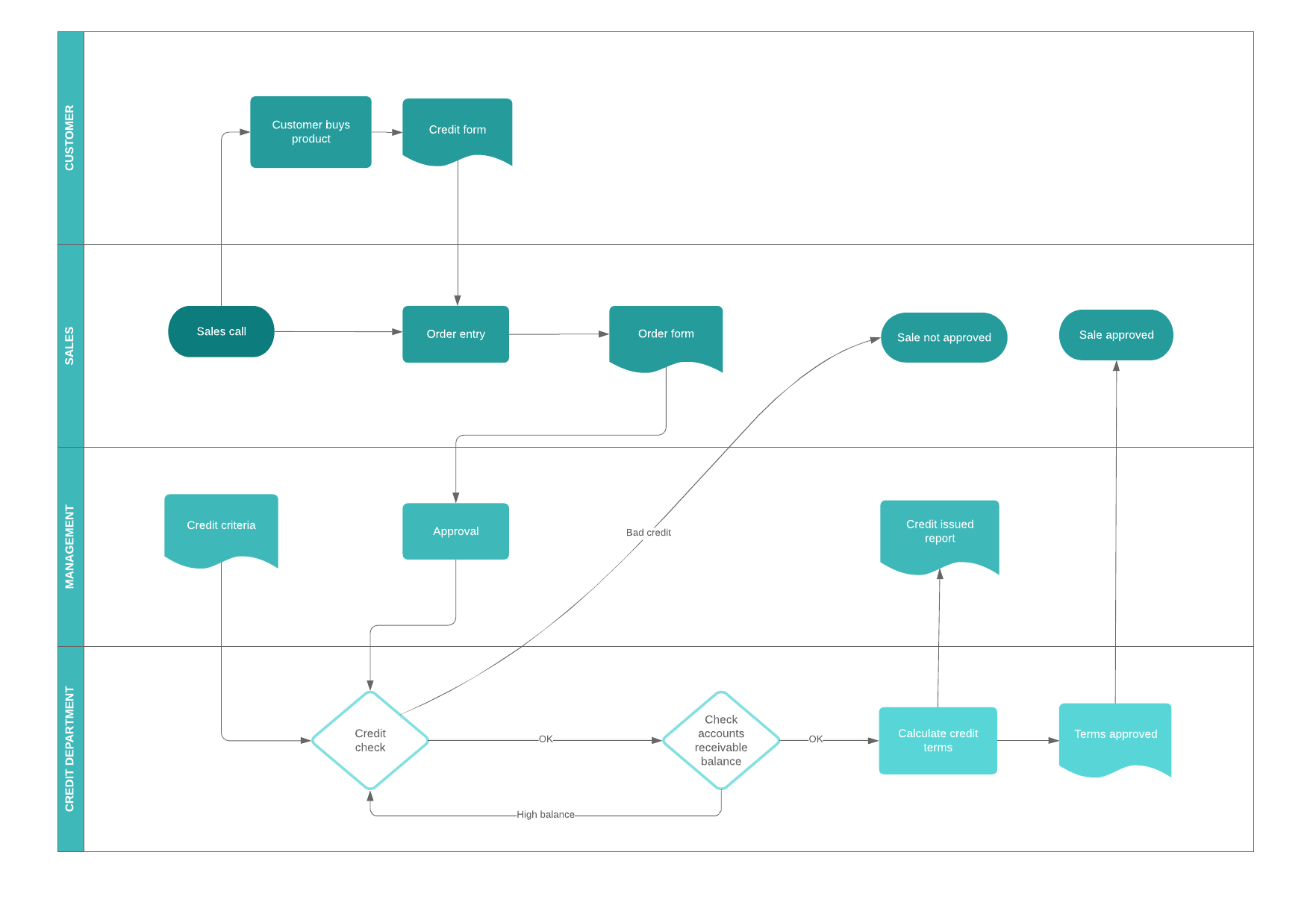
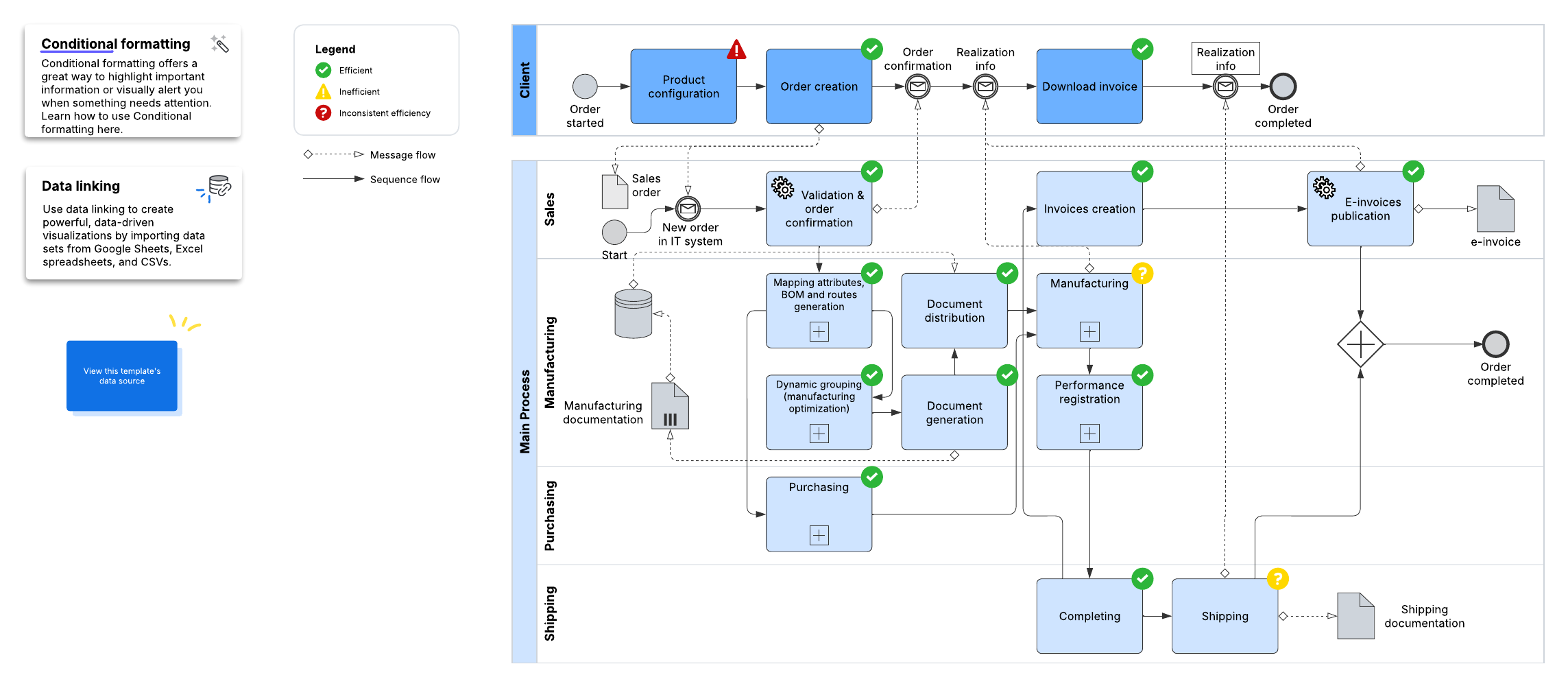
Templates, opens in a new tab: Lucid has thousands of customizable templates to help you visualize your workflows.
2. Integrate workflows
Visualizing a process is essential, but workflows need to be connected in order to function properly.
Through capabilities like the Model Context Protocol (MCP) server, opens in a new tab, Lucid bridges the gap between visual process modeling and system-level execution. Connecting your visual operational architecture to external developer applications and enterprise AI models establishes a dynamic, interconnected workspace.
Connecting your visual processes to your tech stack enables your team to:
Maintain a dynamic single source of truth: Link visual diagrams directly to live data sources so process documentation updates automatically as underlying systems change.
Provide structured context to enterprise AI: Supply AI models with real-time visual context, ensuring automated agents operate within accurate, human-governed parameters.
Integrate seamlessly with core apps: Synchronize workflows with platforms your teams rely on daily, including Jira, opens in a new tab, Confluence, opens in a new tab, Google Workspace, opens in a new tab, and Zoom, opens in a new tab.
3. Get everyone aligned
Updating, implementing, and automating workflows requires thoughtful change management, opens in a new tab practices. If team members do not understand how an automated process works or why a change occurred, they’re less likely to be on board. But showing teams how a process will evolve with a visual is far more impactful than a text-based document.
Lucid makes it easier to show employees how processes are going to be automated. You can use layers, opens in a new tab and hotspots, opens in a new tab to toggle between current-state, manual processes, and proposed future-state automations. What’s more, users can comment directly on the diagrams to ask questions and leave feedback.
When employees clearly see how workflow automation eliminates repetitive tasks and simplifies their day-to-day work, they become active champions of organizational transformation.
Clearly visualizing your processes is imperative to foster organizational alignment. But process mapping isn’t a one-time endeavor. To maintain operational momentum, leaders must continually evaluate, test, and adjust workflows as business needs evolve.
By pairing visual standards with AI-powered capabilities, teams can work more intuitively, eliminate cross-functional friction, and execute with confidence. Creating your process map is a critical first step—implementing, monitoring, and optimizing that visual workflow is where true transformation happens.

Ready to start automating your workflows? Discover how Lucid’s Process Agent can instantly transform scattered documentation into powerful visuals.
Learn more