
Key takeaways
- Architectural drift is when the implementation of a software system deviates from how the original architecture was designed.
- Better standardization for enterprise architecture is key to avoiding architectural drift.
- Improve architectural standardization by making documentation visual, continuous, and accessible.
- Lucid helps improve architectural standardization through features such as custom shape libraries, templates, and the Process Accelerator.
Architectural drift is one of an enterprise architect’s worst enemies and, unfortunately, common. With so many layers to enterprise architecture and often different team members diagramming those layers, veering from even the best-laid architectural plan is an easy trap to fall into.
To avoid architectural drift, you have to improve enterprise architecture standards across your organization. And to improve standardization, you have to improve documentation and governance (and evolve how you think about both).
In this blog post, we provide tips for improving architectural standardization and discuss some Lucid features that will make architectural governance easier than ever.
What is architectural drift?
Architectural drift is when the implementation of a software system deviates from how the original architecture was designed. This drift is often not intentional and occurs from teams making impromptu decisions as small as adding inconsistent components or not following established guidelines. While the actions leading to architectural drift are often small, the consequences are not. Architectural drift can make a system difficult to maintain over time and more complex than necessary or desired. Ultimately, drift is the silent builder of technical debt and expands the total cost of ownership (TCO).
Architectural drift happens when:
- Standards exist in PDFs, Confluence pages, or as institutional knowledge.
- Teams create diagrams independently.
- Reusing components and processes is optional rather than the default.
- Governance is reactive.
Architectural drift is different than architectural erosion in that drift is gradual, and as mentioned, unintentional. Erosion is the direct violation of architectural principles that leads to structural risks.
How to improve architecture standardization
So how exactly do you avoid architectural drift? The simple answer is improved standardization.
Start by thinking of governance as architecture enablement rather than security compliance. Standardization becomes more attainable when governance controls are built into the way diagrams are created and maintained instead of being regulated reactively. In other words, governance should happen while modeling, not during audits. The goal is to put controls in place that make the right architecture the easiest architecture to design.
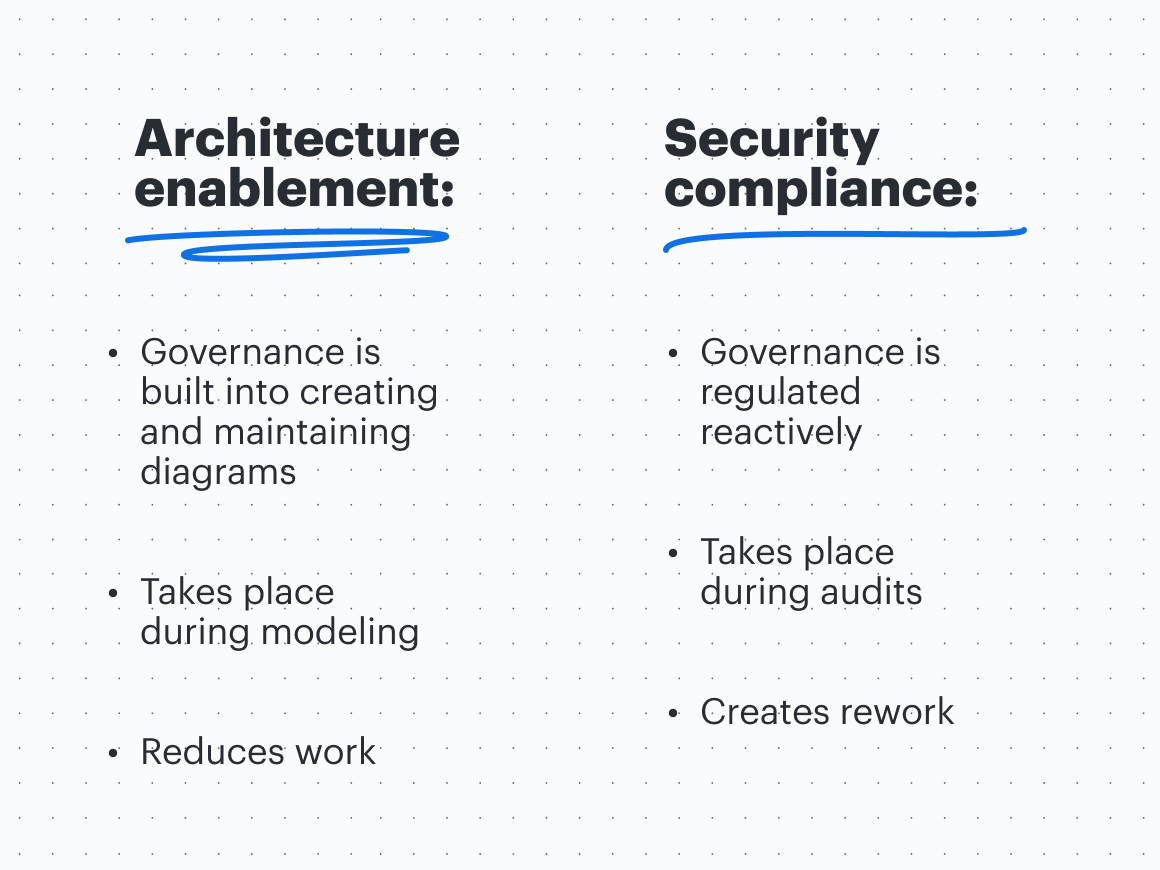
To make the shift to architecture enablement and improved standardization, you will need to make your documentation visual, document as you work rather than once the work is done, and ensure that documentation is shared and accessible across stakeholders.
Make your documentation visual
If you really want to make sure your documentation is effective and easy to understand, make it visual. Humans process visual information faster than text, reducing cognitive load for stakeholders and accelerating decision-making cycles.
While architecture diagrams are inherently visual, think about the guidelines and processes surrounding enterprise architecture at your organization—is that documentation also in a visual format? A shared visual language can align teams across your organization more quickly than any text-based document.
Document as you work, not as a separate step
To reduce the time burden of creating documentation, create documentation as part of the work rather than separate from the work. For example, if you use a visual collaboration solution like Lucid, you can brainstorm a fix to your enterprise architecture standardization as a team using ideation capabilities, then using universal canvas, switch to diagramming capabilities to map out the process—all without leaving your document or losing any context. Essentially, visual collaboration turns static documents into living blueprints of your business.
Share your documentation across stakeholders
Finally, documentation is only useful if the right team members actually have access to it. Once you have documentation that is complete and visual, share it! It’s critical that your documentation is cloud-based and in real time (living documentation) rather than static so that stakeholders know they’re always accessing the most up-to-date version.
Lucid features that help standardize architecture documentation and prevent architectural drift
Documenting processes visually and sharing that documentation across stakeholders is the foundation for improving architecture standardization. Lucid offers many features that can make your architecture documentation even more effective and help to integrate governance into modeling.
For example, the enterprise architecture team at Devoteam uses Lucid as a centralized, visual repository that provides team members access to internal knowledge and a consistent way of working. By using Lucid, diagrams that used to take the team two days to create now only take 30 minutes.
Consider how the following features might be worked into your architectural processes.
Custom shape libraries
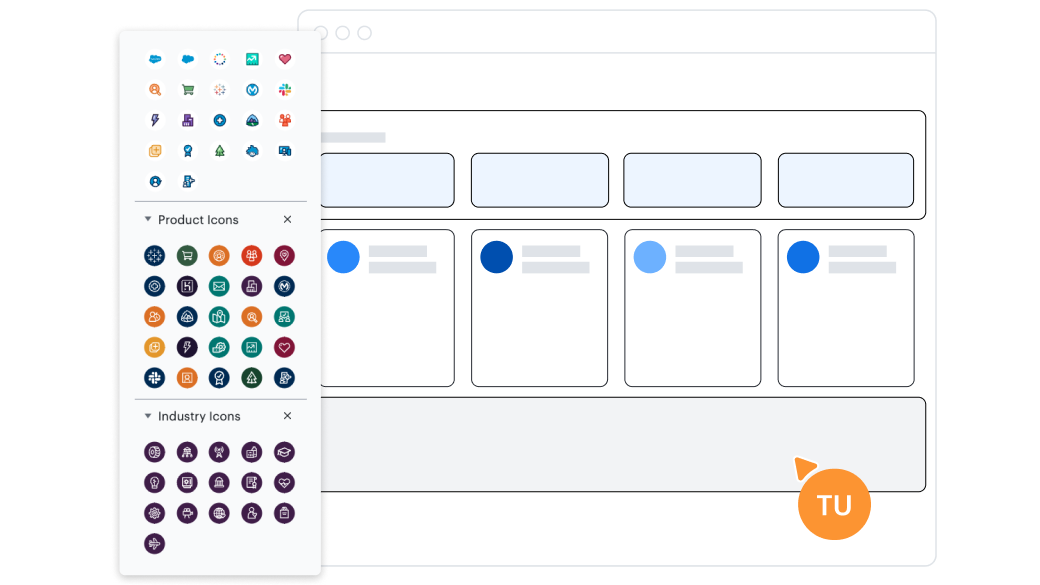
Lucid offers many shape libraries for documenting enterprise architecture, such as ArchiMate, UML, and BPMN, or you can create a custom shape library and make it the standard for your organization. If you need something more specific, you can import your own shapes from SVGs or Visio stencil files.
Shared templates
One of the easiest ways to make architecture documentation more consistent is to use a template. Lucid offers hundreds of templates that are ready-to-use, so you don’t have to do the heavy lifting of setting up documentation—you can just start adding the details. Here are a few examples:
Business architecture template

Application architecture template
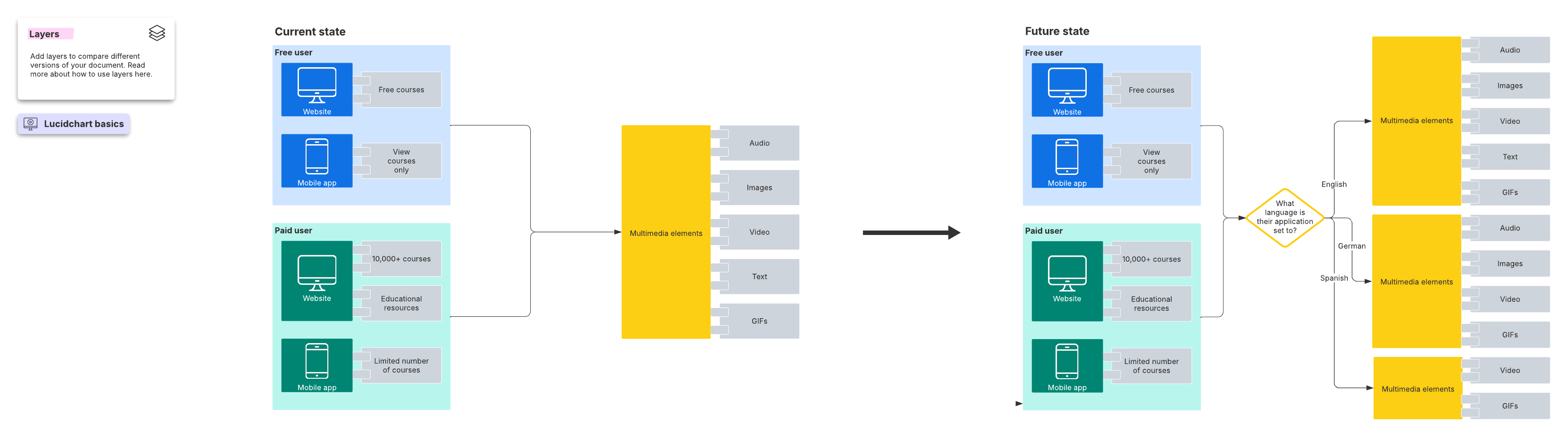
Data architecture template
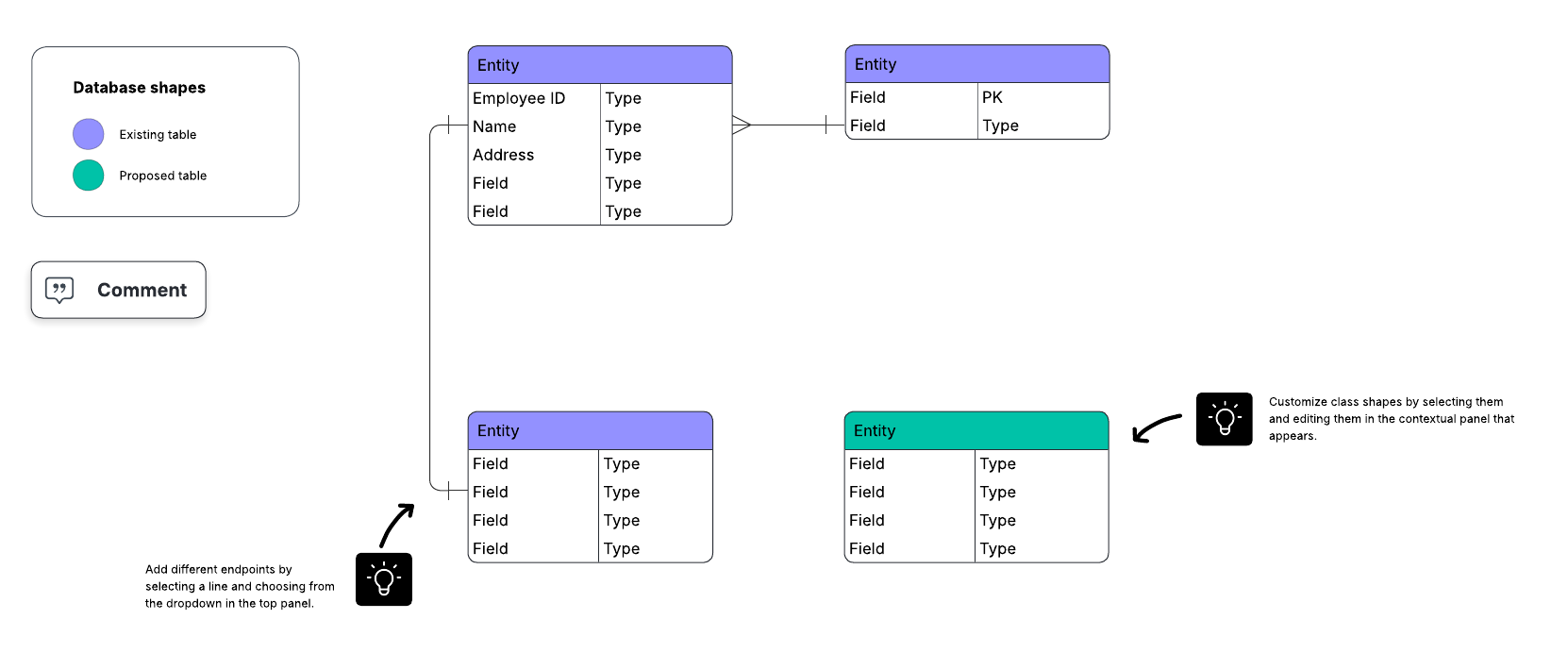
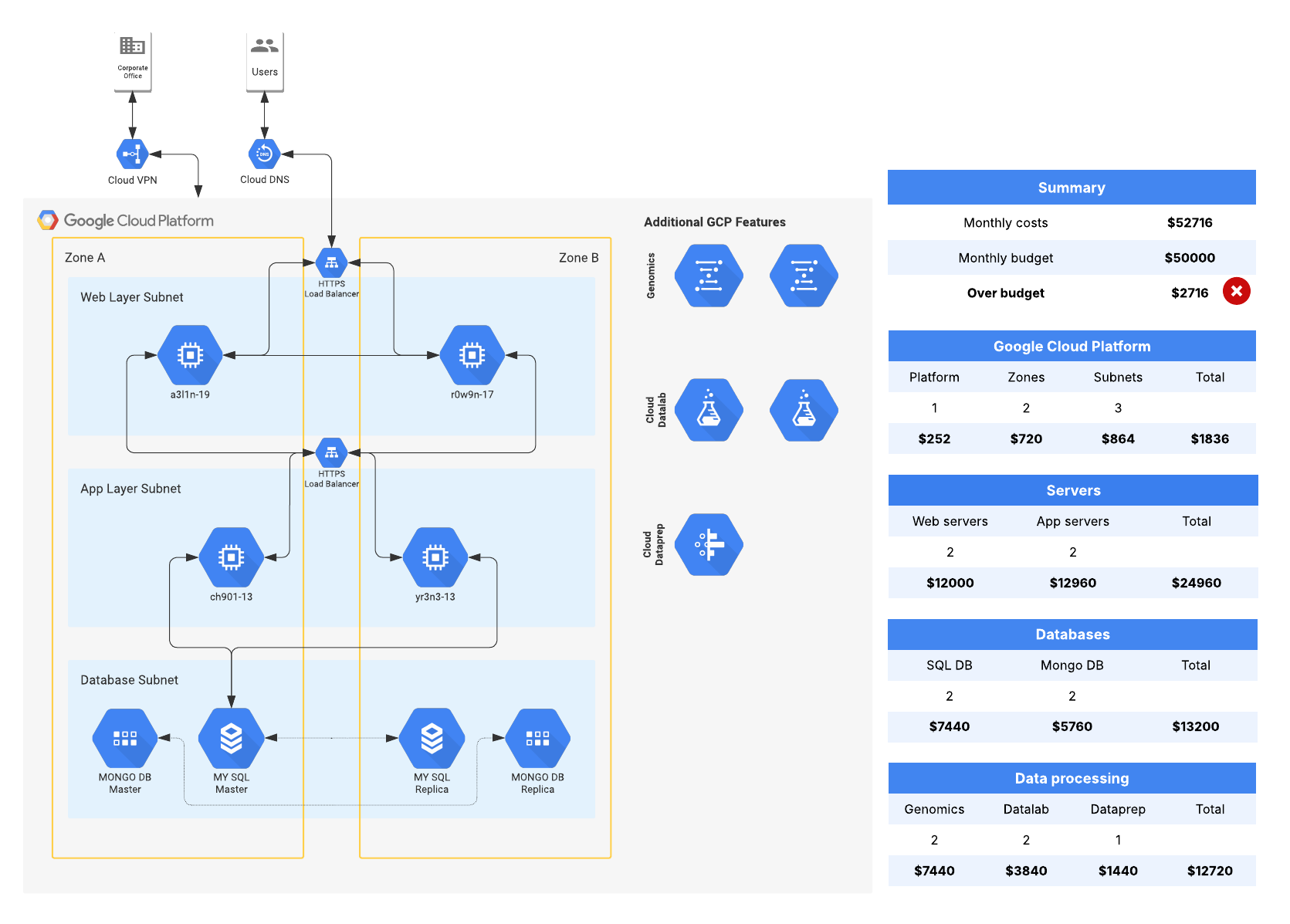
Cloud architecture template
Process Accelerator
The Process Accelerator is the star of the show when it comes to enterprise architects looking to upgrade standardization across their organization. The Process Accelerator is an add-on for Lucid Enterprise accounts that helps improve governance and standardization of process documentation, storage, and maintenance with repositories, an asset library, and approval flows.
Overview video of Lucid's Process Accelerator. Learn how to centralize your finalized documents in repositories, streamline reviews with built-in approval workflows, and ensure consistency with a library of reusable assets.
Repositories allow your team to create a single source of truth to centralize approved assets and process documents. Restricted repositories, opens in a new tab are invite-only and allow your team to organize even the most confidential information.
The asset library houses commonly used assets, such as department, role, activity, IT system, document, risk, and control, to reuse across layers of enterprise architecture, no matter who’s building the documentation. When a change is made to an asset, that change is automatically updated across all process documents that include that asset. Reusable assets also include embedding existing subprocesses into larger processes rather than recreating them for each new layer or document.
Approval flows ensure the right stakeholders are signing off on updated documentation before it’s published to a repository and made official for the team to use. You can enable bottom-up, sequential approval flows, meaning approval requests will start with the process owner and move up the chain of approval. If approval is denied at any tier, the process will need to be updated and resubmitted for approval.
With version history, opens in a new tab, you can compare a published version of a document to previous versions to assess changes over time and assess impact.

The Process Accelerator
Want to learn more about how your organization can benefit from the Process Accelerator?
Contact salesCloud Accelerator
The Cloud Accelerator is specifically for cloud architects. With this accelerator, you can connect Lucid to AWS, Azure, or GCP and automatically visualize the current state of your cloud infrastructure. Lucid admins can import and configure cloud provider data just once and then share it with other team members.
With auto updates, your cloud diagram will always be up to date, and you can use filtering or conditional formatting to gain additional insights into your environment. Plus, add unmapped resources to your visual to create a more complete picture of your existing infrastructure.
An overview video of Lucid's Cloud Accelerator that shows how to streamline data imports from AWS, Azure, or Google Cloud to create powerful visualizations.
Ardoq integration
Want to make Lucid an even more powerful single source of truth for enterprise architecture documentation? Connect it to Ardoq.

By pairing Lucid and Ardoq, you can link Ardoq components to Lucid documents, maintaining hierarchical relationships, visualizing dependencies, and filtering relevant components to illustrate accurate diagrams.
You can also import Lucid diagrams back into Ardoq as structured data. This bidirectional connection between both apps transforms static visuals into living architecture assets.
Additionally, the Lucid Ardoq integration helps with impact analysis. For example, with the integration, you can visualize scenarios such as, “If I change this server, which five business capabilities break?”
With all of these features, opens in a new tab, the true value is adding them to processes and guidelines across your teams—and Lucid makes it easy to do just that! Sharing custom shape libraries and templates and adding the right team members to the Process and Cloud Accelerators is simple. Lucid makes improving standardization and governance possible, so your team can make it a reality.

Curious how other EAs are using Lucid? Check out their stories!
Learn more