Key takeaways
Auditing existing documentation helps teams identify operational bottlenecks and determine the right organizational structure.
Centralizing business process documentation in Lucid’s Process Accelerator creates a single source of truth for your organization.
Standardizing how you view processes with clear roles and governed repositories improves alignment across cross-functional teams.
Teams can use Lucid AI, Process Agent, and Process Capture to quickly document complex workflows with subject matter experts.
Reviewing, testing, and continuously refining business processes provides the foundation for successful AI transformation.
Many teams know the pain of poor business process documentation: scattered workflows, outdated files, and the daunting challenge of knowing where to start.
Yet clear, accessible documentation is critical for organizations to scale. Complete operational visibility is the cornerstone of any meaningful business transformation. Whether you plan to integrate AI tools, optimize legacy systems, or refine cross-functional workflows, you must first understand how your operations are currently functioning.
By pairing smart business process documentation habits with powerful visual collaboration, process mapping can move from intimidating to intuitive.
In this article, we’ll walk you through how to get started documenting your business processes and turn static files into living blueprints that your teams can depend on.
Step 1: Identify current documentation
Before you can update and organize your business process documentation, you need to identify what you already have. Most teams will have some form of documentation, though it may be scattered across tools.
Conduct an audit of your current business processes and ask the following questions:
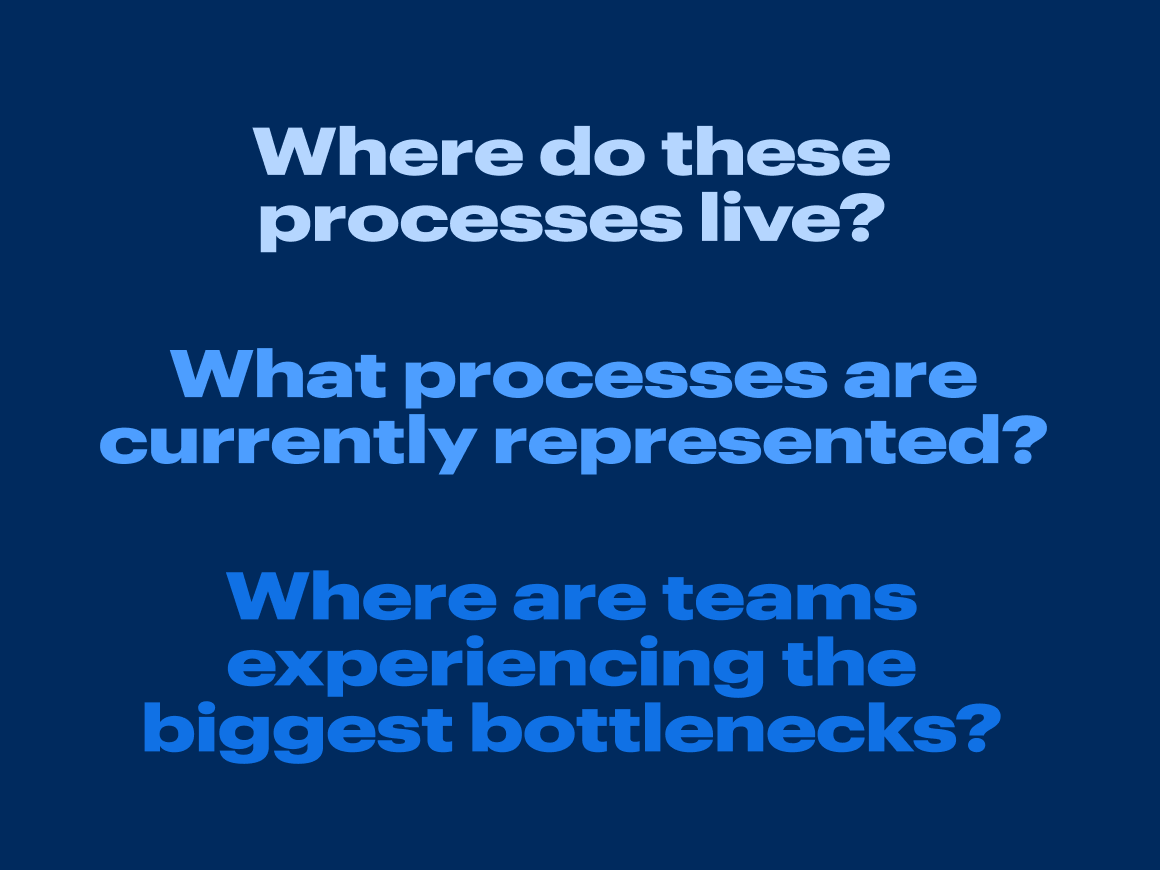
Where do these processes live? Look in team drives, individual files, physical notes, and anywhere else process documentation might live.
What processes are currently represented? Identify which workflows have formal guides, which rely on visuals, and which exist as undocumented, institutional knowledge.
Where are teams experiencing the biggest bottlenecks? Narrow down parts of the workflow that often get stalled.
“Put your initial focus on tasks that are repetitive and time-consuming. If you’re truly starting from scratch, think about the most widely followed processes.“
—Kinsley Gerks, Solutions Consultant, Lucid
Step 2: Decide on structure
Once you know what documentation exists, you’ll need to decide on a structure so your team can easily find and maintain that documentation. Standardizing your approach upfront prevents your process repository from becoming disorganized.
Consider the following approaches:
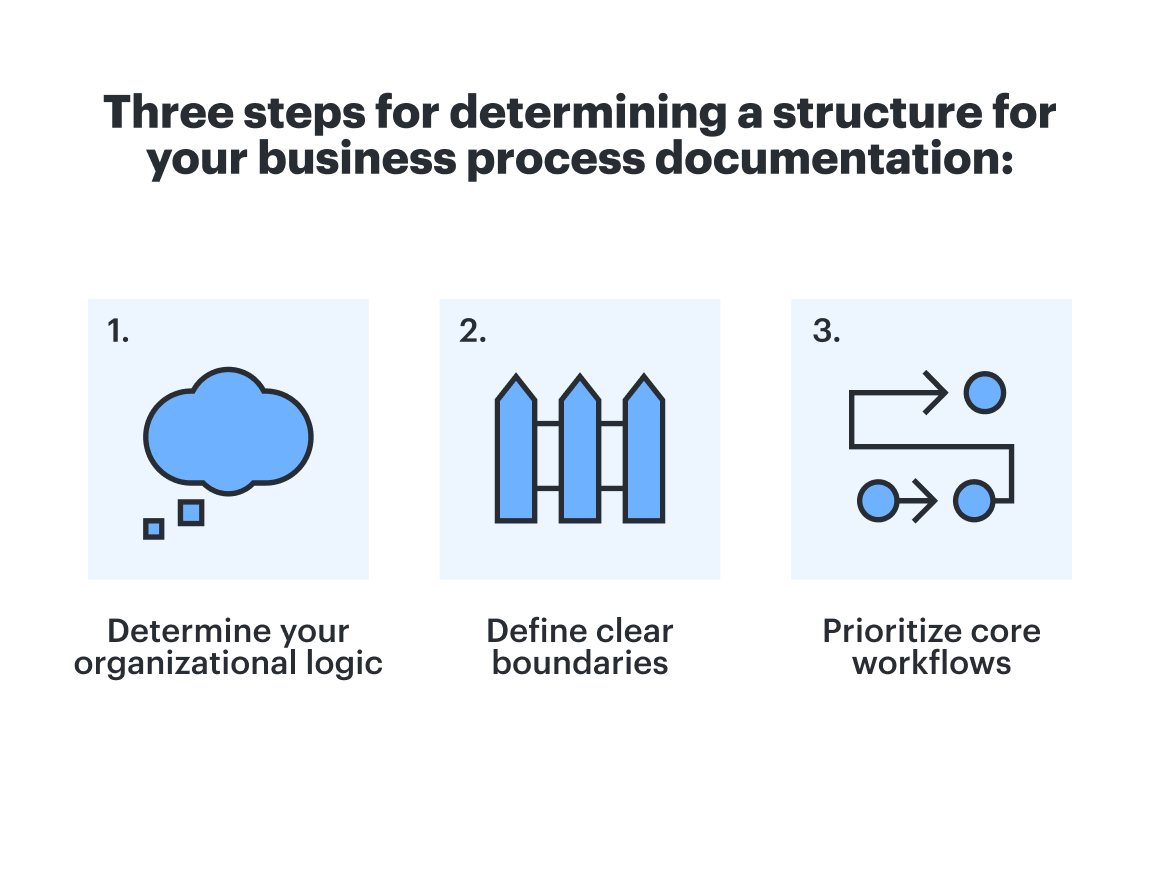
Determine your organizational logic: Decide whether it makes the most sense to map processes by functional teams (engineering, marketing, IT), cross-functional working groups, or by overall organizational structure.
Define clear boundaries: For every process, establish the trigger, the expected outcome, and the key milestones along the way.
Prioritize core workflows: If mapping every workflow feels overwhelming, focus on your critical business operations first.
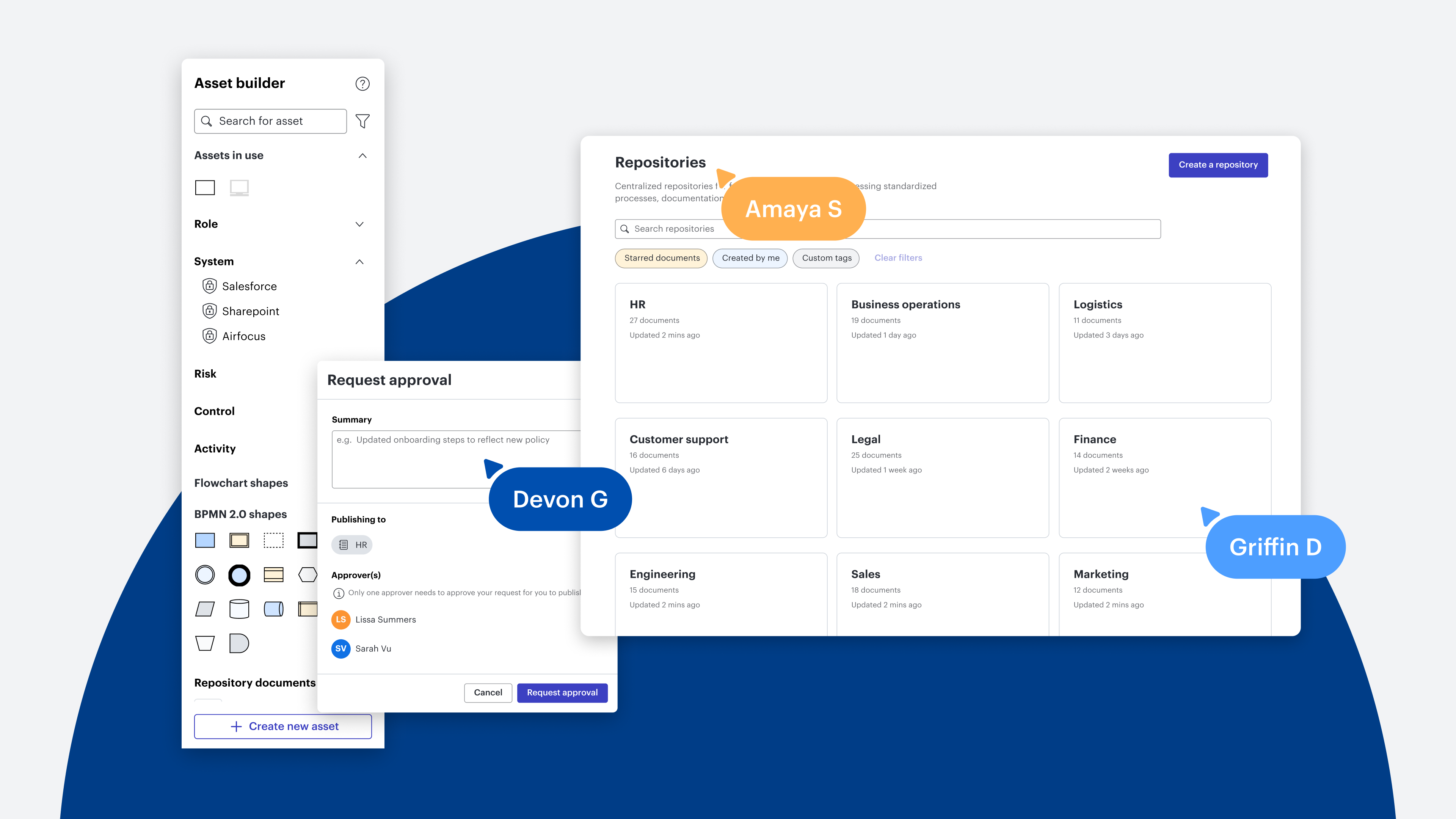
With Lucid’s Process Accelerator,, opens in a new tab structuring process documentation is simple. Teams can organize workflows in centralized repositories that are easy to view and manage. You can also build asset libraries and streamline approval flows that drive consistency across your organization.
Step 3: Standardize how you access processes
Scattered documents across disparate tools leave teams misaligned. To establish greater operational visibility into team processes, bring your assets into a single, governed home.
Centralizing documentation is simple with process repositories in the Process Accelerator. Repositories give your organization a designated, easily accessible space for everyone who needs it. When teams share a standardized way to view workflows, visual collaboration becomes seamless.
As you organize your content into repositories, here are a few things to keep in mind:
Define clear roles: Outline the responsibilities of everyone involved in the workflow to ensure team members understand their specific contributions.
Assign repository and asset owners: Designate specific reviewers to manage approval flows and maintain document accuracy.
Establish structural levels: Organize complex workflows into subfolders and subprocesses so team members can easily navigate from high-level milestones down to specific tasks.
Step 4: Fill in the details with process owners and SMEs
Once your framework is established, collaborate with process owners and subject matter experts (SMEs) to fill in operational details. Assigning a dedicated process owner for each process ensures accountability for keeping documentation current as workflows evolve.
Documenting complex processes from scratch used to feel daunting, but dynamic visual collaboration tools remove friction, making it possible for any team to do it. Even if you are starting from scratch, you can capture accurate workflows with ease.
Here’s how to do that in Lucid:
Process Agent, opens in a new tab: Turn unstructured thoughts into process maps. Video-record ideas and upload assets, quick notes, or audio into an initial diagram you can riff on.
Lucid AI, opens in a new tab: Convert text-heavy documents into dynamic visual diagrams. Simply feed a standard operating procedure (SOP) into Lucid AI to create a visual your whole team can digest.
Process Capture, opens in a new tab: Record real-time actions as team members perform their daily work. Process Capture automatically translates live tasks into clear visual documentation, eliminating the pain of manual writing.
Step 5: Review with SMEs before publishing
SMEs possess deep knowledge of daily workflows, but they aren’t always familiar with process documentation best practices. Looping in project managers or cross-functional team members to build initial diagrams enables SMEs to focus on their areas of expertise.
To keep documentation reliable without slowing down momentum, establish a clear review stage before hitting publish:
Maintain visual standards: Keep your SMEs focused on reviewing workflow steps, handoffs, and edge cases. Use asset libraries, opens in a new tab within the Process Accelerator to keep the diagram clean, standardized, and readable.
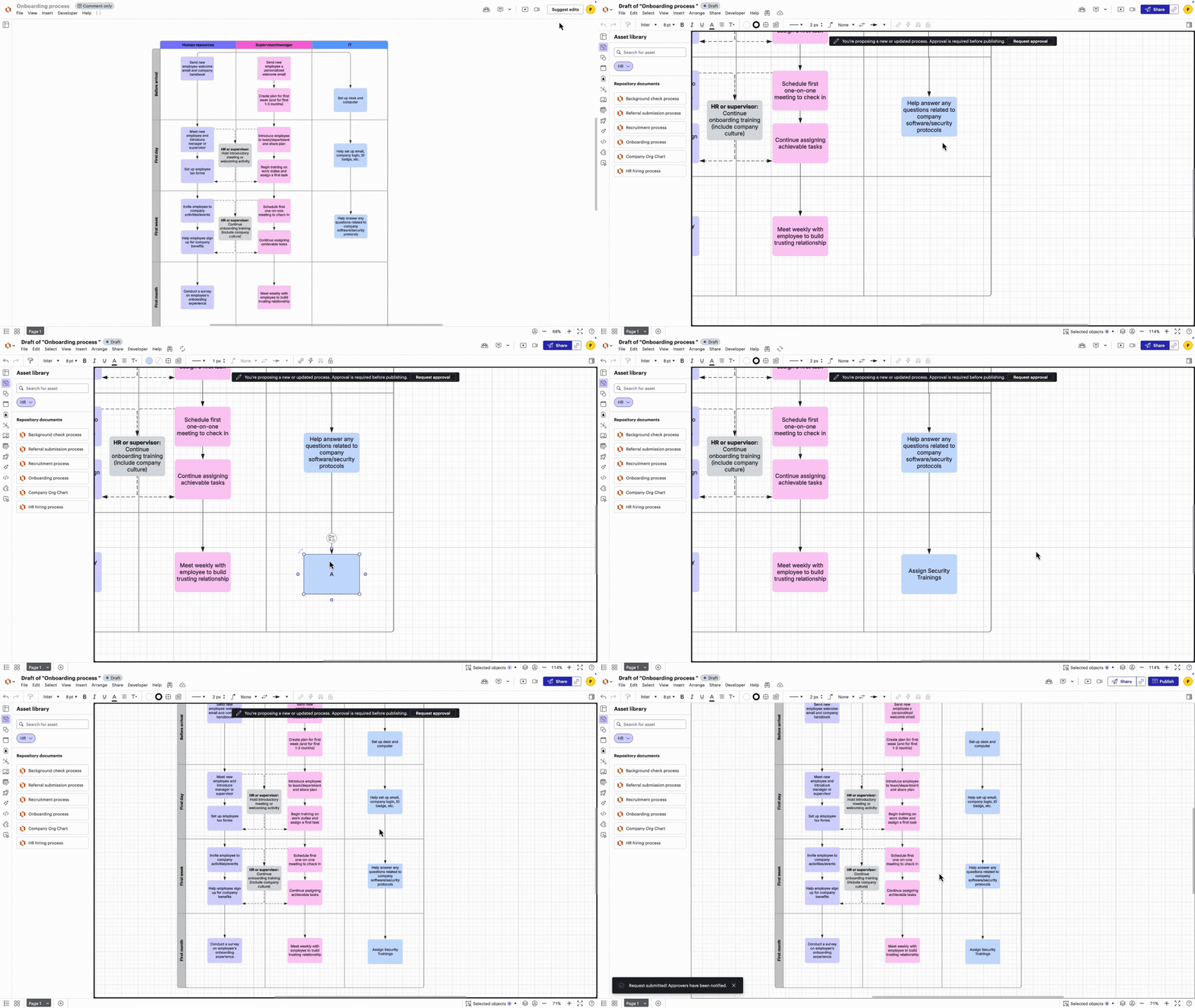
Leverage automated approval flows: Route diagrams through built-in approval workflows in the Process Accelerator. Designated repository or asset owners can evaluate suggestions and approve changes within a single, governed canvas.
Gather feedback: Keep reviews collaborative by using in-editor comments and @mentions to align on specific details before publishing to your main repository.
Step 6: Test, refine, and optimize for AI transformation
The only way to know if your process documentation is working is to test it. Once a process is published in a repository, check in with users to see whether they can follow it. Identify gaps and commit to refining.
Here are a few strategies to continuously improve your process maps:
Validate usability: Ask team members to follow the task using only the diagram. Ask them to take note of any roadblocks they hit.
Maintain central searchability: Keep process maps stored in centralized repositories within the Process Accelerator so team members can easily search, access, and reference trusted records without file-hunting across tools.
Schedule regular reviews: Revisit core process documentation every 6-12 months to eliminate outdated records and prevent content drift.
Identify areas for optimization and AI integration: Within a broader AI transformation strategy, clear process documentation serves as your analytical foundation. Seeing your workflows end-to-end makes it easy to spot manual bottlenecks, streamline handoffs, and identify high-value areas where AI tools or automation can be integrated.
No longer is documenting business processes an overwhelming initiative. By moving your documentation into centralized repositories within the Process Accelerator, you eliminate the friction of constantly searching for context and create a single source of truth that keeps everyone aligned.

See how Lucid’s Process Accelerator can transform how you document and store your processes.
https://lucid.co/enterprise/process-accelerator