Key takeaways
-
Process governance prioritizes alignment over documentation by facilitating a framework where a process governor acts as a bridge between technical details and the people who need them.
-
Democratization creates living processes that accelerate velocity and encourage ownership by ensuring every team member has a voice, while the process governor has the final say.
-
Best practices for repository governance involve establishing well-defined roles, having a consistent audit cadence, and using solutions like Lucid’s Process Accelerator to maintain security and clarity.
Process transparency is a non-negotiable for any organization. Have it, and your team stays aligned, moving through workflows without being bogged down by bottlenecks. Don’t, and team members face the frustration of slowed productivity and consistent creation of redundant documents.
This lack of process transparency leads to process debt, an accumulation of workflows that are outdated, inaccurate, and inefficient. Process debt stalls everything from shipping products to employee onboarding. To mitigate process debt and ensure every team member knows where to find the documentation they need, processes must not only be available but also properly governed. You need more than a process repository—that’s just the first step. You need a designated person to manage and monitor those processes, a process governor. In this case, governance is about empowering your team by making processes available and usable to everyone who needs them.
In this article, we’ll explore how to balance transparency with process governance best practices, ensuring teams spend less time searching for answers and more time executing on high-value projects.
What is process governance?
In short, process governance is the practice of prioritizing alignment over documentation. It’s the framework that ensures your team’s collective knowledge doesn't just exist but is relevant and accessible.
The governor of a process isn’t necessarily the person who maps out every single system—it’s the person who facilitates the source of truth. A process governor’s role is to act as a bridge between gathering the technical details and delivering them to the people who need them. This means moving beyond static files and focusing on the logistics of collaboration, ensuring the right users have the correct permissions and that documentation is stored where the team actually works. More than a gatekeeper, the governor is an enabler of visual collaboration.
“One approach to process governance is to have a dual structure with an executive sponsor as one branch and a process champion as the other. The executive sponsor can set the strategy and vision while the process champion can manage the process governance activities.” — Kinsley Gerks, solutions consultant, Lucid
Pitfalls of process governance: Why traditional systems often fail
Traditional governance systems often fail because they treat processes as hard-and-fast rules rather than living blueprints. Pitfalls of poor governance include:
-
Lack of standardized communication: Without a primary shared space for connecting and sharing, teams waste time searching for context rather than getting their work done.
-
Inaccessible materials: When documentation is buried in disparate folders or restricted by incorrect or outdated permissions, it leads to process debt and employee frustration.
-
Misunderstanding: When the process governor doesn’t understand the full scope of a process, or it’s outside their role, it becomes challenging for them to communicate that process with clarity.
-
Siloed processes: Governance can exist in isolated pockets, preventing cross-functional teams from seeing the bigger picture and holding up timelines.
Democratization: The secret to living processes
Democratization is the key to creating living, useful processes. When processes are updated, accessible, and widely known, that is when true alignment happens.
“Democritization of process governance can enhance the accuracy of your process documentation. It lends to a greater sense of ownership, awareness, and transparency of documenting and following processes.” — Kinsley Gerks, solutions consultant, Lucid
Here’s how:
Accelerates velocity: Teams can move directly into execution rather than searching for processes or inventing new ones. When processes are accessible and transparent, the friction of requesting permission or needing clarification disappears.
Reduces process debt: When users can easily flag outdated or redundant workflows, the process governor can archive outdated documents, keeping the repository lean and relevant.
Encourages ownership: Team members are more likely to follow a process they helped shape. Transparency ensures that the repository is a trusted single source of truth that reflects the reality of the work.
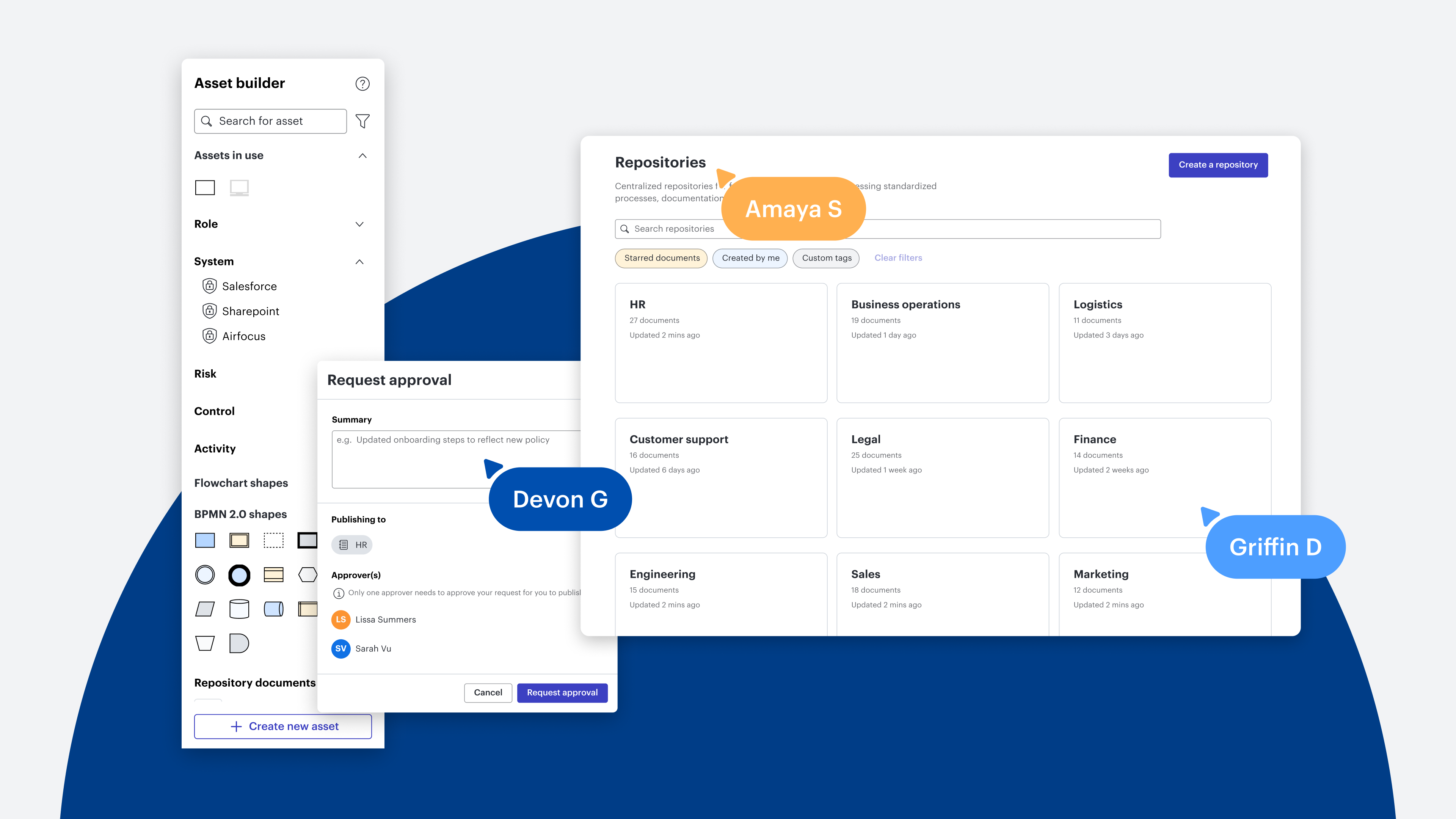
Promotes accountability: With clearly defined roles, everyone knows who can suggest a change and who has the authority to publish it. This creates a continuous-improvement loop without sacrificing security or quality. For example, with Lucid’s Process Accelerator, the accelerator manager can create process repositories while the process owner is responsible for creating process documentation within the repository.
Democratizing processes don't mean everyone edits everything. It means every team member has a voice, but the process governor has the final say. A core part of process governance is knowing when to clear the clutter, delete outdated workflows, and route new updates through structured approval flows.
1. Process owner: The process owner has the authority to approve or deny specific documentation. If they deny the request, it gets sent back to the requester for revisions, halting the chain to save everyone else time.
2. Folder owner(s): Once the process owner signs off, the folder owner is notified next. If a process resides in a subfolder, the request requires an extra layer of compliance, moving from the subfolder owner to the parent folder owner.
3. Repository owner: After the folder gates are cleared, the final notification is sent to the repository owner for final sign-off.
Pro tip: If a process hasn't been viewed by a team member in 12 months, it’s likely time to archive it.
With the Process Accelerator, you can receive change notifications for a document to stay informed about updates, ensuring only stakeholders, rather than the whole company, are notified about minor changes.
But processes are only as effective as they are managed. Let’s explore the best practices for governing your process repository.
Best practices for repository governance
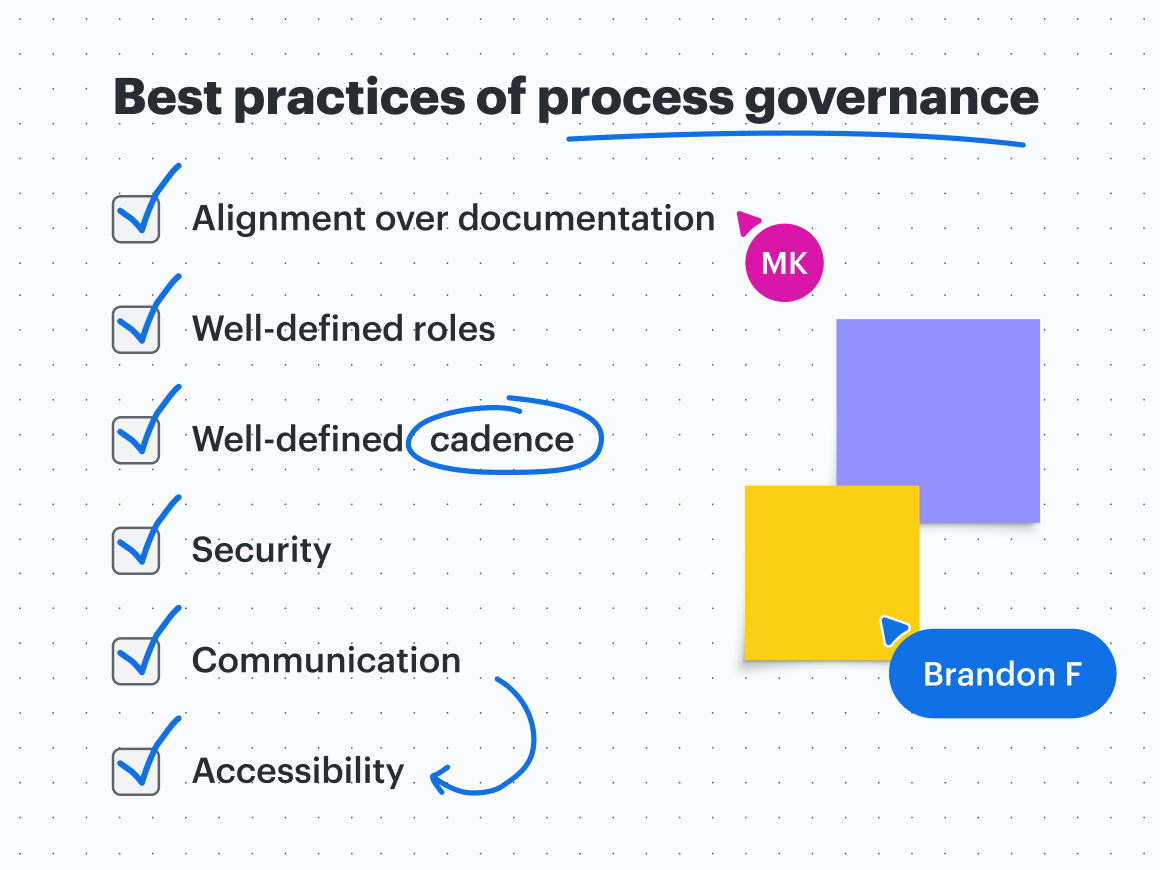
The process governor has the power to democratize business processes by focusing on the following points:
Alignment over documentation: The governor’s job isn't to map out every process, it's to ensure that when a team member looks at the repository, they can trust that what they see is current.
Well-defined roles: Clearly outline who has the final say over making changes to a process. While roles can overlap, it is important to distinguish between the process governor (manages a process within the repository), the repository owner (controls the repository), and other key roles.
Well-defined cadence: Establish a consistent schedule for auditing and updating documentation to ensure information is always up to date.
Security: Users should have only the minimum level of access required to do their jobs, such as viewing or commenting permissions. Within the Process Accelerator, anyone on your Enterprise account can request a change, but only the designated process and repository owners can update and publish those changes. Additionally, Lucid users leverage Enterprise Shield to maintain rigorous security and compliance standards across documents.
Process Accelerator users can also create restricted repositories, opens in a new tab that are only available to users invited by an accelerator manager or repository owner. These repositories are hidden from global search results, and their access can be updated at any time.

See how teams use the Enterprise Shield add-on to automate internal policy enforcement.
Learn moreCommunication: Ensure everyone uses the same channels. Lucid integrates seamlessly with communication apps like Slack and Microsoft Teams, so you can post changes where your team is already working.
Access: Keep sharing permissions up to date and ensure processes are located in a central workspace. It is crucial that team members can find and access the right documentation when needed.
Process governance isn’t a rigid list of dos and don’ts; it’s the engine behind work acceleration. The Process Accelerator provides the structure and autonomy needed to transform outdated process repositories into a living ecosystem. When processes are current, accessible, and organized, teams can work with greater clarity and alignment.

Streamline processes from messy workflows to governed, democratized, and repeatable success with the Process Accelerator.
Start now