Imagine you’re a UX designer at a busy tech company. On any given day, you’re responsible for attending meetings, updating progress in your task management system, talking to key stakeholders, brainstorming designs, building wireframes, and incorporating edits. And that’s aside from responding to emails and messages. It sometimes feels like you have too many tasks coming in and not enough time to get them all done. How do you maintain healthy work boundaries while being a productive and valuable employee?
The answer is simple: prioritization.
To avoid burnout and frustration, let's explore several tools and tips on how to prioritize tasks at work. No matter how many urgent tasks you face, you can easily tackle them in the appropriate order. You’ll keep your cool and keep yourself in good standing with your team. The best part is that the techniques we’ll teach you in this article aren’t just for work. They can be applied to any area of life!
Why is prioritizing tasks and projects at work essential?
Prioritization enables you to get the most important tasks done first. That way, even if you’ve overestimated how much time you have to complete everything, you’ll still be making the most significant impact. Without prioritizing, you may finish a handful of tasks that don’t make much of a difference. Prioritization helps you manage time wisely, allocating enough time to yourself and others to finish responsibilities before their deadlines.
Proper task prioritization, opens in a new tab enhances productivity, ensures resource allocation for the most critical tasks, reduces stress, and leads to better decision-making. This ultimately reduces burnout, contributing to organizational success, personal effectiveness, and the ability to navigate complex challenges.
How to prioritize work tasks in 6 steps
1. List your tasks
Listing your projects and tasks is the first step to prioritization. No need to order your tasks, just yet. Just list every task that needs to be completed.
2. Determine daily, weekly, and monthly tasks
After writing your list, determine the daily tasks first and put them on their own list. These are likely things like filling out timesheets, updating stakeholders, and responding to emails.
Next, take tasks that must be completed within the next month or longer and put them on their own list.
The tasks you should be left with are likely your upcoming project deadlines and should receive extra attention as you rank tasks in the next step.
3. Determine task importance
Determine which tasks are the absolute most urgent. This can be challenging if there are many high-priority projects happening simultaneously. It’s important to note that urgent tasks are not always the same as important tasks. Urgent tasks are the highest priority because they must be completed soon. Important tasks don’t necessarily need to be completed as soon as possible but still need to get done. Determining a task's importance is how you will improve your prioritization skills.
4. Acknowledge what you can realistically get done
It is important to be realistic. You know your bandwidth best, and it’s fine to admit that not everything will be completed. That’s what you're prioritizing: because no one can do it all.
5. Delegate and communicate priorities
If a stakeholder assumes you’re prioritizing one task when you’re actually prioritizing another, things will get complicated. Keep stakeholders aligned so no one’s surprised and you can work toward the same goals as a team.
6. Stick to your schedule
It’s tempting to jump around and complete the easiest tasks first. Don’t do it. If unforeseen circumstances arise and you’re unable to keep working, you’ll have completed your less important tasks, which can sometimes mean missing an important deadline.
Prioritizing methods
Figuring out how to improve prioritization skills can be difficult to tackle on your own. Below are different prioritization methods to try.
Eat the frog
The concept comes from a Mark Twain quote, "If it's your job to eat a frog, it's best to do it first thing in the morning. And if it's your job to eat two frogs, it's best to eat the biggest one first."
In the context of time management, eating the frog refers to tackling your most challenging or important task early in the day, often as the first task you undertake. The idea is to prioritize and focus on the task that significantly impacts your goals or requires the most effort and concentration. It goes against our natural bias of completing our most straightforward tasks first, which often leads to us being too mentally drained at the end of the day to complete more taxing tasks.
Completing the most urgent and complicated task also gives you a great sense of accomplishment, making the rest of your to-do list look easy.
ABCDE method
The ABCDE method involves categorizing tasks into different priority levels using letters A through E:
A tasks (top priority): Tasks that are critical and have high importance. A tasks are typically related to significant goals and contribute directly to your long-term success.
B tasks (high priority): These tasks are important but may not be as critical as A tasks. Completing B tasks supports your overall objectives and goals.
C tasks (medium priority): C tasks would be nice to do but are less critical than A and B tasks.
D tasks (low priority): D tasks can be delegated to others. Delegating tasks that others can handle allows you to focus on higher-priority items.
E tasks (eliminate or postpone): E tasks can be eliminated or postponed without significant consequences.
MoSCoW prioritization
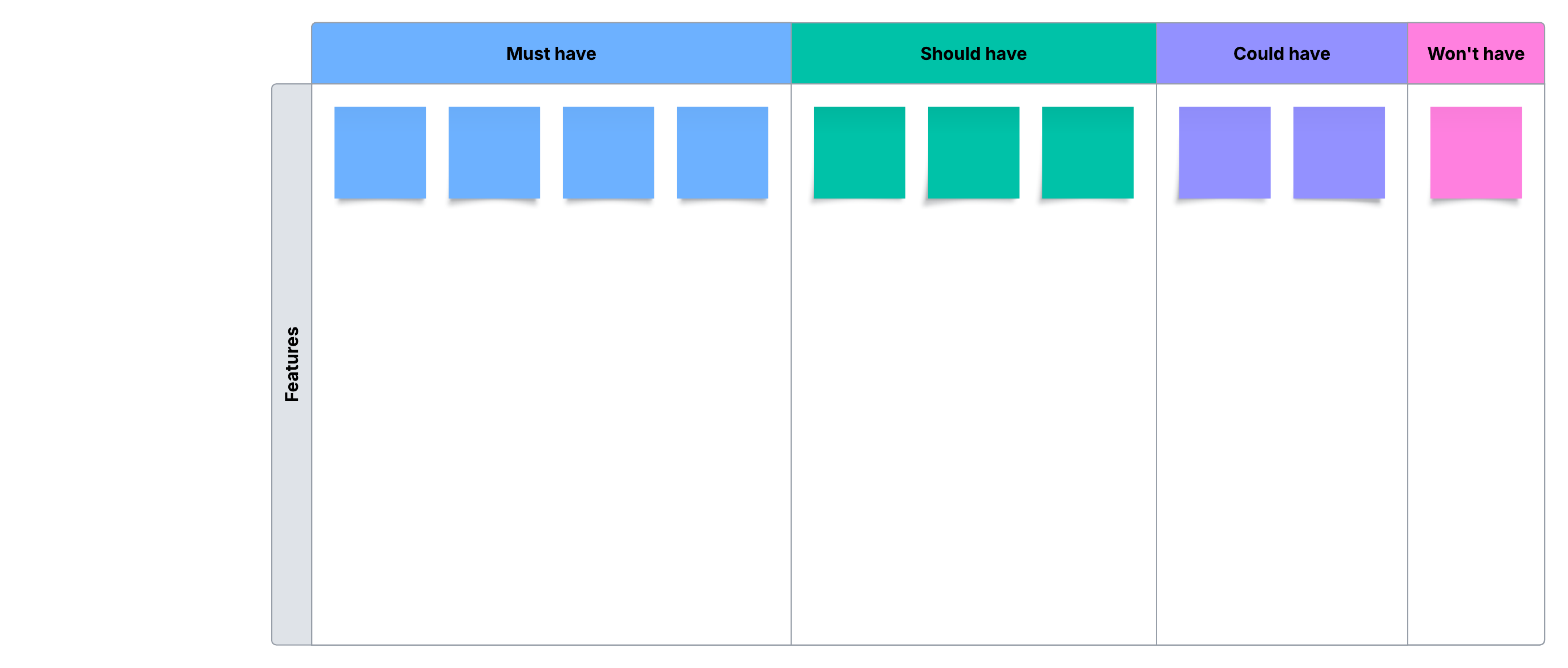
The term MoSCoW is an acronym derived from four priority categories: must-haves, should-haves, could-haves, and won't-haves.
This model is effective for project managers when resources are limited, especially when there is a need to make strategic decisions about what to include in the project.
Here’s the breakdown:
Must-haves: These are the non-negotiable requirements crucial for the project's success. They are essential and need to be delivered for the project to succeed.
Should-haves: These requirements are important but not critical for the project's immediate success. Should-haves are considered necessary, and their inclusion enhances the project's overall value.
Could-haves: These requirements are desirable but unnecessary for the project's core functionality.
Won't-haves: These are explicitly identified as elements that will not be included in the current project iteration.
Impact effort matrix
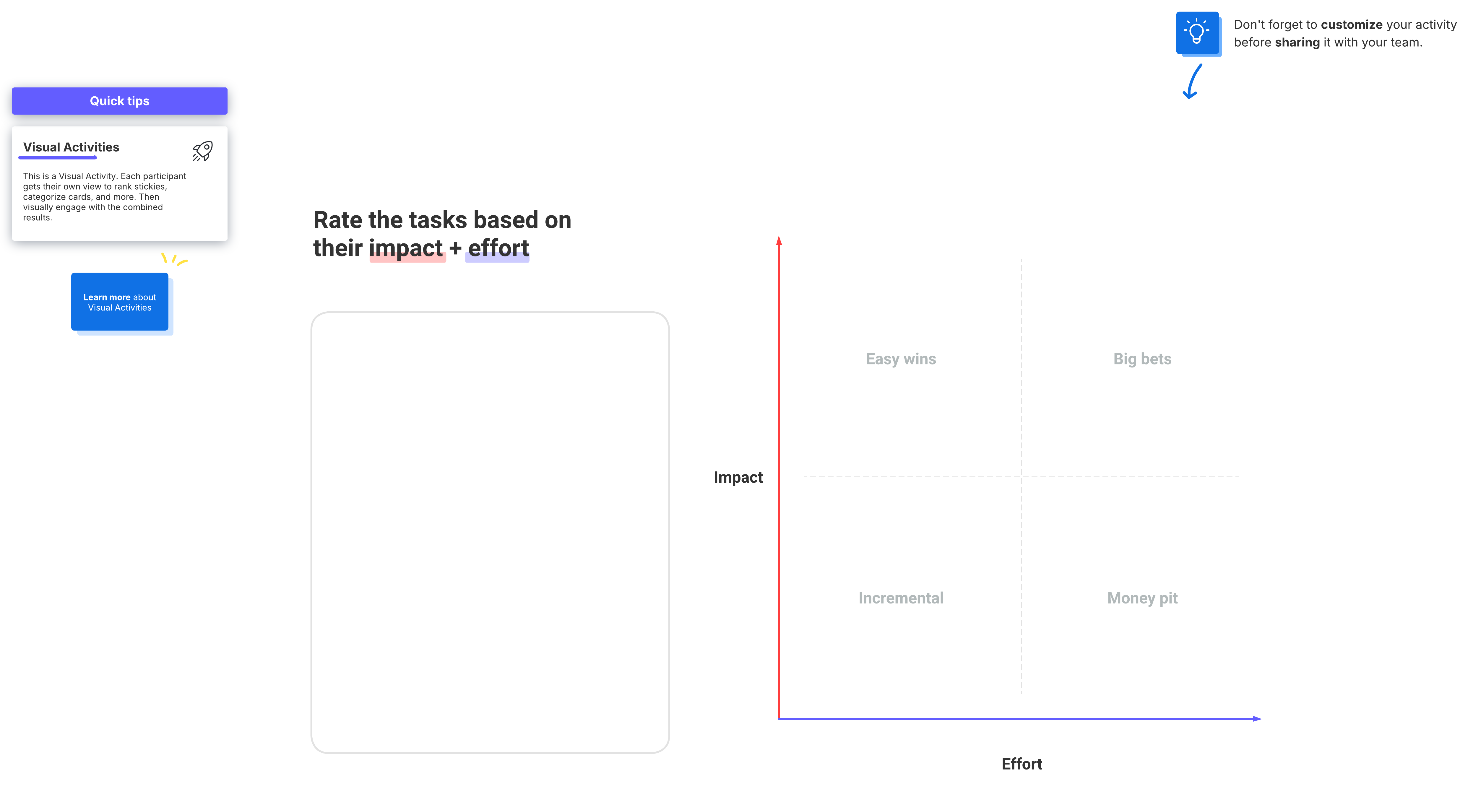
This visual tool is used in project management and decision-making to assess and prioritize tasks or activities based on their impact and required effort. The matrix helps you identify which tasks are best to tackle first.
Eisenhower matrix
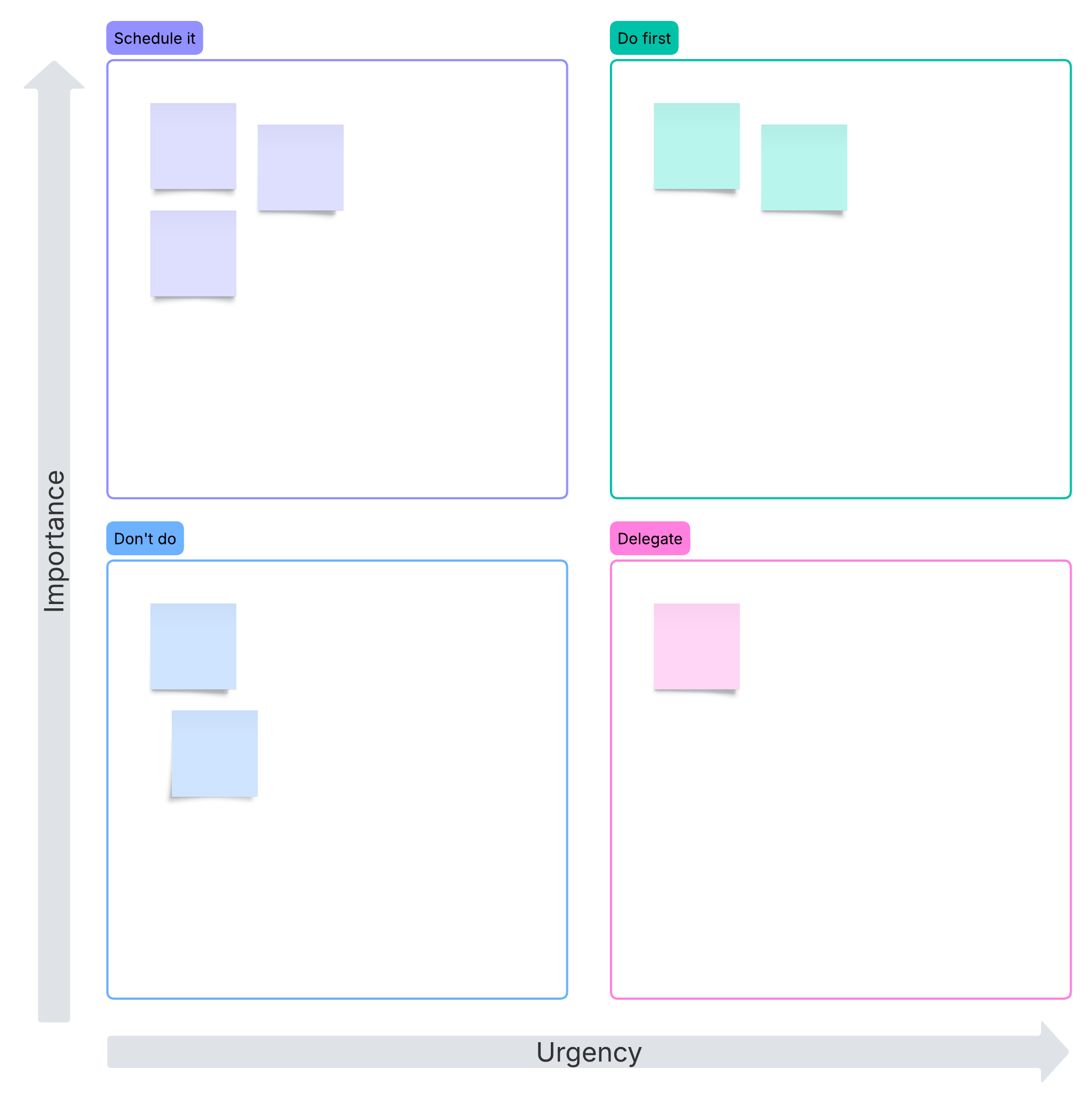
Dwight D. Eisenhower invented a matrix that categorizes tasks into four quadrants:
Urgent and important (quadrant I): These tasks require immediate attention and should be tackled right away. These are typically high-priority tasks that contribute to long-term goals.
Important but not urgent (quadrant II): Tasks in this quadrant are important for long-term goals but may not require immediate attention. Planning and strategic activities both fall into this category. Spending more time in quadrant II can prevent tasks from becoming urgent.
Urgent but not important (quadrant III): Tasks in this quadrant are urgent but not necessarily important for your long-term goals. They may be distractions or tasks that can be delegated to others.
Not urgent and not important (quadrant IV): Tasks in this quadrant are neither urgent nor important. They are often time-wasters and should be minimized or eliminated from your schedule.
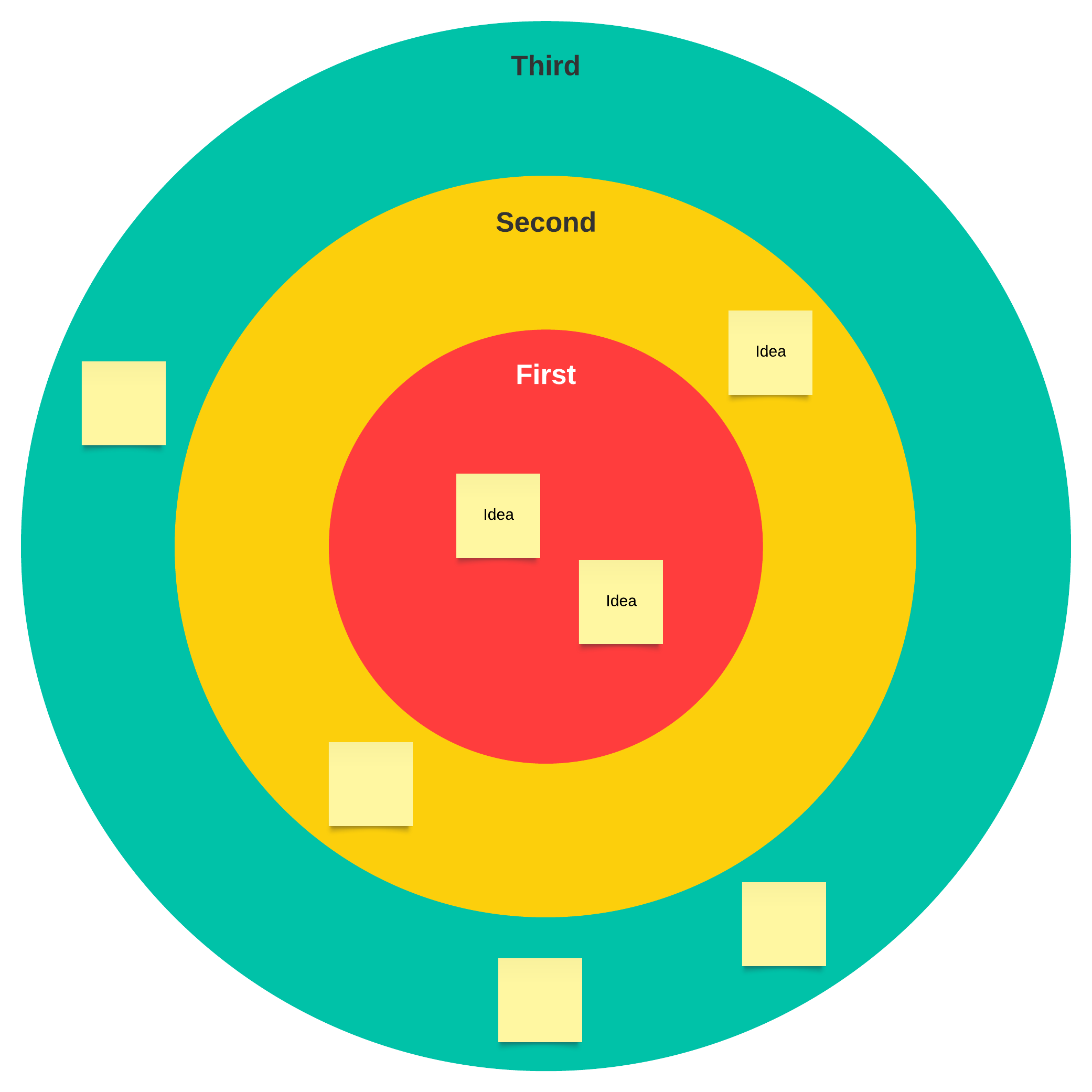
Bullseye diagram
A bullseye diagram, also known as a radar chart or spider chart, is a graphical method of displaying multivariate data in a two-dimensional chart. It is called a "bullseye" because the chart typically resembles a series of concentric circles, similar to a target's or bullseye's rings.
In a bullseye diagram, each variable is represented by a spoke or axis extending from the center of the chart to the outer edge. The values of each variable are plotted along its respective axis, and the resulting data points are connected to form a polygon. This polygon shape provides a visual representation of the overall pattern or profile of the data.
Adequate prioritization can make or break your efficiency. Prioritizing tasks may feel like a waste of time at first, but you’ll find that getting organized makes your day infinitely more productive. You’ll feel less stressed, and you’ll likely see the quality of your work improve.
Ready to start prioritizing tasks and owning your day? Explore more templates and learn about prioritization matrices to help you work more effectively.
Go now