Key takeaways
-
PI planning is an event that helps increase alignment and transparency across multiple teams as they plan work to be done within a specific period of time, typically 8-12 weeks.
-
PI planning establishes clear objectives, enhances transparency, and ensures that each team is delivering on work that supports the company’s vision.
-
PI planning sessions can be complex, but using a visual collaboration solution and customizable templates makes it easier to facilitate engaging and productive planning events.
Companies are always looking for ways to streamline operations and improve time to market. As companies grow, it can be harder to coordinate work among many different teams. This is where PI planning comes in.
PI planning is an integral step to ensuring that large corporations can implement Agile principles across the entire organization. Pl planning sessions connect cross-functional teams, enhance transparency, and keep everyone aligned.
We’ll dive into what PI planning is, how it unifies multiple teams, and how to prepare for your own PI planning sessions.
PI planning meaning
PI planning stands for program increment planning. A program increment is a fixed-length, timeboxed planning and execution window, typically 8-12 weeks, during which an agile organization delivers working, tested increments of value. PI planning is an one-to-two-day event that kicks off each program increment and covers the work to be done by teams. At the end of the designated program increment, another planning event will be held and the process repeats itself.
PI planning is practiced by Scaled Agile (SAFe), a common framework for scaling Agile practices across an entire organization. Companies often blend aspects of SAFe with their current operating models to standardize and scale proven ways of working.
While not every agile organization follows SAFe practices, many hold similar events such as big room planning, release planning, and quarterly planning, where many of the same objectives are met.
Since SAFe involves multiple Agile teams working in tandem (known in SAFe as an Agile Release Train, or ART), PI planning is a crucial step for ensuring communication and alignment.
Who is involved in PI planning?
The following roles are required for the central PI planning workflow, with others joining as needed based on the organization’s scale and complexity:
-
A release train engineer (RTE), who facilitates PI planning and represents the whole ART, coordinating across multiple teams to ensure that work is in sync at the program level
-
Business owners, or key stakeholders (typically executives or senior managers) who guide the ART and ensure it delivers business value
-
A system architect/engineer, who designs and shares the technological vision
-
A product manager, who is responsible for the program backlog spanning multiple teams and defines what needs to be built across the ART
-
Development teams/Agile teams, usually comprising of 5-11 individuals for each team, including developers
What is the goal of the PI planning event?
Scaled Agile PI planning doesn’t just help teams decide which work to complete and how it’ll be done. There are several goals of PI planning:
-
Establishing clear objectives. There should be no confusion about what the goals are for each team and how teams will contribute to the overall business value.
-
Enhancing transparency and alignment among teams. PI planning is an intensely collaborative activity that helps teams understand what everyone else is working on and how it all comes together.
-
Improving risk management. By identifying dependencies and proactively managing or eliminating them, PI planning provides an opportunity to mitigate risk early on, helping teams more efficiently deliver work.
-
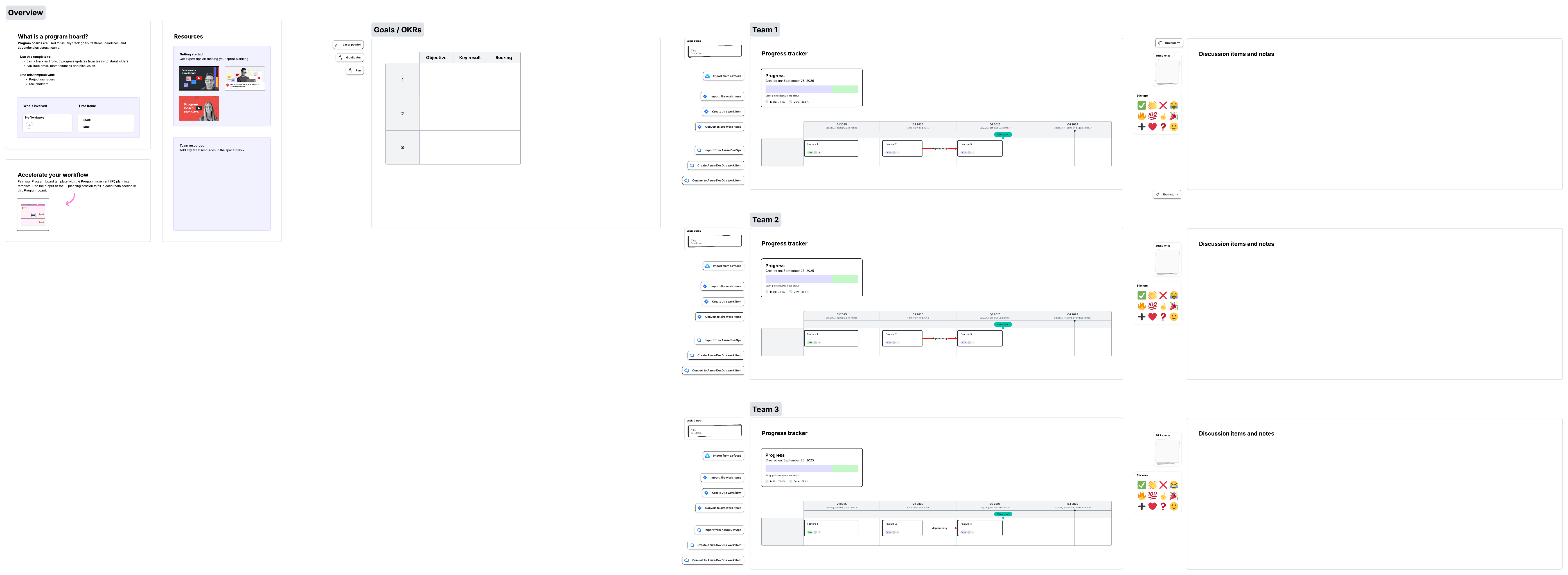
Creating an ART planning board (formerly known as a SAFe program board, opens in a new tab). Facilitated by the RTE, this board visualizes key milestones, cross-team dependencies, and feature-level commitments across iterations, making it one of the most important outputs of PI planning.
Common PI planning challenges
PI planning challenges are often caused by the complexity of coordination and the fact that planning sessions only happen about once every quarter. Some common PI planning challenges you may encounter include:
-
Lack of preparation. Teams sometimes show up to planning sessions with unclear objectives or unrefined backlogs. PI planning can get bogged down in team-level details when it should focus on the larger picture.
-
Difficulty maintaining engagement, especially in hybrid or fully remote settings. Active, engaging facilitation is required to ensure collaboration and focus from all participants.
-
Over-optimistic planning as teams overestimate their capacity to deliver on goals. When this happens, what seemed possible during PI planning quickly becomes uncertain once teams begin to execute their part of the plan.
-
Visualizing cross-team bottlenecks that may occur as coordination is planned at scale. Understanding and managing inter-team dependencies can be difficult.
-
A rigid, waterfall mindset. Since PI planning doesn’t occur very often, people often see the outcome of planning sessions as a rigid contract they’re locked into until the next session, leading to a waterfall approach that lacks flexibility or adaptability.
What are the benefits of PI planning?
PI planning takes quite a bit of work and commitment, but it’s all worth it when you consider the benefits:
-
Increasing communication: Collaborative magic is in full force during PI planning. Teams come together and are more comfortable communicating with each other throughout the PI.
-
Making sure outputs enhance the business: Each team’s goal should enhance the business’s value. It’s a way of separating “nice to have” versus “important to have.”
-
Identifying dependencies: If one team is waiting on another team to complete a deliverable, that’s time wasted. SAFe Agile PI planning ensures an order of operations to maximize each team’s workflow.
-
Working with practical capacity: Teams know what they’re capable of doing given their available work hours and limitations. During PI Planning, the ART can define feasible output based on capacity.
-
Gaining consensus: It’s easier and faster to get all teams and stakeholders to agree when they’re in the same meeting.
-
Improving program predictability: SAFe PI planning gives leadership and teams better visibility into the work ahead, enabling more accurate forecasting and delivery confidence across the ART.
9 steps for PI planning
Running an effective PI planning session can be broken down into a few steps.
Step 1: Pre-PI planning
Before the PI planning event, you should consider the scope of the meeting, the teams that will need to attend, and the outcomes you wish to achieve. You’ll also need to consider things like who will facilitate the meeting, what facilitation tools they’ll need, and meeting timing.
Since PI planning sessions involve so many teams, chances are, not everyone can make it to the live event. To ensure everyone receives the information they need, it’s best to use virtual meeting software and create a cloud-based record that can be accessed by everyone.
A virtual collaboration solution, opens in a new tab like Lucid helps you host your PI planning session and share it afterward. Not only does Lucid visualize all the different components of PI planning, but you can document your entire session in a single board and better communicate with stakeholders. And, virtual collaboration ensures everyone stays aligned and contributes equally, whether your PI planning session is in-person, hybrid, or fully remote.
Step 2: Create a PI planning agenda
An agenda helps immensely during the PI planning event, or planning can quickly degrade into chaos. As an example for your agenda, a typical PI planning session occurs across one to two days and includes the following events:
-
Business context, which describes where the enterprise currently stands and how effective the business’s solutions are at meeting customer needs.
-
Product vision, which is an overview of the product backlog or specific features that have been prioritized to complete during the next increment.
-
Architecture vision and development practices, where the system architect shares the product vision from an engineering perspective.
-
Team breakouts and planning, during which teams build out the plan of work to be done based on the product vision and architecture vision.
-
Draft plan review, an overview of the planned work to be done, including goals, dependencies, risks, and capacity.
-
Management review and problem solving, where the management team meets to address challenges in the draft plan and propose scope changes or other solutions to problems.
-
Team rework, during which teams adjust their plans based on feedback from management, resolve remaining dependencies, and finalize their objectives.
-
Final plan review, where teams present their portion of the PI plan to the entire group, and the business owners sign off on plans.
-
Confidence vote, where teams indicate confidence in being able to meet their objectives as well as confidence in the overall plan.
The PI planning agenda should be shared in advance of the planning event. An easy way to share your agenda ahead of time for feedback and early alignment is to use a SAFe PI planning template, opens in a new tab and include the agenda. This way, it’s easy for everyone to find the agenda and be on the same page.

Using a template also helps enhance participation and collaboration during PI planning, especially for distributed teams. If some people are tuning in virtually, PI planning templates ensure that you capture everyone’s input and effectively facilitate the session.
Step 3: Establish the context and vision
Your PI planning session starts off with a clear understanding of the current state of the business and the overall product vision. This is where the business owner, system architect, and product manager will each present, setting the stage for the session. All participants should understand the effectiveness of existing solutions and what will be worked on next.
Then, the RTE makes sure that everyone is familiar with the planning process and expected outcomes for the PI planning session. The RTE also plays a key role throughout the session in ensuring that teams stay aligned, risks are surfaced early, and dependency conversations happen at the right time. Planning sessions are more effective and actionable when the RTE establishes context upfront and helps to keep people on track.
Step 4: Facilitate team breakout sessions
During PI planning, teams typically break into smaller groups. During this time, teams discuss potential risks or other challenges and align on their work by estimating capacity, opens in a new tab and creating a draft plan that outlines iterative work to be done. Teams also identify and map initial cross-team dependencies, which will feed into the ART planning board.
Facilitators should provide guidance during breakout sessions and check in with teams so that the planning session keeps moving.
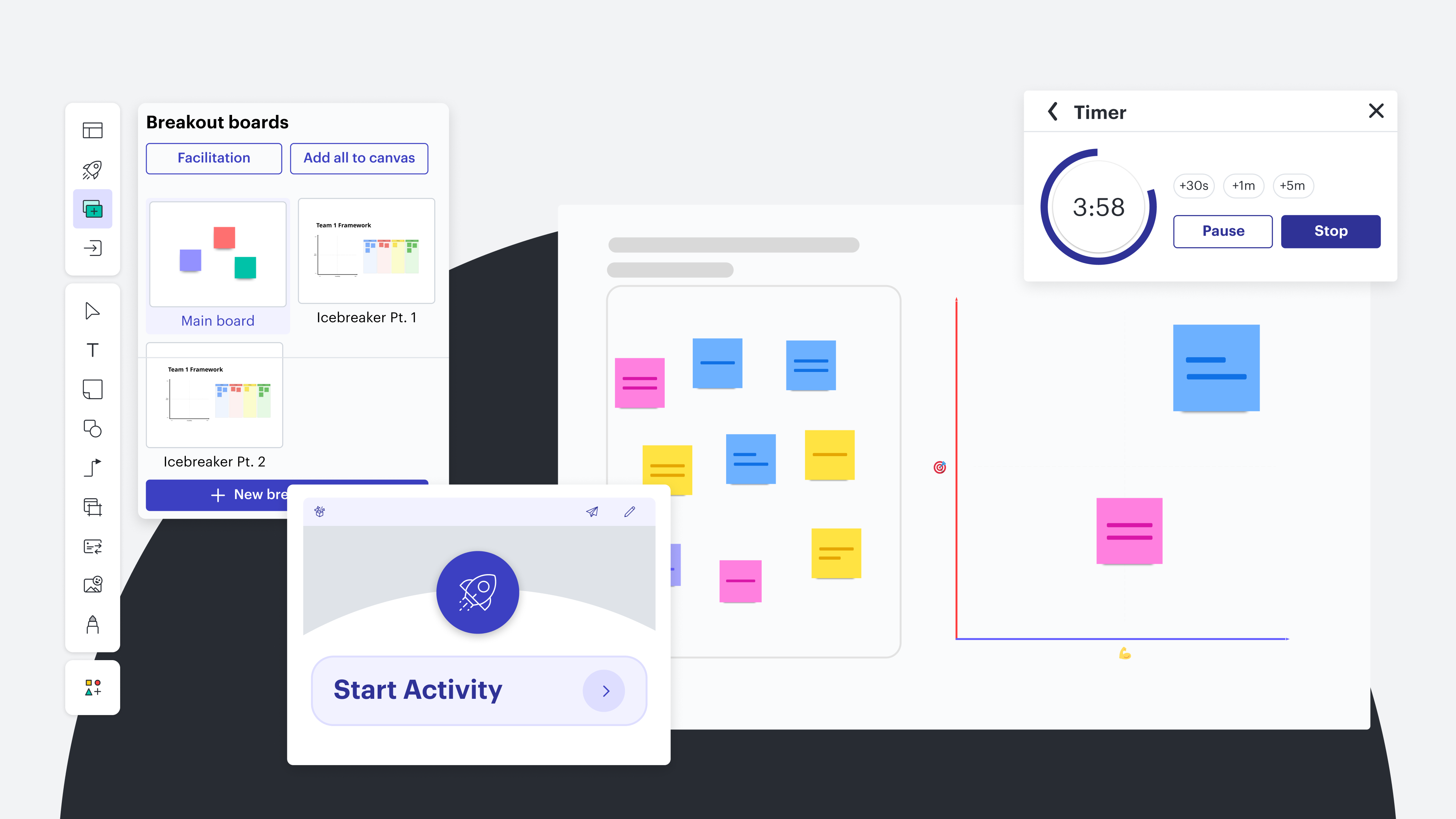
In Lucid, you can create breakout sessions right from your PI planning template with breakout boards, opens in a new tab. The breakout boards feature makes it easy to complete smaller group work, then bring everyone back to the main board when those smaller planner sessions are done. Use timers and other facilitation tools to keep your team breakout sessions on track.
Step 5: Draft plan review
After the breakout sessions are over, bring everyone together again to present key findings or obstacles. Each team will share their draft plan, and other teams have a chance to provide feedback. A few aspects that each team should present include:
-
Key outputs
-
Team capacity
-
Objectives
-
Potential risks and dependencies
Keep in mind, these aspects are surfaced for ART-wide visibility but have not yet been resolved. Resolution happens during the next steps of management review and team rework.
Step 6: Management review
The management review considers the following:
-
Unresolved dependencies
-
Over-committed teams
-
Sequencing problems
-
Milestone conflicts
At this step, dependency alignment and resolution begins as management identifies which dependencies cannot be resolved at the team level and drives decisions around sequencing, resourcing, or scope adjustments. The RTE helps facilitate this part of PI planning as challenges are addressed.
Step 7: Planning rework
Then, teams revise their draft plans based on feedback from management. At this point, teams work to mitigate dependencies so that dependencies are addressed before the final review. Objectives are officially determined.
The overall plan for work to be completed is finalized for stakeholder approval.
Step 8: Final plan review and confidence vote
During the final plan review, business owners review and sign off on plans. By this stage, teams should have resolved or identified all major dependencies and incorporated them into the final ART planning board.
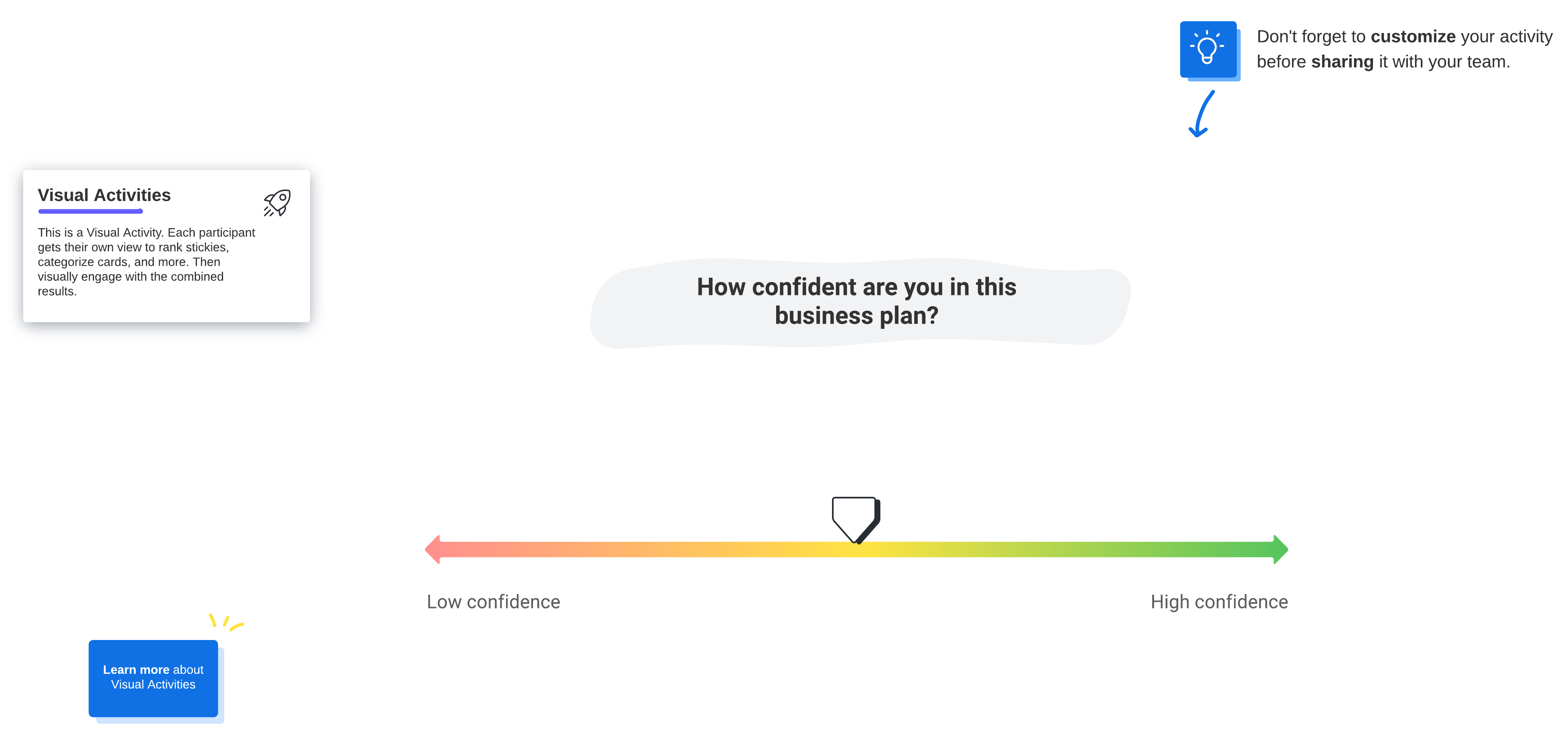
Before your PI planning session officially breaks, the last step is for teams to take a confidence vote. During this vote, team members indicate how confident they are in the plan and being able to meet their objectives. In SAFe, teams typically use a scale from one to five: Five indicates full confidence, and any vote of three or below triggers a discussion of concerns that must be addressed before moving forward.
In Lucid, it’s easy to host a confidence vote by including the vote right on your planning board. Every team member can indicate their confidence with a simple slider activity and you’ll be able to see the aggregated results to keep for your records.
Step 9: Determine what will happen post-PI planning
Remember, PI planning is just the beginning. Teams should know which backlog items they’ll be working on and understand their team’s objectives and timeline.
In Lucid, you can centralize your planning documentation and any other team resources in a team space so people can easily find it. And, thanks to Lucid’s integrations with Jira, Azure DevOps, and airfocus, any work you complete in a Lucid board automatically syncs with your existing system of record, so you don’t have to worry about manually updating tasks.
As the PI planning event ends, answer any remaining questions and make sure people understand their roles and responsibilities moving forward. It can be helpful to host a retrospective to gather feedback on what went well and how teams are feeling about the work to be done.
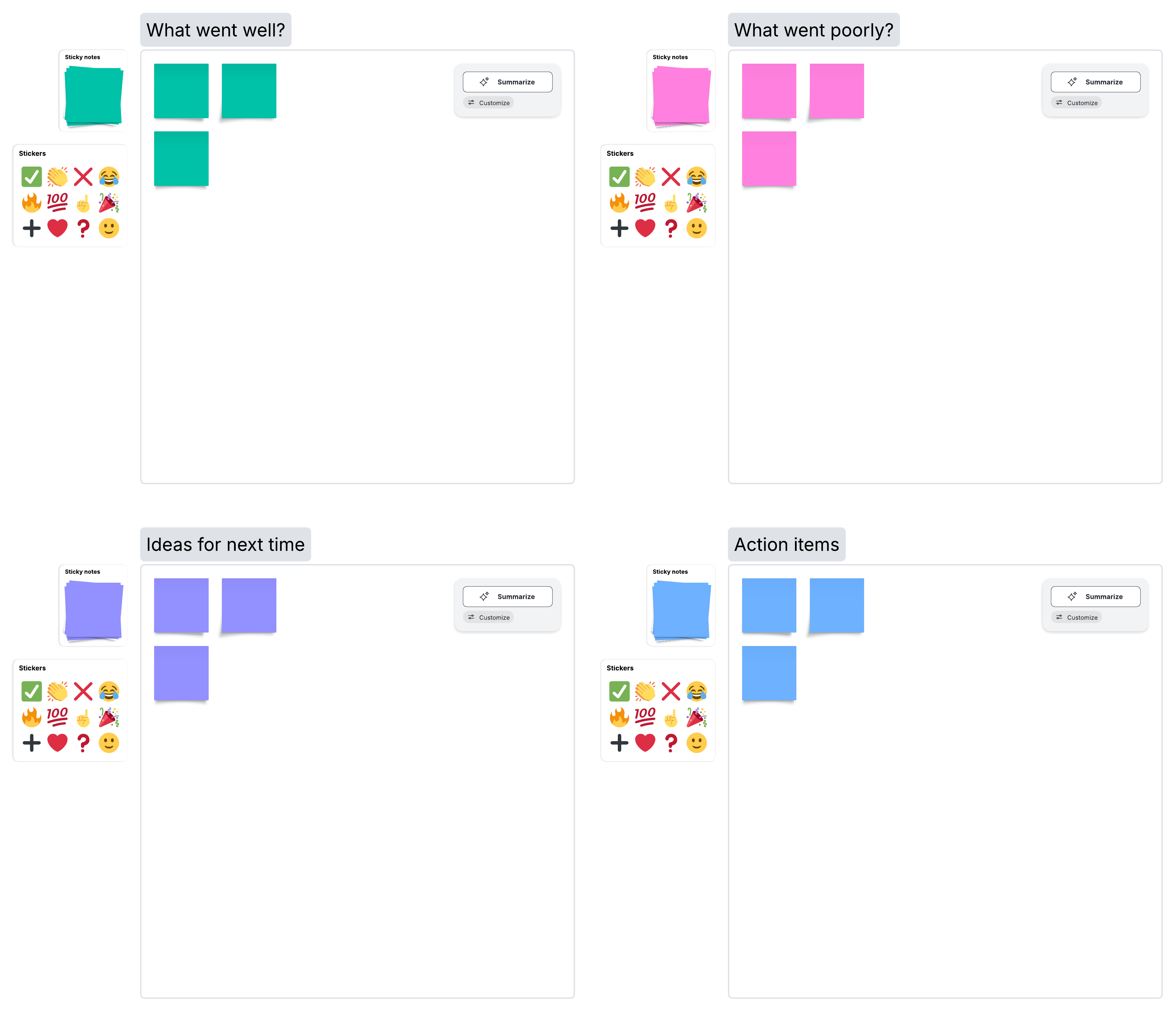
Then, teams move forward with their objectives. After PI planning, the ART continues to synchronize through routine ceremonies such as Scrum of Scrums, ART sync, and ongoing backlog refinement to ensure plans remain aligned throughout the program increment.
Conduct PI planning with Lucid
PI planning is an effective way to make sure teams are aligned and objectives are clear across an organization. While Scaled Agile framework PI planning can be complex to facilitate with so many participants and moving parts, a visual collaboration solution like Lucid makes planning sessions smoother.
Use Lucid to enhance your planning sessions, opens in a new tab, map dependencies, host breakout sessions, and more. With built-in facilitator tools and capabilities designed to boost agility, Lucid has everything you need to conduct an effective PI planning event—and support work throughout your entire program increment. Keep visiting your documentation in Lucid to update your ART planning board, track progress, and maintain visibility into dependencies as your work evolves.
Lucid also supports other Agile-related events and workflows. Check out the different ways you can use Lucid for your teams as you enhance agility across your organization, from PI planning to beyond.
How Lucid supports the SAFe framework
Learn how teams use Lucid to implement Agile at scale.
Read more