Key takeaways
A block diagram represents a system by showing its principal parts or functions as labeled blocks connected by lines that indicate relationships and the direction of flow.
Block diagrams rely on the black-box principle, where the inputs and outputs of each block are known but the internal process stays hidden.
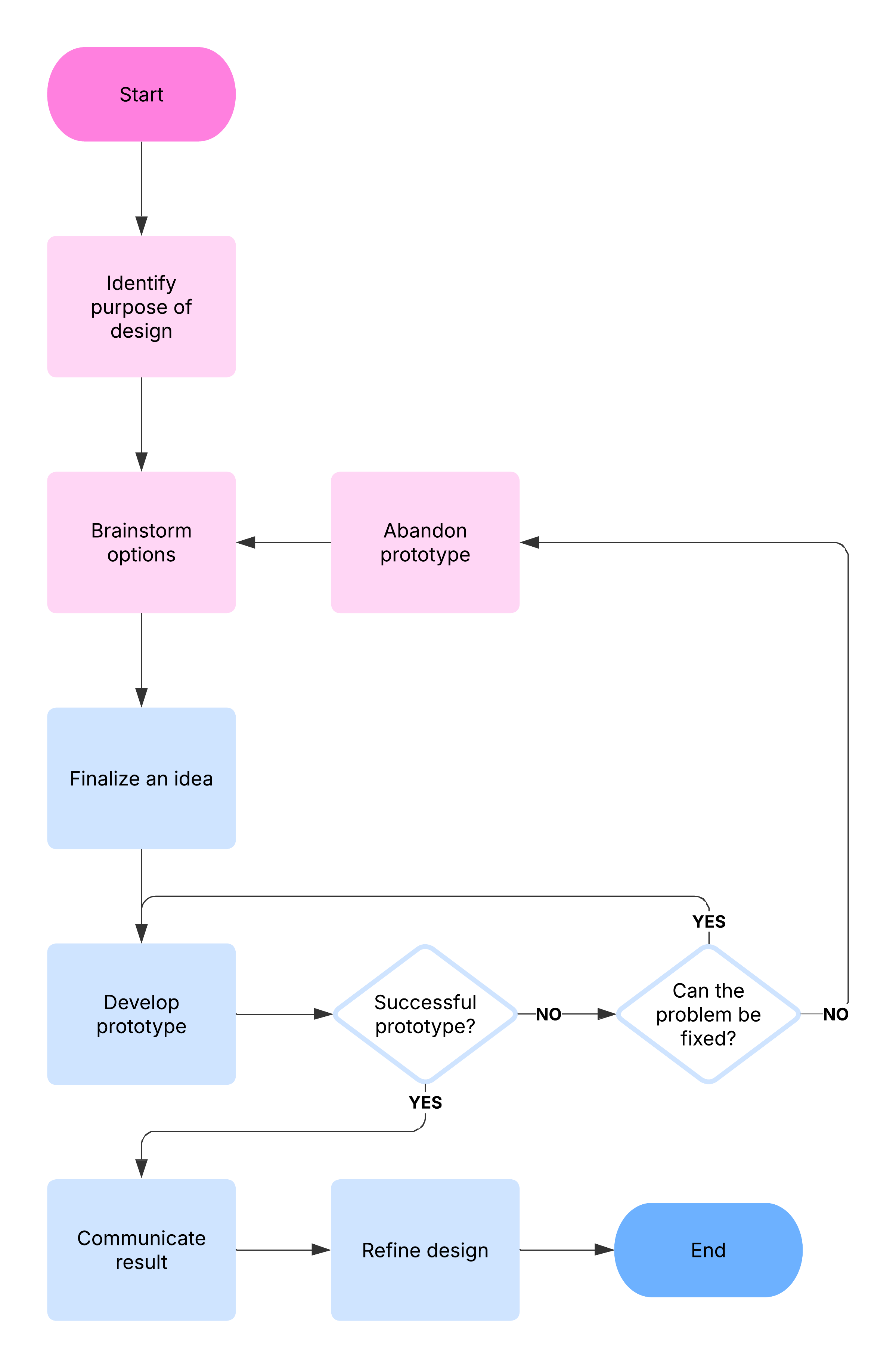
Unlike a flowchart, which maps a step-by-step process, a block diagram gives a high-level, less detailed overview of how major system components interact.
Lucidchart offers industry-standard shape libraries, intelligent formatting, and real-time collaboration to help users quickly outline and scale system architectures.
A block diagram is a specialized flowchart that engineers use to visualize systems and their interactions. It shows the principal parts of a system as blocks connected by lines, providing a high-level overview of major components, inputs, outputs, and the relationships between them.
Think of a block diagram as a highway map that shows the major cities but not every minor road. The diagram first clarifies the overall concept, and then becomes progressively more detailed through top-down design.
Block diagrams rely on the black-box principle: Each block's inputs and outputs are known, but its internal workings stay hidden. This structure keeps the focus on system behavior rather than implementation details, which is why hardware and software teams reach for a block diagram maker early in the design process.
Core components of a block diagram
Every block diagram is built from a small, consistent set of elements. Learn these four parts, and you can read or build almost any block diagram example.
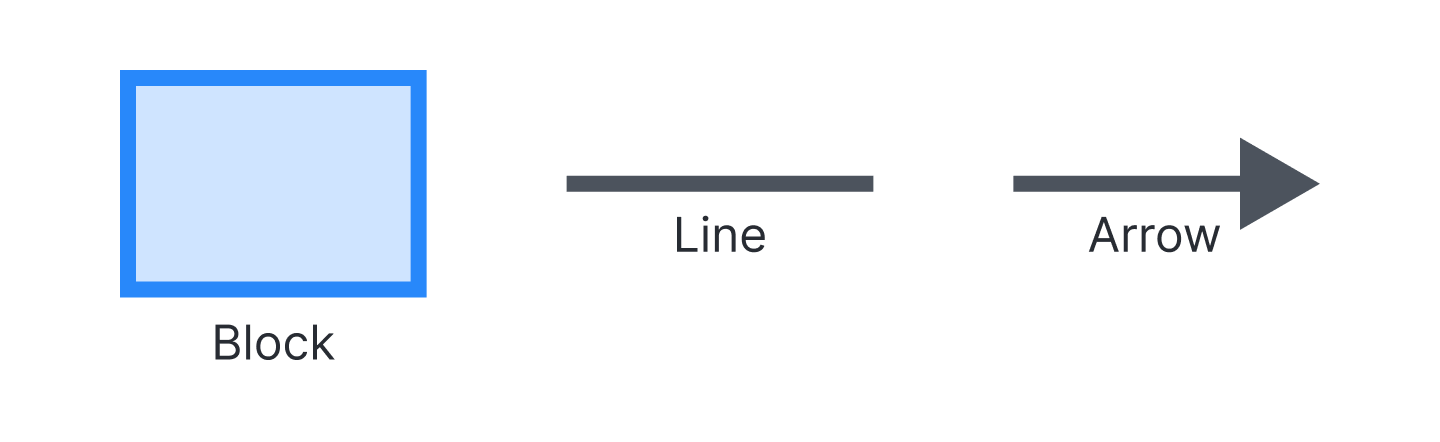
Blocks or boxes represent the functions or components of the system.
Connecting lines and arrows show relationships between blocks and the direction of flow.
Inputs and outputs define what enters and exits each block and the system as a whole.
Labels name each block and clarify what every connection carries.
Because a block diagram is a specialized flowchart, these components stay readable even as a system grows in scope.
Types of block diagrams
Block diagrams adapt to the discipline that uses them. Match the type to your goal, and then choose the right symbols and level of detail.
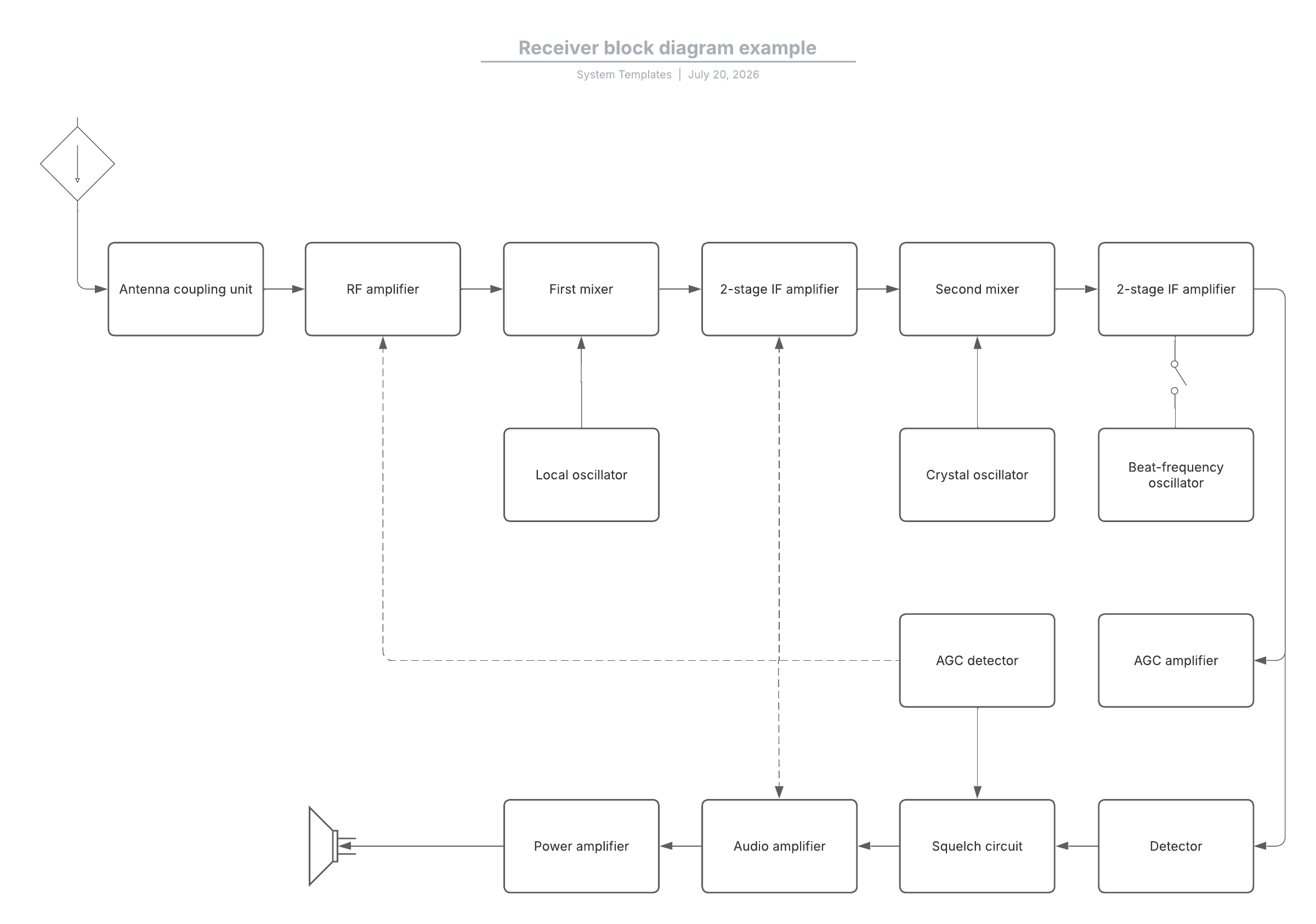
Hardware and electronic design diagrams map physical components and how signals move between them.
Software design diagrams outline system architecture and how modules or services interact.
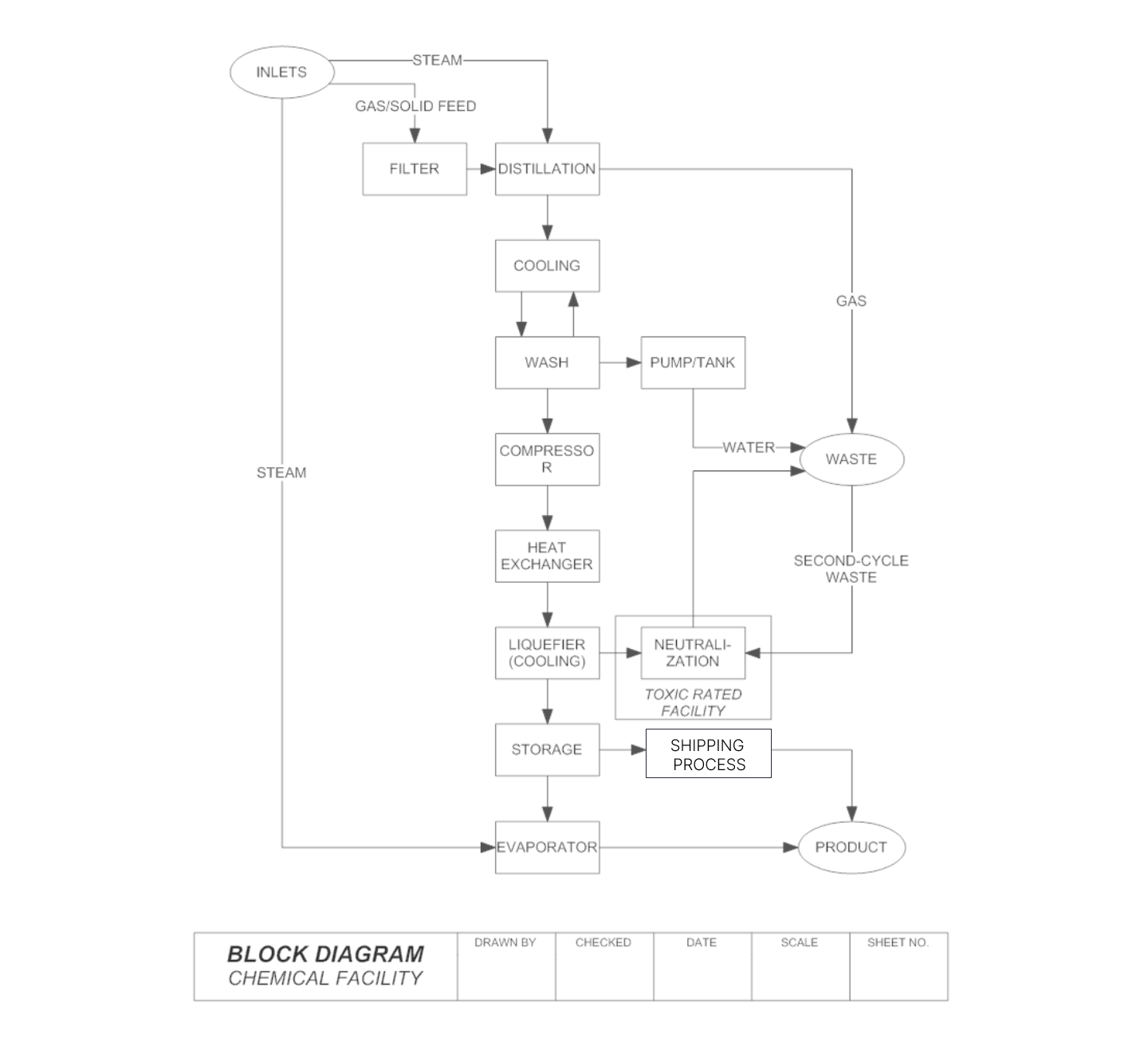
Process flow diagrams show stages in a workflow and are common in process control, biotechnology, and bioprocess design.
Functional block diagrams are a formalized type, such as the IEC 61131-3 function block diagram, that use directed lines to connect inputs to block inputs and block outputs to outputs.
Control systems and process improvement projects often combine several of these views as a design matures.
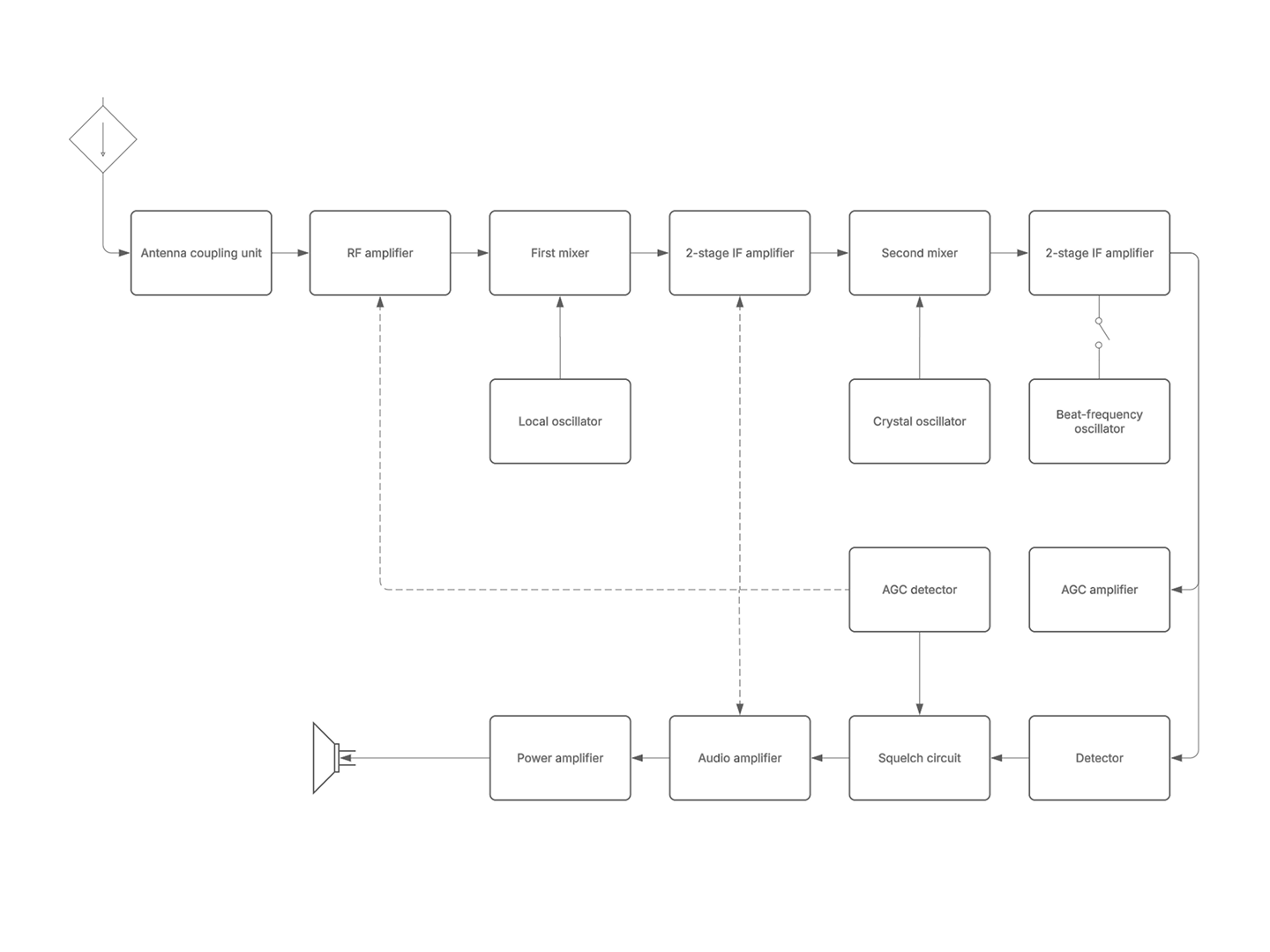
What block diagrams are used for
Block diagrams help teams account for major components before committing to detailed work. Use one whenever you need a shared, high-level view of a system. Block diagrams can be used in:
Hardware design to plan components and how they connect
Software design to visualize architecture and system interactions
Process improvement to see inputs, outputs, and relationships across a workflow
Systems analysis to map devices and connections, much like a network diagram, and clarify how everything interacts
Starting at the block level means every stakeholder can align on the concept before the design becomes progressively more detailed.
How to make a block diagram
Lucidchart is an intelligent diagramming application, and many engineers use it as their primary block diagram maker. It is cloud-based, so you can build a block diagram online from any browser, operating system, or device.
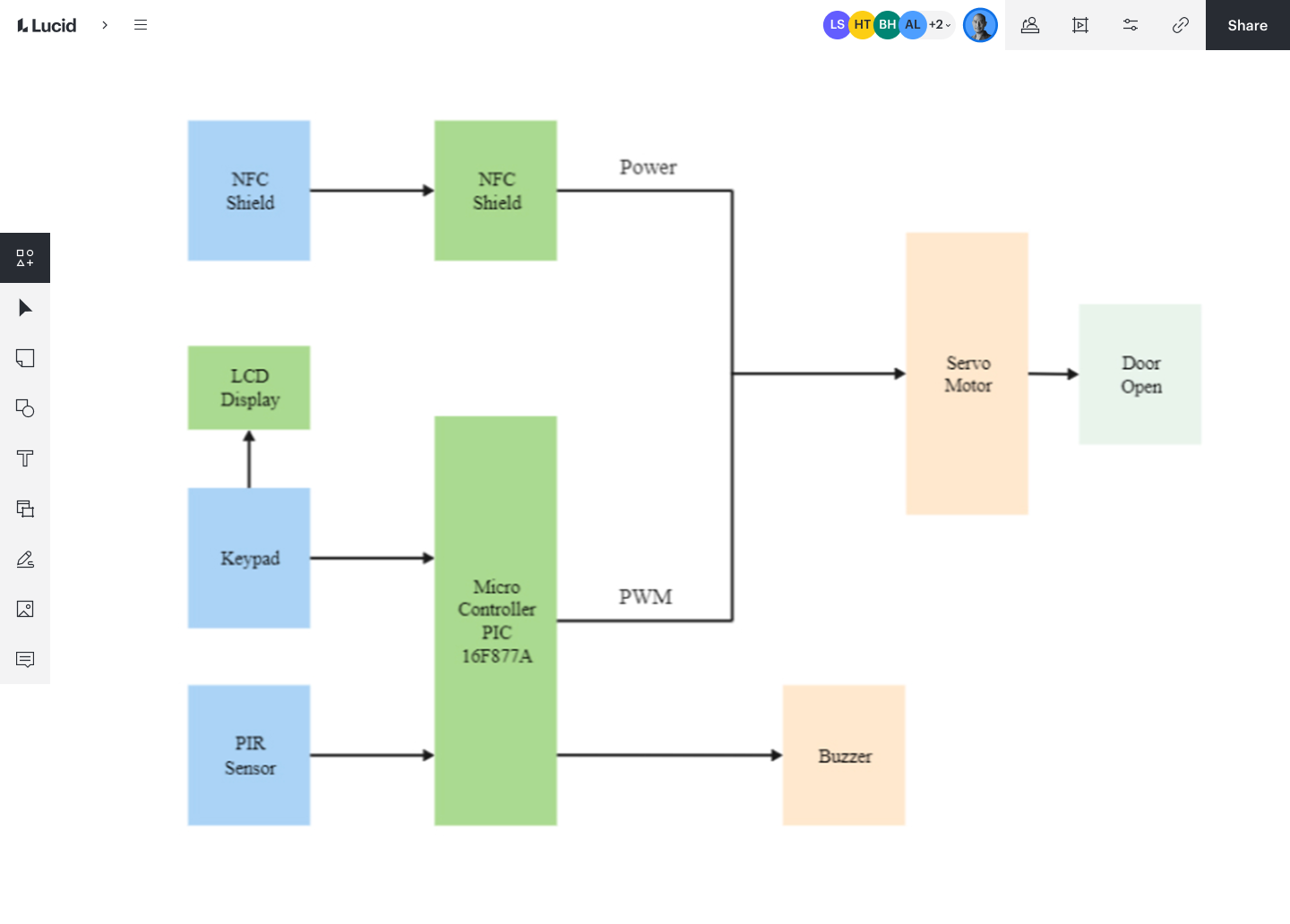
Follow these steps to go from blank canvas to a shared system overview in Lucidchart.
Sign up or open Lucidchart and start a new document.
Choose a customizable template or a blank canvas to fit your system.
Drag out built-in shapes for each component from libraries with hundreds of industry-standard symbols and notations, including electrical components and audio systems.
Connect the shapes with lines to show flow and relationships between blocks.
Label the blocks and add color or icons for clarity, using intelligent formatting or Lucid AI to arrange the diagram.
Share, export, or collaborate in real time with in-editor chat, comments, and @mention notifications.
This block diagram software also integrates with Confluence, Jira, GitHub, Google Workspace, Microsoft Office, Microsoft Teams, Slack, and other top software, so your diagram can live where your team already works. Start your own block diagram in Lucid today to visualize processes and align teams.