Many knowledge workers are trying to figure out what implementing AI looks like for them. We’ve all heard about the potential efficiency benefits AI can bring. According to Lucid’s 2024 AI adoption survey, 62% of respondents cited improved productivity as a driver of AI adoption. But it can be difficult to know where to plug it into your workflows in a consistent way.
That’s why we’ve put together a framework on how to use AI effectively, whether you lead a company or you’re just getting started in more entry-level work.
How can knowledge workers use AI—no matter their role?
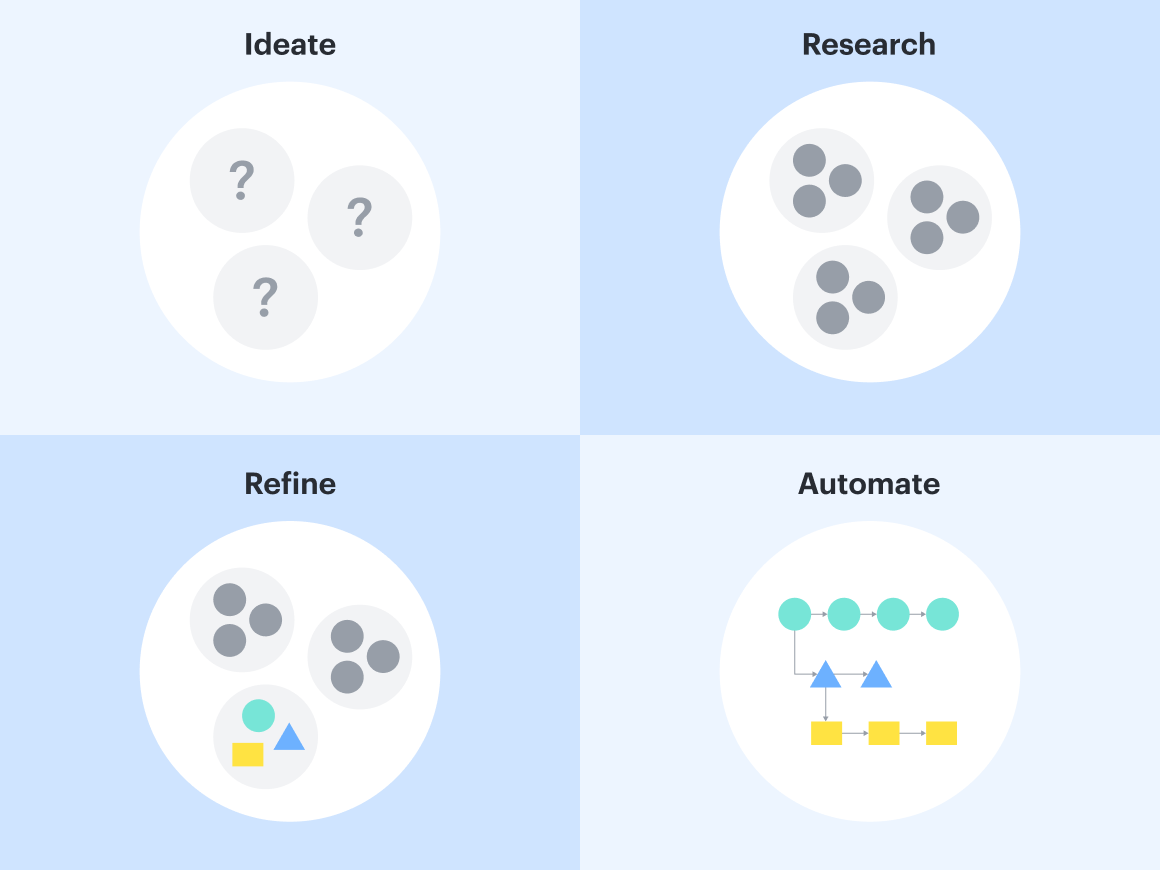
To use AI effectively, Patrick Saul, solutions consultant at Lucid, suggests thinking about how AI can help you ideate, research, refine, and automate. More specifically, you can think of it as asking AI to do the following when working on a project:
-
Ideate: What might we do?
-
Research: How could we do it?
-
Refine: How should we do it?
-
Automate: Do it.
Along with thinking about how AI fits into these stages, ask yourself a few key questions:
-
What simple tasks am I doing today that AI could automate?
-
What are the complicated tasks I’m doing today that AI can help me take action on?
In this blog post, we discuss how executives, managers, and individual contributors can use AI in their roles using an example of an organization that’s doing quarterly planning and determining OKRs. It’s Q1 at the organization, and they need to figure out the plan for improving operations in Q2.
Let’s dive in!
Executives
According to Lucid’s AI adoption survey, 83% of executives reported using AI-powered collaboration tools compared to 42% of entry-level workers. Many executives are no strangers to using AI, but if an executive needs a few examples of how to use AI as a leader, here’s our take:
Ideate
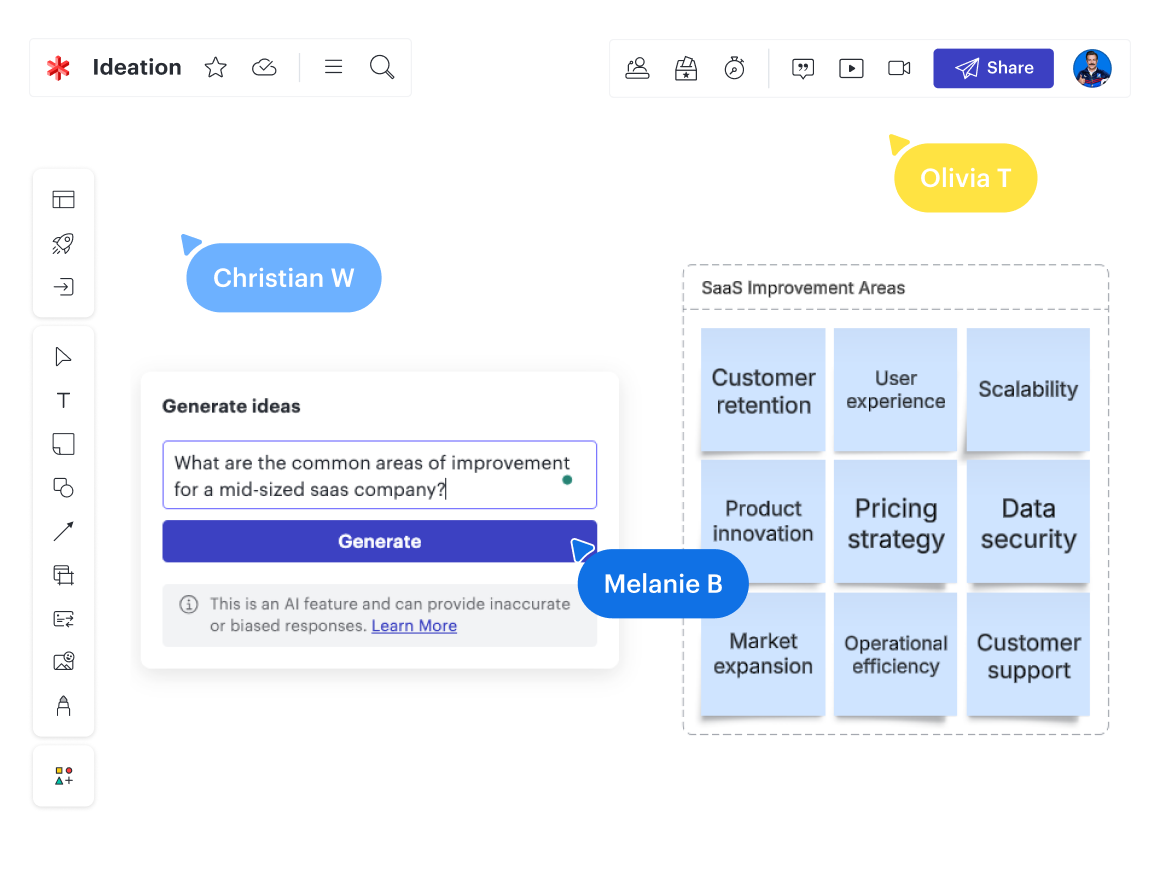
Referencing our OKR planning example, an executive could use an AI chat tool to brainstorm areas of improvement for their organization. They might type a prompt such as “What are common areas of improvement for a mid-sized SaaS company?” The generated responses would then serve as a starting point to get more specific ideas rolling.
For instance, that prompt might bring up responses around initiatives like product, customer retention, go-to-market motions, and operations. Executives could get more specific by adding details about whether their organization is public or private, how many employees work there, and more.
Within Lucid, you can use the generate ideas feature to kick off a brainstorming session. Type your prompt, and Lucid will generate sticky notes with ideas. You can then easily select ideas to sort or iterate on.
Research
Once leaders have identified potential areas where their organization could improve, it’s important they conduct further research to validate the direction they’re heading, such as synthesizing industry benchmarks to understand what realistic numbers are for their teams to hit.
Without AI, this kind of deep research is very time-consuming. With AI tools like Gemini or ChatGPT, leadership teams will have pages of relevant notes to review in less time than it typically takes to even find the right resources to begin research.
Or, if the executive wants AI to get deeper into industry analysis and not just surface information about industry benchmarks, they could use a market or competitive intelligence platform.
Refine
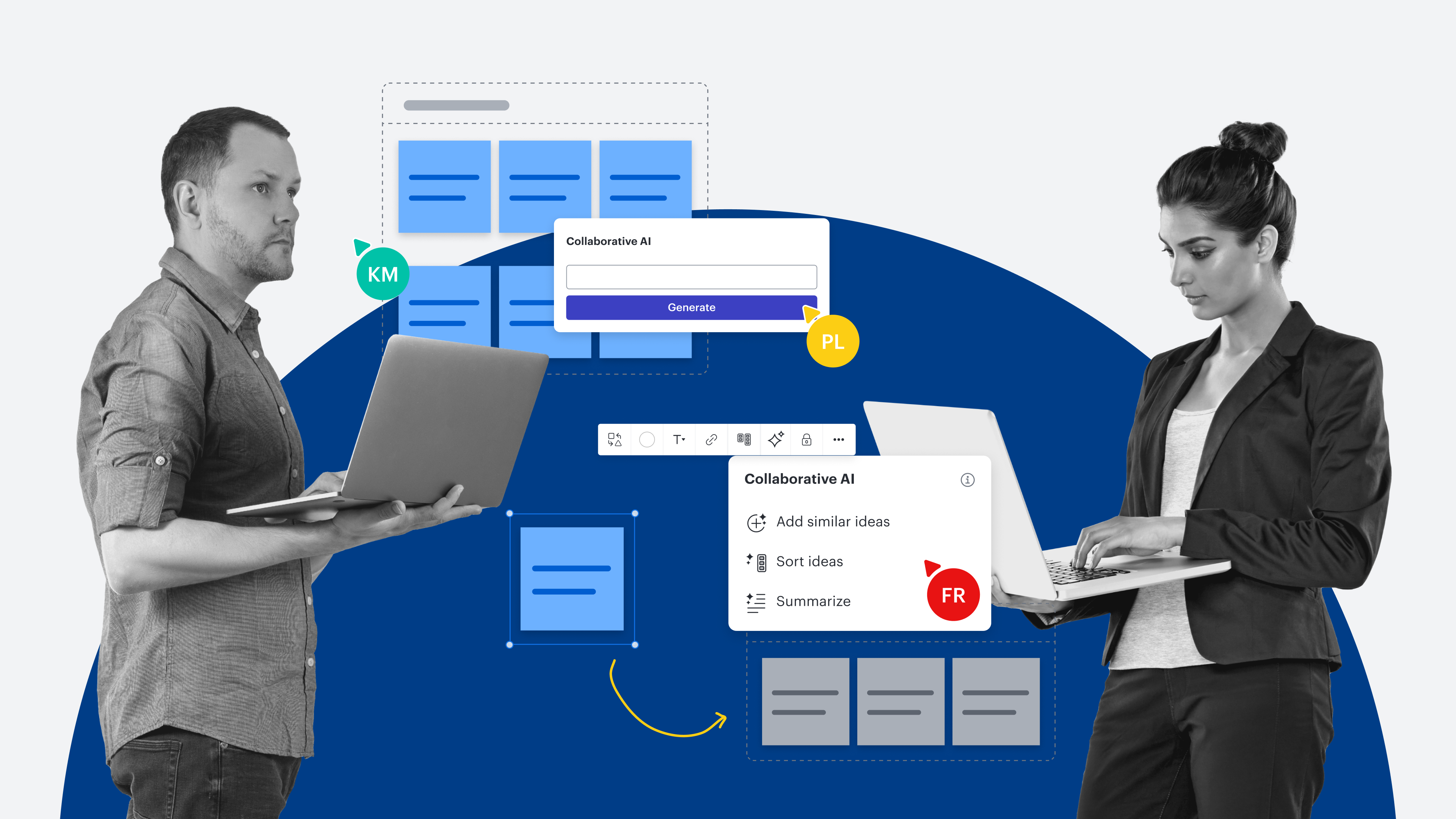
Once the brainstorming phase is finished and an executive needs to hone in on which proposed objectives will create the most impact for their business, AI can also help prioritize and specify objectives. Lucid can help with its sort ideas feature. Select a handful of ideas to sort, and Lucid’s Collaborative AI will automatically group the ideas by common themes so you can see patterns.
Another way an executive could prioritize and specify objectives would be to use a solution tailored to their specific use case—in this case, determining OKRs. OKR management platforms with AI capabilities allow users to perform what-if scenario planning, predict OKR achievement, and more.
An AI chat tool, such as Gemini or ChatGPT, could also write the final OKRs to make them more specific.
No matter what AI tool someone chooses, the goal is to automate the work that doesn’t require an executive’s expertise.
Automate
Later, as teams work on OKRs and managers gather data and report on performance, an executive could use AI to synthesize and interpret results to determine the success of each OKR.
Business intelligence platforms with AI capabilities, such as Microsoft Power BI and Tableau, allow users to ask questions about their data and instantly receive an answer. For example, “How much has our lead-to-opportunity conversion rate increased since last quarter?”
Some of these platforms can even recommend actions based on the data analyzed.
Managers
Managers will likely spend a fair amount of time using AI to ideate, research, refine, and automate because they have to bridge the gap between leadership’s strategic vision and individual contributors completing the day-to-day work that rolls up to that vision.
Ideate
Using the OKR example, once executives have determined the Q2 OKRs and share those goals, managers can start high-level planning and figure out what actions their teams need to take to meet the OKRs.
A manager could plug an OKR into a generative AI tool and ask how to go about reaching that OKR. For example, a prompt might look like this: “How can a mid-sized sales team reach an OKR of enhancing sales efficiency and productivity by increasing the lead-to-opportunity conversion rate by 10%?”
AI will list a variety of ideas, and the manager will use their expertise to narrow down those ideas and determine which are applicable to their team.
“When you use generative AI to help brainstorm, think of AI as a thought partner. It should offer you different perspectives and help you to further develop your own.”
—Patrick Saul, solutions consultant at Lucid
Research
Once the manager has chosen which ideas to pursue, it’s helpful for them to understand their team’s current state, and AI can help!
Semantic search is an AI functionality that will go beyond keywords to find documentation, and if a user’s apps are integrated, it can often surface results from different apps in one place.
AI-powered note-taking assistants, such as NotebookLM, allow users to upload documentation and then ask questions about that documentation so that they don’t have to read an entire document to find the information they need.
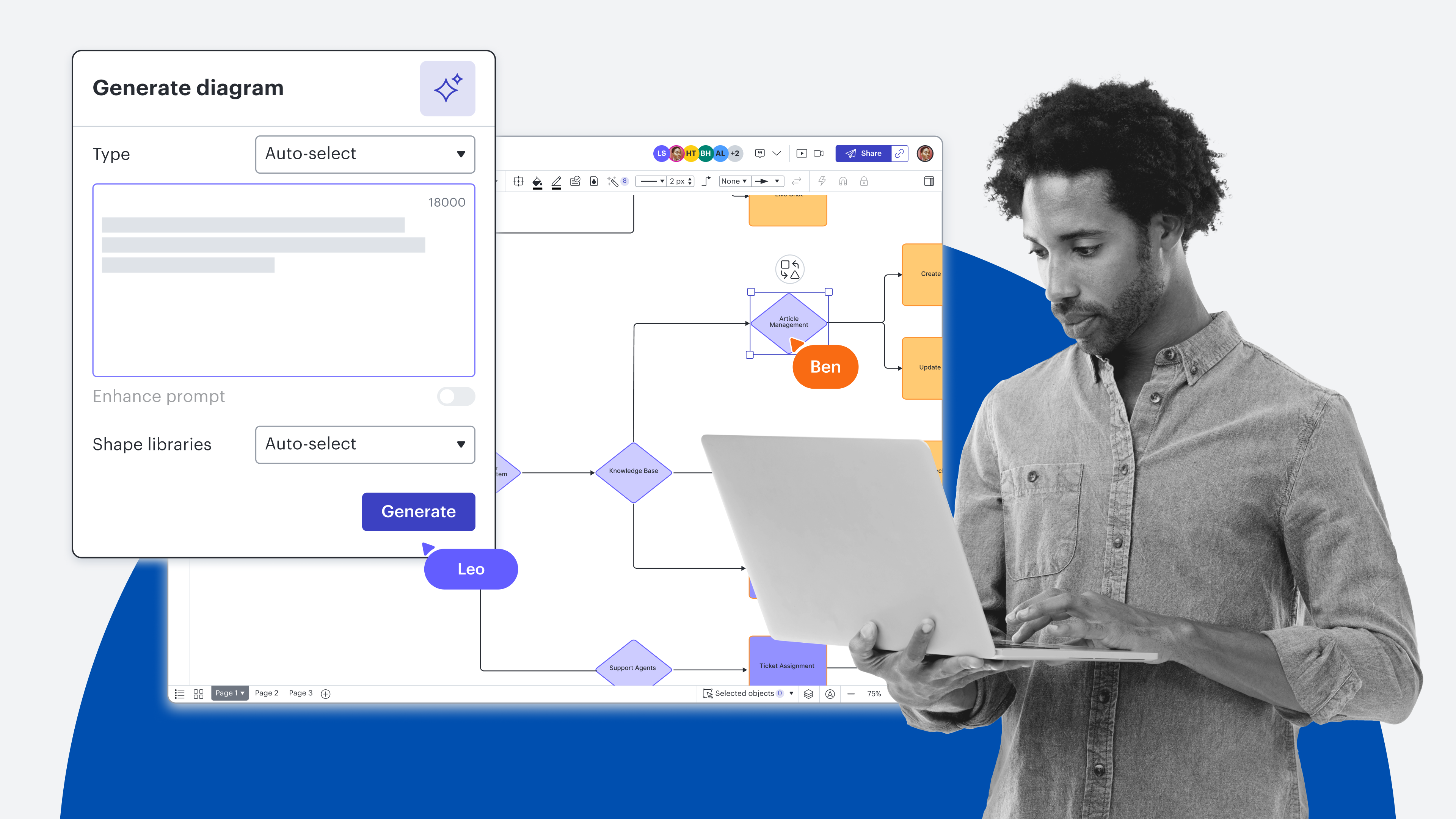
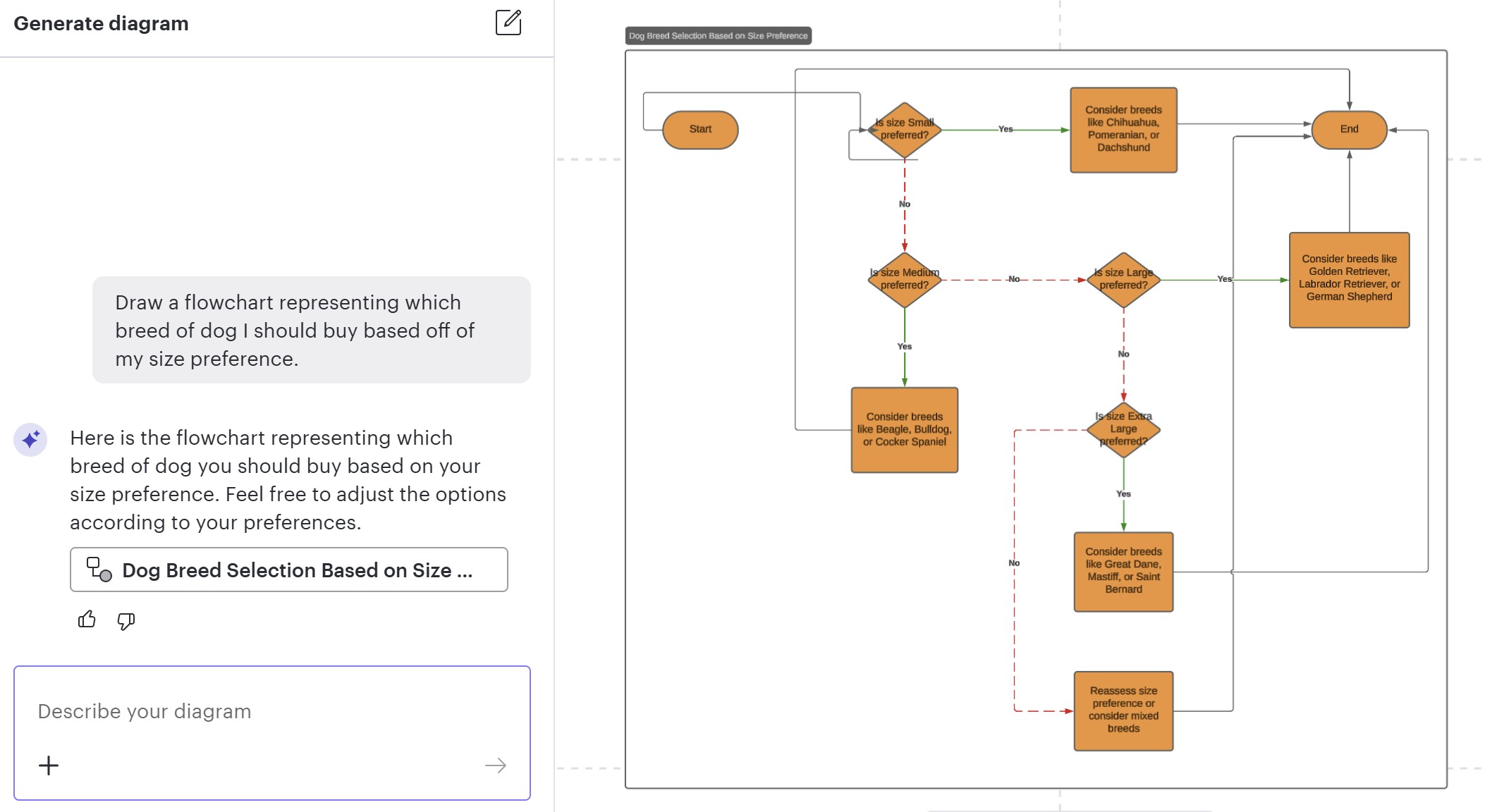
Along with helping managers find documentation, AI can also automatically generate visuals of a team’s current state for a process. For example, you can generate a diagram in Lucidchart by typing in a prompt for what type of diagram you want and giving some details of what you’d like it to show. Managers can use this functionality to speed up the process of visualizing their current state.
Refine
At the refining stage, managers can use AI not just to refine their own work but, more importantly, to define work for their teams.
Similar to executives, managers can use AI to generate what-if scenarios and assess their impact on the success of an OKR. Rather than at an organizational level, this would be at their team level.
Additionally, much like the process of understanding a team’s current state previously mentioned, managers can also use AI (and Lucidchart’s diagram generation) to design a future state that helps achieve the desired OKRs. An example future state might be automating personalized outreach to leads as much as possible.
Automate
Similar to what we talked about with executives, managers can use AI to gather and report on metrics.
Individual contributors
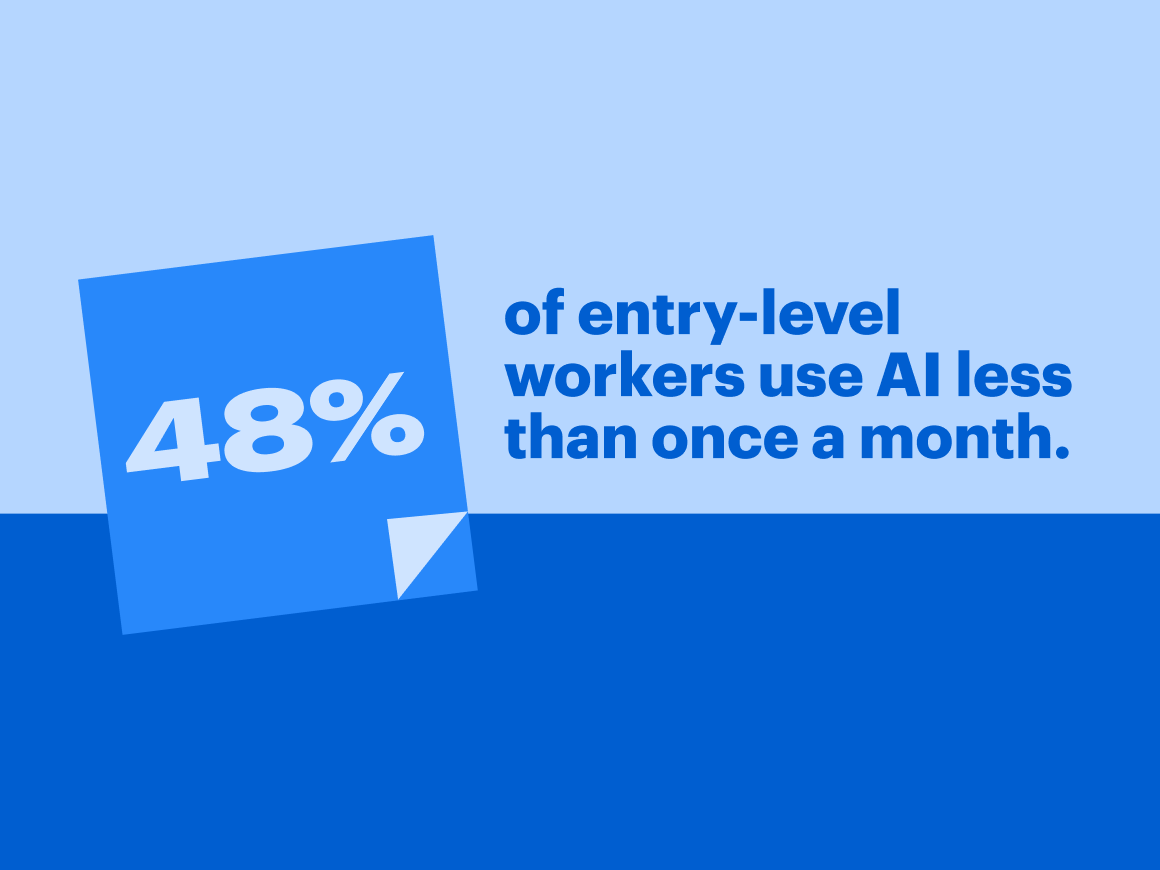
According to Lucid’s AI adoption survey, only 21% of entry-level workers are embracing AI for their daily tasks and collaboration, and 48% of entry-level workers use AI less than once a month. The takeaway? There’s a lot of opportunity for individual contributors to leverage AI more (especially for automation) since so much of their work is executing on projects.
For our OKR planning example, the individual contributors we’re referring to work in sales.
Ideate
Let’s say a sales rep has heard from their manager about how their team will contribute to company-wide OKRs (such as “increase the lead-to-opportunity conversion rate by 10%”) by automating personalized outreach to leads. The sales rep can then use AI to brainstorm methods for personalizing outreach to leads. This is another place where Lucid’s generate ideas feature can be helpful.
Research
A CRM platform with AI capabilities can be a helpful tool for sales reps looking to determine which of their leads would benefit from personalized outreach. These platforms offer predictive lead scoring, indicating which leads are most likely to convert. These types of platforms can also track a lead’s digital interaction with a company and more.
Refine
Once they know whom they’re reaching out to, sales reps can use a customizable AI solution like Gemini “Gems” or ChatGPT’s Custom GPTs to create templates for personalized outreach.
For example, they could set up a Gem with the context that they’re a sales rep at a SaaS company reaching out to a potential lead and dictate that they want the responses to always be in the templated format that’s ready to send via message or email. They can call out instructions like “these messages should be friendly, clear, and concise.”
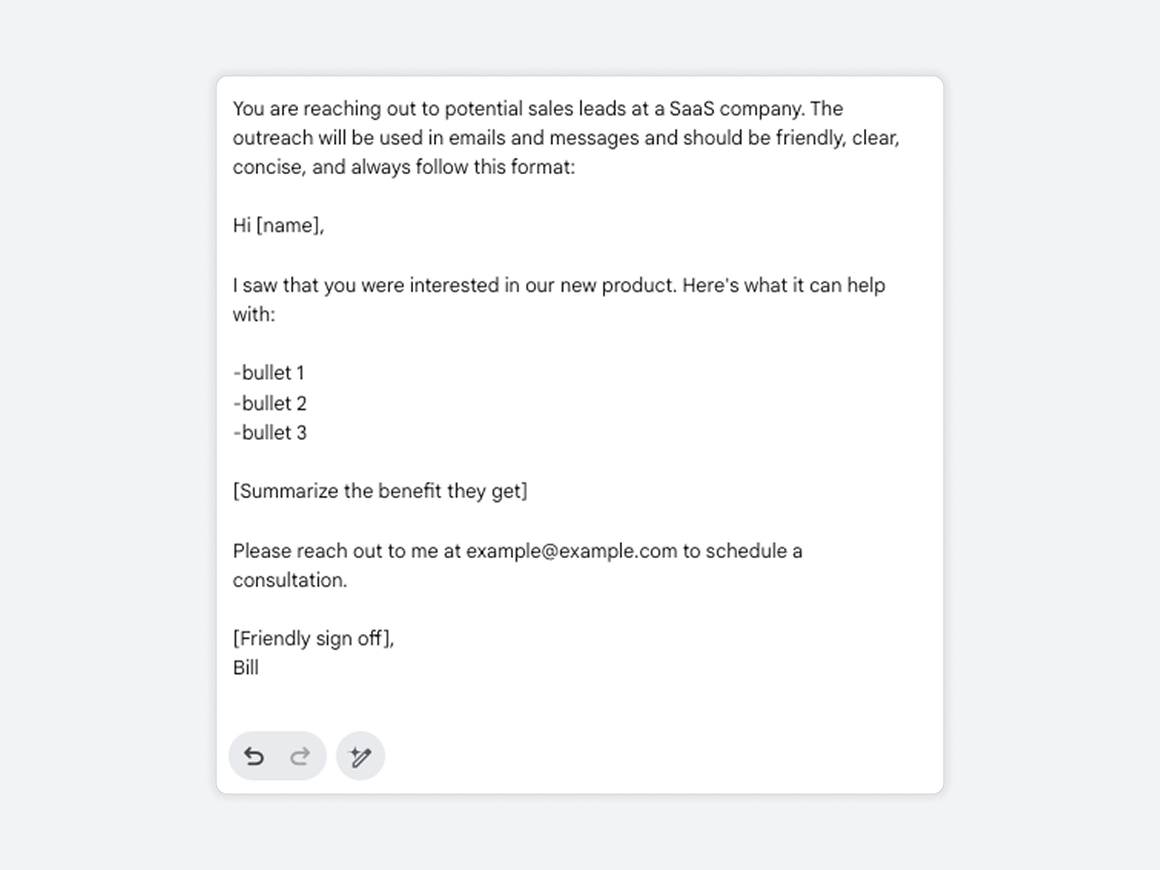
Once the custom instance is set up, a sales rep could tell the AI tool something like, “Create a personalized email for a manager at X company named Y that I’m reaching out to about how they can save time and money and improve their workflow with our product.” The AI tool will then provide a message the sales rep can review, revise, and copy and paste.
Automate
After a sales rep has sent personalized outreach to all relevant leads, they could use AI to help summarize emails they receive from leads and write responses.
AI scheduling assistants can also help sales reps schedule conversations with leads by chatting with the lead to find times, integrating with calendars and suggesting times, factoring in time zones, and more.
Exploring AI
Even if an OKR planning example isn’t immediately applicable to your org’s work, there is a big opportunity for knowledge workers at every level to use AI to uplevel their skills and free up time to make a bigger impact. Where can AI help you ideate, research, refine, and automate?

Looking to further develop your AI skills?
Read more