In 2020, as office shutdowns became the norm and the world we knew suddenly went remote, some amazing things happened. Teams learned to adapt to their new reality. People worked harder to help one another. Hybrid communication became the standard.
Then, in 2021, as employees started returning to the office, new challenges came too.
A communication gap seemed to grow almost overnight between remote employees and their in-office counterparts. Meetings conducted in person might appear to favor those in attendance, with co-workers calling in from home being reduced to observers.
Flexible schedules that once defined pandemic work life now often defer to the 9-to-5 workdays of old. If people working in the office come in during standard business hours while their at-home counterparts work different schedules, it can cause yet another gap in communication throughout the hybrid workplace.
But it doesn’t have to be like that. The secret to successful hybrid communication in the workplace comes down to how well you balance the everyday interactions between office workers and remote employees, as well as understanding the challenges that your team faces.
Communication challenges of the hybrid work model
Whatever the industry or the size of your team, the occasional gap in communication is almost inevitable. For hybrid teams, the chance of experiencing a communication gap is that much higher given the differences between office and work-from-home communication styles.
Since the team members in a hybrid work model won’t always interact with one another in the same workspace, unique communication challenges will arise. For example:
- Not everyone will receive (or respond) to messages at the same time
- Tone or emotion aren’t always conveyed in emails or messaging apps
- Without guidelines, people usually default to their own work preferences
Think about your own communication style. When working from home, it’s likely that you rely more on emails and messaging apps to stay in contact than you would when in the office. And when working together, it’s much easier to have a quick conversation than it is to write messages back and forth.
How to improve communication in a hybrid workplace
Whether you’re in charge of managing projects or the people completing them, it’s critical to overcome these challenges and strive to keep everyone on your hybrid team communicating effectively.
Fortunately, here are five simple yet proven tools and strategies you can use right away.
1. Audit your current communication strategy
Before creating new workflows and embracing different communication strategies, it’s helpful to assess the existing systems being used by your organization. To get a better idea of the current state of your communication strategy, ask yourself these questions:
- How are day-to-day tasks communicated between team members?
- How do we usually announce important information with the team?
- How do we conduct confidential, one-on-one conversations with employees?
- Do we include our remote employees in face-to-face conversations?
- Which tools do we use most often when communicating remotely?
- Can everyone on your team access these communication tools?
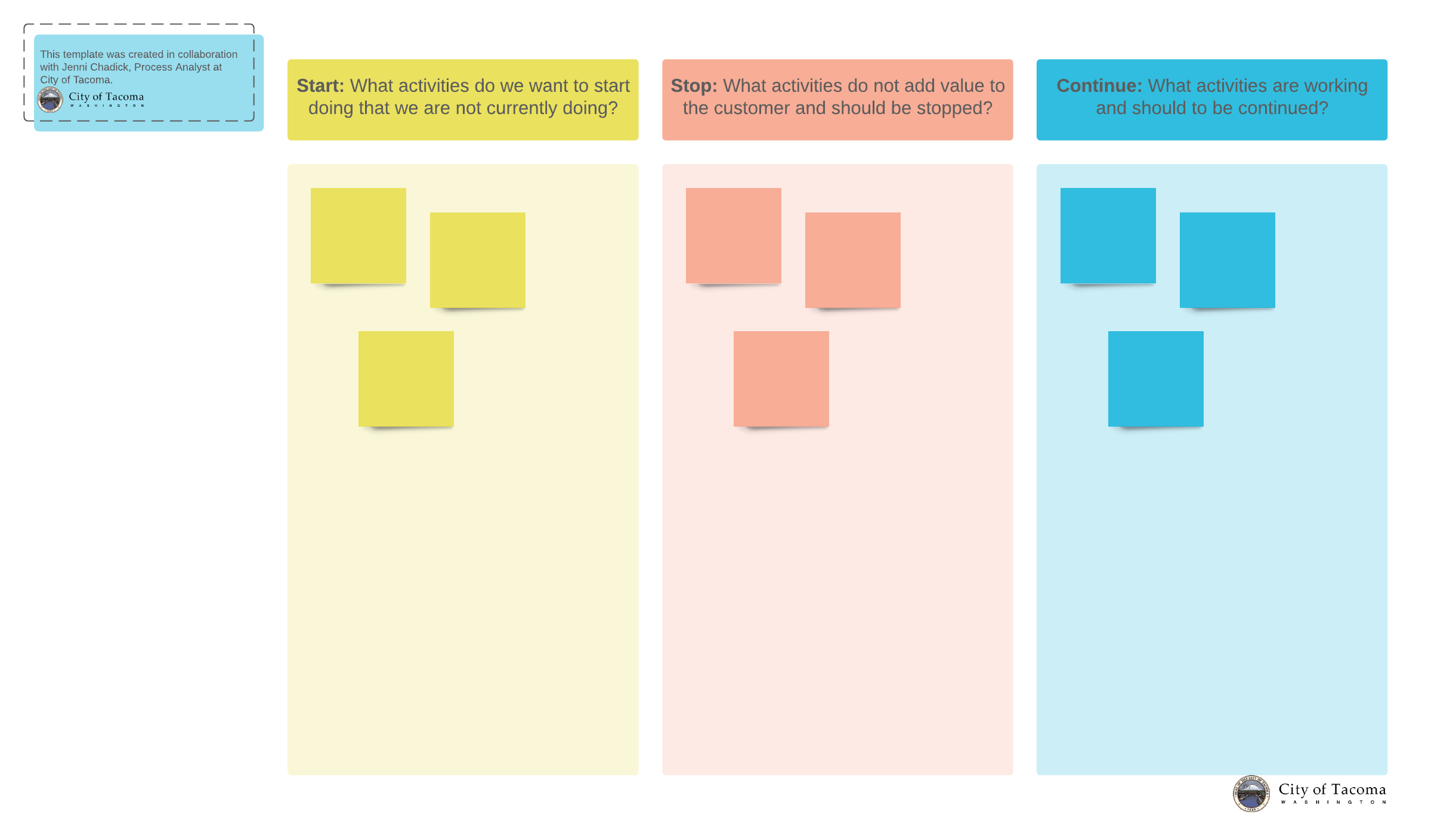
You may consider using a start, stop, continue template to evaluate your current communication strategy.
Based on your answers, you’ll soon begin to see the strengths (and weaknesses) of your existing communication strategies and workflows. If you’re like most organizations, it’s likely that the current systems favor the in-office team members on your hybrid team. But don’t worry. Now that you have identified your strengths, you can leverage them even more. And as for your communication weaknesses, you now have the chance to be intentional about improving them.
2. Ask team members about their preferred communication styles
Everyone on your hybrid team has a communication style, opens in a new tab they’re most comfortable with. Some employees will prefer face-to-face conversations and in-person meetings, whereas their counterparts will think a detailed email is enough.
While working remotely, some will gravitate to messaging apps like Slack or Microsoft Teams. Yet others might prefer the formality of a conference call to mirror the in-office experience.
The point of this exercise isn’t just about how your team members prefer to interact and communicate. It’s also about gaining fresh insight into how well they accommodate one another. The demands of a brainstorming session are different from weekly check-ins or huddle meetings, so a phone call’s inability to visually share ideas could be a distraction.
With a better understanding of each team member’s communication preferences, you’ll have the insights and information you need to get everyone on the same page.
3. Leverage collaboration software and tools
When working remotely, the biggest setback for most hybrid communication efforts is a lack of immediate interaction or ongoing collaboration with their in-office counterparts.
The back-and-forth nature of email can become inefficient and cumbersome, especially if the entire team is inundated with an ongoing succession of reply-all messages. Sharing documents requiring feedback (or consensus) on time-sensitive projects is also futile.
With software like Slack, Microsoft Teams, Google Meet, or Zoom, hybrid communication is suddenly more dynamic and productive. Everyone can share documents, respond in real time, and feel like they can actively participate in meetings, regardless of where they’re working from.
Using a digital whiteboard like Lucidspark, opens in a new tab, your hybrid team can work on the same canvas during a meeting or collaborate asynchronously. You can also brainstorm together with sticky notes, collaborator colors, and voting features. To take it a step further, decide how to take action as a team with Visual Activities.
Lucidspark elevates hybrid communication on your team by providing all meeting participants with the same opportunity to participate in team discussions.
4. Balance synchronous vs. asynchronous communication
In a typical office environment, most conversations are synchronous. The desk drop-by. The Monday water cooler chats. The weekly conference room meetings. These are the workplace encounters that create familiarity and build relationships for the team.
Synchronous communication is often the preferred way to address any sensitive topics, complex issues, or emergency situations in which there can be no room for ambiguity.
For a hybrid team, synchronous communication isn’t always an option. Sometimes, it’s a matter of different work schedules or time zones for remote employees. Thanks to these limitations, you can’t always expect remote workers to respond immediately. Expectations for remote workers to respond in real time sometimes prove more disruptive than productive.
Hybrid communication is often asynchronous. It takes the form of email, a message posted in a project management system like Asana or Jira, or other collaboration tools and software. Asynchronous communication doesn’t require an immediate response.
With fewer work interruptions and more time to give thoughtful answers, asynchronous communication offers hybrid teams greater control over their time, plus the opportunity for more focused work.
However, asynchronous communication can create a unique gap in communication for a hybrid team. Some projects benefit from immediate action or spontaneous brainstorm sessions. The lack of in-person interactions or connections can add to feelings of isolation.
By striving to observe a balance of asynchronous and synchronous communication and adjusting as needed, hybrid teams can find a balance and enjoy the best of both worlds.
5. Be clear about communication standards and expectations
After you’ve asked your team members about their personal communication preferences, think about the daily hybrid communication styles of all your team members. This topic should be top of mind after you ask about their personal communication preferences.
This includes how they interact with each other, how they impart information to clients, and how they manage projects. For example, do employees keep each other informed about where they’re working for the day by sending an email, text, or via Microsoft Teams?
Take your own preferences into consideration. On Google Meet or Zoom meetings, do you expect team members to keep their cameras on for all meetings or only for project presentations to clients?
Leaders should establish clear expectations about the hybrid communication standards for the team. Some interactions profit from the written documentation inherent within email while others benefit from the body language or facial cues of a video conference.
Assign which communication channels to use in a simple but direct way. For example:
- Company announcements and initial client interactions through email
- Weekly huddles, brainstorming sessions, and client presentations on Zoom
- Impromptu meetings or conversations throughout the day using Slack
When making assignments, take into consideration which collaboration software and tools are readily available to your team (and clients) and if there are any redundancies or overlaps with any of your hybrid communication channels.
Additionally, hybrid teams may find it helpful to set other standards involving how your communication tools are used.
This could be as simple as mandating that every meeting scheduled in the office must include a Google Meet or Zoom link to allow remote employees the opportunity to fully participate. Or you may ask everyone to record client presentations or other key meetings to make them accessible afterward.
After setting the communication standards, hold your team members accountable for following them. Letting team members break protocol or defer to their own preferences will only increase the confusion and worsen the communication gap for the entire team.
The widespread acceptance of remote work and hybrid teams has ushered in a whole new level of flexibility and freedom for today’s employees. However, getting the most from hybrid communication requires a level of time, effort, and cooperation from us all.
As workplace technologies and strategies continue to evolve, it is important for business leaders to be adaptive and mindful of how to implement these changes.

Learn more about promoting effective teamwork in a hybrid work model.
Let’s go