Key takeaways
A profile diagram is a structural UML diagram that operates at the metamodel level, extending UML itself to fit specialized tech stacks or industries.
Profile diagrams did not exist in UML 1. They were introduced in UML 2 to display how profiles are used.
The components of a profile diagram are stereotypes (custom keywords that define models), profiles (packages that group stereotypes together), and extensions (lines that point to the UML metaclass being extended).
Lucidchart is a free UML profile diagram maker that pairs custom stereotypes with real-time collaboration. Users can interact with Lucid AI to create profile diagrams quickly and easily.
A profile diagram lets you extend the UML metamodel with custom stereotypes, tagged values, and constraints so standard modeling fits your team's tech stack. This guide explains what a profile diagram is, when to use one, what its core components are, and how to build one in Lucidchart.
What is a profile diagram in UML?
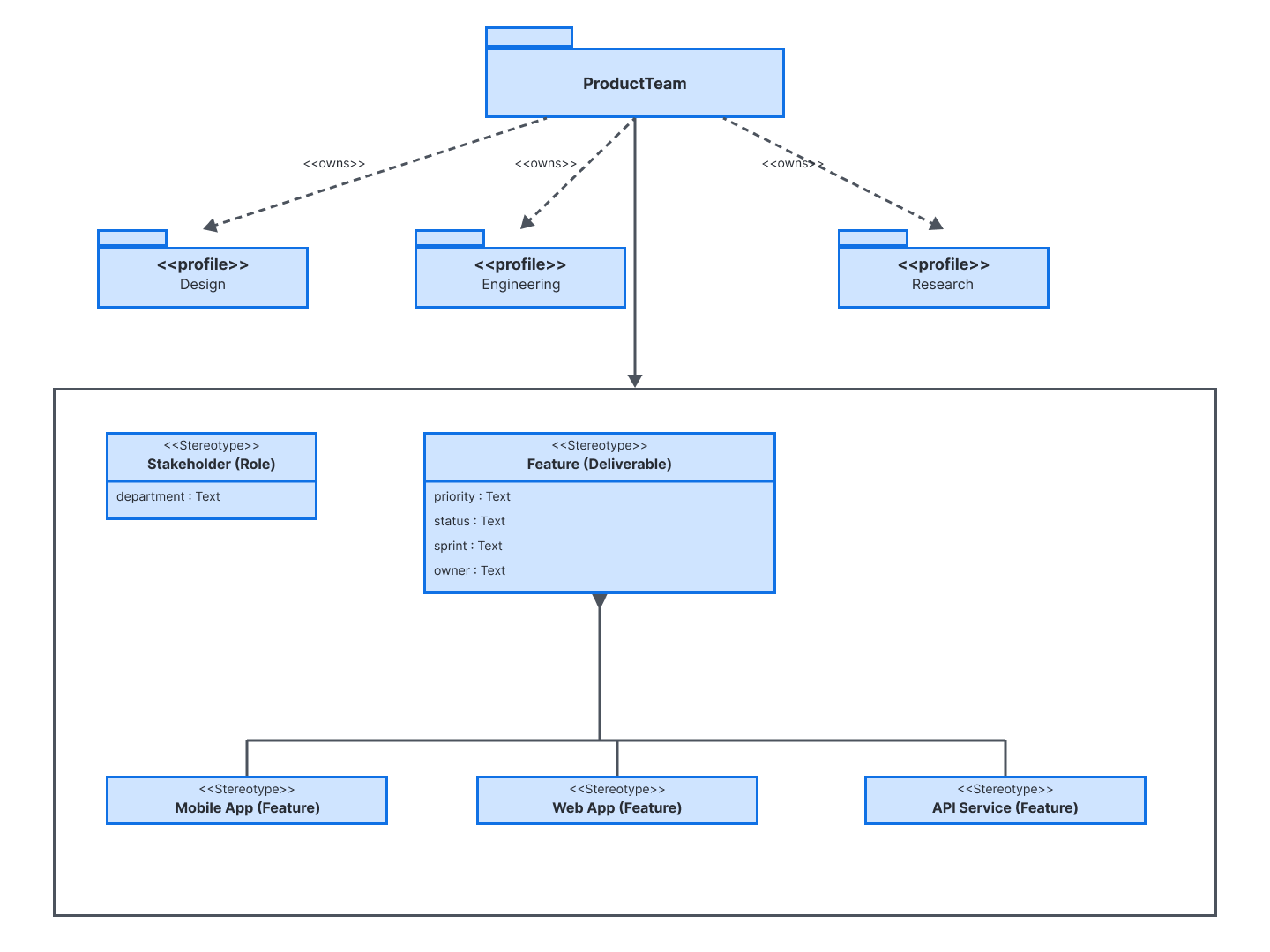
A profile diagram is a structural UML diagram that works at the metamodel level. It is one of many UML diagrams used to document software. This type of diagram did not exist in UML 1. It was introduced in UML 2 specifically to display the usage of profiles.
While standard class or sequence diagrams model actual software components, a profile diagram lets you add custom terms to existing UML models. By defining custom stereotypes, tagged values (metadata attributes), and constraints (rules), profile diagrams allow you to adapt standard UML to niche domains—such as cloud architecture or embedded systems—without breaking UML compliance.
When to use a profile diagram
Profile diagrams are perfect when standard UML is too generic for your use case. Consider using a profile diagram when you are:
- Adapting UML to a specific industry or domain
- Defining team-specific vocabulary through custom stereotypes
- Enforcing constraints and tagged values across your models to adhere to governance policies
- Standardizing modeling across a tech stack
Profile diagram components and symbols
A profile diagram is built from three core notation elements. You can drag these onto UML diagram templates from Lucidchart’s UML shape libraries.
Stereotype
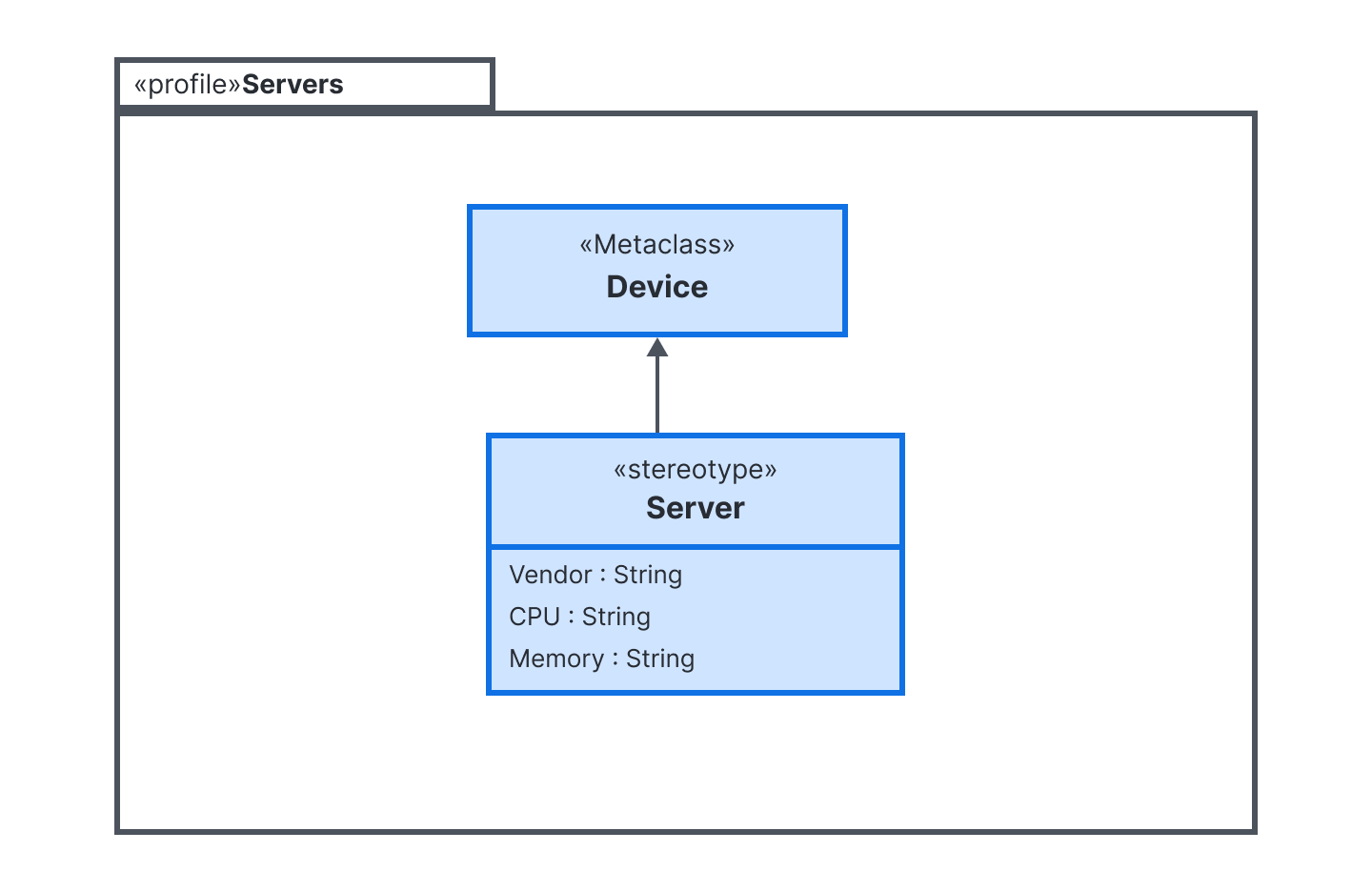
A stereotype defines a custom classification, such as team-specific vocabulary, that you can apply to existing model elements. It is drawn as a standard class box, tagged with «stereotype» above the name. It can also define custom properties (tagged values) inside.
Profile
A profile package organizes related stereotypes so you can manage and apply a set of extensions as one unit. It is drawn as a folder shape tagged with «profile».
Extension
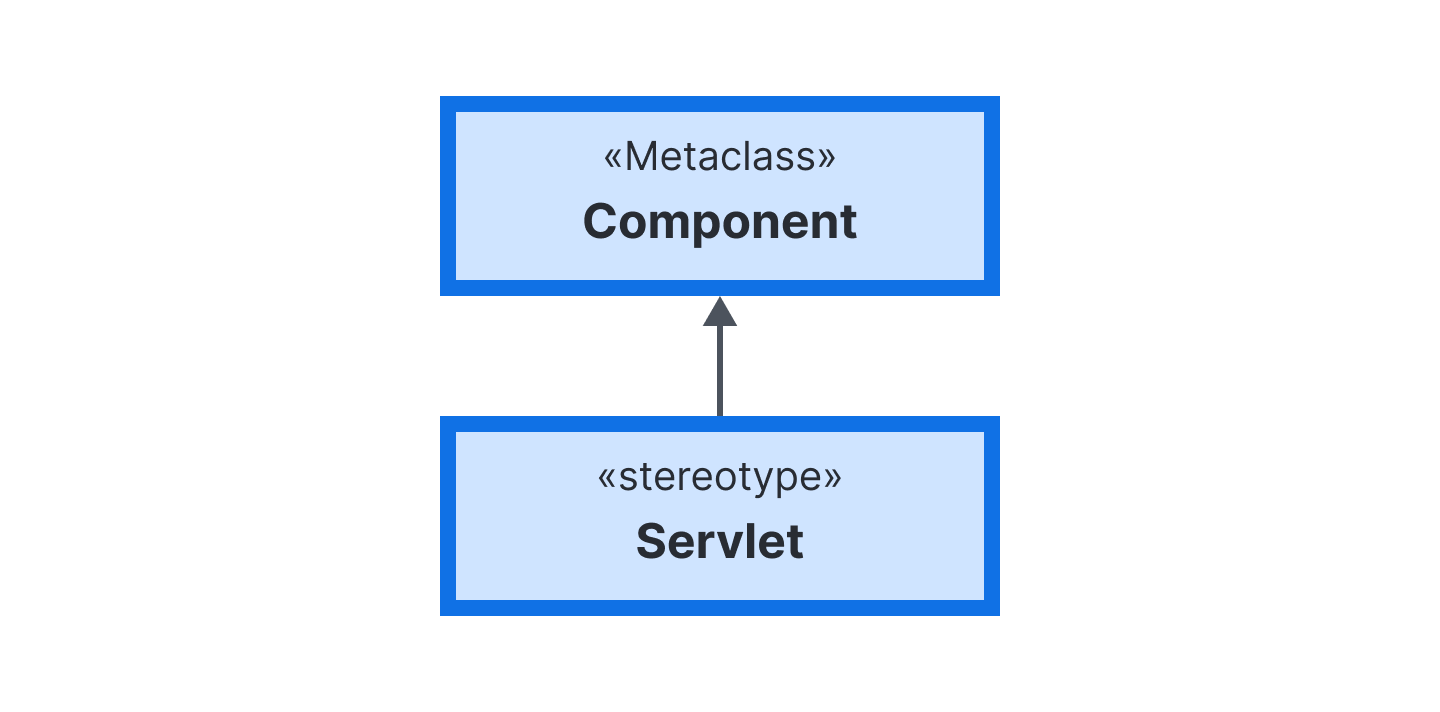
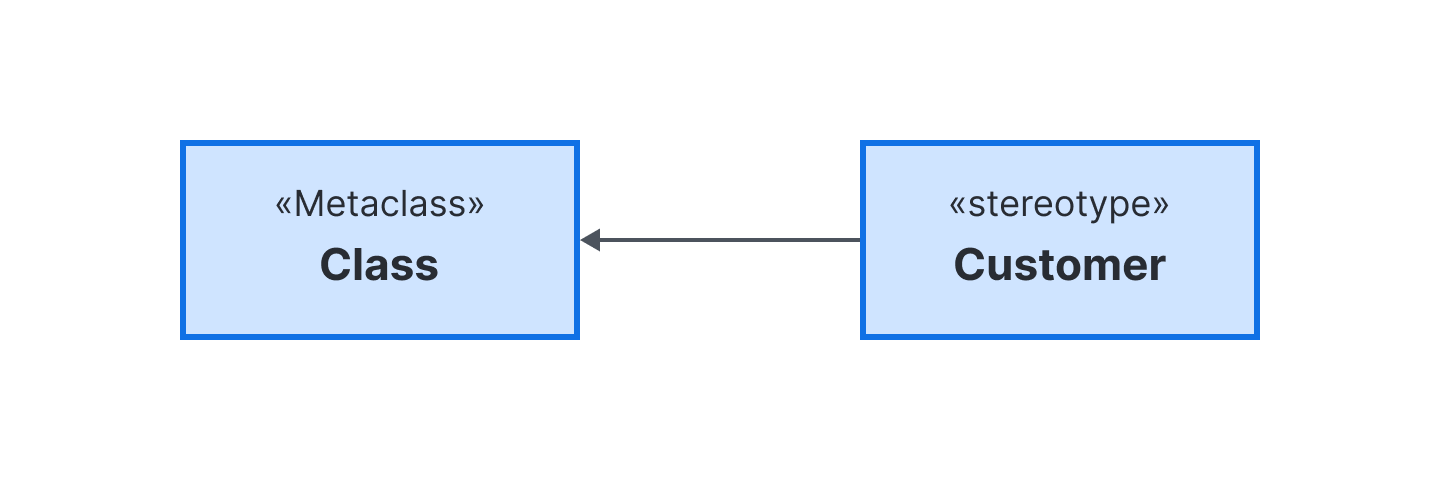
Extension relationships indicate which standard UML element a stereotype builds upon. It is notated as a solid connector line with a closed arrowhead pointing from the custom «stereotype» to the target «metaclass».
How to make a profile diagram in Lucidchart
Build a profile diagram visually and collaborate with your team in real time, all using Lucidchart, a UML profile diagram maker. Follow these steps.
Open Lucidchart. Starting from a UML template or a blank canvas, enable the UML shape library.
Identify the metamodel elements, such as classes, that your profile will extend.
Create your stereotypes by adding class shapes tagged with «stereotype» for each custom keyword you need.
Draw extension arrows (a solid line with a filled black arrowhead) from each stereotype to its corresponding metaclass.
Group related stereotypes into a package marked «profile» to organize the extension set.
Collaborate in real time to share and iterate.
Lucidchart supports comments, @mentions, collaborator colors, and revision history, plus 100+ integrations with popular applications such as Google Workspace, Microsoft Office, and Slack. You can also use Lucid AI to generate UML diagrams from a text prompt. Learn more about the functionality offered within our UML diagram maker.
If you’re ready to clarify your system models, Lucidchart can help you build custom profile diagrams. With intuitive drag-and-drop shapes, robust UML libraries, a variety of templates, and real-time collaboration features, you can establish clear architectural standards and align your team in one place with Lucid.