We've found a common theme in our discussions with software engineers: No one likes creating documentation. UML diagrams can be incredibly helpful when you need to onboard employees or reference source code during implementation, but they become outdated quickly and take hours to build—unless you use a UML diagram tool like Lucidchart.
We've compiled templates for three types of structural UML diagrams (class, component, and object diagrams), and three types of behavioral UML diagrams (activity, sequence, and use case diagrams). Find a template to document your systems faster than ever.
Class diagram templates
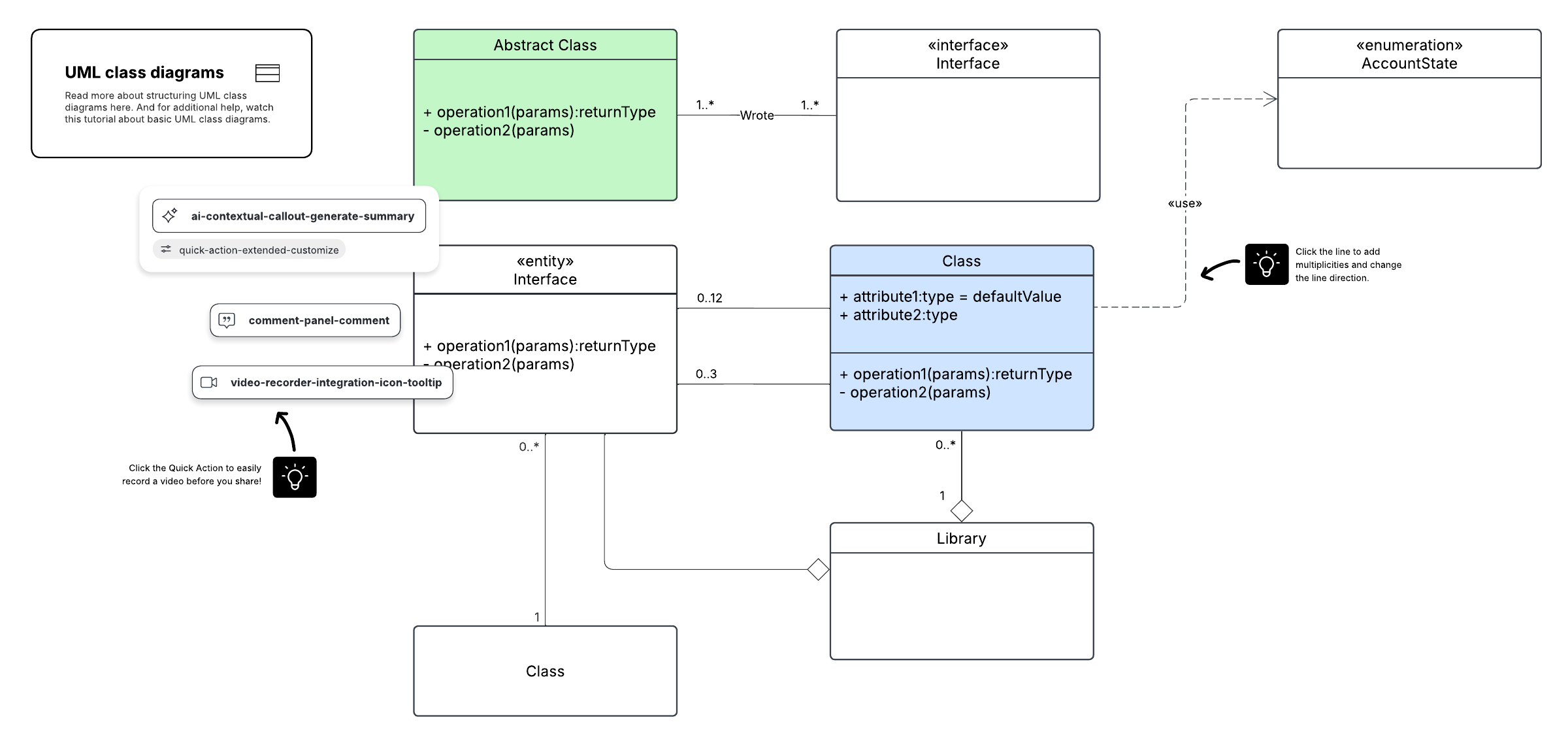
The class diagram is one of the most commonly used diagrams in UML. Software engineers and business professionals often use class diagrams to map the structure of particular systems because they clearly depict classes, attributes, operations, and object relationships.
In our examples below, you'll find that each class shape is labeled with its name in the first row, the second row displays each attribute of the class on a separate line, and the third row displays each operation on a separate line. From there, additional UML symbols are used to model the various interactions and objects involved within the process.
Component diagram templates
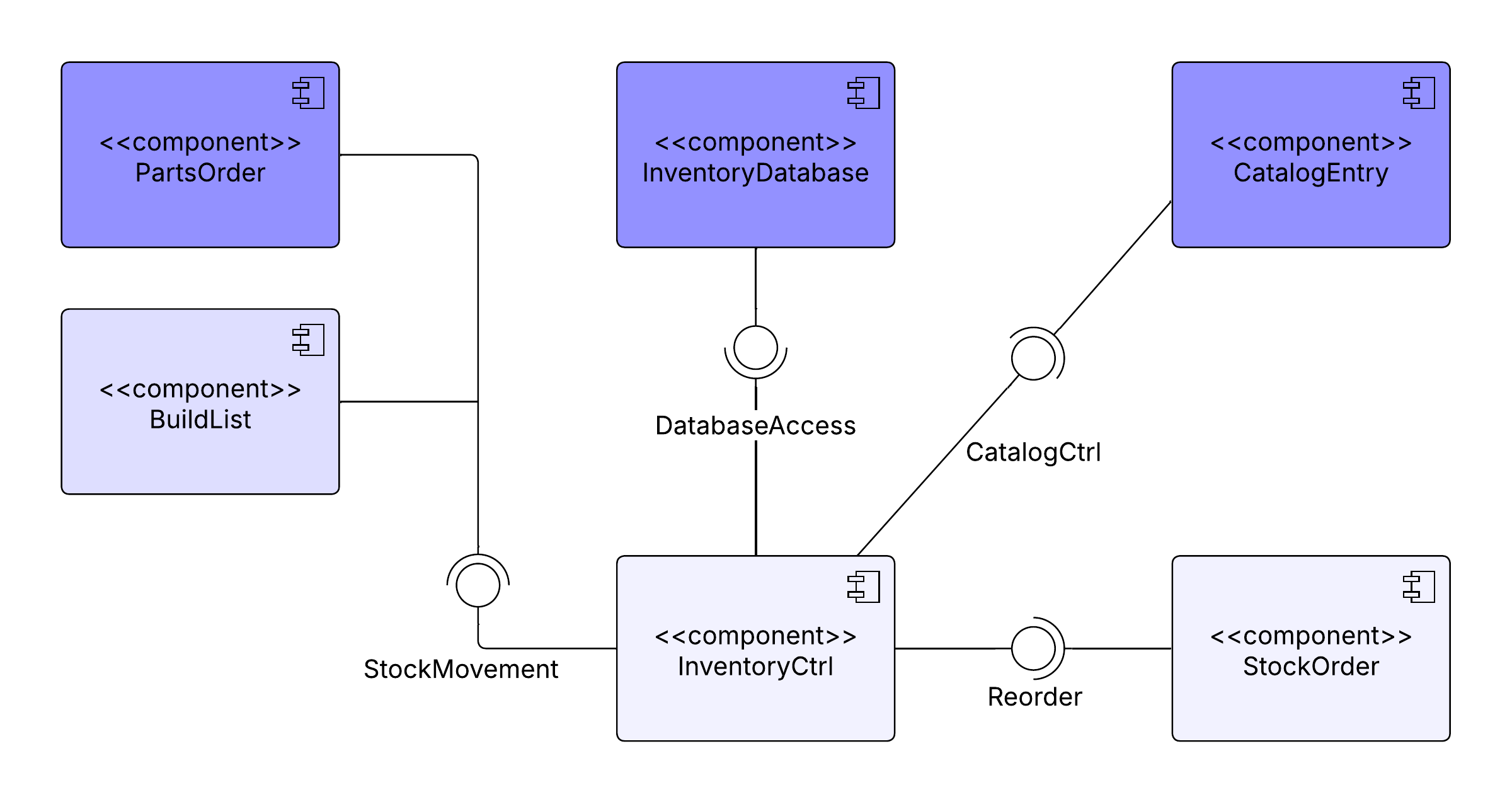
Component diagrams in UML are very similar to class diagrams. Both component and class diagrams display the structural relationship of software systems and their elements, but component diagrams generally simplify the interactions within more complex systems. The connected circles, or “lollipop” symbols, represent realization relationships within the systems. The components that make up this type of diagram are modular parts of the system that are easily replaceable when needed.
Object diagram template
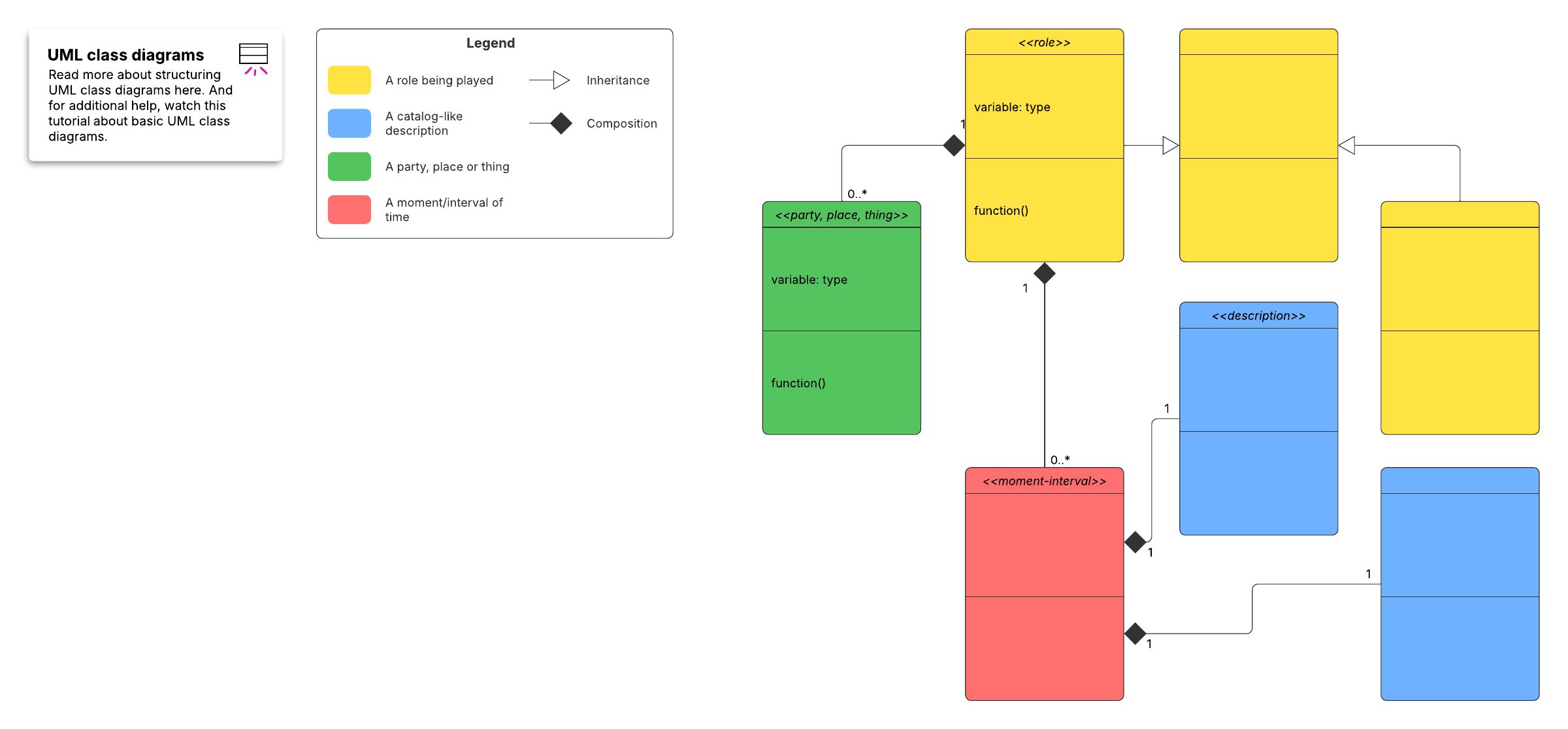
An object diagram in UML may look similar to a class diagram because it focuses on a class diagram’s attributes and how those objects relate to each other. The class attributes are all unique. Start with a template, and then use our extensive UML shape library to customize your diagram.
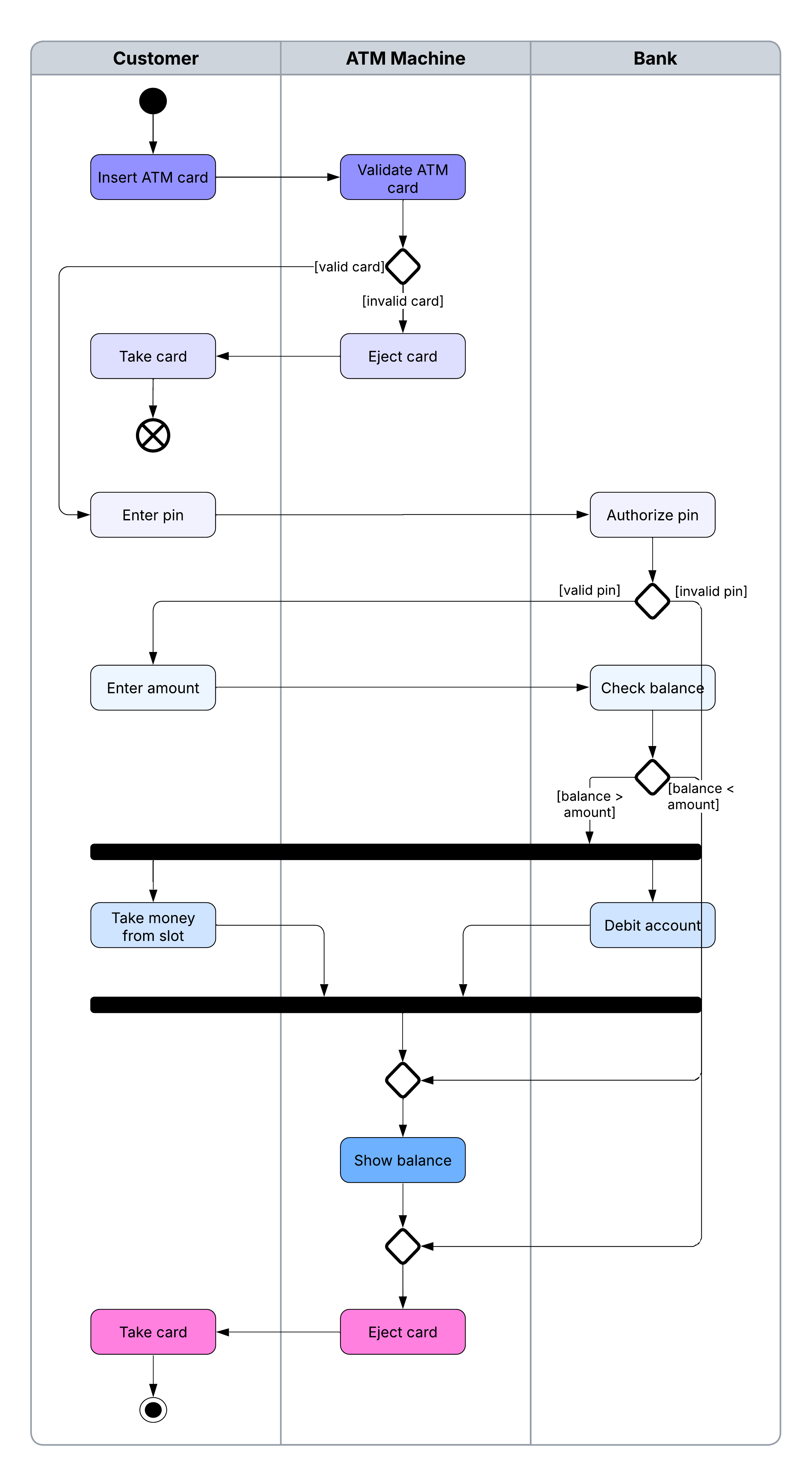
Activity diagram templates
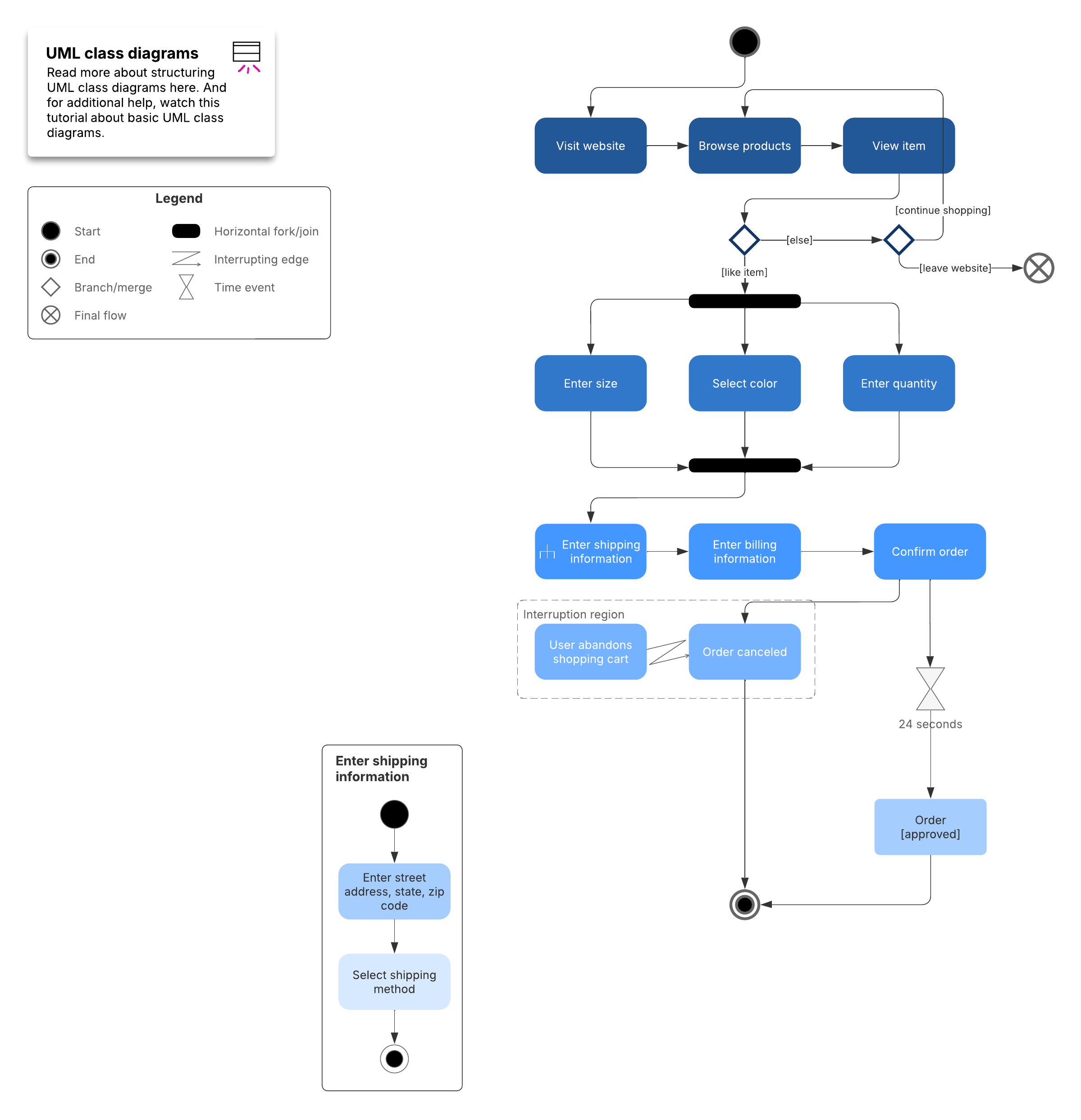
Activity diagrams in UML are a leading subset of behavioral diagrams. They display the functionalities of various activities and flows in business processes and software systems. With UML-specific symbols, you can map out the start point, end point, and all the merging and interactions in between your process flow.
Sequence diagram templates
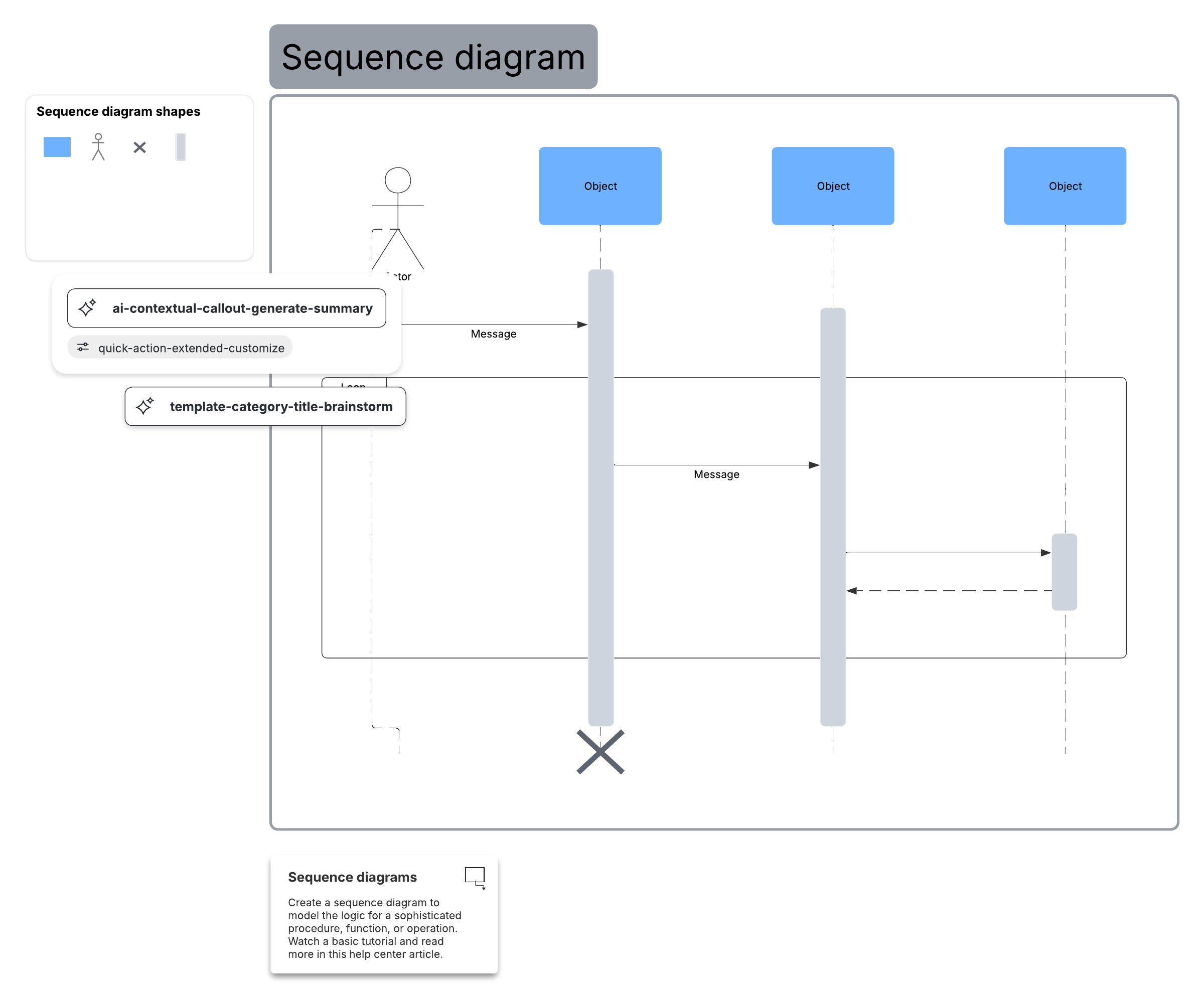
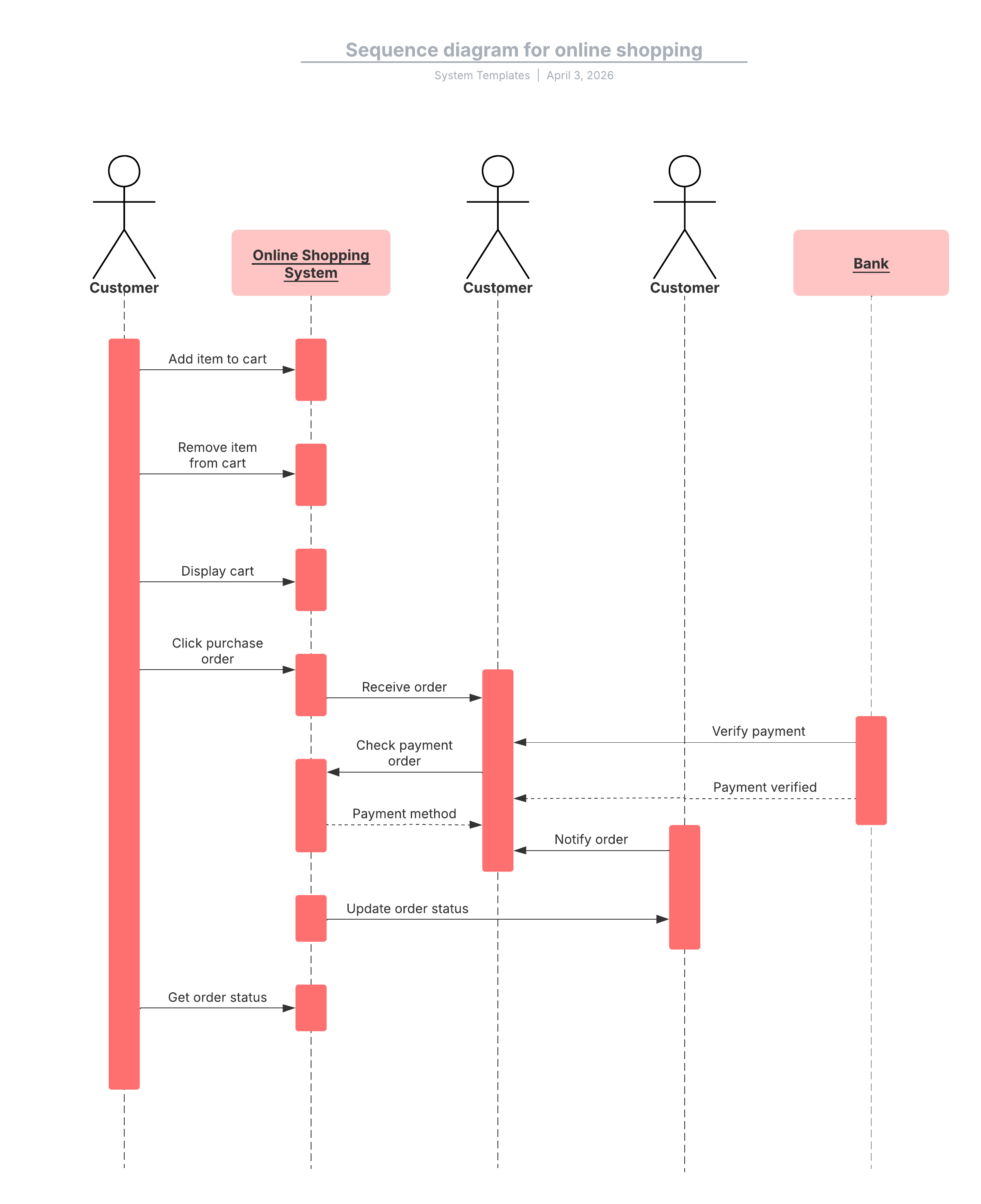
Many project managers and engineers use sequence diagrams in UML to get a better idea of how tasks within a project will function, overlap, and move between objects or components. Create sequence diagrams to depict interactions between objects and the order in which they occur.
While the examples below cover UML sequence diagrams, Lucidchart also provides the shapes and features you need to model code-based sequence diagrams as well.
Use case diagram templates
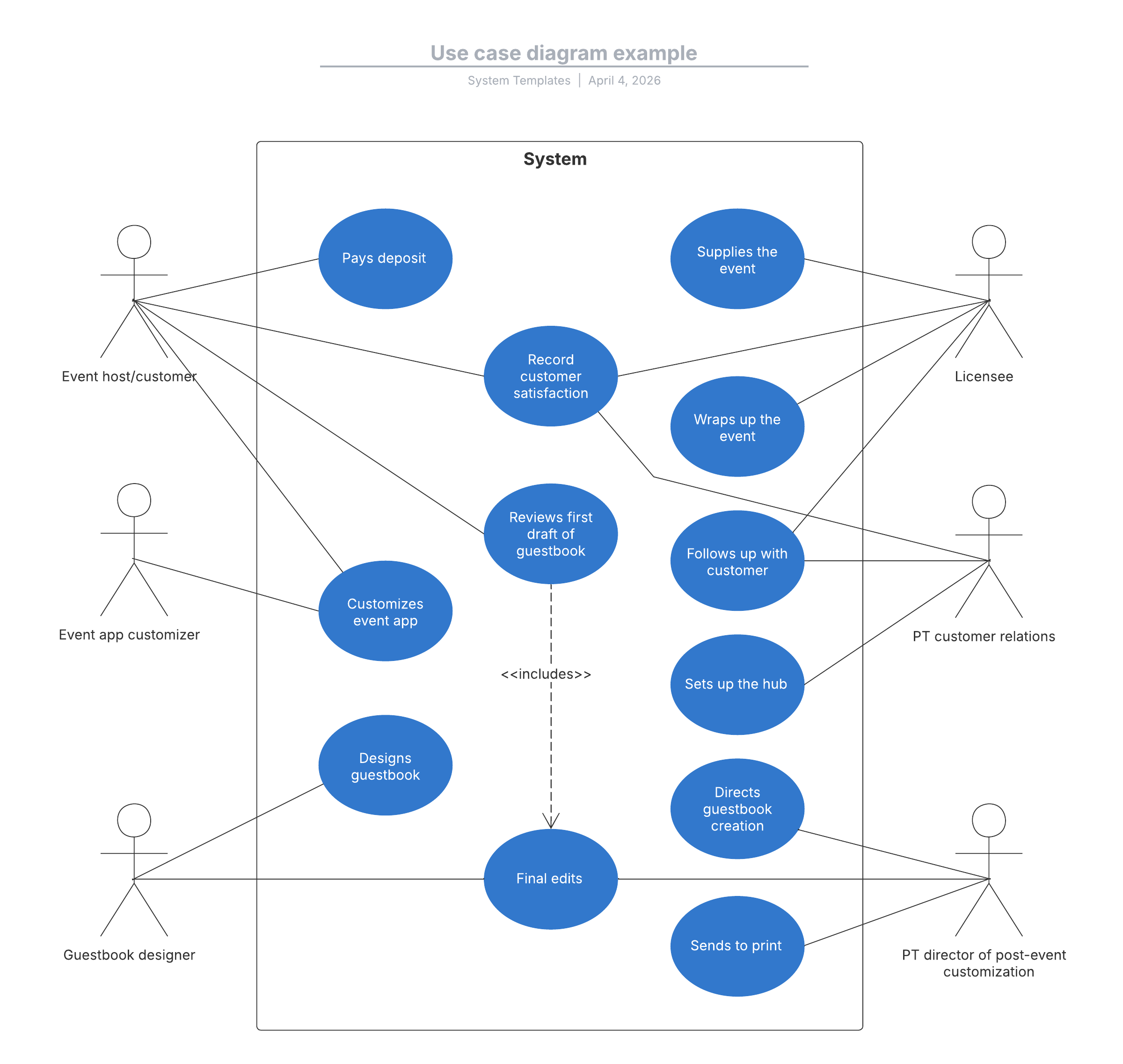
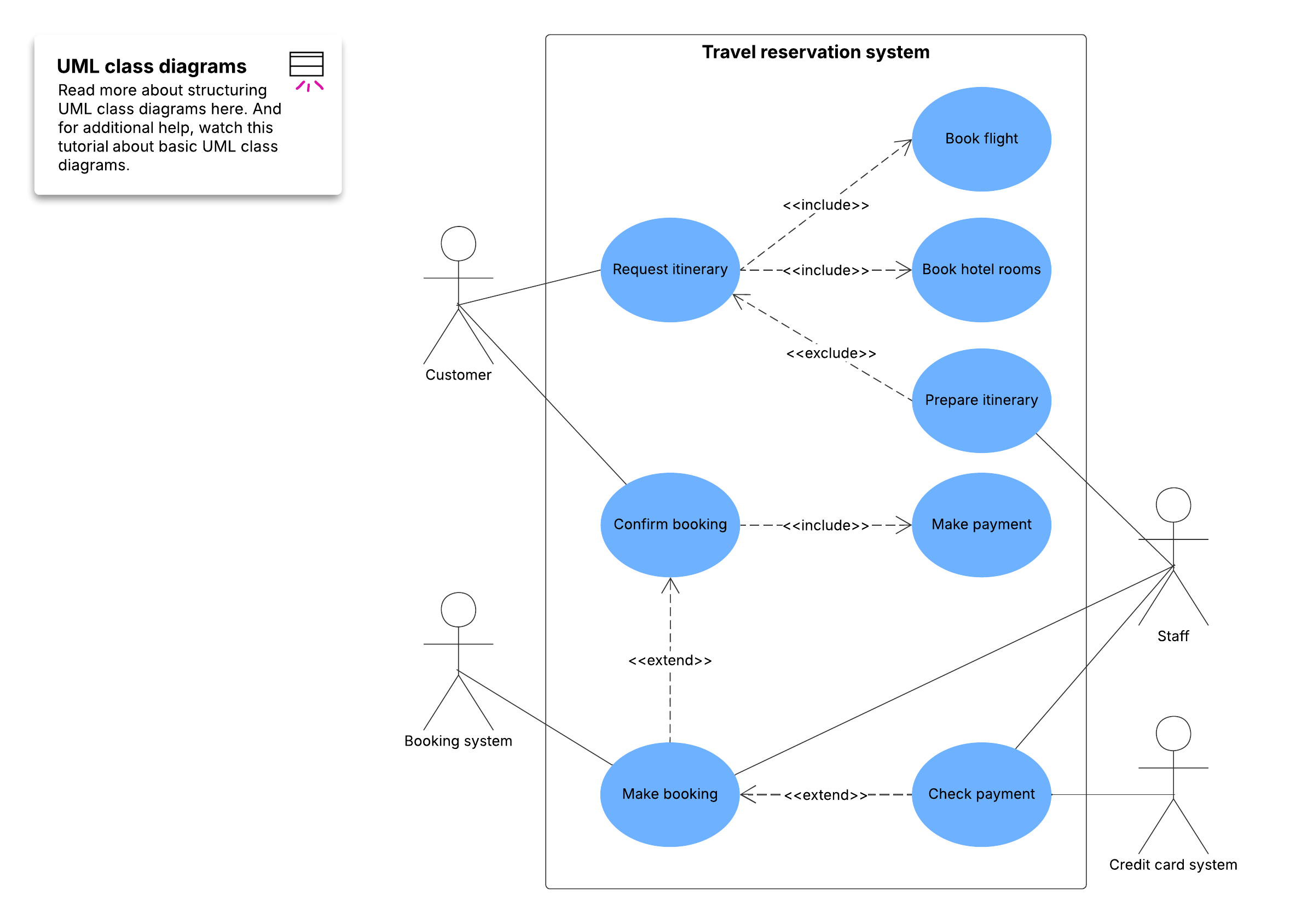
With a UML use case diagram, you can create a broad, high-level view of the relationship between use cases, actors involved, and systems being performed. As you can see from the examples below, use cases are represented by oval shapes, and the lines indicate at which point an actor participates in and interacts with their corresponding use case. You can see where each actor is involved within the entire process (and where they're excluded).
UML communication diagram templates
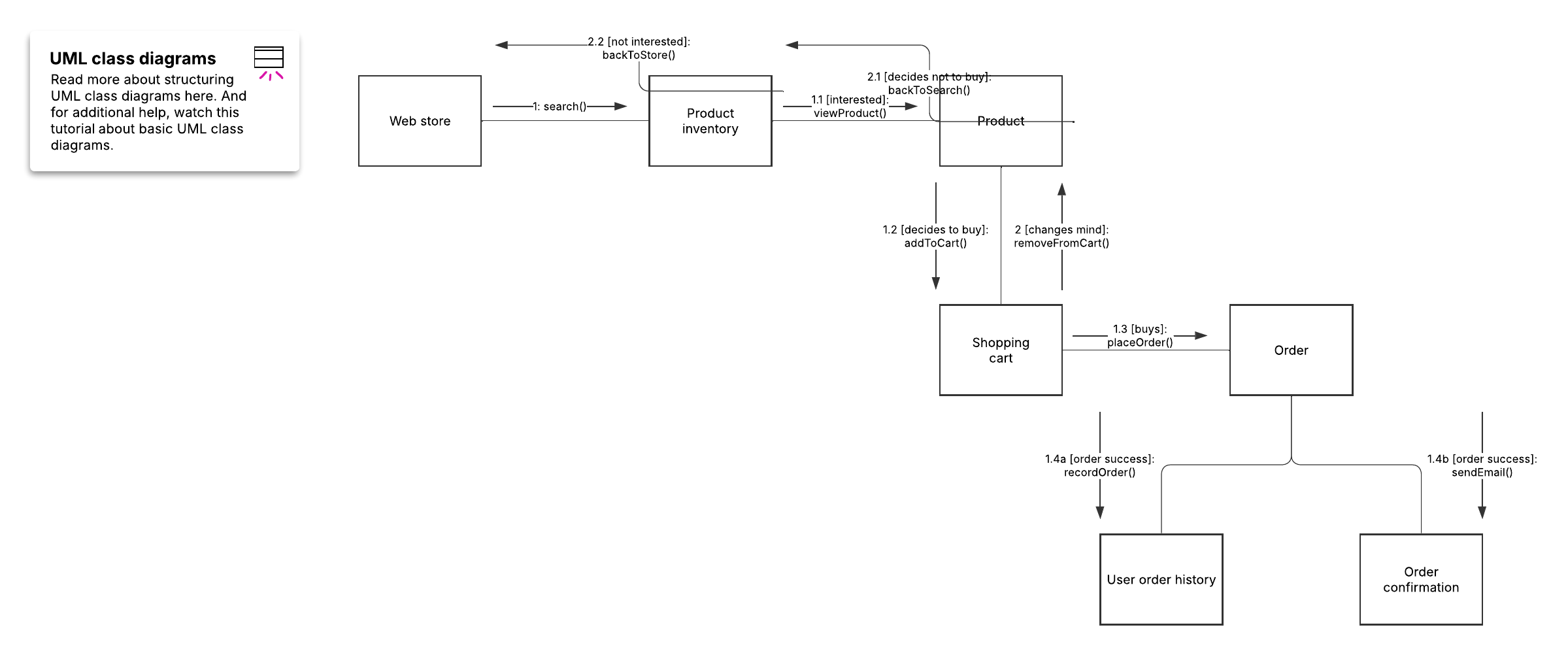
Communication diagrams in UML are similar to sequence diagrams, but their primary focus is on the messages passed between objects rather than the sequence of time. Formerly known as collaboration diagrams, these behavioral diagrams model how objects interact through messages within a system's architectural design. In the example below, you will see how these diagrams use object rectangles, connecting lines, and numbered message arrows to illustrate alternative scenarios and object collaboration.
UML composite structure diagram templates
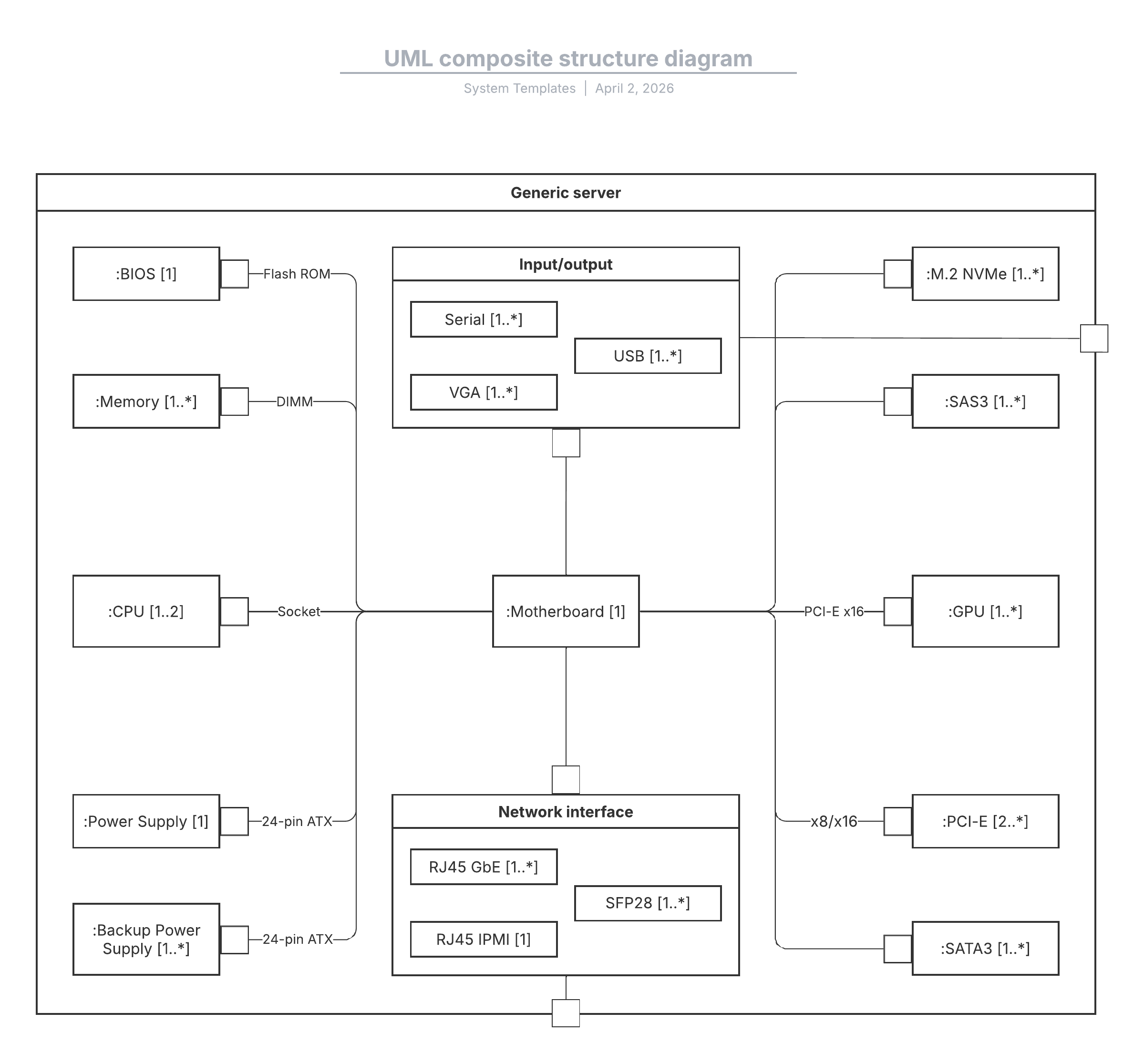
Composite structure diagrams are used to show the internal structure of a class. They act as blueprints that depict how a classifier interacts with its environment through ports and show the behavior of a collaboration. In the template below, you'll see how parts, ports, and connectors are used to map the internal components of hardware or software to better understand their inner workings.
UML deployment diagram templates
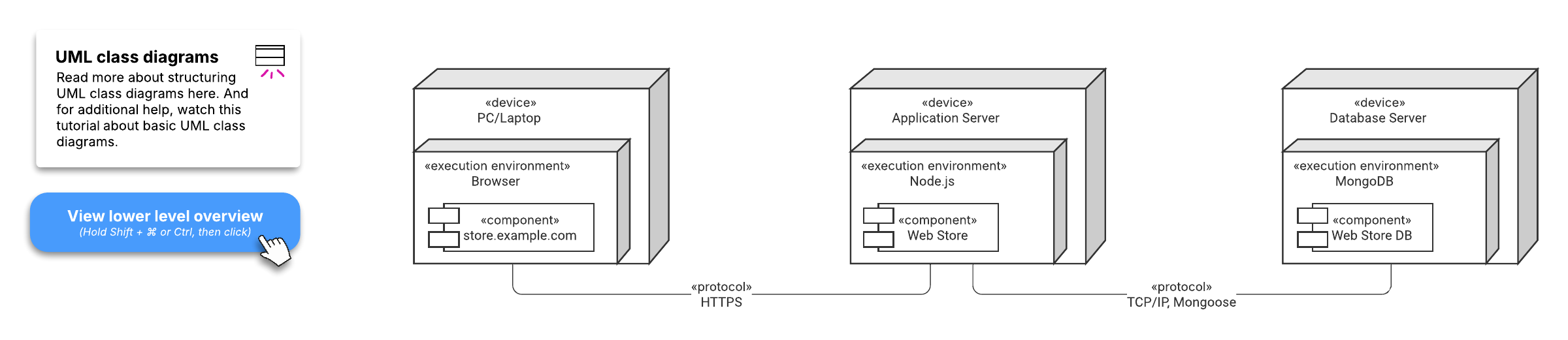
Deployment diagrams illustrate the physical deployment of a system's hardware and its software. These diagrams are especially useful for systems engineers to map out how a software solution is deployed across multiple machines with unique configurations, highlighting aspects like performance, scalability, maintainability, and portability. The examples below utilize three-dimensional boxes to represent nodes and smaller shapes to represent deployed artifacts.
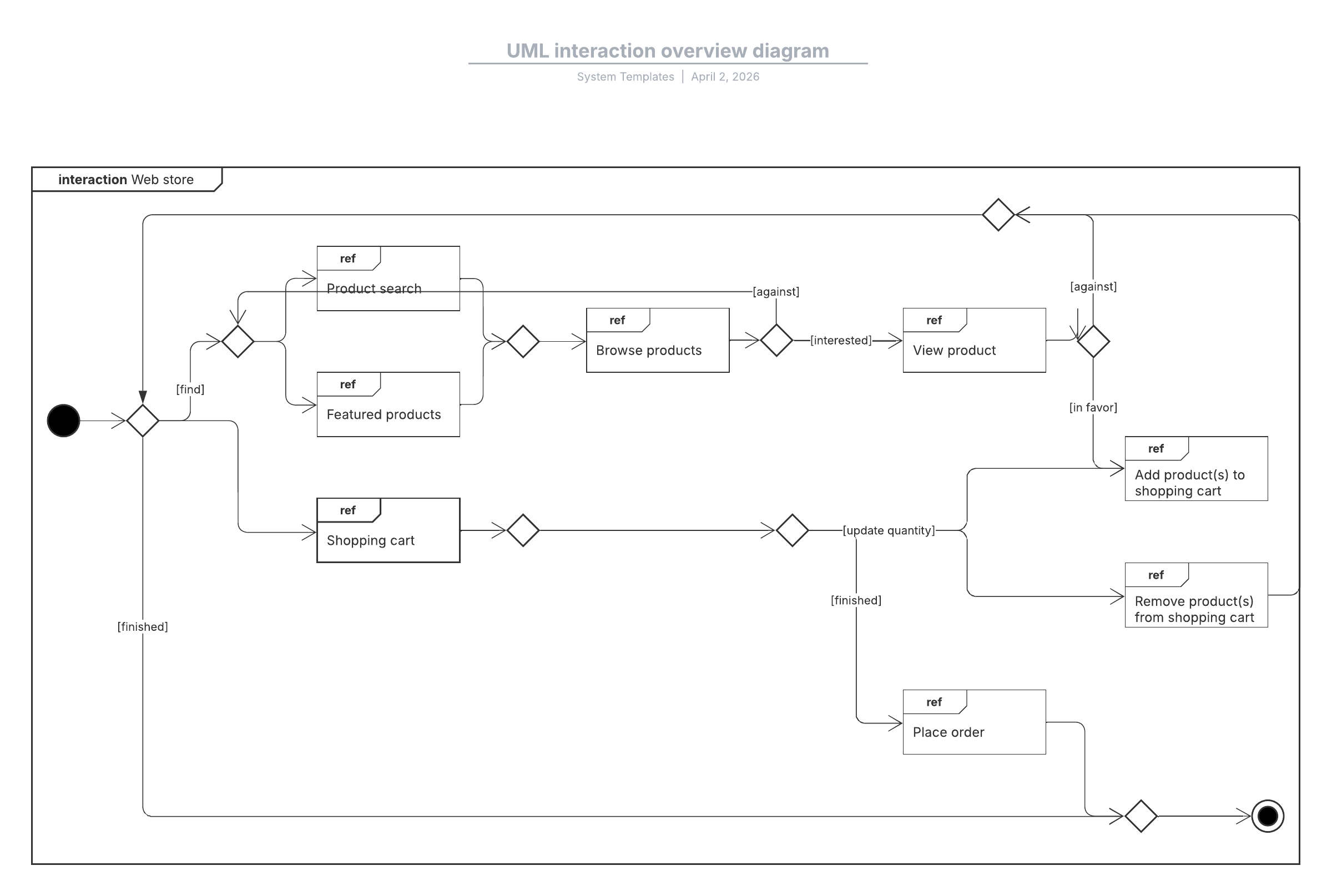
UML interaction overview diagram templates
Interaction overview diagrams provide a high-level overview of the flow of control between interacting nodes. Review the example below to get started and see how UML interaction diagrams can provide an uncomplicated view of activity within a model.
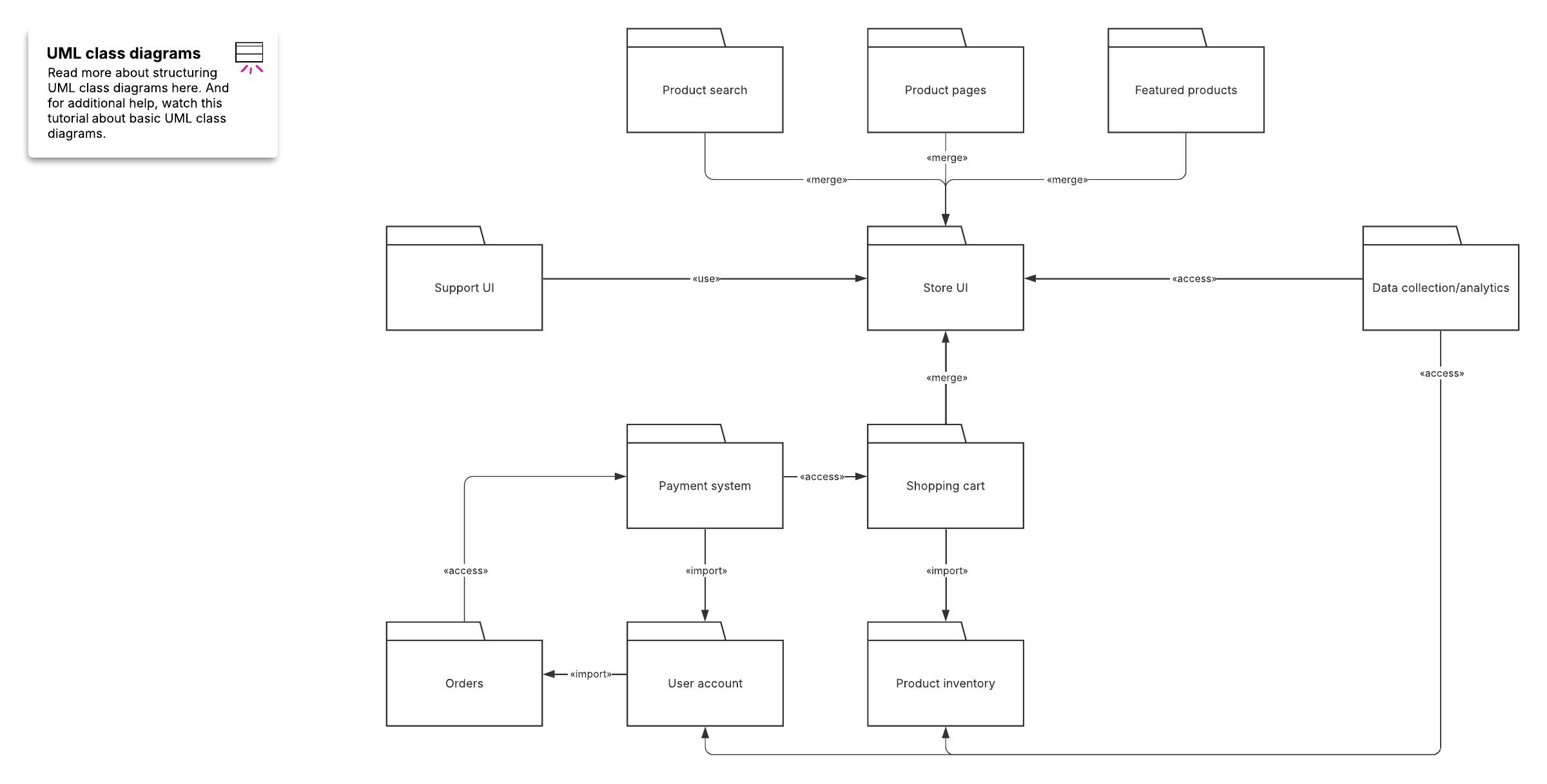
UML package diagram templates
Package diagrams are structural diagrams that show dependencies between different packages in a system. By organizing model elements, such as use cases or classes, into groups, these diagrams represent the different levels of a system and reveal its architecture. As you can see in the example below, packages are depicted as file-folder shapes connected by lines to indicate special dependencies, such as package imports and package merges.
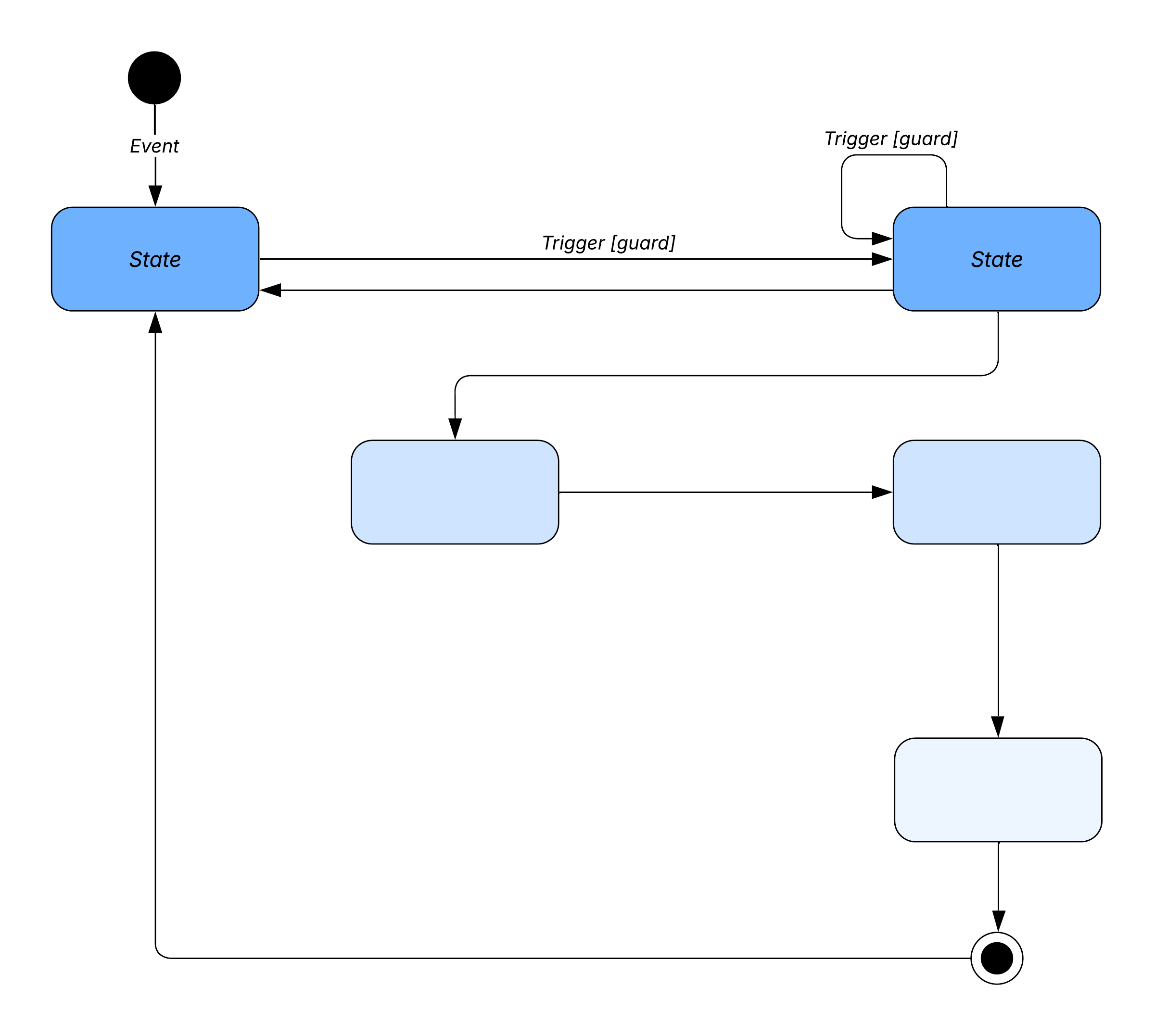
UML state diagram templates
State diagrams, also known as state machine diagrams, are used to describe the dynamic behavior of objects that change in varying ways depending on their current state. They depict states and transitions, showing the different combinations of information an object can hold and how the object moves between them. Check out our state diagram examples below.
UML diagrams may look complicated, but the process of building one doesn't have to be. Click on any of the templates above to get started.
Everything you need to make a diagram
Make a polished, professional diagram for free with Lucidchart. No matter what you have in mind, we have the tools you need to build it. Make an account and start diagramming today.
Sign up free