
Where processes are concerned, there’s often room for improvement and increased efficiency.
Consider this: According to the McKinsey survey “The State of Organizations 2023,” 28% of respondents considered “unclear processes” to be a root cause for a lack of simplicity in their organization. And 32% considered “redundant activities” to be a root cause—which also sounds related to inefficient processes if you ask us.
In this article, we'll discuss what to look for when determining how well your own processes are working and offer steps to help you design effective processes.
What is process improvement?
First things first, let’s establish what process improvement is. Process improvement is the method or practice of defining, reviewing, analyzing, and improving new and existing processes. The purpose of process improvement is to identify opportunities to improve efficiency, effectiveness, and value.
When done well, process improvement strategies can help you remove roadblocks, reduce errors, ensure compliance, increase employee and customer satisfaction, and maximize profits.
Types of process improvement methods
There are a number of process improvement methods and approaches you can take, including:
- DMAIC
- Six Sigma
- Lean manufacturing
Your industry, the types of processes you’re evaluating, and your goals will impact what method would work best for your use case. The steps below outline the basic process to follow for process improvement—you can always adapt these steps within a more formal framework as you discover what works best for your team.
The process of process improvement
Use the steps below to determine if your processes are working and develop more effective processes.
Step 1: Map out your current process
To begin, choose a process to analyze. It doesn’t have to be a complex process. In fact, the process might be one step of a much larger process. Starting with a smaller process can help you practice as you work toward improving bigger or multi-step processes.
Choose something that isn't ideal in your current workflow, such as a task that you think could be done faster or an area where mistakes often occur.
After you’ve chosen a process to analyze, you need a full understanding of how the process works. A good way to do this is to create a process map. A process map is a visual representation of what the process does. The map gives you a detailed overview of the process and helps everybody understand the flow, including who does what, how it gets done, and when it gets done.
To make process mapping easier, try using a Lucidchart template to draw a BPMN diagram, flowchart, value stream map, or any diagram that helps you understand the process you want to analyze. These documents can be accessed from anywhere at any time for real-time collaboration no matter where the members of your team are located.
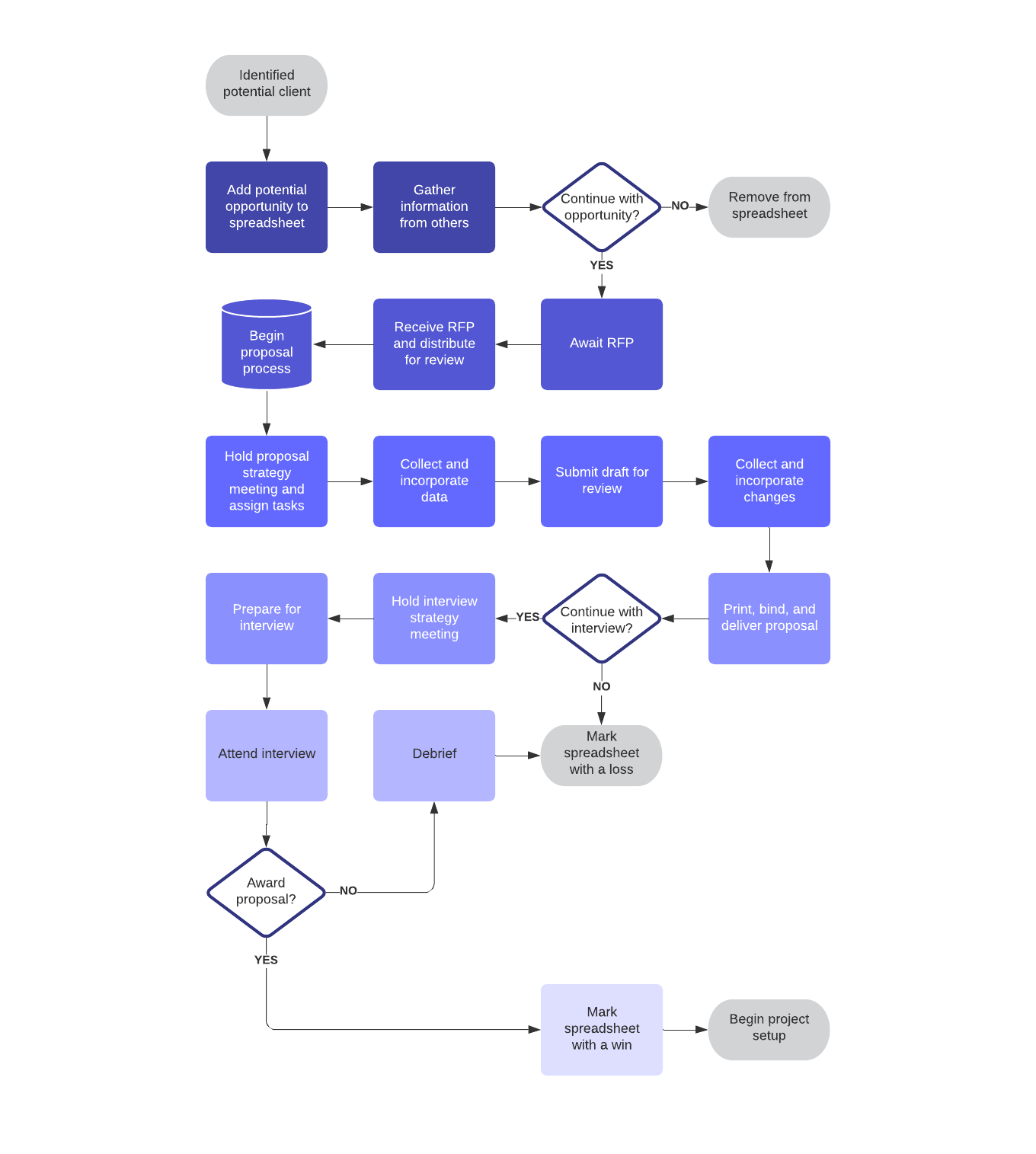
Being able to visualize the process gives you clarity and lets everybody involved look at the process objectively from many different perspectives. This helps everybody to think through the workflow so you can see what’s important and needs to stay, what works, and what needs to be fixed.
Step 2: Get feedback from the people involved
Getting feedback is a great way to determine how well your processes are working. And it’s a good opportunity for team members to determine how well they are performing their assigned tasks within the process.
Getting feedback from employees who work with the process every day is important because they are the people who understand the process the best. If they feel like they are not included, it can lead to pushback and frustration when you try to implement changes. On the other hand, if you show that you value their input, you’ll likely get better follow-through.
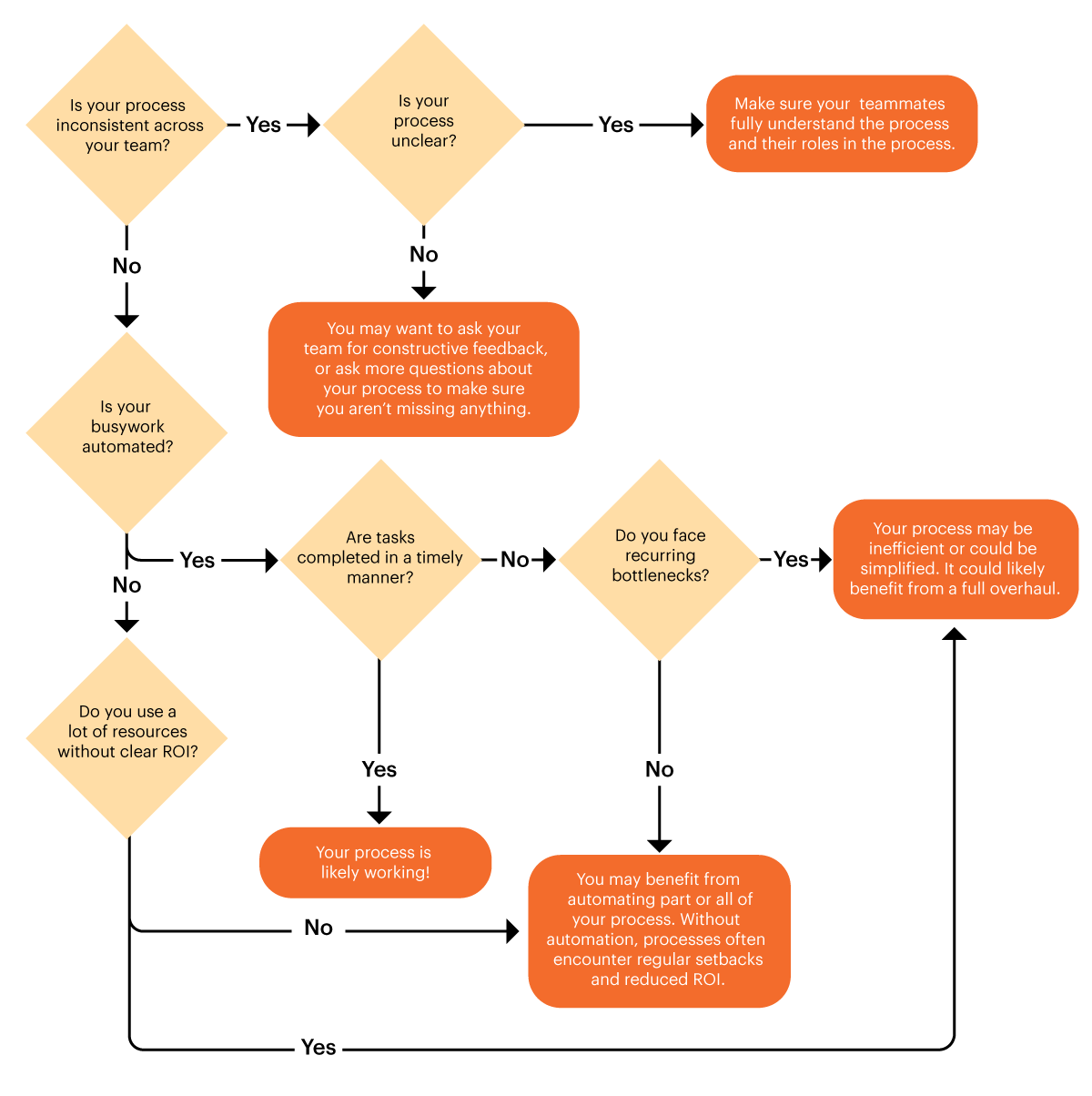
To get their feedback, ask team members involved questions like:
- Is the process consistent across the team?
- Is the process clear?
- Is your busywork automated?
- How long does it take to complete tasks?
- Do you face recurring bottlenecks?
- What is the goal of the process, and is it being met?
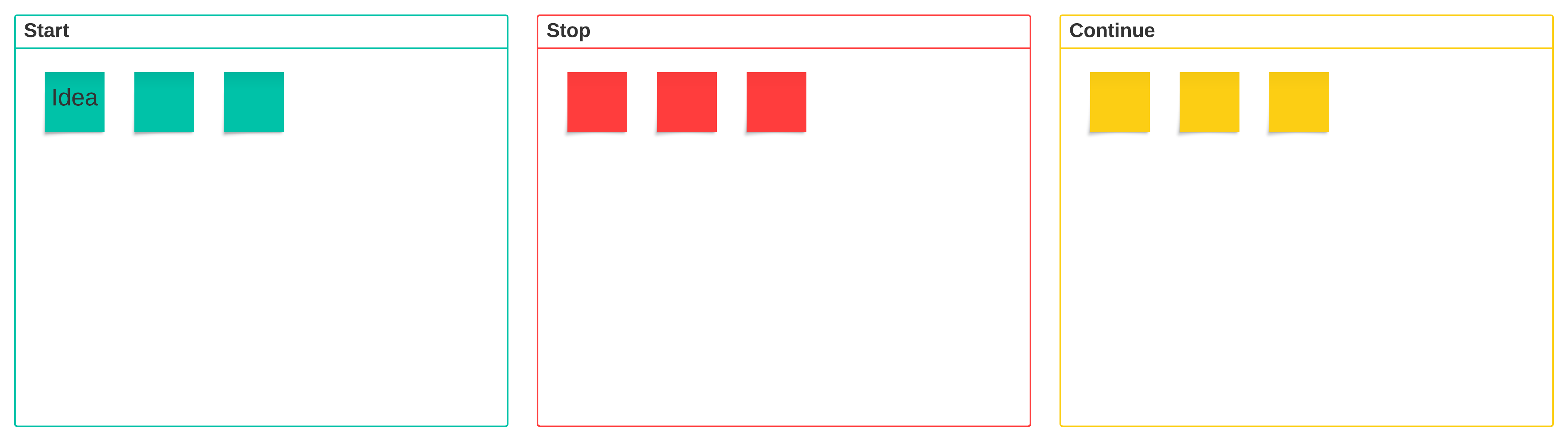
As you collect feedback and evaluate current processes, you might want to use a start, stop, continue template to help you to determine which steps or tasks are working well and which could use some improvement.
Step 3: Identify how long each step takes
The idea behind process improvement is to increase efficiency. So you’re going to need to understand how many tasks, subtasks, and steps there are in the current process. How long does it take to complete the tasks in each step?
This information gives you a baseline so you can set goals that will help you to find and eliminate redundancies, get rid of unnecessary steps and tasks, and streamline necessary steps. As you develop a new process, this information will also help you to determine if what you’ve done is actually an improvement.
Step 4: Decide how you’re measuring process improvement success
Again, if your goal is to reduce time or eliminate steps, a good measurement might be the amount of time it takes to complete the process compared to your current baseline. If the goal is to increase the amount of products manufactured or the number of customers helped, your success might be measured against the output of the current process.
Other measurements could include:
- How effectively the process meets customer requirements
- How reliable the process is in functionality and its capacity to meet supply and demand
- Does the process reduce or increase the cost of the product or service?
- Does the process adhere to industry standards and compliance?
- How well the process uses resources compared to assets consumed
Step 5: Design your improved process
Based on your process map and feedback from everybody involved, you should have a pretty good idea of what works and what doesn’t. If you mapped your current process using Lucid, your team can collaborate on the changes and get immediate feedback with the in-editor commenting feature.
The improvements you make could include reassigning people to different tasks, adding new software, acquiring new equipment, hiring new employees, and so on.
Step 6: Test the new process
You’ll need to test your process before implementing it to make sure it works. Consider creating a process simulation to see what works and what doesn’t before the process is put into a real-world situation.
Testing will give you valuable feedback and help you to fix problems before implementation so that process improvements do not have a negative impact on current productivity. If the test does not perform as expected or does not improve on any of the current processes, you’ll need to revise and find what works better.
Step 7: Communicate the changes and implement the new process
When testing is successful in real-world situations, and the process performs as expected, it’s time to implement the changes. Communication is key in implementation. You need to let your team know that a change is coming and that you have a plan for putting the change in place. Nobody likes to be caught off guard. If your team understands the plan and knows when the change will happen, everything should run more smoothly.
Also, document everything to ensure that everybody follows the standard procedure. This ensures consistency and quality of products and services. Plus, thoroughly documented processes are great for training new hires and helping team members understand their roles as they are reassigned to different tasks.
Step 8: Monitor and revise as necessary
After you’ve improved a process, you’re done, right?
Not exactly. Process improvement is ongoing. You’ll need to closely monitor and manage the process to ensure that it's effective. When you find areas that can be streamlined or improved, you’ll need to start the process of process improvement over again.
Fortunately, evaluating and updating workflows is simple with Lucid's AI Process Agent, opens in a new tab. This interactive capability helps you efficiently map and optimize your processes. Once you've generated an initial draft of your processes, Lucid AI will evaluate your diagram. Suggestions will show up attached to shapes on the canvas and within the chat panel to refine your diagram, ensuring that every process map is accurate, comprehensive, and easy to understand.
See how the Process Agent can help you efficiently evaluate and update your current processes.
Go now