This comprehensive mind mapping guide offers everything you need to know including history, benefits, use cases, templates, best practices, and how to use Lucidchart to create a professional mind map.
What is a mind map
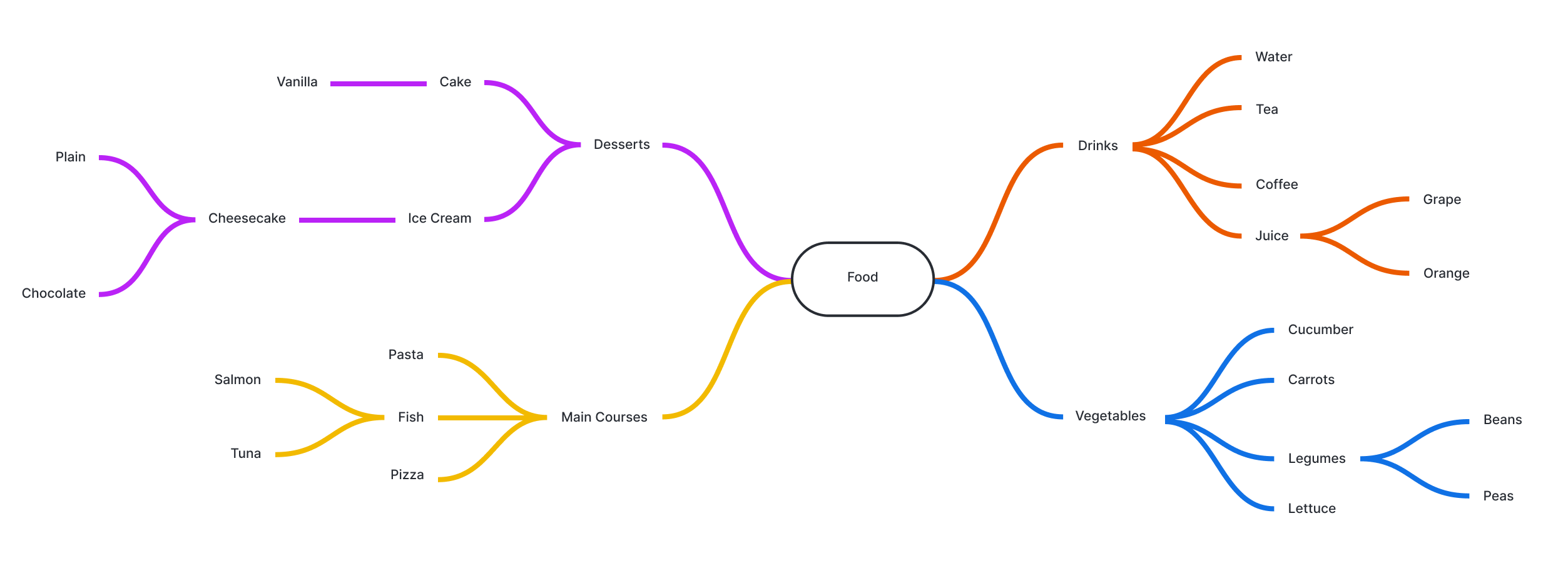
A mind map is a free-flowing depiction of thoughts that branch out from a central concept. The diagram’s visual organization promotes brainstorming of ideas, effective note taking, stronger retention and impactful presentation. Mind mapping ranges from simple to elaborate, and may be either hand-drawn or computer-drawn. Depending on your purpose and time, the mind map can include artful, purposeful elements like pictures, drawings, curvy lines of varying thickness and multiple colors.
For a use case like real-time note taking or brainstorming, it may quickly and simply show how ideas, often expressed in just one to three words, radiate out from a central theme. A platform like Lucidchart allows this to occur intuitively, with items automatically resizing and rearranging. With more time, the diagram can become more artful and powerful in its impact. It may even become art. Other terms for mind maps are idea maps, spray diagrams, and radial trees.
How to make a mind map
Create a mind map, opens in a new tab to organize your thoughts, generate new ideas, and improve creativity. This guide will show you how to create an incredible mind map that fulfills all your needs. You can also check out our ai mind map template, opens in a new tab to help you get started.
1. Begin with the main concept
First determine the main purpose of your mind map and write it down. Since mind maps start from the inside and expand outward, your central idea will become the core topic of the diagram. Your main concept could be:
- A problem you're trying to work through
- The project you're brainstorming
- A difficult concept that you're trying to learn
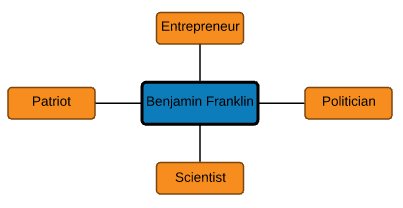
Let’s say you have to write an essay on Benjamin Franklin. In this case, Benjamin Franklin would be the main concept since he is the focus of the essay.

2. Add branches to the main concept
Now that you have determined the main purpose of your mind map, add branches that will outline the most basic subtopics. The branches should help you to begin organizing the information. Don’t worry about including a lot of details, keywords and short phrases will be more than enough.
In the case of an essay on Benjamin Franklin, the main subtopics that you should chart out are the main branches that explain his life. More detail into these initial branches will be included as we continue to add branches.
3. Brainstorm more topics with collaborative ai
Once you identify the main subjects within your topic, you can use Collaborative AI to generate more ideas or expand with questions to help build upon the idea. You can also use AI to summarize your entire mind map, which makes it possible to share key takeaways and move forward with next steps.
4. Add images and colors
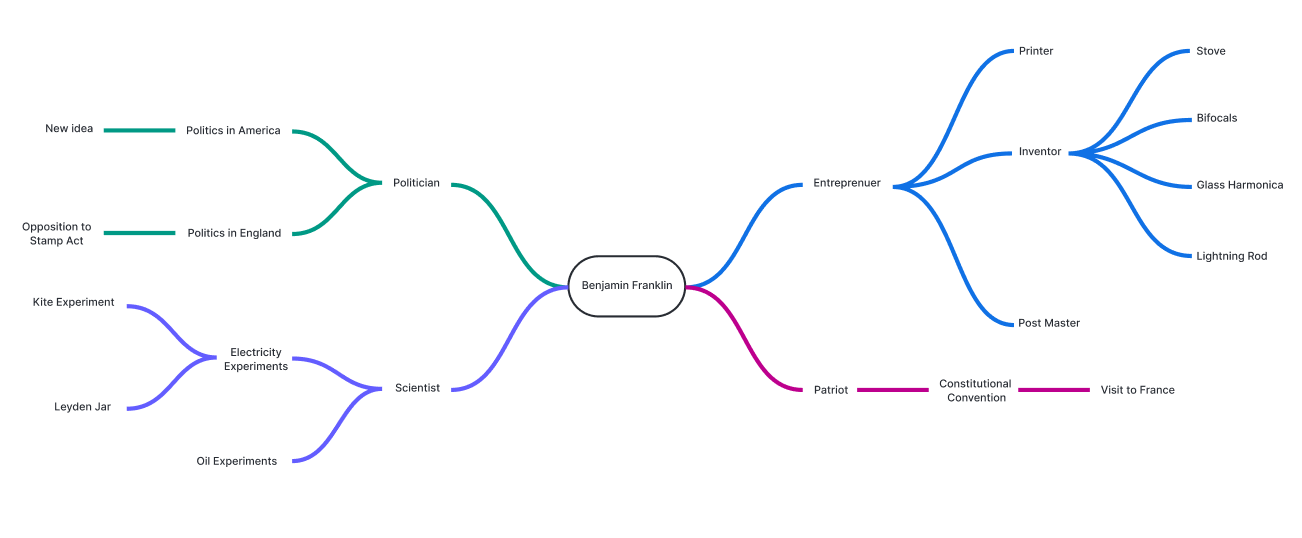
Maintain organization within your mind map by using standard colors for the different levels of thoughts within your diagram. If you are using Lucidchart, the colors will be managed for you. Furthermore, using images will help you to both visualize, and memorize the various parts of your mind map. Images can also be used to link shapes instead of the traditional box shape.
In our example with Benjamin Franklin, we have added more branches until we were ready to write the essay.
How to create a mind map in Lucidspark
Research behind mind mapping benefits
Several studies have shown that mind maps can promote better retention of ideas and relationships, given the diagrams’ visual impact. Tony Buzan says retention is further increased by interesting use of pictures, curvy lines, purposeful colors and few words. Here’s a sampling of the studies:
- In a 2005 user study by Glennis Edge Cunningham, 80 percent of high school biology students in the study reported better learning through the use of mind maps.
- In a 2002 study by Paul Farrand, Fearzana Hussain and Enid Hennessy, second-year and third-year medical students showed improved retention of material, though effectiveness depended on the students’ preferred methods of note taking.
- In a 2006 study by A.V. D’Antoni and G.P. Zipp, chiropractic students showed increased learning.
In other research regarding mind maps:
- In 2011, Joeran Beel and Stefan Langer reported on the content of mind maps. They found most users had created only a few maps (mean of 2.7), the average number of nodes was small (31), and the average node contained three words.
- Claudine Brucks and Christoph Schommer published a 2008 study on the automatic creation of mind maps from full text. T. Rothenberger and colleagues published a similar report that same year.
History and origins of mind maps
British author and TV personality Tony Buzan popularized the term “mind map” in the 1970s in his BBC TV series, Use Your Head, and in his books, such as Modern Mind Mapping for Smarter Thinking. However, the concept of visually mapping out ideas dates back much further.
Porphyry of Tyre, a third century philosopher in Greece and Rome, is credited with visually mapping Aristotle’s Categories. His invention, the Porphyrian Tree, didn’t include illustrations, but other thinkers added those later. In the 13th Century, philosopher Ramon Llull also used this type of diagram, including an illustrated Porphyrian tree.
Many famous thinkers and innovators throughout history have been noted for organic, curving notes, often including drawings and doodles. These include Leonardo da Vinci, Michelangelo, Albert Einstein, Marie Curie, Thomas Edison and Mark Twain.
In the 1950s came the introduction of the semantic network, a theory of how people learn and the semantic relationships between concepts. In the 1960s, the theory was advanced by Allan M. Collins and M. Ross Quillian. In the 1970s, learning experts developed concept maps, which have a radial structure but aren’t organized around a central concept like mind maps are. Meanwhile, Buzan has said his mind map approach was inspired by Alfred Korzybski’s general semantics, popularized by science fiction writers such as Robert A. Heinlein and A.E. van Vogt. Buzan has said people often absorb information in a non-linear fashion, not always left to right and top to bottom, and mind maps are designed to play to that.
Related mind mapping concepts include:
- Sunburst chart: A multi-level pie chart, also called a ring diagram.
- Spider diagram: An extension of Venn diagrams and Euler diagrams. A spider diagram adds points to those, and joined together they form a spider shape.
- Mnemonic: A memory device to improve learning. Mnemonics take many forms, such as acronyms, visual cues and sounds.
- Unified Modeling Language (UML) diagram: A diagram used to visualize system design in software engineering.
Mind mapping use cases
- In education, business, computer science, or pretty much any field: Mind maps are so versatile and easy to produce that they are widely used in education, the business world, computer science and other fields.
- Brainstorming: Mind mapping is ideal for brainstorming ideas around a concept. It focuses thinking, giving rise to other thoughts and showing how they relate to each other. Individuals or teams can use it to unleash creativity while keeping on track.
- Note taking: Students or business professionals can draw mind maps to capture and organize ideas from a lecture, presentation, meeting or brainstorming session. For more detail, you can add off-chart notes using a program like Lucidchart. Just click on the notes icon to see them.
- Studying and analyzing: Studies have shown increased memory retention with mind maps. Even if you didn’t start with a mind map, you might create one from your notes to better understand and interpret the material.
- Decision making: Mapping can help to think through the factors involved to arrive at a good decision.
- Presenting: Mind maps can present ideas with visual impact. They are easily placed into programs like PowerPoint, Word, Excel and others.
- Personal development: Think through a personal or career goal, solve a problem or envision your future by organizing your ideas in a mind map.
- Creative projects: Plot out a story line, overcome writer’s block and open yourself to new ideas in any creative endeavor.
- Planning: Plan an event, meeting or project with mind mapping.
- Precursor to other diagramming: mind maps can be used in the early stages of a project to organize and focus it. Later, data may be more effectively presented with other types of diagramming, depending on the purpose and nature of the project.
- Art: People have created beautiful mind maps as works of art, such as these recent examples.

Everything you need to whiteboard online
Get the ultimate online whiteboard for teams. Brainstorm, plan projects, and collaborate virtually on Lucidspark’s infinite canvas.
Sign up free