
There was a time when a hybrid meeting—where some team members meet in person, while others call in on a video conferencing platform like Zoom, Google Meet, or Microsoft Teams—was a specialized practice utilized by a small number of tech-savvy businesses. That’s changed as more businesses and their employees have leaned on remote work to get things done.
The current workplace landscape offers a seemingly endless number of tools and methods for teams to blend traditional workplace practices with remote ones. While some form of remote work and meetings has been taking place for decades, the rapid shift has created several challenges for the practice.
Let’s talk about the challenges hybrid meetings bring, and share some hybrid meeting best practices.
Challenges of hybrid meetings
While a number of services and tools quickly emerged during the rapid pivot to hybrid meetings, key challenges remain. Technical setup alone can still cause hiccups, even after many of these services have become second nature to team members.
But even once mics are flipped to their correct setting, echo feedback is eliminated, and cameras are turned on, there’s still some work to be done to make each meeting effective and valuable to the team.
Engaging with a hybrid team requires planning, collaboration, and communication. Creating cohesion between team members who aren't in the room together and might not know each other personally, can be difficult. Overcoming virtual attendees' tendency to stay on mute and simply observe is a struggle we are all familiar with. And internet lag itself can make asking questions, sharing resources, and keeping the conversation flowing tough.
That's why it's important for team leaders and attendees to be conscious of these hybrid meeting best practices.
Hybrid meeting best practices
In hybrid meetings, it's up to all participants to set the meeting up for success. Here is a checklist of hybrid meeting tips to help each attendee cover their bases.
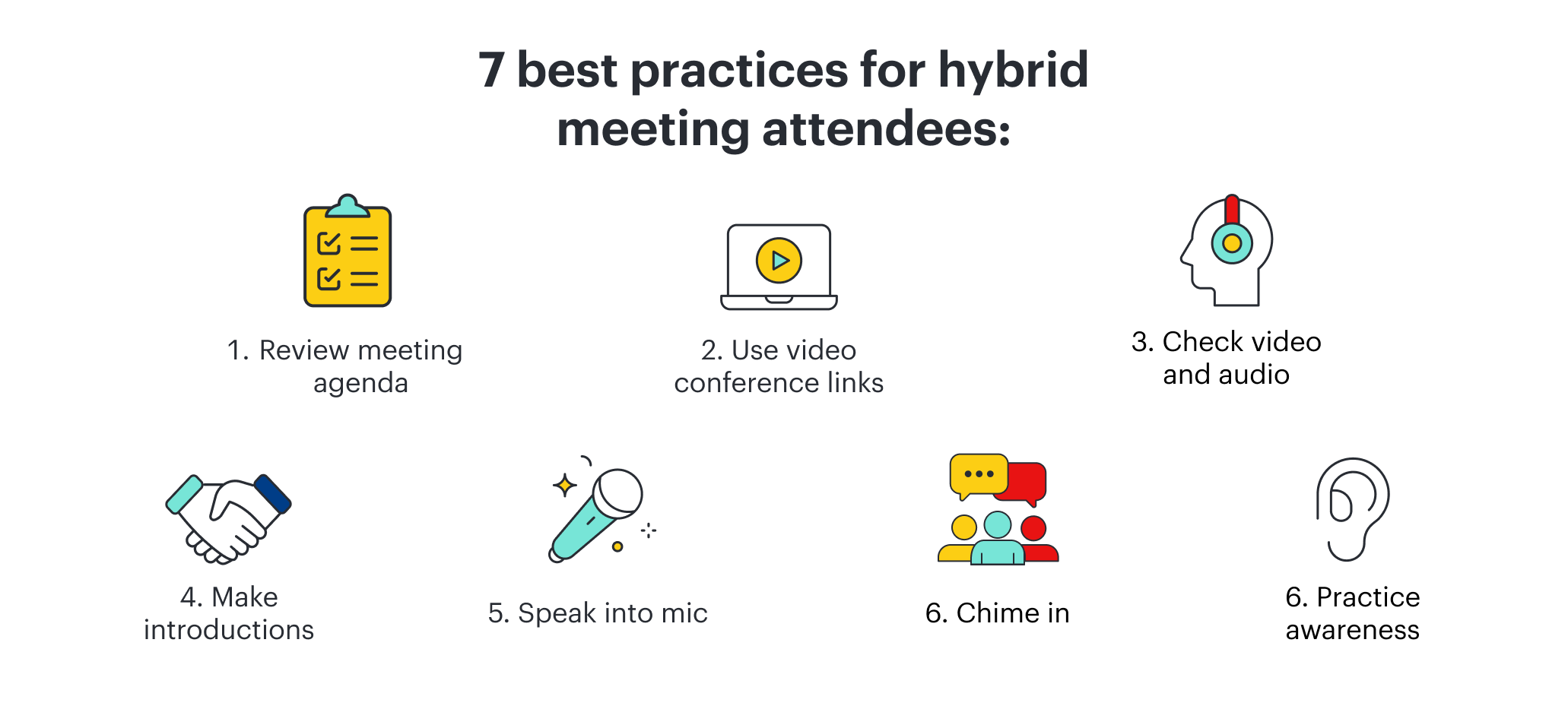
1. Review the meeting agenda
Before each hybrid meeting, the team leader or meeting facilitator should send out a meeting invite with an agenda attached. All attendees should review this agenda before the meeting begins. These agendas include a list of invitees, the video conference link, and an overview of what the meeting is about.
A good agenda can increase engagement from the team even before the meeting starts. Team members should be encouraged to review talking points or questions to be covered in the meeting. Agendas should also include a place to review the technology the team will use for the meeting and identify any setup needed by those calling in.
2. Use conference links, even if attending in person
If you include the video conference link in the agenda, that means there's no scrambling to create or find a conference link at the last minute. Including the link makes it easy for attendees to log in without hunting for a dial-in number.
One of the unique benefits of hybrid meetings is how seamlessly video conference platforms integrate tech into their services. Chat functionality, virtual whiteboards, breakout boards—all of these functions are taking place on the video conference itself, so it's important that each attendee be present and engaged on the same platform. In-person attendees can still join the virtual platform to participate in chats or brainstorming taking place.
3. Check that audio and video are working
A 60-minute meeting with a clear agenda can quickly derail when you have to spend the first ten minutes troubleshooting for audio or video issues. That's why it's so important for both the facilitator running the meeting and the participants to call in and make sure their audio and video are working before the start of the meeting.
If attending remotely, it's best to have your camera on as often as possible. This allows for connection with the other team members and levels the playing field by providing a similar experience for those in-person attendees. And we might think it goes without saying, but remote attendees should always be aware of their mute button. Whether the facilitator has all participants on mute or is engaging in a discussion, it's good practice to avoid awkward or distracting audio by keeping a vigilant eye on that itty-bitty mic icon.
4. Make introductions
Before starting a hybrid meeting, it's good practice to make introductions, especially if not everyone is acquainted. Introducing yourself with your name, role, and location helps kick things off.
And since remote attendees often appear in different locations on the virtual conference grid, it's helpful to have the person finishing their intro pass things off to another participant on the call to avoid awkward silences between introductions. It's also an excellent way to break the ice among people who might not have worked together. A short team-building exercise is another way to get conversation flowing and create cohesion among the team.
5. Speak into the mic
For the meeting to run smoothly and so all voices can be heard, attendees should speak toward the mic at a volume where other participants can clearly hear them. This is particularly important for in-person attendees, who may turn to address someone else in the room. Of course, technology has a way of acting up, so if someone's mic is off or the group is not hearing them it’s okay to give them a nudge on the chat.
6. Chime in
Remote meetings can be incredibly productive, but they're only beneficial if everyone contributes. Whether remote or in-person, attendees should start the meeting aware of the agenda and team goals, and they should be ready to collaborate and engage. Facilitators should be intentional and clear with how they structure the hybrid meeting to make it easier for all attendees to communicate and connect as a team.
7. Practice awareness
When the conversation is active, each attendee needs to practice awareness. Between internet lag and technical issues, interruptions are inevitable. It can be challenging to tell when someone is about to speak, which is why it's so important that attendees pay attention when other team members are trying to contribute to the conversations. For facilitators, periodically pausing for questions gives attendees a chance to speak up without interrupting and allows members with internet lag a chance to catch up and contribute.
A successful hybrid meeting uses visual collaboration and technical resources to bring a physically distant team together and create innovative solutions. Using these hybrid meeting best practices will empower teams to face the unique challenges remote work poses, enhancing the meeting experience itself so that teams can work together even miles apart.

Discover more ways to increase participation and engagement in your next meeting.
Find out how