Key takeaways
-
Agentic AI uses autonomous reasoning and logic to achieve complex goals with minimal human intervention.
-
You can distinguish agentic AI from standard automation by identifying tasks that require dynamic interpretation rather than fixed "if-then" rules.
-
Prioritize high-impact use cases for agentic AI by targeting monotonous, frequent tasks that involve multi-step logic or excessive tool switching.
-
You can identify business use cases for AI by asking teams where friction exists in their workflows and mapping out processes.
-
Successful agentic AI implementation requires clear usage guidelines, active change management from leadership, and continuous process maintenance.
Generative AI has already changed the game for countless industries, but agentic AI? It brings even greater possibilities (and pressure) for business improvement.
When there are seemingly infinite use cases for agentic AI, narrowing the pool to the highest-impact ones for your business is an overwhelming endeavor, to say the least.
Some processes appear to be easy spots for applying AI, but would an AI agent truly help save time, cut costs, or increase revenue when added? Finding the sweet spot between risk levels, ease of implementation, and business value requires a bit of strategy—and the right tools.
At Lucid, we work with transformation teams on identifying these high-value AI use cases and have distilled our insights into a simple framework. With this framework, you’ll learn what to look for when selecting agentic AI use cases for your business and how to gather the data you need to make a decision.
“The question is not if but where, when, and how to adopt and apply AI.”
—Gartner®, The Pillars of a Successful Artificial Intelligence Strategy, 16 September 2025
What is agentic AI, and where can it provide the most value?
Agentic AI refers to autonomous AI systems that can accomplish a goal, such as booking a trip or issuing a refund, with limited human intervention and supervision. While generative AI uses LLMs for content creation, agentic AI uses LLMs as reasoning engines to interact with software, execute multi-step workflows, and make independent decisions.
Agentic AI is most valuable for use cases that require some logic and interpretation. Typically, these are open-ended use cases where there is a clear goal you wish to achieve but no clear, fixed path to reach it.
Let’s say, for example, that you need to book a business trip for a conference. You want to arrive the day before the conference, and you need to make sure the flights don’t conflict with your schedule. You want the hotel to be within walking distance of the conference, and you want to have a vegetarian-friendly restaurant nearby. And you also have a travel budget you need to stay under.
There’s a lot to consider, and you don’t have the time to peruse menus and compare flights. In this case, an AI agent could research flights, check your calendar for conflicts, verify hotel menus and locations, and, with your approval, use your saved payment to book the entire trip.
Agentic AI vs. automation
To identify the highest-value use cases for agentic AI, it’s important to know the distinction between agentic AI and automation. While both are similar in that they execute tasks with limited human direction, how they execute the task is completely different.
Automation accomplishes tasks by following fixed, predictable, and controlled process steps. These are typically very simple if-then tasks, such as setting up notification and alerting rules (e.g., if a customer adds an item to their cart but doesn't complete the purchase, then a reminder email is sent after one hour).
AI agents, opens in a new tab, on the other hand, are best applied to tasks that require more complex decision-making. Instead of following an “If x, then y” format, agentic AI tasks tend to look more like, “Given goal z, find the best x and y.”
Take our business trip example from above. There may be multiple flight options and hotels that satisfy the criteria. An AI agent must reason through different scenarios and make multiple decisions to achieve the end goal.
Here’s a simple litmus test you can use when deciding between automation or an AI agent: If you answer the question “How would you accomplish [a goal]?” with “It depends,” you’ve found a use case where an agent is probably better suited than automation.
| Automation | Agentic AI |
| Follows a script or “if-then” rules | Applies reasoning to reach the end goal |
| Process is fixed and linear | Process is dynamic and iterative |
| Best used for completely predictable tasks | Best used for tasks requiring interpretation |
| Input is a standard, specific trigger | Input is a high-level objective |
| Requires standard data inputs (e.g., a form field) | Can handle messy data and various formats (e.g., a long email or PDF) |
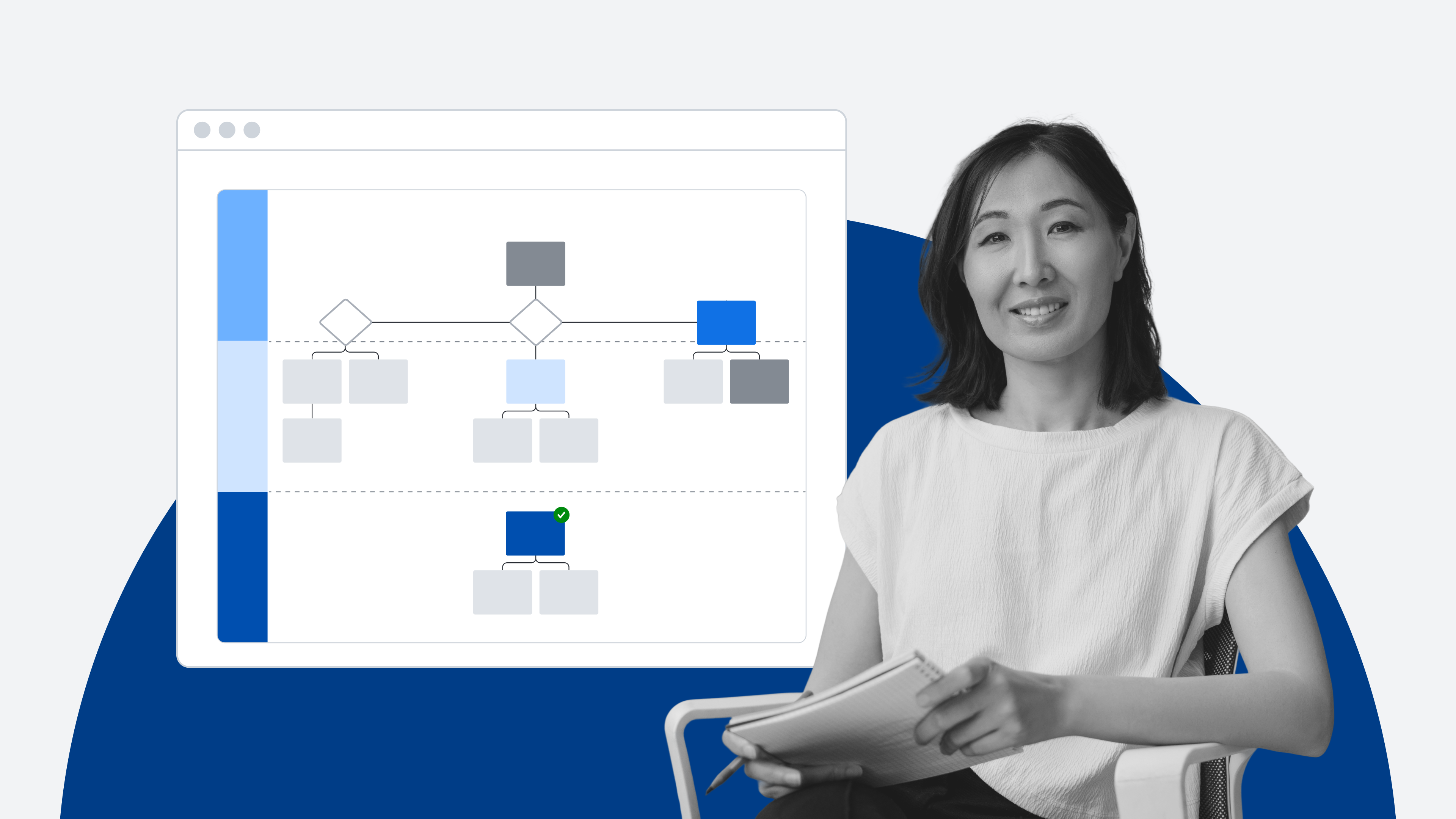
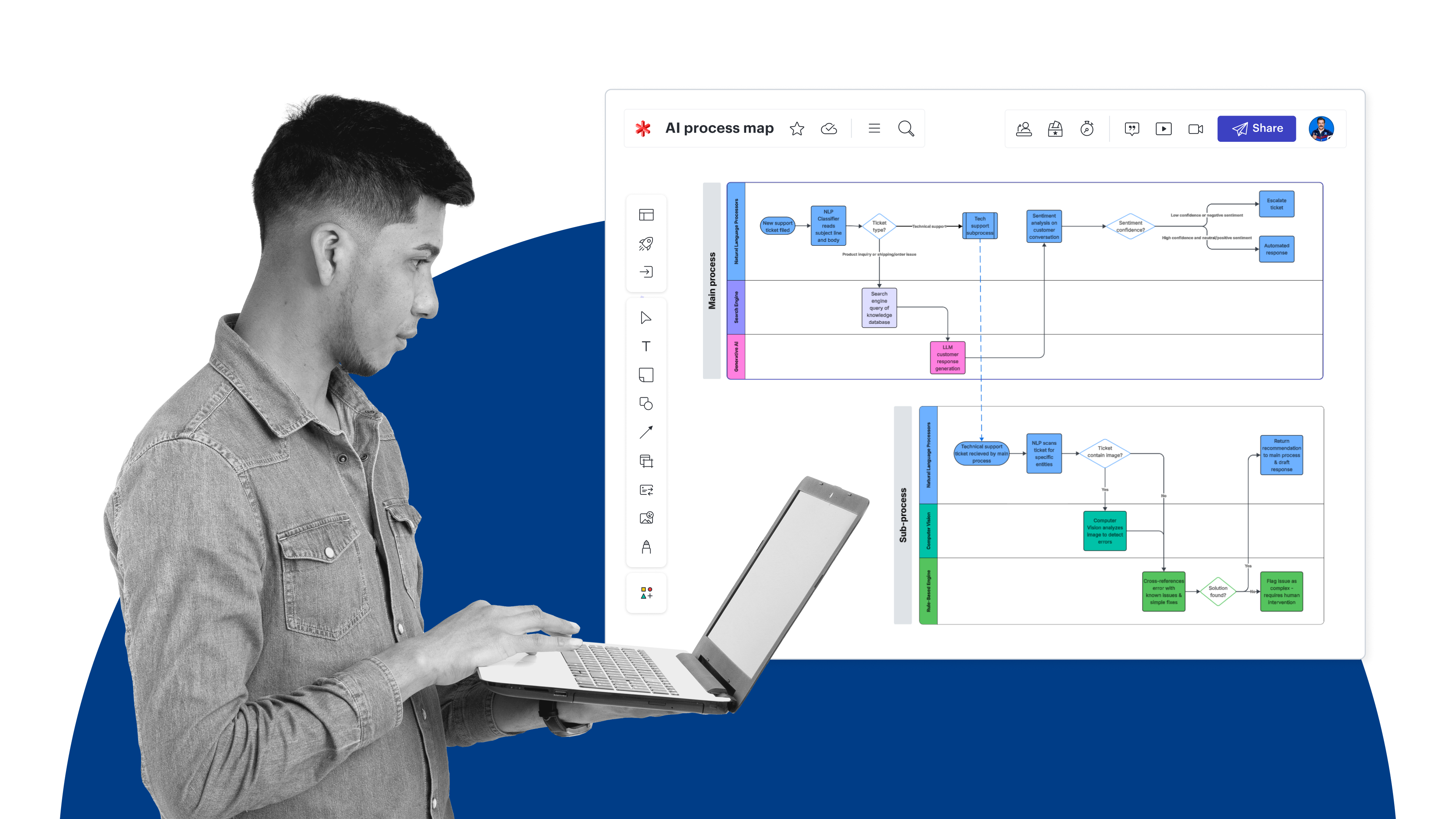
Pro tip: Real workflows often blend both automation and agentic AI. Visualizing the steps in your processes (via process maps) can help identify which parts call for which approach.
Criteria: What to look for when identifying AI use cases
“Just because you can add an agent to a use case doesn’t mean you should. In the age of AI, focus is critical.”
—Birch Eve, Group Product Manager, Lucid
There are, in theory, countless use cases you could apply an AI agent to. But how do you know which ones will provide the most benefit to your business?
The criteria below are designed to help you find use cases for AI that are high-value, low-risk, and relatively straightforward to implement.
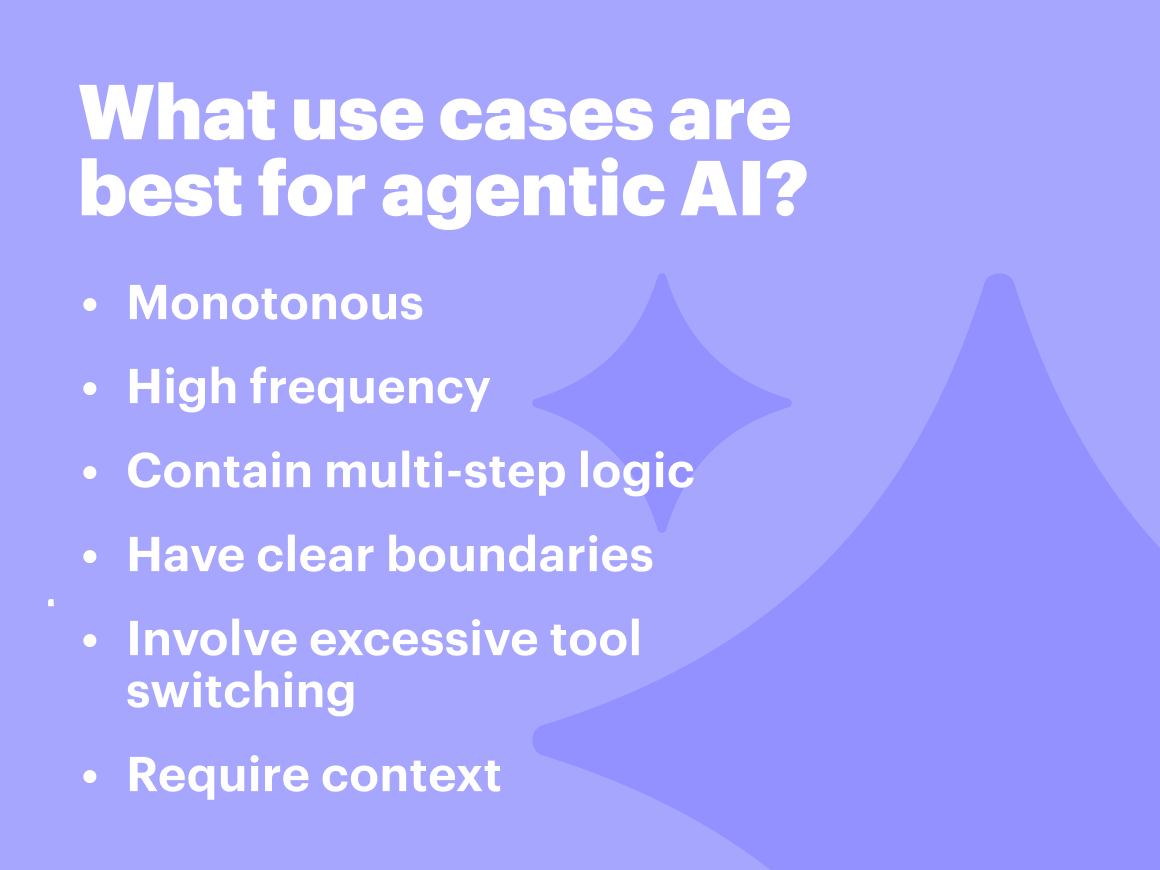
Look for the following signals when identifying agentic AI use cases:
-
Monotonous: Jeff Rosenbaugh, Sr. Director of Professional Services at Lucid, recommends paying attention to places where “smart people are doing dumb stuff.” Monotonous tasks, such as pulling and summarizing data across multiple sources for status reports, can often be offloaded to an agent, giving individuals time back for innovative thinking., opens in a new tab
-
High frequency: If a task is monotonous but only happens once every few months, offboarding it to an agent wouldn’t provide that much value. The best use cases for AI occur frequently, whether that be across multiple departments or within a single team.
-
Contain multi-step logic and decision points: Agentic AI is overkill for a process that follows a single-point logic. If you find a task is monotonous and frequent but follows simple if-then logic, you can use automation instead.
-
Have clear boundaries with defined outputs: Use cases with a clear output and success criteria make it possible to catch and correct mistakes. If you have no way to validate the output, you risk unchecked hallucinations that can lead to detrimental mistakes (such as missed payments or incorrectly issued refunds).
-
Involve excessive tool switching: Tasks that require jumping between multiple tools are time-consuming and, therefore, strong candidates for agentic AI. When Birch Eve, Group Product Manager at Lucid, noticed he was constantly bouncing between Slack, Google Docs, Lucid, and various dashboards to store and find information, he created an agent to do this for him. “Now, with the AI agent, 90% of my workflow is dictation. I say what I want to communicate, hit enter, and the agent figures out how to index and organize the information,” explained Eve.
-
Require context: Context may be the ultimate differentiator in determining whether a use case is a good candidate for AI. For instance, imagine asking someone to run your weekly project status report. You wouldn't just hand them the reporting template; you'd explain which stakeholders care about which metrics, clarify what "at risk" vs. "off track" means for your team, and provide guidance on what to do when data is missing. An agent needs that same documented reasoning layer to perform reliably.
Steps to identifying use cases for agentic AI
Now you know what to look for, but how do you quickly and easily identify these signals? Follow these steps to begin identifying and prioritizing high-impact use cases in your business.

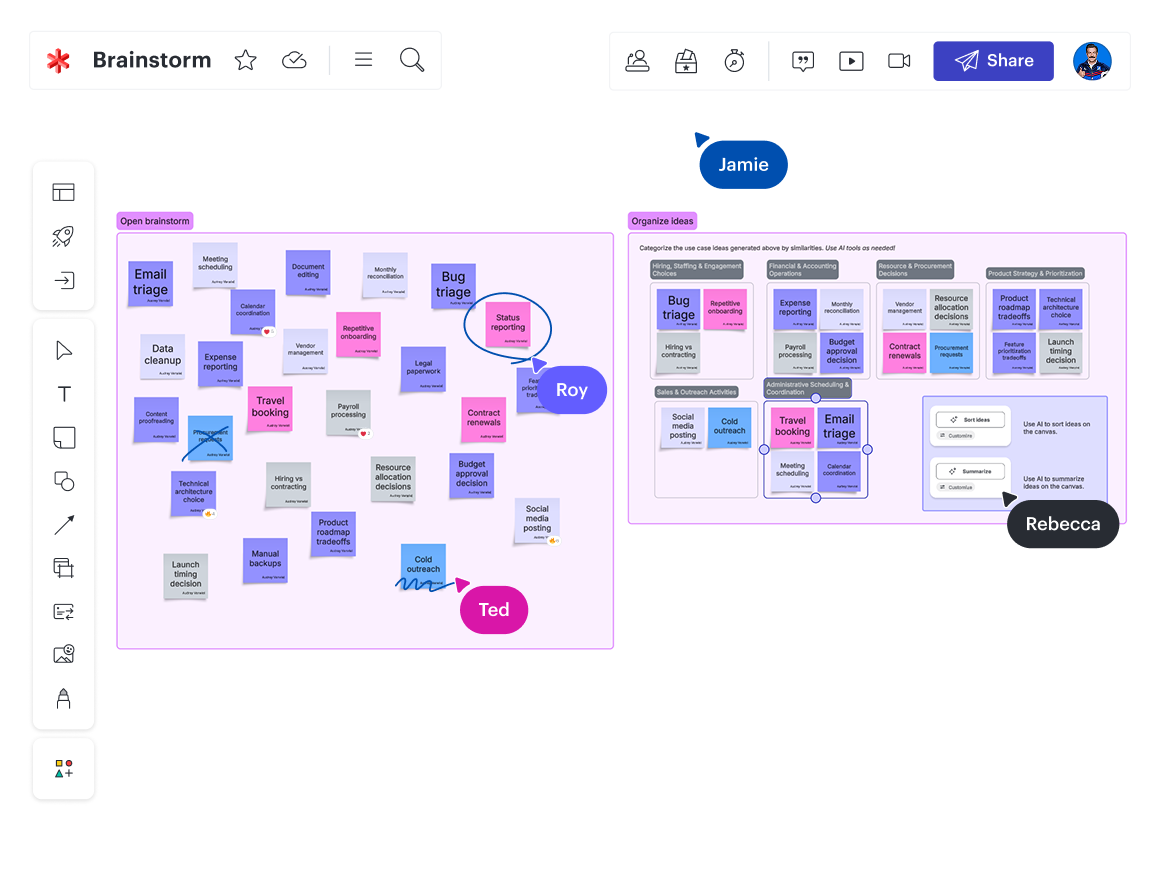
Step 1: Ask questions to identify friction
The best place to start is by directly asking teams about areas of their work that are monotonous, repetitive, overly complex, or time-consuming.
Try to avoid brainstorming around questions like “What are AI use cases we could try?” Brainstorming “AI use cases” is like trying to think of billion-dollar startup ideas. You’ll end up with solutions to problems that may not even exist.
Instead, ask questions that would reveal the friction teams face, such as:
-
What tasks are you spending (or wasting) the most time on each week?
-
What tasks, if taken off your plate, would free up the most of your energy?
-
What tasks do you simply not like doing?
-
What complex decisions are slowing down your workflow?
You may find it valuable to start at the executive level, identifying high-level problem areas before digging deeper. From there, team leads can pose these questions asynchronously or in a live brainstorming session.
“You may already know where many of these patterns exist,” said Christopher Bailey, Director of Consulting Services at Lucid. “What are people complaining about? What are the things you’re exhausted with?” If teams in your organization host frequent retrospectives, you may already have some qualitative data on friction points.
Pro tip: When you use Lucid to host discovery workshops, brainstorms, or retrospectives, you can use AI in Lucid to quickly identify themes across the input you receive.
Step 2: Map out key processes
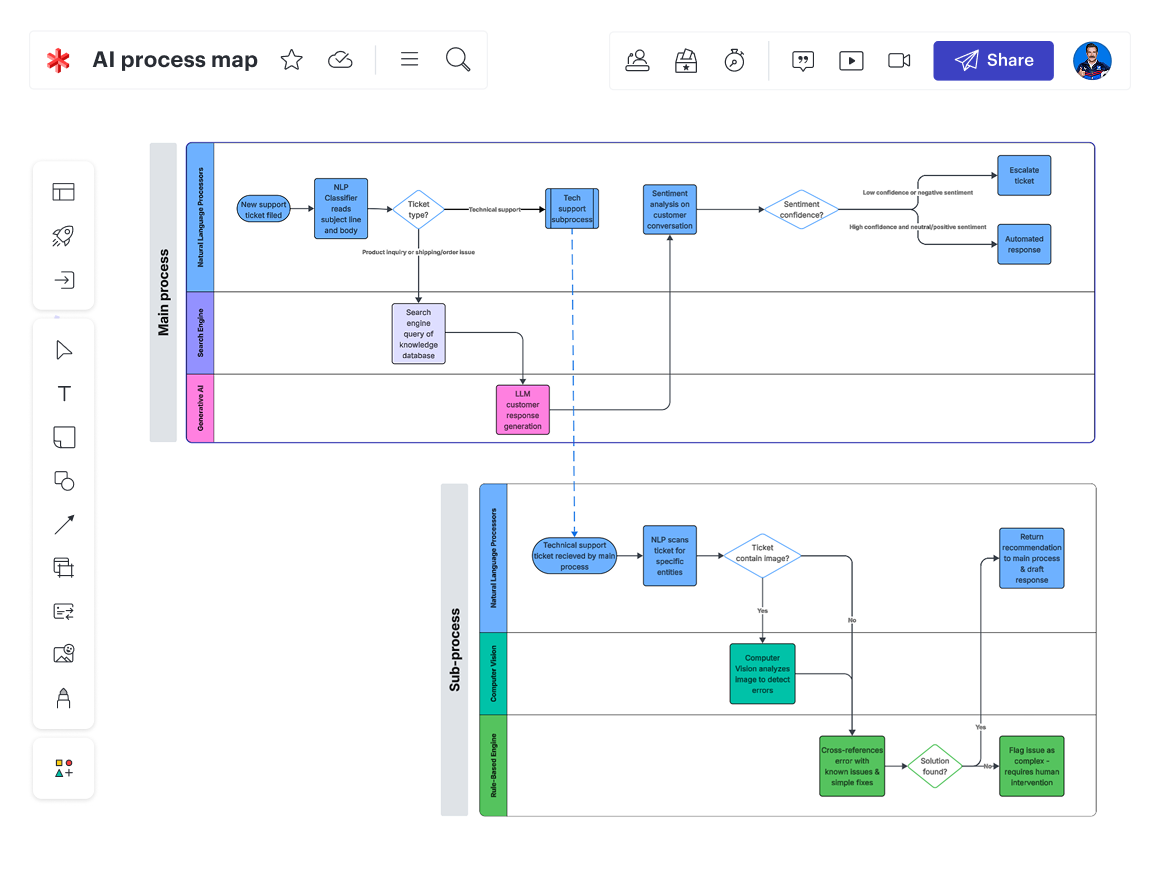
Once you’ve identified a few general use cases by talking to teams, you’ll want to validate that these use cases are prime for AI. How? By mapping out your processes.
Visualizing your processes helps you see:
-
Where decisions or approvals are made in a process
-
How many different systems and tools are involved in a process
-
How many different teams and handoffs take place in a process
-
What outlier scenarios exist within each process
Essentially, mapping your workflows reveals the complexity of a process. “If your process map looks like a bowl of spaghetti—with intersecting arrows and shapes across the canvas—it’s probably too complicated as is,” said Eve. In other words, it’s a prime candidate for an AI agent.
Another benefit of process mapping at this stage is that you’re creating the context and documentation an agent will need to execute the task if you do decide to implement it.
“The organizations that will move the fastest with agentic AI are not the ones with the best models, but those with the best documented processes and procedures.”
—Jeff Rosenbaugh, Sr. Director of Professional Services, Lucid
For instance, a candidate screening process rarely goes straight from resume to interview. There are many steps in between: checking LinkedIn for skill validation, comparing a portfolio to a specific project brief, and coordinating across the calendars of three hiring managers. Mapping out this process creates the context for an AI agent to do what your recruiting team likely does naturally.
If you’re not sure where to start with your process map, begin with the ideal outcome, then work backward through the steps needed to reach it.
Step 3: Prioritize and plan out the implementation
Your brainstorming and process-mapping steps may yield many potential ways to apply AI agents. When you’re just starting, though, it’s best to pick just one or two to test out. Starting small allows you to learn and iron out the kinks before a larger rollout.
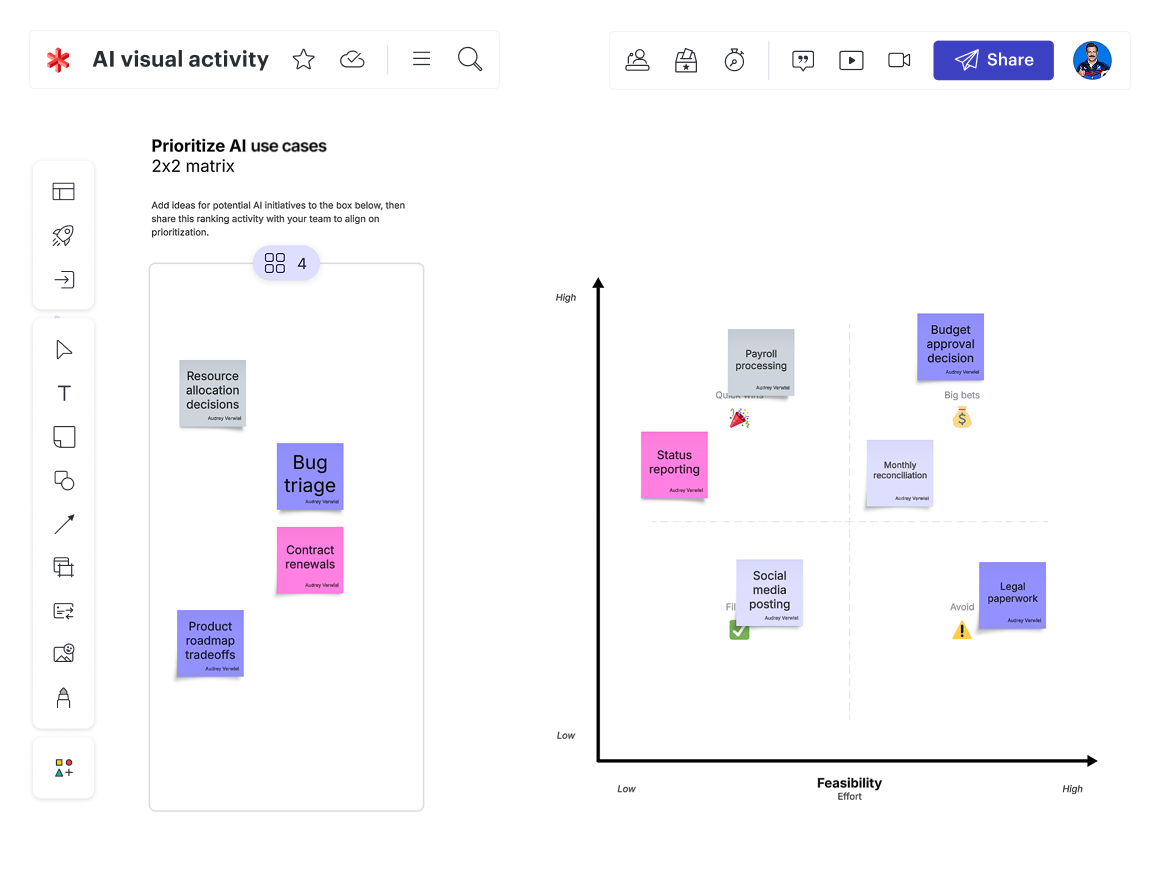
The most valuable use cases to start with will be those with high potential for reward and that are relatively simple and low-risk to implement.
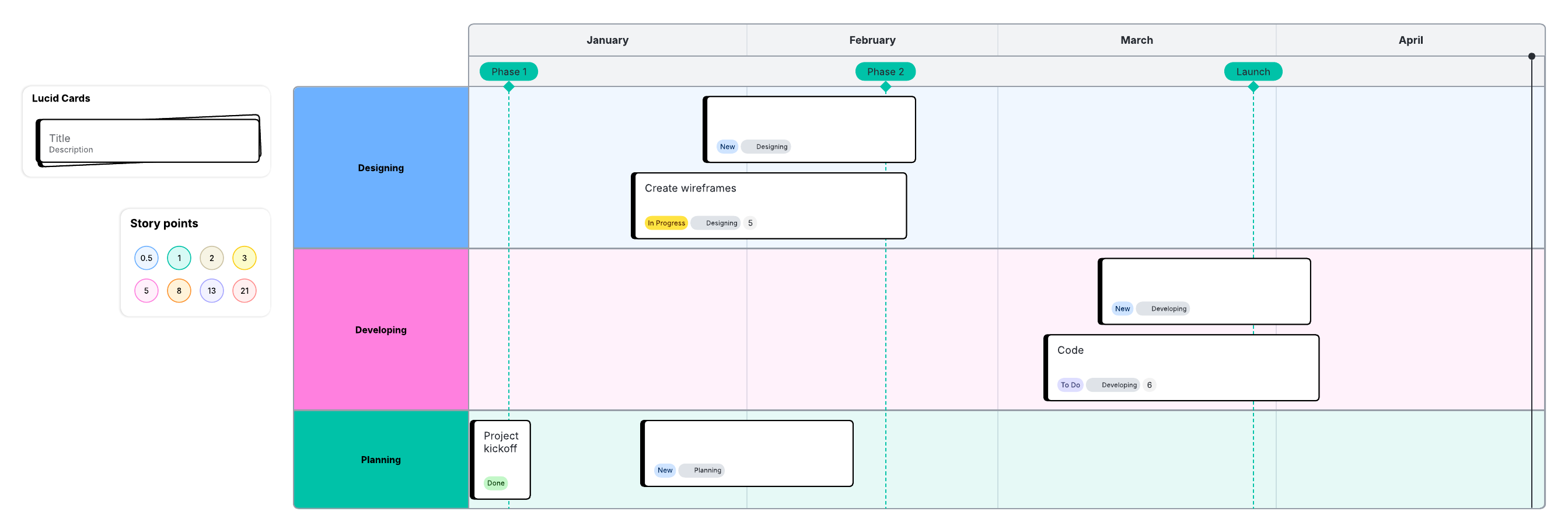
Using a matrix, you can visually plot out the use cases by:
-
Business impact: How much "creative energy" would be returned to the human? How much time could you save? How significant would the cost reductions be? How much potential for new revenue is there?
-
Effort and reliability: How much work or added safeguards are needed to actually prepare a process for an agent? What is the risk if the agent makes mistakes?
Once you have identified a use case to start with, you’ll want to identify:
-
Who will be responsible for implementing the use case and measuring its success?
-
What guardrails or human-in-the-loop checkpoints need to be in place to execute the use case safely?
-
What skills, enablement, or training do teams need to get started?
-
What milestones will you aim for?
-
What metrics will you use to determine whether or not the use cases were successful?
Examples of agentic AI use cases
The best places to apply agentic AI will vary across organizations, but you can use the examples below as inspiration for getting started.
Agentic AI use cases for HR
HR teams could use agentic AI for candidate screening or onboarding coordination.
An onboarding agent, for example, could walk new hires through a checklist, ask questions, and give feedback.
Onboarding works well for AI agents because it’s full of "it depends" moments. A new hire's needs vary by department, prior experience, and how quickly they are learning. An agent could pivot its approach based on the new hire's feedback, whereas a standard automation would keep firing off emails regardless of whether the person is ready for them.
Agentic AI use cases for sales
Sales teams could use agentic AI for pipeline research, prospecting, or drafting RFPs.
Let’s take a look at a prospecting agent. Sales reps spend a lot of their day reading annual reports, LinkedIn posts, and news articles to find an effective hook for their cold outreach messages.
In this example, you could give the prospecting agent a list of target companies. For each company, the agent will scour recent 10-K filings, search for relevant keywords in recent news stories, and analyze the CTO’s recent social media activity. It will then draft a hyper-personalized pitch that mentions a specific business challenge the company is currently facing.
Agentic AI use cases in technology
Software engineering, IT, and security teams can use agentic AI for use cases such as migrating legacy code, identifying and triaging incidents, or monitoring and mitigating threats.
For example, software developers often spend weeks or months manually refactoring old codebases to meet modern security standards or to switch to a more efficient programming language. A legacy migration agent could map the application's dependencies, baseline its current performance, rewrite the code into the new language, generate tests to ensure the logic remains intact, and iteratively debug any errors encountered during the build process.
An agentic AI use case in cybersecurity, for example, could involve detecting threats, analyzing user behavior and network traffic, issuing automated responses to mitigate detected threats, and then refining its threat-detection techniques as threats evolve.
Tips when first implementing agentic AI
Our experts shared their top tips to keep in mind when you’re just getting started with agentic AI.
It’s ok to start “boring”
It may be tempting to look for the most intricate, impressive use cases, but Rosenbaugh reminds us that it’s ok to try boring use cases with clear ROI and low risk: “Success in simple, low-risk use cases builds the foundational knowledge needed for more complex implementations later on.”
Don’t let fear get in the way of opportunity
Negative side effects, such as hallucinations, can hold teams back from experimentation. You should, of course, be mindful of these risks, but you can bake in barriers here. You can't, however, push yourself into the future through a fearful lens.
“Most people assume they have to make the whole process into an agentic workflow,” said Eve. “That’s a common misconception. Instead, start with the first couple of steps and leave the rest. You’ll learn quickly and gain confidence in agentic AI.”
Create clear usage guidelines
“Nothing will curb an employee’s enthusiasm around new tech faster than if they can’t experiment or try out their ideas because they don’t have access to a tool, it's not approved, or they don’t have any guidelines,” said Eve. “That kills curiosity, which is the most human response to new tech.”
According to Lucid’s AI readiness survey, 42% of workers are somewhat concerned about misusing AI due to unclear guidelines, and 27% are very or extremely concerned. Create confidence by spending some time clarifying what tools are approved and what each tool can be used for. By enabling people to play and be curious, you give them permission to problem-solve in unique ways.
And don’t assume one AI model (like Gemini or Claude) is the best for every task. Different models excel at different functions, such as coding versus creative synthesis. Explore your options and seek input from teams using the tools when possible.
Don’t ignore change management
“AI change management fails at the top more often than it fails at the bottom,” said Rosenbaugh. “Leaders need to do more than simply ‘support’ AI adoption.”
To effectively lead the change, leaders should model the behaviors they wish to see, own governance decisions, and communicate the value of AI early on. Because middle management is accountable for output, executives must set priorities and incentives accordingly so that middle managers are empowered to drive these efforts forward.
From there, department or team leads can take steps to increase adoption at the team level, such as creating networks to share what is working. “If you set up sharing structures early on, you can capitalize on successful experiments, inspire others, and replicate success across teams,” said Bailey.
Prepare to maintain the AI
Agentic AI, no matter what use cases you start with, is not something you can "set and forget.” The technology is continually evolving, and so are your processes and systems, so it’s important to set up cadences and strategies for reviewing and updating agentic workflows.
One of the most effective maintenance strategies you can do is keep your official business process documentation centralized and up to date. That way, you won't lose visibility when an AI workflow fails or a tool changes.
Lucid makes it easy to not only document your processes but also keep them current. With the Process Accelerator, you can create searchable repositories for official process documents and use built-in approval workflows to ensure any changes made to a process document follow the governance guidelines you set.
Guide to building an AI strategy
Learn how to go from ad-hoc AI experimentation to scaling strategic use cases across the business.
Read moreGartner is a trademark of Gartner, Inc. and/or its affiliates.