Key takeaways
-
Legacy system modernization is vital for increasing productivity, boosting interconnectivity, and reducing risks. It is also the mandatory foundation for AI transformation.
-
Modernizing is a strategic balancing act. Executives must weigh the risk of moving too fast against the cost of waiting.
-
Lucid can help ensure success with modernization through discovery mapping, workflow documentation, and stakeholder alignment.
Technology evolves fast. This means that new applications and systems are continually coming out, offering significantly more advanced features than those before them. For businesses to remain competitive, they must regularly assess and update their tech stacks. This process is known as legacy IT system modernization.
But how do you know when the right time to update is when you can assume something even newer and flashier is right around the corner? David Torgerson, VP of infrastructure and IT at Lucid, talked with us about this delicate balancing act.
The importance of legacy system modernization
Legacy system modernization is about more than just working with the latest and greatest—it’s about having tools that enable you to access maximum productivity. Legacy system modernization is the process of updating, replacing, or re-engineering outdated software applications, hardware infrastructures, or processes to align with current business needs and tech advancements. Legacy IT systems are simply older technology that an organization still uses. Even if legacy systems are functional, they may lack the security and efficiency of modern solutions. Legacy system modernization aims to resolve these issues.
Organizations that strike the delicate balance of when and how to modernize enjoy the following benefits:
-
Boosted interconnectivity: Modern systems are typically built on open architectures that allow different tools and platforms to work together seamlessly, creating a unified IT ecosystem and simplifying your processes.
-
Increased productivity: Innovative solutions usually allow you to quickly adopt new business models and applications, saving you time and effort while streamlining your operations.
-
Optimized data flow: IT modernization ensures easy access to data throughout the organization, breaking down data silos and providing a valuable single source of truth for decision-making.
Organizations that don’t accurately prioritize modernization may struggle with a barrier to automation and integration. These organizations are also associated with an inability to manage or adopt new technologies in general. In other words, your organization is less productive and efficient—and you’re probably losing money because of it.
The new “why” behind legacy IT system modernization
While legacy system modernization has always been important, it is more critical now than ever, as modernization is a prerequisite for AI transformation.
All over the world, companies are saving unbelievable amounts of time and money by automating through AI. But only a small fraction of businesses are successfully realizing AI’s potential, particularly when it comes to connecting AI models to the humans and systems that actually use them. Most AI implementations fail because they don’t have clean data, but also because much of the day-to-day work is performed by people with tacit knowledge.
The success of AI depends on an interconnected ecosystem that can share both inputs and outputs. Companies must extract tacit knowledge into a format that AI can consume. But legacy IT systems that don’t integrate well with other systems are isolated. Because the data in them cannot be connected to other tools, your potential for automation and efficiency is limited.
As your toolbelt grows and more software comes out, without modernization, your data systems will feel increasingly siloed since you cannot build a dynamic, unified ecosystem that maximizes your potential for productive and efficient AI automation.
The balancing act of system IT modernization
Determining the right time to modernize your systems has always been a challenge—from the era of dedicated hardware, through virtualization and the cloud, to today’s shift toward AI. At some point, all technology becomes obsolete as new innovations come to market. This means that even the most forward-thinking organizations are caught between competing demands.
If tech is adopted too quickly and without sufficient planning, the key edge cases (the small, specific, often outlying ways people use the old system to do their jobs) are often missed. This means that the new solution won’t work for everyone, which can be a costly mistake.
On the other hand, if organizations wait too long to adopt a new solution, they’ll miss opportunities for innovation and productivity. Plus, they’ll risk losing valuable institutional knowledge as the individuals who understand the important edge cases will have moved on from the organization, making it difficult or even impossible to capture those nuances in a new solution.
So, when should you modernize legacy IT systems?
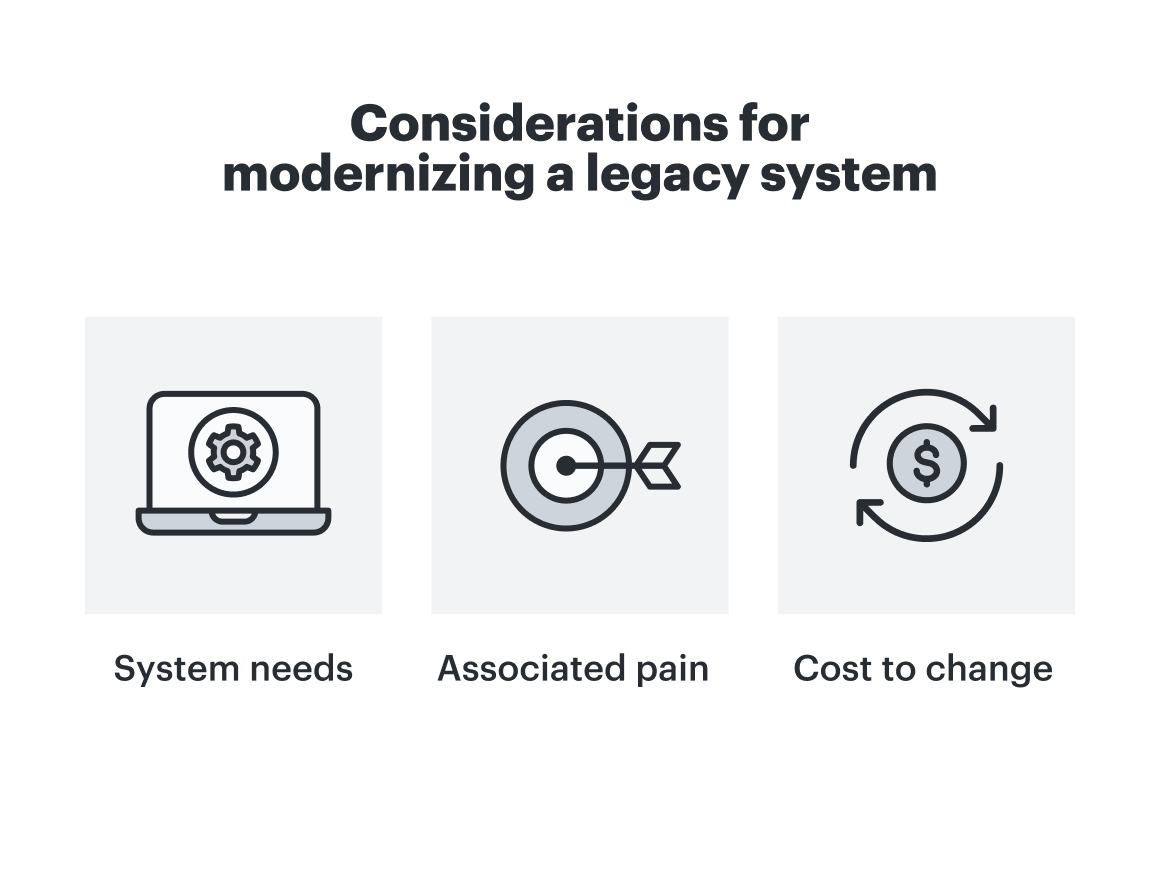
In light of these competing priorities, how can organizations confidently determine when it’s time to jump on a new solution and when to hold off? Torgerson suggests a three-part framework:
-
System needs: Assess whether or not the current system meets your operational needs. This answer is often yes, as a dysfunctional system will likely have already been replaced, but it’s still a good place to start. Is your system secure? Is it stable? Does it meet current regulatory compliance standards? If the answer to any of these questions is no, it’s definitely time to modernize.
-
Associated pain: Analyze the associated pain points of your current system. Does it integrate well with other software you use? Does it offer automation features, or do you have to complete a lot of the work manually? What’s the level of friction you’d associate with the system’s productivity?
-
Cost to change: Determine the cost of changing, both outright, along with the associated costs of downtime during onboarding. Remember that the price tag will technically get higher the longer you wait to modernize, because as tech advances faster, your current tool depreciates. This means lost efficiency and productivity at an unprecedented rate.
“Ultimately, executives need to agree on an approved risk appetite to balance experimentation and stability. For example, are you prioritizing market innovation and future expansion, or maintaining stability and keeping the lights on? In the end, organizations just need to decide what their strategy will be and execute against that risk tolerance.”
—David Torgerson, VP of infrastructure and IT, Lucid
Next steps toward IT modernization
It’s time to move from discovery to execution. Decide the best way to address the surfaced pain points. Some options include:
-
Re-platforming: Moving the application to a new cloud platform
-
Refactoring: Optimizing the existing code base to improve efficiency
-
Replacing: Retiring the old system and swapping it with a brand new solution
-
Re-hosting: Moving an existing application to a new infrastructure environment without any modification
You’ll also want to consider how you’ll measure your modernization effort. Before implementation, clearly define metrics for success based on the identified pain points. Here are some KPIs to consider:
-
An increase in operational efficiency, a reduction in system downtime, or a decrease in manual data entry
-
The number of successful API connections established between previously siloed systems
-
An improved speed to market, or a decreased amount of time required to launch new features or applications
-
Cost savings, either in maintenance costs for hardware or licensing fees
From there, you can begin building a roadmap that creates phases for implementation, prioritizing the higher-impact systems first. Remember that each phase should deliver business value quickly and build momentum toward the broader strategy.
How Lucid can help
According to Torgerson, one of the most difficult steps of legacy system IT modernization is alignment. He says:
“It’s easy to assume that everyone is approaching problems similarly to you, or that everyone sees something the same way, or that everyone has the same understanding. But that’s simply not always true—you could be talking about completely different realities. Visualization ensures you’re all on the same page so you can align on what the problems are and find solutions that truly meet the needs of the org.”
An effective visual collaboration solution like Lucid that facilitates diagramming and remote collaboration can make all the difference in a successful modernization effort. Here are just a few ways Lucid is invaluable to this process:
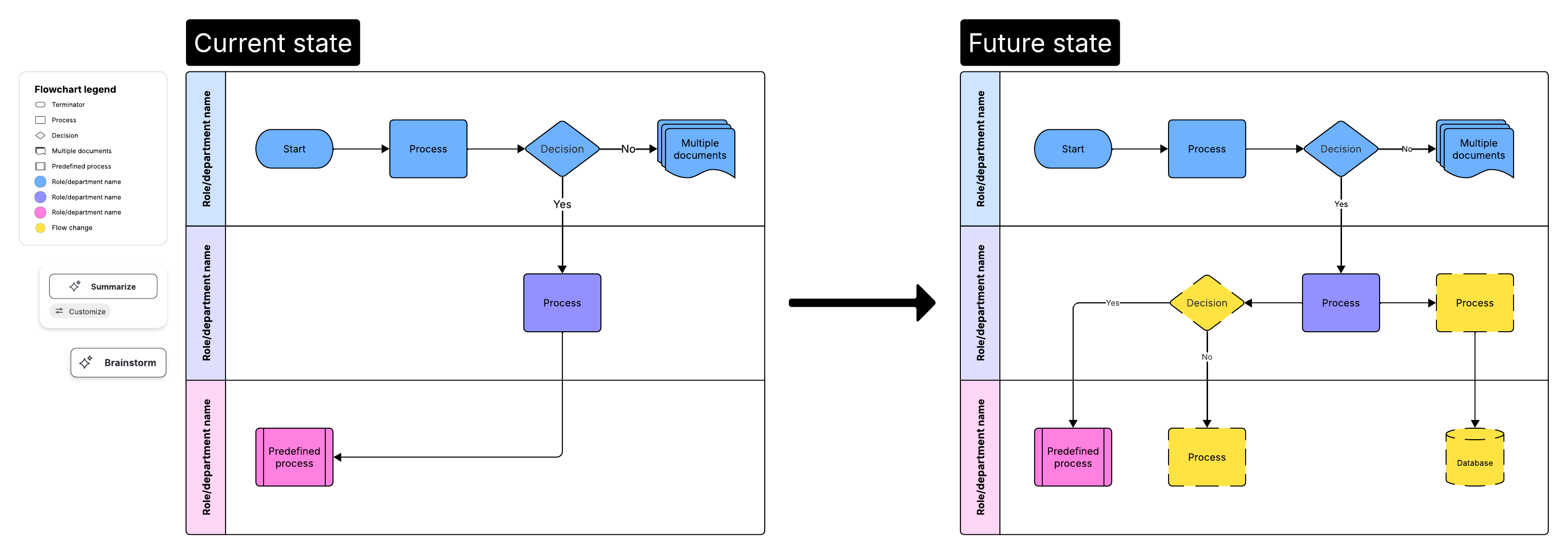
Map out current states
Lucid offers intelligent diagramming features that make it easy and intuitive to visualize processes thoroughly. Use a template to kick-start your work, or even create a diagram in seconds through a simple text prompt with Lucid AI. Capturing edge cases can ensure that executives understand the organization's true, detailed needs.
Stakeholder alignment
After mapping out the current state, the next step is to align stakeholders on which pain points to prioritize. Torgerson describes a process of visual prioritization he uses to identify which initiatives could have the highest impact. It can be done in person or remotely. Here are the steps:
-
Split stakeholders into teams. You’ll want to include as many users of the legacy system as possible. Have them brainstorm a list of improvements or pain points they’d like to address. Encourage them to make the list as large as possible. Torgerson recommends 70-150 per team.
-
After this list is created, inform teams that they must narrow it down to the top five initiatives they’d like to focus on. This will likely take some time.
-
Once they narrow it down to five, encourage them to identify the top item on their list.
-
Teams should come together and pitch their items.
-
Vote as a large group on which ideas are best to prioritize for the initial phase of IT modernization.
This saturated process surfaces the pain points that are most acutely felt and which are the highest priorities for modernization efforts. It also increases buy-in of the impending change, since team members were involved in the initial process of deciding what needs to be modernized and will already have an understanding of its importance.
Collect team feedback on prioritization
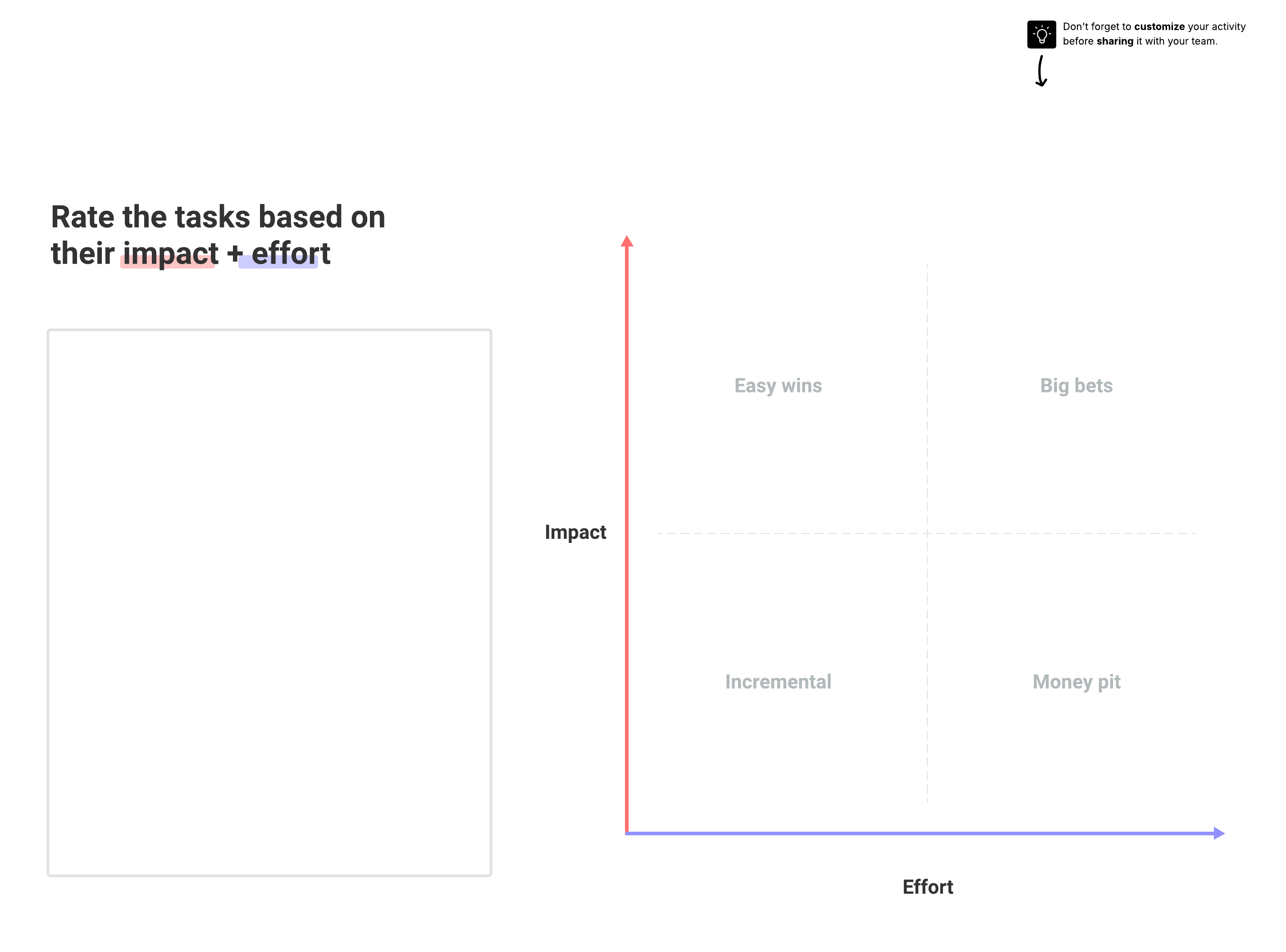
Lucid provides many ways to seamlessly collect valuable team feedback on how to prioritize organizational needs in modernization, such as with Visual Activities and voting sessions. With effort/impact matrices, you can decide which initiatives have the highest impact and identify which systems should be modernized first.
Keep the work going, wherever you work
Features that enable efficient asynchronous work allow the entire process of system modernizaton—from discovery to execution—to be done remotely as needed. This allows everyone to participate and contribute to the process, regardless of where they work.

Legacy system modernization is just one aspect of IT work Lucid can help with.
Learn more