Key takeaways
- Audit your existing tech stack to gain visibility into costs, usage, and areas of overlap before making tech stack consolidation decisions.
- Align your tech stack to your workflows by mapping out key processes to identify where tool sprawl causes inefficiencies.
- Establish primary tool standards for work modes rather than by department to connect cross-functional silos.
- Lucid facilitates tech stack consolidation by replacing multiple point solutions, integrating seamlessly with other tools, and providing one central admin panel.
- Teams save hundreds of thousands of dollars in annual software spend by standardizing on Lucid.
At some point, too much of a good thing can become a bad thing.
Many organizations have been feeling this sentiment about their technology stacks. Over the past few years, businesses have rapidly adopted tools to connect their hybrid workforce and maintain productivity. And while each new tool provided temporary value, organizations are now at a tipping point, where the sheer number of tools creates more challenges than benefits.
Sound familiar? You’re not alone: A survey commissioned by Lucid shows that nearly half of today’s workforce (45%) uses five or more productivity applications at work, and 42% find it frustrating to have too many tools.
But the effects of tool sprawl are far more detrimental than frustration. Too many disconnected tools can slow down critical collaboration workflows, create unnecessary costs, and introduce more security risks.
Plus, AI transformation efforts will always fall short if data is fragmented and processes are siloed. As organizations prepare their business for AI agents, tech stack consolidation should be a top priority.
Despite this urgency, consolidating tools is no easy feat. From determining tool usage and associated costs to gauging the business impact of eliminating tools, there’s a lot to consider.
In this post, we’ll cover a few tech stack consolidation strategies you can try and show how countless orgs are already consolidating their productivity and collaboration technology with Lucid.
Tech stack consolidation strategies
While tech stack sprawl can be problematic in any area of your tech stack—security monitoring tools, HR platforms, sales account management, and so on—it's the productivity and collaboration tool sprawl, opens in a new tab that tends to cause the most fragmentation and disruption. After all, every team relies on collaboration platforms, while not every team touches niche tools like CRMs.
When there are too many different or disconnected collaboration apps used across teams, project context, decisions, and documentation become scattered, siloed, and hard to find. Another Lucid survey revealed that 85% of workers spend up to two hours a day searching for information relevant to their roles.
For that reason, the strategies below will focus on consolidating your collaboration technology to connect cross-functional silos and increase productivity.
Strategy #1: Audit your existing tech stack
Before you can make any consolidation decisions, you need visibility into your existing technology, including costs, usage, criticality, areas of overlap, gaps, and challenges.
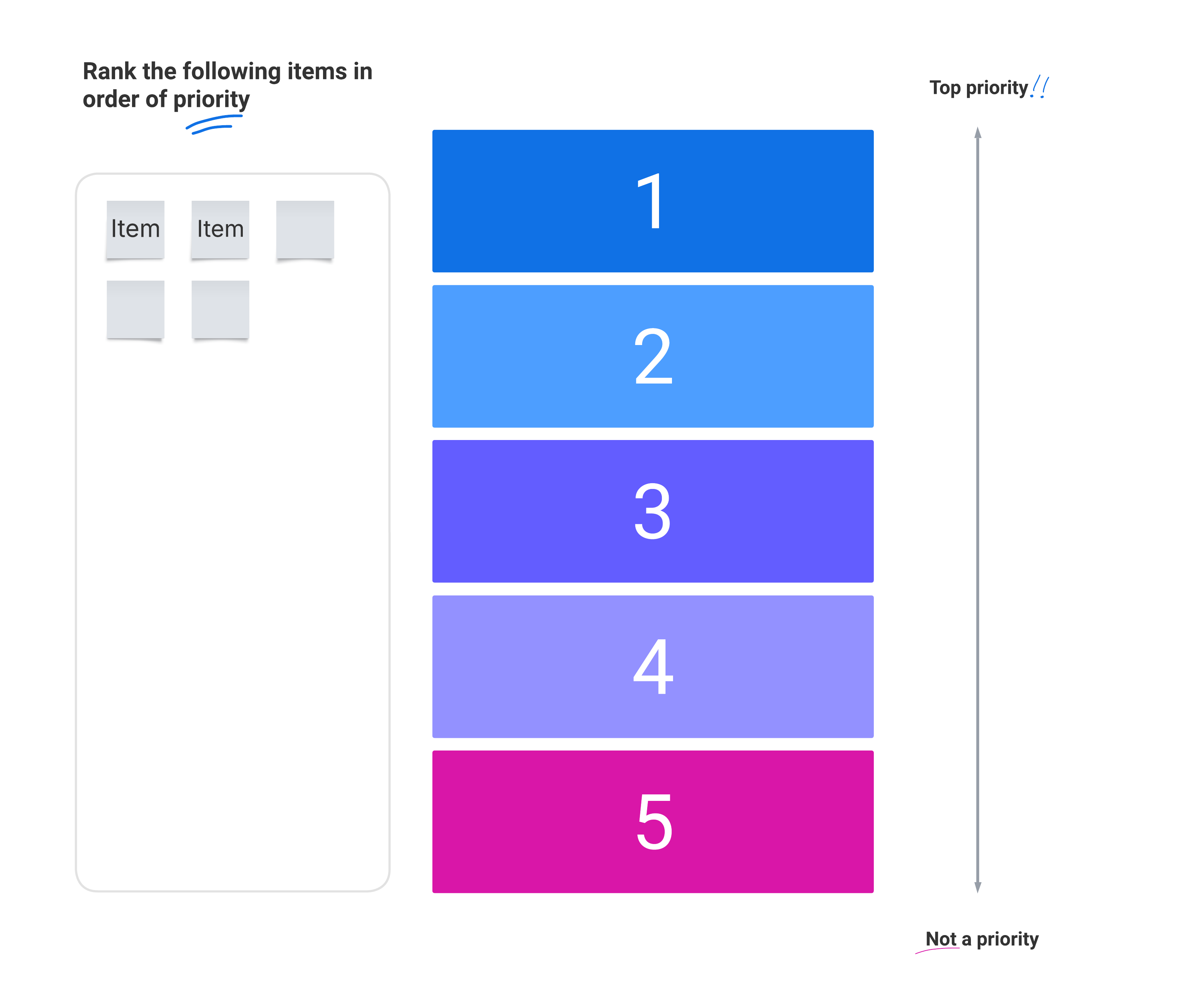
A lot of this information is available in the tools themselves, but to get a full picture, you’ll likely need input from other departments. You can send surveys, such as Visual Activities, opens in a new tab in Lucid, to understand which challenges different tools create for the team using them, or which features are most important in each tool.
As you gain visibility into your existing tech stack, be sure to listen to employee input and use that as a catalyst for change. It can be tempting to make decisions based solely on cost, but doing so often leads to underutilized tools, or shelfware, that don’t serve teams well and end up costing more in the end.
That’s why it’s best to consider your technology stack as part of your broader enterprise collaboration strategy, evaluating how it fits within your organization's natural workflows and culture. Once you understand the problems and the value of the tools employees use, you can make standardization decisions based on complete data, not just cost.
Strategy #2: Align your tech stack to your processes
“Tools should serve workflows, not dictate them,” says Jeff Rosenbaugh, Senior Director of Professional Services at Lucid. When technology leaders implement or remove a tool without considering the process it was used in, they can unintentionally create challenges that slow teams down or lead to shadow IT.
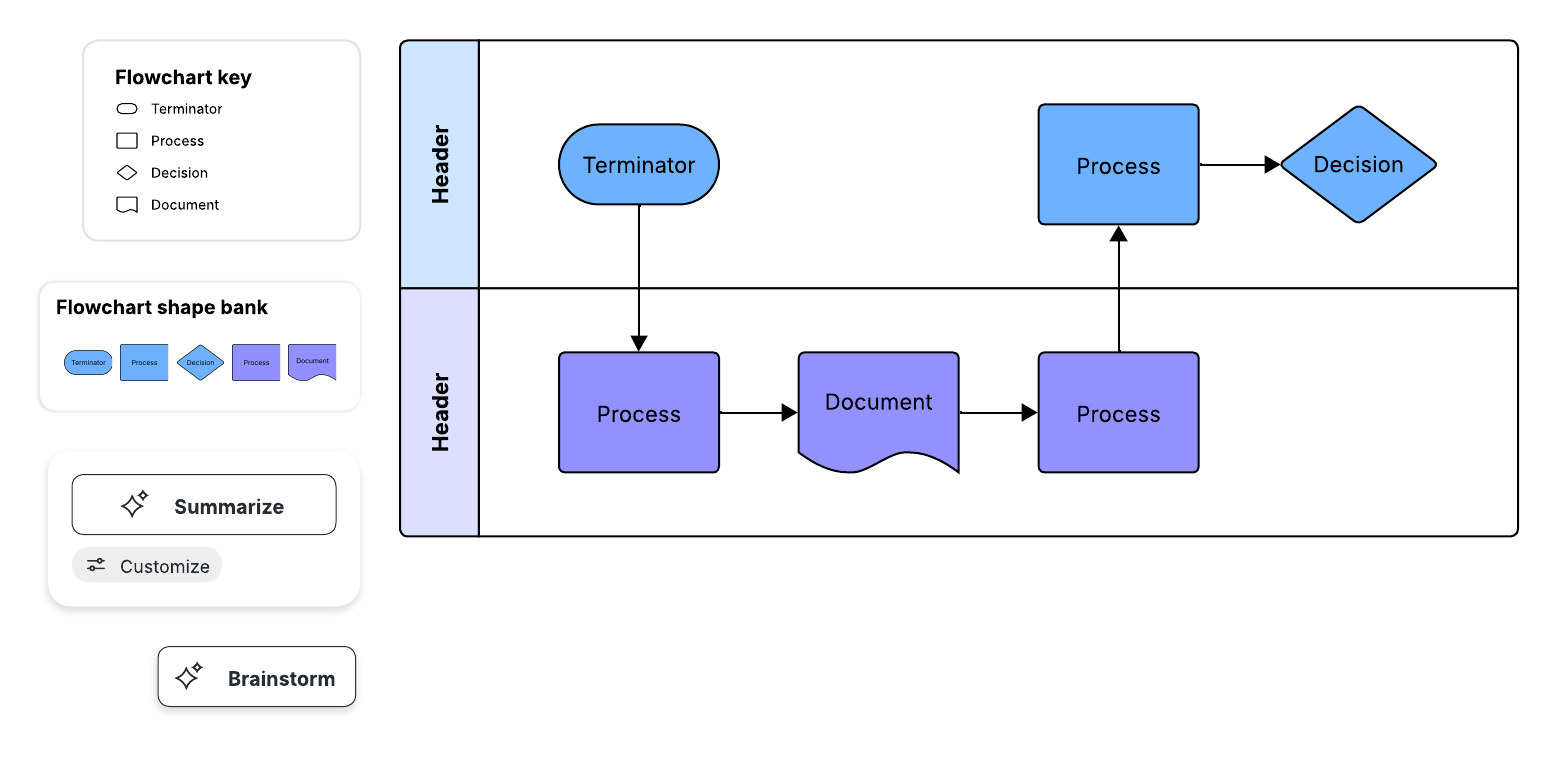
Map out key workflows, such as launching a new campaign or conducting customer research, to better understand just how many tools are currently involved and where frustrations or inefficiencies occur.
Keep in mind that consolidation isn’t just about cutting out tools; it may also mean replacing or integrating tools. As you evaluate your processes, ask yourself: Do we have the right tools to give us the broadest set of capabilities to succeed?
Looking at cross-functional workflows, opens in a new tab may be the most revealing here. For instance, you may already have collaboration tools that serve a few teams’ workflows (such as designers), but lack the depth of functionality or integrative capabilities that other teams (such as architects or engineers) need. When you map out the cross-functional processes between these teams, you’d quickly discover inefficiencies like poor project handoffs, manual updating, or miscommunication.
The end goal isn’t to eliminate tools for the sake of eliminating them. It may make sense to maintain multiple tools, but by looking at processes first, you can ensure you’re maintaining the best tools for your business.
Strategy #3: Establish primary tool standards for key work modes, not by department
When tools are segmented by department—such as marketing using Smartsheet, product teams using Jira, and HR using monday.com—you unintentionally fragment key cross-functional workflows. Some teams have unique needs, of course, but standardizing the tools used across the most common work modes, such as planning, brainstorming, and asynchronous updates, enables seamless cross-functional collaboration.
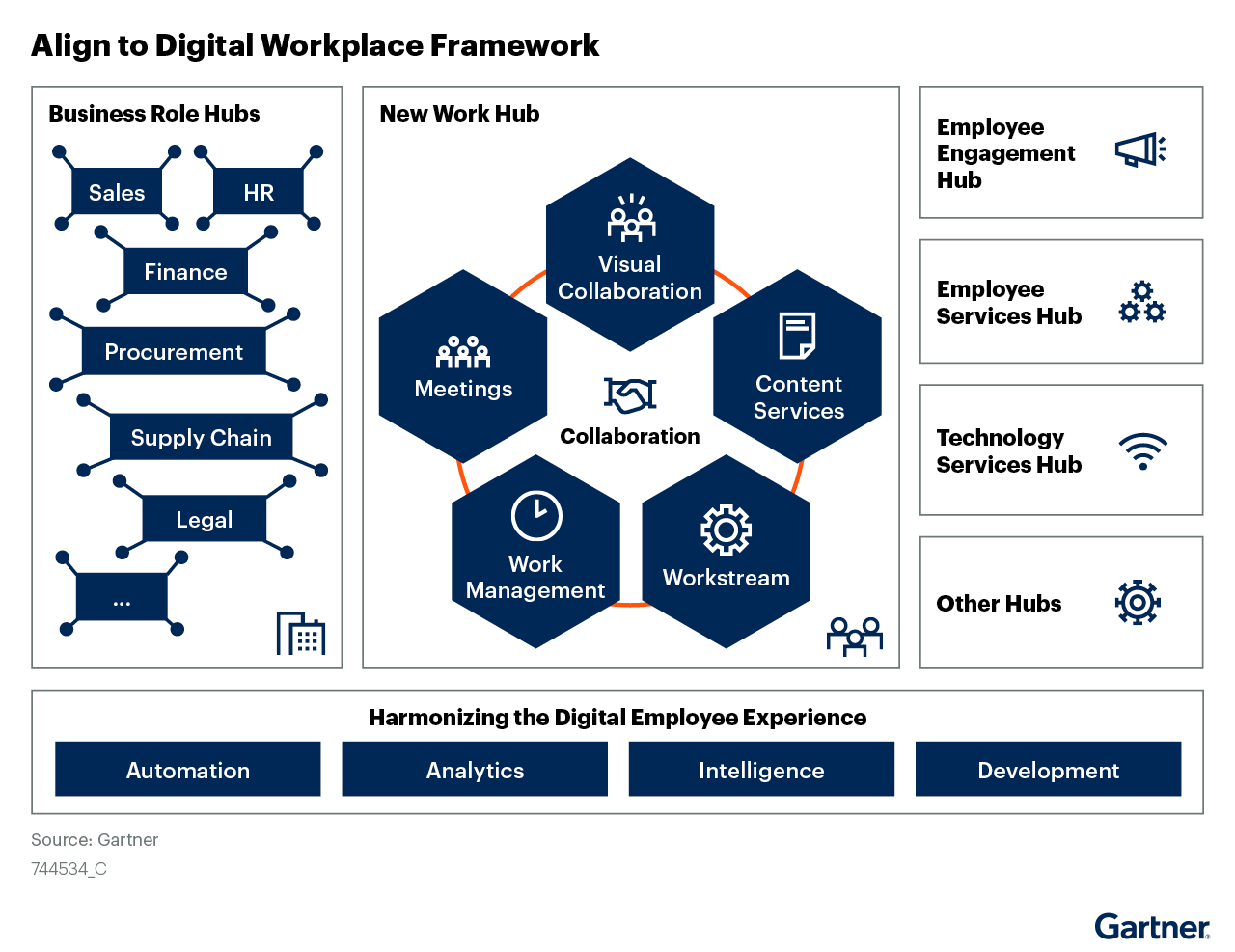
What work modes should you standardize? One framework you could use is the Gartner® digital workplace framework (DWF). The DWF helps technology leaders align the tools in their tech stack to best support the digital employee experience. It includes hubs for specific business roles (such as CRM management), employee engagement (for recognition and communication), employee services (such as benefits access), technology services (such as IT troubleshooting), and the new work hub.
When looking at collaboration and productivity technology specifically, the new work hub will provide the most guidance. As the centerpiece of the DWF, it breaks down the applications employees need to collaborate and innovate into five elements: meetings, content services, workstream, work management, and visual collaboration (Gartner, “Deliver Peak Digital Employee Experience Excellence in 4 Steps,” June 15, 2023).
Strategy #4: Map out a consolidation and communication plan
Once you decide to eliminate, replace, or integrate certain tools, you need to carefully plan the consolidation to minimize disruption. Your plan should consider technology dependencies, necessary redirects, and employee communications and touchpoints needed to ensure a smooth transition.
Establish clear, non-negotiable cutover dates at which the transition to a new tool will be complete. This way, there is no ambiguity about when adoption must take place. Clear timelines help people become comfortable with their new workflow and make consolidation successful.
You can document your plan and map out key milestones and task owners on a visual timeline to prevent costly double-running and make sure nothing falls through the cracks.
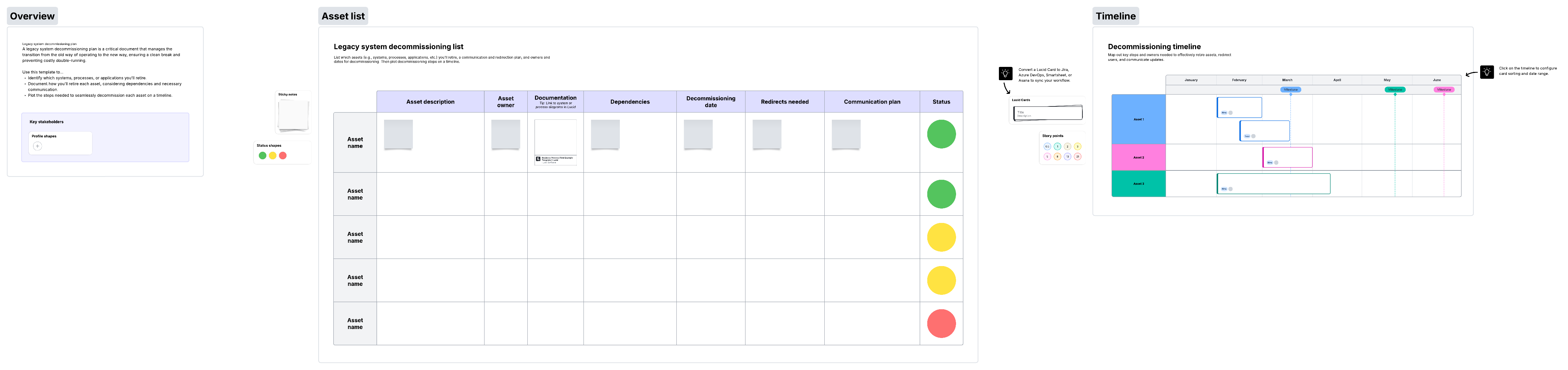
As you create a plan, you should also intentionally communicate the “why” behind your need to consolidate. It’s helpful for employees to understand what a new tool may do for them and the benefits of consolidating, not just for the business, but on an individual level as well. Make these reasons clear to everyone (for example, you can include them in your visual timeline).
When you identify the “why,” try to make it as clear and succinct as possible. Being subjective or offering options often leads people to use multiple tools in the first place.
Examples: How Lucid helps with tool consolidation and increases productivity
One of the most common scenarios leading to collaboration tech sprawl is when different teams across the business adopt their own tools, whether that’s Miro, Mural, Visio, or Figma. It becomes hard to consolidate on any one of these platforms because none of them can meet every team's specialized needs, often missing a specific feature or capability that’s essential to their workflow. For instance, engineering teams may require bidirectional syncing with Jira, while architects need precise, technical diagrams linked to custom datasets.
Lucid is different: It's the world’s first work acceleration platform that brings together the people, processes, and systems needed to build faster. Visual collaboration is at the core of Lucid’s work acceleration platform, but it goes a step further by applying the powerful capabilities of visual collaboration to large-scale transformation initiatives, like AI transformation. In other words, Lucid doesn’t just consolidate use cases; it also consolidates data, documentation, and decisions, laying the foundation for AI agents.
What distinguishes Lucid is that it not only combines virtual whiteboarding and technical diagramming into a single platform, but it also offers powerful add-ons, called accelerators, for cloud and process transformation, as well as airfocus, opens in a new tab, an AI-powered product management platform.
Each of these purpose-built capabilities allows Lucid to provide both the breadth and depth needed to actually consolidate collaboration technology. Let’s look at a few examples.
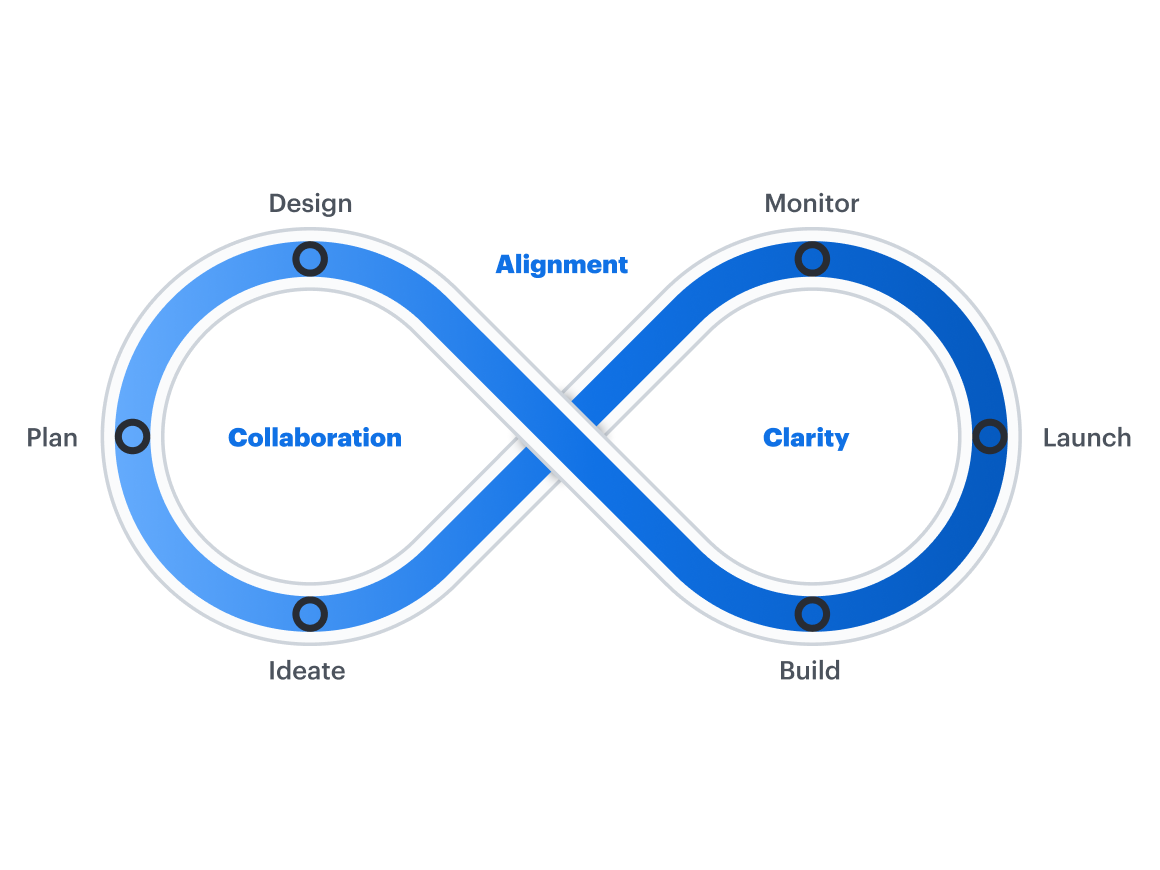
Lucid replaces multiple disparate point tools
On average, Lucid replaces two tools in a customer’s tech stack. Prior to using Lucid, our customers reported struggling to bring together their ideation work in a virtual whiteboard and their technical documentation in a diagramming tool.
When teams needed to collaborate on a process diagram or get feedback on a technical solution, they had no choice but to paste static screenshots from a tool like Visio into a virtual whiteboard like Miro. As you can imagine, this approach was incredibly inefficient, created more knowledge gaps, siloed documentation, and slowed down work.
With Lucid, teams can use universal canvas to select how they want to interact with the canvas, depending on their needs and preferences. Technical teams can map a complex, data-linked architecture using Lucidchart, while other stakeholders can add comments, insights, and document next steps using Lucidspark. Lucid is particularly good at replacing multiple solutions because it doesn't force users to compromise or prioritize one use case over another.
For one financial services company that was on a mission to standardize and streamline processes, Lucid replaced Visio, Mural, and draw.io. This organization reports eliminating hundreds of hours wasted on duplicating work or sharing documentation by having easy access to centralized, up-to-date information. They’ve estimated that standardizing on Lucid has saved them over $200,000 a year on tech spend.
Another organization, a top global insurance company, has estimated saving $300,000 in annual software spend by eliminating redundant tools like Miro and Mural. The company now uses Lucid as its standard collaboration software for everything from visualizing application architecture to gathering customer insights and facilitating sprint planning events.
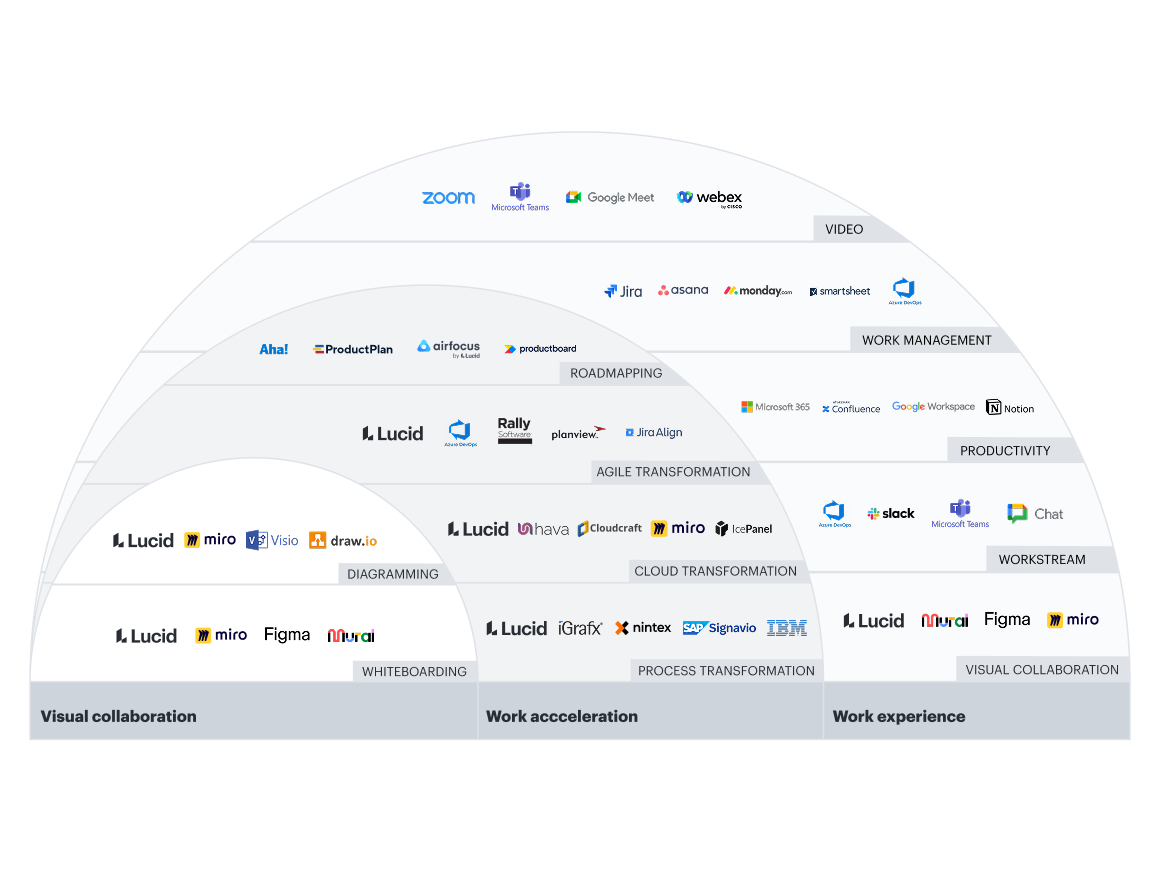
Lucid provides one central admin panel
While users enjoy the convenience of one central place for all their collaboration needs, admins also benefit from the ease and security of one central panel to manage with Lucid. In this view, admins can:
- Ensure that any user from your company will automatically join a single Lucid account under your control.
- Set sharing and publishing permissions to secure proprietary information and ensure your accounts are safe.
- Manage billing and invoicing.
- View reports on usage data.
- Monitor licensing and user access, including limited-access users, to enable secure collaboration for all your employees, even those who don’t need/have a license.
- Manage governance with the ability to search for, view, and manage all documents in one place.
- Assign roles to users, including account admin, billing admin, organizational group admin (Enterprise only), template admin (Enterprise only), and document admin (Enterprise only).
- Provision users and de-provision users.
By consolidating technology with Lucid, admins only need to go through one procurement and legal process as well.
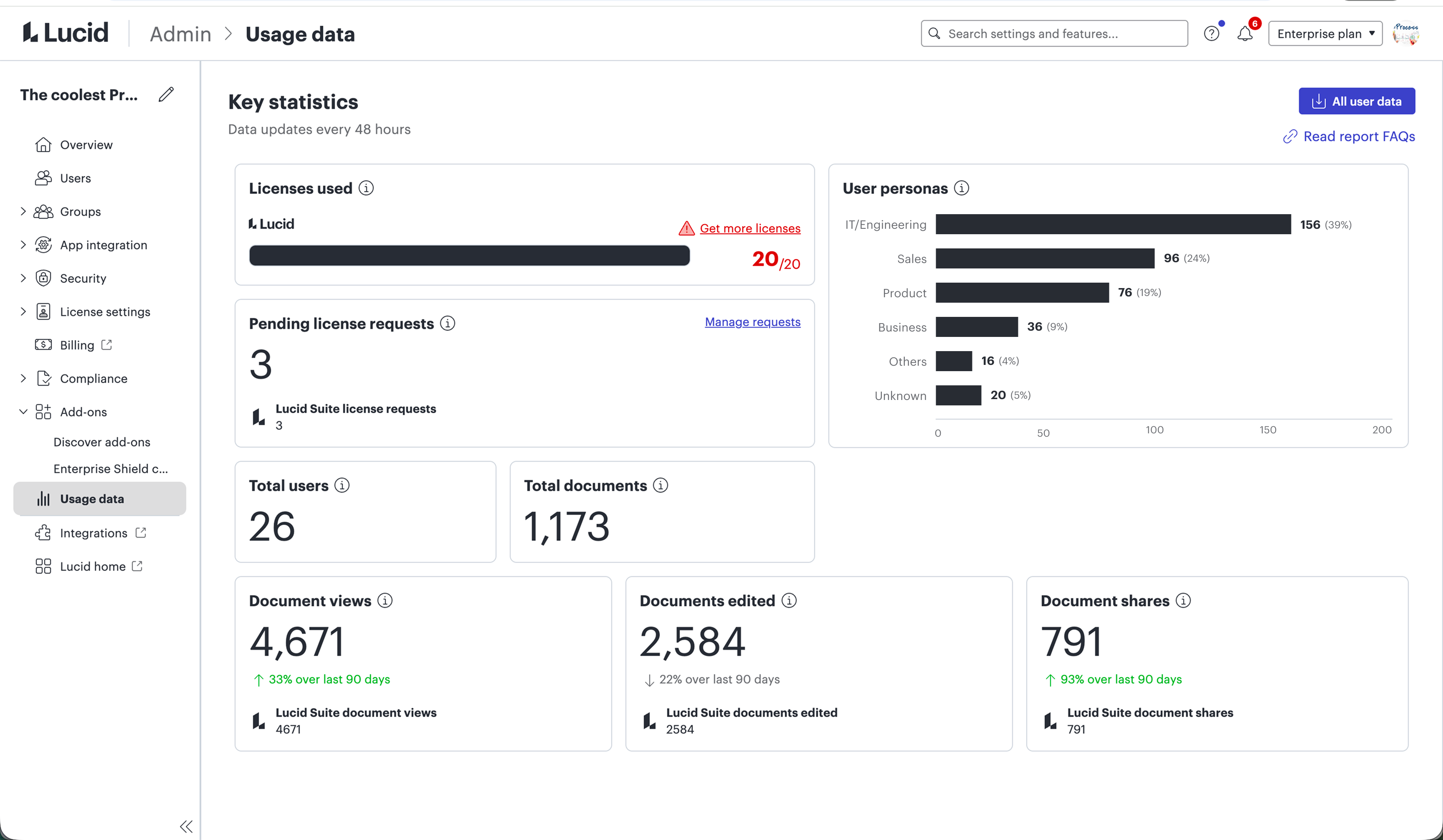
Lucid supports every team’s use cases
Because different teams often have different needs—like a marketing team needing an easy way to share ideas vs. an engineering team needing a powerful solution to document code—it’s easy to end up with multiple collaboration tools. Lucid, however, offers both the ease of use that non-technical teams crave and the powerful data and automation capabilities that technical teams require.
For example, with Lucid:
- All teams can leverage Lucid AI, opens in a new tab, the intelligent assistant built directly within the Lucid canvas. By making automation approachable, Lucid AI acts as an extension of your team—allowing you to generate complex diagrams, spark fresh ideas, and instantly summarize your canvas.
- R&D teams can connect complex diagrams to data for instant and up-to-date insights.
- Enterprise architects can create dynamic documentation of business systems and processes. By switching from Visio and standardizing on Lucid, one enterprise architect team at a global auto manufacturer reduced the time required to design architecture diagrams from one month to one week.
- Go-to-market teams can collaboratively brainstorm, prioritize, and timeline campaign plans.
- General and administrative teams can overlay data on processes or auto-generate org charts.
- And with airfocus by Lucid, product teams can transition between the flexible Lucid canvas for ideation and planning and the structured airfocus platform for centralizing customer insights and creating roadmaps.
What sets Lucid apart further is its ability to support teams at scale with powerful accelerators. With the Process Accelerator, teams can improve governance and standardization of process documentation. And with the Cloud Accelerator, cloud architects can automate cloud visualization and speed up the design process.
Because Lucid serves every team’s needs, it’s easy to collaborate and share information cross-functionally and with all relevant stakeholders to keep the entire organization aligned. Plus, with team hubs, it’s easier than ever to create a single source of truth to stay aligned and keep up momentum—even as team members come and go.
"Lucid products have replaced several other tools in our workflow, including Microsoft Visio and traditional whiteboards. Lucidchart's intuitive interface and robust features make it easier to create and share diagrams. Its real-time collaboration capabilities have eliminated the need for constant email exchanges and manual updates, streamlining our process and enhancing team productivity."
—Ria Sooknarine, sustainability manager, UNIPET
Lucid integrates seamlessly with other tools
While Lucid replaces multiple collaboration tools, we don’t expect it to replace every workplace use case you may encounter (like meeting software or project management tools). We do, however, know that when integrated with the rest of your tech stack, Lucid can help you get more value out of your existing tools as it brings the ease and power of visual collaboration to your entire workflow.
With its rich ecosystem of integrations, here are a few examples of how Lucid has helped organizations save time and gain deeper insights:
- For Agile teams at a luxury automaker, creating Jira tickets directly in Lucid saves up to 98% of the time, reducing time to create from 20 to 30 minutes down to 20 to 30 seconds.
- With Lucid’s Confluence integration, teams at a top global insurance company can easily reference up-to-date visuals of their application architecture. The visuals are essential for validating that systems are correctly configured, even in case unforeseen issues arise.
- By implementing Lucid’s API integration with Workday, an HR director at an insurance agency saved hundreds of hours previously wasted in spreadsheets.
Lucid’s integrations provide another benefit by helping to reduce security risk. By unifying your collaboration tools into a single source of truth, you reduce fragmented data and automate handoffs. This helps ensure consistent security practices and eliminates blind spots that sometimes lead to costly compliance failures.

Lucid integrations guide
Learn more about how Lucid integrates with your favorite apps to streamline workflows.
Check it outLucid helps teams transition from other collaboration tools
Lucid makes it easy to transition from other collaboration tools without disrupting work or losing critical documentation. For those who prefer self-serve options, you can import content from Mural, Miro, or Figjam into Lucidspark boards. You can also import Visio, Gliffy, draw.io, and OmniGraffle diagrams directly into Lucidchart so you can pick up on your projects right where you left off.
If you’re looking for a more hands-off approach, Lucid also has an experienced professional services team to provide customized change management and migration support. Take advantage of this white-glove service to transfer all your documents, structures (folders and organization), and permissions over to Lucid without missing a beat.
For one large communications platform transitioning from Miro to Lucid, the Lucid professional services team stepped in to migrate over 10,0000 documents in a tight timeline. To ensure a smooth transition, Lucid’s experts transferred content, offered training and onboarding support to users, and provided email communication templates to help the organization announce the change internally.
Lucid is also intuitive and easy to use, so workers can experience the benefits of continuous collaboration without a sharp learning curve (and for those who want to master their collaboration skills, Lucid offers guides and product trainings).
Study outlines benefits of standardizing with Lucid
Using Lucid to standardize enterprise collaboration pays off—literally. To find out just how much, we commissioned Forrester Consulting to conduct a Total Economic Impact™ study. Forrester aggregated the responses of six Lucid customers into one global, industry-agnostic composite organization.
By the end of a three-year period, the composite organization had fully decommissioned all three legacy collaboration tools and declared the Lucid Suite its organization-wide visual collaboration solution. Here are the benefits reaped by standardizing collaboration with Lucid:
Time savings
Using Lucid for all collaboration means no more context switching, fewer project delays, and simpler onboarding—all of which add up to massive time savings. In fact, the composite organization experienced the following time savings by consolidating tools with Lucid:
- 344,000 hours through more efficient synchronous collaboration
- 146,000 hours of follow-up meetings avoided
- 126,000 hours of overhead for Agile ceremonies
- 76,0000 hours of training and orientation for new hires
Cost savings
If time is money, then it’s no wonder that standardizing on the Lucid Suite saves organizations the big bucks. Forrester found that by using the Lucid Suite as its corporate standard for collaboration, the composite organization realized the following savings:
- $758,000 in operating expenses saved over three years
- $4.1 million in organization-wide user efficiencies
- $3.2 million in cost efficiencies during agile ceremonies
- $1.4 million savings from more efficient new hire onboarding
To quantify the business value of this improved collaboration experience, Forrester calculated a three-year 410% return on investment (ROI) with the Lucid Suite.
Technology sprawl doesn’t have to slow down your organization any further. With Lucid, you can consolidate your collaboration tools, reduce security risk, lower costs, and help your workforce build the future, faster.

Ready to standardize your collaboration?
Start your tool consolidation journey with Lucid today.
Request a demoGartner is a trademark of Gartner, Inc. and/or its affiliates.