Key takeaways
Clearly mapped processes build organization-wide alignment, simplify complex systems, and eliminate operational friction.
AI features in Lucid, like the Process Agent and Process Capture, automate diagramming and maintain a single source of truth.
Following visual standards like using natural language, simple shapes, and color theory optimizes process visualization for maximum clarity.
Continuous evaluation, monitoring, and workflow adjustment are required to drive real operational transformation.
Your brain processes images much faster than words, opens in a new tab. That’s why it’s generally easier to understand and remember visual information over dense text. For enterprise teams specifically, visual context isn’t just a nice-to-have; it's a competitive advantage for streamlining workflows, optimizing processes, and collaborating effectively across business units.
When you clearly map out business processes and systems, it becomes easier to diagnose friction, communicate cross-functionally, and align on strategic goals. But what about the manual effort required to document these functions? Gone are the days of process mapping headaches. With the right tools and the power of AI, driving impactful results is now more seamless than ever.
In this article, we'll share the importance of process mapping, opens in a new tab and how, when integrated with AI capabilities, you can transform complex workflows into a dynamic single source of truth for your organization. We’ll also share practical tips to help you optimize process maps for maximum clarity and alignment.
Why clearly mapped processes matter
Clearly mapped and optimized processes don’t just give teams the context they need to execute daily tasks, they increase organization-wide agility.
Here’s how:
Build organization-wide alignment: Visual diagrams give cross-functional teams a shared source of truth, helping everyone understand the big picture and how individual contributions impact broader strategic goals.
Simplify complex systems: A bird's-eye visual view of a process diagram breaks down dense architecture, intricate dependencies, and multi-step procedures, opens in a new tab into clear, actionable insights.
Eliminate friction and scale best practices: Visualizing current-state operations makes it easier to spot redundancies, fix bottlenecks, and distribute standard operating procedures across global teams.
Accelerate cross-departmental communication: Clear visuals eliminate confusion between technical and non-technical stakeholders, driving faster decision-making and helping you bring products to market sooner.
8 best practices for optimizing process visualization
Whether you are generating a diagram from an AI prompt or refining an existing system map, clear visual design ensures your documentation remains readable, engaging, and actionable for every stakeholder. But it can feel tricky to know how to actually begin mapping your processes. Here are some tips to consider.
1. Use natural language
If you are interacting with LLMs or Lucid AI, using natural language will yield the best results. Speak, or type, as if you were explaining something to a coworker.
2. Keep it simple
Keep your process maps simple so that they can be easily read by anybody in your organization. Overly complicated visuals are hard to understand and likely won't be used by the people who need them.
3. Remove unnecessary and redundant information
Leave out any unnecessary or redundant information, excessive color, obscure jargon, or anything that distracts and takes focus away from important information. Also, realize that your process visualization will never be perfect. Instead, aim for a level of detail that is necessary to make the process understandable.
4. Use color theory
When visualizing processes, be sure to incorporate color theory, opens in a new tab in your designs. While a black-and-white map is better than text alone, it looks static and does not attract the attention that color can. Color can be used to represent specific symbols, steps, or data. And color helps you to categorize, organize, and highlight important information. Consistent use of color makes it easier to understand what the information is telling you at a glance.
5. Use shapes and symbols
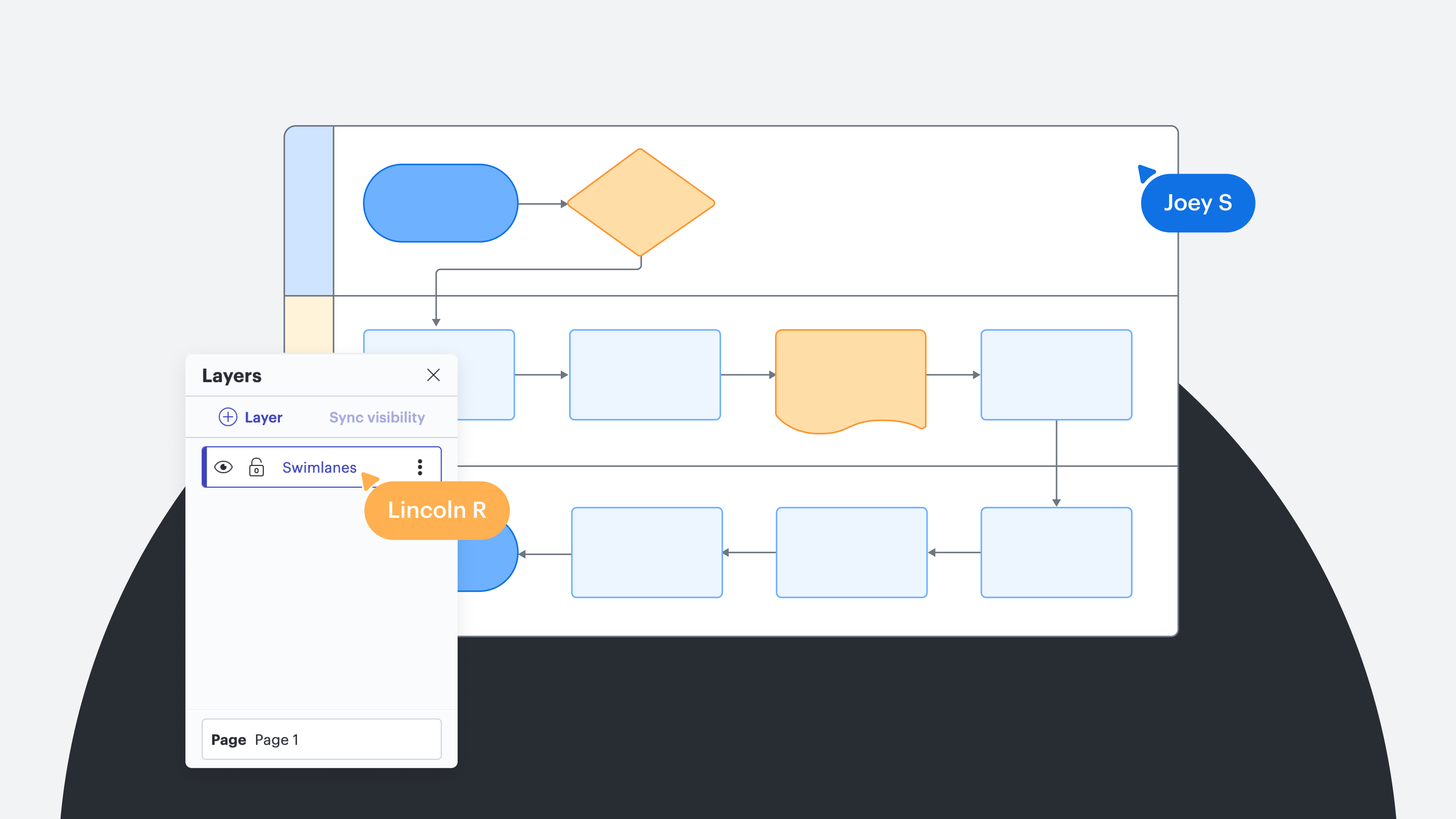
There are standard shapes and symbols that should be used when creating specific types of maps and charts. Be consistent when using shapes and symbols so you don’t confuse your audience. For example:
Ovals or circles represent process start and end points
Rectangles are used for tasks and activities
Diamonds represent decisions that need to be made in the process
Arrows indicate the process flow
6. Indicate hierarchy
The use of color, the order of different elements, and sizing can indicate the importance of different tasks and procedures in the process flow. It can also be used to highlight dependencies between tasks.
7. Use process mapping software
Some process visualization software like Lucid, not only has powerful AI capabilities, but it also includes templates, opens in a new tab and libraries of standard shapes, opens in a new tab and symbols to keep your visuals simple and consistent. It also lets you draw maps and charts quickly and encourages collaboration and input from all team members.
8. Group data
Grouping data into logical categories improves readability and helps your audience to see and digest the information they need easily and quickly.
How to improve process visualization with Lucid?
Your teams likely understand the value of business process visualization, but the real challenge is finding the time and resources to build, update, and maintain those processes.
This is where Lucid transforms the workflow. Rather than spending hours drawing shapes or chasing down technical documentation, integrating AI and other powerful capabilities into your process visualization provides an added layer of operational intelligence, turning unstructured ideas into visual models with ease. Teams can easily synthesize complex architecture, identify bottlenecks, and bridge communication gaps between technical teams and stakeholders. Ultimately, process mapping in Lucid moves from a never-ending chore into a dynamic asset.
Let’s take a closer look at what Lucid has to offer:
Process Agent
Turn unstructured inputs into visual clarity in seconds. Simply drop a meeting transcript, a rough project outline, or discussion notes directly into the canvas, and the Process Agent, opens in a new tab will automatically generate a polished, current-state process map. From there, executives and leadership can use AI to summarize complex workflows or instantly spot operational bottlenecks.
Lucid’s Process Agent automatically turns messy meeting transcripts into actionable, visual workflows.
Process Capture
Process Capture, opens in a new tab lets you effortlessly record and convert existing workflows into dynamic, visual documentation as you work, eliminating duplicate effort and preserving institutional knowledge in real time.
Lucid’s Process Capture records processes as you work, making creating documentation efficient and intuitive.
Process Accelerator
When teams lack visibility into complex systems, even the best operational plans can stall. The Process Accelerator, opens in a new tab removes the friction of process maintenance, helping enterprise teams visualize, standardize, and govern end-to-end processes with ease. Centralized repositories and built-in approval flows enable your teams to assign process ownership and maintain a single source of truth, keeping everyone aligned.

Overview video of Lucid's Process Accelerator. Learn how to centralize your finalized documents in repositories, streamline reviews with built-in approval workflows, and ensure consistency with a library of reusable assets.
Turning static documents into dynamic blueprints
Clearly visualizing your processes is imperative for organizational alignment. But process mapping isn’t a one-time endeavor. To maintain momentum, leaders must continually evaluate, test, and adjust workflows as needs evolve.
By pairing visual standards with AI-powered capabilities, teams can work more intuitively, eliminate cross-functional friction, and execute with confidence. Creating your process map is a powerful first step, but implementing, monitoring, and optimizing that visual workflow is where real transformation happens.
Ready to start mapping your processes? Explore how Lucid AI’s process mapping capabilities can transform your business.
Read more