Key takeaways
- Lucid provides the foundation organizations need to move from individual AI experiments to institutional AI by helping teams see the reality, align on a future state, and deploy with context.
- Teams can visualize their current state and blueprint future-state processes and systems using templates, shape libraries, data import, integrations, and Lucid AI.
- Lucid’s Process Accelerator allows teams to centralize approved documentation and, through the Lucid repository MCP server, govern which documents AI tools can access.
- Lucid streamlines strategy and implementation planning by enabling teams to prioritize use cases, map technical dependencies, plan capacity, and sync with Jira, Azure DevOps, or other project management tools.
- Through enterprise-grade security features and professional services, Lucid helps organizations govern and accelerate transformation.
As markets flood with tools promising to orchestrate, automate, and deploy AI, organizations are realizing that powerful software alone won’t guarantee success in transformation. In fact, as long as companies anchor their strategy around flashy AI features rather than foundational workflows, they’ll struggle to move beyond individual productivity gains.
What’s missing? The fundamental capabilities that help teams align, document, plan, collaborate, and standardize. It simply doesn’t matter how powerful the AI is if your teams are siloed, documentation is missing, or workflows are undefined.
This is where Lucid, the world’s first work acceleration platform, comes in. Regardless of whether you’re in the process of scaling your AI strategy or simply launching experiments, Lucid provides the foundation you need to work faster—to come together on a shared canvas and map the current state, brainstorm use cases, document human-in-the-loop workflows, and govern processes.
Here’s how Lucid meets your teams exactly where they are to accelerate your AI initiatives.
Key ways Lucid supports AI transformation
Lucid has been leading the visual collaboration industry since Lucidchart’s inception in 2010, helping organizations work together to visualize systems, processes, plans, and ideas for years.
Since then, we’ve expanded our capabilities to better support large-scale transformation, including advanced automation and AI features, a growing library of integrations, and purpose-built add-ons for scaling and standardizing key workflows. From initial current-state discovery to live agentic execution and ongoing governance, here are the top ways Lucid powers every stage of your enterprise AI journey.
Lucid makes the invisible, visible
To optimize an enterprise for AI, leaders must understand exactly how work is currently done. Yet, capturing operational knowledge remains a widespread challenge. A recent Lucid survey, opens in a new tab revealed that the greatest barriers to documenting organizational knowledge at scale are a lack of time (40%) and a lack of tools (30%).
Lucid eliminates these bottlenecks by enabling teams to capture tacit knowledge quickly and build a clear foundation for AI readiness, opens in a new tab. Unlike process and task mining tools that take months to surface knowledge, Lucid democratizes documentation, allowing the people who know how work actually flows to capture their knowledge quickly.
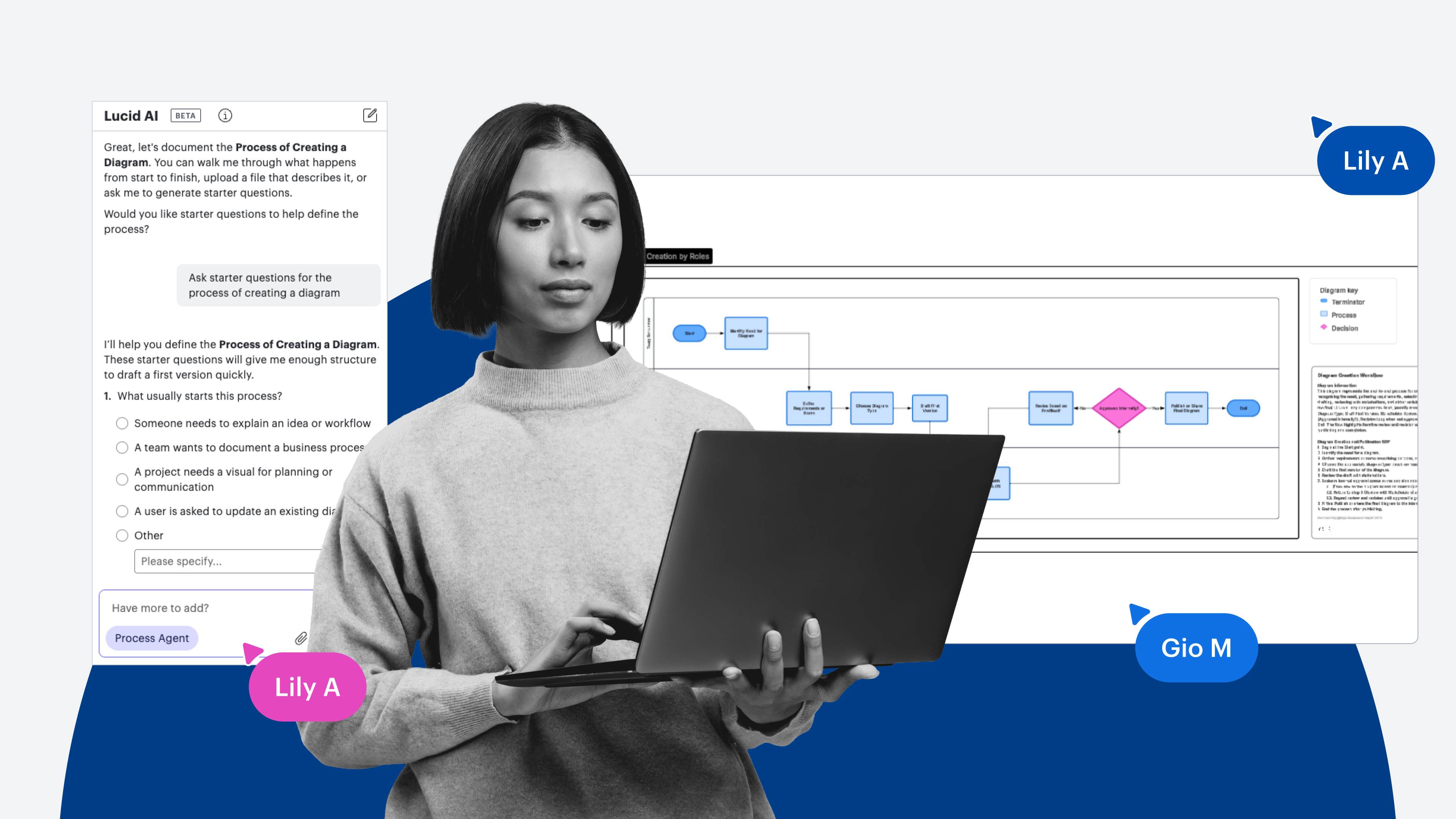
For instance, teams can use the Process Agent, opens in a new tab, an AI coworker in Lucid, to create process documentation in just a few minutes. The Process Agent automatically generates a diagram from a text description, written standard operating procedure (SOP) documents, or meeting notes, then asks discovery questions to ensure it’s capturing all necessary context.
Video of Process Agent feature in Lucid
If you don’t already have a text description or SOP documentation, you can enable Process Capture, opens in a new tab, a screen recording tool within Lucid AI, to automatically generate editable diagrams simply by recording your browser or desktop screen as you walk through a process.
Cursor clicks "Start Process Capture" to start a screen recording and generate a diagram of requesting an absence
It’s not just the current state of your processes that Lucid helps you map, though. You can also use templates, shapes, data import, or Lucid AI to generate system diagrams quickly. These visuals help technical teams pinpoint exactly where AI capabilities can integrate seamlessly into existing systems.
Pro tip: To help teams quickly visualize cloud environments, Lucid offers the Cloud Accelerator, opens in a new tab, an add-on that automatically generates current-state cloud diagrams using imported data from AWS, Azure, or Google Cloud.
A cursor clicks to import AWS accounts into Lucid's Cloud Accelerator
Lucid helps you blueprint the future state
AI transformation requires re-architecting workflows to account for autonomous agents. Lucid serves as the blueprinting canvas for your future operating model.
Through Lucid’s integrations with Ardoq and LeanIX, opens in a new tab, you can import architecture diagrams into Lucid’s collaborative canvas to plan, design, and align on changes needed for your future state.
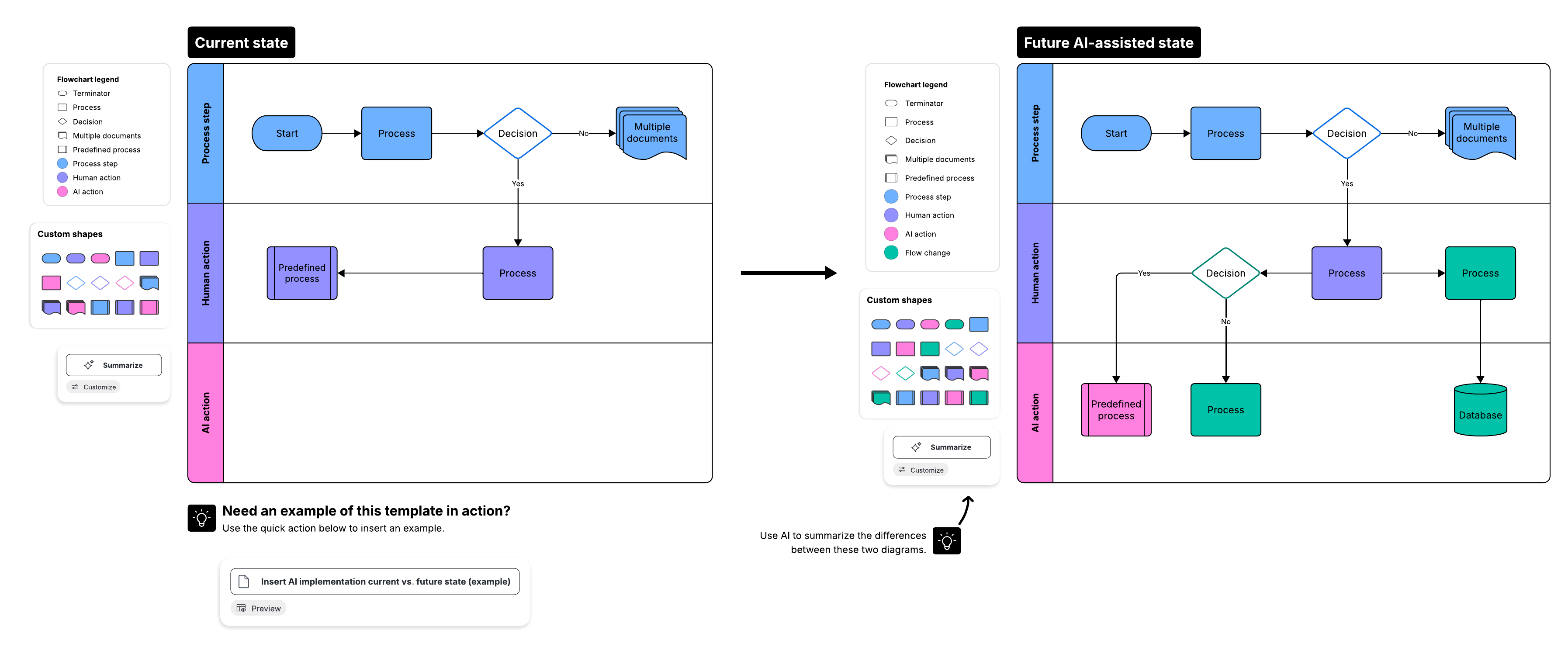
As your team plans process changes, you can compare current and future-state maps to show where human decision-making ends and an AI agent's workflow begins.
When the new workflows are finalized, you can store your approved documentation in a single, searchable source of truth via the Process Accelerator, opens in a new tab. These repositories can be unrestricted, meaning all account users can access the approved documentation, or restricted, meaning only those invited by a repository owner have access.
Customer highlight: Carta used Lucid to map complex cash reconciliation workflows before automating them with agentic AI, leading to over $1 million in annual time savings.
Lucid provides a space for strategic alignment
An AI transformation only succeeds when everyone—from C-Suite leadership to the teams implementing and interacting with agents—shares a unified vision. Lucid provides the shared space cross-functional teams need to share ideas, solve problems, and align on complex initiatives and timelines.
Within Lucid, teams can collaborate live or asynchronously to brainstorm use cases, define project scopes, set measurable transformation goals, and develop an enterprise AI strategy, opens in a new tab.
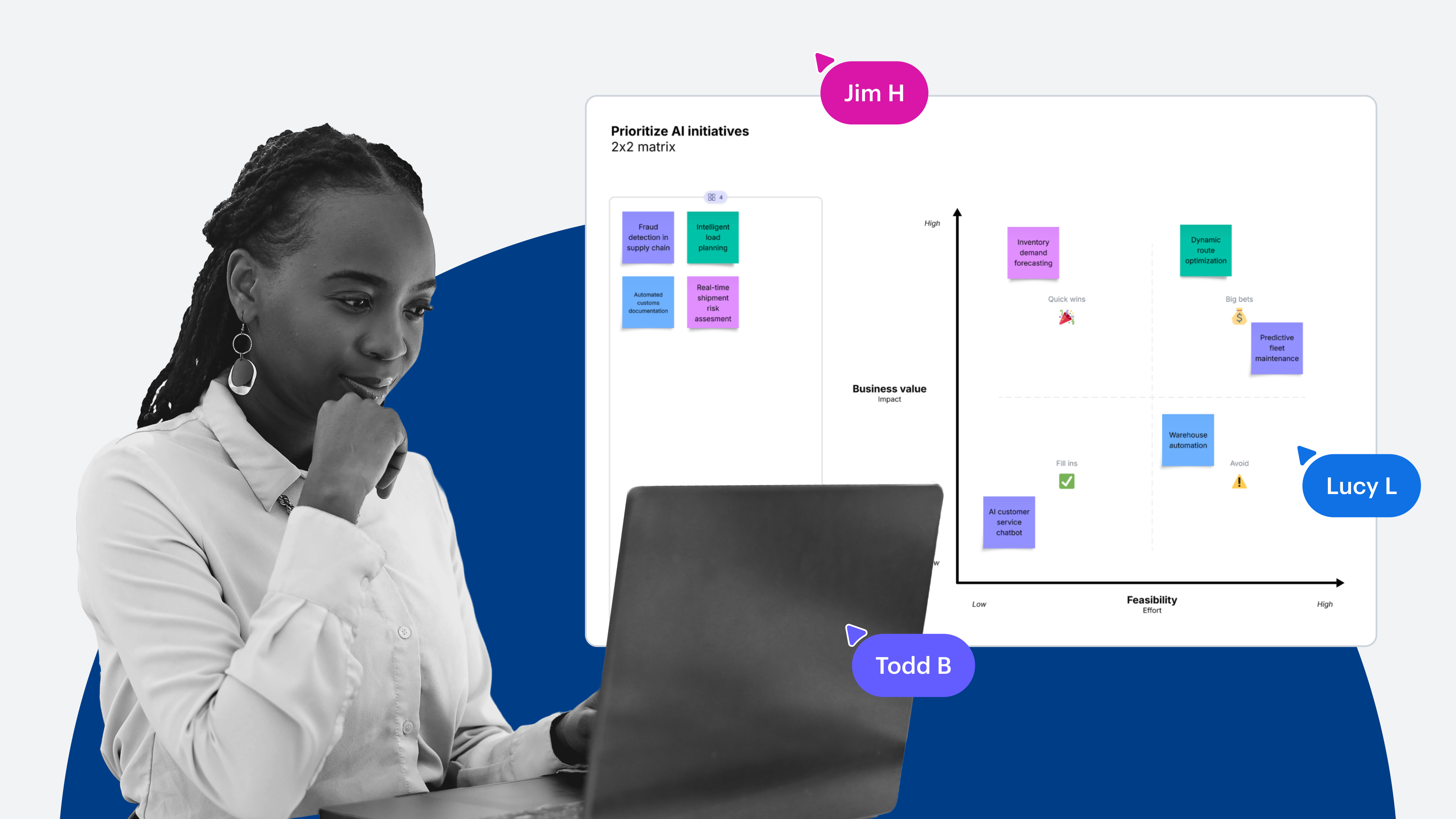
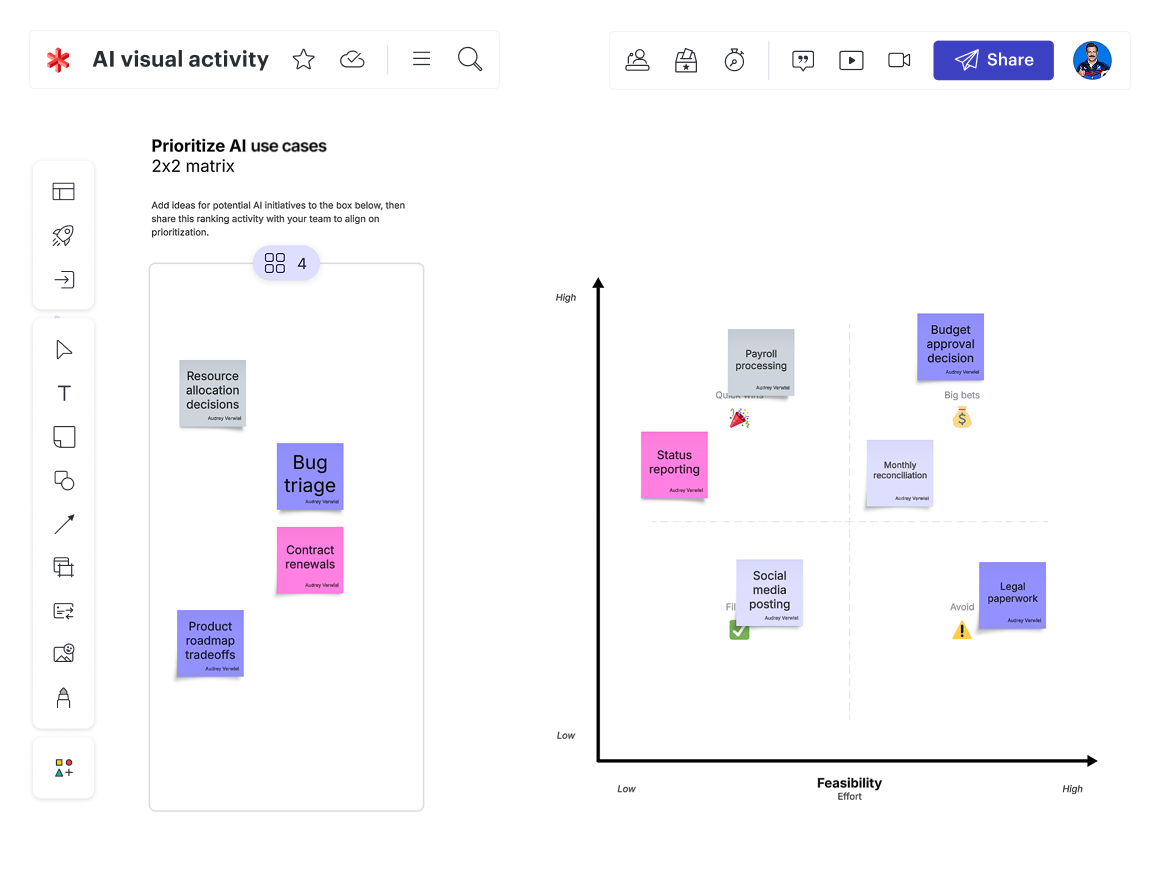
When it’s time to prioritize AI use cases, opens in a new tab, you can use Visual Activities to collaboratively plot use cases on matrices assessing feasibility or risk versus business value. Not only does this information help you reach consensus faster, but it also helps you understand what governance guardrails are needed early on.
Then, keep stakeholders aligned throughout the entire implementation lifecycle using team hubs, opens in a new tab, a central space to bring your team together, coordinate progress, and share team resources (such as planning and prioritization boards).
Lucid streamlines implementation planning
Moving from a blueprint to execution requires strict tracking of technical dependencies, opens in a new tab and resource capacity.
In Lucid, teams can use timelines to map out phases of the rollout, tracking cross-functional milestones and technical bottlenecks. Import items from Jira or Azure DevOps (ADO) to automatically view existing dependencies, or draw in new dependency lines as you visualize your plan in Lucid.
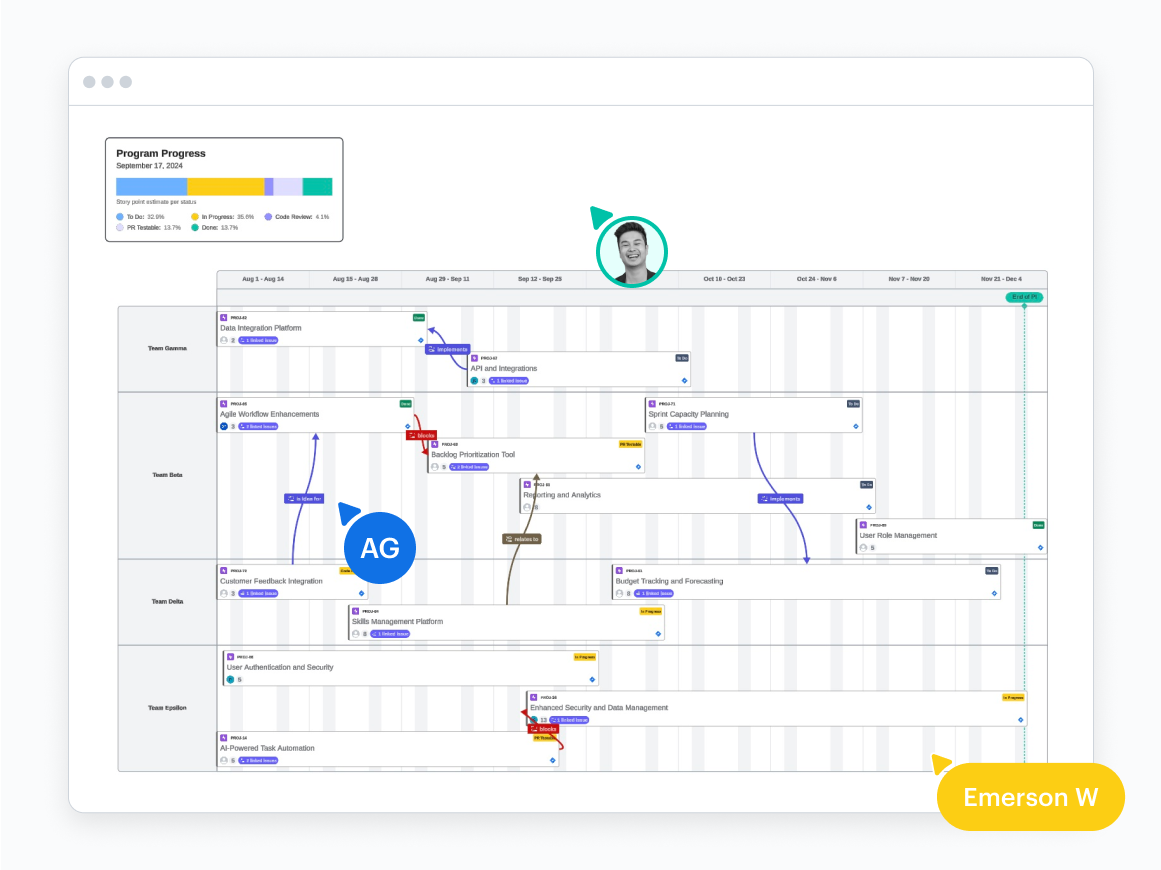
Capacity and scenario planning, opens in a new tab features allow you to visualize the impact or risk of various factors on your plan before committing. When you’ve identified the best path forward, you can push changes to your system of record (including Jira or ADO) and use bi-directional syncing to ensure your plan stays up to date in both places.
A user creates a new scenario using Lucid's scenario planning features
Lucid governs documentation to guide execution
When implementing AI at scale, documentation becomes infrastructure, functioning as the context that AI agents need to integrate safely into workflows.
Unlike static process diagrams, Lucid allows you to connect your process documentation to architecture documentation, so it’s clear what systems AI interacts with to complete tasks. If, for example, you’re implementing an agent to automatically process customer refunds, it won’t just read a policy document; it will need live access to your CRM (to verify order history), payment gateway (to issue the credit), and inventory management system (to update stock levels).
Using integrations to leading enterprise architecture platforms, opens in a new tab, teams can embed LeanIX and Ardoq objects directly into their process diagrams with Lucid's Process Accelerator. These shapes carry the full enterprise architecture data and remain synced with their system of record.
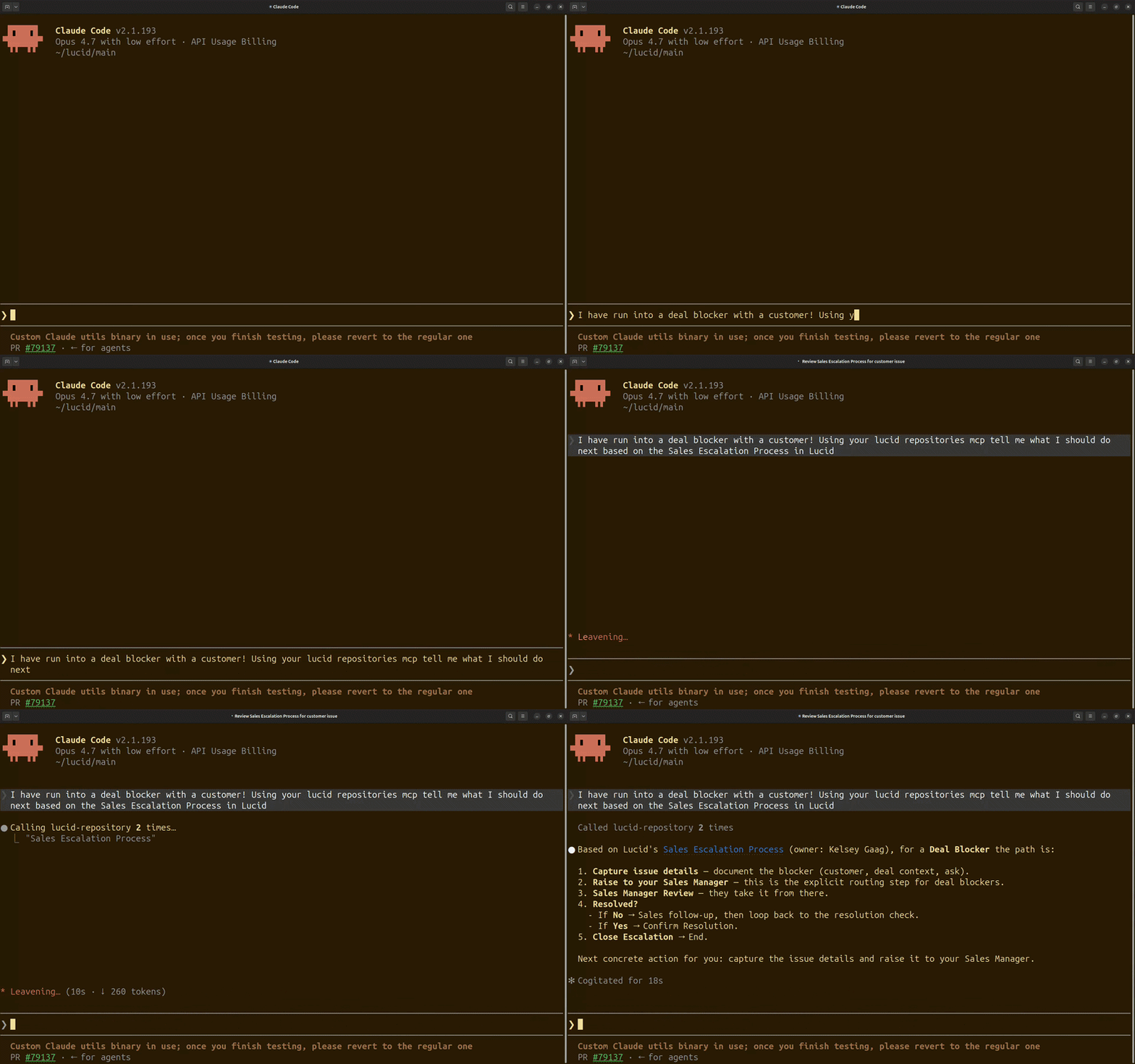
When the documentation is final, you can use the process maps you create in Lucid as direct operating parameters for AI agents. Through the Lucid Model Context Protocol (MCP) server, opens in a new tab, you can use natural language to search, retrieve, edit, summarize, or take action on Lucid documents within your AI tool of choice, including Claude, ChatGPT, Microsoft Copilot, and more. For example, the MCP server can read a Lucid diagram and create Jira Cards based on the tasks shown in a workflow.
You can add another layer of governance by using the Lucid repositories MCP server, opens in a new tab, part of the Process Accelerator. With the Lucid repositories MCP server, AI tools can only access and act on Lucid documentation stored in your approved company repositories. By limiting access to verified enterprise context, you can be confident that AI tools won’t accidentally reference outdated drafts, personal notes, or unapproved workarounds.
Lucid supports ongoing maintenance
Transformation is an ongoing journey that requires proactive change management, clear milestone tracking, and agile capabilities to respond to change.
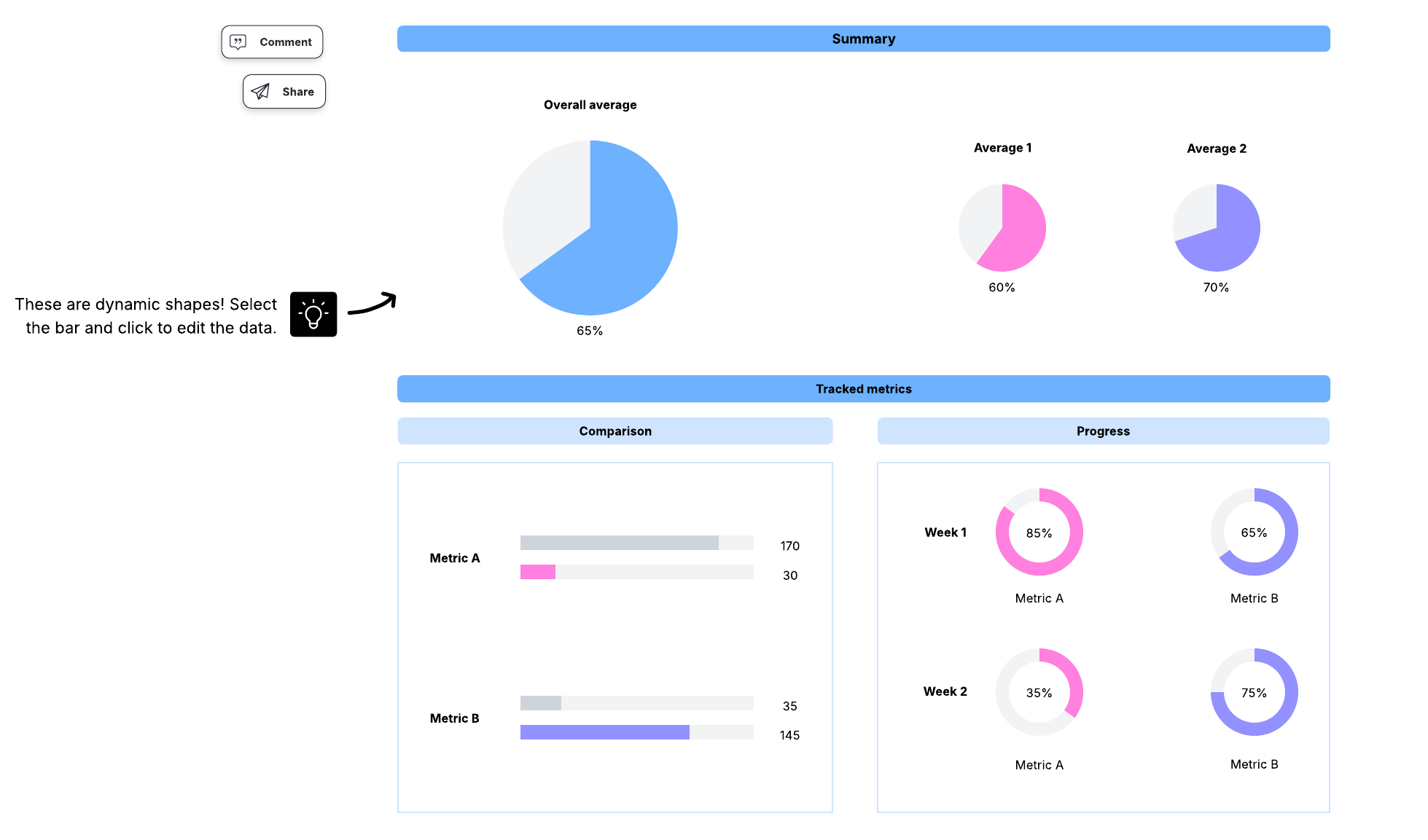
As you implement AI, you can monitor progress in Lucid through interactive, data-linked dashboards that track adoption rates, transformation milestones, and project velocity.
AI is continuously evolving, and your processes will need to evolve as well. By using approval flows in the Process Accelerator, repository managers ensure any changes to process documentation are fully vetted, compliant, and accurate before they’re exposed to AI models.
Team members in Lucid use the Process Accelerator to request approval on a process titled, "Risk assessment process"
Lucid keeps data secure and compliant
Scaling AI requires rigorous governance to prevent data leaks and maintain regulatory compliance.
Lucid is built on a secure, reliable cloud infrastructure that meets strict industry standards—including SOC 2 Type II, ISO 27001, and GDPR compliance—ensuring enterprise data is encrypted both in transit and at rest. Every enterprise account benefits from robust built-in security features, opens in a new tab, such as single sign-on (SSO), domain control, role-based access management, and automated document retention policies, keeping your data protected without adding operational friction.
For organizations with specialized compliance needs or heightened security requirements, Lucid offers additional controls via Enterprise Shield, opens in a new tab. With the Enterprise Shield add-on, you have access to advanced data governance capabilities, opens in a new tab, including private data auto-detection, to ensure sensitive or personally identifiable information (PII) is flagged before it can be exposed.
Enterprise Shield provides centralized administrative control, allowing organizations to restrict external sharing, customize session timeouts, and use the Key Management Service (KMS) to ensure total data ownership.
And for public sector organizations and contractors, Lucid’s FedRAMP Certified, opens in a new tab environment ensures compliance with stringent federal security requirements.
Lucid professional services accelerates transformation
Organizations do not have to navigate the complexities of AI transformation alone. Lucid’s specialized consultants provide bespoke technical consulting to maximize your return on investment.
Engage Lucid professional services, opens in a new tab for an AI readiness assessment, including an extensive evaluation of your current operational maturity and infrastructure bottlenecks.
Lucid’s experts also offer custom workshops focused on process mapping, strategy development, and tailored change management, opens in a new tab to speed up your internal implementation.
Customer highlight: For example, at a top insurance company, cross-functional teams used the Process Accelerator alongside Lucid professional services to map highly complex operations, achieving 75% faster process mapping, opens in a new tab to fuel their AI transformation.
Take the next steps in your AI transformation
The key to scaling AI is building an operational environment where teams, processes, and technical systems align safely. By mapping your current state, establishing clear governance guardrails, and systematizing workflows on a shared visual canvas, Lucid can help your organization move out of siloed individual AI to institutional, long-term enterprise value.

Ready to move your enterprise from individual AI experiments to institutional transformation?
Contact us