
Imagine your team has been tasked with a great big project and then you hear those two dreaded words: Tight. Deadline. While it’s tempting to jump right into work under a tight deadline—or any deadline for that matter—doing so may result in more time wasted in the long run.
Project planning can—and should—be used for any new business initiative. Whether you project manage technical engineering builds or app development and design, a project plan can help optimize work time to make more significant and efficient strides in your project journey.
What is project planning?
Project planning is more than a schedule. It is a management process where you define the scope, objectives, dependencies, and the tasks necessary to achieve the needs of your project stakeholder while still effectively supporting your team along the way.
Project planning is the second phase of the project management lifecycle as defined by the Project Management Body of Knowledge (PMBOK).
The PMBOK defines five process groups:
- Initiation
- Planning
- Executing
- Monitoring and controlling
- Closing
A project plan is a forward-looking and comprehensive approach that sorts out the details prior to project inception so that your team can spend more time working and less time sorting out information and ownership later on. A plan is often meticulous, but with good reason. It helps to clarify the big idea in context and the details from who does what, what will be done and when, and how you will approach each task.
Whether you’re updating your IT infrastructure or launching a mobile version of your website, your project plan will act as your project management outline and can prove to be one of the most important ways to direct project processes from the start to end.
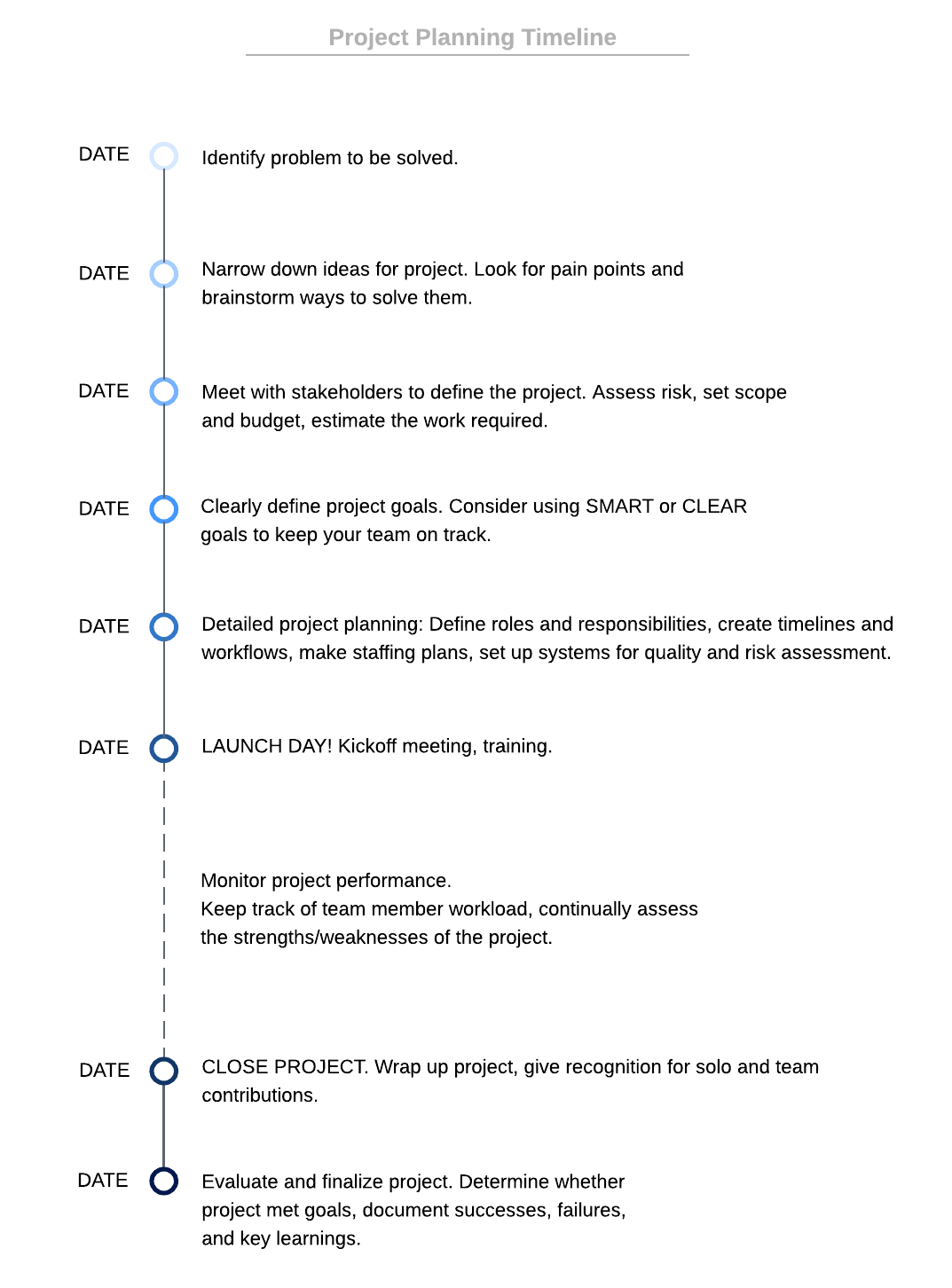
Why create a project outline?
A thoughtfully constructed project outline can aid in decision-making processes and alleviate the inherent amount of uncertainty that comes with project management. Your project plan is basically is your roadmap to success. It provides team members with a greater understanding in all project steps and can prevent assumption or confusion throughout the execution stage.
A project outline also helps you do the following:
- Identify the key players
- Ensure projects are aligned with business goals
- Establish cost, schedule, list of deliverables, and delivery dates early on
- Identify resources
- Communicate and collaborate with stakeholders
A project plan should a living document that includes all the project process information and is updated as the project evolves over time. Ideally, your plan should be accessible to the team and stakeholders for reference at any point throughout the project to ensure seamless collaboration and communication. By using a cloud-based visual collaboration platform like Lucidchart, you can communicate and visualize everything from the project timeline to the dependencies and handoffs.
How to create a project plan
The level of detail required in your plan will vary depending on the complexity of the project and business. However, before beginning your project, you should identify and meet with the project stakeholders in a project kickoff meeting. From there, you will know how to create a project plan that is perfectly tailored to guide your team from inception to completion.
Follow this sample project plan to determine what’s needed and how to best flesh out each item:
- Define scope
- Define goals
- Identify deliverables
- Identify resources
- Delineate roles
- Decide on a timeline and schedule
Define scope
The project scope is where the stakeholder and the project team agree upon a statement and quality of the work. Your scope should be a short description that includes the key features or functions, inclusions/exclusions, and any constraints, such as a strict budget or timeline.
Because there are so many moving parts to define in a project scope, visualizing it can help clarify the details and get stakeholders up to speed faster. Lucid’s virtual whiteboard and library of project planning templates make it easy to get started. For example, use a project roadmap template or PERT chart template to visualize your project and map out key dependencies, constraints, and time estimates for each task.
Define goals
Set your goals based on the scope of the project. You may have more than one goal, but each one should be SMART: specific, measureable, attainable, realistic, and time-based. In other words, your goals should focus on what is necessary to achieve the desired finished outcome on time and on budget. Learn more about how to effectively set goals here.
Identify deliverables
The deliverables are the tangible outcomes generated in order to accomplish your project goals. Some deliverables are naturally dependent on other deliverables. For example, if your goal is to develop a new website, then it would require a mockup deliverable that is dependent on a wireframe deliverable.
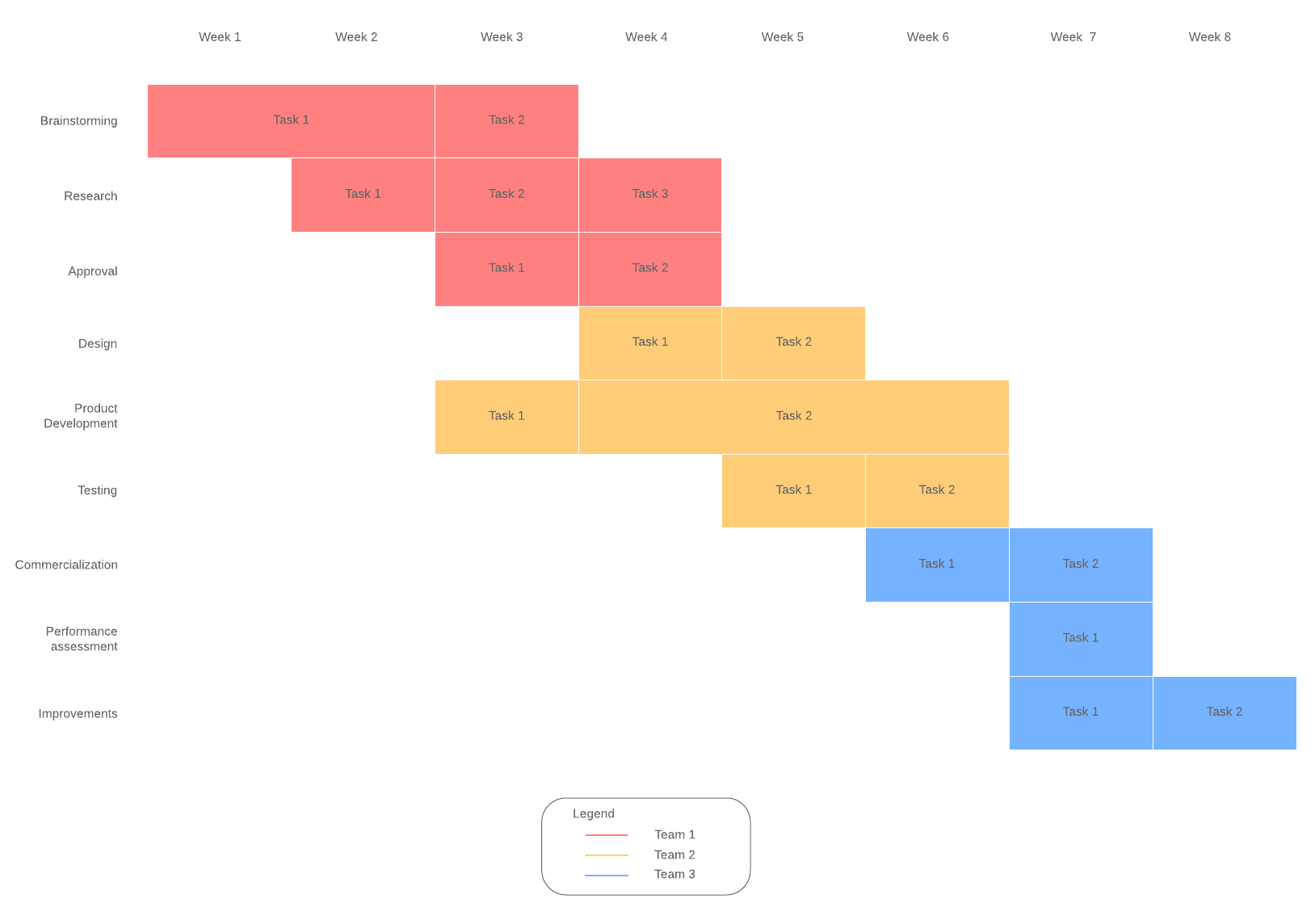
You can visualize all your tasks and dependencies with a Gantt chart to keep cross-functional projects moving forward without skipping a beat. Map out key project milestones (or any major steps required to complete the project along the way) to act as checkpoints for your progress.
Teams can comment in real time directly on your Lucidchart diagram to document progress and communicate changes or delays on certain tasks, from anywhere at any time.
Identify resources
Resources can be both human and non-human, including time, money, staff, and knowledge and skills. Identify the capacity and demand of each resource and how that will affect the allocation of roles and tasks later on. For example, you may need to consider resources such as access to particular software licenses to the time capacity of your staff in conjunction with other ongoing projects. Doing this up front will help you manage your resources effectively throughout the project.
Delineate roles
Avoid questions of assignment and ownership by delineating roles early on and by clarifying who will do what and when. You can better manage deliverables when you visualize and track dependencies and handoffs. You can use a swimlane diagram to outline the process for cross-functional responsibilities from your design and software engineering teams to quality assurance and UX.
Decide on a timeline and schedule
Your project timeline should include more than the start and end dates. Instead, schedule each part of the project from development to deployment phases and everything in between. Doing so will help you communicate progress to your stakeholder while simultaneously allowing your team to monitor their own progress and deadlines. For a closer look at each sprint or project period, you can use a Gantt chart to more clearly see the milestones in each stage of the project to keep your team on track.
Use a work breakdown structure to clearly piece out all the work required to complete the project. This will help you identify all the work that needs to be assigned, estimate costs, identify dependencies, and map work accurately to a timeline.
Keep the big picture of the project in mind without losing control of the many tasks necessary to get there. Managing projects alone can be tricky, but a thorough project plan paired with the appropriate Lucidchart templates help you anticipate and mitigate risks while also efficiently using a team’s resources. When you plan early and stay organized and collaborative from the start to end, you can be more strategic, getting projects as close to perfect as possible the first time around.

Kick off business initiatives with top-quality project management, visualizing success every step of the way.
Get Lucidchart for free