Key takeaways
To maximize ROI, leaders must first understand, design, and optimize business processes before investing in agentic automation and orchestration solutions.
In a recent report, Gartner® outlines three steps to understand business processes and ensure technology choices align with business outcomes.
Documentation standards, templates, and governed repositories help create a shared understanding among cross-functional teams on how processes are organized.
Visual, intelligent diagrams make it easy to create, format, and analyze process complexity.
Process diagrams not only help when evaluating orchestration platforms but also serve as the infrastructure that guides agentic workflows.
The market is swamped with promises about AI agents, process orchestration, and autonomous workflows. But in a rush to start automating, too many leaders are choosing tools that, while powerful, don’t support their business needs.
The reason why is actually quite simple: Many organizations don’t have a comprehensive understanding of how work gets done—the hidden processes, cross-functional workflows, and day-to-day activities that teams complete without documentation.
If you jump straight to agentic orchestration without a clear model of your business processes, you risk over- or under-investing in technology, completely undermining the expected ROI from AI transformation.
For leaders wishing to deploy agentic solutions that truly serve their business, Gartner® offers the following advice:
“Start process orchestration initiatives at whatever scale with the business process design, not with the technology.”
—Gartner, Understand Your Processes Before Investing In Agentic Automation, February 10, 2026
In its report, Gartner recommends three steps to help organizations align their technology choices with desired outcomes. We’ll provide an overview of those steps, along with our own proven tips for completing each step—including how to design, document, and store business processes.
Get the full Gartner report for understanding your business processes ahead of agentic automation.
Go nowHow to prepare your processes for agentic process orchestration
Gartner defines process orchestration as “the coordination, management, and sequencing of multiple tasks to execute goal-oriented workflows.” These can be human, software or AI in isolation or, most commonly, hybrid.
As autonomous AI agents take on more business operations, orchestration is the key to keeping humans, systems, and agents moving toward the same goal.
To build a solid foundation before deploying agentic orchestration and automation tools, follow these three steps from Gartner and our insights on them.
Step 1: Understand how processes are organized within an organization
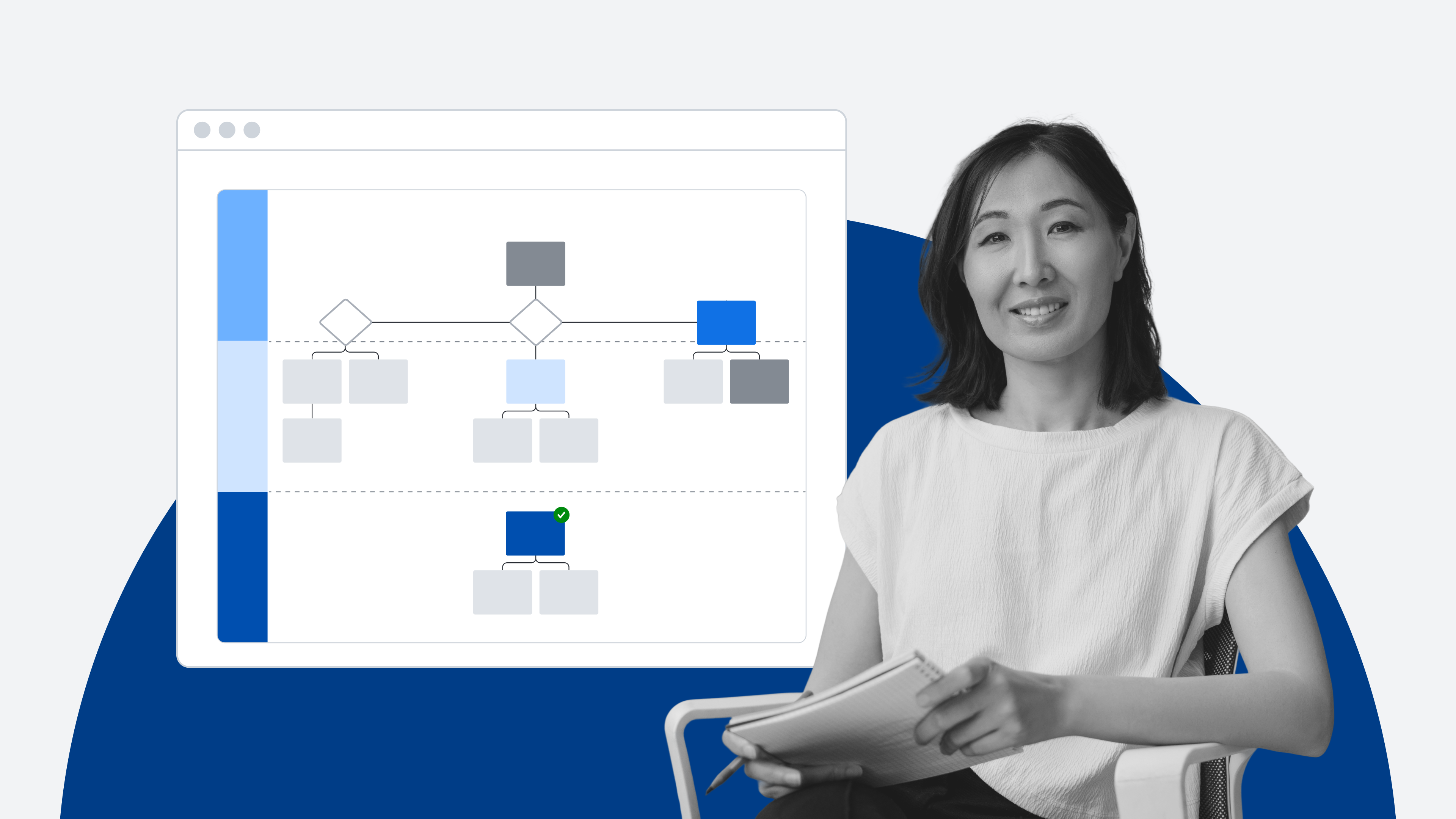
According to Gartner, “The simplest way to understand how processes work is by aligning them to the magnitude of the outcome they deliver in a structured way.”
The most well-known framework for structuring processes is the APQC Process Classification Framework (PCF), opens in a new tab, which uses a hierarchy to categorize work from the smallest level, a task, to cross-functional processes with outcomes that span across teams.
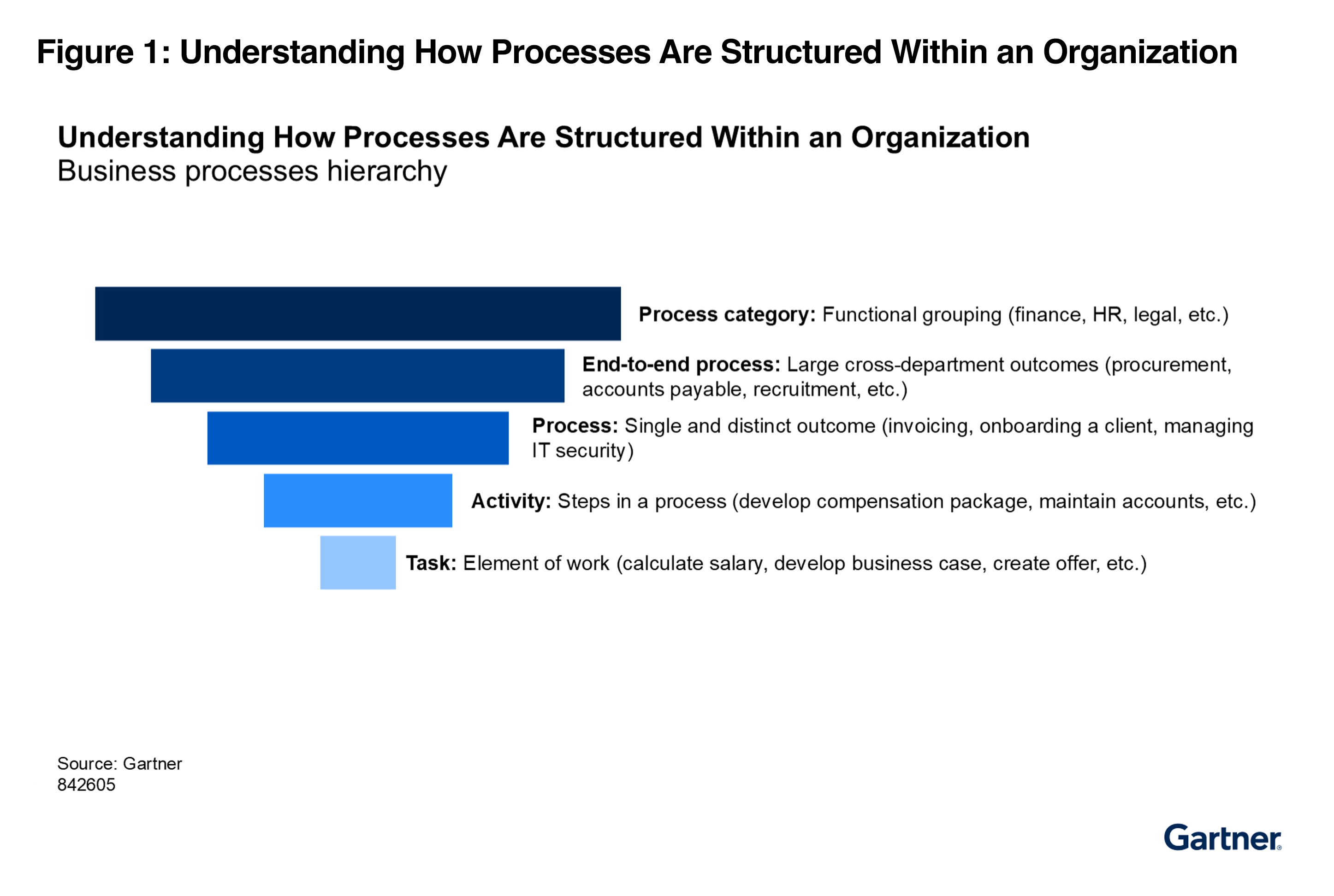
Gartner points out that "Different groups within organizations may use varying terminology for each level, so don't expect teams across business and IT to intuitively recognize that these processes mean the same thing."
To facilitate cross-functional alignment across business and technical teams, we recommend the following actions:
Create documentation standards, opens in a new tab, a lightweight set of guidelines for how teams create, classify, and store process documentation within your organization.
Visually map out your processes, opens in a new tab to create a collaborative blueprint that both business operators (who understand the outcomes) and IT engineers (who understand the system logic) can comprehend.
Use pre-made shape libraries, opens in a new tab and templates, opens in a new tab offered by many visual collaboration solutions to create a shared visual language. Some solutions will also let you create your own templates or shape libraries to increase consistency.
Standardizing how your processes are organized doesn't just help human teams align. The structure also gives AI agents the context they need to execute tasks accurately across systems.
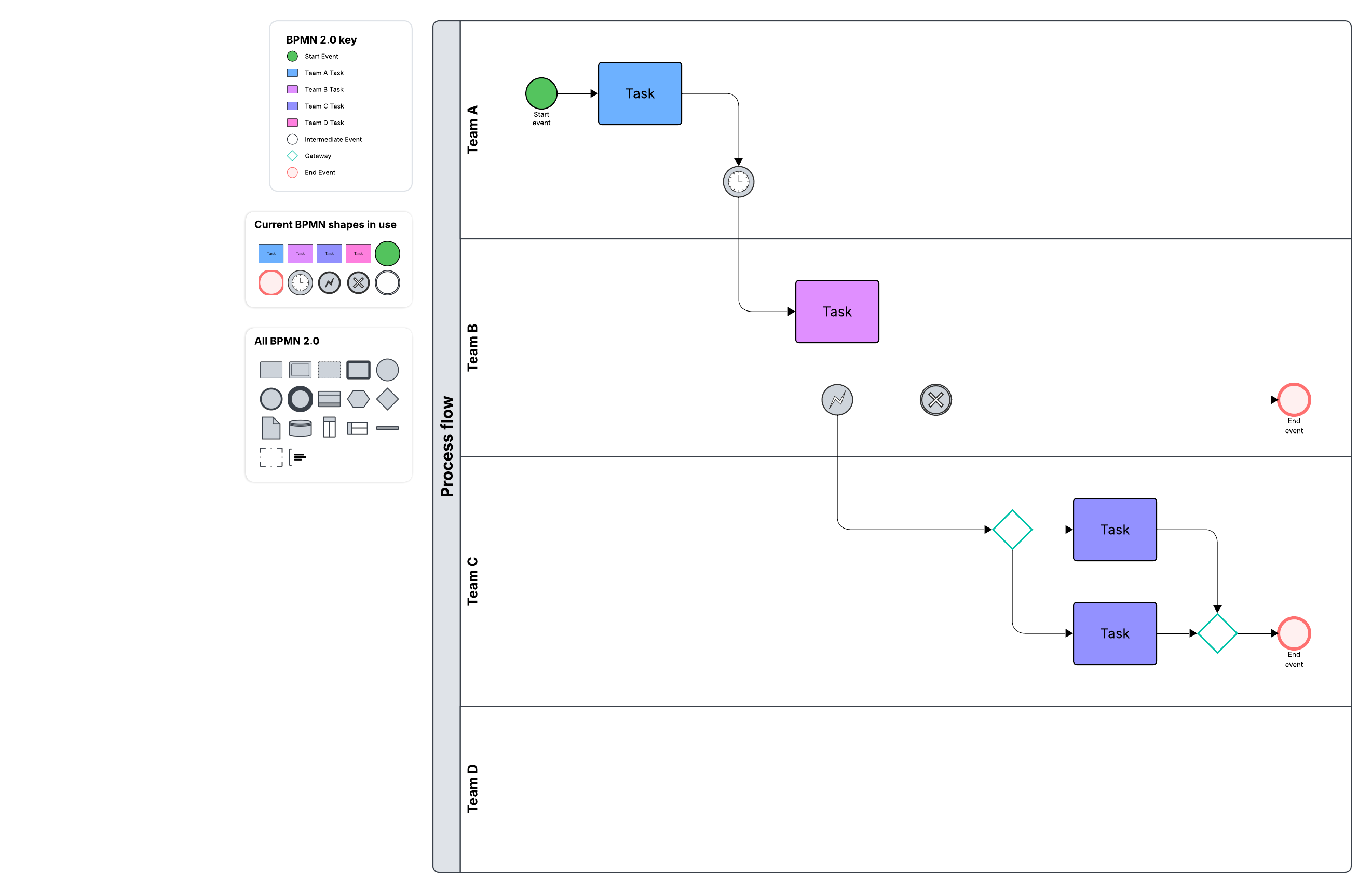
While all visual collaboration solutions can help create some level of alignment across teams, Lucid takes this a step further with the Process Accelerator., opens in a new tab With Lucid’s Process Accelerator, teams can develop reusable assets for use across multiple process diagrams.
For example, imagine you have a standard "security and compliance review" subprocess that appears across 15 different cross-functional onboarding and procurement processes. Instead of manually updating 15 different flowcharts whenever that subprocess changes, you update the primary asset once, and every process diagram it’s used in updates automatically.
Within the Process Accelerator, you can also set up approval flows to streamline reviews for any documentation changes and organize all processes in official repositories for teams to reference.
Step 2: Understand process complexity
Once you understand how processes are organized within your business, the next step is assessing their complexity. As Gartner warns, "Process orchestration is critical to managing work, but not all orchestration handles the same process complexity." Matching your processes to the right orchestration solution requires knowing where they fall on the complexity spectrum.
Gartner lists the areas to evaluate to understand process complexity, with a few being:
Process’s life cycle: the sequence of stages a process goes through, from its initiation to its completion, including how long each stage takes and the overall duration
Process interdependencies: The complexity of a process is often determined by the interconnections between its elements. Even simple processes can become complicated when there are many interdependencies, especially as volume and relationships increase.
Variability of inputs: the degree to which the data entering the process is structured, semistructured, or unstructured, as well as how frequently new or updated data is introduced, which can affect how the process is managed and automated
Number and management of actors: Complexity is influenced not just by how many people or systems are involved but also by how they are coordinated, what the pool of available resources is for each task, and what methods are used for task delegation and assignment.
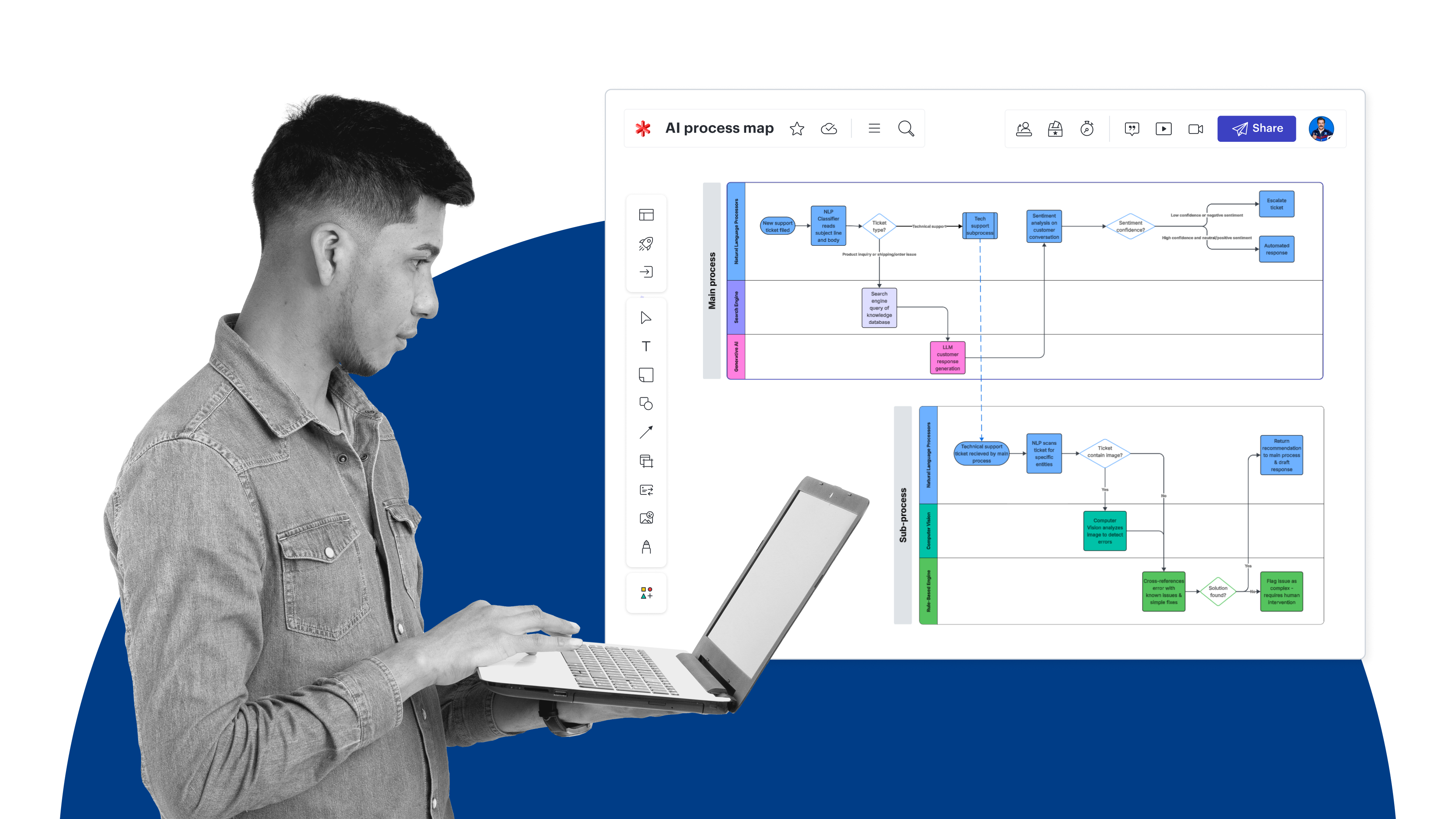
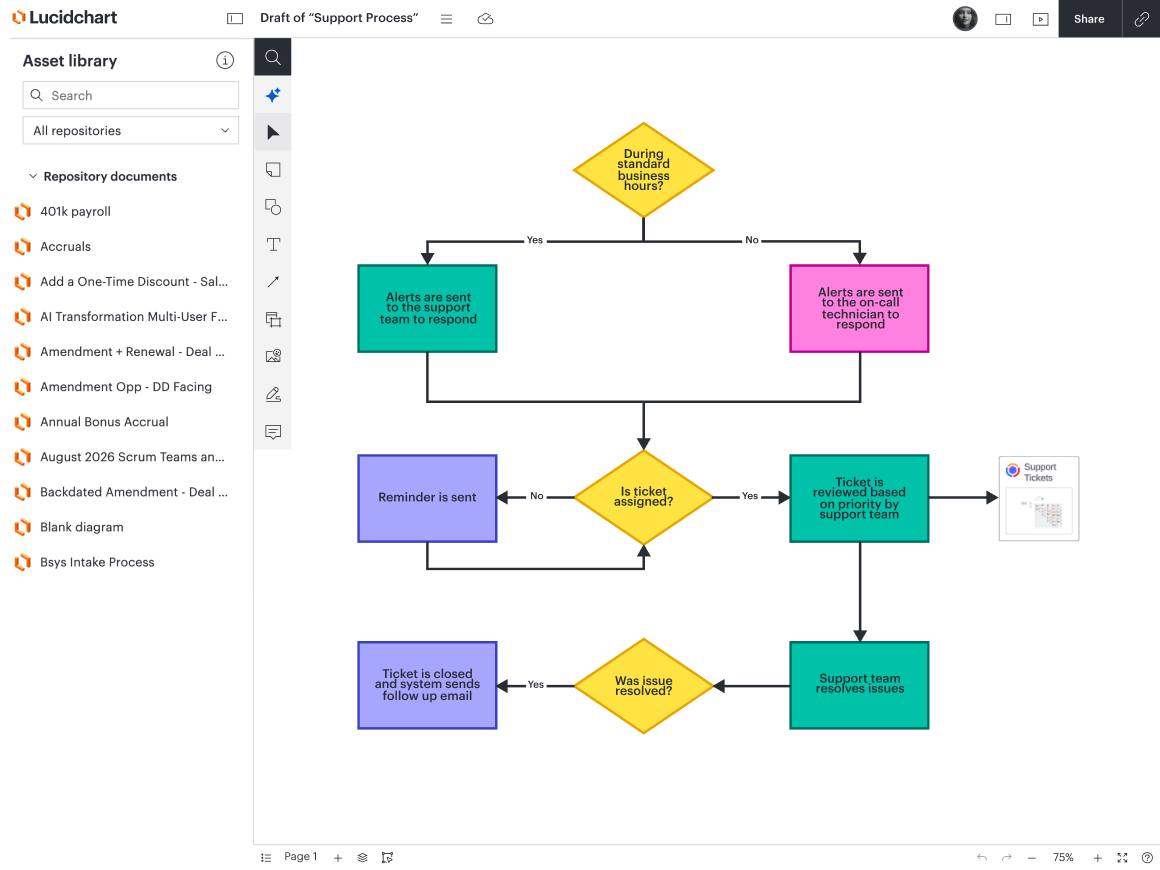
We believe that process complexity is best understood when represented visually. By using visuals, you can see at a glance the number of steps in a process, the different systems involved, where agents and people interact, what handoffs exist, and more.
Lucid makes it easy to analyze your current processes. To best understand complexity, you can:
Use intelligent features—including data linking, opens in a new tab, formulas, opens in a new tab, and conditional formatting, opens in a new tab—to calculate cycle time and highlight critical dependencies, the different actors involved, or other areas of complexity.
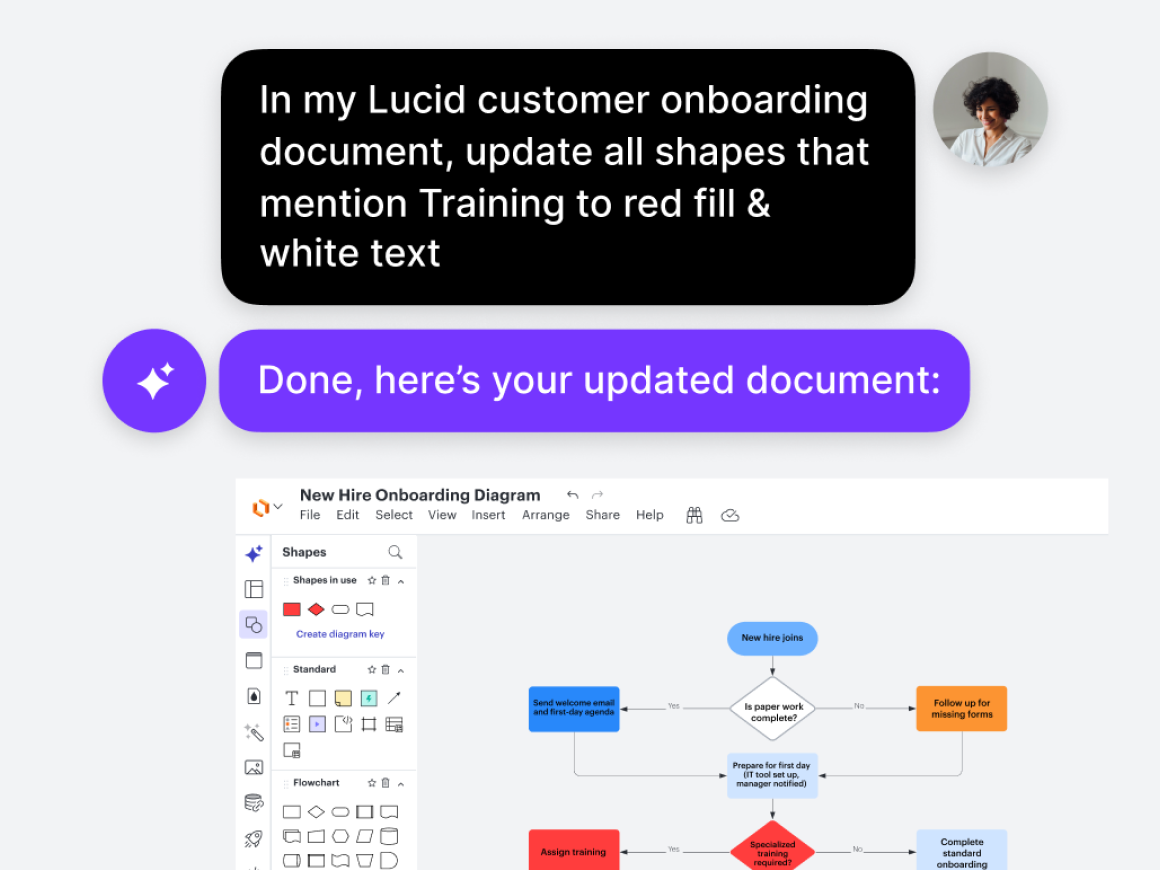
Quickly create, format, and optimize process diagrams with Lucid AI., opens in a new tab For instance, you can ask Lucid AI to help you generate a diagram (via prompts or screen recording) and apply conditional formatting to it based on the criteria you’re evaluating.
See the underlying systems for each process using integrations with LeanIX, opens in a new tab and Ardoq, opens in a new tab. Visualize your enterprise architecture data and connect this data directly to process diagrams (via the Process Accelerator) to get a complete picture of system interoperability.
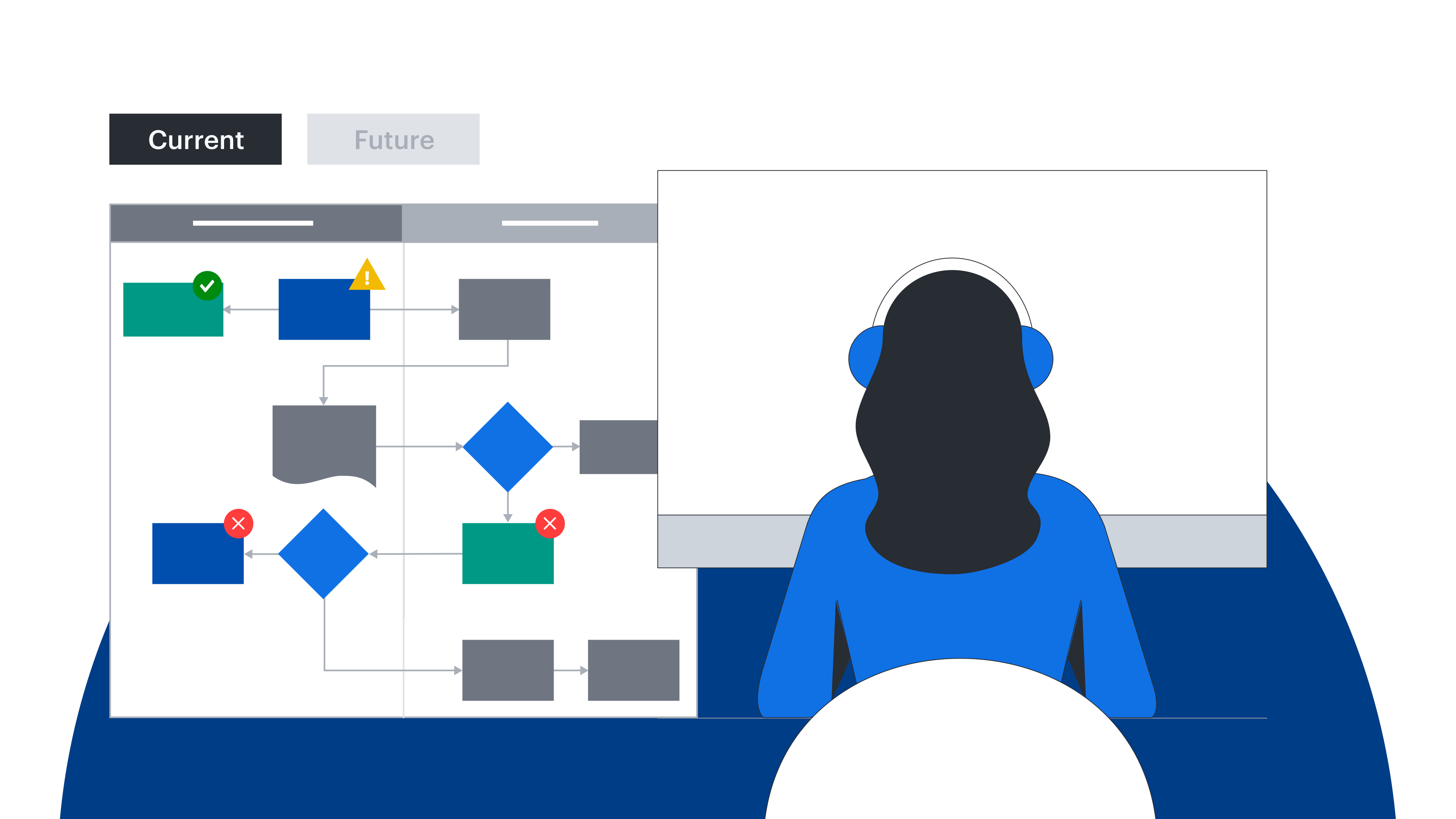
Visualize agent-to-human handoffs by using swimlane diagrams and comparing current and future state , opens in a new tabversions.
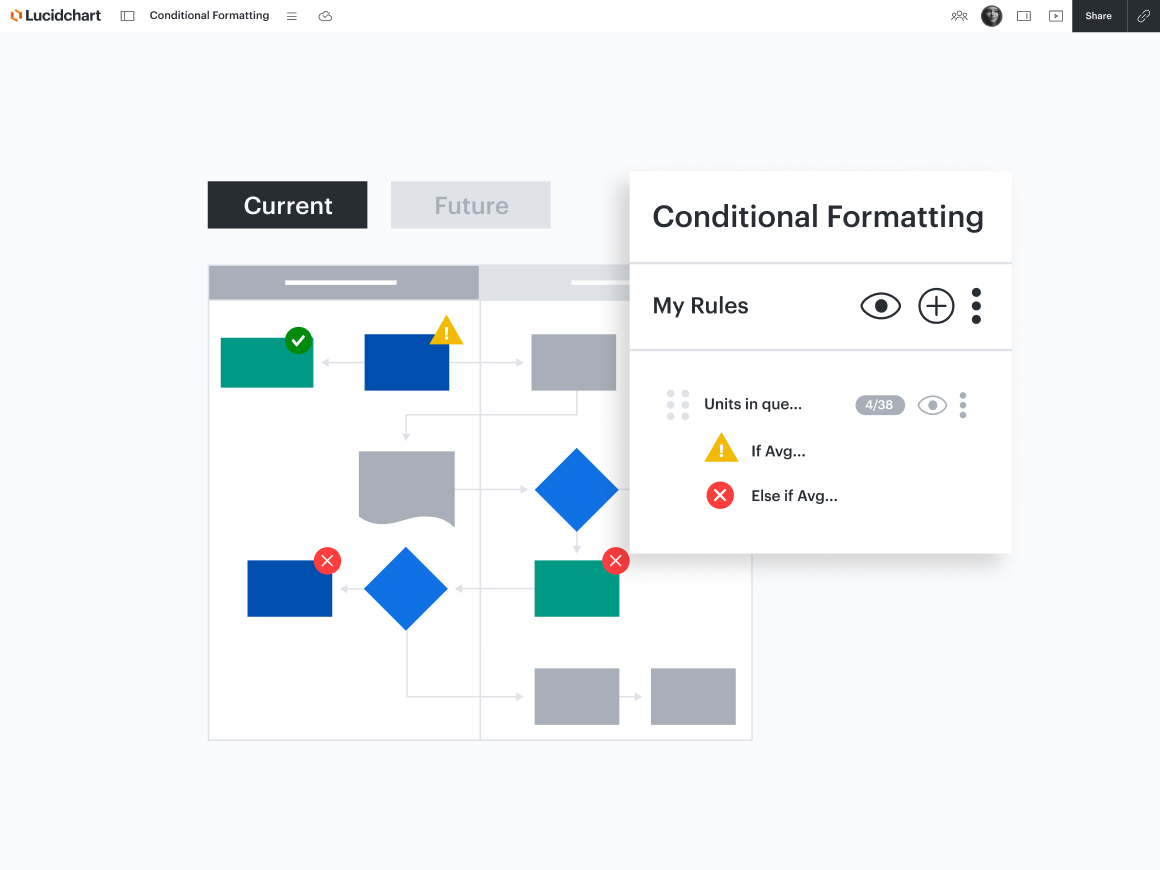
As you evaluate your visual diagrams for complexity, keep this note from Gartner in mind: “Complexity will not always manifest itself in all of these categories; it is possible for a complex process to exist if only one of these measures is high.”
Step 3: Select a technology platform by assessing the orchestration depth
After taking the time to properly understand and design business processes, you’ll have the information you need to evaluate technology platforms. As Gartner explains, “When assessing vendors’ claims about process orchestration applications, leaders should consider the complexity of the actions being orchestrated to assess the level of capability required.”
We recommend using the process diagrams you created in the previous section to guide your evaluation. For example, smaller use cases with lower complexity may align with the automation and orchestration capabilities of existing toolsets, such as your ERP or CRM. Complex, end-to-end processes may require new automation technologies to orchestrate effectively.
At this stage, your documentation can be used not only when making purchasing decisions but also as infrastructure that feeds into the agentic tools you use. Using the Lucid MCP server, opens in a new tab, teams can connect their visual process documentation in Lucid with AI tools (including Claude, ChatGPT, Codex, and more) to execute agentic workflows.
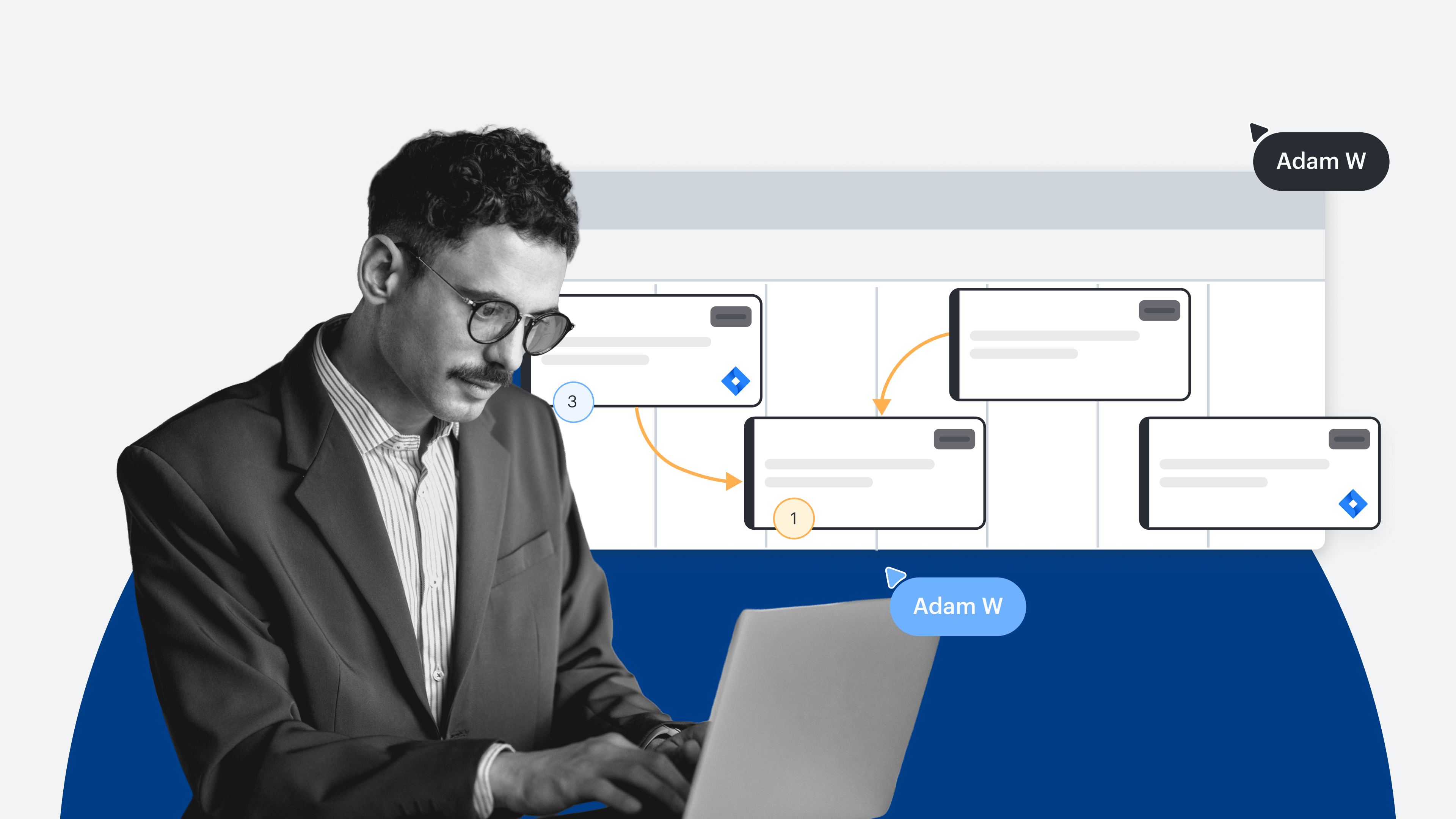
For example, an AI agent can analyze a visual, cross-functional process diagram in Lucid, automatically identify bottlenecks or newly flagged tasks, and use that context to generate correctly scoped tickets in tools like Jira or Asana. Your documentation stops being static reference material and instead becomes live infrastructure for AI agents.
Take the next step in preparing your processes for AI
Gartner said it best with: "Whatever the solution, start by understanding the business process."
Visuals are a necessity for understanding how processes are organized within your business and how complex they are. Not only does Lucid accelerate the creation and analysis of process diagrams, but it also offers advanced documentation management and governance tools to ensure your processes are truly AI-ready.
You can use Lucid to visualize processes and streamline every step of AI transformation.
Learn moreGartner, Understand Your Processes Before Investing In Agentic Automation, Adam Briggs, February 10, 2026
Gartner is a trademark of Gartner, Inc. and/or its affiliates.