Key takeaways
Evaluate visual collaboration solutions to ensure they support a range of use cases and teams, including both technical and non-technical teams.
Prioritize solutions that offer data visualization, automation, and AI integration to streamline workflows, as well as document-sharing capabilities for asynchronous collaboration.
Look for robust standardization and governance features to secure processes and reduce data risk.
Choose a visual collaboration tool that provides strong implementation and transition services, as well as ongoing support.
Not all visual collaboration solutions are created equal.
In fact, many tools bucketed under the visual collaboration category, such as digital whiteboards, lack some of the most crucial functionality needed to fulfill the promises of visual collaboration: increased innovation, productivity, and alignment.
But when software providers use the same language to refer to vastly different offerings, it’s hard to cut through the noise. How can you determine:
What capabilities will drive, not hinder, innovation and AI transformation?
What’s needed to connect cross-functional teams,, opens in a new tab not create more silos?
Which visual collaboration solutions will truly increase efficiency across the business, not only in individual teams?
Visual collaboration software should be the cornerstone of how your organization gets work done, but the wrong platform could cost your business in the long run.
This guide is intended to help you see past the buzzwords, spot the red flags, and, ultimately, choose a visual collaboration solution that lives up to its promises.
How to spot red flags in visual collaboration platforms
Every business has unique needs to fulfill. Maybe you’re trying to increase agility, or you’re implementing an AI transformation initiative. Of course, it’s important to take your business’s strategic priorities into account when evaluating vendors (and we’ve created a visual collaboration worksheet to help with your assessment).
But there are consistent weaknesses in visual collaboration software that will impede your progress, regardless of what unique goals are on the horizon for your business. Here’s how to spot those weaknesses before you commit to a visual collaboration solution.
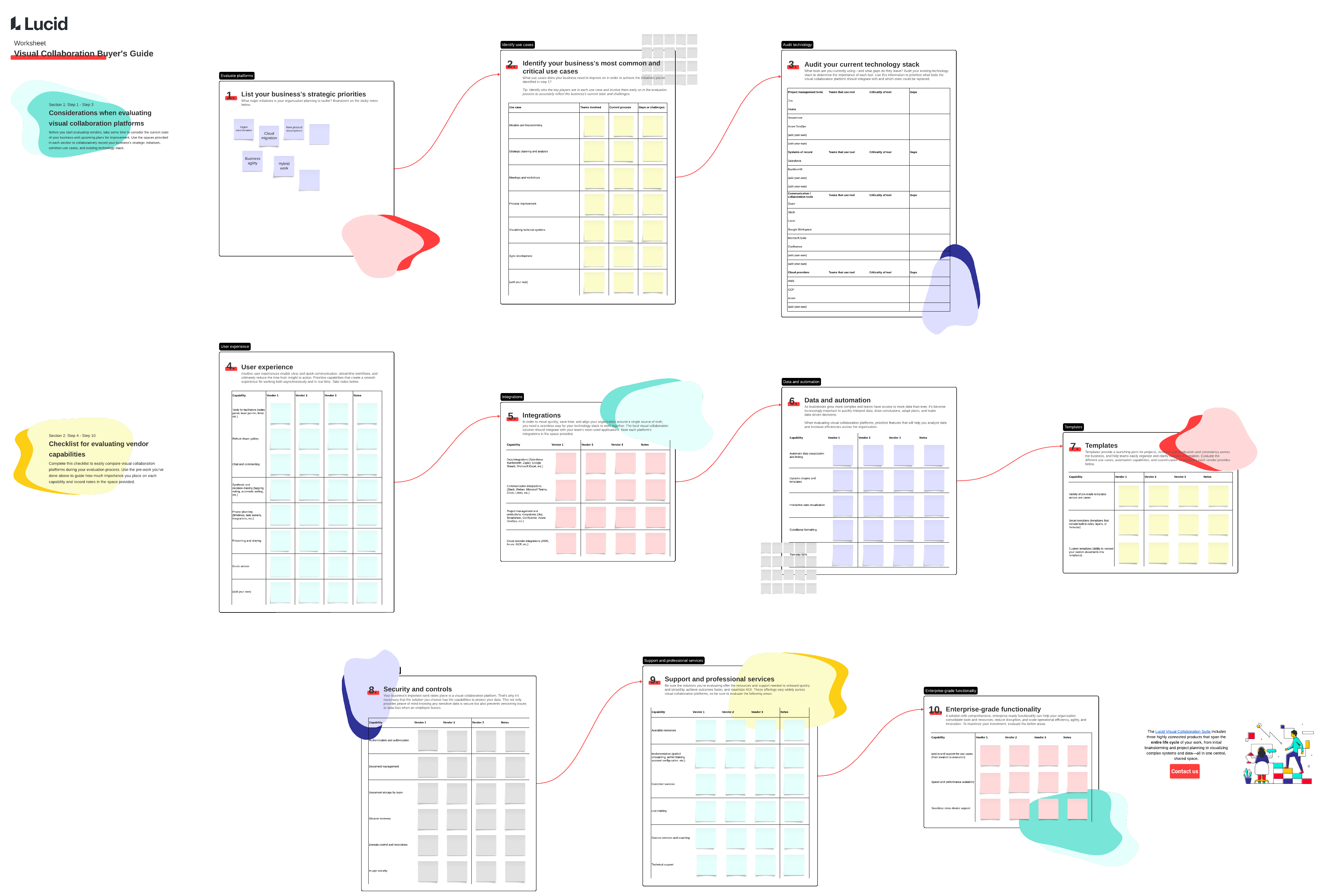
To effectively spot platform weaknesses, look beyond surface-level feature checklists and examine how the tool will actually perform in your workflows. Start by mapping out your organization’s core collaboration needs, such as brainstorming sessions or technical architecture mapping. Along with the worksheet above, test the tool during live trials or vendor demos.
This approach helps you evaluate whether the solution truly supports end-to-end execution or simply functions as a basic digital whiteboard. Watch out for the following red flags, which often occur when cross-functional alignment breaks down. Identifying where a visual collaboration solution forces manual workarounds or fails to bridge gaps will highlight the weaknesses you need to avoid.
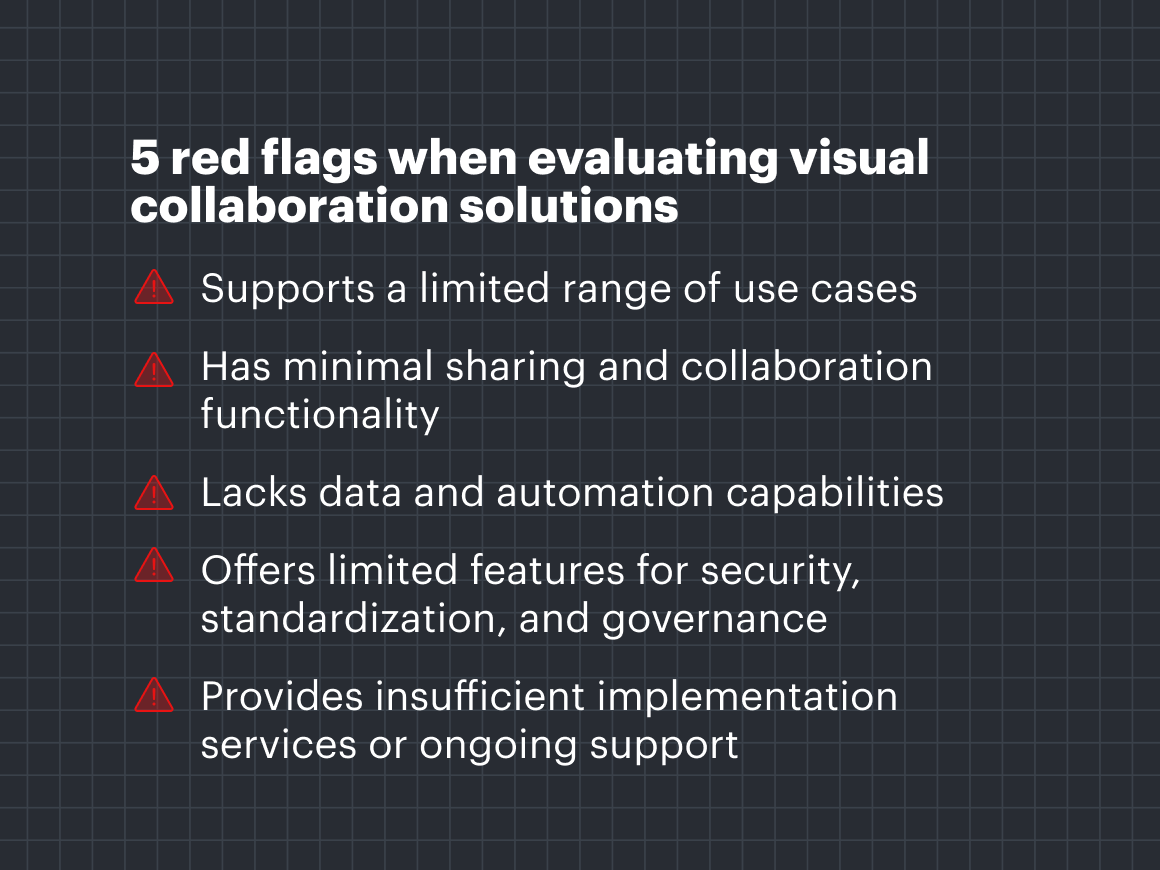
Red flag #1: Only supports a limited range of use cases and teams
Some visual collaboration tools can help with ideation and meetings but lack the technical capabilities, opens in a new tab that teams need to understand their databases, visualize architecture, or maintain documentation. Others cater almost exclusively to technical teams, lacking the easy-to-use interface that other teams need to jump into work.
In this circumstance, you’d need more than one visual collaboration tool to support your business. Maintaining multiple tools is not only costly but also makes it difficult for teams to collaborate cross-functionally, stifling innovation and slowing progress.
How to spot this red flag
Most visual collaboration platforms will claim to support the entire business, so you’ll have to dig deeper than a product’s website to uncover if it really does cover every team’s use cases.
Start by determining the most critical use cases that teams across your business need to meet. The capabilities of visual collaboration solutions have expanded dramatically over the year, so don’t limit your list to just workshops and meetings.
In fact, the latest Gartner® Market Guide for Visual Collaboration Applications recommends “using visual collaboration applications beyond live meetings—integrating them into creative, educational, ideation/brainstorming, process management, task management, and data analysis workflows” (Gartner, “Gartner Market Guide for Visual Collaboration Applications,” October 27, 2025).
Use what you uncover to create evaluation criteria. In the example above, you may determine that certain integrations, opens in a new tab and data visualization capabilities would be key components to look for in visual collaboration software.
With your use cases in mind, we recommend digging into the following questions:
Does the product have templates and shape libraries for your most important use cases?
Does the platform have both diagramming and whiteboarding capabilities? Note: You’ll want to investigate the depth of each offering. Many technical teams will need intelligent diagramming capabilities (including data visualization and automation) as simple diagramming doesn’t fulfill their complex use cases.
How does the product help teams move from ideation to planning? Does it include enhanced planning features, such as scenario planning or dependency mapping?
How does the product help with decision-making?
Does the platform offer integrations to support your most critical cases? (For example, a Jira integration may be critical for agile teams, and integrations with Ardoq or LeanIX may be critical for enterprise architects.)
Red flag #2: Has minimal document sharing and collaboration functionality
You can’t have visual collaboration without, well, collaboration. Yet some platforms have undervalued this critical aspect, creating unnecessary barriers to collaboration and alignment. For example, some tools restrict users’ ability to edit documents simultaneously, leading to versioning issues and misalignment.
Or they require users to take extra steps just to share documents with one another, which is inefficient and takes time away from high-value collaborative activities. Other visual collaboration options may support live meetings, but don’t offer capabilities for asynchronous work.
How to spot this red flag
Robust collaboration functionality in a collaborative platform should be non-negotiable.
To expose limitations that could create difficulties for your teams, ask:
How can users share documents within the platform?
Can teams invite partners, customers, or other external stakeholders to collaborate within the platform?
How does the product support both real-time and asynchronous collaboration, opens in a new tab?
How does the product help create a single source of truth, opens in a new tab?
How are documents stored? And how are they secured?
Security features are an important consideration when you’re evaluating visual collaboration software. Look for a solution that offers enterprise-grade controls to enforce your internal security and compliance standards, so you can streamline data governance and easily determine who can access what.
Red flag #3: Lacks data and automation capabilities
Intelligence, opens in a new tab—that is, the ability to visualize data and automate parts of the workflow—is one of the most powerful capabilities in a visual collaboration solution.
Unfortunately, many visual collaboration tools don’t prioritize intelligence. Sure, many are experimenting with incorporating AI into their platforms, but AI is often being added in for the simple sake of having AI. To get the most value out of a visual collaboration solution, you need intelligence at every step, with AI capabilities that were purposefully built to accelerate key parts of your existing workflows.
How to spot this red flag
At face value, many of the solutions may seem very similar. And as AI gains popularity and more platforms boast “intelligent” capabilities, it becomes challenging to identify which solutions will genuinely help your business.
If you can understand a platform’s technical capabilities (or lack thereof) upfront, you’ll avoid frustrations down the road.
To spot this red flag, use the following questions to guide your discovery process:
Does the product offer bidirectional syncing with any other tools?
Does the product have the ability to turn data into diagrams, and if so, from which data sources? Consider asking about specific use cases, including org charts from an HRIS, ERDs from SQL, or custom visuals from spreadsheets or CSVs.
Can users interact with data visualizations within the product?
Will the product support standardization by consolidating data from multiple sources?
What automation capabilities does it offer at different workflow stages—ideation, planning, designing, decision-making, and monitoring results?
Does the product offer open APIs to allow you to build your own integrations as custom use cases arise?
Can data be visually organized using conditional formatting, colors, and layers?
Does the product meaningfully leverage AI capabilities to generate visuals, automate manual tasks, and accelerate project delivery?
Tip: Look for a solution that includes an MCP server so you can link your visual documentation to the LLMs you’re already using. With an MCP server, you can integrate visual collaboration directly into your AI tool stack, offering more options and greater flexibility for cross-functional work.
Red flag #4: Lacks features for security, standardization, and governance
Some visual collaboration tools function simply as places to house documents or to facilitate planning. You need a way to not only store documentation but also maintain it, while accelerating work across teams, standardizing business processes, and preparing for AI transformation. In fact, having a central space to visualize and document business processes is emerging as an essential aspect of AI adoption and enables auditing of agentic workflows at scale.
If your visual collaboration software lacks standardization and governance features, it not only leads to duplicate or scattered information but also poses security risks. If there are no access controls, for example, then there may be unrestricted vendor access, which can lead to data leaks. Governance is also key to ensuring that AI agents only follow approved, official process documentation to avoid potentially costly or damaging mistakes,
How to spot this red flag
Look for a visual collaboration solution that functions as a centralized repository and helps you accelerate business transformation. As the pace of change increases, it’s important to look for solutions that extend the capabilities of visual collaboration to support larger-scale transformation. Keep an eye out for options that offer purpose-built capabilities to scale and standardize key workstreams.
Ask the following questions to expose whether the tool lacks essential standardization and governance capabilities:
How does the platform handle data retention, legal holds, and centralized ownership?
Can you create reusable components in an asset library and deploy updates to all processes that involve those assets?
Are there built-in approval flows for process changes? How does the platform facilitate stakeholder feedback?
Does it maintain comprehensive audit logs that record permission changes and export actions?
Does it help you define and drive a documentation standard?
Can you house approved documentation in a way that’s easily accessible and searchable across your organization?
Does it provide transparency and flexibility in governing the handoff of tasks between human users and AI agents?
To streamline process documentation and standardization, look for a visual collaboration solution that allows you to capture workflows in real time. When you document how work actually happens and define owners and specific steps, you achieve more accurate, comprehensive standardization.
Red flag #5: Offers minimal implementation services and insufficient ongoing support
There’s no doubt that implementing a new tool represents a significant change in the business. Teams often need time, training, and resources to adjust to a new way of working.
Without proper transition and implementation support, teams may lose important information from previous tools, or they might not adopt the new platform at all, exacerbating the collaboration and alignment problems you’re trying to solve in the first place.
In the long term, after teams initially adopt and use the new tool, ongoing support is needed to ensure they continue to see the full value of the software. If teams don’t have sufficient resources to answer their questions and help them troubleshoot issues, they’ll likely become dissatisfied and frustrated. And if they attempt to create or find more workable solutions, there’s a greater chance of shadow IT or new security risks emerging.
How to spot this red flag
To ensure your organization quickly adopts (and sees value from) the new tool, dig into what services they offer to help streamline the transition to their platform and whether they provide ongoing support.
You can ask the following questions to uncover this red flag:
What migration support does the platform offer for transitioning from another tool? Do they offer both self-serve and white-glove options?
What training and resources do they provide to help teams learn the new software, and can this be tailored to customer needs?
Do enterprise accounts get a designated customer success manager?
Where can users go when they have questions or issues?
Does the platform offer a community or space for admins and power users to ask questions and identify best practices?
Who is responsible for updates: the vendor or admin? Tip: In cloud-based solutions, updates, new features, and bug fixes are typically deployed automatically to all users, so everyone is always working from the latest version. With many desktop solutions, users or IT teams are responsible for this process.
Choosing the right visual collaboration solution for the future of work
Visual collaboration solutions have skyrocketed in popularity over the past few years as organizations have recognized their value in promoting collaboration for diverse working styles and environments.
As visual collaboration software becomes more important for AI and other business initiatives, choosing the right one grows increasingly important to your organization’s success. In fact, the visual collaboration solution you pick could be what sets you apart from the competition—the key to gaining insights faster, working more efficiently, and continuously innovating.

What makes Lucid the most intelligent visual collaboration solution?
Learn about the intelligent features that make Lucid the top choice for visual collaboration.
Learn moreGARTNER is a registered trademark and service mark of Gartner, Inc. and/or its affiliates in the U.S. and internationally and is used herein with permission. All rights reserved.